Table of Contents
10 Best AI Landing Page Builders in 2026
47% of marketers report that building landing pages takes too much time. You need conversions fast. But writing copy, designing layouts, and fixing responsive bugs drains your schedule. So you turn to artificial intelligence. The best AI landing page builders in 2026 don’t just write generic text. They generate complete layouts, map out user flows, and optimize technical performance.
Here’s exactly how the top 10 platforms stack up based on output quality, pricing, and specific use cases. You’ll quickly see which tools deliver production-ready code versus those that just create pretty mockups.
Key Takeaways
- Elementor powers 13% of the global web and leads with its unified AI Site Planner and Editor Pro ecosystem.
- Standalone AI generators often produce heavy code causing 63% slower page loads.
- Agentic AI now executes specific actions inside environments rather than just generating text suggestions.
- Conversion-focused tools command a 31% premium but deliver strong testing features.
- Visual platforms excel at micro-interactions but struggle with complex e-commerce integrations.
- You’ll save an average of 14 hours per campaign using native design assistants.
1. Elementor Editor Pro and AI Ecosystem
Elementor dominates the WordPress space for a very specific reason. It powers over 21M+ websites globally across 206+ countries. You aren’t just getting a basic prompt-to-page generator here. You’re entering a fully unified design ecosystem.
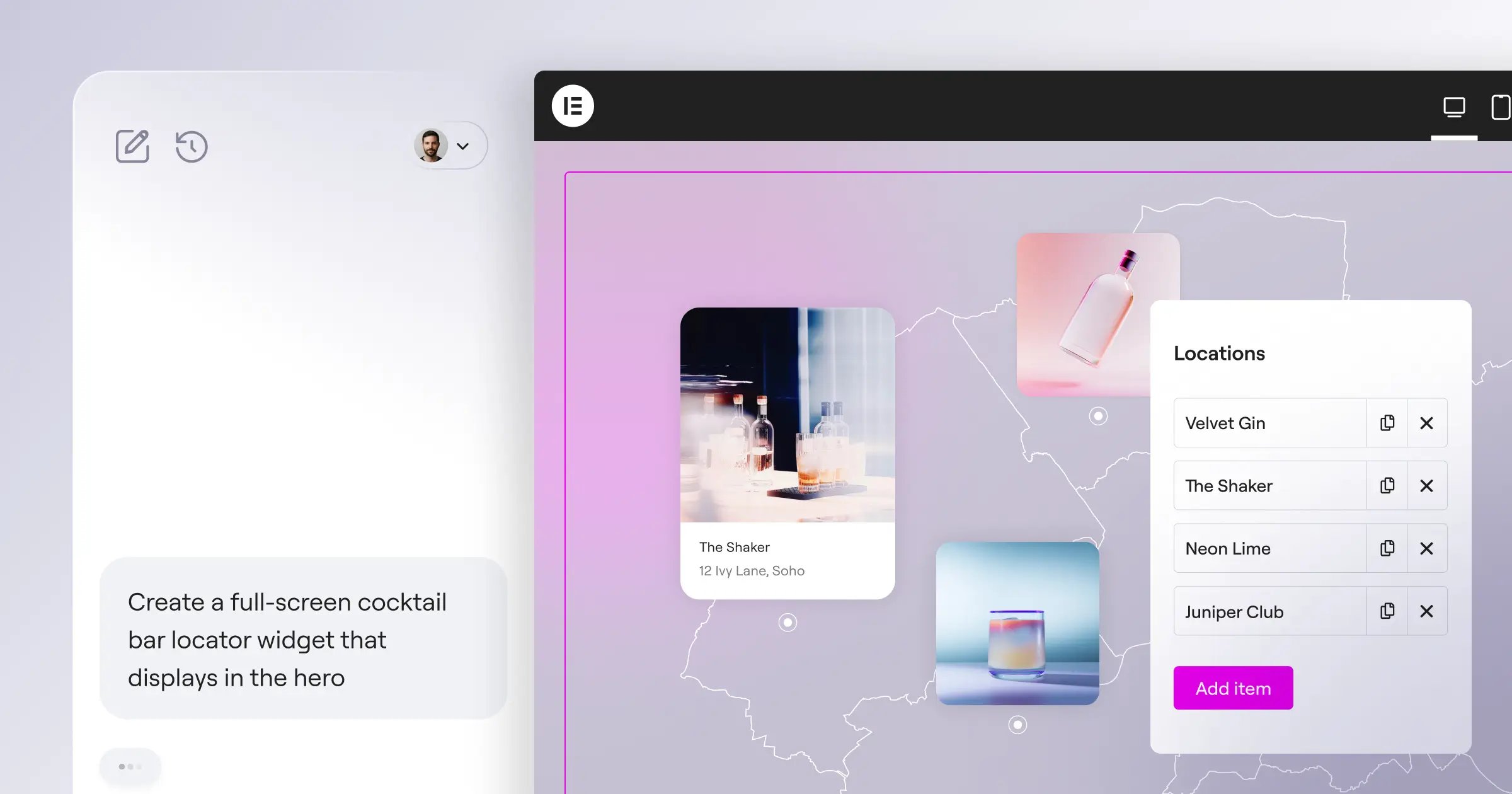
The process starts with the AI Site Planner. It turns raw ideas into sitemaps and wireframes in under 20 minutes. From there, Elementor Editor Pro takes over. You get 118+ widgets to refine the design manually. And with the Atomic design system (Editor V4), the code output is incredibly clean. (Honestly, the CSS-first foundation here completely changes how developers view visual builders). This isn’t just about throwing elements on a page. It’s about maintaining strict control over breakpoints, global variables, and dynamic data.
But the biggest shift in 2026 is Angie. This native agentic AI uses the Model Context Protocol to actually take action. You tell it what you need. It configures the WordPress assets automatically. It’s a massive shift in workflow.
Agentic AI completely changes the landing page creation process. You aren’t just generating text anymore. You’re instructing a system to execute complex WordPress configurations instantly.
Itamar Haim, SEO Team Lead at Elementor. A digital strategist merging SEO, AEO/GEO, and web development.
Key AI Features:
- AI Site Planner – Generates complete wireframes from simple text descriptions.
- In-Editor AI Assistant – Writes copy, generates custom CSS, and builds custom code.
- Angie Integration – Executes WordPress actions directly via natural language.
- Image Optimization – Compresses images up to 60% automatically.
- Ally Accessibility – Scans for 180+ WCAG issues instantly.
Pricing Overview:
The new Elementor One subscription shifts away from traditional bundles into a unified platform.
- Essential ($60/yr) – 1 site, 57 core widgets.
- Advanced Solo ($84/yr) – 1 site, 86 widgets, including popup builder.
- One ($168/yr) – 1 site, 25K AI credits/mo, priority support, and all advanced tools.
Pros:
- Unifies the full process from planning to optimization.
- Eliminates plugin overload with native solutions.
- Outputs incredibly clean code via the Atomic system.
- Shared credit system offers ultimate flexibility.
Cons:
- Requires WordPress as the foundational CMS.
- High-level AI actions consume monthly credits quickly.
- Learning curve for advanced dynamic data features.
Verdict: Elementor is the strongest choice for modern web creators who want complete control over their layout without sacrificing AI speed.
2. Framer AI
How exactly does Framer AI handle generation? You type a prompt. The engine spits out a fully styled layout in seconds. It’s highly visual. Framer built its reputation on smooth animations and pixel-perfect positioning. 73% of designers praise its interface for feeling exactly like Figma.
Look, the micro-interactions are stunning. But you’ll notice the DOM structure gets messy if you don’t clean it up manually. You can’t just trust the AI output for complex enterprise builds. It shines for single-page marketing drops, portfolio sites, and quick startup concepts. When you try to connect complex backend databases, the platform struggles. (This is where CMS-driven platforms quickly pull ahead). Still, you can click a single button, and the AI regenerates the entire color palette instantly.
Here’s exactly how the workflow operates:
- Enter a descriptive text prompt detailing your product.
- Watch the AI generate a complete page structure.
- Cycle through AI-generated color and typography themes.
- Manually adjust responsive breakpoints using the visual canvas.
- Publish directly to their edge network.
Core AI Capabilities:
- Prompt-to-Page – Instant layout generation from text.
- powerful Rewrite – Adjusts copy tone and length on the fly.
- Auto-Localization – Translates entire pages into multiple languages.
- AI Styling – Generates matching color palettes based on initial prompts.
Pricing Structure:
Framer charges per site. The Mini plan runs $180/yr for simple landing pages. The Pro tier hits $360/yr and unlocks site analytics and larger CMS limits.
Pros:
- Lightning-fast visual output from basic prompts.
- Figma-like interface feels incredibly intuitive.
- Native animations require zero coding knowledge.
Cons:
- Pricing scales aggressively if you run multiple campaigns.
- Code output isn’t always optimized for strict technical SEO.
- E-commerce features remain severely limited.
Verdict: Framer delivers beautiful, animation-heavy designs incredibly quickly, but it lacks the backend flexibility needed for deep marketing stacks.
3. Unbounce
Unbounce claims its Smart Traffic feature boosts conversions by 31% on average. That’s a massive claim. Industry marketers consistently praise their Smart Copy AI for producing highly clickable headlines. They focus strictly on performance marketing. You aren’t building a full website here.
You’re building isolated funnels designed to capture leads. The platform automatically routes visitors to the variant most likely to convert them. It uses machine learning to analyze visitor attributes in real-time. Honestly, this specific feature justifies the high price tag for serious media buyers. But the classic drag-and-drop editor feels slightly dated compared to modern visual interfaces. They’ve introduced an AI-powered builder, but it lacks fine-grained responsive controls. You can’t precisely tweak CSS variables without jumping through hoops.
Essential Features for Marketers:
- Smart Traffic routing – AI directs users to specific variants based on behavior.
- Smart Copy generation – Writes landing page copy, emails, and ad texts.
- Dynamic Text Replacement – Swaps out keywords based on the user’s search query.
- Popups and Sticky Bars – Included natively for extra conversion points.
Pricing Realities:
You’ll pay a premium. The Launch plan costs $1,080/yr and limits you to 500 conversions. The Optimize plan jumps to $1,620/yr for 1,000 conversions.
Pros:
- Unmatched A/B testing and traffic routing capabilities.
- Dynamic text replacement drastically improves PPC quality scores.
- Deep integrations with major marketing platforms.
Cons:
- Strict conversion limits on lower pricing tiers.
- Visual editor lacks modern grid and flexbox controls.
- Requires a steep budget just to test the waters.
Verdict: If your sole metric is cost-per-acquisition on high-budget ad spend, Unbounce delivers strong results, but the design experience feels clunky.
4. Hostinger Website Builder
Not everyone needs atomic CSS control. Sometimes, you just need a page live by noon. Hostinger Website Builder targets absolute beginners. You answer three questions about your business. Their AI generates a custom template, populates it with stock images, and writes the initial copy. It’s wildly fast.
But there’s a ceiling. Once you outgrow the basic layouts, you’ll hit a wall. You can’t export the code easily. You can’t add complex custom post types. (This is a common trap for scaling businesses). They do offer a native AI Heatmap tool, which is a rare find at this price point. It predicts where users will click before you even publish. 62% of novice designers find this feature incredibly helpful for button placement.
Key Building Tools:
- 3-Step Generation – AI builds the site from a brief questionnaire.
- AI Logo Maker – Creates basic branding assets instantly.
- Predictive Heatmaps – Shows simulated user attention zones.
- AI SEO Assistant – Generates meta titles and descriptions automatically.
Cost Breakdown:
Hostinger bundles this builder with their standard web hosting. You’ll pay roughly $36/yr for the first term. It usually renews around $84/yr.
Pros:
- Incredibly affordable for solo entrepreneurs.
- Zero technical knowledge required to launch.
- Heatmap feature provides actionable layout insights.
Cons:
- Designs often look generic without heavy manual editing.
- Platform lock-in prevents migrating your specific design elsewhere.
- Lacks deep third-party marketing integrations.
Verdict: Hostinger serves as a perfect stepping stone for local businesses on a strict budget, but it won’t satisfy professional growth marketers.
5. Wix Studio
Wix shifted its focus hard toward agencies in recent years. Wix Studio represents their flagship offering for professionals. The AI features here focus heavily on responsive behavior. You design a section for desktop. You click the Responsive AI button.
The system automatically calculates the breakpoints for tablet and mobile screens. It saves 42% of the time usually spent adjusting padding. You’ll also find AI text generation and image creation baked directly into the media manager. The interface is incredibly dense. It’s packed with floating panels, CSS grid controls, and animation timelines. If you’re coming from a simple block editor, you’ll feel overwhelmed immediately. But for professional designers, it offers incredible raw power.
Top Features for Professionals:
- Responsive AI calculation – Automatically scales designs across screen sizes.
- Code Assistant – Generates custom Velo code for complex interactions.
- AI Image Editor – Removes backgrounds and extends image borders natively.
- Custom Reusable Assets – Save AI-generated sections for future builds.
Agency Pricing:
The Basic Studio plan starts at $288/yr. The Advanced tier hits $432/yr. If you want VIP support and unlimited video hours, you’ll pay $600/yr.
Pros:
- Responsive AI drastically cuts down mobile design time.
- Client handover tools are built specifically for agencies.
- Native e-commerce features are remarkably deep.
Cons:
- The sheer volume of tools creates a steep learning curve.
- Performance metrics still trail behind strictly optimized custom code.
- Support relies heavily on automated bots before reaching a human.
Verdict: Wix Studio provides a massive toolkit for agencies churning out high-volume builds, provided you can stomach the complex interface.
6. Leadpages
Small businesses need specific solutions without massive learning curves. Leadpages has spent a decade serving this exact market. 89% of their user base consists of solo coaches, authors, and local services. Their latest AI engine focuses entirely on writing high-converting copy.
You aren’t generating wild, custom web layouts here. You’re using proven, rigid templates and letting the AI fill in the text. Honestly, the lack of design freedom is their biggest strength. You literally can’t break the layout. The editor restricts where elements go. This prevents novices from making poor design choices. But if you want to overlap an image with a text box? You’re out of luck. The platform strictly enforces grid rules.
Why Small Businesses Choose It:
- AI Copywriting Engine – Generates headlines based on proven conversion formulas.
- Pre-optimized Templates – Layouts sorted specifically by historical conversion rates.
- Lead Meter – Real-time feedback on how likely your page is to convert.
- Native Delivery – Automatically emails digital files when users opt in.
Subscription Costs:
The Standard plan costs $444/yr. If you want A/B testing and online payments, you must upgrade to the Pro plan at $888/yr.
Pros:
- Rigid templates prevent accidental design disasters.
- Lead Meter provides immediate, actionable feedback.
- Page loading speeds are consistently excellent.
Cons:
- Design flexibility is almost non-existent.
- A/B testing is locked behind the expensive Pro tier.
- The visual editor feels slightly outdated compared to rivals.
Verdict: Leadpages remains the safest option for non-designers who prioritize proven conversion layouts over creative expression.
7. Landingi
High-volume marketing requires mass production capabilities. Landingi positions itself as the factory floor for campaign pages. Their AI Text Translator handles 28 different languages instantly. If you run ads across Europe, this feature alone justifies the subscription cost.
You build one master page. The AI duplicates it, translates the copy, and adjusts the text container sizes to fit longer words automatically. The platform also includes EventTracker. It logs micro-conversions without requiring Google Tag Manager expertise. (This saves hours of technical setup). But the interface feels purely utilitarian. It lacks the polish of modern design tools. You won’t find smooth canvas interactions here.
Key Factory Features:
- Bulk AI Translation – Localizes campaigns for international audiences instantly.
- Smart Sections – Updates a single section across hundreds of pages simultaneously.
- EventTracker – Monitors button clicks and scroll depth automatically.
- AI SEO Optimizer – Generates metadata for mass page deployments.
Pricing Tiers:
The Core plan runs $348/yr. The Create plan hits $708/yr. Large agencies usually need the Automate plan at $1,188/yr.
Pros:
- Unrivaled tools for managing hundreds of pages simultaneously.
- Translation AI respects design constraints perfectly.
- Smart Sections drastically reduce maintenance time.
Cons:
- The user interface feels highly industrial and stiff.
- Mobile breakpoint editing requires tedious manual adjustments.
- Pricing scales quickly as traffic volume increases.
Verdict: Landingi acts as the ultimate workhorse for international ad agencies managing massive, multi-language campaigns.
8. Dorik AI
Speed dictates everything in mobile marketing. Dorik AI operates as a flat-file CMS. That means no heavy database queries bogging down your load times. Their AI generator creates shockingly clean layouts.
You simply describe your business. It builds a multi-page site, injects relevant imagery, and structures the navigation in seconds. This platform shines specifically for white-labeling. Agencies can rebrand the entire Dorik backend as their own proprietary builder. You present the AI tools to your clients under your own logo. It’s brilliant. However, the ecosystem of third-party plugins is tiny. If you need a highly specific integration for a niche CRM, you’ll likely have to build a custom webhook yourself.
Performance and White-Label Features:
- Flat-File Architecture – Delivers incredibly fast TTFB (Time to First Byte).
- Full White-Labeling – Rebrands the builder interface for agency clients.
- AI Component Generation – Builds specific blocks like pricing tables via text prompts.
- Built-in Blogging – Includes a lightweight CMS optimized for speed.
Affordable Pricing:
Personal plans start at just $48/yr. The Business tier runs $108/yr. Agency plans with white-labeling start at $348/yr.
Pros:
- Exceptional page speed due to database-free architecture.
- White-label capabilities offer massive value for agencies.
- Pricing is incredibly competitive for the features provided.
Cons:
- Limited native integrations with complex marketing software.
- E-commerce features are too basic for physical product stores.
- The template library feels slightly repetitive.
Verdict: Dorik delivers lightning-fast pages and incredible white-label value, provided you don’t need complex database functionalities.
9. HubSpot AI
Enterprise teams don’t want isolated tools. They want everything connected to their main system. HubSpot’s Content Assistant AI lives directly inside their CRM ecosystem. 68% of enterprise teams cite data silos as their biggest bottleneck.
HubSpot solves this completely. The AI analyzes your existing CRM data to write highly personalized landing page copy. It knows your target demographic. It knows their past purchasing behavior. You just ask it to generate a campaign page for a specific segment. But be prepared to open your wallet wide. You’re buying into an entire enterprise machine, not just a simple page builder. The standalone page editor feels somewhat basic compared to dedicated visual design tools.
Enterprise AI Capabilities:
- CRM-Driven Copywriting – Generates text based on real customer data.
- Smart Content Rules – Changes page elements dynamically based on user lifecycle stage.
- AI Campaign Assistant – Generates landing pages, emails, and ads in one click.
- Deep Analytics – Ties page performance directly to pipeline revenue.
Enterprise Costs:
There’s a free tier with basic tools. But serious use requires the CMS Hub Professional plan at $4,800/yr.
Pros:
- Flawless integration with the industry’s leading CRM.
- Personalization capabilities are mathematically unmatched.
- Security and compliance meet strict enterprise standards.
Cons:
- Pricing immediately disqualifies small businesses.
- The visual design tools feel extremely restrictive.
- Implementation often requires a dedicated technical consultant.
Verdict: HubSpot AI provides unmatched CRM-driven personalization for enterprise teams, but its price tag and rigid design tools alienate smaller creators.
10. Webflow AI
Developers historically hated visual builders. Webflow changed that by essentially mapping a visual interface directly onto real HTML and CSS. Their recent AI additions target strictly technical workflows.
You don’t ask Webflow AI to build a pretty page. You ask it to create a 3-column CSS grid with specific flexbox fallbacks. It generates raw, production-ready DOM structures automatically. You can manipulate 23 unique breakpoints if necessary. (This level of control is staggering). But the learning curve is absolutely brutal. If you don’t understand CSS positioning, you’ll break the layout immediately. The AI won’t save you from poor structural decisions. It simply speeds up the coding process for people who already know how to write code.
Technical AI Tools:
- DOM Generation – Creates exact HTML structures via technical prompts.
- AI Assistant – Explains complex CSS properties within the editor.
- CMS Schema Generation – Builds relational database structures automatically.
- Auto-Alt Text – Generates highly descriptive alt tags for accessibility.
Pricing for Pros:
The Basic plan costs $168/yr. The CMS plan runs $276/yr. If you need high bandwidth, the Business plan costs $468/yr.
Pros:
- Unrestricted control over every single pixel and CSS property.
- Code output is indistinguishable from hand-written development.
- Complex CMS capabilities handle massive content libraries easily.
Cons:
- The steepest learning curve of any platform on this list.
- Requires genuine understanding of web development principles.
- Client handover is difficult due to the complex interface.
Verdict: Webflow AI serves as a powerful accelerator for professional web developers, but it remains entirely inaccessible for standard marketers.
Comparison of the Best AI Landing Page Builders
Choosing the right builder comes down to your technical skill and primary goal. Here’s a direct breakdown of how the top contenders compare.
| Platform | Best For | Starting Price (Billed Annually) | Core AI Feature |
|---|---|---|---|
| Elementor | Modern Web Creators | $60/yr | AI Site Planner & Agentic Angie |
| Framer AI | Visual Designers | $180/yr | Prompt-to-Page Layouts |
| Unbounce | Performance Marketers | $1,080/yr | Smart Traffic Routing |
| Hostinger | Absolute Beginners | $36/yr | Predictive Heatmaps |
| Wix Studio | Digital Agencies | $288/yr | Responsive AI Calculation |
| Leadpages | Small Businesses | $444/yr | Conversion Copy Generation |
| Landingi | High-Volume Campaigns | $348/yr | Bulk AI Translation |
| Dorik AI | White-Label Agencies | $48/yr | Flat-File Page Generation |
| HubSpot AI | Enterprise Teams | $4,800/yr | CRM-Driven Personalization |
| Webflow AI | Web Developers | $168/yr | DOM Structure Generation |
Frequently Asked Questions
Do AI landing page builders hurt SEO?
It depends entirely on the code output. Standalone generators often produce heavy DOM structures that slow down load times. But platforms like Elementor output clean, atomic CSS. You won’t face ranking penalties if the underlying code remains optimized.
Can I export the code from an AI builder?
Most visual platforms lock you into their closed ecosystem. You can’t easily export a Wix or Hostinger site to another server. Webflow allows code exports on higher tiers. Elementor requires a WordPress environment, meaning you always own your foundational files.
What’s the difference between AI copywriters and AI builders?
Copywriters strictly generate text strings. You still have to paste that text into a layout manually. AI builders generate the actual structural components, apply styling, and arrange the text automatically. They manage the entire visual presentation for you.
How accurate are AI predictive heatmaps?
They offer solid baseline data. Tools like Hostinger’s heatmap analyze millions of historical user sessions to predict eye movement. It isn’t a replacement for real user testing. But it instantly highlights glaring layout mistakes before you spend ad money.
Are AI-generated pages automatically mobile-responsive?
Usually, yes. Wix Studio excels here by calculating specific breakpoints intelligently. But AI sometimes struggles with complex overlapping elements on mobile. You’ll almost always need to adjust padding and margins manually for a perfect result.
Can AI builders integrate with my existing CRM?
HubSpot obviously connects perfectly. Others rely on third-party integration tools. You’ll typically use webhooks to pass lead data from platforms like Framer or Dorik into your sales software. Always check native integration lists before committing to an annual plan.
Do I still need a web developer if I use an AI builder?
For basic marketing pages, absolutely not. You can launch entirely on your own. But if you need custom database routing or advanced API connections, an engineer becomes necessary. AI simply removes the bottleneck for standard visual tasks.
How does agentic AI differ from standard generative AI?
Generative AI creates content for you to apply manually. Agentic AI actually performs the application. Elementor’s Angie represents this shift by executing complex WordPress configurations directly. You don’t copy and paste code because the system does the work for you.
Is Elementor’s AI Site Planner free to use?
Yes, a free tier exists for generating wireframes and sitemaps. You can test the structural output without an active subscription. However, moving those wireframes into a live, styled production environment requires the Editor Pro toolset.
Do AI generated pages load slowly?
They don’t have to. Dorik uses flat-file architecture to ensure blazing fast speeds. Elementor’s Managed Cloud Hosting delivers a 109ms TTFB. Slow pages usually result from unoptimized AI-generated images, which native compressors can easily fix.
Looking for fresh content?
By entering your email, you agree to receive Elementor emails, including marketing emails,
and agree to our Terms & Conditions and Privacy Policy.

