Table of Contents
The 2026 Reality of Website Content Generation
67% of web creators call content generation their biggest bottleneck, and a blank screen costs hours and delays launches.
But the market has moved past basic text spinners: today’s tools read your site’s context, match your brand voice, and push finished assets straight into your CMS.
Key Takeaways
- Native integration wins: 59% of agencies favor built-in AI over copy-pasting between tabs.
- Agentic models are the new standard: tools like Angie act directly inside WordPress, not just hand you text.
- Context windows keep growing: modern tools handle up to 200,000 tokens, room for whole brand guidelines at once.
- Performance still drives SEO: 47% of users expect pages to load under 2 seconds.
- Volume doesn’t equal traffic: Surfer AI users see a 41% organic increase by chasing relevance, not word counts.
- Costs are settling: a typical setup runs about $150 to $200 a year.
Elementor One and Native Artificial Intelligence
Most site builders treat AI as an afterthought; Elementor built it into the foundation. Elementor One unifies the build process, with 25,000 monthly credits to spend (an accessibility scan costs zero, image optimization two).
A full build breaks into three steps:
- Plan: the AI Site Planner builds a sitemap and wireframe in under 20 minutes.
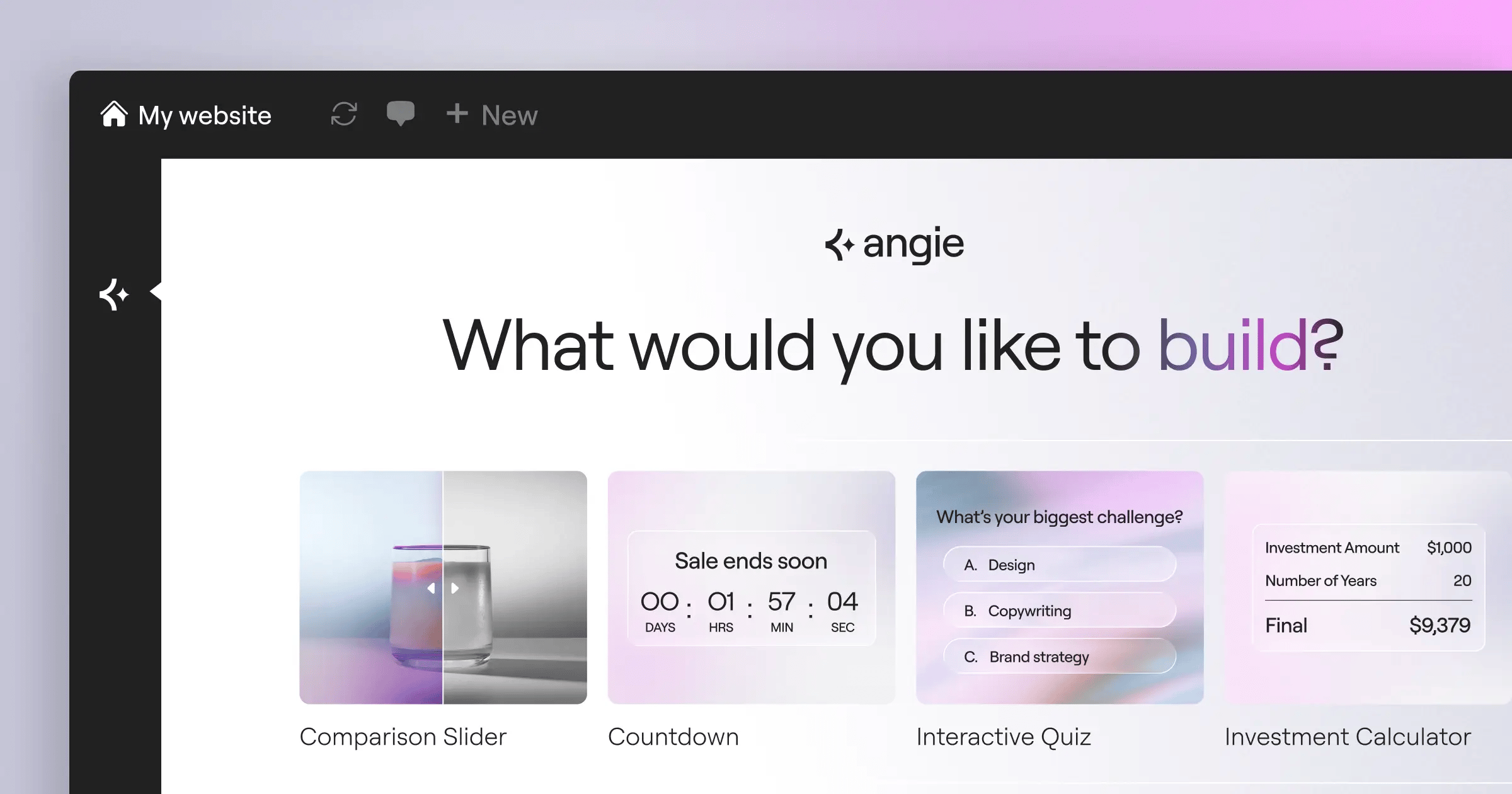
- Execute: Angie, the agentic AI on Model Context Protocol, turns prompts into WordPress assets.
- Refine: the Elementor AI assistant in Editor Pro tweaks copy, CSS, and layouts per breakpoint.
Key Features:
- Takes direct action inside WordPress through Angie’s agentic AI.
- Builds instant wireframes and sitemaps with the AI Site Planner.
- Packs Editor Pro with 118+ widgets and dynamic content mapping.
- Shrinks file sizes by up to 60% through Image Optimization.
- Scans for 180+ WCAG issues through Web Accessibility.
Pricing:
Elementor One runs $168/yr for one site (25,000 credits, Editor Pro, Hello Biz theme, priority support); Agency is $444/yr for unlimited sites and 350,000 credits.
Pros:
- Cuts out the copy-paste workflow.
- Angie works standalone with Elementor, Gutenberg, or other builders.
- Generates real code and layouts, not just text.
- Editor V4 (Atomic) keeps performance fast.
- Shared credits stop wasted subscription money.
Cons:
- Takes time to learn the agentic workflow.
- High-volume agencies should watch credit usage.
- The feature set can feel like a lot at first.
The clear pick if you want an all-in-one WordPress setup.
Jasper
Big teams struggle to keep one voice across five writers. Jasper fixes that: feed it your style guides, and it writes like your senior copywriter. 82% of users report saving at least 10 hours a week. It won’t build your site, but it’ll fill it with targeted copy.
Key Features:
- Stores brand facts and tone guidelines in the Company Knowledge hub.
- Builds multi-channel assets from one brief with the Campaign runner.
- Checks plagiarism and factual accuracy automatically.
- Works inside your CMS through a browser extension.
- Supports strict approval workflows with team collaboration tools.
Pricing:
Creator starts at $49/month, Pro is $69/month per seat, and Enterprise needs a custom quote.
Pros:
- Mimics specific brand voices with real precision.
- Strong collaboration features for remote teams.
- Solid templates for B2B use cases.
- Integrates cleanly with Surfer and Webflow.
Cons:
- Pricey for solo developers or small agencies.
- No native website building.
- Steep learning curve to train the brand voice.
Best suited to departments that put brand consistency first.
Copy.ai
Speed matters when testing landing page variants, and Copy.ai is built for rapid ideation: feed it a tiny prompt, and it expands that into dozens of options through predefined funnels. It generated over 45 million marketing assets last year.
A typical workflow:
- Input variables: a product name and three key benefits.
- Select target: choose a format, like a sales page.
- Generate options: get five different emotional angles.
- Refine and export: stitch together the best parts.
Key Features:
- Includes over 90 specific copywriting templates.
- Saves product descriptions for instant recall in the Infobase.
- Automates repetitive multi-step tasks through Workflows.
- Translates copy into multiple languages.
- Connects to your own tools through API access.
Pricing:
A limited free tier is available; Pro is $49/month for unlimited words and five seats, and Team scales to $249/month.
Pros:
- Extremely fast for short-form copy.
- Generous seat limits on the base plan.
- Needs zero technical knowledge.
- Great for brainstorming new angles.
Cons:
- Long-form posts usually need heavy editing.
- Output can feel generic without detailed prompts.
- Lacks the deep technical SEO features of rivals.
Great if you’re blasting through ad variations and short pages weekly.
Surfer AI
Traffic pays the bills. Surfer AI studies the top 10 ranking pages for your keyword and reverse-engineers what’s working. 73% of B2B buyers read 3-5 pieces of content before contacting sales.
“The shift to AI answers over traditional search links means your content must deliver immediate, factual value. Fluff is dead. Agentic AI tools that directly structure WordPress data will dominate because they bridge the gap between semantic search and technical execution.”
Itamar Haim, SEO Team Lead at Elementor. A digital strategist merging SEO, AEO/GEO, and web development.
Key Features:
- Builds content briefs from live SERP data.
- Locks in custom knowledge facts to stop hallucinated data.
- Humanizes output text with anti-AI detection tools.
- Scores your text in real time inside the Content Editor.
- Suggests optimized headers and image alt text.
Pricing:
Surfer needs a base subscription at $89/month, plus $29 per article for AI generation; bulk credit packages offer a slight discount.
Pros:
- Produces some of the highest-ranking long-form content around.
- Takes the guesswork out of on-page SEO.
- Custom knowledge keeps factual errors out.
- Integrates well with Docs and WordPress.
Cons:
- Expensive per article compared to subscriptions.
- Writing style can feel dry without human input.
- Requires the base subscription just to access credits.
A strong pick for niche builders chasing organic traffic.
Writesonic
Publishing 50 articles a day creates serious bottlenecks. Writesonic built its platform around high-volume, automated publishing, and pulls live Google data straight into generation, so news and trend blogs skip fact-checking current specs themselves.
Key Features:
- Pulls live search data into Article Writer 6.0 for accuracy.
- Trains Brand Voice on your existing URLs.
- Builds custom AI chatbots for your site through Botsonic.
- Converts generated text into human-like voiceovers with Audiosonic.
- Publishes directly to WordPress and Shopify in one click.
Pricing:
Chatsonic is free for basic use; Individual starts at $20/month, and Standard runs $79/month for advanced models and higher word counts.
Pros:
- Great value for the volume it produces.
- Real-time search keeps content from going stale.
- The chatbot builder adds real value.
- Smooth publishing to major CMS platforms.
Cons:
- Credit limits burn out fast on lower tiers.
- The interface is cluttered with too many tools.
- Output quality shifts by internal model used.
Best value when speed, volume, and freshness matter most.
Frase
Say you’ve got freelance writers you want guided, not replaced. Frase crawls the web, pulls competitor headings, and hands you a clean outline in seconds.
The typical sequence:
- Query analysis: Frase scrapes the top 20 results for your keyword.
- Outline generation: select competitor headings into your brief.
- Drafting: use the AI writer, or hand it to a human.
- Scoring: watch the topic score update as you hit keywords.
Key Features:
- Generates content briefs from live SERPs.
- Scores topic models for deep semantic SEO.
- Taps custom AI templates built by the user community.
- Tracks decaying pages through content analytics.
- Suggests internal links based on your site architecture.
Pricing:
Solo is $14.99/month for 4 articles, Basic is $44.99/month for 30, and the Pro add-on adds $35/month for unlimited writing.
Pros:
- One of the best outlining tools around.
- Community templates offer genuinely specialized prompts.
- Affordable entry price for solo writers.
- Highlights exact content gaps in existing pages.
Cons:
- The AI writing engine trails Jasper or Surfer.
- The UI feels dated and occasionally clunky.
- Unlimited writing needs a pricier add-on.
Ideal for editors managing writers under strict SEO guidelines.
Anyword
Marketing teams waste real money testing copy doomed from the start. Anyword scores every sentence for predictive performance before you publish, pulling from billions of data points to flag if a headline will convert. Score 85, and it’s statistically likely to land.
Key Features:
- Scores every piece of generated text for predictive performance.
- Targets specific audiences by age, gender, and pain points.
- Analyzes your existing live pages through messaging analysis.
- Trains custom models on your successful ad accounts.
- Sharpens prompts with data-driven enhancement.
Pricing:
Starter is $49/month, Data-Driven Teams is $99/month, and Enterprise needs custom scoping.
Pros:
- Takes the guesswork out of copywriting.
- Connects directly to Google and Meta accounts.
- Great for optimizing existing web pages.
- Gives specific scores by demographic.
Cons:
- Predictive scores can feel overly rigid.
- Big price jump between entry and team tiers.
- Not built for long-form educational content.
Suits marketers who want proof before they publish.
Rytr
Not everyone has $100 a month for software. Rytr keeps things simple: a lean, cheap browser extension that expands a bullet point into a paragraph, good for a portfolio or local page that just needs a decent About section.
Key Features:
- Covers more than 40 specific use-case templates.
- Writes natively in more than 30 languages.
- Includes a built-in rich text editor with simple formatting.
- Checks plagiarism natively through Copyscape integration.
- Lets you build custom use cases for unique needs.
Pricing:
Free covers 10k characters a month, Saver is $9/month, and Unlimited is just $29/month.
Pros:
- Unbeatable price-to-performance ratio.
- Clean, distraction-free interface.
- The extension works smoothly across all tabs.
- Surprisingly good tone-of-voice options.
Cons:
- Struggles to hold context in long documents.
- No advanced SEO scoring or SERP analysis.
- Output can get repetitive on generic prompts.
The top pick for budget-conscious freelancers needing basic copy.
ChatGPT Plus (Team)
ChatGPT Plus isn’t a website builder, but it’s the most flexible tool you can own, and it’s the engine behind much of the industry. Team adds dedicated workspaces and custom GPTs per client. Advanced Data Analysis turns a spreadsheet of 500 product SKUs into unique meta descriptions in under two minutes.
Key Features:
- Runs on the latest foundational models (GPT-4 class).
- Builds custom GPTs for specific brand voices.
- Handles large CSV files through Advanced Data Analysis.
- Browses the web for real-time research.
- Generates basic images through DALL-E 3 integration.
Pricing:
Plus is $20/month per user; Team is $30/month per user (billed annually, two-user minimum).
Pros:
- Unmatched flexibility for unusual tasks.
- Custom GPTs replace dozens of specialized apps.
- Strong reasoning for coding and CSS.
- Constant, quick updates to newest models.
Cons:
- Needs solid prompting skills for good results.
- No native integration with WordPress or other CMS platforms.
- No built-in SEO scoring or competitor analysis.
Best for technical users who’d rather write their own prompts.
Claude Pro
Anthropic built Claude around nuance, tone, and huge context windows. Upload a 200-page PDF of technical documentation, and Claude pulls exact details into a landing page draft without making things up, in a tone that sounds genuinely human.
Key Features:
- Handles huge document uploads with a 200k+ token context window.
- Organizes documents by client or website through Projects.
- Displays generated code and text in a side panel with Artifacts.
- Keeps hallucination rates extremely low on technical topics.
- Writes in a nuanced, conversational style.
Pricing:
Claude Pro is $20/month; Team is $30/month per user (five-user minimum).
Pros:
- Produces some of the most natural-sounding text around.
- The Artifacts UI is great for iterating on HTML/CSS.
- Strong at summarizing messy data.
- Sticks closely to multi-step instructions.
Cons:
- Usage limits can catch you mid-workday.
- No internet browsing for live research.
- Lacks integration with external marketing tools.
A solid pick for technical B2B sites where tone matters most.
Comparison of Top Website AI Generators
Here’s how these tools stack up: client work wants direct CMS integration, an affiliate blog might rank SEO features higher.
| Platform Name | Primary Strength | Annual Starting Cost | Native WP Integration |
|---|---|---|---|
| Elementor One | Unified Site Building & Action AI | $168/yr | Yes (Deep Native) |
| Jasper | Enterprise Brand Voice | $470/yr | No (Extension only) |
| Copy.ai | Rapid Ad & Landing Page Copy | $432/yr | No |
| Surfer AI | Data-Driven SEO Content | $1068/yr + Credits | Yes (Plugin) |
| Writesonic | High-Volume Live Search Data | $240/yr | Yes (Plugin) |
| Frase | Content Briefs & Outlines | $180/yr | No |
| Anyword | Predictive Performance Scoring | $588/yr | No |
| Rytr | Budget-Friendly Generation | $108/yr | No (Extension only) |
| ChatGPT Team | Custom Workflows & Data Analysis | $360/yr | No |
| Claude Pro | Huge Context & Human Tone | $240/yr | No |
Final Recommendation: For WordPress creators, Elementor One is the clear champion: it’s the only platform using agentic AI (Angie) to build pages and adjust CSS, not just generate text you paste in yourself. For long-form SEO posts, pair Surfer AI with Claude Pro.
Frequently Asked Questions
Will Google penalize my site for AI content?
No, not if it’s helpful and people-first. The penalty is for spam: thin, repetitive text with no new value tanks rankings.
Predictive AI vs. generative AI: what’s the difference?
Generative AI creates new text from prompts, like ChatGPT or Claude. Predictive AI reads existing text and predicts performance, like Anyword’s scoring.
Can these tools generate images too?
Most premium platforms include image generation: ChatGPT uses DALL-E 3, Writesonic has Photosonic, Elementor AI has built-in creation. Midjourney still wins for complex custom graphics.
What’s a token, and why does it matter?
A token is roughly three-quarters of a word. A 200,000 token window means the AI holds about 150,000 words before forgetting earlier instructions.
Do I still need a human editor?
Yes. Don’t blindly trust facts from language models. A human editor still handles fact-checking, personal anecdotes, and matching the piece to your goals.
How do I stop the AI sounding like a robot?
Skip generic prompts. Set tight constraints: 8th-grade reading level, a ban on words like “crucial” or “landscape,” and samples of your own writing to mimic.
What is agentic AI?
Traditional AI just outputs text. Agentic AI, like Angie, takes direct action: ask for a contact page, and it builds the WordPress page, form, and CSS.
Can these generators write my site’s code too?
Yes. Claude 3.5 Sonnet and GPT-4 both write solid HTML, CSS, JS, and PHP. Claude’s Artifacts even previews the snippet before you deploy it.
Is it safe to feed these tools proprietary data?
Only on enterprise or team plans. Free ChatGPT and Claude versions train on your inputs; paid team plans keep your data out of training.
How do I spot a competitor using these tools?
Watch for sudden spikes in publishing pace. A competitor pushing 40 uniform posts a week with flat intros is likely running a pipeline like Writesonic or Surfer.
Looking for fresh content?
By entering your email, you agree to receive Elementor emails, including marketing emails,
and agree to our Terms & Conditions and Privacy Policy.

