Disclaimer: This post focuses on general website, UX, privacy, and accessibility best practices. It is not legal advice. Privacy and accessibility requirements vary by jurisdiction, business type, audience, and implementation. Please consult legal counsel and qualified accessibility professionals to ensure your specific website setup meets the requirements that apply to you.
If you build websites, two things are becoming harder to ignore: privacy and accessibility.
Privacy requirements are expanding across markets, from GDPR and ePrivacy rules in Europe to a growing patchwork of state privacy laws in the US. At the same time, visitors increasingly expect clear choices around how their data is collected and used.
Accessibility is following a similar path. The European Accessibility Act is now in effect across the EU, and WCAG remains the practical framework many teams use to evaluate whether digital experiences are accessible. For agencies, freelancers, and site owners, accessibility is no longer just a nice-to-have. It is becoming part of what it means to deliver a professional website.
For most web creators, both topics sit in the same uncomfortable category: important, increasingly expected, and easy to put off because they feel technical, legal, or outside the creative work of building a site.
But privacy and accessibility do not have to become separate compliance projects. With the right tools, they can become part of the same website-building workflow.
That is the real shift. Cookie consent and web accessibility are no longer things you patch onto a finished website. They are becoming part of how modern sites are planned, designed, launched, and maintained.
Privacy and accessibility are becoming part of every website project
A few years ago, many teams treated cookie consent and accessibility as separate, occasional tasks.
Cookie consent was something you added when a client asked about GDPR. Accessibility was something you checked when someone flagged an issue, requested an audit, or needed a statement.
That approach does not work as well anymore.
Websites are more connected to data tools, advertising platforms, analytics systems, forms, embedded scripts, and third-party services than ever before. That makes privacy choices more visible and more important. Visitors want to understand what is being collected, why it is being collected, and how they can control it.
At the same time, websites are expected to work for more people in more situations. Visitors may be using screen readers, keyboard navigation, zoom tools, high-contrast settings, voice control, or other assistive technologies. They may also simply be using a small screen, a slow connection, or a temporary workaround because of an injury or environment.
Privacy and accessibility are different disciplines, but they share one important thing: both affect whether people can use your site with confidence.
A privacy experience that is confusing, manipulative, or hard to control can damage trust.
An accessibility experience that blocks people from reading, navigating, or completing key actions can damage usability.
For web creators, this means privacy and accessibility are no longer edge-case concerns. They are becoming part of the baseline for professional website delivery.
Why privacy and accessibility belong in the same conversation
Cookie consent and accessibility are not the same thing.
Cookie consent is about giving visitors clear choices around data collection and tracking. Accessibility is about making sure people with different abilities and access needs can use the website.
But for agencies, freelancers, and site owners, they often create the same operational challenge.
Both require more than a one-time setup. A cookie banner may need updates when new cookies, scripts, vendors, or tracking tools are added. Accessibility needs attention when new pages are created, new content is published, designs change, or site functionality is updated.
Both show up directly in the user experience. Cookie consent appears as a banner, preference center, or privacy settings control. Accessibility appears in the way a visitor navigates the page, reads content, interacts with forms, opens menus, uses buttons, or adjusts the site experience.
Both can affect trust. When a cookie banner hides the reject option or uses confusing language, visitors may feel manipulated. When a site is hard to navigate or impossible to use with assistive technology, visitors may feel excluded.
Both can create business risk when ignored. Privacy and accessibility requirements vary by market, but the direction is clear: visitors, clients, and regulators are paying more attention to how websites handle both.
And both can be exhausting to manage when they live in disconnected tools.
That is especially true for agencies and freelancers managing multiple client sites. One dashboard for cookie consent. Another tool for accessibility. Separate design controls. Separate scripts. Separate pricing. Separate reports. Separate setup flows.
The problem is not just complexity. It is context switching.
Web creators do not need more disconnected plugins. They need privacy and accessibility tools that fit naturally into the way they already build websites.
Cookie consent is more than a banner
A cookie banner is the visible part of the consent experience, but it is not the whole system.
A real cookie consent setup needs to help answer a few practical questions:
- What cookies and scripts are active on the site?
- Which categories do they belong to?
- Which cookies are essential, and which require visitor choice?
- What happens when someone accepts?
- What happens when someone rejects?
- Can visitors manage their preferences later?
- Is there a record of consent choices?
- Does the banner feel clear, accessible, and native to the site?
This is where many basic cookie banners fall short. They may display a notice, but they do not give site owners enough control over the full consent experience.
A better approach treats cookie consent as a system, not just a popup.
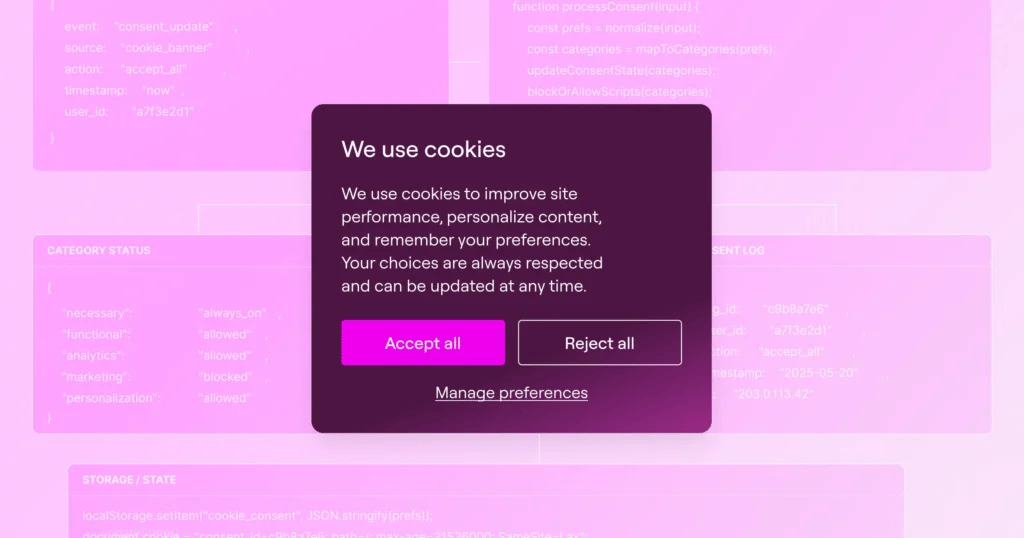
That means combining the visible banner with the logic behind it: cookie scanning, category management, script control, preference updates, and consent records.
It also means designing the banner like part of the website.
A generic grey banner can feel disconnected from the rest of the site. It may technically appear on the page, but it does not feel like part of the experience. For visitors, that can create friction or suspicion.
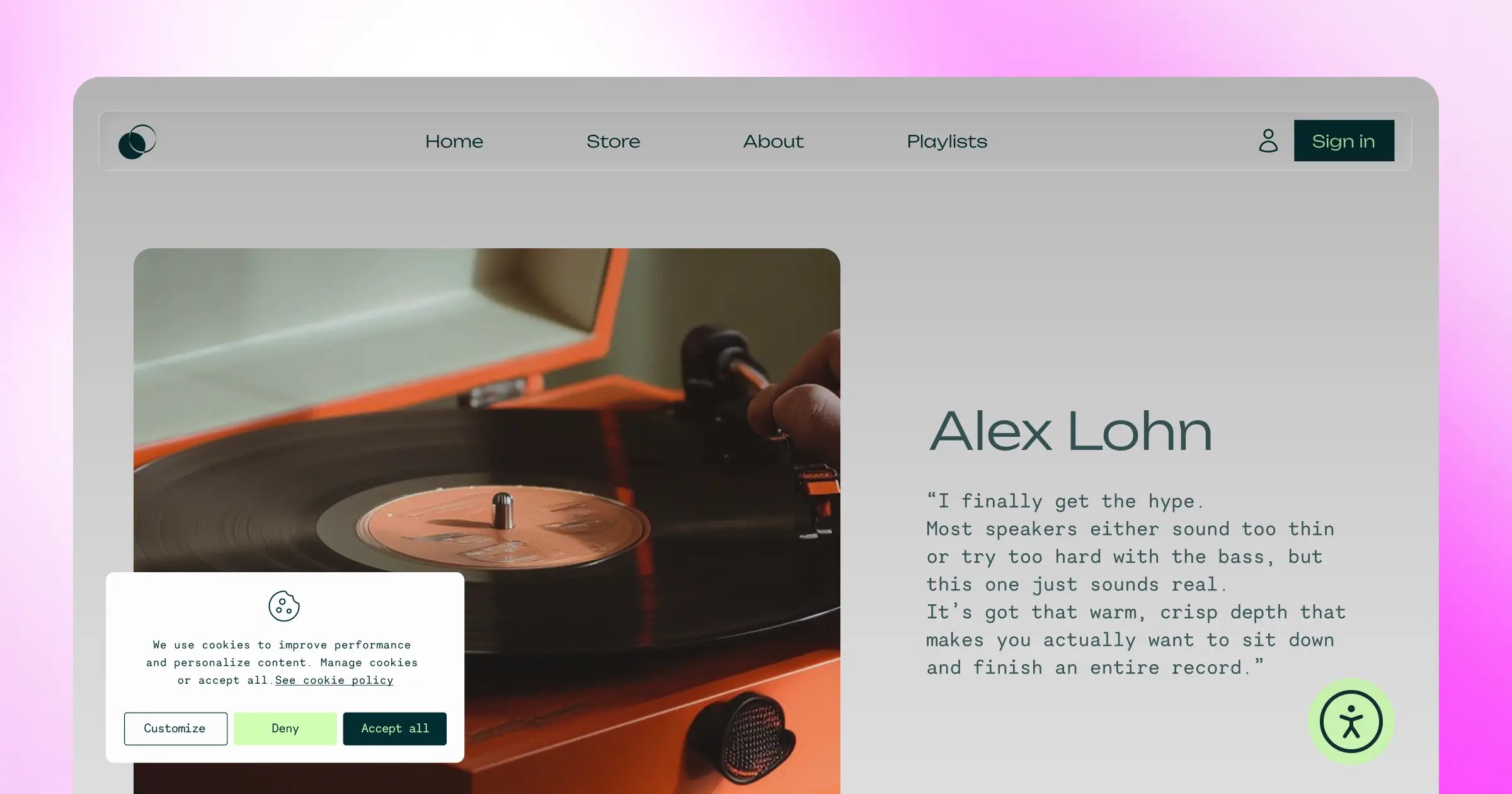
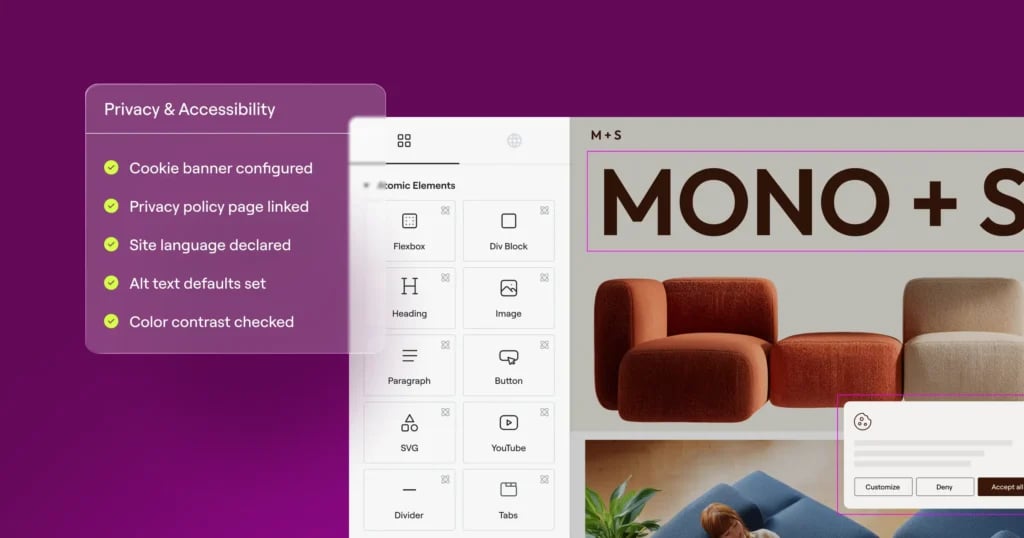
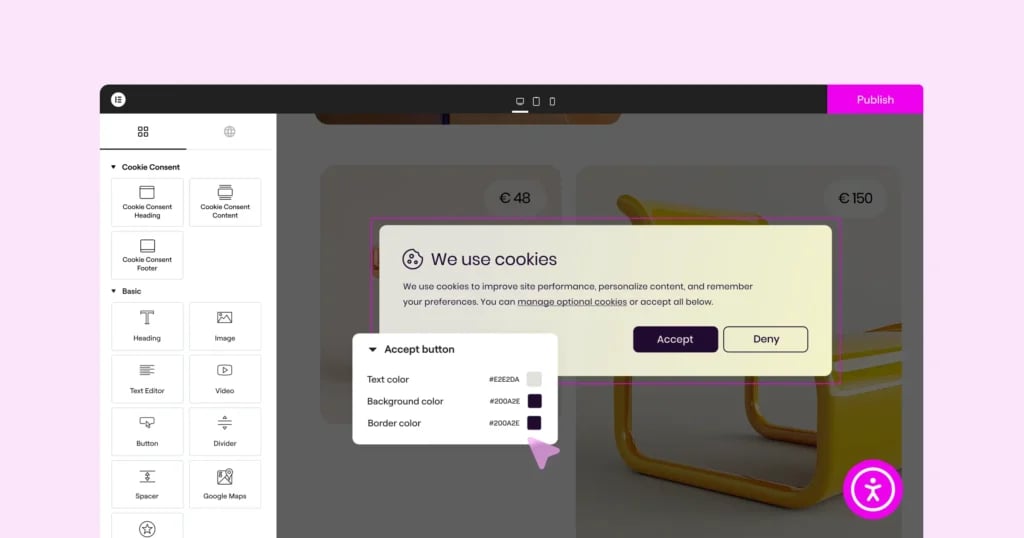
With Elementor’s Cookie Consent plugin, you can create a branded consent experience directly inside the Elementor workflow. Instead of settling for a rigid banner template that looks separate from the rest of your site, you can design your banner in the Elementor Editor and align it with your site’s layout, colors, typography, button styles, and responsive behavior.
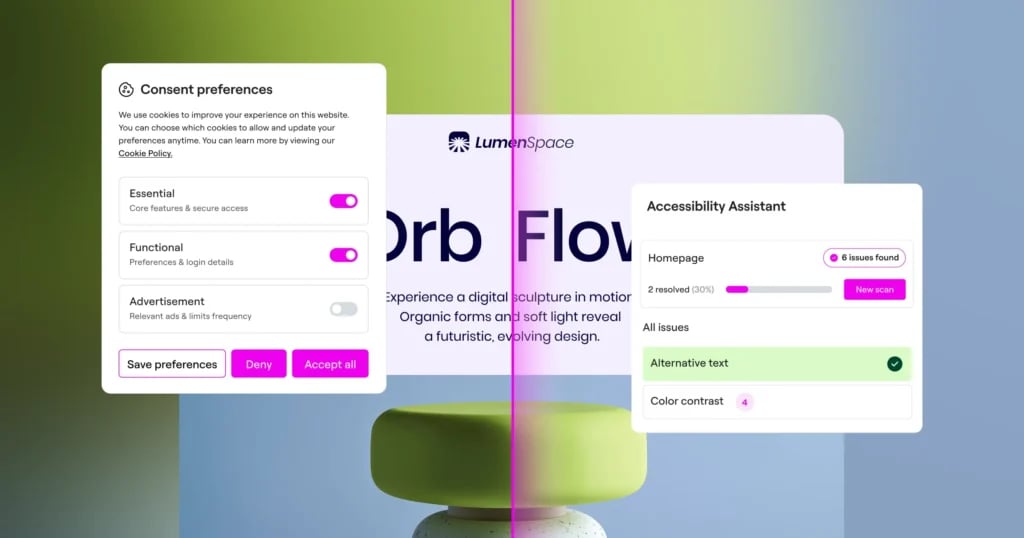
Cookie Consent also gives you the core tools needed to manage the experience behind the banner, including cookie scanning, cookie categorization, script management based on visitor preferences, and consent logs.
The goal is simple: make cookie consent easier to set up, easier to manage, and easier for visitors to understand.
Accessibility is more than a widget
Accessibility has a similar problem.
Many site owners know accessibility matters, but they are not sure where to start. The topic can feel technical, intimidating, and full of unfamiliar terms: WCAG, keyboard navigation, ARIA labels, contrast ratios, focus states, alt text, heading structure, form labels.
Because of that, accessibility sometimes gets reduced to one visible element: a front-end widget.
Widgets can play a helpful role. They can let visitors adjust things like text size, contrast, spacing, and other display preferences. That can improve usability for some people.
But a widget alone does not fix the underlying site.
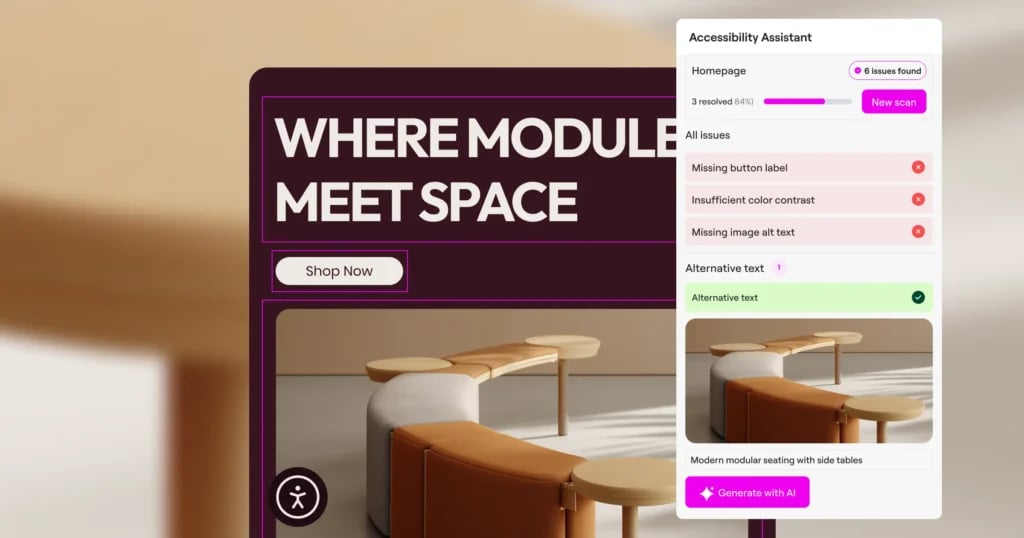
If an image is missing meaningful alt text, a form field has no label, a button has unclear text, or a page cannot be navigated by keyboard, those issues still need to be identified and fixed. Accessibility is not just about giving visitors display controls. It is about improving the structure, content, and usability of the site itself.
That is why Web Accessibility in Elementor One is designed to help web creators understand and improve accessibility issues, not just add a widget.
It includes tools like:
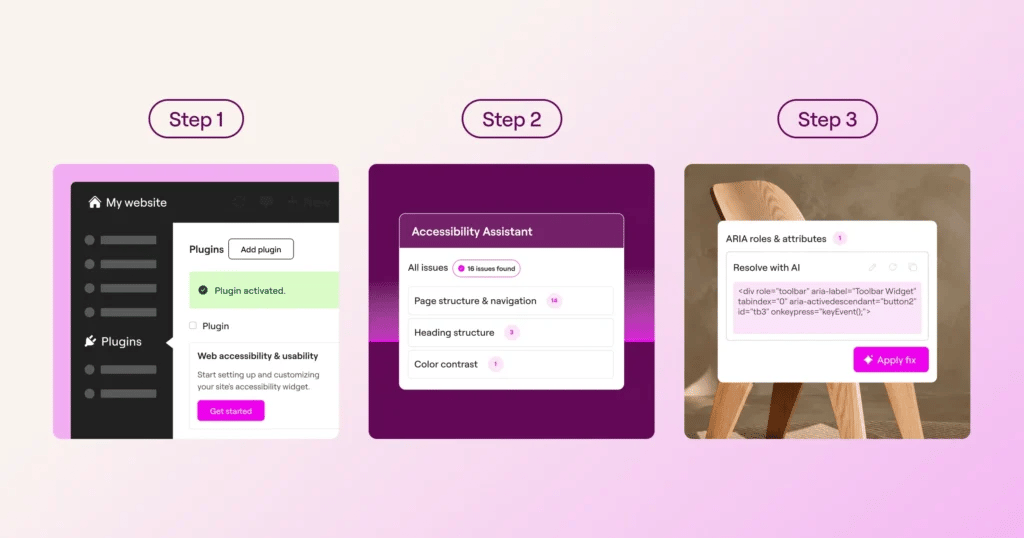
- An Accessibility Assistant that scans pages for accessibility issues
- Guidance based on WCAG 2.1 AA standards
- Clear explanations that help you understand what needs attention
- AI-powered suggestions for content-related fixes like alt text, button labels, and form fields
- A customizable usability widget visitors can use on the front end
- An accessibility statement generator
- Analytics that help show how visitors engage with accessibility features
This matters because most web creators do not want to become accessibility experts before they can improve a site. They need practical guidance inside the tools they already use.
The best accessibility tools do not just tell you that something is wrong. They help you understand the issue, prioritize it, and take action.
Why managing both in one toolkit matters
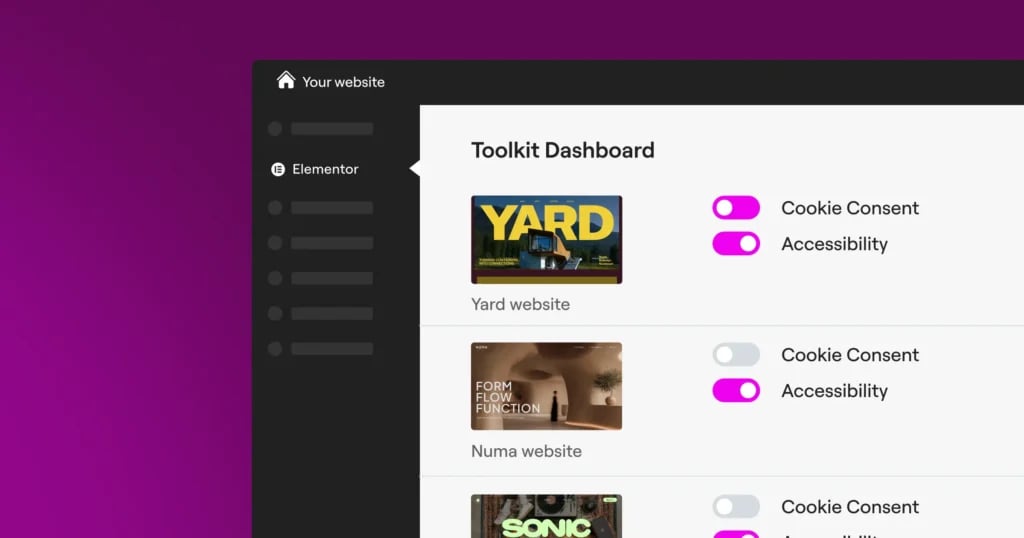
You can manage cookie consent and accessibility with separate plugins from separate vendors. Many websites do.
But the more sites you manage, the more that approach starts to break down.
For one site, two separate tools may be manageable. For ten client sites, twenty client sites, or an agency workflow, it becomes a lot of overhead.
You have to remember which dashboard controls which feature. Which plugin handles the cookie banner. Which tool generates the accessibility statement. Which client has which plan. Which site has been scanned. Which banner has been updated. Which script settings were changed. Which accessibility fixes are still open.
The work itself is already important enough. The tools should not make it harder.
That is why bringing cookie consent and accessibility into one website-building toolkit matters.
When Cookie Consent and Web Accessibility are both available through Elementor One, web creators can manage two major site responsibilities inside a more familiar workflow.
That gives you:
One place to start
Instead of searching for separate tools, comparing vendors, and learning multiple dashboards, you can activate privacy and accessibility tools from the same ecosystem you already use to build the site.
A more consistent design experience
Cookie banners, accessibility widgets, and site pages should not feel like three separate products stitched together. When these tools are designed to work with Elementor, they can better match the site’s visual language.
That matters for visitors. A branded cookie banner feels more trustworthy than a generic popup. A customizable usability widget feels more intentional than an element that looks dropped in from outside the site.
Less operational overhead
Agencies and freelancers need repeatable workflows. When privacy and accessibility tools are scattered across different systems, every new site means another setup process, another login, another learning curve, and another thing to maintain.
A shared toolkit helps reduce that friction.
A better client conversation
Clients may not know the details of privacy regulations or accessibility standards, but they increasingly know these topics matter.
When you can explain that their site includes tools for cookie consent and accessibility, you are not just selling a website. You are showing that you are thinking about the full visitor experience.
That is valuable.
It helps position your work as more professional, more complete, and more future-ready.
Privacy and accessibility both affect trust
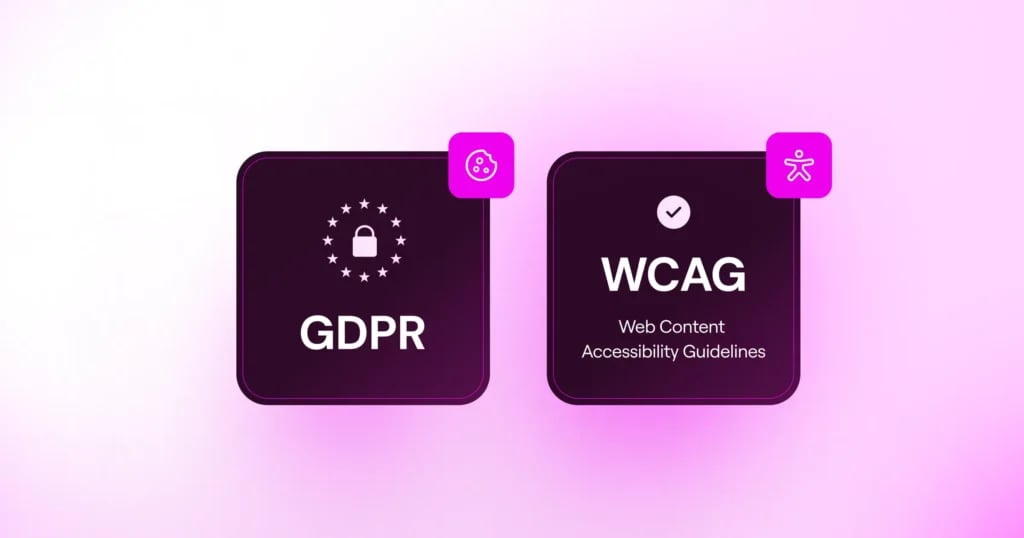
The strongest connection between privacy and accessibility is trust.
A visitor who lands on your site and sees a clear cookie banner understands that they have a choice. They can accept, reject, or manage preferences. They are not being forced into a decision or misled by confusing design.
A visitor who can navigate the site, read the content, complete forms, understand buttons, and adjust the experience when needed understands that the site was built with real people in mind.
Both experiences send the same message:
This site respects you.
That message matters.
Trust is not created by one big brand statement. It is created through small moments across the site. A clear cookie banner. A readable page. A usable form. A properly labeled button. A preference center that is easy to find. A site experience that does not exclude people because of how they navigate, read, see, or interact.
For web creators, this is the bigger opportunity.
Privacy and accessibility are often framed as obligations. But they are also ways to build better websites.
They improve clarity. They improve usability. They improve professionalism. They help more visitors engage with the site in the way that works for them.
That is not separate from good web design. That is good web design.
How to start without turning it into a compliance project
The hardest part of privacy and accessibility is often getting started.
The topics can feel big, so it is tempting to delay them until later. But the longer they are ignored, the harder they become to untangle.
A better approach is to make them part of the normal site workflow.
Start with privacy:
- Scan the site for cookies
- Review the categories
- Set up a clear consent banner
- Make sure visitors can accept, reject, or manage preferences
- Check that scripts behave according to visitor choices
- Keep a record of consent choices where needed
- Make privacy settings easy to revisit
Then start with accessibility:
- Scan key pages
- Review the most important issues first
- Fix missing alt text, unclear button labels, form label issues, heading structure problems, and contrast issues
- Test keyboard navigation
- Review mobile usability
- Add or update an accessibility statement
- Re-scan as pages change
You do not have to fix everything in one day. But you do need a process that keeps privacy and accessibility visible as the site evolves.
That is where tools matter.
The right tools do not remove your responsibility, and they do not replace legal or accessibility expertise. But they can make the work easier to understand, easier to repeat, and easier to manage across the websites you build.
Built for WordPress, designed for web creators
Cookie consent and accessibility can feel like they belong in separate worlds.
One sounds like privacy law. The other sounds like technical standards.
But for web creators, they belong in the same place: the website-building workflow.
That is the idea behind Elementor One.
Elementor One brings together tools that help creators build, manage, optimize, and improve WordPress websites from one connected toolkit. With Cookie Consent and Web Accessibility included, it helps web creators handle two increasingly important parts of modern website delivery without stitching together separate tools from disconnected vendors.
Cookie Consent helps you create and manage a branded consent experience for your site.
Web Accessibility helps you identify accessibility issues, understand what needs improvement, and give visitors more ways to adjust their experience.
Together, they help you build websites that feel more complete, more professional, and more respectful of the people using them.
What to do next
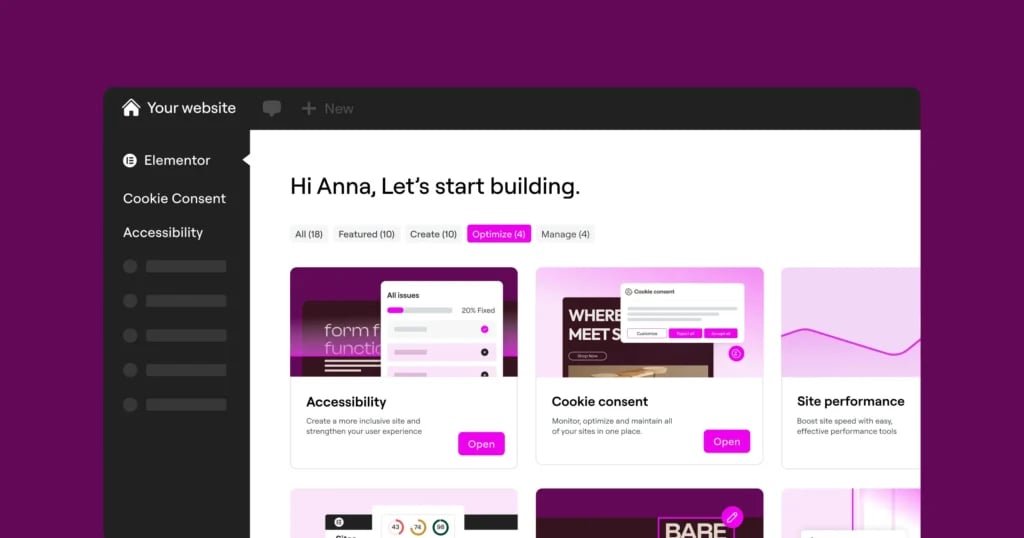
If you already have Elementor One, Cookie Consent and Web Accessibility are included. You can activate them and start using them on your WordPress sites.
Start simple.
Set up your cookie banner. Scan your site. Review your cookie categories. Make sure your consent experience is clear and easy to use.
Then run an accessibility scan. Review the issues. Start with the fixes that affect the most important pages and user actions.
You do not need to solve everything at once. You just need to stop treating privacy and accessibility as afterthoughts.
Because modern websites are not just expected to look good. They are expected to respect visitor choices, support more users, and work better for everyone.
Privacy and accessibility are not separate from the website experience.
They are part of it.

