Table of Contents
The State of Website Design Automation in 2026
The global AI web design market is set to hit $1.5 billion by 2026, growing 25.4% a year. Today’s automation writes production-ready code, builds databases, and handles responsive math on its own.
Static drag-and-drop tools can’t keep up. You need a system that understands your site’s architecture and outputs clean, fast code instead of heavy markup.
Key Takeaways
- Agentic AI is replacing generic chatbots, with tools taking actual action inside your CMS.
- 47% of users expect pages to load in under 2 seconds, making clean automated code mandatory.
- Agencies report a 70% reduction in total project time using dedicated workflow automators.
- 10 million+ websites now rely on automated responsive frameworks.
- Automated dynamic personalization increases conversion rates by up to 19% over static designs.
- Nearly half (46%) of custom web automation scripts are now AI-generated.
Our Selection Criteria
We skipped tools that spit out generic HTML and ranked the rest on speed, SEO output, environment context, and design control.
1. Angie by Elementor: The WordPress Agentic AI Standard
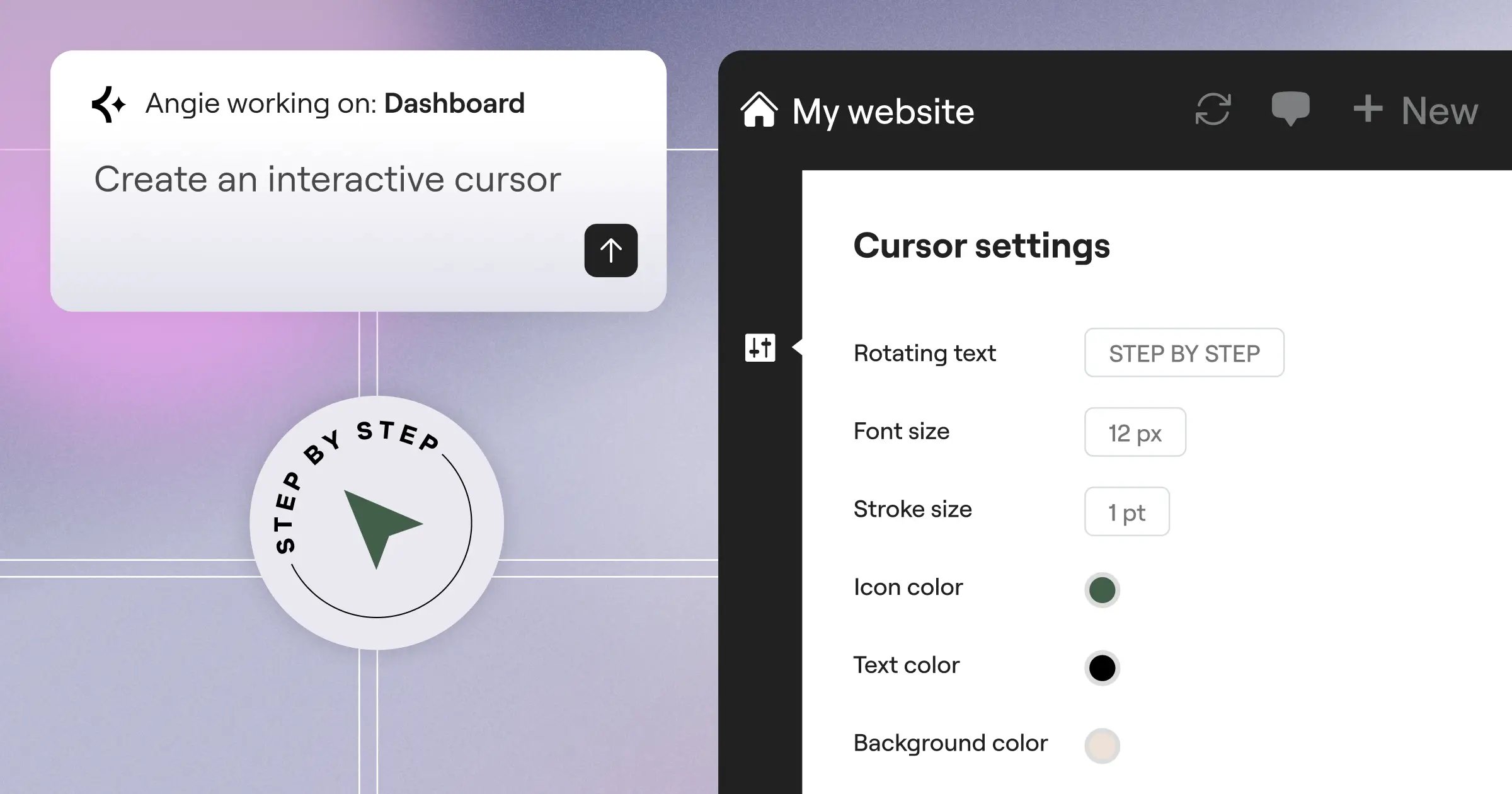
Generic AI coding assistants like Cursor or GitHub Copilot don’t know your active plugins, theme, or database schema. Angie by Elementor does, an agentic AI framework for WordPress using the Model Context Protocol (MCP) to inherit your site context, so you just type a prompt in plain language.
Need a custom widget, say a real estate calculator? Angie plans it, writes the PHP, CSS, and JS, and deploys it, testing everything in a sandbox first.
Agentic AI changes the web development equation. We’re moving from AI that gives instructions to AI that safely executes them for you, inside your exact environment.
Itamar Haim, SEO Team Lead at Elementor. A digital strategist merging SEO, AEO/GEO, and web development.
Key Features
- Native WordPress Context – Reads your environment via MCP to prevent plugin conflicts.
- Safe Sandbox Environment – Tests generated code in an isolated container before deployment.
- Custom Widget Generation – Builds fully functional Elementor widgets from text prompts.
- Admin & Front-end Snippets – Automates backend functionality without heavy third-party plugins.
- Total Creative Control – Outputs WordPress assets you can manually edit later.
Pricing
Angie is completely free, a standalone WordPress plugin, and you don’t need Elementor Pro for its core features.
Pros & Cons
- Pros – Purpose-built for WordPress; won’t break your live site; handles complex database tasks.
- Cons – Requires basic WordPress knowledge; optimized mainly for the WordPress ecosystem.
Verdict
Angie is the clear standard for WordPress automation in 2026, worth grabbing right away.
2. Elementor Editor Pro: Advanced Visual Automation
While Angie handles the code, Elementor Editor Pro owns visual design automation, powering over 21 million websites. Its upcoming Atomic V4 engine (beta February 2026) moves to a CSS-first foundation that cuts DOM size, and Global Brand Settings push your typography, colors, and spacing to every new widget automatically.
The Theme Builder automates your site architecture: build one product template, and it populates across your whole WooCommerce catalog, with a built-in AI assistant for text and image generation.
Automated Workflow
- Define your Global Colors and Typography in Site Settings.
- Create a dynamic header and footer in the Theme Builder.
- Use the built-in AI Site Planner to generate your sitemap and wireframes.
- Apply dynamic tags to pull custom post type data into your layouts.
- Publish, knowing the CSS-first foundation keeps your code light.
Pricing
Plans start at $60/yr for Essential (1 site), $99/yr for Advanced (3 sites), or $444/yr for unlimited-site Agencies.
Pros & Cons
- Pros – Massive widget library (118+); granular design control; native dynamic content routing.
- Cons – The sheer number of options can overwhelm beginners.
Verdict
Best for professional designers who want total visual control paired with smart, dynamic automation.
3. 10Web: The Best for Automated Site Migration
Migrating a legacy site to WordPress used to mean weeks of copying and pasting. 10Web automates that, guaranteeing a Google PageSpeed score of 90+: paste a URL, and its AI rebuilds an identical version natively in WordPress.
It’s not always perfect out of the gate, but a 95% finished clone in five minutes is a big win for high-volume agencies.
The Migration Process
- Input the source URL of the legacy site into the 10Web dashboard.
- Wait 3-5 minutes while the AI scans the frontend structure and styling.
- Review the generated WordPress site in the staging environment.
- Use the automated PageSpeed optimizer to compress images and minify scripts.
- Push to your live domain with one click.
Pricing
The Starter plan is $10/mo, and Premium, with more advanced AI generation limits, is $24/mo.
Pros & Cons
- Pros – Unmatched speed cloning non-WordPress sites into WordPress; strong automated speed optimization.
- Cons – The proprietary builder locks you into their ecosystem; less flexible than standard editors.
Verdict
If your agency mostly moves clients off outdated platforms and onto WordPress, 10Web pays for itself on day one.
4. Wix Studio: Enterprise-Grade Design Automation
Wix Studio is a serious, enterprise-grade platform, with over 10 million websites built using its AI infrastructure. Its standout feature, Responsive AI, analyzes your desktop layout and scales it proportionally for every screen size.
It handles the mundane tasks too: the AI Text Creator writes localized copy, while automated SEO tools handle meta tags and schema markup.
Technical Capabilities
- Responsive AI – Auto-generates layouts across breakpoints without manual media queries.
- Code-Free Animations – Automates scroll-linked animations via a visual interface.
- Headless Architecture Support – Lets developers decouple frontend from backend data.
- Native App Integration – Automates bookings, eCommerce, and CRM data syncing.
Pricing
Standard runs $17/mo, and Elite, for high-traffic operations, is $159/mo.
Pros & Cons
- Pros – Brilliant responsive automation; zero server maintenance or security patching.
- Cons – You’re locked into a walled garden; exporting your site later is hard.
Verdict
A good fit for mid-sized agencies that want polished, responsive sites fast without touching a hosting dashboard.
5. Framer AI: The Best for High-End Aesthetic Automation
Framer has grown from a prototyping app into a real production tool. If you want a modern, tech-startup look, Framer AI is fastest: it generates a full landing page with unique copy in under 30 seconds from one prompt.
It’s strong on motion too: physics-based scroll animations that usually need libraries like GSAP come built into Framer’s UI automatically, and its Figma-to-Framer plugin syncs designs instantly into working components.
Common Questions About Framer AI
Complex databases?
No, Framer relies on a basic built-in CMS, not complex dynamic apps.
Code quality?
Fast, optimized React code, though heavily abstracted, so you won’t edit HTML directly.
Good for SEO?
Yes, it handles server-side rendering (SSR) automatically for fast page loads.
Pricing
There’s a free tier for testing, and Pro, with analytics and staging, is $30/mo per site.
Pros & Cons
- Pros – Unbeatable visual aesthetics; physics-based animation automation; tight Figma integration.
- Cons – Pricing scales per site, which gets expensive fast; very limited backend capabilities.
Verdict
A great choice for SaaS companies, portfolios, and startups that need a striking marketing site right away.
6. Hostinger AI Website Builder: Budget-Conscious Automation
Sometimes you just need a working site for a local bakery or a personal project. Hostinger AI Website Builder bundles the builder, hosting, a domain, and email at competitive rates.
Answer three questions about your business, and the AI builds a template, adds stock imagery, writes the copy, and adds a logo. Its heatmap tool predicts where users will look and click before you publish, a surprisingly advanced feature for a budget tool.
The Automation Checklist
- Brand Generation – AI generates a basic vector logo based on your industry.
- Layout Creation – Drag-and-drop grid system keeps you from breaking responsive rules.
- UX Prediction – Built-in heatmap simulates user attention on your drafted pages.
- Content Writing – Generates SEO-friendly service descriptions instantly.
- Basic Security – Handles SSL certificates and daily backups automatically.
Pricing
They offer a single, bundled plan starting at an introductory rate of competitive rates.
Pros & Cons
- Pros – Unbelievably cheap; includes all necessary infrastructure; extremely simple interface.
- Cons – Designs feel slightly generic; hard to scale into large eCommerce.
Verdict
The ultimate entry-level tool, best for hobbyists, freelancers, and small local businesses on a strict budget.
7. Durable AI: Building a Site in 30 Seconds
Durable AI leans entirely into speed, recently surpassing 1 million websites generated for solo entrepreneurs and local service providers, with a claim to fame of building a site in 30 seconds flat.
Type your location and business type, and Durable generates a site with maps, contact forms, service lists, and localized SEO copy, plus a CRM that captures leads, drafts replies, and generates invoices automatically.
The 30-Second Timeline
- Seconds 1-5 – Input your city and business category.
- Seconds 6-15 – The AI queries local search intent to structure your page hierarchy.
- Seconds 16-25 – System generates localized copy and pulls relevant stock photos.
- Seconds 26-30 – CRM links automatically to your contact forms. Site is live.
Pricing
Starter is $12/mo, and Business, with premium support and advanced CRM features, is $20/mo.
Pros & Cons
- Pros – The fastest setup on the market; excellent built-in CRM tools.
- Cons – Limited customization; you can’t migrate the site away from their platform.
Verdict
A strong fit for local service owners who need an online presence today and want to skip technical setup entirely.
8. Sitejet: The Agency Workflow Automator
Building the site is only half the battle; managing client feedback usually eats into your margins. Sitejet automates the entire project and communication loop, and agencies using it report a 70% reduction in total project time.
Its Client Portal lets clients click directly on website elements to leave comments (think Google Docs, for live pages), while developers keep full access to the HTML, CSS, and JS underneath.
Solving the Agency Bottleneck
- Problem – Endless email chains with vague feedback.
Solution: Visual feedback tools directly on the staging site. - Problem – Tracking builds across different software.
Solution: Built-in Kanban boards track project stages automatically. - Problem – Wasting time on boilerplate code.
Solution: Deep code-driven automation with pre-built UI blocks.
Pricing
Professional is $24/mo, and Agency, with white-labeling, is $89/mo.
Pros & Cons
- Pros – Massive time savings on client communication; true white-label capability.
- Cons – The UI feels cluttered if you only want to design.
Verdict
Not for solo bloggers, but a real necessity for high-volume agencies handling dozens of clients at once.
9. Relume: The Component-First Automation Tool
Relume skips whole-site generation to focus on structural wireframing and a library of over 1,000+ pre-built, accessible components for Figma and Webflow.
Type your company description into the AI Sitemap Builder, and Relume generates a multi-page sitemap, then converts it into a high-fidelity wireframe, ready to sync into Webflow with Client-First CSS classes.
The Professional Workflow
- Generate an AI-driven sitemap based on your content strategy.
- Review the automatically populated wireframes in the Relume canvas.
- Export to Figma to apply high-fidelity brand styling.
- Sync to Webflow to finalize interactions and publish.
Pricing
Starter is $32/mo, and Pro, with team collaboration features, is $48/mo.
Pros & Cons
- Pros – Forces professional, scalable CSS structures; big time saver for Webflow developers.
- Cons – Requires existing Webflow or Figma knowledge; not a standalone builder.
Verdict
A strong pick for UI/UX designers and Webflow developers who care about scalable site architecture.
10. TeleportHQ: Best for Low-Code Automation
Front-end developers spend hours turning static designs into code. TeleportHQ automates that well, with a Vision API that converts hand-drawn wireframe sketches into working HTML/CSS at 85% accuracy.
Snap a photo of a whiteboard sketch, and TeleportHQ builds the flexbox structure, exporting it to React, Vue, Angular, or plain HTML/CSS, with no proprietary CMS lock-in.
Advanced Export Capabilities
- Framework Support – Exports directly to React, Vue, Next.js, and Nuxt.
- Vision API – Translates sketches or static images into functional code blocks.
- Vercel Integration – Automates deployment directly to Vercel hosting.
- Code Quality – Outputs semantic HTML and clean, scoped CSS modules.
Pricing
There’s a solid free tier, and the Professional plan costs $15/editor/mo.
Pros & Cons
- Pros – Multi-platform code export; bridges the gap between design and engineering.
- Cons – The generated code still needs a developer for complex state management.
Verdict
A good pick for developers and product teams who want to prototype UI fast and export it to modern frameworks.
Comparison Summary: 2026 Automation Tools
The right platform depends on your technical skill and business goals. Here’s how the top options break down.
| Automation Tool | Best Use Case | Starting Price | Key AI Feature |
|---|---|---|---|
| Angie by Elementor | WordPress Automation | Free | Agentic MCP execution |
| Elementor Editor Pro | Visual WP Design | $60/yr | Dynamic layout routing |
| 10Web | Site Migration | $10/mo | AI URL Cloning |
| Wix Studio | Enterprise Scale | $17/mo | Responsive Auto-layout |
| Framer AI | High-end Visuals | $30/mo | Physics-based animations |
| Hostinger AI | Budget Sites | competitive rates | Automated UX Heatmaps |
| Durable AI | Local Services | $12/mo | 30-second generation |
| Sitejet | Agency Workflows | $24/mo | Automated Client Portals |
| Relume | Webflow Architecture | $32/mo | AI Sitemap to Wireframe |
| TeleportHQ | React/Vue Export | $15/mo | Sketch-to-Code API |
Final Recommendation: Which Tool Should You Choose?
The data backs it up: 73% of businesses prioritize design consistency, and automated personalization now drives up to a 19% lift in conversions.
If you’re running a serious web design business, you need real control over your code and hosting, which is why WordPress remains dominant.
Why Angie and Elementor Win
For WordPress users, pairing Angie with Elementor Editor Pro is hard to beat: Angie handles backend coding safely inside its sandbox, and Elementor Pro handles the visual frontend, keeping your site light and responsive.
If you’re not on WordPress, Framer AI is your best bet for a fast marketing site. Running a high-volume agency tired of client emails? Try Sitejet. For most creators, agentic AI inside WordPress is the clear path forward.
Frequently Asked Questions
Will AI completely replace web designers in 2026?
No. AI handles the repetitive coding and math, and designers shift into art direction and strategy instead of writing code.
Is automated website code bad for SEO?
It depends on the tool. Early generators produced heavy div-soup, but modern tools like Elementor’s Atomic engine and Framer output lightweight, semantic HTML Google prefers.
What makes agentic AI different from standard AI?
Standard AI hands you text or code to copy. Agentic AI, like Angie, executes tasks directly inside your environment for you.
Can I export my site from proprietary builders later?
Usually not. Platforms like Wix and Durable lock your code to their hosting, so build on WordPress if you want portability.
How much does website design automation cost?
It ranges widely: Hostinger offers basic generation for under competitive rates, Elementor Pro costs $60 a year, and enterprise agency software can top $150 monthly.
Do AI builders handle mobile responsiveness automatically?
The best ones do. Wix Studio’s Responsive AI calculates flexbox rules automatically, scaling your site proportionally without manual media queries.
Are AI-generated websites secure?
Yes, the platforms control the server environment and patch vulnerabilities automatically. But test custom PHP scripts in a sandbox first.
Can AI builders create complex eCommerce stores?
Most basic builders fall short here. For complex product variations and checkout flows, pair WooCommerce with Elementor’s dynamic tags.
What is the Model Context Protocol (MCP)?
MCP lets AI securely read data from your environment, so Angie understands your active plugins and theme settings before generating code.
Can AI generate functional client portals?
Yes. Platforms like Sitejet generate secure portals where clients leave pinpoint visual feedback directly on live staging environments.
Looking for fresh content?
By entering your email, you agree to receive Elementor emails, including marketing emails,
and agree to our Terms & Conditions and Privacy Policy.

