Table of Contents
The State of AI Web Design in 2026
In 2026, 73% of web professionals use artificial intelligence to speed up client deliverables. You can’t ignore the math. The days of staring at a blank screen and manually coding every single div block are entirely over. But the definition of an ai website generator has shifted drastically from the gimmick it was two years ago. Today’s professional tools don’t just spit out generic, uneditable templates.
They generate actual, production-ready code. They build structural wireframes. They populate layouts with contextual copy and generate accessible color palettes in seconds. Look, the market is completely flooded with tools claiming to build your site in one click. Most of them produce rigid, unscalable messes that you’ll end up deleting anyway. We need to separate the professional platforms from the toys. Let’s examine the 10 best options available right now, focusing entirely on what they actually output, how much they cost, and whether they belong in your professional workflow.
Key Takeaways
- Over 21 million websites now rely on Elementor’s infrastructure, making it the dominant force in AI-assisted WordPress creation.
- 47% of users expect pages to load in under 2 seconds, meaning AI code generation must prioritize clean output over visual gimmicks.
- Tools like Durable still excel at 30-second local business drafts, but lack deep CMS capabilities for scaling.
- Figma-to-Web workflows have merged with AI, cutting initial wireframing time by up to 60%.
- You’ll save an average of 14 hours per client build by adopting an AI-first site planning strategy.
1. Elementor: The Professional Standard for WordPress
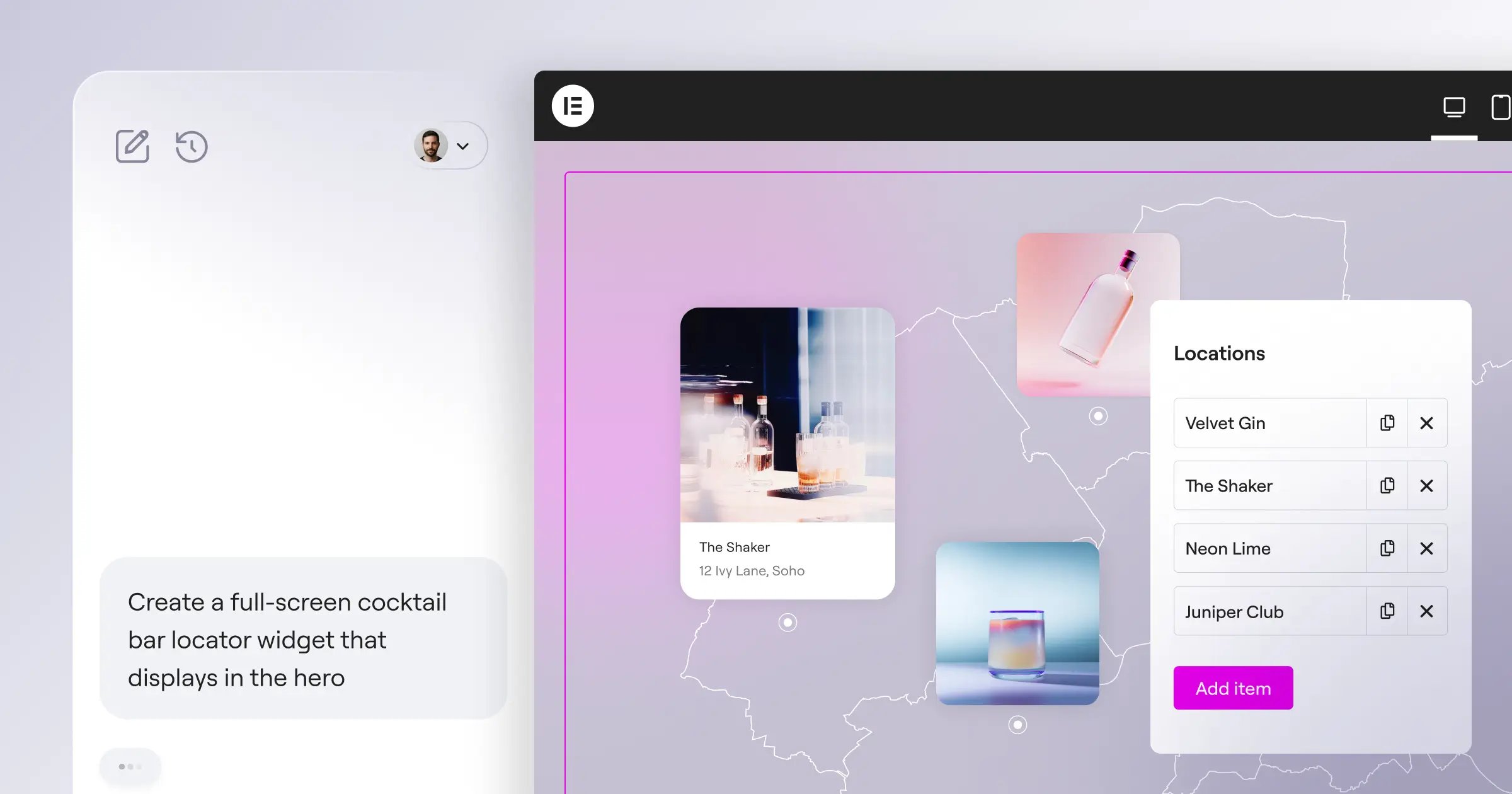
Elementor isn’t just a page builder anymore. It’s evolved into a highly integrated ecosystem. In 2026, Elementor powers 13% of all global websites, and their approach to AI reflects a deep understanding of professional workflows. They didn’t just bolt a chatbot onto a text editor. Instead, they built the AI Site Planner, which turns raw ideas into complete sitemaps and wireframes in under 20 minutes. It currently boasts 130K+ active users.
This is where the unified Elementor One subscription completely changes the equation. It combines AI generation, the Editor Pro, managed cloud hosting, and native image optimization into one cohesive environment. You’re not bouncing between six different plugins. You generate the structure with AI, refine the CSS-first atomic elements in Editor V4, and let the built-in Ally tool scan for 180+ WCAG accessibility issues. And then there’s Angie, their agentic AI. Angie takes natural language prompts and executes actual WordPress actions. It’s remarkably powerful.
“AI isn’t about replacing the web creator. It’s about completely eliminating the terror of the blank canvas. When you can generate a semantically correct, responsive wireframe in 20 seconds, you spend your time actually designing and optimizing for the user, rather than fighting with layout blocks.”
Itamar Haim, SEO Team Lead at Elementor. A digital strategist merging SEO, AEO/GEO, and web development.
Key Features
- AI Site Planner – Generates sitemaps, wireframes, and initial copy layouts.
- Editor V4 (Atomic) – CSS-first foundation with Classes and Variables for incredibly clean code.
- Angie (Agentic AI) – Executes complex WordPress actions via natural language.
- Ally AI Accessibility – Scans and identifies over 180 distinct WCAG issues.
- Elementor AI – Built directly into the editor for instant text, custom CSS, and image generation.
Pricing Structure
- Essential – $60/yr for 1 site and 57 core widgets.
- Advanced Solo – $84/yr adds eCommerce and popup building.
- Elementor One – $168/yr launch price. Includes 25K AI credits/mo, priority support, and the full optimization suite.
- One Agency – $444/yr for unlimited sites and 350K credits/mo.
Pros
- Generates clean, flexible layouts rather than rigid, uneditable templates.
- The Elementor AI assistant writes highly contextual custom CSS instantly.
- Shared credit system means you only pay for the AI features you actually use.
- Native integration with WooCommerce for rapid store deployment.
- Unmatched third-party ecosystem and community support.
Cons
- The massive feature set presents a steeper learning curve for absolute beginners.
- Requires basic understanding of WordPress architecture to get maximum value.
- Agentic AI features consume credits quickly if used carelessly.
Elementor remains the absolute best choice for freelancers and agencies who need the speed of AI generation combined with pixel-perfect, professional-grade customization.
2. Wix Studio: The Agency Alternative
Wix Studio represents a massive departure from the classic, consumer-focused Wix editor. They’ve built this specifically for agencies managing multiple client sites. Their AI generation tool focuses heavily on responsive design out of the box. You type in a prompt describing the business, and it generates a multi-page site with distinct layouts for desktop, tablet, and mobile. The AI excels at identifying patterns. If you adjust the padding on one card, the AI suggests applying that exact mathematical padding to all similar cards across the layout.
But there’s a catch. The proprietary nature of Wix means you’re locked into their infrastructure forever. You can’t export your AI-generated code to another host if your client demands it later. The AI image generation is surprisingly good, but the structural generation sometimes relies too heavily on their pre-built sections rather than inventing truly custom layouts.
Key Features
- Responsive AI – Automatically attempts to fix mobile layouts based on desktop designs.
- Code Assistant – Built-in AI helps write Velo code for custom logic.
- Text Creator – Generates SEO-focused meta descriptions and product copy.
- Client Handoff – Native tools for packaging the generated site for final delivery.
Pricing Structure
- Basic Studio – $24/mo for standard features.
- Plus – $35/mo adds advanced marketing tools.
- Premium – $149/mo for high-traffic custom deployments.
Pros
- Incredibly smooth client handoff and billing management built right in.
- The responsive AI feature saves hours of tedious mobile tweaking.
- Zero maintenance required for hosting or security updates.
- Excellent built-in animation presets.
Cons
- Complete vendor lock-in. You don’t own the underlying code.
- Monthly costs scale aggressively as traffic increases.
- AI-generated layouts can feel somewhat corporate and repetitive.
Choose Wix Studio if you run a high-volume agency that prioritizes rapid deployment and client management over absolute code ownership.
3. Framer AI: The Designer’s Playground
Framer operates entirely differently than WordPress-based tools. It started as a prototyping tool and morphed into a wildly popular website builder. Framer AI feels like powerful the first time you use it. You type a prompt, and the interface literally designs the page right in front of your eyes. It generates the color palette, the typography pairings, and the structural layout simultaneously. Framer claims their users achieve 50% faster design times compared to manual drafting.
This tool targets designers who obsess over micro-interactions. The AI understands UI patterns beautifully. However, it struggles heavily with complex data structures. If you need a simple, visually stunning landing page, Framer AI is incredible. If you need a deep directory site with custom user roles and complex dynamic routing, Framer will frustrate you immensely.
Key Features
- Real-time Generation – Watch the AI build the DOM structure live.
- Scroll Animations – The best native scroll effects in the industry.
- Figma Sync – Paste directly from Figma and let AI translate it to web components.
- Built-in CMS – Basic content management for blogs and portfolios.
Pricing Structure
- Mini – $10/mo for simple landing pages.
- Basic – $20/mo for a personal site with a CMS.
- Pro – $40/mo for larger sites with analytics.
Pros
- Produces the most visually modern, trendy designs of any AI generator.
- Incredible performance metrics and fast loading speeds.
- The interface feels incredibly natural for users coming from Figma.
- Component variations allow for instant restyling of entire sections.
Cons
- The CMS is far too basic for serious content publishers.
- eCommerce capabilities are essentially non-existent without complex third-party tools.
- Exporting code yields React components that are difficult to use elsewhere.
Framer AI dominates the market for design-centric portfolios and SaaS landing pages where visual impact matters more than complex backend logic.
4. Hostinger AI Website Builder: The Budget Option
Not every project requires a $10,000 custom build. Sometimes, a local bakery just needs a functional menu and contact form online by tomorrow morning. That’s exactly where Hostinger’s AI builder fits perfectly. It’s unapologetically simple. You answer three questions about your business, and it generates a completed site in about 60 seconds. It includes AI-written copy, stock images relevant to your niche, and a pre-configured contact form.
You can’t expect complex variable CSS or dynamic post types here. The editor is extremely restricted. You can drag elements around, but you’re confined to their rigid grid system. This prevents beginners from breaking the mobile layout, but it totally handcuffs experienced developers. For the price, though, it’s hard to beat.
Key Features
- Three-Click Setup – The fastest onboarding process in the hosting industry.
- AI Heatmaps – Predicts where users will look before you publish.
- Logo Maker – Generates basic vector logos based on your brand name.
- Built-in SEO – Auto-generates alt tags and meta titles.
Pricing Structure
- Included totally free with Hostinger’s standard web hosting plans.
- Hosting plans typically start around competitive rates on a 4-year term.
Pros
- Unbeatable price point since it’s bundled with the hosting.
- Virtually zero learning curve. Anyone can use it.
- Includes a free domain name for the first year.
- The AI heatmap tool is genuinely useful for placing call-to-action buttons.
Cons
- Designs lack originality and often look like generic templates.
- Zero capability for complex integrations or custom APIs.
- You’ll outgrow the platform very quickly if your business scales.
If budget is your primary constraint and you just need a digital business card, Hostinger provides the path of least resistance.
5. Dorik AI: The White-Label Specialist
Dorik carved out a fascinating niche in the AI generator space. They focused heavily on white-labeling. You can generate a site using their AI, strip all the Dorik branding, and present the builder to your clients under your own agency’s domain name. The AI generator itself is highly competent at creating single-page layouts and marketing funnels. You prompt it, and it outputs clean, semantic HTML/CSS.
Their CMS uses Airtable as a backend option, which is incredibly smart. You can generate the frontend with Dorik AI, and let your client manage their data entirely inside an Airtable spreadsheet. It’s a brilliant workflow for directories, job boards, and simple real estate listings. But their native visual editor still feels a bit clunky compared to the polish of Elementor or Webflow.
Key Features
- Full White-Labeling – Custom branding for the client-facing dashboard.
- Airtable Integration – Use spreadsheets as your primary CMS database.
- AI Text & Image – Generates assets directly within the builder interface.
- Export Clean Code – Download your site as static HTML files.
Pricing Structure
- Personal – $15/mo for a single site.
- Business – $39/mo for up to 3 sites and basic agency features.
- Agency – $79/mo for 10 sites and full white-labeling.
Pros
- The ability to export clean, static HTML is a massive advantage.
- Airtable integration solves a lot of database headaches for simple apps.
- Agency pricing is incredibly generous compared to competitors.
- Generates surprisingly good long-form copy for landing pages.
Cons
- The visual editor interface feels a bit dated and disjointed.
- Limited native integrations require you to rely heavily on Zapier.
- Mobile responsiveness sometimes requires manual fixing after generation.
Dorik is the smart choice if you want to run a “website as a service” business and need a white-labeled builder your clients can actually use.
6. Webflow AI: The Enterprise Powerhouse
Webflow targets developers and high-end designers. Their implementation of AI is highly technical. Rather than generating a whole site from a single prompt, Webflow AI assists with localized, complex tasks. You can select a complex CSS grid, and prompt the AI to “make this grid responsive for mobile and tablet.” It writes the necessary CSS classes and applies them instantly. This saves professional developers countless hours of tedious media query adjustments.
They’ve also integrated AI heavily into their CMS. You can generate hundreds of localized versions of an article automatically. But Webflow remains notoriously difficult to learn. The AI doesn’t hide the complexity of web development; it just speeds up the execution for people who already understand CSS properties perfectly.
Key Features
- AI Style Generation – Create and apply CSS classes via text prompts.
- Localization AI – Auto-translates and adapts CMS content for global audiences.
- Component Generation – Builds complex interactive components based on plain English.
- Logic Assistant – Helps map complex workflows for form submissions and user routing.
Pricing Structure
- Basic – $14/mo for static sites.
- CMS – $23/mo for content-driven sites.
- Business – $39/mo for high-traffic custom deployments.
- Enterprise – Custom pricing, typically thousands per year.
Pros
- Produces the highest quality, most production-ready code on the market.
- Enterprise-grade security and hosting infrastructure.
- The localized AI translation is a massive time-saver for global brands.
- Incredible control over every single pixel and DOM element.
Cons
- The learning curve is brutal. You must understand HTML/CSS deeply.
- Pricing scales rapidly when you need multiple user seats.
- AI features are more assistive than generative; it won’t build the whole site for you.
If you’re building a massive corporate site and demand absolute control over the code architecture, Webflow is unmatched.
7. 10Web: The Recreation Engine
10Web took a highly controversial but incredibly popular approach to AI generation. Their core feature is a cloning tool. You paste the URL of an existing website, and their AI attempts to recreate that exact layout using Elementor widgets within a WordPress environment. It’s designed to help users migrate away from platforms like Wix or Squarespace over to WordPress without manually rebuilding every single page.
The results are mixed. When it works, it’s astonishing. It grabs the colors, the typography, and the rough structural layout. But it frequently creates heavily nested, heavy code to achieve those visual matches. You’ll almost always need to go in and clean up the DOM structure afterward. They also offer a standard text-to-website generator, but the recreation tool is their main selling point.
Key Features
- AI Recreation – Attempts to copy visual layouts from external URLs.
- Automated PageSpeed – Built-in optimization promises 90+ Google Lighthouse scores.
- AI Assistant – Generates SEO copy and blog outlines.
- Managed Hosting – Built on Google Cloud infrastructure.
Pricing Structure
- AI Starter – $10/mo for 1 site.
- AI Premium – $15/mo for 3 sites.
- Agency – $60/mo for up to 10 sites and white-labeling.
Pros
- The URL cloning feature saves massive amounts of time during platform migrations.
- Automated performance optimization actually delivers solid core web vitals.
- Outputs directly to WordPress, giving you ultimate ownership.
- Affordable entry point for small agencies.
Cons
- Recreated sites often suffer from messy, unoptimized container structures.
- The AI struggles heavily with complex animations or custom JavaScript.
- Support can be slow during high-volume periods.
Use 10Web specifically if your primary business involves migrating clients off closed-source platforms onto WordPress.
8. Durable: The 30-Second Local Hero
Durable makes one massive claim: it builds your website in exactly 30 seconds. And honestly, it delivers on that specific promise. You type in your location and business type, and Durable generates a surprisingly cohesive single-page site. It includes a hero section, a list of services, an AI-generated about us section, testimonials, and a functional lead capture form.
It also integrates an AI CRM right out of the box. When someone fills out the contact form, the AI drafts a suggested email response for you. This tool is built strictly for sole proprietors: plumbers, landscapers, freelance consultants. It completely falls apart if you try to use it for a multi-page content portal or an eCommerce store. The customization options are minimal by design.
Key Features
- Lightning Generation – The absolute fastest text-to-site generator available.
- Integrated CRM – Manages leads and suggests AI responses automatically.
- AI Invoicing – Generates and sends invoices to clients directly from the dashboard.
- Automated Ads – AI drafts Google Ad copy to drive traffic to the new site.
Pricing Structure
- Starter – $12/mo includes basic AI features and custom domain.
- Business – $20/mo adds premium CRM features and priority support.
Pros
- Unmatched speed for getting a basic business presence online.
- The built-in CRM is genuinely helpful for service businesses.
- Zero technical knowledge required. At all.
- Generates highly relevant local SEO copy.
Cons
- Designs are incredibly formulaic and hard to customize deeply.
- No real ability to scale into a larger, complex website.
- You can’t export the site; you’re locked into their ecosystem.
Durable is the perfect generator for local service businesses that need a digital presence yesterday and don’t care about custom design.
9. ZipWP: WordPress Prototyping
ZipWP acts as a bridge between the speed of closed-source AI builders and the flexibility of WordPress. You give it a prompt, and it spins up a temporary WordPress installation on their servers, pre-installs a theme (usually Astra), and generates the core pages using block-based layouts. Once you approve the draft, you can migrate that temporary site to your actual permanent hosting provider.
It’s an incredibly useful tool for rapid prototyping. Instead of showing a client a static Figma mockup, you can send them a live URL of an AI-generated WordPress site in 10 minutes. The downside is that it relies heavily on pre-built block patterns. It doesn’t write custom CSS or invent new layouts; it just intelligently assembles existing blocks and populates them with AI text and stock photos.
Key Features
- Draft Environments – Spins up complete WordPress installs in minutes.
- Theme Agnostic – Works well with most major modern WordPress themes.
- Copy Generation – Fills the site with highly specific, industry-relevant text.
- Easy Migration – Built-in tools to move the site to your permanent host.
Pricing Structure
- Free – Generates up to 3 drafts per month (sites delete after 24 hours).
- Pro – $39/mo for unlimited drafts and permanent hosting options.
Pros
- Excellent for generating live, interactive mockups for client pitches.
- Keeps you entirely within the open-source WordPress ecosystem.
- The copy generation is significantly better than standard lorem ipsum.
- Huge time saver for the initial WordPress setup phase.
Cons
- Relies on generic block patterns, so designs aren’t highly unique.
- The free version’s 24-hour deletion rule is frustrating.
- You still need to know WordPress to actually finish and polish the site.
ZipWP is an excellent utility tool for WordPress agencies who want to speed up the initial client pitch and drafting process.
10. Relume: The Wireframe Master
Relume isn’t technically a traditional website builder. It’s an AI-powered sitemap and wireframe generator that pairs directly with Figma and Webflow. However, it absolutely belongs on this list because it has completely transformed how agencies build sites in 2026. You give Relume a prompt, and it generates a massive, logical sitemap. You approve the sitemap, and it instantly generates a high-fidelity structural wireframe using its library of over 1,000+ components.
You can then export that exact wireframe directly into Figma for UI design, or directly into Webflow for development. It doesn’t generate colors, typography, or final images. It strictly generates the architecture and the UX copy. By focusing exclusively on structure rather than visual design, Relume’s AI produces far better, more logical layouts than tools trying to do everything at once.
Key Features
- Sitemap AI – Generates deeply logical page structures based on business goals.
- Wireframe Generation – Translates sitemaps into structural layouts instantly.
- Figma Integration – Exports directly to Figma as editable components.
- Webflow Export – Copies components directly into Webflow with classes intact.
Pricing Structure
- Free – 1 project limit to test the waters.
- Starter – $32/mo for up to 3 active projects.
- Pro – $40/mo per user for unlimited projects and team sharing.
Pros
- The most logical, structurally sound AI generation on the market.
- Fits perfectly into existing professional design workflows.
- The UX copy it generates is exceptionally well thought out.
- Prevents the “generic template” look by leaving visual styling up to you.
Cons
- It doesn’t produce a finished, styled website.
- Requires paid subscriptions to both Relume and Webflow/Figma to be fully used.
- Steep price point for solo freelancers.
If you’re a UX designer or an agency that values structural strategy over quick visual tricks, Relume is an indispensable workflow tool.
Feature Comparison of the Top AI Website Generators
| Platform | Primary Use Case | AI Focus | Code Ownership | Starting Price |
|---|---|---|---|---|
| Elementor One | Professional WordPress Sites | Wireframes, Custom CSS, Agentic Actions | Yes (Open Source) | $168/yr |
| Wix Studio | Mid-Size Agencies | Responsive Adaptation, Asset Generation | No (Proprietary) | $24/mo |
| Framer AI | Designers & Portfolios | Visual UI & Complex Animations | No (Proprietary) | $10/mo |
| Webflow AI | Enterprise Custom Builds | Code Assistance, CMS Localization | Partial (Exportable) | $14/mo |
| Durable | Local Service Businesses | 30-Second Rapid Deployment & CRM | No (Proprietary) | $12/mo |
How to Choose the Right AI Builder for Your Project
You can’t just pick the tool with the flashiest marketing. Selecting the right generator depends entirely on your technical skills, your client’s needs, and your long-term scaling strategy. Here’s a strict evaluation process you should follow.
- Define Your Code Ownership Requirements – If your client demands to own their server infrastructure, you absolutely can’t use Wix or Framer. You must look at open-source solutions. Tools operating within the WordPress ecosystem give you total control over the final output and database structure.
- Evaluate the Real Speed vs. Quality Trade-off – A tool that builds a site in 30 seconds is using heavy, repetitive templates. That’s fine for a local plumber. It’s totally unacceptable for a B2B SaaS company. Decide if you need rapid deployment (Durable) or assisted professional development (Elementor Editor Pro).
- Analyze the Core Web Vitals Impact – AI code generators are notorious for creating “div soup”-heavy, nested code that destroys load times. Look for platforms that use atomic design principles and CSS variables. Speed matters. Remember, 47% of users will bounce if the site doesn’t load fast.
- Test the Edge Cases – Don’t just generate a homepage. Force the AI to generate a dynamic template for a custom post type. Force it to write a complex media query. If the tool breaks down when handling dynamic data, it isn’t a professional tool; it’s just a brochure generator.
- Check the Ecosystem – A website is never truly finished. You’ll need marketing integrations, SEO tools, and accessibility scanners. A unified platform that includes native features like Ally for accessibility will save you from managing 15 different third-party plugins down the line.
Frequently Asked Questions
Can AI website generators create custom eCommerce stores?
Most basic AI tools struggle deeply with complex eCommerce logic. However, professional platforms like Elementor integrate smoothly with WooCommerce, allowing the AI to generate the product layouts while the CMS handles the complex transactional data securely.
Will AI-generated websites rank well on Google?
Google doesn’t penalize a site simply because AI built the structure. It penalizes slow, unhelpful, and technically broken sites. If your AI generator outputs clean, semantic HTML and fast-loading CSS, you’ll rank just fine. Quality content is still the deciding factor.
Do I own the copyright to AI-generated images on my site?
This remains a complex legal gray area in 2026. Generally, you can use generated images commercially, but you can’t strictly copyright them as your exclusive intellectual property. We highly recommend using AI for background textures and structure, but actual photography for your products.
How much time does an AI generator actually save a professional?
Agencies report saving an average of 14 hours per client build. The time isn’t saved in the final polish; it’s saved in the initial wireframing, structural setup, and global styling phases. You’re skipping the tedious manual labor of foundational coding.
Can I export an AI-generated site to another host?
It depends entirely on the platform. Wix, Framer, and Durable lock you into their hosting. Platforms built on WordPress, or tools that export raw HTML like Dorik, give you the freedom to move your site to any host you prefer later.
Are AI websites fully mobile responsive?
The best ones are. Tools like Wix Studio and Elementor use advanced logic to automatically cascade desktop designs down to mobile breakpoints. But you’ll almost always need to manually adjust specific padding or typography scaling for absolute perfection.
What is “agentic AI” in web design?
Unlike generative AI that just writes text or code snippets, agentic AI takes action. For example, Elementor’s Angie can actually install plugins, create pages, and configure settings within WordPress based on your natural language instructions, acting as an autonomous assistant.
Looking for fresh content?
By entering your email, you agree to receive Elementor emails, including marketing emails,
and agree to our Terms & Conditions and Privacy Policy.






