Table of Contents
10 Best AI Web Design Tools in 2026
The global AI in web design market is projected to reach $10.3 billion by 2030, growing at a massive 25.4% annual rate. That’s not just a trend. It’s a total shift in how professionals build for the web.
You’re seeing this evolution firsthand right now. Look at the data. 81% of professional web designers believe AI tools will augment their workflow rather than replace their role by 2026. You don’t need to fear the robots. You just need to know which ones to hire for your tech stack.
Key Takeaways
- Agentic AI is replacing static generation. Tools that plan and execute tasks inside your environment are the new standard.
- Speed equals money. 62% of users expect a website to load in under 2 seconds, forcing AI builders to output cleaner code.
- Mobile optimization is automated. Modern AI reduces manual breakpoint adjustments by up to 80%.
- WordPress remains dominant. Native AI plugins that understand your specific site context offer the highest value.
- Personalization drives revenue. AI-driven layout optimization creates a 15% average increase in conversion rates.
- Prototyping happens in seconds. The best platforms now generate high-fidelity, responsive landing pages in under 30 seconds.
Selection Criteria for 2026
Picking the right tool isn’t about finding the flashiest demo. It’s about finding a product that actually works in production. We’ve ranked these platforms based on strict professional standards.
First, we looked at code quality. Generating a pretty image is easy. Generating lightweight, accessible HTML and CSS is hard. Second, we evaluated context awareness. An AI that doesn’t understand your existing site structure is useless for real client work.
Here’s exactly how we filtered the top contenders.
- Native Integration – The tool must operate smoothly within major CMS environments or offer enterprise-grade exporting.
- Design Control – You must retain full manual override capabilities. Black-box generators didn’t make the cut.
- Performance Metrics – The output must pass modern Core Web Vitals assessments straight out of the box.
- Pricing Transparency – The subscription model must make sense for freelancers and agencies alike.
1. Angie by Elementor
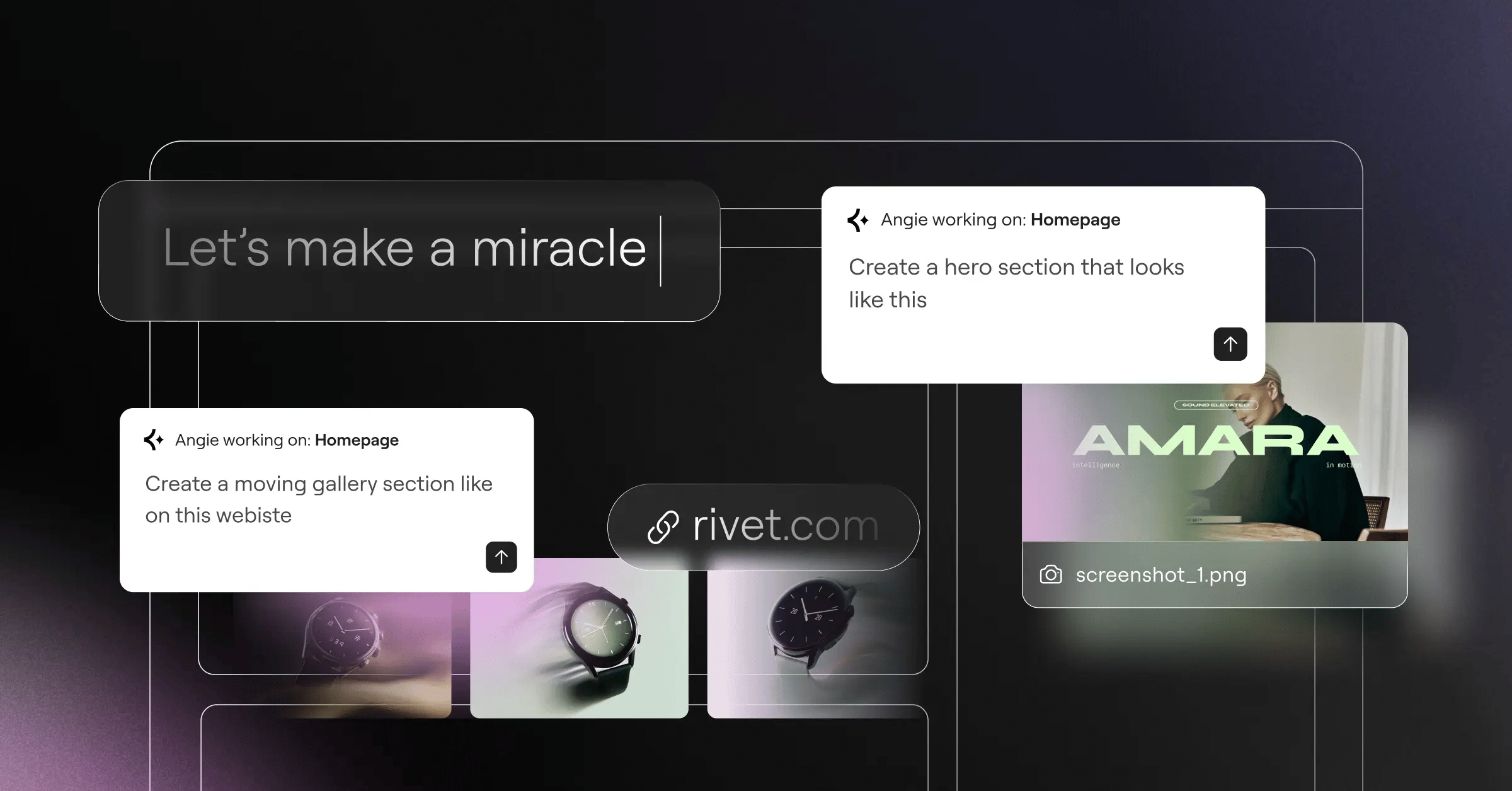
Most AI web tools generate generic code. That’s a major problem when you’re working inside a complex CMS. Angie by Elementor fixes this entirely. It’s an agentic AI framework built specifically for WordPress.
Angie doesn’t just spit out text. It plans and executes complex tasks across your entire WordPress ecosystem. You give it a natural language prompt. Angie then builds custom Elementor widgets, WordPress admin snippets, and custom post types instantly.
It’s purpose-built for WordPress. Angie automatically inherits your site’s specific context using the Model Context Protocol (MCP). It knows your theme. It knows your plugins. And it writes code that actually works with them.
Key Features
- Agentic Task Execution – Plans and builds complete site features, not just isolated code blocks.
- Context-Aware Generation – Reads your exact WordPress environment before writing a single line of code.
- Safe Experimentation – Tests all new code in a secure sandbox before pushing it to your live site.
- Full Creative Control – Gives you production-ready assets you can manually tweak inside the WordPress admin.
- Visual App Creation – Turns basic text prompts into fully functional front-end applications.
Pricing
Here’s the best part. Angie is a free WordPress plugin. You don’t need a premium subscription to start automating your development workflow today.
Pros
- Outputs native WordPress assets instead of detached code.
- Eliminates the fear of breaking your site with bad AI snippets.
- Drastically reduces development time for custom post types.
- Works perfectly alongside the Elementor Editor Pro environment.
Cons
- Requires an active WordPress installation to function.
- Advanced visual apps require clear, detailed prompting.
Verdict
Angie is the top choice for WordPress professionals in 2026. It bridges the gap between raw AI code generation and actual, functional WordPress development. You’ll go from idea to production in minutes.
2. Elementor Editor Pro
If Angie is your backend developer, Elementor Editor Pro with its integrated AI is your lead frontend designer. It’s the industry standard, powering over 21 million websites globally.
Elementor’s AI integration sits directly inside the drag-and-drop editor. You’re never forced to leave your workspace. Need a new layout? The AI Container Generator builds fully responsive sections based on your exact text descriptions.
The platform runs on the new Editor V4 (Atomic) foundation. This CSS-first architecture means the AI generates extremely clean code. You’re getting custom CSS and advanced animations without the traditional bloat.
Key Features
- AI Site Planner – Turns rough ideas into complete sitemaps and wireframes in under 20 minutes.
- Integrated DALL-E 3 – Generates and edits high-quality images directly within your media library.
- Custom Code Generation – Writes tailored CSS and JavaScript for individual atomic elements.
- Elementor One Unified Ecosystem – Connects AI design directly to hosting, optimization, and marketing tools.
- Global Brand Settings – Ensures AI outputs match your exact typography and color variables.
Pricing
The unified Elementor One plan launches at $168/year. This includes the Editor Pro, 25,000 monthly AI credits, Image Optimization, and priority support. You can also grab the essential plugin for $60/year.
Pros
- Unifies the entire process from AI planning to performance optimization.
- Outputs incredibly clean code via the Atomic V4 architecture.
- Shared credit system lets you allocate AI resources where you need them most.
- Includes access to the lightweight, forever-free Hello Theme.
Cons
- The sheer number of widgets (118+) can overwhelm absolute beginners.
- Requires a short learning curve to master the new classes and variables system.
Verdict
This is the definitive tool for modern web creators. It combines powerful AI generation with absolute manual precision. You’re getting the best of both worlds.
3. Wix Studio
You know the drill. You build a stunning desktop layout. Then you burn three hours fixing the mobile view. Wix Studio attacks this exact problem for high-end agencies.
Their standout feature is Responsive AI. You design your main breakpoint, click one button, and the system handles the rest. Internal reports show this specific feature reduces the time spent on manual breakpoint adjustments by a massive 80%.
It’s an enclosed ecosystem, sure. But for agencies juggling dozens of client sites, that walled garden provides incredible stability and speed.
Key Features
- Responsive AI – Automatically cascades design changes across tablet and mobile breakpoints.
- AI Section Creator – Drafts complete page sections based on industry-specific prompts.
- Code Assistant – Helps write custom JavaScript for Velo, Wix’s proprietary development framework.
- Client Handover Tools – Generates automated training materials for your clients.
Pricing
Professional agency plans start at approximately $19/month. Higher tiers scale based on enterprise bandwidth and storage needs.
Pros
- Unmatched speed for responsive mobile optimization.
- Excellent built-in client management and billing tools.
- Very strong visual canvas for complex CSS grid layouts.
Cons
- You can’t export your code to host it elsewhere.
- Velo scripting has a steep learning curve compared to standard JavaScript.
Verdict
Wix Studio is ideal for digital agencies that want to build fast and keep clients locked into a single, managed platform. The time savings on mobile design alone justify the cost.
4. Framer AI
Sometimes you need a landing page yesterday. Framer AI is the king of rapid prototyping. It operates much like a modern design tool (think Figma), but it actually ships live code.
The speed is staggering. Framer AI can generate a fully responsive landing page from a single text prompt in under 30 seconds. It drafts the copy, selects the color palette, and applies scroll animations instantly.
Honestly, it feels a bit like powerful the first time you use it. But underneath the hood, it’s generating solid React code. You can then tweak every single element using their visual canvas.
Key Features
- Text-to-Site Generation – Builds complete, multi-section pages from one sentence.
- AI Color Shuffling – Tests dozens of complementary color palettes with a single click.
- Automated Copywriting – Drafts surprisingly decent placeholder text tailored to your niche.
- Built-in CMS – Manages basic blog posts and portfolio items directly in the canvas.
Pricing
You can start on a free tier. The standard Pro plan runs $30/month per site, which unlocks advanced analytics and removes branding.
Pros
- The absolute fastest way to get a beautiful, modern site live.
- Incredible built-in animations that look highly professional.
- Familiar interface for anyone who has used Figma or Sketch.
Cons
- CMS capabilities aren’t as powerful as WordPress or Webflow.
- Pricing gets expensive fast if you’re managing multiple client sites.
Verdict
Framer AI is the absolute best choice for SaaS startups and designers who prioritize modern aesthetics and extreme speed.
5. 10Web
Migrating an old website is usually a nightmare. 10Web built its entire AI model around solving this exact pain point. They focus heavily on automated WordPress recreation.
You paste the URL of an existing website. The AI analyzes the layout, grabs the assets, and recreates the entire structure as an editable WordPress template. It’s essentially a cloning tool designed for rapid migrations.
Once the site is generated, you edit it using a customized version of standard page builders. It also includes an automated PageSpeed optimization layer to keep things running fast.
Workflow Steps
- Input the URL of the target website you want to migrate.
- Wait roughly three minutes for the AI to map the DOM and extract assets.
- Review the newly generated WordPress layout in your dashboard.
- Use the drag-and-drop editor to swap out text and finalize the design.
- Publish the site using 10Web’s automated caching infrastructure.
Pricing
The Starter plan is highly competitive at $10/month. The Professional plan jumps to $30/month, unlocking more automated migrations and multisite support.
Pros
- Saves dozens of hours when moving clients away from legacy platforms.
- Excellent automated performance optimization out of the box.
- Keeps you inside the familiar WordPress ecosystem.
Cons
- The AI cloning isn’t always 100% accurate on complex layouts.
- You’re tied to their specific hosting infrastructure for the best results.
Verdict
If you’re an agency moving local businesses off outdated HTML sites or obscure builders, 10Web is your best friend. It turns days of manual copying into a ten-minute automated task.
AI isn’t just generating layouts anymore; it’s understanding search intent and user behavior to structure sites that actually rank and convert from day one.
Itamar Haim, SEO Team Lead at Elementor. A digital strategist merging SEO, AEO/GEO, and web development.
6. Hostinger AI Builder
Not everyone needs a complex enterprise setup. Sometimes, budget is the only thing that matters. Hostinger AI Builder provides the most affordable entry point for absolute beginners.
You aren’t getting granular CSS control here. You’re getting an automated setup wizard that builds a functional, decent-looking site in minutes. As of 2026, roughly 50% of small businesses use these exact types of AI-driven builders to launch their initial web presence.
It’s bundled directly into their hosting packages. You pay a few dollars a month, and you get the AI builder, the hosting, a free domain, and custom email. That’s hard to beat.
Included Features
- AI Setup Wizard – Asks three basic questions and generates a full site.
- AI Heatmaps – Predicts where users will click before you even launch.
- Integrated Logo Maker – Generates basic vector logos for new brands.
- SEO Assistant – Automatically drafts meta titles and descriptions.
- eCommerce Basics – Sets up simple product pages and cart functionality.
Pricing
This is where Hostinger wins. The AI Website Builder is bundled with hosting starting at just competitive ratesnth.
Pros
- Unbeatable price point for solo entrepreneurs and hobbyists.
- Zero technical knowledge required to get a site online.
- Everything is managed in one simple, unified dashboard.
Cons
- You can’t export the site if you outgrow the platform.
- Design options are fairly rigid compared to professional tools.
Verdict
It’s the ultimate starter tool. If you’ve zero budget and zero technical skills, Hostinger’s AI builder will get your business online by the end of the day.
7. Webflow AI
Webflow has always targeted professional developers. Their AI integration follows that exact same philosophy. Webflow AI doesn’t try to build the whole site for you. It tries to make your existing code better.
Their standout achievement this year is automated localization. Webflow AI now supports automated localization for over 20 languages. Internal data shows this reduces translation and deployment costs by up to 60%.
It also features AI-driven Style Insights. The system scans your entire project, identifies redundant CSS classes, and suggests ways to consolidate your code. It’s brilliant for large enterprise builds.
Key Features
- Automated Localization – Translates text and adjusts layouts for different languages instantly.
- Style Insights – Cleans up messy CSS classes to improve site performance.
- CMS Content Generation – Drafts structured data directly into your database collections.
- Custom Code Assistant – Helps developers write complex DOM manipulation scripts.
Pricing
The Basic plan is $14/month, but you’ll need the CMS plan at $23/month to really take advantage of the AI data features.
Pros
- Produces the cleanest, most semantic code of any visual builder.
- Localization tools are a massive money-saver for global brands.
- Incredible visual control over highly complex animations.
Cons
- The learning curve is brutal if you don’t understand the CSS box model.
- E-commerce functionality remains overly complicated to set up.
Verdict
Webflow AI is the undisputed champion for enterprise-level sites that require pristine code and multi-language support. Just be prepared to spend time learning the interface.
8. Divi AI
Elegant Themes took a totally different approach with Divi AI. Instead of limiting your generation credits, they opened the floodgates. It’s a powerhouse for content-heavy WordPress sites.
Divi AI understands the Divi framework completely. You click a module, give it a prompt, and it generates text, images, and custom CSS right inside the visual builder. It even analyzes your existing page content to ensure the new AI additions match your brand voice.
The major selling point is the unlimited usage model. If you run a high-volume agency, those API credits add up fast on other platforms. Divi eliminates that stress entirely.
At a Glance Data
- Platform – WordPress (Native Plugin).
- Image Generation – Unlimited (powered by custom diffusion models).
- Text Generation – Unlimited (context-aware copywriting).
- Layout Generation – Suggests entire section designs based on prompt.
- Code Generation – Writes module-specific CSS and scripts.
Pricing
Divi AI is priced at $18/month or $115/year as an add-on. Remember, you also need the base Divi theme subscription to use it.
Pros
- Unlimited generation removes the anxiety of running out of credits.
- Excellent context awareness within the Divi ecosystem.
- The image generator is surprisingly adept at creating web-ready assets.
Cons
- The Divi builder can still feel heavy and slow on cheaper hosting.
- Generated layouts sometimes require heavy manual spacing adjustments.
Verdict
If you’re already embedded in the Divi ecosystem, buying this AI add-on is a no-brainer. It’s the best option for high-volume content creators who hate tracking usage caps.
9. Durable AI
Let’s talk about absolute, pure speed. Durable AI doesn’t just build websites. It builds entire digital businesses for solo operators in seconds.
The numbers here are crazy. Durable AI has generated over 6 million websites for solo entrepreneurs since its launch. They’re currently averaging one new site generated every 3 seconds. You type in your business type, your location, and your name. Thirty seconds later, you’ve a site.
But it’s not just a site. The AI automatically hooks up a CRM, creates an invoicing system, and drafts a promotional email campaign. It’s a business-in-a-box for service providers.
Feature Breakdown
- Instant Site Generation – Creates a localized, fully functional site in 30 seconds.
- Integrated CRM – Automatically routes form submissions into a contact management database.
- Automated Invoicing – Generates and sends invoices directly from the dashboard.
- AI Ad Creator – Drafts Google Ads copy based on your generated site content.
Pricing
The Starter plan runs $12/month. This includes the website, custom domain, and basic CRM limits.
Pros
- You won’t find a faster way to launch a service business online.
- The included CRM and invoicing tools save hundreds on external software.
- Perfect for local plumbers, landscapers, and consultants.
Cons
- The designs are highly templated and lack unique character.
- SEO capabilities are extremely basic compared to WordPress options.
Verdict
Durable AI isn’t for web professionals. It’s for the local service provider who needs a functional digital presence right now, without hiring an agency.
10. Sitejet Builder
We need to talk about the hidden gem of 2026. Sitejet Builder isn’t a standalone tool you hear heavily marketed. Instead, it’s quietly integrated directly into server control panels.
Sitejet is now integrated into over 2,500 hosting providers via Plesk and cPanel. This makes professional-grade AI design accessible to millions of hosting customers without installing a single plugin. You literally launch it from your server dashboard.
It includes a fantastic AI content generator and strong multi-user collaboration tools. Agencies can build the site, assign specific editing rights to clients, and manage the whole thing from their hosting panel.
Key Features
- cPanel/Plesk Integration – Runs natively inside your existing server environment.
- AI Content Assistant – Drafts copy and suggests structural layouts.
- Agency Collaboration – Granular permissions for client handoffs and feedback.
- Automated Backups – Syncs design changes directly with server-level backup systems.
Pricing
It’s usually included for free within your existing web hosting plan. Some premium agency features might run an extra $5-$15/month depending on the host.
Pros
- No extra software to install or maintain.
- Incredible value since it’s often bundled with your server cost.
- Strong workflow tools for managing multiple client feedback loops.
Cons
- Far less community support and tutorial content than Elementor.
- The third-party app ecosystem is quite limited.
Verdict
Sitejet is a brilliant alternative for system administrators and web pros who prefer working directly within their hosting environments rather than inside a heavy CMS.
Comparison Summary
Let’s look at the hard data. We’ve compiled the core metrics for all ten platforms so you can see exactly where they stand against each other.
| Platform | Starting Price | Primary Strength | Best For |
|---|---|---|---|
| 1. Angie by Elementor | Free Plugin | Agentic WP Generation | WordPress Developers |
| 2. Elementor Editor Pro | $59/year | Atomic Code + UI Control | Professional Web Creators |
| 3. Wix Studio | ~$19/month | Automated Breakpoints | High-Volume Agencies |
| 4. Framer AI | $30/month | Rapid Prototyping | Startups & Designers |
| 5. 10Web | $10/month | Site Replication | Platform Migrations |
| 6. Hostinger AI | competitive ratesnth | All-in-One Affordability | Absolute Beginners |
| 7. Webflow AI | $14/month | Clean Code & Translation | Enterprise Projects |
| 8. Divi AI | $18/month | Unlimited Generation | Content Creators |
| 9. Durable AI | $12/month | Instant Biz Setup | Local Services |
| 10. Sitejet Builder | Free w/ Hosting | Server Integration | SysAdmins & Agencies |
Final Recommendation: Which AI Tool Should You Choose?
You’ve seen the options. Now you need to make a decision. Let’s break this down based on actual project needs.
If you’re working inside WordPress, Angie by Elementor is the clear winner for backend automation. It takes real action via the MCP. Pair it with the Elementor One unified subscription for the frontend, and you’ve the most powerful tech stack available in 2026.
If you prioritize aesthetics and need to move fast outside of WordPress, Framer AI is your best bet. It generates beautiful sites quickly.
Data shows that 94% of a user’s first impression is related to design. Furthermore, websites using AI-driven layouts see a 15% average increase in conversion rates. Don’t skimp on your tools. Pick the platform that gives you both speed and professional control.
Frequently Asked Questions
Will AI web design tools bloat my website code?
Early generators absolutely did. Modern tools in 2026, like Elementor’s Atomic V4 architecture, output clean, CSS-first code. They actually reduce bloat by using shared variables and classes instead of inline styling.
Can AI tools fix accessibility issues automatically?
They can help, but they aren’t perfect. Tools like Elementor Ally can scan for 180+ WCAG issues and suggest fixes. However, you still need a human to review the context to ensure true accessibility compliance.
What is Agentic AI in web design?
Agentic AI doesn’t just give you code to copy and paste. It acts on your behalf. Plugins like Angie plan a task, understand your specific site environment, and actively create the necessary files and widgets in your database.
Do I still need a web host if I use an AI builder?
It depends on the platform. Wix Studio, Webflow, and Hostinger include hosting in their ecosystem. If you use WordPress tools like Divi AI or Elementor Editor Pro, you’ll need separate hosting, like managed cloud hosting.
Can I export an AI-generated website?
If you build on WordPress using Elementor or Divi, you own everything. You can move the site to any host. Walled gardens like Wix and Framer don’t allow you to export your underlying code to a different server.
How accurate is AI responsive design?
It’s incredibly accurate now. Wix Studio’s responsive AI cuts manual mobile adjustments by 80%. It understands standard design principles and automatically cascades content down to tablet and mobile breakpoints reliably.
Are AI websites good for SEO?
Yes, provided you use the right tool. AI can optimize your meta tags, compress images automatically, and structure your DOM cleanly. But you still need to provide valuable, human-centric content to rank highly.
Can AI migrate an old site to WordPress?
Yes. Tools like 10Web specialize in this. They scan the frontend of your old site, copy the structure and assets, and rebuild it as an editable WordPress theme in a few minutes.
Looking for fresh content?
By entering your email, you agree to receive Elementor emails, including marketing emails,
and agree to our Terms & Conditions and Privacy Policy.

