Table of Contents
You’re probably here because Webflow finally broke your budget or your patience. And you aren’t alone. In 2026, the visual development market has fractured into highly specialized tools.
You don’t need another generic list of website builders. You need platforms that actually respect your design skills while solving the specific limitations driving you away from your current stack. Look, the right choice depends entirely on whether you’re building single landing pages or massive dynamic web applications.
Key Takeaways
- Pricing fatigue is real – Webflow’s $276/year baseline CMS cost is driving designers to more economical or feature-dense alternatives.
- WordPress still dominates – Powering 43.1% of the web in 2026, the ecosystem offers unmatched ownership and flexibility.
- Prototyping tools evolved – Platforms like Framer now convert Figma designs to live, performant code in minutes.
- Performance is non-negotiable – With 53% of mobile users abandoning slow sites, your alternative must output clean HTML/CSS.
- Agentic AI is replacing manual design – Tools like Angie are shifting the industry from visual building to conversational creation.
- Decoupled architecture is rising – Enterprise designers are separating their visual front-ends from external databases.
Why Designers are Moving Away from Webflow in 2026
Webflow transformed visual coding. But holding roughly 0.6% of the CMS market share in 2026, it remains a highly specialized tool with distinct friction points. The platform forces a difficult choice between technical complexity and rising monthly costs.
The base CMS plan currently sits at $23 per month. Add localization, additional CMS items, and multiple editor seats, and agency overhead skyrockets. You’ll quickly notice how these fragmented upgrades eat into project margins.
- The Code Export Trap – You can’t export CMS data or logic. Code export requires a $19/month Workspace plan, forcing lock-in.
- The Client Handoff Struggle – The Editor interface still confuses non-technical clients who just want to update a simple blog post.
- E-commerce Limitations – Native commerce features trail far behind dedicated platforms, lacking advanced filtering and flexible variations.
- Pricing Fatigue – A 15-20% price increase over recent years pushes freelancers to seek better value elsewhere.
Modern design teams require tools that adapt to their specific agency models. You aren’t just buying a canvas. You’re buying a workflow.
1. Elementor Pro: The Ultimate WordPress Design Powerhouse
WordPress isn’t the clunky blogging platform you remember from 2015. It’s the engine behind 43.1% of all websites. Elementor Pro sits on top of this engine, offering absolute control without the vendor lock-in that plagues proprietary builders.
Elementor powers over 21 million websites globally. And for good reason. The release of Editor V4 (Atomic) in early 2026 introduced a CSS-first foundation. Classes and variables are now native. You get the strict structural control of Webflow, but with the unlimited extensibility of open-source software.
- Target User – Professional designers and agencies who want total control within the WordPress ecosystem.
- Advanced Theme Builder – Design headers, footers, archives, and custom post types visually.
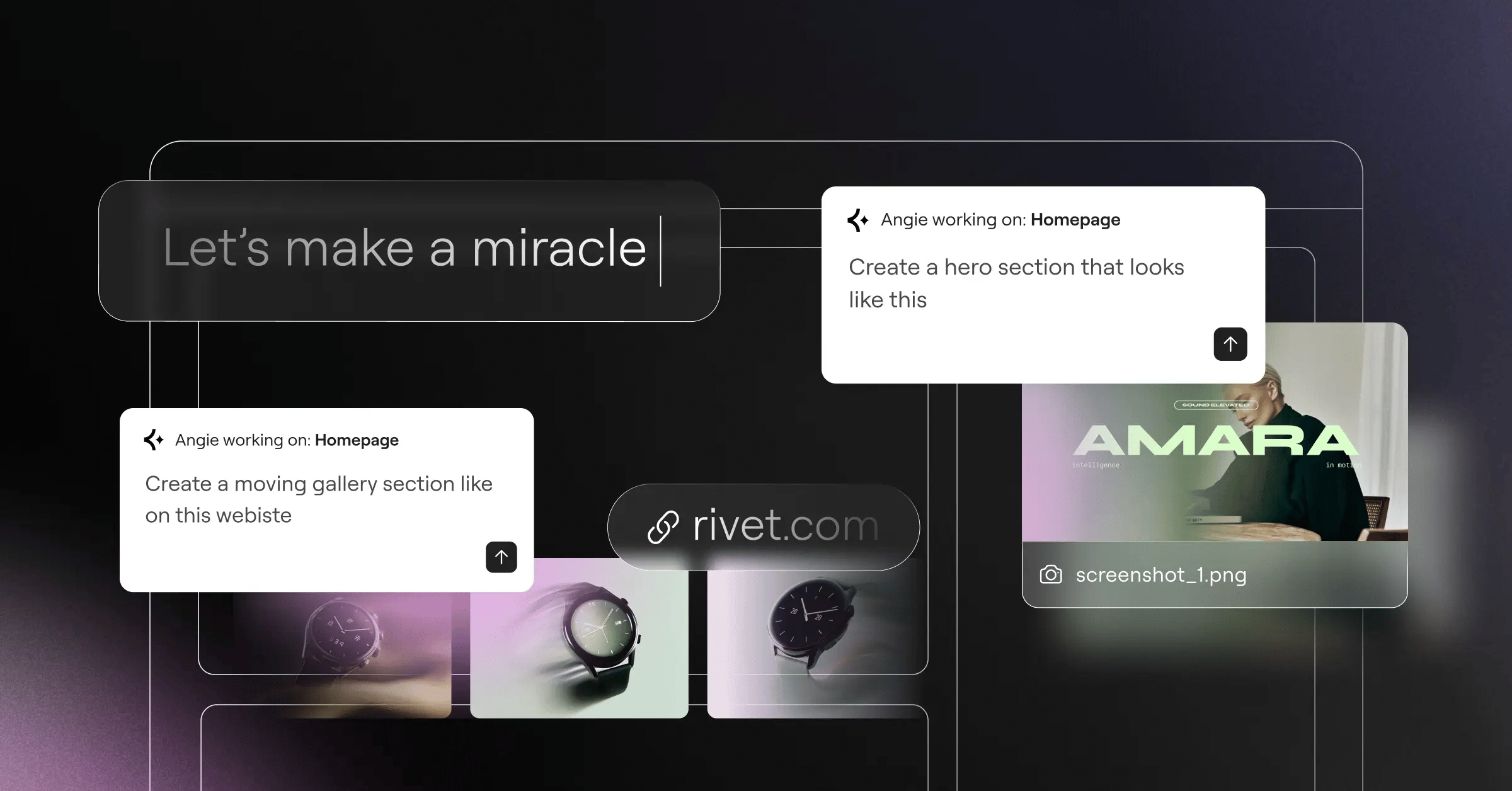
- Agentic AI Integration – The Elementor One subscription includes Angie, an agentic AI that builds production-ready WordPress assets straight from natural language. It actually executes tasks for you.
- Performance Optimized – About 52% of WordPress sites now pass all Core Web Vitals, largely due to container-based layouts and optimized asset loading.
The shift toward CSS variables and atomic design principles in visual builders means we no longer have to compromise between design flexibility and standard-compliant code output.
Itamar Haim, SEO Team Lead at Elementor. A digital strategist merging SEO, AEO/GEO, and web development.
Pricing is where this gets wildly uncompetitive for proprietary builders. Elementor’s Advanced plan costs $99/year for 3 sites. Compare that to Webflow’s $276/year for a single CMS site. The math simply doesn’t favor the locked-in approach anymore.
2. Framer: The Interactive Prototyping King
If you live in Figma, you’ll feel completely at home here. Framer transitioned from a pure prototyping utility into a massive player in the production website space. It handles layout, positioning, and breakpoints exactly like your favorite vector design tools.
You don’t need to understand CSS grid mechanics to make Framer work. You just draw frames, set constraints, and let the engine handle the rest. This approach drastically reduces the friction between a static design and a live URL.
Key Features for 2026
The platform absolutely dominates when it comes to micro-interactions. Advanced hover effects, scroll-linked animations, and 3D transforms require zero Javascript knowledge. You just tweak a visual spring physics curve.
- Canvas-based editing – Freeform design that snaps into responsive structures.
- Built-in Localization – Translate and adapt layouts for different regions natively.
- Component Variants – True design system management mirroring Figma’s component logic.
- Lightning Fast Output – Generates highly optimized React code under the hood.
But there’s a catch. Framer’s Pro plan sits at $30/month per site. While it’s brilliant for high-end marketing pages, it falls flat if you need complex relational databases or user authentication. Stick to Framer for visually demanding, static-leaning projects.
3. Wix Studio: Enterprise-Grade Design for Agencies
Forget everything you know about the old consumer-grade Wix. Wix Studio is an entirely different beast built specifically for professional agencies. They reported over 2 million sites built within its first 12 months of launch.
The interface feels industrial. It’s packed with advanced breakpoint controls, custom CSS inputs, and an intelligent responsive AI feature that attempts to structure your elements automatically for smaller screens. Honestly, the AI gets it right about 80% of the time, saving hours of tedious mobile adjustments.
The Agency Advantage
Collaboration is where Wix Studio flexes. Multiple designers can work on the same canvas simultaneously. You can build reusable design systems and share them across entirely different client accounts. This drops production time massively for high-volume agencies.
- Advanced DevMode – Write custom Javascript directly in the browser to interact with page elements.
- Native Client Billing – Invoice clients and manage recurring revenue straight from the dashboard.
- Custom Apps – Build unique functional widgets and deploy them across your agency’s portfolio.
Wix Studio’s tiered agency pricing scales predictably. You aren’t hit with unexpected workspace seat fees every time you add a junior designer to your team. It’s a closed ecosystem, yes, but it’s an incredibly well-furnished one.
4. Squarespace: The Aesthetic Minimalist Choice
Sometimes you don’t need custom data structures. Sometimes your client just needs a stunning portfolio that works perfectly on every device. Squarespace owns this specific market segment.
The introduction of the Fluid Engine completely changed the platform’s trajectory. It moved from rigid block-stacking to an overlapping grid system. You’ve the freedom to layer elements, offset images, and create magazine-style layouts without writing a single line of CSS.
Why Visual Creatives Still Choose It
The curated typography and color systems prevent clients from destroying your design post-launch. You set the global parameters. They just fill in the text boxes. It’s foolproof.
- Curated Template Sets – The baseline designs are industry-leading in terms of pure typography and spacing.
- Integrated Commerce – Sell digital products, physical goods, or services immediately.
- Built-in Email Campaigns – Keep marketing tools under one single login.
- Mobile App Editor – Clients can actually update their blogs successfully from a phone.
The Squarespace Business plan is $23/month. It includes the CMS, the hosting, the forms, and basic commerce. You don’t have to glue three different tools together just to collect an email address and display a blog post. Simplicity is an incredibly valid feature.
5. Bubble: For Designers Building Complex Web Apps
You can’t build a SaaS product in Webflow. You just can’t. Bubble is the undisputed heavy-hitter when your project requires user logins, dynamic data manipulation, and complex logical workflows.
With over 3 million users in 2026, Bubble captures the segment of designers transitioning into product development. The global no-code development market is projected to hit $187 billion by 2030, and platforms that handle serious backend logic are driving that growth.
Mastering Visual Logic
The learning curve is brutal. Make no mistake. You aren’t just designing pages; you’re structuring relational databases and building API connections. But the payoff is immense.
- Visual Workflow Editor – Define exact sequences of events (e.g., ‘When user clicks this, charge Stripe, then update database’).
- Complete Database Management – Build complex relationships between different data types without SQL.
- API Connector – Pull or push data to literally any service on the internet.
While Bubble requires manual mapping of logic flows, modern alternatives are pushing toward automation. For example, agentic AI solutions like Angie in the WordPress ecosystem take direct action based on conversational inputs, radically speeding up the initial build phase. Bubble focuses on raw power, but you’ll spend weeks mastering its interface.
6. Duda: The Scalable Solution for Client Management
If you run an agency churning out 50+ sites a year for local businesses, manual design tweaks will kill your profitability. Duda targets this exact pain point. Agencies using their platform report a 50% increase in site-building efficiency.
Duda isn’t trying to be the most visually complex builder. It’s trying to be the most efficient. The platform is built around dynamic pages and structured client data. You can connect a Google Sheet of local business details, and Duda will automatically generate 50 location pages with perfect schema markup.
The White-Label Ecosystem
Your clients will never see the word ‘Duda’. The entire platform, from the login screen to the editor interface, gets branded with your agency’s logo and colors.
- Dynamic Data Binding – Connect external text and images to layout templates instantly.
- Granular Client Permissions – Restrict clients to only editing specific text boxes, protecting your layout.
- Site Duplication Tools – Copy successful layouts across different accounts with one click.
- Widget Builder – Create custom React widgets for highly specific client needs.
Cost-per-site drops significantly as you scale. Instead of managing dozens of individual hosting accounts, you manage one agency dashboard. This operational efficiency easily outweighs the slight loss in freeform design control.
7. Dorik: The Budget-Friendly Webflow Competitor
Pricing matters. When a client budget is tight, you can’t always justify premium SaaS subscriptions. Dorik emerged as a lightweight, highly intuitive alternative that delivers 80% of Webflow’s visual capabilities at a fraction of the cost.
The UI is remarkably clean. It relies on a block-based approach combined with deep customization settings for margins, padding, and CSS classes. You aren’t overwhelmed by panels of microscopic icons. It just makes sense visually.
Direct Feature Comparison
Dorik recognized that most designers don’t need highly complex 3D animations. They need clean code, fast loading times, and a reliable CMS.
| Feature | Dorik (CMS Plan) | Webflow (CMS Plan) |
|---|---|---|
| Annual Pricing | $48/year | $276/year |
| Static Export | Included | Requires Workspace Plan |
| Membership Tools | Native & Built-in | Paid Add-on / 3rd Party |
| Learning Curve | Days | Weeks |
For independent freelancers building standard informational sites or basic blogs, Dorik’s value proposition is impossible to ignore. You keep more of your retainer, and the client gets a site that passes Core Web Vitals straight out of the box.
8. WeWeb: Decoupled Front-ends for Modern Stacks
Enterprise design requires flexibility. Tying your front-end design entirely to your backend database creates immense risk. WeWeb champions the decoupled architecture movement, allowing you to design visually while pulling data from strong backends like Xano or Supabase.
A 1-second delay in page load time can lead to a 7% reduction in conversions. WeWeb addresses this by generating standard Vue.js applications. It’s a visual builder for true front-end developers.
Component-Based Architecture
You aren’t restricted to the proprietary data structures of the builder. If your company already uses a massive PostgreSQL database, you just connect the API and start designing the visual output.
- No-Code State Management – Handle complex variables and user states visually.
- True Custom Components – Import custom Vue or React components directly into the visual editor.
- External Auth Integration – Connect directly to Auth0 or Firebase without painful workarounds.
- Self-Hosting Options – Export your app and host it on your own AWS infrastructure.
This decoupling trend matches the trajectory of AI assistants. Just as Angie uses the Model Context Protocol to decouple AI reasoning from local WordPress execution, WeWeb separates the visual layer from the data logic. Webflow’s tightly coupled ecosystem struggles to compete in these complex enterprise environments.
9. Pinegrow: For Designers Who Want Full Code Control
Visual builders often abstract the code too much. They rename standard CSS properties to make them ‘user-friendly’, which ironically frustrates developers who already know the specs. Pinegrow does the exact opposite.
Pinegrow isn’t a cloud-hosted platform. It’s a desktop application for Mac, Windows, and Linux. You open standard HTML files, visually edit them, and save standard HTML files. There’s zero vendor lock-in. You own the files on your local hard drive.
The Professional Workflow
You can literally open an existing website, drag elements around visually, and watch the underlying HTML update in real-time. It’s the ultimate tool for developers who want visual assistance without sacrificing code purity.
- Visual CSS Grid Controls – Build complex, standard-compliant grid layouts visually.
- Multi-Page Editing – Edit the header on one page and watch it update across multiple open views simultaneously.
- Tailwind CSS Integration – Visually apply Tailwind utility classes with a dedicated control panel.
- WordPress Theme Conversion – Add Pinegrow actions to static HTML elements to instantly generate a custom PHP WordPress theme.
You pay a one-time fee or a low yearly subscription for updates. As SaaS platforms force 20% price hikes annually, desktop software feels incredibly refreshing. If you know HTML/CSS, this tool dramatically speeds up your workflow without imposing its own framework.
10. Shopify: The Gold Standard for Design-Driven E-commerce
Let’s address the elephant in the room. If you’re building a store doing more than $50k a year in revenue, you shouldn’t use a generic site builder. E-commerce requires hyper-specific features: inventory routing, complex tax calculations, and a highly optimized checkout flow.
Shopify’s Online Store 2.0 framework finally gave designers the modular control they craved. You can design custom JSON templates for specific product categories. You aren’t stuck with one global product layout anymore.
Designing for Conversion
You don’t have to compromise on aesthetics to get enterprise-grade commerce functionality. The ecosystem of headless solutions (like Hydrogen) allows you to build custom React front-ends while relying on Shopify’s bulletproof backend logic.
- Unmatched Checkout Conversion – The Shop Pay network converts significantly higher than generic builder checkouts.
- Advanced Product Metafields – Store and display unique technical specifications for every product variant.
- Massive App Ecosystem – Easily add subscriptions, upsells, and wholesale pricing.
- Global Inventory Management – Route orders to specific warehouses automatically.
Yes, Shopify charges transaction fees. But the reliability during massive traffic spikes (like Black Friday) is worth the cost. Don’t risk a client’s revenue on a platform that treats e-commerce as an afterthought.
Decision Matrix: Choosing Your Alternative
The ‘best’ tool doesn’t exist. There’s only the right tool for your specific business model. Review your technical constraints, your client’s needs, and your tolerance for recurring monthly fees.
Make your decision based on total cost of ownership over 3 years, not just the initial trial month. Migration is painful. Pick the platform that actually scales with your trajectory.
| Platform | Best For… | Primary Strength | Pricing Model |
|---|---|---|---|
| Elementor Pro | Agencies & Freelancers | Total ecosystem control & value | Annual (Multi-site available) |
| Framer | UI/UX Designers | Micro-interactions & speed | Per site / Monthly |
| Wix Studio | Collaborative Teams | Client management & handoff | Per site (Agency tiers) |
| Bubble | SaaS Founders | Complex relational logic | Monthly (Usage based) |
| WeWeb | Enterprise Devs | Decoupled frontend design | Monthly (High tier) |
If you need maximum flexibility without the massive recurring costs, Elementor Pro combined with modern WordPress hosting is unbeatable. If you’re designing purely static, animation-heavy marketing sites, Framer takes the crown. Assess your agency’s actual needs before locking into another restrictive contract.
Frequently Asked Questions
Is Webflow actually losing market share in 2026?
While Webflow’s absolute user base remains stable, its relative market share growth has stalled around 0.6%. Newer platforms offering specialized features or aggressive pricing are capturing the majority of new no-code developers entering the market.
Can I export my Webflow site to another platform?
You can export the static HTML, CSS, and image assets if you’ve a paid Workspace plan. However, you can’t export your CMS data structures or interactions smoothly. You’ll need to rebuild your database and logic on the new platform.
Does Framer output clean code?
Framer generates highly optimized React code. It’s exceptionally fast for the end-user, but the exported code isn’t meant to be human-readable or manually edited. You must maintain the site within Framer’s ecosystem.
What makes WordPress a viable alternative for designers?
The introduction of CSS variables, flexbox, and CSS grid into modern builders like Elementor Pro transformed WordPress. You now get the exact visual layout control of proprietary tools, combined with open-source ownership.
Are no-code tools bad for SEO?
Not inherently. The problem arises when builders generate heavy DOM structures. Platforms enforcing clean HTML tags and optimizing asset delivery (like WebP conversion and minimal CSS loading) rank perfectly well in modern search engines.
How do agentic AI tools change the design process?
Unlike standard text generators, agentic AI like Angie takes direct action. You describe the layout or logic you need, and the AI literally configures the CMS, builds the page structure, and applies the initial styling without manual clicking.
Is Shopify only for large stores?
No. While it scales to enterprise levels, its Basic plan handles small catalogs beautifully. If your primary goal is selling products, using a dedicated e-commerce engine is always safer than adding a basic cart plugin to a standard website builder.
What does decoupled or headless mean for designers?
It means your visual website and your data live in two different places. You can use a visual builder like WeWeb to design the interface, while securely storing all user data in a separate backend like Supabase. It’s the standard for serious web apps.
Can clients easily break sites built on these alternatives?
Most modern professional platforms offer granular permissions. You can lock the design structure, typography, and colors, restricting the client to only changing specific text strings or image source files. Role management is critical here.
Do I still need to know HTML and CSS?
Yes. Even visual builders rely on standard web mechanics. If you don’t understand how CSS grid, flexbox, padding, and block vs. inline elements work, you’ll struggle to build truly responsive layouts on any professional platform.
Looking for fresh content?
By entering your email, you agree to receive Elementor emails, including marketing emails,
and agree to our Terms & Conditions and Privacy Policy.

