Table of Contents
10 Best Squarespace Alternatives to Try in 2026
Squarespace holds a 4.9% market share of all websites using a known Content Management System as of late 2024. That makes it the fourth largest website builder globally. But popularity doesn’t guarantee a perfect fit for your specific project. Many professional designers find the proprietary grid system too rigid for complex, modern web builds.
And the closed ecosystem locks your data inside their servers. You can’t just pick up and move a template elsewhere. Add in aggressive price hikes for basic commerce features, and it’s clear why developers are looking for better options. Here are the tools actually worth your time this year.
Key Takeaways
- WordPress dominates the internet, powering 43.5% of all websites and providing total data ownership.
- Elementor handles 9.6% of global sites, making it the most popular visual builder for WordPress users escaping closed ecosystems.
- Carrd costs just $19 per year, dominating the budget tier for single-page builds.
- Speed directly impacts revenue, as a 0.1-second improvement in mobile site speed increases retail conversions by 8.4%.
- Shopify controls 10% of the US e-commerce market, completely outclassing Squarespace’s basic retail features.
- Squarespace Core Web Vitals hover around a 42% pass rate, while optimized alternatives regularly exceed 70%.
Elementor (WordPress)
Elementor Editor Pro changes how you interact with WordPress entirely. Look, 43.5% of the internet runs on WordPress. That gives you absolute ownership of your data and your hosting environment. But standard WordPress editing can feel clunky to former Squarespace users.
This WordPress page builder bridges that gap. You get a completely visual drag-and-drop interface without sacrificing backend control. It’s built for professional designers, agency owners, and marketers who hit the ceiling of what closed platforms allow. The Theme Builder lets you design custom headers, footers, and archive pages visually. You aren’t restricted to a handful of pre-approved layouts.
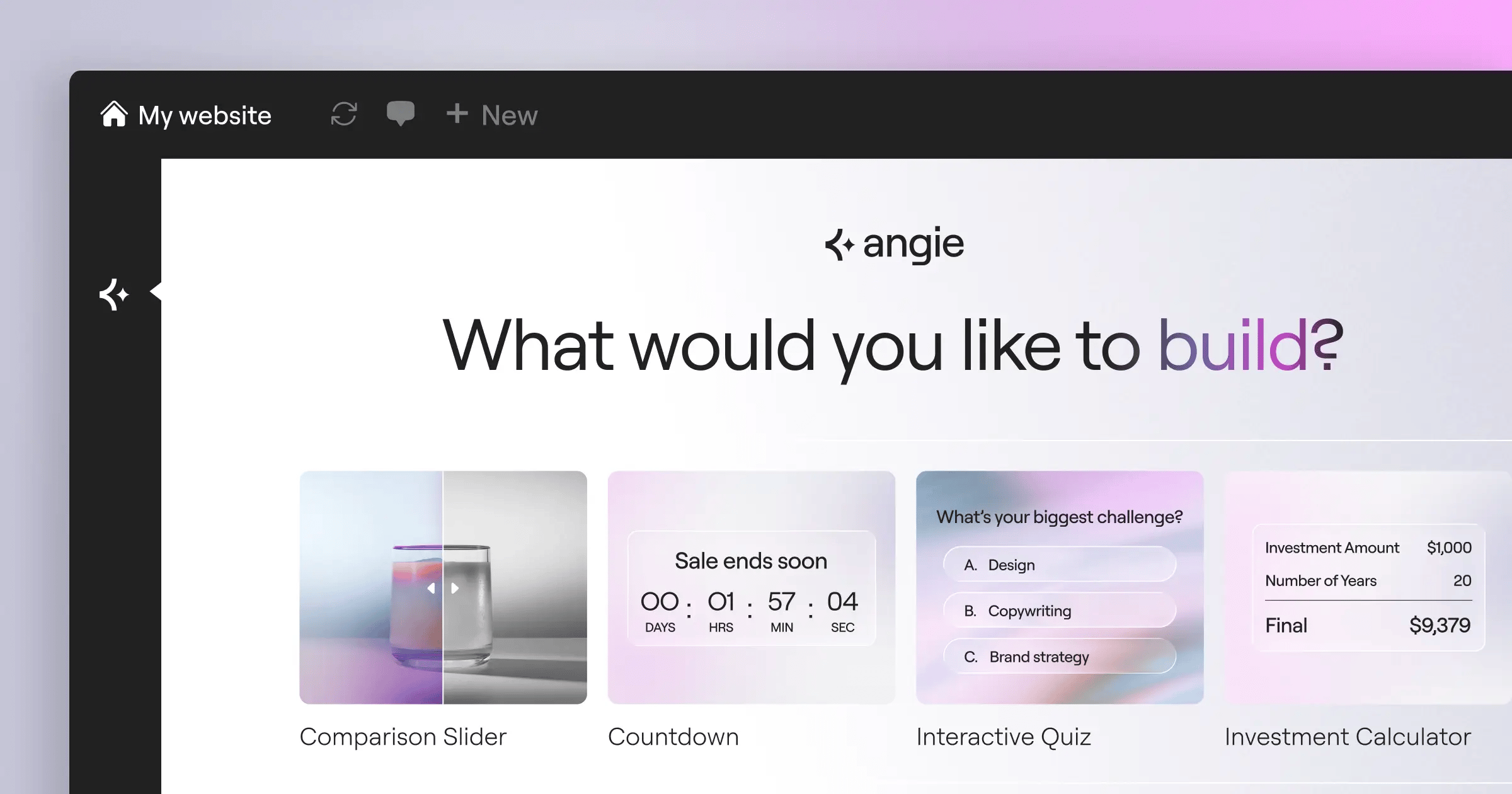
And the ecosystem brings serious automation into the mix. This is where Angie enters the picture. Angie is a native agentic AI for WordPress that uses the Model Context Protocol to execute real actions. You don’t just generate text prompts. You tell the assistant what you need, and it creates production-ready assets right inside your WordPress dashboard. It connects perfectly with the broader Elementor environment.
To truly rank in 2026, you need absolute control over your DOM structure and schema markup. Closed platforms abstract that away from you. Moving to an open ecosystem isn’t just a design choice; it’s a fundamental requirement for aggressive search visibility.
Itamar Haim, SEO Team Lead at Elementor. A digital strategist merging SEO, AEO/GEO, and web development.
Pricing is highly competitive. The Elementor Essential plan costs $60 per year for a single site. Compare that to Squarespace’s Personal plan at $192 annually. You’ll need to purchase separate hosting, but managed cloud options provide significantly better performance metrics.
Squarespace sites show an average ‘Good’ Core Web Vitals passing rate of about 42%. Optimized WordPress sites built with Elementor frequently exceed 70% passing rates when paired with proper caching protocols. Stop accepting mediocre server response times just for the convenience of an all-in-one billing dashboard.
Wix
Wix serves as the most direct commercial competitor to Squarespace. It’s an all-in-one hosted platform targeting the exact same demographic. Small business owners, local service providers, and creative professionals use it daily. But the fundamental editing philosophy differs wildly between the two.
Squarespace forces your elements into a rigid grid. Wix uses an unstructured canvas. You can literally drag a button one pixel to the left if you want. That absolute positioning gives beginners a massive sense of creative freedom.
- Pros of choosing Wix –
- Massive app marketplace with over 300 native and third-party integrations.
- Wix Studio provides advanced responsive controls for agency professionals.
- Built-in email marketing tools are natively integrated into the dashboard.
- Artificial Design Intelligence can generate a starting layout in exactly 3 minutes.
- Cons of choosing Wix –
- The unstructured editor easily leads to messy mobile layouts if you aren’t careful.
- You can’t switch templates once your site goes live without starting completely over.
- Storage limits are strictly enforced on lower-tier plans.
- The dashboard feels incredibly cluttered compared to modern minimal interfaces.
Pricing requires careful evaluation. The Wix ‘Light’ plan starts at $17 per month. But their ‘Business Elite’ tier rockets up to $159 per month. That positions it as a distinctly premium option for scaling companies.
If you want total pixel control without touching CSS, Wix delivers. Just remember to check your mobile viewport after every single edit.
Webflow
Webflow isn’t for weekend hobbyists. It’s a visual development platform that translates your design choices into clean, production-ready HTML, CSS, and JavaScript. Design agencies and high-growth startups rely on it to build complex marketing sites.
The learning curve is brutal if you don’t understand the CSS box model. But the tradeoff is absolute structural perfection.
- The Webflow Production Sequence –
- Establish global classes – Set your typography, color variables, and spacing systems first.
- Build the structure – Drag div blocks, sections, and containers onto the canvas using flexbox or CSS grid.
- Wire the CMS – Create dynamic collections for blog posts, team members, or portfolio items.
- Add interactions – Use the native animation engine to trigger scroll reveals and parallax effects.
- Publish to edge nodes – Push the site live across their global AWS-powered CDN.
Webflow’s CMS plan costs $23 per month when billed annually. That makes it slightly more expensive than basic Squarespace tiers. But you’re paying for a professional engineering tool, not a consumer site builder.
The interaction engine alone justifies the cost. You can build complex, multi-step animations without writing a single line of JavaScript.
Shopify
Squarespace offers commerce features. Shopify is a dedicated e-commerce platform. There’s a massive difference. Shopify currently controls 10% of the US e-commerce market share. Serious retail entrepreneurs don’t use anything else for hosted storefronts.
You’ll notice the difference the moment you try to manage complex inventory. Squarespace struggles with advanced product variants and multi-location shipping rules. Shopify handles them natively.
- Critical e-commerce requirements Shopify handles perfectly –
- Point of Sale (POS) – Sync your physical store inventory with your online shop instantly.
- Third-party logistics – Connect directly to fulfillment centers and warehouse management systems.
- Abandoned cart recovery – Automated email sequences that actually trigger reliably.
- Custom checkouts – Modify the payment flow using dedicated checkout extensions (on Plus plans).
- Tax compliance – Automatic global tax calculations based on customer jurisdiction.
The basic plan starts around $39 per month. Yes, that’s higher than Squarespace. But you aren’t just paying for hosting. You’re buying into an ecosystem with thousands of specialized retail apps.
If your primary goal is publishing content, look elsewhere. If your primary goal is moving physical inventory, accept the higher monthly fee and build here.
Framer
Framer feels like powerful for UI/UX designers. If you know how to use Figma, you already know how to use Framer. It’s a design-to-site tool built specifically for tech startups and product designers who want high-fidelity layouts published instantly.
Squarespace forces you to pick a template and swap out text. Framer lets you draw a frame, apply an auto-layout, and hit publish.
Pro-Tips for Framer success:
First, paste your existing Figma components directly onto the Framer canvas. The plugin translates your auto-layouts into responsive flexbox containers automatically. Second, use the native scroll transforms. You can tie element opacity and scale directly to the user’s scroll position without any third-party libraries.
Speed matters here. A 0.1-second improvement in mobile site speed can increase conversion rates by 8.4% for retail sites. Framer generates highly optimized static code that loads incredibly fast globally. You aren’t dragging a heavy database behind every page load.
Don’t use Framer if you need a massive, database-driven directory. But for a sleek, 15-page startup site with complex scroll animations, nothing else comes close.
Ghost
Bloggers, journalists, and independent publishers need a platform built around words. Ghost is an open-source publishing tool that heavily prioritizes reading experiences and paid memberships. It has quietly grown to over $6 million in Annual Recurring Revenue entirely by serving this specific niche.
Squarespace includes a blogging engine, but it feels like an afterthought bolted onto a portfolio builder. Ghost treats your content as the core product.
- Migrating a publication to Ghost –
- Export your archive – Pull your existing posts via RSS or JSON from your current host.
- Configure membership tiers – Set up free, monthly, and annual subscription pricing natively via Stripe.
- Design the newsletter – Customize the email template that sends automatically when you publish a new post.
- Import your audience – Upload your existing CSV list of subscribers directly into the dashboard.
Ghost Pro hosting starts around $11 per month for a small audience. The editor itself is a beautiful, distraction-free writing environment that supports markdown natively.
You don’t have to string together a website, a Patreon account, and a Mailchimp subscription anymore. Ghost handles the website, the paywall, and the newsletter delivery in one interface.
Carrd
Sometimes you don’t need a massive architecture. You just need a single page. Carrd dominates the single-page website market. It’s the absolute best tool for personal profiles, link-in-bio pages, and quick lead capture forms.
Individuals and freelance creators flock to this platform because the barrier to entry is essentially zero. The interface is remarkably simple, stripping away everything that doesn’t belong on a single-page build.
- The Carrd Cost Breakdown –
- Free Tier – Publish up to 3 sites to a .carrd.co subdomain with basic branding.
- Pro Lite – $9 per year. Removes branding and increases element limits.
- Pro Standard – $19 per year. Adds custom domain support, forms, and Google Analytics.
- Pro Plus – $49 per year. Unlocks password protection, advanced settings, and redirects.
Squarespace’s cheapest plan is $192 per year. Carrd gives you a custom domain and lead capture for $19 per year. That’s a 90% cost reduction for projects that don’t require multiple interconnected pages.
You won’t build a corporate portal here. But you’ll launch a beautiful email capture landing page in exactly 14 minutes.
Hostinger Website Builder
Budget-conscious small businesses need an all-in-one solution that doesn’t break the bank upon renewal. Hostinger bundled their proprietary AI-driven website builder directly into their hosting packages. It’s built for users who want the all-in-one convenience of Squarespace at a fraction of the cost.
Their AI approach focuses on generating the initial layout. You answer three questions, and it spits out a pre-populated site. It’s basic, template-level generation. Compare that to Angie over in the WordPress ecosystem, which operates as an agentic AI that takes complex, multi-step actions on an open platform. Hostinger’s AI is a starting block; Angie is an ongoing developer assistant.
| Feature Category | Hostinger Builder | Squarespace |
|---|---|---|
| Starting Price | ~competitive rates (introductory) | $16.00/mo (annual) |
| AI Tools | Layout generator, Heatmaps | Basic text generation |
| Hosting Included | Yes (plus email) | Yes (no free email) |
| Design Flexibility | Moderate (grid-based) | High (Fluid Engine) |
The built-in AI heatmaps actually predict where user attention will focus on your layout before you even launch. It’s a brilliant feature for optimizing call-to-action placement.
Be aware that the $2.99 price point is an introductory offer. Renewal rates increase, but they still drastically undercut premium competitors.
Duda
Freelancers and marketing agencies face a unique problem. Building one site is easy. Managing 47 client sites is a logistical nightmare. Duda powers over 1 million active websites specifically because it solves agency-level scaling problems. It’s built for teams, not solo weekend creators.
Squarespace lacks true white-labeling and client management. Duda excels at exactly those features.
- Rules for Agency Scaling with Duda –
- White-label everything – Replace the Duda logo with your agency’s branding across the entire client dashboard and login screen.
- Set granular permissions – Allow clients to edit text and swap images, but lock down the global design settings so they can’t break the layout.
- Use site personalization – Trigger specific popups or layout changes based on the visitor’s location, time of day, or device type.
- Deploy widget builder – Code custom React or vanilla JavaScript components and save them as reusable widgets across all client accounts.
These tools for agencies fundamentally change your profitability. You stop wasting hours fixing client mistakes because they physically can’t access the structural controls.
If you build sites for other people professionally, Duda deserves a massive spot on your evaluation list.
Weebly (by Square)
Local brick-and-mortar shops don’t care about CSS variables or edge-node deployments. They want a simple site that syncs with their cash register. Weebly, now owned by Square, provides exactly that. It’s an older, classic drag-and-drop builder that prioritizes utility over flashy design.
The editor feels a bit dated compared to modern tools. But that simplicity is a feature, not a bug, for a bakery owner who only has 20 minutes a week to update their site.
The conversion reality: Sites with 0-2 second load times have the highest conversion rates. Every additional second results in a 4.42% drop in conversion on average. Weebly sites are incredibly lightweight because they lack complex animation libraries. They load fast on mobile devices in low-reception areas.
The integration with Square POS is flawless. When you sell a coffee mug in your physical store, your website inventory updates instantly. No third-party bridging software required.
You won’t win an Awwwards trophy building on Weebly. But you’ll have a functional, profitable, synchronized storefront running by Tuesday afternoon.
Decision Matrix: Which Squarespace Alternative is Right for You?
You’ve seen the data. You understand the specific use cases. Now it’s time to map your precise requirement to the correct platform. Don’t choose based on affiliate reviews; choose based on architectural fit.
If you try to build a 5,000-product retail store on Carrd, you’ll fail. If you try to build a one-page portfolio on Magento, you’ll waste thousands of dollars. Match the tool to the task.
| Platform | Best Use Case | Starting Cost | Complexity |
|---|---|---|---|
| Elementor (WP) | Total ownership, SEO, complex design | $60/year (+ hosting) | Medium-High |
| Wix | Unstructured visual editing | $17/month | Low |
| Webflow | Professional agency dev, animations | $23/month | High |
| Shopify | Dedicated e-commerce and retail | $39/month | Medium |
| Framer | Figma-like rapid prototyping | $15/month | Medium |
| Ghost | Newsletters, paid publishers | $11/month | Low |
| Carrd | Single-page link-in-bio sites | $19/year | Very Low |
Elementor remains the clear winner for users demanding complete structural Core Web Vitals control. Shopify owns the e-commerce sector entirely. And Carrd can’t be beaten for budget-friendly single pages.
Stop fighting the limitations of your current builder. Pick the architecture that actually supports your business model.
Frequently Asked Questions
Is WordPress harder to learn than Squarespace?
Yes, vanilla WordPress has a steeper learning curve because you manage hosting and plugins yourself. However, using a visual editor like Elementor drastically reduces that friction, giving you drag-and-drop simplicity backed by open-source power.
Can I migrate my Squarespace site automatically?
No. Squarespace doesn’t offer a 1-to-1 automated export for design settings. You can export text content and basic data via XML, but you’ll need to rebuild the visual layout manually on your new platform.
Why is my Squarespace site loading slowly?
Squarespace heavily relies on massive JavaScript bundles and complex CSS grid structures to power its Fluid Engine. You can’t access the server-side code to minify these assets, which frequently tanks mobile speed scores.
Do I own the rights to my Squarespace design?
You own your content, but you don’t own the template code. If you decide to leave, you can’t take the site structure with you. Moving to an open-source platform like WordPress guarantees you own every line of code.
What is the absolute cheapest alternative available?
Carrd offers a Pro plan for exactly $19 per year. It supports custom domains and form integrations. It’s restricted to single-page layouts, but it’s the undisputed leader in ultra-low-budget web design.
Is Shopify actually better for selling online?
Yes. Shopify operates as a dedicated commerce engine, handling advanced tax compliance, POS syncing, and multi-location inventory. Squarespace commerce is fine for selling 15 t-shirts, but it breaks down at serious scale.
What happens if I stop paying for Wix?
If you cancel a premium Wix subscription, your site drops back to the free tier. They’ll force Wix branding onto your pages, and you’ll lose access to your custom domain immediately.
Looking for fresh content?
By entering your email, you agree to receive Elementor emails, including marketing emails,
and agree to our Terms & Conditions and Privacy Policy.






