Table of Contents
The Artificial Intelligence Web Design Reality
The artificial intelligence website creation market isn’t a novelty anymore. It’s a $6.44 billion requirement for digital survival in 2026. You can’t just slap a template online and expect results.
Right now, 73% of small businesses actively rely on automated tools for site creation and maintenance. You need the best ai powered website builder to compete effectively. And you need to understand exactly which platform fits your specific technical requirements, budget constraints, and long-term goals.
Key Takeaways
- Launch speed drops significantly, with a 60% reduction in the average time to publish a professional site.
- Angie by Elementor leads the market for native, agentic WordPress automation.
- Conversion rates jump 15-25% when using algorithmically personalized landing pages.
- 58% of modern marketers rely entirely on automated systems to eliminate creative copywriting bottlenecks.
- Technical limitations exist. Most visual builders cap generation at 10-20 pages per session to maintain server stability.
- Shopify powerful currently automates storefronts for over 1 million merchants globally.
- Budget options like Hostinger bundle automated generation with hosting starting at just competitive ratesnth.
1. Angie by Elementor: The Agentic WordPress Pioneer
Generic text generators are obsolete. You need a system that actually builds functional assets. Angie by Elementor represents a massive shift in how professionals interact with WordPress.
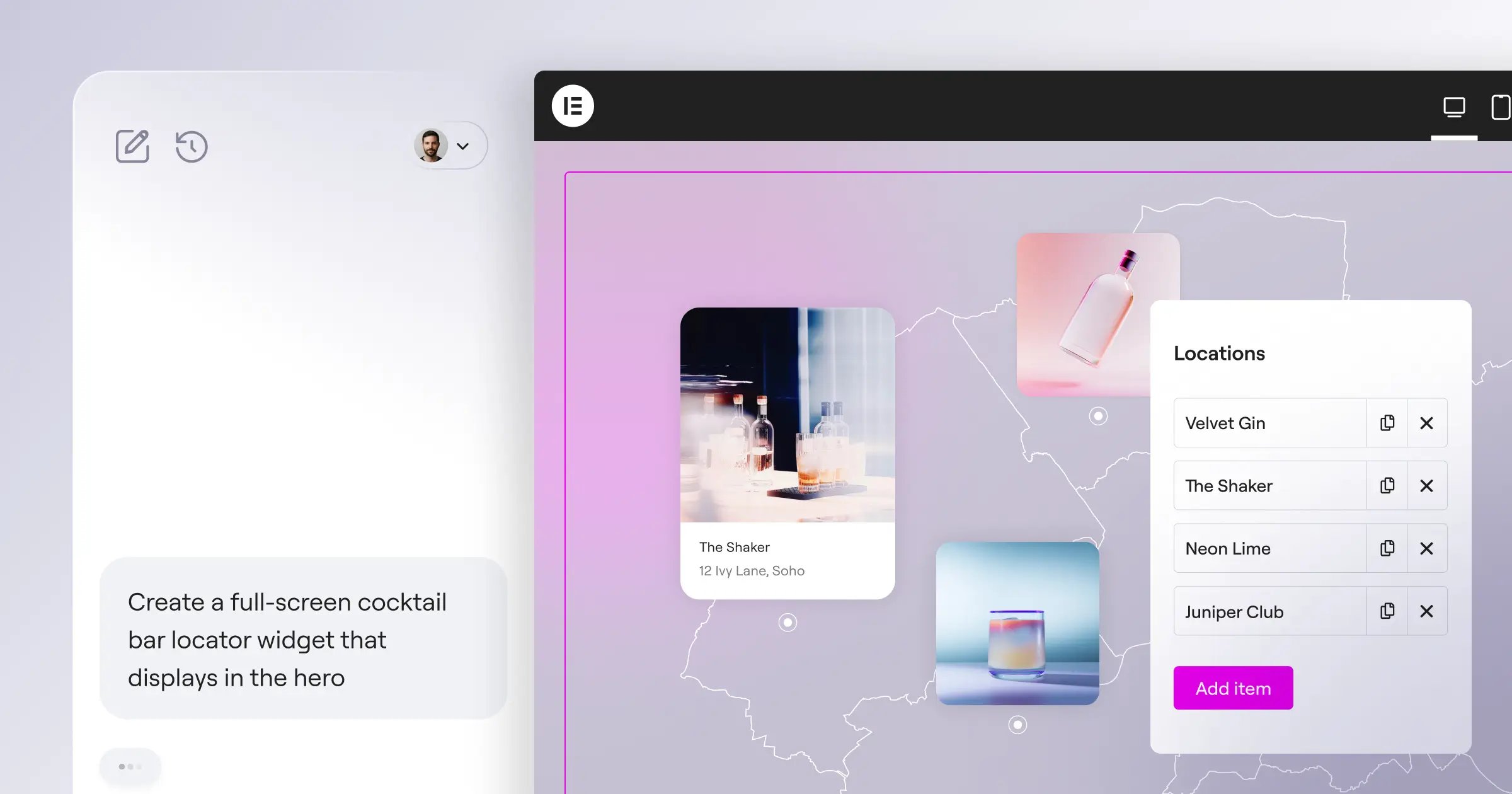
This isn’t just a chatbot. Angie is an agentic framework. It takes your natural language prompts and executes complex tasks across your entire WordPress environment. And it does this with remarkable precision.
Angie understands your site’s unique structure through the Model Context Protocol (MCP). You simply tell the agent what you need. It builds custom page builder workflows, writes admin snippets, and creates custom post types. You review everything in a safe sandbox environment before pushing to production.
It’s important to understand the broader context. Over 13% of all global websites run on Elementor. Angie is a free WordPress plugin, but it thrives within the Elementor ONE ecosystem, which unifies design, optimization, and managed cloud hosting.
The biggest risk with automated site generation is heavy, unoptimized code that ruins your search rankings. Agentic frameworks solve this by writing clean, native assets that strictly adhere to existing WordPress standards. You get the speed of automation without sacrificing technical performance.
Itamar Haim, SEO Team Lead at Elementor. A digital strategist merging SEO, AEO/GEO, and web development.
- Agentic Execution – The system actively creates and modifies WordPress assets, rather than just suggesting code.
- Safe Sandbox Environment – You test all generated widgets and snippets in an isolated space. It won’t break your live site.
- Native WordPress Integration – Outputs are standard WordPress assets. You retain full creative control over the final code.
- Elementor ONE Compatibility – Connects directly with the unified platform for unified design and optimization credits.
Pricing: Angie is a FREE WordPress plugin. The broader Elementor ONE ecosystem starts at $60/year (Essential Plan) up to $168/year (One Plan) for full feature access.
Pros:
- Zero platform lock-in. You own your WordPress code.
- Inherits your existing site context automatically.
- Drastically reduces development time for complex widgets.
- Works flawlessly with or without the Elementor Editor.
Cons:
- Requires a fundamental understanding of how WordPress operates.
- You must manage your own WordPress hosting infrastructure.
- Not a completely hands-off visual drag-and-drop tool.
Verdict: The absolute best choice for web professionals, developers, and agencies who demand total ownership and deep WordPress customization.
2. Wix Studio: The Managed Automation Engine
Wix completely overhauled its infrastructure to capture the agency market. Wix Studio combines high-end visual design with deep algorithmic assistance.
The numbers validate their approach. Wix reported in their recent Q3 earnings that users using the AI Site Generator launch their websites 20% faster than those using standard templates. Look, speed is money for freelancers.
The standout feature here’s Responsive AI. You design a section for desktop. The system automatically calculates and adjusts the layout for tablet and mobile breakpoints. You don’t have to manually drag elements around for hours.
Here’s how the automated workflow typically operates:
- You input your detailed business description and target audience parameters.
- The system generates a complete structural foundation with sample data.
- You apply the Responsive AI tool to instantly fix all mobile layouts.
- You publish directly to Wix’s proprietary managed hosting network.
- Responsive AI – Instantly adapts complex desktop designs to mobile viewports.
- AI Section Creator – Generates fully styled layout blocks based on brief text descriptions.
- Automated Code Assistant – Helps write custom JavaScript for Velo (Wix’s development environment).
Pricing: Plans range from the Light tier at $17/month to the Business Elite tier at $159/month.
Pros:
- Extremely intuitive interface for visual thinkers.
- The breakpoint automation saves countless hours.
- Strong built-in application market for extra functionality.
Cons:
- Strict platform lock-in. You can’t export your site files.
- The workspace feels cluttered if you only need a simple three-page site.
- Higher monthly costs compared to basic shared hosting.
Verdict: Best for visual designers and freelancers who want high-end aesthetics without touching code or managing external servers.
3. Framer: The Creative Visual Sandbox
Framer bridges the gap between static design tools and functional websites. It’s essentially Figma with a powerful algorithmic engine attached.
The platform excels at taking text prompts and converting them into highly interactive, animated web pages. However, you should be aware of the technical constraints. Industry data shows most heavy visual platforms limit automated generation to 10-20 pages per session. This maintains server stability and output quality.
Framer is built for the modern aesthetic. It automatically applies sophisticated scroll animations and modern typography pairings. You aren’t just getting a basic grid layout.
- Text-to-Site Generation – Produces high-fidelity, interactive pages from simple text inputs.
- Figma-to-Web Import – Translates static Figma layers into responsive web elements.
- AI Localization – Automatically translates and adjusts layouts for different global markets.
Pricing: A basic Free tier exists. The Pro tier costs $30/month per site for advanced management.
Pros:
- Produces the most visually stunning, modern animations on the market.
- Deployment is incredibly fast.
- The Figma integration is a major workflow improvement for designers.
Cons:
- The interface presents a steep learning curve for non-designers.
- Native search engine optimization tools remain quite basic.
- Pricing scales rapidly if you manage multiple client projects.
Verdict: The top recommendation for SaaS startups, creative portfolios, and agencies focused strictly on modern visual experiences.
4. Hostinger AI Builder: The Budget Starting Line
Not every project requires a complex agentic framework or a $150 monthly subscription. Sometimes you just need a functional digital presence immediately.
Hostinger AI Builder strips away the complexity. It bundles the generation tools directly with their affordable shared hosting infrastructure. At just competitive ratesnth, it’s the lowest barrier to entry in the industry.
The platform handles everything. It writes the initial copy. It generates a basic logo. It even provides AI Heatmaps to predict where users will click before you launch. This helps you position your call-to-action buttons effectively.
The onboarding process is deliberately simple:
- You answer three basic questions about your brand and industry.
- The engine creates a multi-page layout with relevant placeholder images.
- You use the built-in text generator to refine your specific service offerings.
- You attach the included free domain and publish the site.
- AI Heatmaps – Predicts user attention patterns based on visual hierarchy data.
- Automated Content Writer – Fills your pages with industry-specific, SEO-friendly text.
- Integrated Logo Maker – Generates simple vector logos for new businesses.
Pricing: Bundled entirely with their standard web hosting, starting at competitive ratesnth.
Pros:
- Unbeatable price point for budget-conscious users.
- Includes a free domain name for the first year.
- Incredibly easy for total beginners to navigate.
Cons:
- Design flexibility is heavily restricted compared to professional tools.
- You can’t add complex custom functionality or databases.
- E-commerce features remain fairly basic.
Verdict: The undisputed champion for local small business owners and hobbyists who need a site launched today on a minimal budget.
5. 10Web: The Automated Clone Engine
Migrating a site to WordPress usually involves hours of tedious manual recreation. 10Web built its entire business model around automating this specific pain point.
Their standout feature is the AI Website Replicator. You feed it a URL. The system analyzes the frontend structure and attempts to recreate it using Elementor widgets within a managed WordPress environment. It isn’t perfect, but it handles 80% of the heavy lifting.
Performance is their secondary focus. 10Web explicitly guarantees a Google PageSpeed score of 90+. They achieve this by automatically minifying CSS, deferring scripts, and compressing images during the generation process. You don’t have to configure complex caching plugins.
- URL Replication Engine – Clones the visual structure of existing pages into WordPress editable formats.
- Automated PageSpeed Optimization – Enforces strict performance metrics on all generated assets.
- AI Assistant for SEO – Reads your generated content and suggests critical meta data improvements.
Pricing: The AI Starter plan begins at $10/month, requiring their specific hosting infrastructure.
Pros:
- Massively speeds up the site migration process.
- Guaranteed high performance scores right out of the box.
- Maintains the core flexibility of the WordPress content management system.
Cons:
- The backend interface can feel technical for pure beginners.
- You’re forced to use their proprietary hosting for the tools to work.
- The replicator struggles with highly complex, custom JavaScript animations.
Verdict: Best for users migrating outdated HTML sites to WordPress who want strong performance metrics guaranteed.
6. Squarespace Blueprint AI: The Curated Aesthetic
Squarespace has always prioritized high-end aesthetics. They didn’t abandon this philosophy when they introduced algorithms to their platform.
Squarespace Blueprint AI offers a highly curated, guided design experience. It doesn’t give you a blank canvas. It asks for your brand parameters and generates a unified design system with perfect typography pairings. Currently, 58% of marketers use automated systems specifically for copy and images to reduce creative bottlenecks. Squarespace integrates these content generation tools smoothly into their gorgeous layouts.
This platform dominates the lifestyle and creative e-commerce space. The system automatically ensures your brand voice remains consistent across your homepage, your about section, and your product listings.
- Guided Design System – Creates strict visual rules to ensure user modifications don’t ruin the site’s aesthetics.
- Brand Voice Memory – Learns your specific tone and applies it to all future generated paragraphs.
- Integrated Commerce Workflows – Connects content generation directly to inventory management.
Pricing: The automated features are included across all plans. The Personal tier is $16/month, scaling to the Commerce tier at $52/month.
Pros:
- Produces the most reliable, professional-looking templates without effort.
- The platform is incredibly stable and user-friendly.
- Strong native tools for selling physical and digital goods.
Cons:
- The generation process is rigid. You can’t break outside the curated grid easily.
- The starting price is higher than budget competitors.
- Navigation depth is limited for very large, complex websites.
Verdict: Best for lifestyle brands, photographers, and boutique shops that demand a flawless, magazine-quality aesthetic.
7. Shopify powerful: The Retail Specialist
Running a digital storefront involves massive amounts of tedious data entry. Shopify powerful targets the e-commerce workload directly.
This isn’t just a generic visual builder. Over 1 million merchants currently use Shopify’s algorithmic tools to automate their online store setups. The system features Sidekick AI, a dedicated assistant that understands your inventory data. You can tell it to put all winter items on a 20% discount and update the homepage banners. It executes the task immediately.
Writing product descriptions for 500 items used to take weeks. Now, you upload an image, and the system generates optimized copy, tags the product, and formats the listing in seconds. It’s an operational necessity for serious retailers.
- Sidekick Assistant – Executes store management commands via conversational text prompts.
- Automated Product Descriptions – Analyzes images and specs to write conversion-optimized listing copy.
- Smart Email Marketing – Generates targeted promotional campaigns based on customer purchase history.
Pricing: Basic plan starts at $39/month. Advanced features scale up to $399/month.
Pros:
- Unrivaled infrastructure for physical product sales and inventory.
- Drastically reduces hours spent on mundane data entry.
- The tools actually understand commerce data, not just visual layouts.
Cons:
- Terrible choice for a standard blog or service website.
- You still pay transaction fees on top of the steep monthly cost.
- Customizing the visual storefront code requires specific Liquid language knowledge.
Verdict: The only logical choice for dedicated online retailers managing large product catalogs and complex shipping logistics.
8. Durable: The 30-Second Generator
If speed is your only metric, this platform wins. Durable aggressively markets its ability to generate a fully functional, 3-page business website in exactly 30 seconds.
They target solo entrepreneurs in the service industry. Plumbers, landscapers, and consultants don’t need complex animations. They need a contact form, a service list, and a map. Durable delivers this instantly.
But the real value lies behind the public-facing site. Durable includes an automated Customer Relationship Management (CRM) system. Look, 64% of business owners believe algorithms will improve customer relationships. Durable proves this by automatically drafting email responses to incoming leads and generating invoices based on the services listed on your site.
- Instant Deployment – Generates the entire site architecture and copy in half a minute.
- Integrated CRM – Captures leads and drafts automated follow-up communications.
- Automated Invoicing – Creates billing documents tied directly to your listed website services.
Pricing: The Starter plan is $12/month. The Business tier costs $20/month.
Pros:
- Literally the fastest setup time on the market.
- Includes essential business management software at no extra cost.
- Zero technical knowledge required to operate.
Cons:
- Designs are highly repetitive and somewhat generic.
- You can’t add complex third-party integrations easily.
- Blogging capabilities are extremely rudimentary.
Verdict: Best for local service providers who need a professional digital business card and lead capture system immediately.
9. Divi AI: The Layout Assistant
Elegant Themes took a different approach. Instead of building a new platform, they integrated advanced generation directly into their massively popular WordPress theme. Divi AI acts as a modular layout assistant.
You’re already working within the Divi visual builder. You highlight a module, and the system can expand the background image, rewrite the text to fit the container perfectly, or generate a completely new layout block based on the surrounding context.
This tight integration gives you infinite design possibilities while remaining firmly within the WordPress ecosystem. But you’ll notice a performance hit. Generating complex layouts inside a heavy visual theme requires serious server resources. It will lag on cheap, shared hosting plans.
- Context-Aware Editing – Analyzes surrounding elements to generate relevant text and images.
- AI Image Expansion – Extends the borders of uploaded photos to fit specific aspect ratios perfectly.
- Layout Generation – Builds complete wireframes and styled sections inside the Divi visual interface.
Pricing: Requires a base Divi subscription at $89/year, plus an additional $18/month for unlimited generation features.
Pros:
- Incredible modular control over individual page elements.
- The image manipulation tools rival standalone photo editors.
- Backed by a massive, supportive developer community.
Cons:
- Performance suffers drastically on budget web servers.
- You face a double subscription cost (theme plus algorithmic features).
- The interface contains a steep learning curve for beginners.
Verdict: Best for dedicated Divi users and agencies who want deep algorithmic assistance without leaving their preferred visual builder.
10. Dorik AI: The Data-Driven Builder
Most automated builders struggle with dynamic content. Dorik AI solves this by combining visual generation with powerful CMS database capabilities.
You don’t just prompt it to build a page. You prompt it to build a database structure. Tell Dorik you need a real estate listing site. It generates the required CMS collections (Property Name, Price, Location, Image Gallery) and immediately binds that data to a responsive visual layout.
The platform also features clean code export. You can build the entire site using their tools, export the static HTML/CSS, and host it anywhere. This is a massive advantage for agencies building white-label projects.
- Automated CMS Collections – Structures relational databases based on simple text descriptions.
- Clean Code Export – Allows you to download the final static files and leave the platform.
- White-Label Management – Let agencies present the builder to clients under their own branding.
Pricing: The Personal plan is $13/month. Agency plans scale up to $48/month.
Pros:
- Handles dynamic data far better than generic visual tools.
- The ability to export static code provides ultimate freedom.
- Highly affordable pricing structure for growing agencies.
Cons:
- The template library is much smaller than established competitors.
- The platform is newer, meaning occasional interface bugs.
- Lacks advanced native e-commerce infrastructure.
Verdict: Best for developers and agencies building directories, membership portals, or any site heavily reliant on dynamic databases.
AI Builder Comparison Breakdown
You need to compare these tools side-by-side to make a logical decision. The data proves that no single platform works for every scenario.
| Platform Name | Best For | Starting Price | Launch Speed |
|---|---|---|---|
| Angie by Elementor | WordPress Professionals | Free (Plugin) / $60/yr Ecosystem | Medium |
| Wix Studio | Visual Agencies | $17/month | Fast |
| Framer | Modern Designers | $30/month (Pro) | Fast |
| Hostinger | Budget Beginners | competitive ratesnth | Very Fast |
| 10Web | Site Migrations | $10/month | Medium |
| Squarespace | Lifestyle Brands | $16/month | Medium |
| Shopify powerful | E-commerce | $39/month | Slow (Data Heavy) |
| Durable | Local Services | $12/month | Instant (30 Sec) |
| Divi AI | Theme Loyalists | $89/yr + $18/mo | Medium |
| Dorik AI | Database Sites | $13/month | Medium |
Final Verdict and Recommendations
Choosing the right platform dictates your digital trajectory for the next three years. Don’t make this decision based solely on a flashy marketing demo. You must align the tool’s core strength with your actual daily operational needs.
Based on rigorous industry analysis, here’s exactly how you should allocate your budget:
- The Professional Choice – You must use Angie by Elementor if you manage client sites. The agentic framework combined with managed cloud environments offers the only path that guarantees clean code, full ownership, and deep WordPress native integration. You won’t outgrow it.
- The Retail Choice – You need Shopify powerful if physical products are your core revenue. It’s expensive, but the automated inventory and product description tools pay for themselves in saved labor within the first week.
- The Visual Choice – You should deploy Framer if you run a creative startup. The Figma integration and modern animation outputs are currently unmatched in the proprietary software market.
- The Budget Choice – You can’t beat Hostinger if you just need a functional digital presence today. At competitive rates, it eliminates every financial excuse holding you back from launching.
Frequently Asked Questions
Do these automated builders hurt my search engine rankings?
No, they don’t inherently hurt rankings. However, poor algorithms generate heavy code. You’ll rank perfectly well if you choose platforms like Elementor or 10Web that prioritize clean, minified output and strong Core Web Vitals.
Can I export the code if I want to leave the platform later?
It depends entirely on the system. You can’t export code from proprietary platforms like Wix or Squarespace. You’re locked in. Conversely, WordPress solutions and tools like Dorik AI allow full data and code exportation.
Who actually owns the copyright to the generated designs and text?
You generally retain ownership of the final output once published. However, you don’t own the underlying algorithmic models or the proprietary platform templates. Always read the specific terms of service for commercial usage rights.
Will these tools completely replace human web designers?
They won’t replace strategic designers. They act as force multipliers. The software handles tedious tasks like breakpoint adjustments and initial wireframing, allowing humans to focus on user experience strategy and high-level brand direction.
Are the generated websites actually mobile-friendly?
Yes, absolutely. Modern algorithms treat mobile responsiveness as a mandatory baseline. Tools like Wix’s Responsive AI automatically calculate optimal spacing and typography sizes for mobile viewports without manual intervention.
Is domain hosting included in these monthly subscription prices?
Usually, yes. Platforms like Hostinger, Squarespace, and Wix bundle the hosting infrastructure into their monthly fee. WordPress solutions require you to secure separate hosting unless you purchase a unified plan.
Can I add my own custom CSS or JavaScript later?
Professional platforms definitely allow this. Angie by Elementor actually writes custom code for you. However, extremely rigid budget tools like Durable often restrict your access to the raw site code.
What happens to my website if I stop paying the monthly subscription?
If you use a hosted platform like Wix or Shopify, your site immediately goes offline. If you use a self-hosted WordPress solution, you simply lose access to the generation features, but your published site remains active.
Do I need deep technical skills to use these platforms effectively?
You don’t need coding skills for most of them. Platforms like Hostinger and Durable require zero technical knowledge. Advanced frameworks require a basic understanding of web architecture to yield the best results.
Can these systems build complex membership portals?
Basic visual generators can’t handle complex user permissions. You’ll need specialized database-driven platforms like Dorik AI or a strong WordPress setup to manage secure membership areas effectively.
Looking for fresh content?
By entering your email, you agree to receive Elementor emails, including marketing emails,
and agree to our Terms & Conditions and Privacy Policy.






