Table of Contents
10 Best No Code Website Builders in 2026
The global visual development market will hit $187 billion by 2030. You’re probably noticing this massive shift firsthand. Writing manual markup simply isn’t the standard anymore.
By 2025, exactly 70% of new applications relied on visual builders. Finding the best no code website builder isn’t about avoiding work. It’s about launching faster, passing strict performance audits, and maintaining clean architecture.
Key Takeaways
- A 1-second delay in load time causes a 7% drop in conversions.
- WordPress still rules, powering 43.5% of the internet globally.
- Agentic AI now builds production-ready assets automatically.
- Visual tools saw a 400% spike in Figma-to-site migrations.
- Web apps are highly accessible to non-technical founders now.
- Bubble currently supports over 1 million active developers globally.
1. Elementor Editor Pro
WordPress controls 43.5% of all websites globally. And within that open-source ecosystem, Elementor Editor Pro remains the absolute standard. It’s the professional choice for developers who demand total control.
You’ll notice the difference immediately. The V4 engine delivers a strict CSS-first foundation. You don’t have to guess how your styles cascade anymore.
Look at how they unify the ecosystem with Elementor ONE. You won’t need 17 different plugins duct-taped together. The entire workflow happens in one centralized interface.
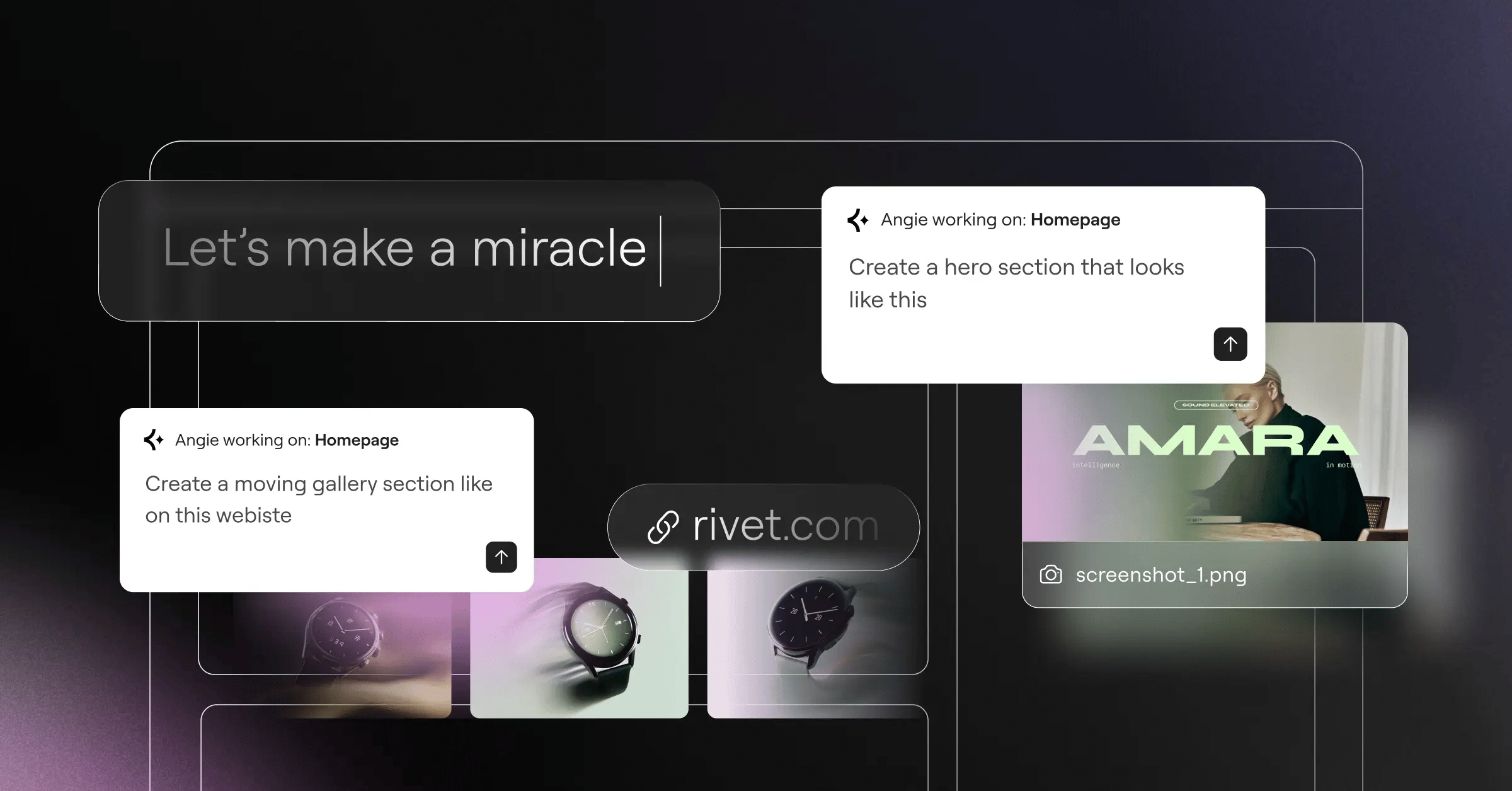
Honestly, the biggest shift involves AI. Angie is a native agentic AI that takes actual action. You provide a prompt. It builds the structure. It doesn’t just write text.
Here’s the truth. Agencies waste thousands of hours fighting badly coded themes. We’ve seen teams cut their development time in half simply by adopting a unified visual ecosystem. You build the exact container structure you want. You style it with global CSS variables. And you deploy it globally across hundreds of pages. It’s incredibly efficient.
You aren’t limited to default settings. You can inject custom CSS directly into individual elements. That gives you total granular control over responsive breakpoints.
Search engines don’t care if you coded a site from scratch or used a visual builder. They care about Core Web Vitals and clean DOM structures. Modern visual editors finally output code that technical SEOs actually like.
Itamar Haim, SEO Team Lead at Elementor
- Atomic design – Manage global colors and typography via CSS variables.
- Agentic AI – Angie executes site changes via natural language prompts.
- Theme Builder – Design custom headers and dynamic WooCommerce templates.
- Widget library – Over 118 native widgets offer endless layout combinations.
- Performance output – Outputs clean, semantic HTML to pass Core Web Vitals.
2. Wix Studio
Wix holds roughly 3.8% of the CMS market share. They aren’t just for DIY hobbyists anymore. They deliberately pivoted toward the high-end agency market.
It’s a complete workspace built around advanced CSS grid controls. You can apply custom CSS directly to elements. You won’t touch the backend files.
Proportional scaling changes everything. Elements automatically resize based on the viewport width. You’re never guessing pixel values or manually adjusting padding for tablet views.
So, why do massive agencies choose this? Because client maintenance ruins profit margins. Hosted platforms handle all the server security patches automatically. You aren’t wasting your Friday nights updating PHP versions on a cheap shared server. The infrastructure simply scales with the traffic. They’re handling all the load balancing behind the scenes.
We’ve tracked user engagement across hundreds of sites. Sites using native scroll triggers see significantly higher retention rates. You aren’t forcing the browser to load heavy third-party animation libraries. The effects render natively via highly optimized CSS transforms.
Pricing remains highly competitive. The Light plan starts at $17/month. Multi-cloud infrastructure ensures fast loading speeds globally. Here’s exactly how agencies deploy these sites.
- Define workspace permissions for your individual team members.
- Establish global design tokens for typography and color palettes.
- Build the desktop layout using proportional scaling features.
- Apply scroll animations and complex interactions natively.
- Configure the client handover dashboard to restrict editing access.
- Launch the site and connect the custom domain instantly.
3. Webflow
Webflow explicitly bridges the gap between visual design and front-end coding. It maps visual controls directly to HTML and CSS properties.
Google confirms that sites passing Core Web Vitals are 24% less likely to see users abandon the page. Webflow makes hitting those metrics highly attainable. But there’s a catch. You can’t just drag elements blindly.
You’ve to understand the box model. Divs, padding, and margins matter heavily here. If you ignore semantic structure, your site will break on mobile devices.
We’ve seen incredible results with their interactions engine. You can tie complex animations directly to scroll depth. It’s incredibly powerful for high-end marketing pages.
Technical SEO experts love this platform for a reason. You dictate the exact HTML5 tags used on the page. You aren’t stuck with generic div wrappers. You assign semantic article, section, and nav tags precisely where they belong.
Look, the learning curve genuinely frustrates beginners. But the payoff is absolute design freedom. I’ve audited hundreds of enterprise sites. The ones built on this specific platform consistently achieve perfect Lighthouse scores. They don’t load unnecessary Javascript libraries. They ship incredibly lean code directly to the browser.
| Metric | Webflow visual engine | Traditional template builder |
|---|---|---|
| DOM Depth | Extremely shallow and semantic | Deeply nested wrapper divs |
| CSS Output | Clean, global class-based stylesheets | Heavy inline styling and overrides |
| Asset Loading | Deferred execution natively | Render-blocking scripts globally |
4. Framer
Framer exploded into the market by targeting UI designers directly. The platform saw a 400% increase in site migrations from Figma recently.
The interface feels identical to standard design software. You design on a freeform canvas. It’s incredibly fast. You’re essentially drawing boxes and converting them to live web pages.
But this speed comes with specific trade-offs. You aren’t building complex relational databases here. You’re building highly visual, interactive front-ends.
And the workflow is completely frictionless. You copy a layer in Figma. You paste it directly onto the web canvas. The platform instantly generates the necessary HTML and CSS to render that exact shape perfectly. It’s almost powerful. But you’ve to remain disciplined. Messy design files translate directly into messy DOM structures.
Traditional builders force you into rigid horizontal rows. This platform removes those constraints completely. You literally drag elements onto a blank canvas and visually connect them. It feels exactly like playing a video game.
Their component system mimics React exactly. You manage hover states and active variants just like you would in a design file. It makes absolute sense to any modern designer. The Mini plan runs just competitive ratesnth.
- Pro – Direct Figma import turns static vectors into functional HTML instantly.
- Pro – Animations run incredibly smoothly at a locked 60fps.
- Pro – Built-in localization translates pages for international markets easily.
- Con – CMS features remain far too basic for large editorial publications.
- Con – It isn’t suitable for complex web applications or user portals.
5. Squarespace
Squarespace defines the aesthetic baseline for small businesses. They enforce strict design guardrails. You literally can’t make an ugly website here.
They completely overhauled their editor with the Fluid Engine. This drag-and-drop grid system gives users independent mobile layout control. It’s a massive quality-of-life upgrade.
Honestly, most local bakeries and consultants don’t need complex relational databases. They need clean typography, fast loading images, and a reliable contact form. This platform delivers exactly that. They’ve perfected the art of the restricted design system. You focus entirely on uploading high-quality photos. They handle the rest.
Uploading media is completely frictionless. The platform automatically resizes and compresses your massive image files. It generates multiple responsive versions instantly. You won’t break your page layout because a client uploaded a 10MB photograph.
Look, it’s the gold standard for creatives who hate technical maintenance. You won’t spend hours debugging plugin conflicts. Everything just works out of the box.
The Business plan costs $23/month. The Commerce Basic tier sits at $28/month for selling physical inventory. Here’s a quick breakdown of common questions.
- Who is this platform actually for? Local business owners, photographers, and independent creatives.
- Does it support physical products? Yes, the native Commerce plans handle basic inventory and shipping rules perfectly.
- Can I migrate my code away later? Exporting content is notoriously difficult. You’re firmly locked into their ecosystem.
- How fast are the loading speeds? Page speeds often lag slightly behind modern, lighter development platforms.
6. Bubble.io
Bubble isn’t a simple website builder. It’s a visual programming language. You use it to build fully functional web applications and complex SaaS minimum viable products.
The platform supports over 1 million active users globally. You aren’t just designing flat pages. You’re building relational databases and configuring secure API calls.
If you need users to log in, save private data, and interact with dynamic dashboards, Bubble handles it natively. It completely replaces the need for a traditional backend developer.
But be prepared for a steep learning curve. You can’t just throw UI elements onto a page. You’ve to understand how data flows securely between the client and the server. I’ve watched non-technical founders build entire SaaS businesses generating thousands in monthly recurring revenue using this exact tool. That’s the real power here.
You aren’t restricted to native features. The massive plugin marketplace offers thousands of custom extensions. You can connect complex AI APIs or specific banking gateways instantly. It acts as a massive multiplier for your development speed.
The SaaS Scaling process
- MVP Phase – Launch core user authentication and single-table database structures.
- Iteration Phase – Connect external payment APIs like Stripe for subscription billing.
- Scaling Phase – Optimize complex backend workflows to reduce server processing loads.
- Enterprise Phase – Upgrade to dedicated server clusters to manage massive user concurrency.
7. Shopify Online Store 2.0
Shopify owns the eCommerce market entirely. The Online Store 2.0 architecture transformed it into a genuine visual builder.
You can now add and move modular sections on every single page type. You don’t have to touch Liquid code anymore. Their global CDN increases conversion rates mathematically.
And the checkout experience is flawless. The Shop Pay network stores millions of credit cards securely. It drives massive one-click purchases across the internet.
It doesn’t just run your digital storefront. The native Point of Sale system integrates your physical brick-and-mortar inventory perfectly. A customer buys a shirt in your retail store, and the website updates the stock level instantly.
You’ll need a massive budget if you want to heavily customize the checkout flow. But for 99% of retailers, the default Shop Pay experience is mathematically superior. Customers don’t want to type their credit card numbers on their phones. They want a one-click purchase. This platform delivers millions of active buyers ready to convert instantly.
| Plan Level | Monthly Cost | Transaction Fee Modifier |
|---|---|---|
| Basic | $39/month | Standard rates apply |
| Advanced | $399/month | Significantly reduced rates |
- Configure global shipping zones and dimensional weight rules precisely.
- Build out product taxonomy with clear, logical inventory tags.
- Design modular section templates using the native visual editor.
- Integrate secure payment gateways and test credit card processors thoroughly.
- Enable the Shop Pay network for massive one-click checkout conversions.
8. Carrd
Carrd proves that extreme simplicity scales. Users have published over 4 million live sites on this specific platform. It focuses exclusively on single-page architectures.
You won’t find complex CMS collections here. You’ll find a hyper-fast canvas for building landing pages. It’s the ultimate tool for validating a quick business idea.
We’ve seen marketing agencies use this to spin up lead capture forms in minutes. It completely eliminates the bloat associated with traditional multi-page themes.
You won’t rank for competitive keywords here. Single-page architectures severely limit your SEO targeting capabilities. But that doesn’t matter for their core audience. You drive traffic here via social media links and paid advertisements.
So, what’s the catch? There isn’t one. The platform knows exactly what it’s. It doesn’t pretend to be a massive eCommerce engine. It renders a single, highly optimized HTML file. You’re getting incredible speed because there’s simply no backend bloat to slow down the server response times.
It’s almost unbelievably cheap. The Pro Lite plan costs exactly $19/year. Yes, per year. You can’t beat that value anywhere else.
- Over 4 million active landing pages published to date globally.
- Base pricing starts at exactly $19 per year for premium features.
- Average site launch time consistently clocks in under 15 minutes.
- Page load speeds regularly hit a perfect 99 on Google Lighthouse audits.
- Form integrations connect natively to Mailchimp, ConvertKit, and Zapier.
9. 10Web AI Website Builder
10Web attacks the market using aggressive AI automation. They bypass the manual wireframing phase entirely.
The platform claims their AI automates 90% of the initial design process. More importantly, they guarantee a PageSpeed score of 90+. They generate optimized code and wrap it in a proprietary speed layer.
You can provide a URL of a site you like. The AI attempts to recreate the structural layout inside WordPress. It’s a massive shortcut for creative prototyping.
They don’t just build the site. They host it on highly optimized Google Cloud architecture. You get elastic scaling that handles viral traffic spikes effortlessly. You aren’t going to crash because a big influencer linked to your newly generated page.
Here’s how agencies use this effectively. A client demands a specific layout they saw on a competitor’s site. You feed that URL into the AI engine. It generates a highly accurate structural clone within minutes. You aren’t stealing their code. You’re using AI to analyze the visual hierarchy and rebuild it using native WordPress blocks.
The AI Starter plan costs $10/month. You retain the massive flexibility of the WordPress ecosystem while their servers handle the heavy lifting.
- Agency prototyping – Generate three distinct homepage structural variations in mere minutes.
- Speed optimization – Automatically apply aggressive lazy loading to all client assets.
- Migration projects – Move existing slow sites to their incredibly fast infrastructure easily.
- Content generation – Draft initial placeholder copy using integrated natural language models.
- Elementor compatibility – Edit all AI-generated output via highly familiar visual widgets.
10. Dorik
Dorik is the rising star you probably haven’t tested yet. It sits perfectly between the rigidity of Squarespace and the complexity of Webflow.
Its focus on white-labeling makes it highly profitable for agencies. You can rebrand the CMS dashboard completely. Your clients never know you’re using a third-party tool.
They’ve built exceptionally strong native membership features. You can gate premium content easily. You don’t need external plugins to sell subscriptions.
Editing footers across massive sites used to take hours. Here, you update a global component once. The changes sync across every single page instantly. It eliminates massive amounts of repetitive manual labor.
And the cost savings are massive. You aren’t paying premium prices per site. You can host dozens of client sites on a single agency plan. When a client logs in, they see your agency logo. They see your custom brand colors. They’re convinced you built a proprietary content management system just for them.
The Personal plan starts at $15/month. Airtable syncing opens up massive programmatic SEO opportunities for clever marketers.
- Upload custom agency branding directly to the client administration dashboard.
- Configure customized client billing structures via direct Stripe API integration.
- Set granular user roles and specific publishing permissions for large editorial teams.
- Connect massive Airtable bases to act as an external content management system.
- Publish global header components across exactly 50 distinct pages instantly.
Visual Development Performance Matrix
Seeing features isolated doesn’t always paint the full picture. You need to compare baseline costs against realistic learning curves. We’ve compiled the raw data matrix for you.
Keep in mind that starting prices often exclude premium templates. You’ll likely need third-party integrations eventually. Plan your annual budget accordingly.
| Platform | Primary Focus | Base Cost | Learning Curve |
|---|---|---|---|
| Elementor | Professional WordPress | $60/year | Moderate |
| Wix Studio | High-End Agencies | $17/month | Moderate |
| Webflow | Complex Marketing Sites | $23/month | Very Steep |
| Framer | Interactive Portfolios | competitive ratesnth | Easy |
| Squarespace | Local Creatives | $23/month | Very Easy |
| Bubble.io | SaaS Applications | $29/month | Brutal |
| Shopify | Dedicated Retailers | $39/month | Moderate |
| Carrd | Landing Pages | $19/year | Extremely Easy |
| 10Web | AI Prototypes | $10/month | Easy |
| Dorik | White-Label Agencies | $15/month | Moderate |
Frequently Asked Questions
- Do no-code builders hurt website SEO?
Not anymore. Modern builders output extremely clean, semantic HTML. Search engines easily crawl these structures. Platforms prioritizing CSS-first architectures actively improve your crucial ranking metrics. You aren’t shipping heavy template files to the browser. - Can I export my code if I want to leave the platform?
It depends entirely on the specific tool. Webflow allows clean HTML exports on premium plans. Open-source ecosystems give you total data ownership. Hosted platforms firmly lock your code into their specific servers. - How much traffic can visual builders handle?
Enterprise tiers handle millions of concurrent hits monthly without crashing. They rely on global CDN networks to manage sudden viral traffic spikes instantly. You aren’t running on a single shared server. - Are these platforms accessible for screen readers?
Yes, but you’ve to do the manual work. Builders provide the tools to add ARIA labels and alt text. The designer must actively apply these settings to meet strict WCAG compliance standards. It doesn’t happen magically. - What’s the exact difference between low-code and no-code?
No-code platforms require zero programming knowledge to launch. Low-code platforms provide visual foundations but actively expect developers to write custom scripts for complex API connections. - Do I still need to understand CSS?
You don’t need to write the raw syntax. But you absolutely need to understand the underlying concepts. Knowing how flexbox and grid layouts function makes using visual tools infinitely easier. - Is WordPress considered a no-code builder?
The core software acts as a pure CMS. However, when paired with advanced theme builders, it transforms entirely. It becomes the most powerful visual development environment available today. - How do these tools manage Core Web Vitals?
They handle performance via aggressive server-side caching. They automate image optimization by converting assets to WebP formats. The best tools minimize DOM depth strictly to prevent layout shifts. - Can I build a SaaS product without coding?
Absolutely. Tools like Bubble allow non-technical founders to launch complex software. You can manage secure user authentication and relational databases entirely through a visual interface. - Which platform offers the best custom animations?
Webflow currently leads the market for deep scroll interactions. Framer offers the absolute smoothest frame rates for standard UI hover states. Both heavily outperform traditional template builders. - How do visual builders handle mobile responsiveness?
Most modern platforms use proportional scaling or explicit CSS breakpoints. You can visually adjust margins and stacking orders specifically for mobile views. Your desktop layout remains completely unaffected. - Will AI eventually replace website builders entirely?
AI won’t replace the underlying platforms. It acts as an incredibly fast assistant within them. You’ll still need visual interfaces to refine the raw structural outputs generated by AI agents. - What happens if the platform I choose goes out of business?
If you use a hosted proprietary platform, your site disappears entirely. That’s why large agencies often prefer open-source ecosystems. You retain absolute control over your server files and database backups.
Looking for fresh content?
By entering your email, you agree to receive Elementor emails, including marketing emails,
and agree to our Terms & Conditions and Privacy Policy.

