Table of Contents
Choosing between a 10web vs elementor ai builder setup isn’t just a matter of picking a software tool. It’s a fundamental decision about how much design control you’re willing to trade for initial generation speed.
You’ve probably seen the marketing campaigns promising a complete, ready-to-publish website in exactly three minutes. But experienced web professionals know reality is much messier. True website creation requires structural planning, accessible markup, and deep customization that automated clones simply can’t provide out of the box.
Key Takeaways
- Elementor AI Site Planner builds actual wireframes and sitemaps in under 20 minutes, prioritizing structure over random generation.
- Elementor Editor Pro includes 118+ widgets (32 Core and 86 Pro), giving you massive customization power that automated generators lack.
- 10Web focuses on fast prompt-to-design generation but heavily restricts your ability to modify the underlying structural CSS.
- Elementor’s new Angie introduces agentic AI capabilities using the Model Context Protocol, meaning it actually takes action in WordPress rather than just writing text.
- Elementor Host Cloud infrastructure delivers a 109ms Time to First Byte (TTFB) using Google Cloud C2 and Cloudflare Enterprise CDN.
- Elementor One’s unified subscription launches at $168/year, including 25,000 monthly AI credits and the complete suite of optimization tools.
The Core Philosophies Behind the Builders
Understanding these two platforms requires looking at their foundational approaches. They’re built for entirely different user mentalities. 10Web treats website building as a task to be outsourced to an algorithm. You give it a prompt. It spits out a site.
Elementor approaches AI as a highly skilled assistant for professional creators. It doesn’t want to replace you. It wants to speed up your workflow. The platform powers over 21 million websites globally (about 13% of all global sites). That scale demands a professional approach to site generation.
Consider how these philosophies manifest in actual daily use:
- Structural Planning – Elementor asks you to approve sitemaps and wireframes first. 10Web jumps straight to applying colors and images.
- Recreation vs Originality – 10Web built its reputation on cloning existing URLs. Elementor focuses on generating original, brand-specific layouts.
- Long-term Maintenance – Elementor’s ecosystem is built for ongoing iterations. 10Web assumes the AI’s first draft is mostly final.
- Widget Access – Elementor provides 118+ native widgets directly in the editor. 10Web locks many advanced features behind its specific hosting tiers.
Side-by-Side Feature Comparison
Specs matter. Marketing copy often obscures what you’re actually getting when you hand over your credit card. Let’s look at the raw capabilities.
You’ll quickly notice a pattern here. One tool is an enclosed generator. The other is a massive, extensible ecosystem.
| Feature Category | 10Web AI Builder | Elementor Editor Pro + AI | The Clear Winner |
|---|---|---|---|
| Initial Generation | Prompt-to-site in 3 minutes | Sitemap to wireframe in 20 mins | 10Web (for pure speed), Elementor (for structure) |
| Design Widgets | Basic Elementor widgets only | 118+ Pro widgets included | Elementor Editor Pro |
| AI Type | Generative (Text/Image) | Agentic (Takes action via Angie) | Elementor |
| Accessibility Tools | Manual checks required | Native Ally scanning (180+ issues) | Elementor |
| Base Theme Weight | Heavy, bundled theme | Hello Theme (Under 30KB) | Elementor |
Site Generation Workflows Evaluated
Speed is the primary reason people search for AI site builders. But speed without direction results in messy, unusable templates. You’ll spend more time fixing a bad AI layout than you would have spent building it from scratch.
Let’s examine how Elementor AI Site Planner actually works in 2026. It currently supports over 130,000 active users by forcing a structured process. It refuses to skip the foundational steps.
- The Idea Phase – You input your business details, target audience, and primary goals.
- The Sitemap Phase – The AI proposes a highly structured, multi-page sitemap. You review and modify this architecture before a single pixel is drawn.
- The Wireframe Phase – It generates a structural wireframe based on your approved sitemap.
- The Design Phase – Only then does it apply your Global Brand Settings and generate the final layout.
10Web skips steps two and three entirely. You provide a prompt or a URL. It churns out a finished page. Honestly, this frustrated me during large client projects. The instant gratification fades quickly when you realize the underlying container structure is a total mess.
Design Flexibility and Customization Power
Generating a site is only 10% of the job. Customizing it’s the other 90%. This is where the gap between these two platforms becomes aggressively apparent.
10Web gives you a modified, often restricted version of an older page builder interface. It works fine for changing text. But try building a complex, dynamic WooCommerce product archive. You’ll hit a brick wall instantly.
Elementor provides the full Elementor Editor Pro. That means you get 86 Pro widgets on top of the 32 core widgets. You get the Theme Builder to customize headers, footers, search results, and 404 pages. You can pull dynamic content from WordPress custom post types directly into your layouts.
And things are shifting massively with the Editor V4 (Atomic) release in beta as of February 2026. It uses a CSS-first foundation with Classes and Variables. You’re building with Atomic Elements. The AI doesn’t just drop inline styles everywhere. It generates clean, production-ready code that you can globally control.
Image Generation and Asset Management
Visual assets kill website performance faster than anything else. A great AI builder doesn’t just create images. It manages their weight, format, and delivery.
When 10Web generates images, you often have to manually download them, run them through a third-party compressor, and re-upload them. It’s a massive time sink. 47% of users expect pages to load in under two seconds. You can’t achieve that with unoptimized 3MB hero images.
Elementor integrates visual AI directly with the Elementor Image Optimization. This tool already has over one million installs. Here’s how it handles assets natively within the workflow:
- In-Editor Generation – Elementor AI (with 1.5M+ active users) creates the image directly inside the widget you’re working on.
- Auto-Compression – The optimizer automatically reduces file sizes by up to 60%.
- Modern Formats – It converts heavy JPEGs and PNGs into modern WebP or AVIF formats instantly.
- Background Removal – You can strip backgrounds and replace them without leaving the canvas.
Agentic AI versus Generative Text Models
We need to talk about what AI actually does in 2026. Most builders are still stuck in the generative era. You ask a question. They print text. That’s essentially just a chatbot duct-taped to a text editor.
10Web operates entirely in this generative space. It writes your copy and suggests layouts. But you still have to manually implement every structural change.
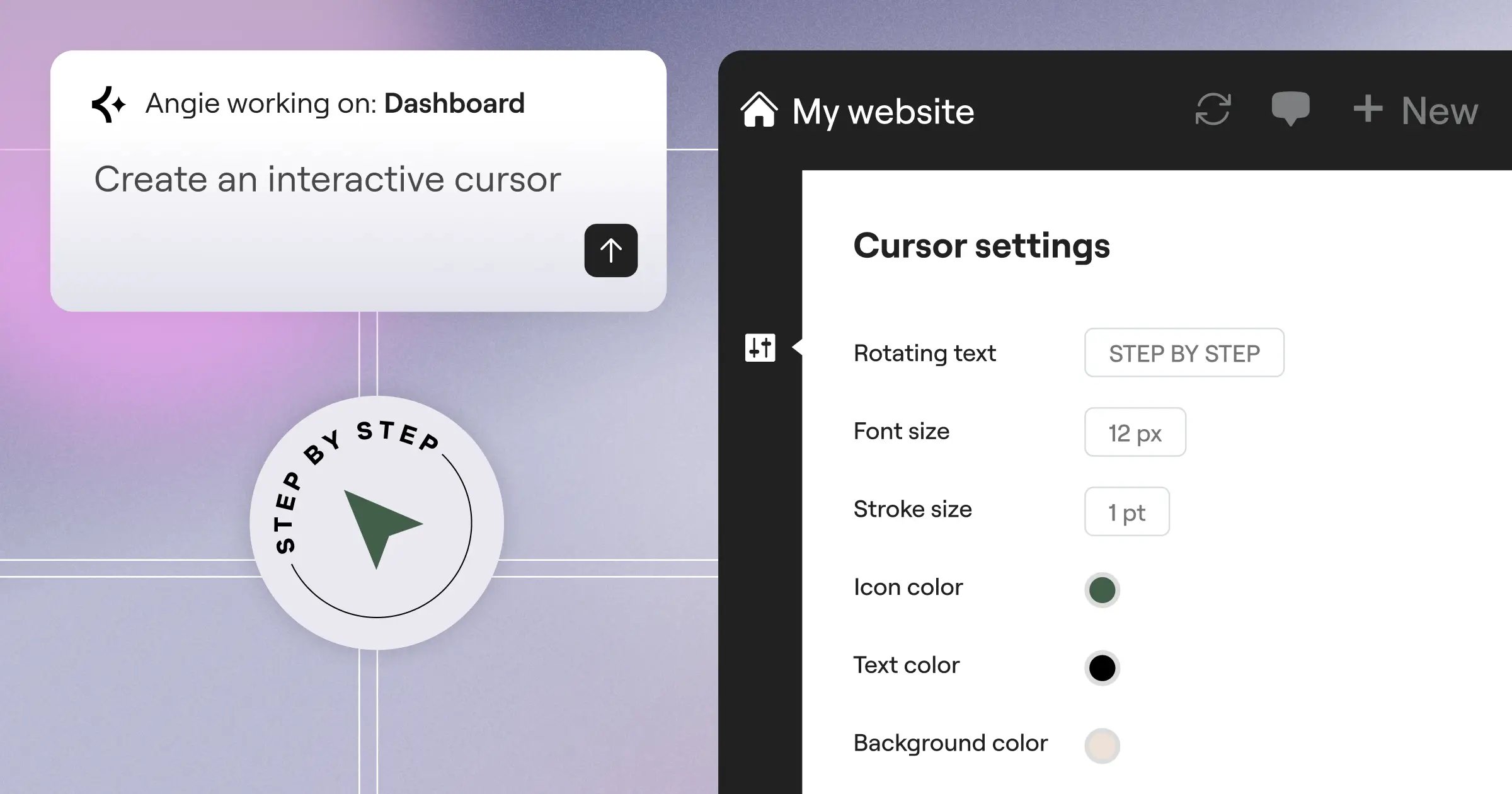
Elementor introduced Angie, a native AI for WordPress. Angie isn’t just generative. It’s agentic. It uses the Model Context Protocol (MCP) to take actual action inside your WordPress installation. It works alongside Elementor Editor Pro or even Gutenberg.
- You type a natural language command (e.g., “Create a new landing page for a summer sale using my brand colors”).
- Angie interprets the command and understands your site’s current configuration.
- Angie physically creates the page, applies the Global Brand Settings, inserts the correct widgets, and publishes it.
- You simply review the finished, production-ready asset.
It acts as a junior developer. That’s a massive improvement over copying and pasting text from a sidebar chat window.
Performance Metrics and Core Web Vitals
Fast generation means nothing if the resulting website fails Google’s Core Web Vitals. Code bloat is the silent killer of AI-generated websites.
10Web relies heavily on its proprietary caching plugin to mask heavy DOM sizes. It works well enough for simple sites. But caching can’t fix fundamentally broken layouts or excessive CSS requests.
Elementor solved this at the infrastructure level with the Elementor Host Cloud. This isn’t standard shared hosting. It’s managed cloud architecture built specifically for the builder.
- Powered by Google Cloud C2 servers for maximum processing speed.
- Integrated with Cloudflare Enterprise CDN for global edge delivery.
- Consistently delivers a blazing 109ms Time to First Byte (TTFB).
- Maintains a strict 99.9% uptime guarantee.
- uses the bare-bones Hello Theme, which weighs under 30KB.
An AI builder is only as good as the infrastructure supporting its output. If the generated code isn’t instantly cached at the edge and delivered via enterprise-grade CDNs, you’re just automating slow websites. The goal is to build sites that naturally pass Core Web Vitals without needing six different optimization plugins.
Itamar Haim, SEO Team Lead at Elementor. A digital strategist merging SEO, AEO/GEO, and web development.
Accessibility and Code Quality Standards
Accessibility isn’t optional anymore. You can’t just throw an AI layout online and hope blind users can navigate it. Lawsuits target inaccessible websites daily.
When you use 10Web, you’re entirely responsible for checking color contrast, ARIA labels, and heading hierarchies. The AI simply doesn’t care. It prioritizes visual mimicry over semantic HTML.
Elementor handles this through Ally, its dedicated AI accessibility tool. It currently boasts over 400,000 installs. It’s built directly into the workflow.
- It actively scans for over 180 different WCAG issues while you build.
- It highlights missing alt text on generated images.
- It flags poor color contrast ratios in your AI-generated palettes.
- It costs 0 credits to run accessibility scans (fixes cost 9 credits each).
You can’t claim automatic legal compliance. But Ally drastically reduces your manual testing workload. It acts as an ongoing auditor for every piece of content the AI generates.
The Unified Ecosystem Advantage
Plugin overload destroys WordPress sites. You start with a builder. Then you add an SMTP plugin. Then a popup maker. Then an SEO tool. Before long, your site is a fragile house of cards.
10Web forces you into this cycle. It handles the initial build and hosting, but leaves you hunting for third-party solutions for marketing and transactional tasks.
The Elementor One subscription fundamentally fixes this. It isn’t a bundled package of random tools. It’s an evolved, unified website creation platform. It powers everything from the initial AI planning to the final marketing push.
Look at what’s natively integrated without requiring extra plugins. You get the Popup Builder for lead capture. You get Email Deliverability for transactional emails (achieving 95% inbox placement without a dedicated SMTP plugin). You get Send for marketing automation. You get Element Caching. Every single new innovation gets added automatically to the ecosystem. You aren’t constantly managing license keys.
Pricing Structures and Value Ratios
Budget dictates strategy. But comparing these two platforms strictly on dollar amounts misses the bigger picture of what you’re actually paying for.
10Web prices based on artificial limits. They cap your monthly visitors. They cap your storage. They cap the number of AI generations. You’re constantly watching the meter.
Elementor uses a shared credit system that offers vastly more flexibility. Let’s break down the Elementor One unified subscription launch pricing:
- The Price – It launches at exactly $168/year for a single site.
- The Credits – You receive a massive 25,000 credits per month.
- The Costs – Email costs 1 credit. Image optimization costs 2 credits. AI actions cost 10-400 credits depending on complexity.
- The Inclusion – It includes the AI Site Planner, Editor Pro, Image Optimization, Ally, and Email Deliverability.
For agencies, they offer the One Agency plan at $444/year. That covers unlimited sites and bumps your allowance to 350,000 credits per month. It’s a highly predictable cost structure that scales smoothly.
Who Actually Wins in 2026?
We’ve analyzed the raw data. We’ve looked at the infrastructure. So who wins the 10web vs elementor ai builder debate?
If you’ve absolutely zero interest in learning how web design works and just want a temporary landing page online by lunchtime, 10Web serves a purpose. It’s a blunt instrument for fast results.
But if you’re building a business, managing clients, or care about performance, Elementor is the clear choice. The gap in capability is staggering.
- You get real wireframing instead of blind generation.
- You get 118+ widgets to customize the output perfectly.
- You get agentic AI that takes action inside WordPress.
- You get managed cloud infrastructure boasting a 109ms TTFB.
- You get native accessibility scanning to protect your clients.
Frequently Asked Questions
Does 10Web use Elementor under the hood?
Yes, 10Web relies heavily on a modified version of the Elementor engine for its page editing. However, it restricts access to many of the advanced features and native widgets you’d normally get with a direct Elementor Pro license.
Can I use Elementor AI on any hosting provider?
Absolutely. While Elementor Host Cloud offers the best integrated performance, the Elementor AI tools and Editor Pro work on any standard WordPress hosting environment. You aren’t locked into their servers.
What happens if I run out of Elementor AI credits?
The shared credit system is generous (25,000/month on the One plan). If you somehow deplete them through heavy image generation or agentic AI usage, you can simply purchase credit top-ups without upgrading your entire subscription tier.
Is 10Web better for cloning existing websites?
10Web actively markets its ability to recreate existing URLs. However, cloning sites often results in messy, unoptimized code and potential copyright issues. Elementor focuses on generating original, structured layouts instead.
Do I need to install a separate theme with Elementor?
No. Elementor provides the bare-bones Hello Theme for free. It weighs under 30KB and is optimized specifically for the builder. If you need starter kits, you can use the Hello Biz version.
Does Elementor’s Ally tool guarantee ADA compliance?
No automated tool can guarantee legal compliance. Ally scans for over 180 WCAG issues and dramatically improves your baseline accessibility, but human auditing remains essential for complete certification.
What is the difference between Elementor AI and Angie?
Elementor AI is a creative assistant built directly into the editor for generating text, code, and images. Angie is an agentic AI plugin that uses natural language to take physical actions across your entire WordPress site.
How much does the Elementor Image Optimization compress files?
The native optimizer automatically reduces file sizes by up to 60%. It smoothly converts traditional heavy formats like JPEG into modern, lightweight WebP or AVIF formats during the upload process.
Can I use Elementor’s Email Deliverability for marketing newsletters?
No. Email Deliverability is strictly designed to replace your SMTP plugin for transactional emails (like password resets or WooCommerce receipts). For marketing automation and newsletters, you’ll need the Elementor Send tool.
Does 10Web offer an equivalent to the Elementor Theme Builder?
10Web includes basic site-building capabilities, but it lacks the deep dynamic content integration and granular display conditions found in the full Elementor Theme Builder. You’ve much less control over archives and custom post types.
Looking for fresh content?
By entering your email, you agree to receive Elementor emails, including marketing emails,
and agree to our Terms & Conditions and Privacy Policy.

