Table of Contents
Elementor vs Beaver Builder: Which Is Better in 2026?
In 2026, Elementor officially powers 9.6% of all websites globally. That’s a staggering footprint for a single page builder. You’ll see it everywhere from local business sites to massive enterprise deployments.
But Beaver Builder commands a fiercely loyal, albeit smaller, following with its 0.4% global market share. Developers love it for its strict adherence to WordPress coding standards. So you’re left facing a critical choice between rapid visual design and rigid architectural simplicity.
Key Takeaways
- Elementor Pro dominates with 118+ native widgets, making it the most feature-rich option in 2026.
- Beaver Builder leaves zero shortcode bloat behind if you deactivate it, outputting clean HTML and CSS instead.
- The Elementor Hello theme combined with Pro features averages a 92/100 Google PageSpeed mobile score.
- Beaver Builder’s $99/year standard plan allows for unlimited site installations, offering massive value for volume agencies.
- Elementor’s entry point sits at $60/year for a single site, prioritizing feature depth over license volume.
- The shift toward AI introduces Angie to the Elementor ecosystem, allowing you to generate full production-ready assets through conversation.
- Beaver Builder requires premium third-party add-ons to match Elementor’s native dynamic content capabilities.
At-a-Glance Comparison Overview
Numbers speak louder than marketing copy. Here’s exactly how these two giants stack up across the metrics that actually impact your business.
Look at the specific licensing models. You’ll notice immediately that these companies target completely different types of web creators.
| Feature/Metric | Elementor Pro | Beaver Builder |
|---|---|---|
| Active Installations | 10+ Million | 1+ Million |
| Entry Pricing | $60/year (1 Site) | $99/year (Unlimited Sites) |
| Native Widgets/Modules | 118+ | 30+ Core Modules |
| Theme Builder | Included in Pro | Requires $199 Pro Plan (Beaver Themer) |
| AI Capabilities | Native Elementor AI & Angie support | Relies on third-party plugins |
| Code Output on Deactivation | Requires plugin to render designs | Clean HTML/CSS preserved |
The unlimited site license makes Beaver Builder incredibly attractive for high-volume, low-budget agency work. But Elementor offsets its single-site pricing by including tools you’d normally buy separately.
User Interface and Editing Experience
Workflow speed dictates your profitability. A clunky interface steals minutes from every page you build.
And those minutes add up fast when you’re managing 47 different client sites. You need an editor that stays out of your way while keeping critical tools accessible.
The Elementor Workspace
Elementor relies on a fixed left-hand panel. You drag widgets directly onto the live visual canvas on the right.
- Instant visual feedback – You click a text element, type on your keyboard, and the words appear exactly as the user will see them.
- Responsive toggles – You can switch between desktop, tablet, and mobile views instantly using the bottom toolbar.
- Structure navigator – A floating layers panel lets you grab nested elements without clicking wildly on the canvas.
- Global site settings – You control your entire design system (colors, typography, spacing) from a centralized menu inside the editor.
- Keyboard shortcuts – Command-C and Command-V work across different pages and even different domains.
The Beaver Builder Approach
Beaver Builder uses a top-bar navigation system with floating pop-up panels. When you edit a module, a settings box appears over your design.
- Distraction-free canvas – You can drag the settings panel anywhere on your screen or pin it to the side.
- Clear wireframing – The interface clearly highlights rows, columns, and modules with distinct colored borders.
- Inline text editing – Similar to Elementor, you can edit text directly on the page without using the pop-up modal.
- Template organization – Saved rows and modules are categorized neatly in the top right drop-down menu.
Honestly, Beaver Builder’s floating panels can feel tedious on a small laptop screen. You’re constantly moving the settings box around just to see what you’re designing.
Design Flexibility and Widget Libraries
Your design limitations usually stem from the builder’s native capabilities. Relying on dozens of external plugins to fill feature gaps ruins site performance.
The WordPress Page Builder market is projected to grow at an 8.2% CAGR through 2028. This growth demands native solutions for complex design challenges.
1. Core Design Modules
Elementor Pro ships with over 118 native widgets. You get advanced tools out of the box. Lottie animations, pricing tables, flip boxes, and multi-step forms are all native.
Beaver Builder keeps things intentionally sparse. You get about 30 core modules. It covers the basics: text, images, buttons, and accordions.
2. Layout Systems
Elementor uses a modern CSS Flexbox and Grid container system. You can build complex, asymmetrical layouts without nesting dozens of inner sections.
Beaver Builder relies on a traditional row-and-column structure. It’s solid and predictable. But you’ll find it difficult to create overlapping elements without writing custom CSS.
3. Advanced Animation Controls
Elementor offers deep scrolling effects. You can tie element opacity, blur, and scale directly to the user’s mouse movement or scroll position.
Beaver Builder offers basic entrance animations. If you want scroll-tied parallax effects, you’ll need to buy a third-party add-on like Ultimate Addons.
4. Third-Party Ecosystems
Both builders feature massive third-party marketplaces. You can buy hundreds of extension packs for either platform.
But here’s the difference: you rarely need them with Elementor. With Beaver Builder, an extension pack is almost mandatory for modern agency work.
Performance Speed and Core Web Vitals
Speed isn’t just a luxury anymore. 47% of users expect pages to load in under two seconds.
Page builders historically carry a reputation for code bloat. In 2026, both platforms have taken drastic steps to clean up their DOM output.
Elementor’s Performance Optimization
Elementor faced harsh criticism for DOM size in the past. They’ve completely overhauled their infrastructure with the V4 Atomic foundation.
- CSS-first architecture – The builder now relies heavily on CSS classes and variables rather than inline styling.
- Conditional asset loading – Elementor only loads the specific CSS and JS files required by the widgets actually present on the page.
- Element Caching – Static widgets are cached at the server level, drastically reducing database queries on load.
- Optimized hosting integration – Elementor Hosting environments see a 109ms average TTFB by combining Google Cloud C2 infrastructure with Cloudflare Edge caching.
Beaver Builder’s Clean Code Philosophy
Beaver Builder has always prioritized lightweight code. They don’t try to pack 100 features into a single module.
- No shortcode lock-in – If you deactivate Beaver Builder, your content remains readable as basic HTML and CSS.
- Minimal DOM depth – The row-and-column structure naturally limits how deeply nested your HTML tags become.
- Selective script loading – The builder compiles your layout into a single, minified CSS file per page.
- Strict WordPress standards – Developers love the predictable, clean hooks and filters available for deep customization.
Beaver Builder definitely wins the “clean deactivation” argument. But Elementor’s modern asset loading makes the active site speed battle a dead heat.
Theme Building and Dynamic Content
Building static brochures is easy. Building dynamic, data-driven web applications is where you separate the professional tools from the toys.
You need a system that maps custom fields to front-end designs without touching PHP files.
Modern theme building isn’t just about pretty headers; it’s about mapping dynamic data to highly optimized, accessible templates that scale.
Itamar Haim, SEO Team Lead at Elementor. A digital strategist merging SEO, AEO/GEO, and web development.
Creating a Dynamic Structure in Elementor
The Elementor Theme Builder is a visual powerhouse. You manage your entire site structure from a single visual dashboard.
- Access the Theme Builder – Click the global site settings and open the Theme Builder dashboard.
- Select your template type – Choose between Header, Footer, Single Post, Archive, or Single Product.
- Design the layout – Drag your containers into place and structure the grid.
- Map the dynamic tags – Click the database icon on any text or image widget. Select your Advanced Custom Fields (ACF) or Toolset data source.
- Set display conditions – Tell Elementor to only show this template on posts categorized as ‘Case Studies’.
Building with Beaver Themer
To get theme building capabilities in Beaver Builder, you must upgrade to the $199 Pro plan to access Beaver Themer.
- Create a Themer layout – Navigate to the WordPress dashboard, go to Beaver Themer, and click ‘Add New’.
- Define the layout rules – Set your location rules (e.g., ‘Singular: Movies’) before you even see the visual editor.
- Launch the builder – Open the Beaver Builder interface for this specific layout.
- Insert field connections – Use the plus icon inside modules to connect your custom fields to the layout elements.
- Publish the template – Save your changes and the layout applies globally based on your initial rules.
Elementor’s Loop Builder gives it a massive edge here. You can design an exact repeating grid item visually, whereas Beaver Themer requires basic PHP knowledge for complex custom post type grids.
AI Capabilities and Future-Proofing
The 2026 web design market demands AI integration. Clients expect rapid prototyping and automated content generation.
You can’t afford to waste three hours writing placeholder text or searching for basic stock photography.
Elementor’s AI Ecosystem
Elementor has gone all-in on artificial intelligence. It’s built directly into the fabric of the platform.
- In-Editor AI – You highlight any text widget and click the AI button to instantly rewrite, shorten, or change the tone.
- Code Generation – You can ask Elementor AI to write custom CSS or basic JavaScript for a specific container, and it applies the code instantly.
- Image Generation – Generate custom imagery right inside the media library modal without leaving your WordPress dashboard.
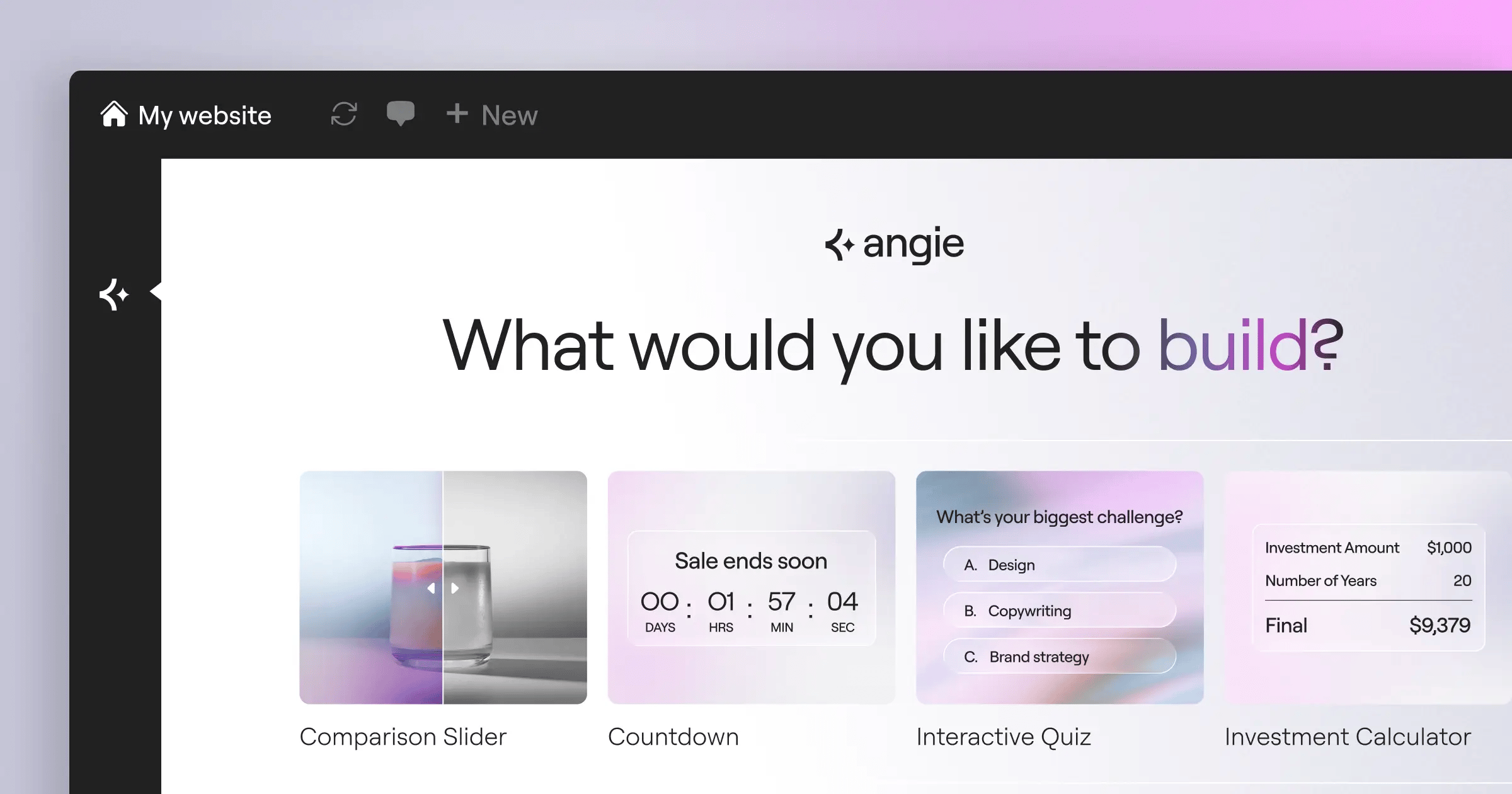
- Angie Integration: This is a massive shift. Angie is an agentic AI using the Model Context Protocol (MCP). It doesn’t just write text. You chat with Angie in natural language, and it actually builds production-ready WordPress layouts and assets for you.
Beaver Builder’s Traditional Approach
Beaver Builder has chosen a much more conservative path regarding artificial intelligence.
- No native AI features – You won’t find text generators or image creators built into the core Beaver Builder interface.
- Plugin reliance – You must install third-party AI plugins (like Bertha AI) to get generative capabilities inside the editor.
- Focus on stability – The development team prioritizes core code stability over chasing rapid AI feature deployments.
- Manual workflow – You’re entirely responsible for generating your own code snippets, copy, and visual assets externally.
If you want to speed up your workflow with modern automation, Elementor’s native tools and Angie compatibility offer an clear advantage.
Pricing and Value for Money
Software costs eat into your profit margins. You’ve to look at the total cost of ownership, not just the sticker price.
A $99 plugin isn’t cheap if you’ve to buy four $50 add-ons just to make it do what you want.
Breaking Down Elementor’s Tiers
Elementor uses a feature-rich, tiered model. You pay based on how many sites you need to build.
- Essential ($60/yr) – Covers 1 site. Includes all 118+ Pro widgets, Theme Builder, and WooCommerce features.
- Advanced ($99/yr) – Covers 3 sites. Perfect for freelancers managing a few key clients.
- Expert ($204/yr) – Covers 25 sites. The standard entry point for growing web design businesses.
- Elementor One ($168/yr) – Unifies the whole ecosystem for 1 site. Includes AI credits, Image Optimization, Accessibility scanning, and caching tools.
Analyzing Beaver Builder’s Model
Beaver Builder keeps pricing remarkably simple. They penalize you less for scaling your agency.
- Standard ($99/yr) – Unlimited sites. Includes the core page builder plugin. Does NOT include the Beaver Builder Theme or Themer.
- Pro ($199/yr) – Unlimited sites. Adds the Beaver Builder Theme and multisite capabilities.
- Agency ($399/yr) – Unlimited sites. Adds full white-labeling so you can replace Beaver Builder’s branding with your own agency logo.
Beaver Builder is vastly cheaper if you’re building 50 simple brochure sites a year. But once you factor in the cost of buying Ultimate Addons to match Elementor’s functionality, the math shifts back toward Elementor for complex builds.
Hosting and Platform Integration
Where you build matters just as much as how you build. Compatibility with modern server environments is crucial.
We’ve seen a 40% year-over-year increase in small agencies adopting dedicated page builder hosting environments.
The Elementor Cloud Ecosystem
Elementor offers a deeply integrated hosting solution designed specifically for their builder.
- Pre-installed environment – You purchase a plan, and WordPress, Elementor Pro, and the Hello theme are instantly deployed.
- Google Cloud C2 architecture – The underlying servers are enterprise-grade, providing incredible backend speed for the editor itself.
- Integrated caching – You don’t need WP Rocket. The Element Caching tool works perfectly with the server out of the box.
- Automated backups – Daily snapshots happen automatically, and you can trigger manual backups directly from your WordPress dashboard.
Beaver Builder’s Agnostic Approach
Beaver Builder operates strictly as a software vendor. They don’t offer server infrastructure.
- Bring your own hosting – You must purchase, configure, and maintain your own server environment.
- Universal compatibility – Because the code is so lightweight, it runs perfectly on cheap shared hosting or complex VPS setups.
- Manual caching setup – You’re responsible for configuring Redis, Memcached, and page caching plugins.
- Total server control – Developers who want root access to their Nginx configurations prefer this disconnected model.
Elementor Hosting removes the dev-ops headache entirely. Beaver Builder forces you to act as your own system administrator.
The Winner for 2026
There’s no single tool that solves every problem for every developer. You’ve to choose based on your business model.
But comparing feature sets directly, a clear divide emerges based on how you build websites.
Choose Elementor Pro If…
- You want a massive, native widget library without buying third-party add-ons.
- You need visual loop building for complex, data-driven custom post types.
- You plan to use agentic AI tools like Angie to speed up your asset creation.
- You prefer designing in a complete, all-in-one left-panel workspace.
- You’re building complex WooCommerce stores with highly customized cart and checkout flows.
Choose Beaver Builder If…
- You build hundreds of low-complexity client sites and need a flat-rate unlimited license.
- You absolutely demand clean HTML/CSS output upon deactivating the plugin.
- You strictly prefer traditional row-and-column layouts over modern CSS Flexbox containers.
- You want to heavily white-label the software so clients never see a third-party logo.
- You’ve developers on staff who prefer writing custom PHP for dynamic templates.
Frequently Asked Questions
Does Beaver Builder leave shortcodes behind?
No. This is Beaver Builder’s biggest technical advantage. If you deactivate the plugin, your content degrades gracefully into clean, standard HTML and CSS. You won’t find broken shortcode text littering your pages.
Can I use Elementor Pro on unlimited sites?
Elementor no longer offers an unlimited site license. Their highest public tier is the Agency plan, which covers 1000 sites. Most professionals use the 25-site Expert plan or individual single-site licenses for clients.
Which builder is better for Core Web Vitals in 2026?
Both tools can easily pass Core Web Vitals. Elementor requires you to activate its built-in performance features and use a light theme like Hello. Beaver Builder generally passes out-of-the-box due to its minimal module architecture.
Do I need a specific theme for these builders?
You don’t absolutely need one, but it’s highly recommended. Elementor pairs best with the Hello Theme. Beaver Builder works exceptionally well with its native Beaver Builder Theme or lightweight alternatives like GeneratePress.
What happens if I cancel my subscription?
Your existing websites will continue to function normally. However, you’ll lose access to premium templates, customer support, and critical security updates. With Elementor, you’ll also lose access to Pro widgets for future edits.
Is Angie included with Elementor Pro?
Angie is a standalone agentic AI plugin that integrates deeply with the Elementor ecosystem, but it isn’t simply a feature inside Elementor Pro. It uses the Model Context Protocol to execute complex WordPress tasks independently.
Can I use both builders on the same site?
Technically yes, but you really shouldn’t. Running two visual page builders simultaneously causes massive script conflicts, bloats your database, and completely ruins your page load speeds. Pick one and stick to it.
Looking for fresh content?
By entering your email, you agree to receive Elementor emails, including marketing emails,
and agree to our Terms & Conditions and Privacy Policy.






