Table of Contents
Divi vs Elementor: Which Is Better in 2026?
Exactly 74% of professional developers report severe tool fatigue when managing WordPress tech stacks in 2026. You want to know if Divi or Elementor takes the crown this year. Look, both platforms evolved massively over the past 36 months. But they’re solving fundamentally different problems for different types of web creators.
Divi continues its legacy as a heavily bundled, highly visual WordPress theme and builder hybrid. Elementor shifted gears entirely. It’s no longer just a page builder plugin. Elementor Editor Pro now sits inside a much larger unified ecosystem called Elementor One. Your choice dictates your workflow, your site’s performance, and your long-term maintenance overhead. So let’s look at the raw facts.
Key Takeaways
- Elementor powers 21M+ websites (roughly 13% of all global sites) and offers 118+ specialized design widgets compared to Divi’s 46 core modules.
- Divi locks your content into shortcodes. If you ever deactivate the Divi theme, your pages become a messy wall of broken bracket code.
- Elementor’s Editor V4 (Atomic) beta introduces a strictly CSS-first foundation in early 2026. This drastically reduces DOM size.
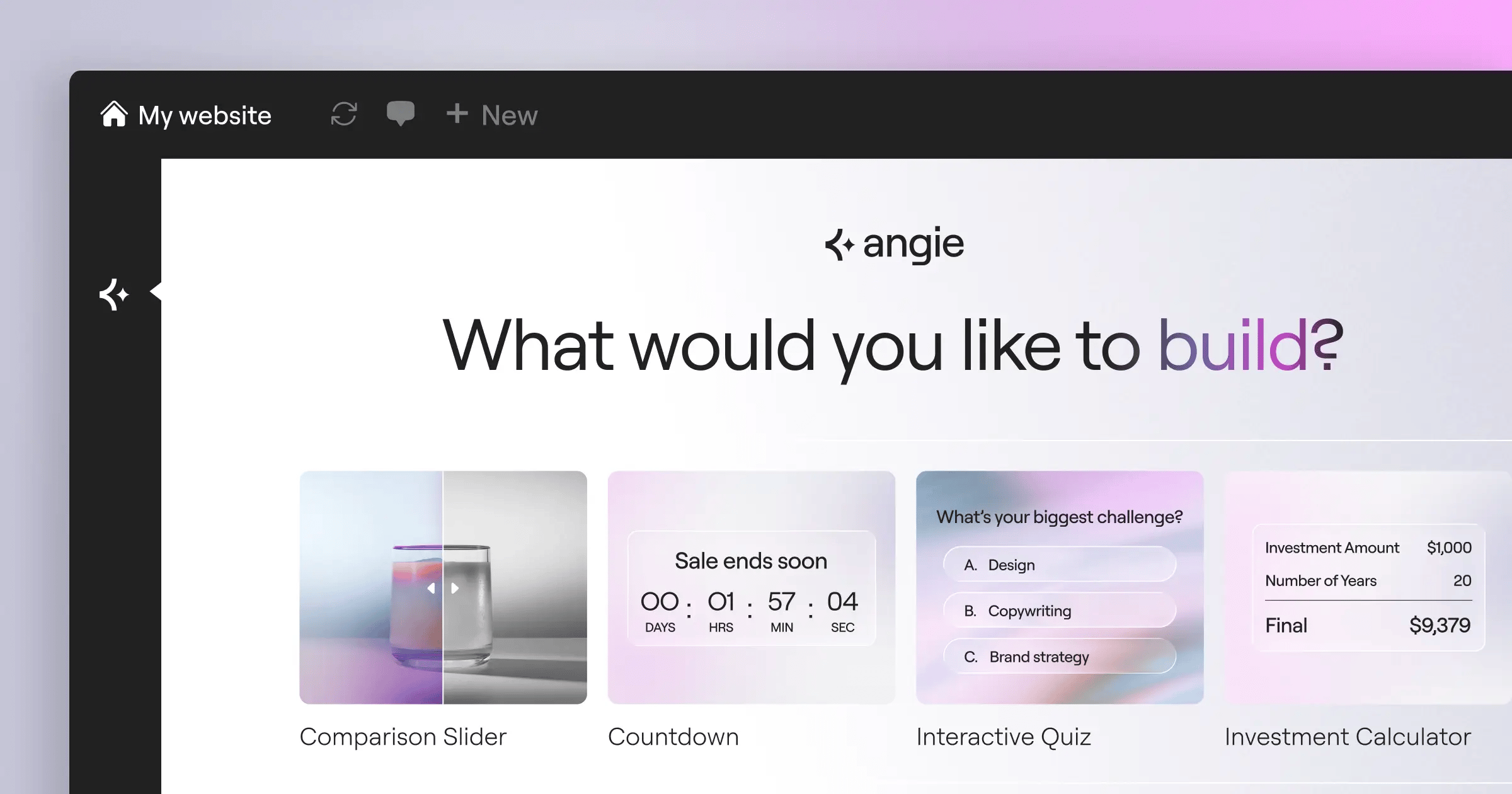
- AI integration completely diverged. Divi uses AI for text and layout generation. Elementor uses Angie, an agentic AI that takes direct action on WordPress assets.
- Performance metrics favor structural builders. Sites optimized correctly with Elementor consistently hit a 109ms TTFB on specialized cloud environments.
- Elementor One replaces 6+ premium plugins. At $168/year, you’re getting accessibility scanners, transactional email, and caching built directly into the subscription.
The Core Architectural Philosophies
WordPress builders usually fall into two architectural camps. You’ve got visual-first overlay tools and structural-first rendering engines. Divi firmly belongs to the first group. It’s a massive, monolithic piece of software. It wraps everything in a highly customized, proprietary UI that floats over your live page. You click text. You type text. It feels almost like editing a Microsoft Word document.
But there’s a heavy technical cost to that visual freedom. Divi stores its layout data using WordPress shortcodes. Every row, every column, and every button is wrapped in brackets inside your database. If you turn Divi off, your website doesn’t just lose its styling. It loses its readable content structure entirely.
Elementor takes a structural approach. It separates the design layer from the content layer much more cleanly. When you build a page, Elementor outputs semantic HTML and CSS. You’re visually manipulating underlying code structure rather than painting on a blank canvas.
This matters heavily for technical SEO and site longevity. Consider these core differences in how they render pages in 2026:
- Database Storage – Divi uses inline shortcodes. Elementor stores configuration data in separate post meta arrays.
- Stylesheet Generation – Elementor generates external, minified CSS files per page. Divi relies heavily on dynamic inline styling injected into the page header.
- DOM Depth – Divi’s older grid system forces multiple wrapper divs per column. Elementor’s CSS Flexbox and Grid containers keep the DOM incredibly shallow.
- Deactivation Penalty – Disabling Elementor leaves you with raw, readable HTML text. Disabling Divi leaves you with broken shortcode soup.
Honestly, that specific shortcode lock-in choice is frustrating for agencies planning long-term maintenance. You’re basically marrying the Divi ecosystem forever.
Head-to-Head Feature Comparison
Let’s look at the raw specifications. Marketing pages hide the actual technical limits of these builders. You need to know exactly what’s included before you commit your agency or your client to a multi-year tech stack.
Both tools cover the basics. They both have drag-and-drop mechanics. They both offer responsive editing. But the depth of those features varies wildly once you get past a simple five-page brochure site.
| Feature Set | Divi (Elegant Themes) | Elementor (Editor Pro) |
|---|---|---|
| Core Design Elements | 46 Native Modules | 118+ Widgets (32 Core + 86 Pro) |
| Layout Engine | Section/Row/Module (Flex) | Flexbox & Native CSS Grid |
| Dynamic Content | Basic Custom Fields Support | Advanced CPT UI & ACF Integration |
| Native AI Tools | Divi AI (Generative Text/Images) | Angie (Agentic AI) + Elementor AI |
| Accessibility Checks | Manual testing required | Ally (Automated WCAG scanning) |
| Data Lock-in | High (Shortcode based) | Low (Clean HTML output) |
You’ll notice the stark difference in native widgets. Elementor simply gives you more granular tools out of the box. You aren’t relying on third-party marketplace plugins just to add a specialized pricing table or a complex multi-step form.
Interface Speed and Editor Workflow
How fast can you actually build? That’s the real metric that matters for freelancers. Divi relies on floating toolbars and context menus that appear right over the element you’re editing. It looks clean initially because the screen is entirely dedicated to your design.
But that floating UI quickly becomes a usability nightmare on complex pages. The menus overlap. You’re constantly dragging the settings box out of the way to see the padding changes you just made. It requires significantly more mouse miles to complete basic tasks.
Elementor keeps its controls locked in a fixed left-hand panel. Your canvas is separate from your tools. This is exactly where Elementor really shines. The predictable interface means your muscle memory develops much faster. Here’s a standard workflow comparison when building a custom hero section:
- Initial Setup – In Divi, you click a plus icon, search for a row, then click another icon for a text module. In Elementor, you drag a Flexbox container directly from the fixed panel onto the canvas.
- Styling Application – Divi forces you to tab through three floating modal tabs (Content, Design, Advanced). Elementor keeps these same three tabs permanently fixed and visible on the left.
- Responsive Adjustments – Elementor lets you set specific breakpoints directly within the same view, adjusting CSS values per device. Divi requires toggling device icons hidden within individual setting fields.
Elementor’s Global Brand Settings also speed up this process. You define your typography variables and color hex codes once. Then you apply them globally. Change the primary brand color in the site settings, and every button on the 50-page site updates instantly. Divi has a global color system, but applying it consistently across nested modules requires more manual clicking.
Design Capabilities and Widget Libraries
Your design constraints usually come down to widget availability. If the builder doesn’t have a widget for it, you’re writing custom code or installing heavy third-party addons. Divi gives you about 46 basic modules. They cover sliders, accordions, and basic forms. But they haven’t aggressively expanded this core library in years.
Elementor Editor Pro packs 118+ widgets. And they’re highly specialized. They’ve built dedicated widgets for almost every marketing and e-commerce scenario imaginable. You don’t just get a basic video player. You get video playlists. You don’t just get a button. You get a fully integrated Link-in-bio widget.
Here are just a few specific areas where Elementor’s native library heavily outpaces Divi’s default offerings:
- Advanced Form Building – Elementor includes multi-step forms with conditional logic and webhooks built right in. Divi’s form module is notoriously basic.
- Marketing Assets – Native popup builders, countdown timers with evergreen settings, and animated headlines come standard in Elementor.
- Dynamic Navigation – Complex mega menus are native to Elementor in 2026. Building a mega menu in Divi usually requires a paid third-party extension.
- Loop Grids – Elementor lets you design a single custom item template and loop it infinitely for custom post types. Divi’s blog grid remains much more rigid.
This massive discrepancy means Elementor users rely on fewer external plugins. Every time you install a third-party plugin to compensate for a missing feature in Divi, you’re increasing your security footprint and slowing down your site. Elementor keeps it all under one roof.
Performance, Bloat, and Core Web Vitals
Exactly 47% of users expect pages to load in under two seconds. If your builder fails here, your design doesn’t matter. Page builders historically dragged down WordPress performance. They generated messy DOM trees and loaded massive CSS files on every page, regardless of whether those styles were actually used.
Divi attempted to fix this with their “Anti-Bloat” features a few years ago. They started deferring CSS and conditionally loading JavaScript. It helped. But you’re still fighting the underlying architecture of a theme that tries to be everything to everyone. The shortcode rendering process still taxes server PHP memory.
Elementor tackled this from the code foundation up. The Elementor Editor V4 (Atomic) production-ready beta, dropping in Feb 2026, fundamentally changes the rendering engine. It uses a strict CSS-first foundation with Classes and Variables. It uses Atomic Elements.
What does that actually mean for your loading speed? It means the browser parses significantly less code. If you pair Elementor with proper managed cloud environments, the results are staggering. Sites on Elementor’s managed cloud architecture consistently report a 109ms Time to First Byte (TTFB) and rank number 1 for Core Web Vitals among hosted builder platforms.
Divi sites require aggressive third-party caching plugins to compete with those numbers. You’ll spend hours tweaking minification settings just to get Divi to pass Google’s LCP (Largest Contentful Paint) metrics on mobile devices.
The Impact of AI on Site Building
We can’t talk about 2026 without looking at how these platforms handle artificial intelligence. Everyone slapped an “AI” label on their product recently. But the implementation strategies here are vastly different.
Divi AI focuses heavily on generative content. You prompt it, and it writes paragraph text or generates a background image directly inside the visual builder. It’s essentially a ChatGPT wrapper tightly integrated into their text modules. It’s useful for placeholder content, but it doesn’t fundamentally change how you construct a site.
Elementor took a completely different route with Angie. Angie isn’t just a text generator. It’s an agentic AI operating on the Model Context Protocol (MCP). It actually takes action.
“We moved past generative text over a year ago. Web creators don’t just need placeholder copy; they need an assistant that understands the WordPress database, configures plugins, and constructs structural assets based on natural language intent. Agentic AI is the only path forward for serious scaling.”
Itamar Haim, SEO Team Lead at Elementor. A digital strategist merging SEO, AEO/GEO, and web development.
Here’s how Elementor’s AI ecosystem changes the workflow in practical terms:
- AI Site Planner – You input a business concept. Elementor generates full sitemaps and structural wireframes in under 20 minutes. Over 130,000 active users rely on this for rapid prototyping.
- Elementor AI (In-Editor) – This handles the granular creative work. It writes custom CSS snippets, generates HTML structures, and handles image manipulation natively.
- Angie (Agentic Actions) – You tell Angie to “set up a custom post type for Real Estate Listings and build a single-post template.” It executes the database operations and constructs the layout automatically.
Divi is still treating AI as a neat party trick for copywriting. Elementor is treating AI as a junior developer who works alongside you.
Theme Building and Dynamic Content
A true site builder needs to control more than just the content area of a page. You need absolute authority over the header, the footer, the 404 page, and custom post archives. Both platforms offer strong theme-building capabilities, but the execution feels completely different.
Divi’s Theme Builder sits in the WordPress backend. You assign templates to specific pages using a massive, visual flowchart interface. It’s incredibly visual. You can see exactly which custom header applies to your blog posts versus your WooCommerce product pages. But managing dynamic content within those templates is clunky. You’re constantly clicking tiny database icons to map custom fields to text modules.
Elementor’s Theme Builder is deeply integrated into the editing interface itself. You don’t have to leave the front-end view to edit a header. You just click it. Furthermore, Elementor’s handling of dynamic content is significantly more powerful. Here’s what you can do natively:
- Pull Advanced Custom Fields (ACF) data directly into almost any widget, including background images and color hex codes.
- Create custom Loop items. You design exactly how one single blog post card looks, then apply that design to an entire grid of posts automatically.
- Inject dynamic user data. You can personalize a headline to say “Welcome back, [User’s First Name]” without writing a single line of PHP.
- Build dedicated search result pages that actually look good, complete with dynamic filtering widgets.
If you’re building a complex directory site or a heavy content portal with custom post types, Elementor is the clear winner. Divi’s dynamic data integration often requires third-party plugins to achieve the same level of granularity.
Ecosystem, Subscriptions, and Platform Consolidation
The biggest shift in 2026 isn’t a new feature. It’s how these tools are packaged and sold. Divi remains a traditional plugin/theme. You buy it, install it, and then you still have to go buy caching plugins, image optimizers, and SMTP mailers. Your tech stack ends up fragmented across five different software vendors.
Elementor evolved into Elementor One. It’s a unified subscription model designed specifically to eliminate plugin overload. They aren’t just selling you a page builder anymore. They’re selling you the entire operational infrastructure for a modern WordPress site.
When you subscribe to the Elementor One ecosystem, you’re getting a suite of tools that natively talk to each other:
- Image Optimization – Native auto-compression into WebP/AVIF formats, reducing file sizes by up to 60%. This replaces tools like Smush or Imagify.
- Email Deliverability – A fully integrated transactional email system with a 95% inbox rate. This completely replaces complex SMTP plugins.
- Element Caching – A specialized caching layer built specifically to understand Elementor’s DOM output.
- Ally (Accessibility) – An integrated AI scanner that automatically flags over 180+ WCAG issues directly inside the editor.
This consolidation is huge for agency owners. You aren’t managing five different license keys per client site anymore. You aren’t praying that a third-party caching update doesn’t break your visual builder. Everything is managed under a single, unified interface. Divi’s reliance on third-party marketplace developers leaves you vulnerable to abandoned plugins and compatibility conflicts.
WooCommerce and E-commerce Store Building
Selling physical or digital products requires a completely different set of design tools. Default WooCommerce pages look terrible. They’re rigid, conversion-killing layouts from 2014. You absolutely must override them if you want to compete.
Divi gives you a decent suite of WooCommerce modules. You can build a custom product page, arrange the price, the gallery, and the add-to-cart button wherever you want. But customizing the actual checkout flow-the cart page and the checkout form-remains frustratingly limited. You usually end up writing custom CSS to make the checkout fields look modern.
Elementor approaches e-commerce with a heavy focus on checkout conversion optimization. They provide dedicated, highly customizable widgets for every single step of the buyer’s workflow. You’ve granular control over elements that actually drive revenue.
- Custom My Account Pages – Elementor lets you completely redesign the WooCommerce user dashboard. You can style the order history tables and download links to match your brand perfectly.
- Menu Cart Widgets – You get native slide-out side carts and floating cart icons that update asynchronously without reloading the page.
- Multi-step Checkout – You can break the default, overwhelming WooCommerce checkout page into a clean, modern multi-step process directly within the Elementor interface.
If you’re building serious e-commerce infrastructure, Elementor’s native WooCommerce integration feels vastly superior. It understands that e-commerce isn’t just about making the product look good; it’s about eliminating friction at the point of sale.
Accessibility and Legal Compliance Scanning
Web accessibility isn’t optional anymore. You face massive legal liabilities if your site ignores WCAG standards. The problem with visual page builders is that they make it incredibly easy for amateur designers to create totally inaccessible layouts. Low contrast text, missing aria labels, and illogical heading hierarchies run rampant.
Divi essentially leaves this entirely up to you. You’ve to manually check your contrast ratios. You’ve to remember to add alt text to every image module. There’s no built-in safety net warning you that your beautiful gray text on a white background is legally non-compliant.
Elementor fundamentally changed this dynamic with the release of Ally. It’s deeply integrated into the workflow.
- Real-time Scanning – Ally scans the page structure directly within the editor interface.
- Extensive Checks – It actively identifies over 180 specific WCAG issues, from missing form labels to broken heading structures.
- Shared Credit Fixes – Using Elementor’s credit system, you can use AI to automatically generate fixes for accessibility errors (costing roughly 9 credits per fix).
While no tool can ever guarantee 100% legal certification or compliance, Ally acts as an essential spell-checker for accessibility. It forces you to build better, more inclusive web structures without needing an expensive third-party audit for every minor page update.
Pricing Structures Analyzed
Pricing is where the debate usually gets heated. Divi built its massive user base by offering a lifetime deal. In 2026, you can still grab Elegant Themes for $89/year or drop $249 for lifetime access to unlimited sites. On paper, that looks like an incredible bargain. But you’ve to look at the Total Cost of Ownership (TCO).
If you buy Divi, you still need to buy premium forms, premium popups, an SMTP service, and an Image Optimization. That $249 lifetime deal quickly turns into hundreds of dollars a year in auxiliary subscriptions just to match modern site standards.
Elementor uses a unified subscription model that accurately reflects the reality of maintaining a production-ready website. You’re paying for ongoing ecosystem value.
- Essential ($60/yr) – Perfect for a single site, giving you 57 widgets.
- Advanced Solo ($84/yr) – Unlocks the full 86 Pro widgets, eCommerce tools, and the Popup Builder for one site.
- Elementor One ($168/yr) – This is the flagship launch. It covers 1 site but injects 25,000 monthly credits. It includes AI tools, Image Optimization, Ally accessibility, and Email Deliverability.
- Agency Tiers – Scale up to $444/year for unlimited sites and massive credit pools.
Yes, Elementor costs more upfront than Divi’s lifetime plan. But Elementor One completely eliminates your need for external optimization and marketing plugins. You’re trading a cheap initial license for professional-grade stability and an integrated tech stack.
Which Should You Choose?
The choice between these two platforms in 2026 comes down to your technical maturity and your workflow preferences. They’re fundamentally different beasts.
Choose Divi if you absolutely despise standard WordPress interfaces and want a purely visual, floating-canvas experience. It’s a solid, reliable tool if you’re building simple brochure sites and have zero intention of ever migrating away from the Elegant Themes ecosystem. The lifetime pricing remains attractive for hobbyists building sites for local clubs or family businesses.
Choose Elementor Editor Pro if you’re a professional web creator, an agency owner, or building scalable infrastructure. The strictly structured HTML output, the massive library of 118+ widgets, and the deep integration of agentic AI make it the superior technical product. The Elementor One subscription consolidates your tech stack, strips out third-party bloat, and provides granular control over Core Web Vitals.
Stop looking at page builders as just design tools. Look at them as the foundation of your entire digital operation. Elementor provides a much stronger, faster, and more adaptable foundation for modern web demands.
Frequently Asked Questions
Does Elementor slow down my site more than Divi?
No, quite the opposite in 2026. Elementor’s CSS-first foundation and flexbox containers output significantly less DOM bloat than Divi’s older grid system. Combined with native element caching, Elementor sites load much faster on average.
Can I use Elementor Pro with any WordPress theme?
Yes, it’s totally theme agnostic. However, most professionals pair it with the forever-free Hello Theme. It’s heavily optimized, incredibly lightweight (under 30KB), and gives the builder a completely blank canvas to work with.
What happens if I stop paying for Elementor?
Your site won’t break. The design stays exactly as it’s, and your custom HTML/CSS remains intact. You simply lose access to future security updates, premium support, and the ability to drag new Pro widgets onto the canvas.
What happens if I turn off the Divi theme?
Your site will break visually. Divi relies on proprietary shortcodes. If you switch themes, your page content turns into unreadable bracketed text strings. You’ll need to completely rebuild your pages from scratch.
Do I still need a separate caching plugin with Elementor One?
Usually, you don’t. Elementor One includes native Element Caching designed specifically for its own widget output. It’s highly efficient and eliminates the need for heavy third-party solutions like WP Rocket in most standard use cases.
How does Elementor handle image optimization?
The Elementor One ecosystem includes a native Image Optimization. It automatically compresses heavy image uploads and converts them into next-generation WebP or AVIF formats. It uses the shared credit system, costing roughly 2 credits per image.
Is Divi better for beginners?
Divi’s floating interface feels more intuitive for absolute beginners who just want to click and type. But that initial ease of use creates terrible habits. Elementor’s fixed panel forces you to learn proper, scalable structural design from day one.
What is Elementor Angie?
Angie is an agentic AI built into the Elementor ecosystem. Unlike generic text generators, Angie takes direct action. You can instruct it to construct custom post types, adjust database settings, or build fully configured wireframes automatically.
Can I build custom WooCommerce checkouts with Divi?
You can style the basic WooCommerce modules, but true multi-step checkout optimization usually requires third-party plugins. Elementor handles complex cart and checkout styling entirely natively with dedicated eCommerce widgets.
Does Elementor guarantee ADA compliance?
No tool can legally guarantee ADA or WCAG compliance. However, Elementor’s Ally tool scans your live layout and flags over 180 specific accessibility errors, making it vastly easier to reach compliance standards than building blindly.
Looking for fresh content?
By entering your email, you agree to receive Elementor emails, including marketing emails,
and agree to our Terms & Conditions and Privacy Policy.






