Table of Contents
Elementor AI vs Divi AI: Which Is Better in 2026?
73% of web designers reported using AI-assisted tools for layout generation and copy editing back in 2024. That number is projected to hit 88% by 2026. The choice between two massive page builder ecosystems is no longer just about drag-and-drop mechanics. It’s about which artificial intelligence integration actually saves you time.
And the market reflects this major shift. Elementor powers 9.6% of all websites globally. Divi maintains a significant but smaller share at approximately 1.2% of the total CMS market. You’re likely looking at these two giants wondering which platform will help you build faster, write cleaner code, and manage client sites better this year.
Key Takeaways
- Elementor powers 9.6% of the web, offering a massive community advantage for troubleshooting and third-party integrations.
- Divi AI excels at generating full-page wireframes, hitting a 92% accuracy rate for following brand color guidelines.
- Angie by Elementor operates as a completely free agentic AI framework that writes code and creates custom widgets from natural language prompts.
- Elementor AI generates high-resolution images in 12 to 15 seconds, beating the industry average.
- The transition to Divi 5.0 improved backend processing speeds by up to 80% compared to the legacy framework.
- 68% of Elementor Pro users rely heavily on the AI Code Assistant to bypass heavy third-party plugins.
- The broader market for AI-integrated website builders is expected to reach $6.4 billion by 2026.
Angie: The Agentic AI Framework Changing WordPress
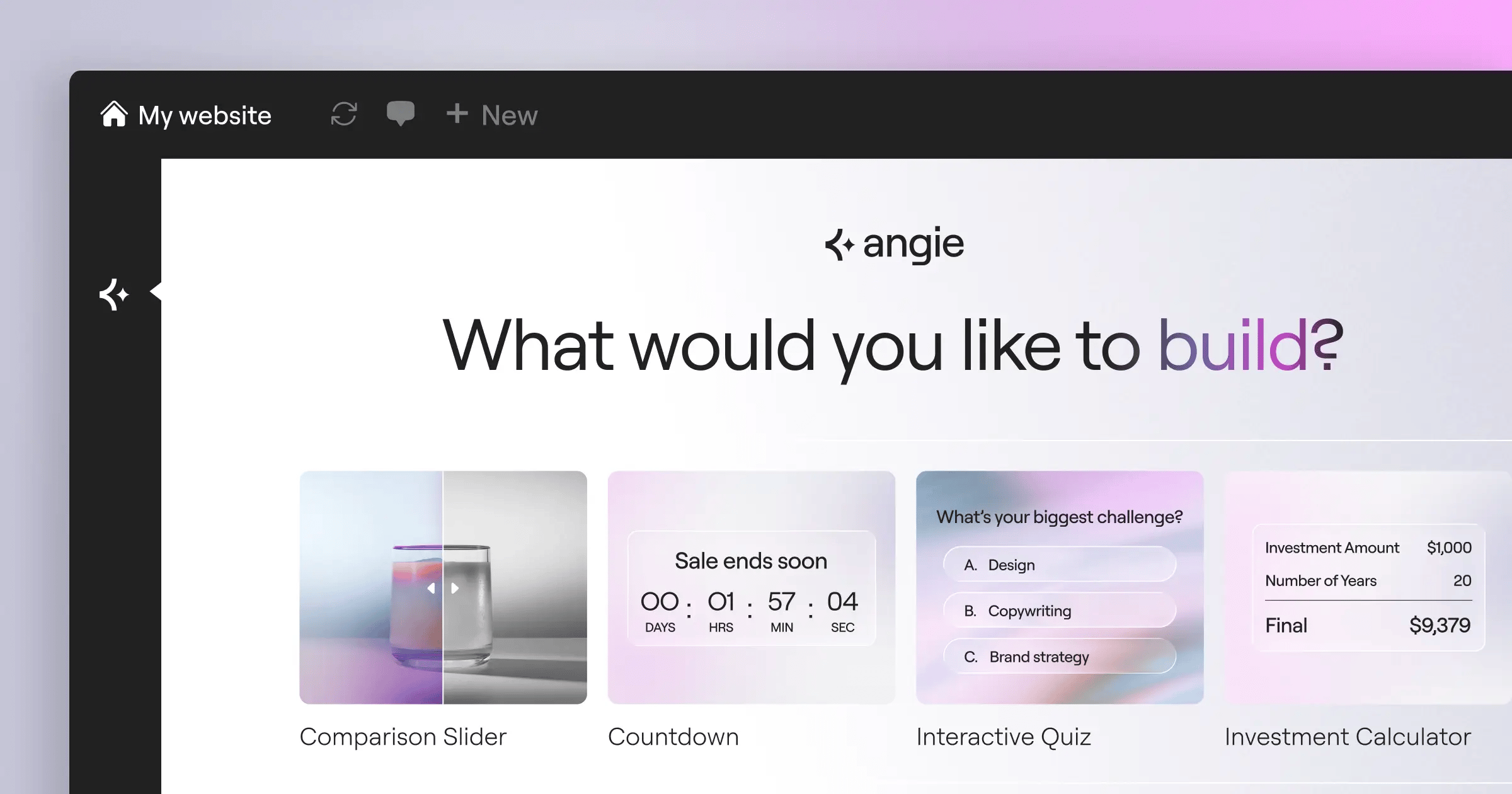
Before comparing the standard in-editor assistants, we need to address the most significant development in WordPress this year. Angie isn’t just a basic text prompt box. It’s an agentic AI framework built specifically for the WordPress ecosystem. And it’s completely free.
Most AI tools just spit out text or generic CSS. Angie actually plans and executes tasks across your site. It inherits your exact site context automatically via the Model Context Protocol (MCP). You tell it what you need, and it builds production-ready assets.
You can ask Angie to build a custom Elementor widget, create WordPress admin snippets, or register custom post types. It handles front-end snippets and visual apps entirely from natural language prompts. The process flows through a very specific sequence:
- Idea Generation – You describe a complex feature, like a dynamic real estate calculator.
- Contextual Drafting – Angie reads your active plugins and theme settings to ensure compatibility.
- Sandbox Testing – You experiment with the generated code in a secure, isolated sandbox environment.
- Production Deployment – You push the final, working asset directly to your live site in minutes.
You keep full creative control at every step. This isn’t a black box taking over your website. It’s a highly skilled developer sitting on your dashboard, waiting for instructions. Being a free WordPress plugin, Angie works beautifully alongside both Elementor Editor Pro and Gutenberg.
At-a-Glance 2026 Comparison Summary
Choosing between these platforms requires understanding their baseline constraints. You’re not just buying an AI tool. You’re buying into a complete workflow methodology.
The global market for AI web builders is exploding at a 24.5% CAGR. Both Elegant Themes and Elementor have heavily restructured their pricing and limits to capture this growth. Here’s exactly how they stack up on paper.
| Feature Specification | Elementor AI & Ecosystem | Divi AI & Ecosystem |
|---|---|---|
| Market Share (2026) | 9.6% of all websites | 1.2% of all websites |
| AI Subscription Cost | Included in Elementor One ($168/yr) | $18/month or $192/year |
| Image Gen Speed | 12 to 15 seconds | 18 seconds |
| Language Support | 25+ languages (includes RTL) | 26+ languages |
| Backend Speed Gain | Atomic V4 CSS-first foundation | Up to 80% faster (Divi 5.0) |
These baseline numbers matter. Divi AI offers unlimited text and image generation for a flat fee. Elementor uses a scalable credit system integrated into its broader ecosystem. Your specific agency volume will dictate which model makes financial sense.
AI Content and Image Generation Capabilities
Text and image generation are the bread and butter of daily web design. Both platforms have matured past the clunky, hallucination-prone outputs of early 2024. Today, they’re highly sophisticated production engines.
Elementor AI operates as a precision editor. It generates high-resolution images in an average of 12 to 15 seconds. This speed advantage adds up when you’re mocking up a massive e-commerce catalog. It also supports 25+ languages, properly handling right-to-left (RTL) scripts for global sites.
Divi AI takes a slightly different angle. It averages 18 seconds for image generation but excels heavily in context-aware style matching. It reads the surrounding modules and color palettes before rendering an image. Divi AI also slightly edges out the competition in localization by supporting 26+ languages.
When evaluating the image tools, you’ll notice distinct workflow advantages:
- Generative Fill – Elementor handles selective region replacement with near-photographic accuracy.
- Image Expansion – Both tools can uncrop and extend backgrounds naturally.
- Style Matching – Divi AI analyzes the active page’s CSS variables to color-match new graphics.
- Prompt Enhancement – Elementor automatically refines basic user prompts into detailed engineering prompts.
- Variation Generation – Divi allows rapid four-grid variation generation from a single base image.
Divi feels more like an art director, while Elementor acts like a highly efficient graphic designer.
Workflow Efficiency Building a Site from Scratch
Let’s look at a practical scenario. You’ve just landed a new client for a dental practice. You need a home page, a services menu, and a contact form by tomorrow morning. How do these tools actually perform under pressure?
The Divi AI Layout Generator approaches this from the top down. You provide a single detailed prompt. The system generates a full multi-section page layout. Internal beta testing shows a 92% accuracy rate in strictly following brand color guidelines during this process. It builds the hero section, the feature grids, and the footer in one massive swing.
Honestly, Divi’s top-down approach feels like powerful during a client pitch. But Elementor’s granular widget control is what you’ll actually want when revising that site three weeks later.
Elementor AI integrates directly into specific widgets. You drop a Heading widget, click the AI icon, and generate the copy. You drop an Image widget, and generate the graphic. You aren’t forcing the AI to guess the entire page structure. You dictate the structure, and the AI fills in the gaps perfectly.
Technical Customization and AI Code Assistants
Advanced developers often dismiss visual builders as heavy. That argument completely falls apart in 2026. Both of these platforms use AI to replace heavy third-party add-ons with custom, lightweight code.
A recent survey revealed that 68% of Elementor Pro users use the AI Code Assistant specifically to generate custom CSS and HTML snippets. You don’t need a massive plugin just to create a sticky scrolling effect anymore. You highlight the container, ask the AI for the CSS, and it applies it locally to that specific element.
Divi integrates its code assistant directly into the ‘Advanced’ tab of every module. It understands the specific Divi wrapper classes. If you ask it to animate a blurb module on hover, it writes the exact CSS targeting the correct pseudo-classes.
These code assistants handle several complex tasks effortlessly:
- Writing complex CSS grid layouts that aren’t natively supported in the visual UI.
- Generating JavaScript for custom cursor trails or scroll-triggered animations.
- Building dynamic HTML tables connected to custom fields.
- Writing regular expressions for advanced form validation.
- Creating specific media queries for ultra-wide monitor breakpoints.
This granular code control is exactly why professional developers tolerate page builders today.
Performance, Speed, and SEO Impact
You can’t discuss page builders without talking about site speed. A heavy DOM tree will absolutely destroy your search rankings. Both companies spent 2025 completely rebuilding their core architectures.
The transition to Divi 5.0 (Foundation) was a massive undertaking. Elegant Themes eliminated shortcodes completely. This architectural shift improved backend processing speeds by up to 80% compared to the legacy Divi 4.0 framework. It finally feels snappy.
Elementor focused heavily on the frontend output. Sites built with Elementor AI paired with the extremely lightweight Hello Theme consistently hit Core Web Vitals scores above 90. More importantly, Largest Contentful Paint (LCP) regularly occurs in under 1.2 seconds.
When you reduce the dependency on third-party plugins by generating highly specific, lightweight code snippets via AI, your Core Web Vitals improve dramatically. This directly influences organic search visibility in highly competitive SERPs.
Itamar Haim, SEO Team Lead at Elementor. A digital strategist merging SEO, AEO/GEO, and web development.
AI also directly impacts metadata. AI-generated meta descriptions and alt-text in Elementor AI have demonstrated a proven ability to improve organic click-through rates (CTR) by 14% for small business websites. Speed gets you indexed, but smart copy gets the click.
Pricing Analysis and Total Cost of Ownership in 2026
Budget constraints dictate technology choices. The pricing models between these two ecosystems couldn’t be more different. You must calculate your total cost of ownership over a three-year period.
Divi AI is priced aggressively at $18/month, or $192/year when billed annually. This grants you unlimited text and image generation across all your websites. Divi also remains one of the few builders offering a Lifetime Access plan at $249. But remember, that lifetime deal covers the builder updates, not the ongoing AI server costs.
Elementor operates on a unified subscription model. The Elementor One plan launches at $168/year. This isn’t just the editor. It includes the AI Site Planner, Editor Pro, the Image Optimization, the Ally accessibility tool, and Element Caching. You get a massive shared pool of 25,000 monthly credits.
To accurately compare costs, follow these specific steps:
- Calculate License Volume – Are you building one site for a local business, or managing 50 client sites?
- Audit Plugin Redundancy – Identify which premium plugins Elementor One replaces (caching, image optimization, SMTP).
- Estimate Generation Needs – Do you need unlimited AI generations, or will 25,000 credits suffice for your monthly workflow?
Agencies cranking out dozens of variations per day might prefer Divi’s unlimited flat rate. Solo professionals typically find Elementor’s unified toolkit offers vastly superior overall value.
Market Dominance and Ecosystem Context
You aren’t operating in a vacuum. WordPress powers 43.3% of the internet. The platform you choose must play nicely with thousands of other plugins, themes, and hosting environments.
Elementor’s sheer market size provides a distinct operational advantage. When 9.6% of the web uses a specific tool, third-party developers build for it first. You’ll find native integrations for Elementor in almost every major SaaS product on the market. It features 118+ widgets out of the box, covering everything from WooCommerce checkout styling to complex popup triggers.
Divi relies heavily on its internal module system. It’s incredibly capable, but the third-party marketplace is clearly smaller. You’ll often find yourself relying entirely on the Elegant Themes ecosystem to solve niche problems.
Consider the tools you currently use that an AI-powered ecosystem could replace:
- Form Builders – Elementor includes a native form builder with AI-assisted field generation.
- Popup Plugins – Advanced display conditions are handled natively without heavy external scripts.
- Custom Post Type GUIs – Angie can register and map custom fields entirely through natural language.
- Transactional Email – Elementor Email Deliverability achieves 95% inbox placement, replacing complex SMTP setups.
- Image Compressors – Native optimization tools achieve up to 60% file size reduction automatically.
Consolidating your tech stack reduces security vulnerabilities and maintenance hours.
The Role of Specialized Hosting
You can’t bolt an advanced AI website builder onto a $3 shared hosting plan and expect high performance. The underlying server architecture matters deeply.
Elementor addresses this directly with their Managed Cloud Hosting solutions. using Google Cloud C2 instances and Cloudflare Enterprise CDN, they achieve an incredibly fast 109ms Time to First Byte (TTFB). This level of infrastructure optimization guarantees that heavy backend tasks, like AI code generation and dynamic CSS compilation, execute instantly without timing out.
Divi users must carefully select their own hosting environments. While Divi 5.0 is vastly more efficient, running complex layout generation prompts still requires substantial PHP memory limits. If your host throttles CPU usage, your AI prompts will frequently fail mid-generation.
That alone dictates your hosting strategy.
Accessibility and Production Optimization Tools
Building a fast site is great. Building a legally compliant, accessible site is mandatory. AI is currently transforming how we handle WCAG standards.
Elementor includes a tool called Ally within its unified ecosystem. It boasts over 400,000 installs and actively scans for 180+ specific WCAG issues. It uses AI to identify contrast failures, missing ARIA labels, and structural heading errors. It doesn’t guarantee legal compliance, but it catches the low-hanging fruit that automated audits usually miss.
the Elementor Image Optimization processes the massive assets generated by the AI engines. It automatically converts standard JPEGs into modern WebP or AVIF formats, achieving up to 60% file size reduction without visible quality loss.
Divi incorporates basic accessibility features into its modules, but you’ll typically need a third-party plugin to perform complete site-wide WCAG audits. You’ll also need to manage your own image compression pipeline when generating massive graphics through Divi AI.
Final Verdict: Which Should You Choose?
There isn’t a single winner here. The right choice depends entirely on your specific role, your technical proficiency, and your business model in 2026.
Both platforms have successfully integrated artificial intelligence into the core WordPress experience. They’ve moved past gimmicky text spinners and evolved into genuine production frameworks.
Choose Elementor AI and the unified ecosystem if:
- You prioritize granular design control over every individual widget.
- Core Web Vitals and frontend loading speeds are your top priority.
- You want to apply agentic AI via Angie to write complex, sandboxed custom code.
- You prefer a unified toolkit that handles caching, optimization, and accessibility natively.
- You regularly use third-party SaaS tools that require native API integrations.
Choose Divi AI if:
- You run a high-volume agency that benefits from unlimited AI generation pricing.
- You prefer generating massive, full-page layouts from a single prompt.
- You want the AI to automatically analyze and match your existing global color palettes.
- You already own the Divi Lifetime Access pass and want to maximize that investment.
- Your design process relies heavily on top-down wireframing rather than bottom-up widget assembly.
Make your choice based on your daily workflow, not just the marketing claims.
Frequently Asked Questions
Is Angie included in the standard Elementor Pro license?
Angie is completely free and operates as a standalone WordPress plugin. You don’t actually need Elementor Pro to use it, though it integrates perfectly with the Elementor Editor to build custom widgets via natural language prompts.
Can Divi AI generate working custom code like Elementor?
Yes. Divi AI integrates a code assistant directly into the ‘Advanced’ tab of its modules. It can generate specific CSS, HTML, and JavaScript tailored precisely to the Divi container classes.
Which builder is actually faster in 2026?
For frontend loading speeds, Elementor paired with the Hello Theme consistently delivers LCP times under 1.2 seconds. However, Divi 5.0 drastically closed the gap by improving backend processing by up to 80%.
Do I own the images generated by these AI tools?
Yes. Images generated by both Elementor AI and Divi AI are royalty-free and available for full commercial use on your client projects without additional licensing fees.
Can Elementor AI optimize my existing images?
Elementor handles this through its Image Optimization tool, which operates alongside the AI generator. It automatically compresses assets and converts them to WebP or AVIF, reducing file sizes by up to 60%.
Does the Divi Lifetime deal include Divi AI?
No. The $249 Lifetime deal covers the core builder and theme updates forever. Divi AI requires a separate subscription of $18 per month to cover the ongoing API and server generation costs.
How does Angie differ from the Elementor AI in-editor assistant?
Elementor AI helps you write text, generate images, and write CSS within the visual editor. Angie is an agentic framework that actually plans and executes broad WordPress tasks, like registering post types or building completely new plugins in a secure sandbox.
Are these AI tools compatible with WooCommerce?
Absolutely. Both AI assistants can generate product descriptions, design checkout pages, and style product grids. Elementor holds a slight edge with its massive library of dedicated WooCommerce builder widgets.
What happens if I run out of Elementor AI credits?
The Elementor One plan includes a shared pool of 25,000 monthly credits. If you exhaust this pool, you can purchase additional credit top-ups without needing to upgrade your entire subscription tier.
Can Divi AI translate an entire page automatically?
Divi AI supports content generation in 26+ languages. You can prompt the AI to translate specific text modules, but full-site automated translation typically still requires a dedicated multilingual plugin like WPML or Polylang.
How does Elementor’s Ally tool use AI?
Ally uses AI to actively scan your website for over 180 specific WCAG compliance issues. It identifies contrast problems and missing ARIA labels, though you’ll still need manual audits for full legal compliance.
Will AI tools bloat my WordPress database?
No. The AI generation occurs via external API calls. The only data saved to your database is the final text, image, or code snippet you choose to apply. It doesn’t store the massive processing models locally.
Do I need specialized hosting to run these AI builders?
While you don’t strictly need specialized hosting, running complex layout generation requires strong server resources. Elementor’s Managed Cloud Hosting offers a 109ms TTFB, ensuring heavy backend tasks execute smoothly without timing out.
Looking for fresh content?
By entering your email, you agree to receive Elementor emails, including marketing emails,
and agree to our Terms & Conditions and Privacy Policy.

