Table of Contents
The Shift to AI-First Web Development in 2026
The AI-in-web-development market hit a projected $10.2 billion valuation for 2026, already changing how developers write code and ship products.
75% of professional developers rely on an ai website code generator for documentation, debugging, or building components, though it’s worth separating the tools that deliver from the hype.
Key Takeaways
- Market dominance – AI tools handle up to 60% of design and coding phases.
- Developer adoption – 92% of US-based developers use AI for CSS and JavaScript completion.
- Performance metrics – Top-tier generators achieve 90+ PageSpeed scores automatically.
- Agency scaling – Professional teams report a 50% increase in site production volume.
- Design handoff – Modern AI translates Figma to React up to 10x faster than manual slicing.
- Cost efficiency – Premium generation tools average between $15 and $30 monthly.
1. Angie by Elementor
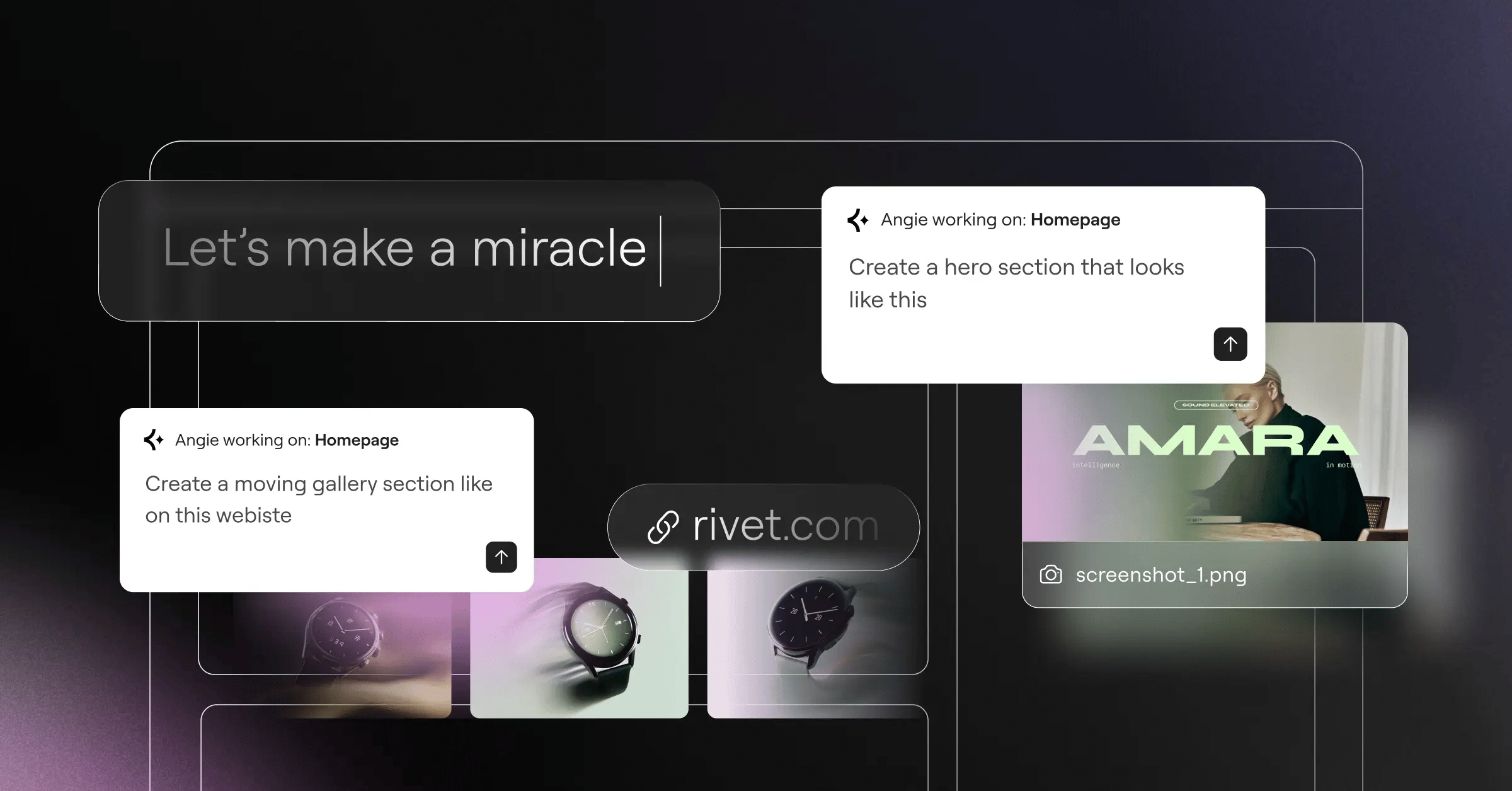
Most AI coding tools treat your website like a blank document. Angie works differently: it’s an agentic AI framework built specifically for WordPress that understands your site’s architecture.
Because it runs through the Model Context Protocol (MCP), Angie picks up your site context automatically, testing everything in a safe sandbox so you keep creative control from idea to production in minutes.
And yes, Angie is a completely free WordPress plugin. It pairs nicely with Elementor Editor Pro but doesn’t require it.
Angie represents a fundamental shift from text-generation to action-execution. By operating natively within the WordPress ecosystem, it bridges the gap between raw code and actual deployed features without breaking site architecture.
Itamar Haim, SEO Team Lead at Elementor. A digital strategist merging SEO, AEO/GEO, and web development.
Key Features
- Native WordPress Integration: Generates custom post types and taxonomies.
- Custom Elementor Widgets: Builds widgets from natural language prompts.
- Admin Snippets: Creates safe dashboard modifications.
- Front-End Code: Outputs clean JavaScript and CSS for your theme.
- Sandbox Execution: Lets you test apps and logic before going live.
Pricing Details
Angie is free, as a standalone plugin for the WordPress community.
Pros
- Built specifically for WordPress, not bolted on.
- Inherits site context automatically via MCP.
- Keeps your live site safe with sandbox testing.
- Generates real WordPress assets, not just text.
Cons
- Not much use outside WordPress.
- Helps to know WordPress asset structures already.
Verdict: If you build on WordPress, Angie is hard to beat, removing the friction of turning generic AI code into WordPress PHP and hooks.
2. Framer AI
Framer AI built its reputation on design-to-code fidelity that’s hard to match. Type a prompt, and it hands you a responsive layout with CSS grid and Framer Motion animation built in.
The real power shows up in localization: the AI adjusts your layout instantly for languages that need more text wrapping, saving hours of manual CSS tweaking.
Core Generation Workflow
- Write a descriptive text prompt for the desired layout.
- Select a primary color palette and typography scale.
- Let the AI generate the initial React components and CSS modules.
- Manually tweak the breakpoint logic in the visual canvas.
Pricing Summary
The Basic site plan runs $15/month, and the Pro plan is $30/month for advanced localization.
Pros
- Strong visual quality and smooth animation.
- Generates clean React code under the hood.
- Built-in localization adapts layouts to different languages.
- Strong typography and color theory applied automatically.
Cons
- Code isn’t easily exportable to HTML/CSS.
- Steeper learning curve for modifying layouts.
Verdict: Framer AI suits designers who value visual impact over backend control.
3. 10Web AI Website Builder
Speed decides user retention in 2026, so 10Web automates performance: feed it a URL or prompt, and it builds a replica with optimized DOM elements.
It guarantees a 90+ PageSpeed score automatically, handling lazy loading and caching without manual work.
Key Technical Features
- Automated PageSpeed Optimization: Minifies CSS and defers JavaScript instantly.
- URL Recreation: Rebuilds existing layouts with modern code.
- Integrated Hosting Setup: Configures servers to match the generated code.
- Image Compression: Converts assets to WebP automatically.
- Mobile-First Architecture: Prioritizes mobile rendering for faster load times.
Current Pricing
Plans typically start around $20/month, tied to their proprietary hosting.
Pros
- Strong performance metrics guaranteed at launch.
- Cuts down time needed for technical SEO.
- Gives migrations a solid starting point.
- Eliminates the need for third-party caching plugins.
Cons
- Design flexibility takes a hit for performance rules.
- Tightly coupled to their hosting infrastructure.
Verdict: Go with 10Web for near-perfect Lighthouse scores without weeks of manual optimizing.
4. Wix Studio
Agencies face scaling pressure solo developers rarely see. Wix Studio’s AI Responsive Assistant targets these high-volume teams: agencies using it built 50% more websites in 2026 than traditional methods.
The platform includes a collaborative IDE where AI helps with custom JavaScript through Velo, generating data connections and backend logic, not just layouts.
How Agencies Apply It
- Designers build the core desktop layout with visual blocks.
- The AI Responsive Assistant calculates fluid logic for tablet and mobile breakpoints.
- Developers open the IDE to generate custom API connections from prompts.
- The team deploys the site using built-in client handover tools.
Pricing Tier Structure
Studio plans start at $24/month, scaling up for dedicated agency resources.
Pros
- Speeds up multi-breakpoint responsive design.
- The IDE gives a solid environment for custom JavaScript.
- Excellent client management and handoff tools built in.
- Proven to boost agency output volume.
Cons
- Proprietary code ecosystem restricts external hosting options.
- Complex sites can slow down in the browser editor.
Verdict: Wix Studio suits agencies focused on high turnover, if you accept the lock-in.
5. CodeWP
Sometimes you don’t need a whole website, just one complex custom query that works, and CodeWP handles that.
CodeWP trained on WordPress hooks, filters, WooCommerce logic, and PHP, so it knows the difference between `get_posts()` and `WP_Query`.
Ask for a checkout validation rule, and it outputs secure, production-ready code that respects the WordPress database hierarchy.
Core Competencies
- PHP Generation: Writes backend logic for WordPress core.
- WooCommerce Logic: Modifies cart behaviors and checkout fields.
- Query Construction: Builds efficient queries that won’t crash your server.
- Security Formatting: Sanitizes inputs and escapes outputs automatically.
- Plugin Scaffolding: Generates boilerplate for custom plugins.
Subscription Costs
The Pro plan runs $28/month, while agencies pay $68/month for expanded model access.
Pros
- Accurate technical output for WordPress environments.
- Understands plugin ecosystems like Advanced Custom Fields.
- Saves hours of digging through developer documentation.
- Generates secure code that follows WordPress standards.
Cons
- Strictly a code assistant; no visual layouts.
- Requires real development knowledge to implement safely.
Verdict: CodeWP is a utility belt for backend WordPress developers who’d rather skip the boilerplate.
6. GitHub Copilot
If you build with custom JavaScript frameworks, GitHub Copilot is still the industry standard: 92% of US-based developers use AI tools like it.
It lives inside your IDE. Write a comment explaining the function you need, and it suggests the whole code block in real time, mimicking your repository’s patterns.
Technical Integration Points
- IDE Support: Works flawlessly in VS Code, Neovim, and JetBrains.
- Context Awareness: Reads your open files to understand project variables.
- Framework Agnostic: Handles React, Vue, Angular, and vanilla JS equally.
- Test Generation: Writes unit tests automatically for your functions.
- Refactoring: Suggests cleaner syntax for legacy code.
Pricing Structure
Individual subscriptions cost $10/month (or $100/year), easy to justify for freelancers.
Pros
- Fast, real-time code completion in the editor.
- Adapts to your coding style and naming conventions.
- Saves time on boilerplate tests and documentation.
- Affordable given how much you use it daily.
Cons
- Occasionally hallucinates methods that don’t exist in some libraries.
- No visual preview of the code it generates.
Verdict: Copilot isn’t a website builder, but it’s close to essential for custom application work.
7. Vercel v0
Frontend development has shifted toward component-driven architecture, and Vercel v0 generates functional React components straight from chat prompts, skipping the design-to-code translation phase.
Tell it you need a pricing table with a toggle switch, and it returns clean, copy-pasteable React code styled with Tailwind CSS and accessible Radix UI primitives.
Generation Process
- Type a descriptive prompt for a specific UI element.
- Review the three visual variations the AI generates.
- Select a variation and refine it with follow-up chat commands.
- Copy the React and Tailwind code directly into your project.
Credit System & Pricing
Vercel has a Free tier with 200 credits; the Pro tier is $20/user/month for unlimited generations.
Pros
- Produces clean, modern React syntax.
- Enforces strong accessibility standards via Radix UI.
- Visual previews happen alongside generation, in real time.
- Chat-based refinement makes tweaking layouts simple.
Cons
- Focuses only on isolated components, not entire architectures.
- Heavily reliant on the Tailwind CSS ecosystem.
Verdict: Vercel v0 is a great component generator for React developers who’d rather not write CSS from scratch.
8. Anima
The handoff between design teams and developers has been a friction point, and Anima converts Figma or Adobe XD designs into production code.
68% of web designers prefer AI wireframes, and Anima claims it can translate them 5x to 10x faster than manual slicing, reading design intent to create flexbox containers, responsive padding, and interactive states.
Core Translation Features
- Direct Figma Plugin: Exports code without leaving your design tool.
- Framework Options: Generates React, Vue, or standard HTML/CSS.
- Responsive Logic: Interprets Figma auto-layout into CSS flex/grid rules.
- Component Recognition: Converts design components into reusable code.
- Asset Optimization: Extracts and compresses graphics automatically.
Pricing Expectations
Pro plans start around $40/month per user, aimed at design teams.
Pros
- Cuts down time spent on design handoff.
- Maintains pixel-perfect fidelity from the original file.
- Correctly translates complex auto-layout structures.
- Outputs framework-specific code rather than generic HTML.
Cons
- Messy Figma files lead to heavier code.
- Often needs manual cleanup for complex interactive elements.
Verdict: Anima suits disciplined design teams that stick to auto-layout and component libraries.
9. Locofy.ai
Locofy shares DNA with Anima but leans harder into modular frontend architecture, aiming for code developers want to maintain.
The platform auto-tags layers, applying HTML tags and linking them to libraries like Material UI or Bootstrap, then syncs output to GitHub instead of zip files.
Workflow Integration
- Run the Locofy plugin on your completed design file.
- Let the AI auto-tag elements and suggest interactive states.
- Map specific design layers to your existing code components.
- Push the optimized code directly to a connected GitHub branch.
Pricing Approach
Locofy currently runs a generous freemium model, with enterprise pricing for advanced GitHub sync.
Pros
- Creates modular, maintainable component code.
- Direct GitHub integration smooths out the deployment pipeline.
- Auto-tagging saves hours of manual element classification.
- Supports many frontend frameworks and UI libraries.
Cons
- The interface can feel overwhelming given the options.
- Requires upfront time to map components correctly.
Verdict: Locofy needs more setup than alternatives, but rewards you with developer-friendly code.
10. Dora AI
Standard 2D grids don’t always cut it for creative portfolios or high-end product launches. Dora AI targets the immersive web with text-to-3D generation.
You prompt the engine, and it builds a WebGL environment with camera paths and 3D assets, handling the math of Three.js. A keyframe AI links scroll position to rotations and lighting shifts automatically.
Immersive Features
- Text-to-3D Generation: Creates base 3D models from simple prompts.
- Scroll-Driven Animation: Links scroll position to camera movement automatically.
- Lighting AI: Generates dynamic lighting rigs that react to user interaction.
- Asset Import: Allows custom .gltf or .obj file integration alongside AI models.
- Responsive 3D: Scales WebGL canvases cleanly across mobile breakpoints.
Market Position Pricing
Expect around $25/month for basic access, with higher tiers needed for custom domain publishing.
Pros
- Makes 3D web development accessible without learning Three.js.
- Generates visually striking, memorable user experiences.
- Handles the math of scroll-jacking and camera paths well.
- Gives creative agencies a real competitive edge.
Cons
- Niche; not suitable for corporate or e-commerce sites.
- Generated 3D scenes can cause performance issues on older mobile devices.
Verdict: Dora AI won’t build your blog, but it will turn heads on an animated landing page.
Evaluating Your AI Code Generation Strategy
Choosing the right tool depends on your daily tech stack. A React developer needs a different AI than a WordPress agency owner.
Industry data shows 45% of small businesses plan to rely on these generators by the end of 2026. If you’re building client sites, you need to match that demand for speed without giving up structural integrity.
Here’s a quick breakdown of how these platforms compare across the metrics that matter most.
| Platform Name | Primary Output | Target Workflow | Entry Price (2026) |
|---|---|---|---|
| Angie (Elementor) | WordPress Native (PHP/React) | WordPress Site Building | Free Plugin |
| Framer AI | React / CSS Grid | Design-First Prototyping | $15 / month |
| 10Web | Optimized HTML/CSS | Automated Performance | ~$20 / month |
| Wix Studio | Velo (JavaScript) | Agency Scaling | $24 / month |
| CodeWP | WordPress PHP/SQL | Backend Development | $28 / month |
| GitHub Copilot | Framework Agnostic | Custom Application Dev | $10 / month |
| Vercel v0 | React + Tailwind | Component Generation | $20 / month (Pro) |
| Anima | React / HTML / Vue | Design Handoff (Figma) | ~$40 / month |
| Locofy.ai | Modular Frameworks | Code Sync / Architecture | Freemium |
| Dora AI | WebGL / 3D Layouts | Immersive Experiences | ~$25 / month |
If your agency runs on WordPress, the path is clear: pair a tool like Angie with a foundation like Host Cloud, and your generated code runs efficiently on live servers instead of fighting WordPress themes.
Frequently Asked Questions
Can AI generated code rank well on Google?
Yes. Search engines care about page speed, valid markup, and user experience, not who wrote the code. Clean, semantic HTML, like 10Web’s 90+ PageSpeed guarantee, keeps your SEO intact.
Do I own the copyright to code generated by AI?
In 2026, legal consensus gives you ownership of the compiled product, if you’ve prompted and modified it substantially. But raw AI output alone can’t hold a copyright under US law.
Will these tools replace web developers?
No, they replace tedious boilerplate coding. You still need developers to oversee database architecture, manage API integrations, and make sure components fit safely into the system.
How does Angie differ from standard AI chat tools?
Standard tools hand you text to copy and paste. Angie connects to your WordPress backend via MCP, so it can execute the code, create post types, and apply widgets safely.
Is AI-generated CSS heavy?
It depends on the tool. Generic chatbots often write inline styles or redundant classes. Specialized tools like Vercel v0 use strict Tailwind utility classes to keep the bundle lightweight.
Can I use Elementor AI and Angie together?
Yes. Elementor AI is your creative assistant inside the editor for text and images, while Angie handles broader site tasks, plugins, and widgets.
What happens if the AI breaks my live site?
This is why you shouldn’t run raw AI scripts on production: use tools with a sandbox, like Angie, or test on staging first.
Do I still need to learn JavaScript in 2026?
Absolutely. You can’t debug what you don’t understand. When an AI hallucinates a syntax error in a React component, you need JavaScript knowledge to catch and fix it.
How secure is code generated by these platforms?
Tools trained on platform standards, like CodeWP, automatically include data sanitization and escaping. Generic tools need careful review to rule out SQL injection risks.
Can AI design an entire database structure?
Yes, advanced models can architect databases and hand you the SQL to build them. But they lack the business context to optimize those tables for long-term scaling needs.
Looking for fresh content?
By entering your email, you agree to receive Elementor emails, including marketing emails,
and agree to our Terms & Conditions and Privacy Policy.






