Table of Contents
The AI Revolution in Landing Page Design
Pages need to convert, fast. 47% of users expect load times under 2 seconds, and AI in marketing is set to hit $107.5 billion by 2028.
Companies that personalize landing pages with AI see a 30% higher conversion rate than static ones. Here’s what actually works.
Key Takeaways
- Native integration wins. Tools built into your CMS, like Angie for WordPress, beat standalone generators.
- Speed equals revenue. A 0.1-second speed gain yields an 8.4% jump in retail conversions.
- Conversion lifts are real. AI-powered traffic routing lifts conversion rates by an average of 30%.
- Mobile dominance matters. With 58.67% of traffic on mobile, AI responsive toggles are essential.
- Content efficiency adds up. Marketers see a 10x drop in time spent on landing page copy.
- High ceilings are real. The top 10% of landing pages hit 11.45% conversion rates.
1. Angie by Elementor: The WordPress-Native Agentic AI
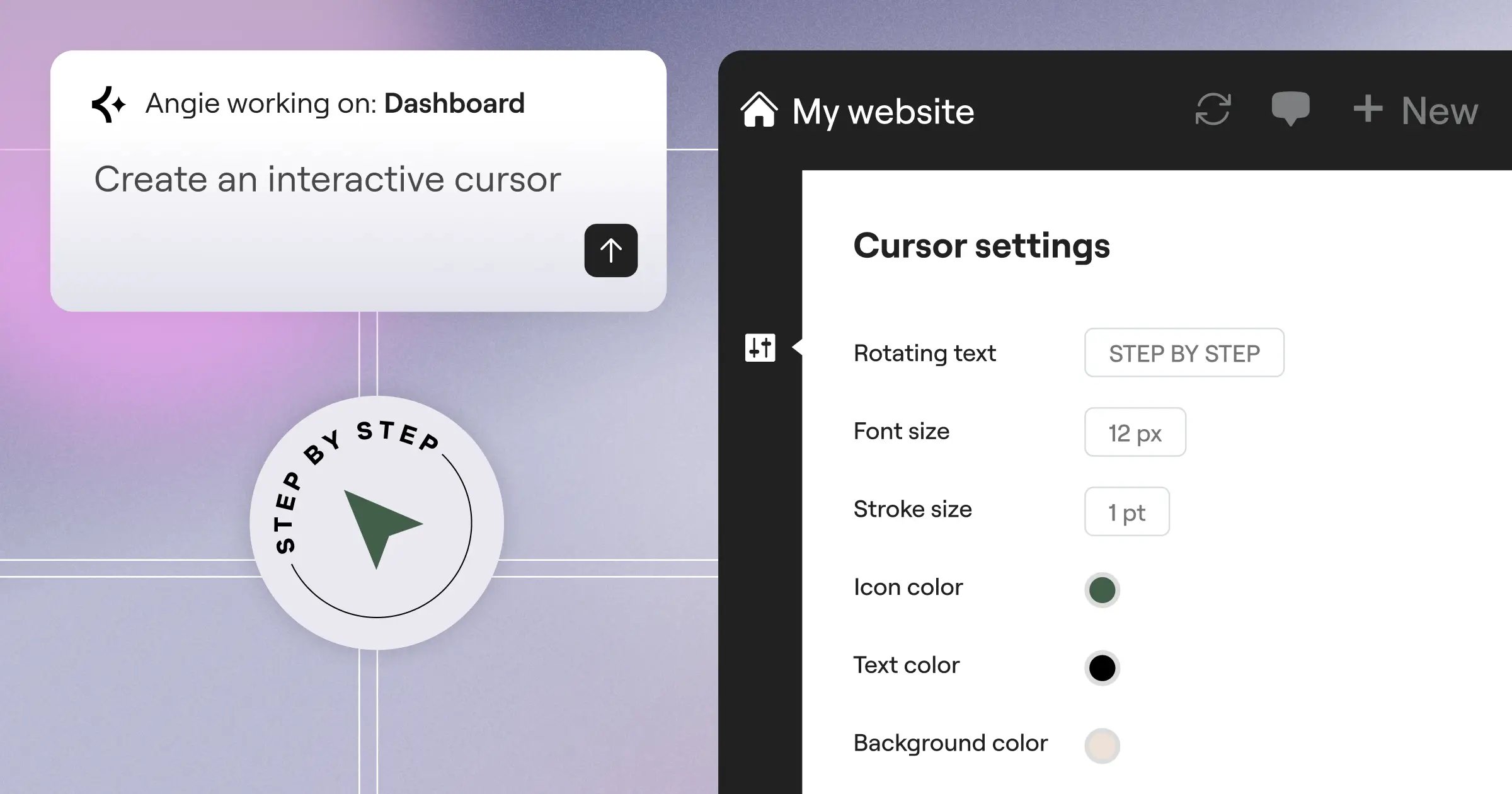
Standard AI generators hand you text and images, then stop. Angie by Elementor goes further, a free plugin that plans and executes real tasks via the Model Context Protocol (MCP), safely sandboxed first.
How the Angie Workflow Operates
- Prompt Processing. Describe the functionality you need in plain English.
- Context Gathering. Angie reads your WordPress environment via MCP.
- Sandbox Execution. Code is generated and tested in isolated staging.
- Production Approval. Review the working widget, then push it live.
Key Features
- Plans multi-step development tasks on its own.
- Runs natively inside WordPress architecture.
- Builds functional Elementor widgets from a text prompt.
- Creates custom backend interfaces and dashboard widgets.
- Tests every generation in a sandbox first.
- Turns prompts into interactive front-end tools.
Pricing
Angie is a free WordPress plugin within the Elementor ecosystem.
Pros
- Understands your site better than a generic assistant.
- Produces native WordPress assets, not static HTML.
- Cuts how many single-purpose plugins you need.
- Saves real time on custom feature development.
Cons
- Requires a WordPress installation to run.
- Advanced prompts need basic web logic knowledge.
Verdict
If you run WordPress, Angie is worth your attention, cutting development time while keeping you inside the platform you already know.
2. Elementor Editor Pro: The Gold Standard for WordPress Design
Elementor powers over 21 million websites, 13% of the global internet. Elementor Editor Pro unifies AI generation, design, and performance under one roof, with 100+ integrations so you own your data.
The AI Generation Hierarchy
- Container Layouts. AI generates section structures from your prompts.
- Asset Population. AI fills containers with text and images.
- Styling Refinement. AI applies CSS classes for responsive design.
Key Features
- Includes 118+ professional widgets for eCommerce and dynamic content.
- Suggests real-time design changes as an AI copilot.
- Controls headers, footers, and archive pages via Theme Builder.
- Compresses images automatically, cutting file size up to 60%.
- Bundles planning, building, and hosting into Elementor ONE.
Pricing
Essential starts at $60/year for one site. Advanced Solo runs $84/year. Elementor ONE is $168/year with 25,000 AI credits per month.
Pros
- Gives total ownership of your website code and content.
- Handles dynamic content for custom post types with real depth.
- Keeps adding new AI features as the platform grows.
- Backed by a huge community and third-party add-ons.
Cons
- The sheer feature count takes time to master.
- Needs separate hosting, unless you use Elementor Cloud.
Verdict
For creators who want precision without losing AI speed, Elementor Editor Pro remains a top choice built for scale.
3. Framer AI: Top Tier for Animation and High-Fidelity
Framer started as a UI prototyping tool and grew into a full AI site builder built around aesthetics, generating complete pages with their own palette, typography, layout, and animations from one prompt.
Key Features
- Creates structured layouts instantly from text.
- Shuffles complementary color palettes with one click.
- Applies complex motion design automatically.
- Converts Figma designs into functional web pages.
- Manages blog posts through a built-in CMS.
Pricing
The Mini plan runs $10/month for simple sites. Basic sits at $20/month with full CMS capabilities.
Pros
- Produces some of the most striking AI layouts around.
- Motion design capabilities that are hard to match.
- Publishes extremely fast once a design is ready.
- Works especially well for single-page SaaS pages.
Cons
- Platform lock-in limits flexibility if you move later.
- The interface takes getting used to if design tools are new.
Verdict
Framer bridges static mockups and live websites in style, a great fit for design-focused startups skipping a frontend developer.
4. Unbounce: The Heavyweight for Conversion Rate Optimization
Unbounce focuses entirely on Conversion Rate Optimization (CRO). Landing pages convert at just 2.35% on average, but the top 10% hit 11.45% or higher. Its Smart Traffic tool uses AI-powered, multi-armed bandit algorithms to route visitors to the best-converting variant.
AI in 2026 isn’t just about writing copy; it’s about structural intent. The tools that win are the ones that understand the underlying DOM and semantic relationships, not just visual layout.
Itamar Haim, SEO Team Lead at Elementor. A digital strategist merging SEO, AEO/GEO, and web development.
Unbounce reports Smart Traffic lifts conversion rates by an average of 30%, suggesting layouts from millions of industry data points.
Key Features
- Suggests data-backed layouts built for conversions.
- Routes visitors automatically with AI-powered Smart Traffic.
- Writes ad-tailored copy through Smart Copy.
- Matches page copy to a visitor’s search query.
- Captures exiting traffic with popups and sticky bars.
Pricing
Launch costs $99/month. Optimize, with full Smart Traffic, runs $190/month.
Pros
- Has a proven track record of driving revenue.
- Skips the long wait of traditional split testing.
- Integrates well with major CRM platforms.
- Builds templates around historical conversion data.
Cons
- Costs noticeably more than standard site builders.
- Design flexibility takes a back seat to conversion logic.
Verdict
If you spend thousands a month on paid ads, Unbounce pays for itself fast, a strong pick for ROI-focused marketers.
5. Wix Studio: Agency-Focused Rapid Scaling
Wix Studio is built for agencies moving fast across varied clients, sharing one workspace for live collaboration. Since 58.67% of traffic is mobile, its AI Responsive Toggle cascades desktop designs to mobile automatically, plus an AI Text and Image Creator for empty sections.
Key Features
- Adapts instantly across device breakpoints.
- Supports real-time multi-user editing and client commenting.
- Adds custom CSS control when the visual editor falls short.
- Saves sections and widgets as reusable assets.
- Bills clients directly from the Wix dashboard.
Pricing
Plans for professionals start at about $19/month for the Standard tier, including full AI design capabilities.
Pros
- Speeds up mobile optimization dramatically.
- Comes with strong client handoff tools built in.
- Feels intuitive even for junior designers.
- Handles hosting and security in one place.
Cons
- Exporting a site to another host isn’t supported.
- Performance can dip on complex page builds.
Verdict
Wix Studio is a genuine powerhouse for freelancers and small agencies churning out client sites quickly.
6. Webflow: Developer-Level Control Meets AI
Webflow exposes the actual CSS box model, so you’re writing visual code, not placing elements. Its AI Style Assistant turns plain language into the right CSS instantly, and automates SEO tasks like alt-text.
Key Features
- Configures complex CSS rules from plain-language prompts.
- Generates titles, descriptions, and alt-text for SEO.
- Gives direct control over HTML and CSS properties.
- Builds scroll animations without writing JavaScript.
- Structures a scalable CMS for dynamic content.
Pricing
Basic runs $14/month. The CMS plan, which you’ll want for a real site, is $23/month.
Pros
- Generates impressively clean, production-ready code.
- Gives full freedom over every pixel and interaction.
- Performs well right out of the box.
- Lets you export code and host anywhere.
Cons
- The learning curve is steep without basic HTML or CSS.
- Can feel like overkill for a simple one-page campaign.
Verdict
Webflow pairs AI speed with developer precision, the go-to for front-end teams that won’t compromise on code quality.
7. Instapage: Enterprise Personalization at Scale
73% of consumers expect companies to understand their unique needs, and Instapage answers with aggressive, AI-driven 1:1 personalization, building page variations matched to each visitor’s exact search term. Marketers report a 10x drop in copy creation time.
Key Features
- Rewrites copy instantly for specific audience segments.
- Syncs one edited section across thousands of pages.
- Connects specific Google Ads to page variants via AdMap.
- Tracks clicks, scrolls, and mouse movement with heatmaps.
- Runs on SOC 2 compliant infrastructure for enterprises.
Pricing
Build starts at $199/month, billed annually, plus custom enterprise pricing.
Pros
- Syncs incredibly well with major ad networks.
- Drives serious ROI for high-traffic sites.
- Makes managing hundreds of pages effortless.
- Backs enterprise accounts with dedicated support teams.
Cons
- The entry price puts it out of reach for small businesses.
- The visual editor looks less modern than newer tools.
Verdict
Instapage suits large marketing teams squeezing ROI from big ad budgets, not hobbyists.
8. Hostinger AI Builder: The Ultimate Budget Play
Sometimes you just need a working website for the cost of a cup of coffee, and Hostinger’s AI Website Builder owns that niche. For under competitive rates, you get hosting, a domain, and an AI builder finishing a site in under a minute.
Key Features
- Builds a full site from a brief description in one click.
- Bundles a logo maker and brand name generator.
- Generates automated meta tags and keyword suggestions.
- Shows where your traffic clicks via integrated heatmaps.
- Sells up to 500 products with zero transaction fees.
Pricing
The Premium plan costs an unbeatable competitive ratesnth. This includes a free domain name for the first year and professional email.
Pros
- Delivers a staggering price-to-value ratio.
- Needs zero technical knowledge to launch.
- Bundles hosting, domain, email, and builder together.
- Backs it with responsive support for a budget host.
Cons
- Design templates are fairly rigid and generic.
- Migrating to another host later isn’t possible.
Verdict
If you’re a side hustler or testing a business idea, start here. Hostinger clears away most of the barriers to getting online.
9. 10Web: Automated Site Cloning and Migration
Moving a site to a new platform is usually a nightmare. 10Web built an AI engine to fix it, excelling at automated WordPress migration without rebuilding from scratch.
The AI Cloning Process
- URL Input. Provide the web address of the page to copy.
- DOM Analysis. AI scans the site’s HTML, CSS, and structure.
- WordPress Generation. It rebuilds the layout with native Elementor widgets.
Once cloned, 10Web applies automated PageSpeed optimization. A 0.1-second speed gain can lift conversions 8.4%, guaranteeing a 90+ PageSpeed score.
Key Features
- Copies non-WP sites into WordPress with an AI Replicator.
- Runs deep, algorithmic performance optimization automatically.
- Generates native text inside the WP dashboard.
- Hosts your site on managed Google Cloud infrastructure.
- Backs up your site with real-time rollback.
Pricing
Starter is $10/month, including hosting for one site. Premium hits $15/month.
Pros
- Saves dozens of hours migrating from Wix or Squarespace.
- Handles speed optimization hands-off, and does it well.
- Leaves you with a customizable Elementor-based site.
- Works well for agencies porting legacy clients.
Cons
- AI cloning isn’t perfect, complex interactions need manual fixing.
- Support leans heavily on AI chatbots before a human.
Verdict
If you need to move an old site off a bad platform onto WordPress fast, this engine saves real headaches.
10. Durable: Instant Generation for Local Services
Durable promises a full website in 30 seconds, and it delivers, built for service businesses like plumbers and consultants who just need a contact form and a professional look. Tell it you’re a roofer in Chicago, and it writes local copy automatically.
Key Features
- Generates a working site in 30 seconds.
- Writes copy specific to your service area automatically.
- Manages leads from your contact forms with a built-in CRM.
- Sends bills and collects payments without extra software.
- Requests reviews from satisfied clients automatically.
Pricing
Starter is $12/month. Business, with premium support and unlimited invoices, is $20/month.
Pros
- Deploys lightning fast, concept to live URL.
- Makes managing a small business genuinely simple.
- Writes surprisingly accurate copy for local niches.
- Removes the need for separate invoicing software.
Cons
- Design constraints are tight, heavy layout changes aren’t possible.
- SEO capabilities stay fairly basic.
Verdict
Durable is a genuine shortcut for independent contractors, a storefront and operations software built in about the time it takes to brew coffee.
11. Site123: The Restrictive Guardrails Approach
Site123 takes the opposite approach from Webflow, using AI guardrails to stop bad design choices. It populates content by industry and leans mobile-first, so pages load fast everywhere. Click, swap, publish, done.
Key Features
- Prevents design errors with structured, pre-designed layouts.
- Fills your layout with industry-specific copy automatically.
- Guarantees clean mobile formatting through auto-responsive toggling.
- Connects to a massive stock photo library at no cost.
- Duplicates and translates pages for different markets.
Pricing
Site123 has a basic free tier. Premium, without branding and with custom domains, is $12.80/month.
Pros
- Makes it nearly impossible to end up with a broken page.
- Keeps the learning curve extremely gentle for beginners.
- Includes fast, reliable hosting out of the box.
- Handles multiple languages well for international targeting.
Cons
- Professional designers may find the restrictions limiting.
- Scaling or custom integrations stay fairly limited.
Verdict
If dragging and dropping gives you anxiety, Site123 walks you through the whole process, safe, simple, and effective.
The 2026 Final Comparison and Recommendation
Choosing the right platform comes down to your resources and technical comfort. Here’s how they stack up.
| Tool Name | Best For | Starting Price | AI Killer Feature |
|---|---|---|---|
| Angie by Elementor | Custom WP Development | Free Plugin | MCP Agentic Execution |
| Elementor Editor Pro | Total Design Control | $60/year | AI Copilot & V4 Output |
| Framer AI | High-End Aesthetics | $10/month | Automated Animations |
| Unbounce | Performance Marketers | $99/month | Smart Traffic Routing |
| Wix Studio | Agency Scaling | $19/month | AI Responsive Toggle |
| Webflow | Frontend Developers | $14/month | AI Style Assistant |
| Instapage | Enterprise Teams | $199/month | 1:1 Ad Personalization |
| Hostinger | Tight Budgets | competitive ratesnth | One-Click Generation |
| 10Web | Platform Migrations | $10/month | DOM URL Cloning |
| Durable | Local Services | $12/month | Location-Aware Copy |
| Site123 | Absolute Beginners | $12.80/month | Design Guardrails |
For most professionals in 2026, pairing Angie with Elementor Editor Pro delivers the strongest return, native WordPress assets plus Atomic V4 CSS control.
Frequently Asked Questions
Does AI-generated code negatively impact SEO?
It depends on the builder. Elementor Pro and Webflow generate clean, semantic HTML, while heavy absolute positioning elsewhere can hurt Core Web Vitals and rankings.
Can I export a site built with an AI generator?
Usually not. Wix, Squarespace, and Framer keep your site on their own hosting. For portability, use a WordPress-based tool like Elementor or 10Web instead.
What is the Model Context Protocol (MCP) in Angie?
MCP lets Angie securely read your WordPress database, theme files, and active plugins, so it understands your real site before generating code.
Is A/B testing dead now that AI routing exists?
Not dead, but evolving. AI routing, like Unbounce’s Smart Traffic, sends visitors to the best-converting page instantly, skipping the wait for statistical significance.
Do I need coding knowledge to use these platforms?
No. Hostinger and Durable need zero technical skill. But basic CSS knowledge helps you get more from Webflow or Elementor Pro.
Why is enterprise AI personalization so expensive?
Platforms like Instapage integrate with large CRM databases and parse real-time Google Ads data for 1:1 page matching, which takes serious computing power.
How accurate is AI text generation for niche industries?
It’s improving, but not perfect. In regulated fields like medical devices, review AI-generated copy manually for accuracy and compliance.
Looking for fresh content?
By entering your email, you agree to receive Elementor emails, including marketing emails,
and agree to our Terms & Conditions and Privacy Policy.






