Table of Contents
10 Best WordPress Solutions for Agencies in 2026
WordPress now powers 43.5% of all websites worldwide, and building client sites takes more than dropping a theme on a server. You need something fast, secure, and built for real traffic.
68% of agencies name workflow efficiency their top priority, and your toolkit shapes your margins. Spend 11 hours a week on routine updates, and you’re losing billable time.
Key Takeaways
- Market Dominance – WordPress holds 43.5% of the global market.
- Performance Baselines – Google wants LCP under 2.5 seconds.
- Mobile First – Mobile drives 58.67% of traffic. Responsive matters.
- Hosting Budgets – Managed hosting hits $10.2 billion this year.
- AI Integration – Agentic AI now handles much asset generation.
- Maintenance Reality – Dashboards save about 4 hours per site monthly.
1. Elementor Editor Pro: The Design Standard
Overview
Elementor now runs 9.6% of the internet. Elementor Editor Pro is why: a visual foundation that keeps code quality intact, with the new Atomic feature set rolling out this year.
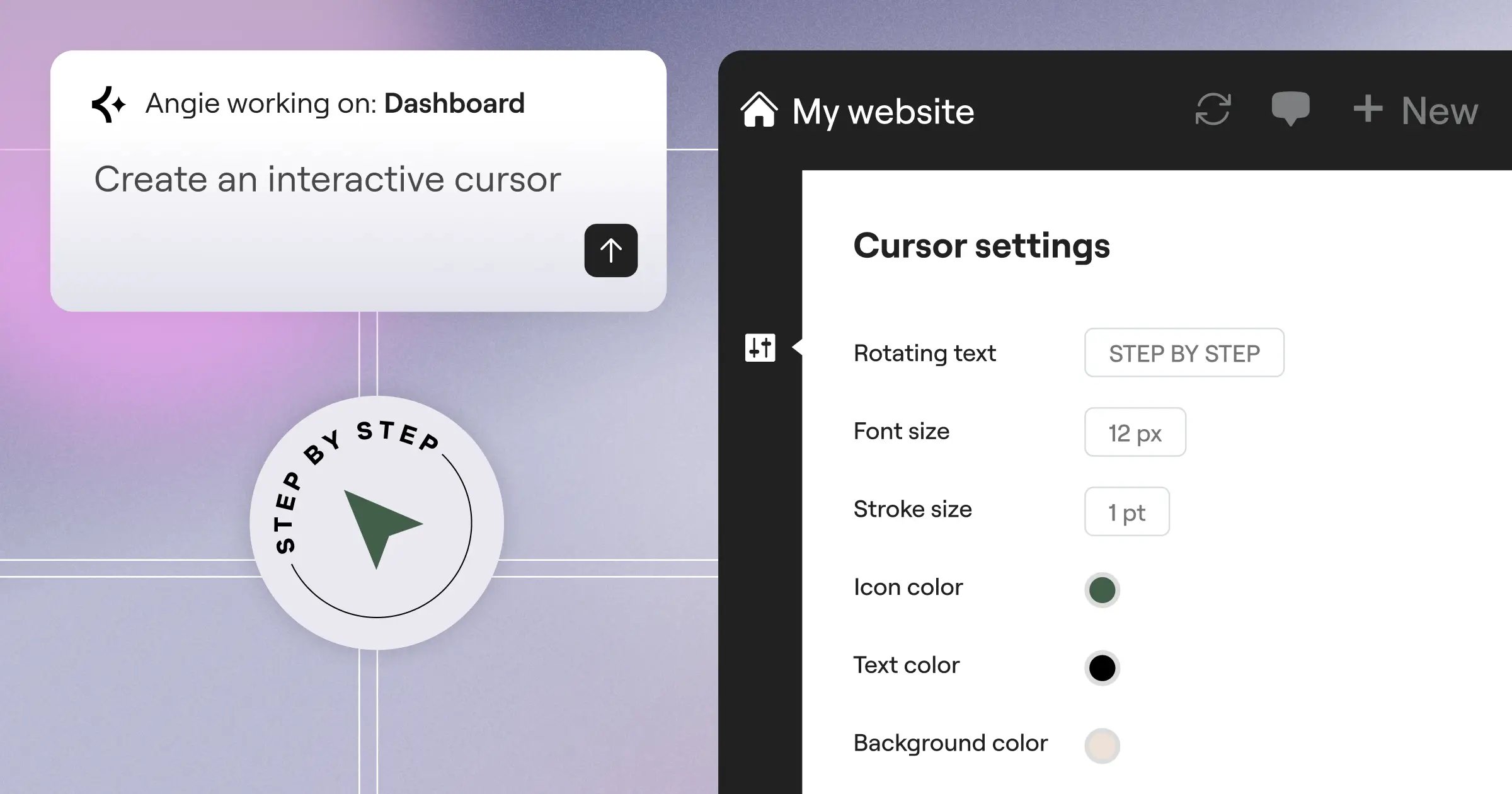
Agencies also lean on Angie, Elementor’s agentic AI, which builds production-ready site assets fast and trims hours off boilerplate work.
Key Features
- Builds headers and footers visually, no PHP.
- Generates Flexbox and Grid layouts instantly.
- Manages typography and color sitewide.
- Pulls custom fields into widgets directly.
- Customizes the WooCommerce cart and checkout.
Pricing
The Agency Plan runs $399/year for 1,000 client sites.
Pros
- Massive Templates – hundreds of ready kits.
- Design-to-Code Speed – prototype in-browser.
- Client Hand-off Ease – clients edit text safely.
- Constant Innovation – steady updates ship often.
- Extensive Add-ons – a deep third-party ecosystem.
Cons
- Learning Curve for Grid – takes a few weeks.
- DOM Size Management – careless nesting adds weight.
- Widget Overload – disable unused widgets for speed.
- License Management – track activations across rosters.
- Update Anxiety – test major releases on staging.
Verdict
A high-volume agency without a visual builder struggles in 2026. Elementor Editor Pro delivers the speed you need.
2. WP Engine: Premium Managed Hosting
Overview
Beautiful designs don’t matter if your server crawls. WP Engine treats hosting like enterprise software. Three signs you’re ready:
- Traffic spikes crash shared servers.
- Developers waste hours on manual staging.
- You need server-level security, not just plugins.
Their Agency Partner Program offers 0-cost entry, with free dev environments before billing clients.
Key Features
- Unlocks Genesis Framework themes free.
- Tests updates visually, rolls back breakage.
- Clones a live site to staging instantly.
- Transfers the hosting bill at launch.
- Tunes EverCache for heavy WooCommerce sites.
Pricing
Pricing scales with traffic. The Partner Program is free, plans start near $30/month.
Pros
- Exceptional Security – firewalls block threats first.
- Agency-Specific Support – 24/7 real engineers.
- Performance Benchmarks – load times often drop 40%.
- Free SSL and CDN – Cloudflare standard everywhere.
- Daily Automated Backups – client data stays safe.
Cons
- Higher Price Point – costs more than shared.
- Plugin Restrictions – some tools are banned.
- Traffic Limits – overage fees past the cap.
- Complex Dashboard – takes getting used to.
- Email Not Included – needs Workspace or Microsoft 365.
Verdict
Mission-critical client sites mean you can’t cut corners on the server. Premium hosting earns its keep.
3. ManageWP: Centralized Fleet Management
Overview
Picture 57 client sites, logging into 57 dashboards every Tuesday for plugin updates. One cloud dashboard turns that monthly grind into a one-click job.
Key Features
- Updates plugins and core across fifty sites.
- Generates white-labeled PDF reports monthly.
- Backs up before updates, restores on breakage.
- Monitors uptime, texts you if a site drops.
- Runs speed checks over time.
Pricing
The base dashboard is free. Premium add-ons run about $2/site/month.
Pros
- Massive Time Saver – about 4 hours saved monthly.
- Revenue Generator – reports justify your retainer.
- Granular Control – skip buggy plugin updates.
- Easy Onboarding – a new site in seconds.
- Vulnerability Updates – flags security flaws fast.
Cons
- Hosted Externally – data passes through their servers.
- Add-on Costs Add Up – $2 per feature.
- Occasional Sync Errors – the worker plugin disconnects.
- Interface Aging – the dashboard looks dated.
- Support Delays – free tickets take 24-48 hours.
Verdict
Skip a fleet tool and you’re doing freelance work, not running an agency.
4. Advanced Custom Fields (ACF) Pro: The Developer’s Choice
Overview
Standard posts and pages don’t cut it for custom data, like directories or real estate listings. About 75% of high-end developers install ACF Pro by default.
Key Features
- Builds modular layouts within your patterns.
- Lets clients add unlimited slides easily.
- Creates Gutenberg blocks with plain PHP.
- Sets up global options pages for footer text.
- Clones field groups across post types.
Pricing
The Agency license costs $249/year for unlimited activations.
Pros
- Total Architectural Control – you own the data.
- Lightweight Footprint – almost zero front-end overhead.
- Developer Friendly – thorough docs, quick snippets.
- Ecosystem Support – most builders support ACF natively.
- Client Proofing – expose only simple fields.
Cons
- Requires PHP Knowledge – needs template basics.
- No Native Styling – you build the display.
- Database Bloat – heavy repeaters grow meta tables.
- Steep Learning Curve – juniors mix up field groups.
- Block Building Complexities – needs careful JSON setup.
Verdict
ACF Pro bridges the gap between a simple blog and a real web application.
5. Rank Math SEO: AI-Driven Optimization
Overview
Keyword stuffing doesn’t work anymore. Rank Math reshuffled SEO a few years back: modular, fast, and packed with extras others charge for.
Modern SEO isn’t just about stuffing keywords into meta tags anymore. You’ve to build topical authority at scale, and AI-assisted tools are the only way agencies can maintain quality while handling fifty different client domains.
Itamar Haim, SEO Team Lead at Elementor. A digital strategist merging SEO, AEO/GEO, and web development.
Key Features
- Suggests keywords and word count targets.
- Applies JSON-LD schema in two clicks.
- Tracks Search Console data in one screen.
- Manages redirects and 404s natively.
- Targets local maps with business schema.
Pricing
The Business plan runs $209/year for 200 sites, with 125 Content AI credits.
Pros
- Incredible Value – replaces three separate tools.
- Modular Architecture – toggle off unneeded modules.
- Client Friendly UI – the wizard configures most.
- Deep Analytics Integration – rankings in the dashboard.
- Role Manager – clients optimize posts, not settings.
Cons
- AI Credit System – needs ongoing credit purchases.
- Overwhelming Options – one wrong toggle hurts visibility.
- Aggressive Notifications – notices until fully configured.
- Migration Hiccups – imports miss some meta descriptions.
- Support Paywall – priority tickets need top tiers.
Verdict
Rank Math leads technical optimization in 2026.
6. WP Rocket: Performance & Core Web Vitals
Overview
53% of mobile users abandon sites over 3 seconds, and Google wants LCP under 2.5 seconds. WP Rocket needs almost no setup.
The Three-Phase Setup
- Install the plugin and activate your license.
- Check minification and lazy loading.
- Watch your Lighthouse scores turn green.
Key Features
- Delays third-party scripts until users interact.
- Inlines the CSS needed above the fold.
- Clears old revisions and spam comments.
- Preloads the page a user clicks next.
- Primes the cache before visitors arrive.
Pricing
The Infinite license costs $299/year, unlimited websites.
Pros
- Instant Performance Gains – two seconds faster, fast.
- Idiot-Proof Interface – no CS degree needed.
- Exceptional Compatibility – plays well with builders.
- SaaS-like Updates – keeps pace with Google’s changes.
- Heartbeat Control – throttles the API, cuts CPU use.
Cons
- No Free Version – no lite version.
- Aggressive JS Delay – can break unexcluded elements.
- Renewal Costs – annual $299, lapse loses updates.
- Cloudflare Quirks – API setup needs token generation.
- Not a Silver Bullet – won’t fix a broken theme.
Verdict
It’s the fastest way to pass Core Web Vitals without hand-optimizing code.
7. Gravity Forms: Advanced Lead Generation
Overview
Basic contact plugins suit hobbyists, but a lead funnel needs reliability. Gravity Forms acts like a data routing engine, handling payments, registrations, and multi-page surveys with precision.
Key Features
- Shows or hides fields based on answers.
- Covers 30+ field types, text to uploads.
- Connects natively to Zapier, HubSpot, and Stripe.
- Creates WordPress accounts from front-end submissions.
- Lets users save multi-page forms via email.
Pricing
The Elite license runs $259/year, unlimited sites and add-ons.
Pros
- Bulletproof Reliability – submissions just work, always.
- Developer Hooks – PHP filters customize anything.
- Secure File Uploads – handles heavy files reliably.
- Spam Protection – reCAPTCHA and Akismet stop bots.
- Accessibility Compliant – proper ARIA tags built in.
Cons
- Dated Interface – old-school next to newer builders.
- Basic Styling – plain without custom CSS.
- Add-on Clutter – a separate plugin per integration.
- Entry Database Size – thousands of entries bloat storage.
- No Built-in Analytics – needs Google Tag Manager.
Verdict
If a client’s business relies on payments or complex data, Gravity Forms is the choice.
8. Kinsta: Scalable Infrastructure for Growth
Overview
Outgrowing standard hosting means moving to cloud infrastructure. Kinsta runs on the premium Google Cloud tier.
Client Fit:
- Local plumber – overkill, stick to standard hosting.
- National e-commerce brand – a fit, needs edge caching.
- High-traffic publisher – a perfect fit, needs autoscaling.
MyKinsta strips away server jargon, so you manage infrastructure visually.
Key Features
- Runs a custom dashboard, sleeker than cPanel.
- Hosts Node.js and Python on the same platform.
- Serves full pages from Cloudflare’s edge fast.
- Pinpoints which plugin or query slows the site.
- Optimizes MySQL databases automatically every week.
Pricing
The Agency 1 plan runs $340/month for 20 installs and 400,000 visits, white-labeled.
Pros
- Top-Tier Benchmarks – ranks high in performance tests.
- Developer Workflow – SSH, WP-CLI, and Git standard.
- Phenomenal Support – engineers answer in minutes.
- Staging Environments – push and pull, one click.
- Free Migrations – their team migrates sites free.
Cons
- Premium Pricing – excludes low-budget local clients.
- Strict PHP Worker Limits – heavy stores need upgrades.
- No Email Hosting – needs an external provider.
- Visit Caps – viral traffic triggers overage billing.
- Banned Plugins – some caching tools conflict.
Verdict
Kinsta suits agencies whose enterprise clients need uptime and speed above all.
9. MainWP: The Self-Hosted Alternative
Overview
Some agencies can’t put client data on third-party servers: law firms, medical practices, and government contracts often bar cloud-based tools.
MainWP is open-source and self-hosted: full control over data and security on your own server, no per-site fees, whether you manage 50 sites or 5,000.
Key Features
- Keeps data on your own private hosting.
- Installs or deletes plugins across hundreds of sites.
- Integrates with UpdraftPlus, Wordfence, and Rank Math.
- Hides admin notices from client access.
- Pushes a PHP snippet to fifty sites at once.
Pricing
The Pro version costs $29/month, or a lifetime runs $499.
Pros
- No Per-Site Fees – costs stay flat as you scale.
- Total Environment Control – your firewall, your rules.
- Open Source Flexibility – build custom extensions freely.
- White-Labeling – rebrand the worker plugin fully.
- One-Time Payment Option – $499 pays off fast.
Cons
- Maintenance Overhead – you secure the dashboard yourself.
- Server Resources – 500 sites need decent hosting.
- Complex Setup – expect an afternoon to configure.
- UI Clutter – the dashboard feels data-heavy.
- Self-Support – blocked connections mean debugging logs yourself.
Verdict
200 sites on a SaaS platform cost about $400/month, versus $0 with MainWP after the lifetime buy.
10. Flywheel: The Creative Agency Specialist
Overview
Creative agencies move fast on tight timelines. Flywheel built its hosting around that rhythm.
The Ideal Workflow:
- Spin up a local environment with Local.
- Design the site using your usual plugin blueprint.
- Push to a live staging link with one click.
Pair its rapid cloning with Angie, which builds production-ready WordPress assets from your prompts, for a prototype in minutes.
Key Features
- Saves a blueprint of your usual plugin stack.
- Connects Local, the popular dev tool, to live servers.
- Adds collaborators without sharing master passwords.
- Transfers the final hosting bill by secure link.
- Keeps 30 days of nightly backups off-site.
Pricing
Agency plans start around $242/month, covering 30 sites.
Pros
- Beautiful UI – the most intuitive hosting dashboard.
- Staging Simplicity – local to live is smooth.
- Client Friendly – billing transfer skips awkward conversations.
- Free Malware Removal – hacked sites cleaned free.
- Optimized for Creatives – built around designer workflows.
Cons
- Strict WordPress Only – no Laravel or static sites.
- Pricing Tiers – the Agency jump is steep.
- No SSH on Lower Tiers – restrictive for developers.
- Plugin Restrictions – like parent WP Engine, some banned.
- Support Hours – phone support isn’t always 24/7.
Verdict
Flywheel bridges design and server architecture better than most when presentation and smooth hand-offs matter.
Comparison Summary: 2026 Agency Solutions
| Solution | Primary Agency Use Case | Starting Price | Learning Curve |
|---|---|---|---|
| Elementor Editor Pro | Visual design and deployment | $399/year (1,000 sites) | Moderate |
| WP Engine | Enterprise managed hosting | Custom (Free partner entry) | Low |
| ManageWP | SaaS fleet maintenance | Free ($2/site add-ons) | Low |
| ACF Pro | Custom data architecture | $249/year (Unlimited sites) | High |
| Rank Math SEO | Technical and AI-driven SEO | $209/year (200 sites) | Moderate |
| WP Rocket | Core Web Vitals optimization | $299/year (Unlimited sites) | Low |
| Gravity Forms | Complex lead generation data | $259/year (Unlimited sites) | Moderate |
| Kinsta | High-traffic cloud infrastructure | $340/month (20 sites) | Moderate |
| MainWP | Self-hosted fleet management | $29/month or $499 lifetime | High |
| Flywheel | Creative staging workflows | $242/month (30 sites) | Low |
Final Recommendation: Building Your 2026 Stack
Don’t buy all ten tools blindly. Build a stack that speeds up your workflow.
- Lock In Hosting First – Flywheel for design work, Kinsta for e-commerce.
- Standardize the Build – Elementor Editor Pro with ACF Pro for structured data.
- Automate Maintenance – MainWP or ManageWP free up billable hours.
Pick your stack, master it, and scale.
Frequently Asked Questions
What is the best hosting strategy for a brand new agency?
Skip dedicated servers until you’ve got a client base. Start with a managed host like WP Engine or Flywheel, and use their free staging servers.
How do you handle WordPress maintenance profitably?
Use a centralized management dashboard. ManageWP updates plugins across fifty sites in one click, so a $100/month retainer covers about four minutes of real work.
Are visual page builders bad for SEO performance?
Not always. Early builders generated heavy code, but Elementor now outputs clean CSS Grid and Flexbox layouts. Pair it with WP Rocket, and Core Web Vitals pass easily.
How much should an agency budget for WordPress premium plugins?
A mature agency stack usually runs $1,500 to $3,000 a year, covering your builder, SEO tool, forms engine, and performance plugin. Agency-tier licenses protect your margins.
What exactly is agentic AI in the context of WordPress?
Unlike basic chat AI that just outputs text, agentic AI takes action. Tools like Angie build real assets and configure settings from your prompts, a real time-saver for prototyping.
Should clients have full administrator access to their site?
No. Clients break things. Give them Editor access instead, so they can publish and edit text without deleting plugins or changing themes.
Is cheap shared hosting ever acceptable for client sites?
Only for static brochure sites with almost no traffic. If a client’s site drives income or sales, they need managed hosting, not a cut-rate shared server.
How do you handle software licensing when a client leaves the agency?
Remove your agency license keys during off-boarding, and state in contracts that licenses tie to active maintenance. Departing clients need their own licenses for updates.
Looking for fresh content?
By entering your email, you agree to receive Elementor emails, including marketing emails,
and agree to our Terms & Conditions and Privacy Policy.






