Table of Contents
The Shift from Static Builders to Autonomous Assistants
Building a WordPress page a year ago mostly meant dragging and dropping blocks by hand. Now, in 2026, you’re directing autonomous agents that plan, write, code, and push complex functionality straight into your server environment.
WordPress now powers 43.5% of all websites globally, the biggest testing ground for agentic software around. These tools don’t just spit out text. They understand your database structure, rewrite PHP queries, and spin up custom widgets on command.
Key Takeaways
- Agentic AI frameworks replace basic chatbots by taking direct, autonomous action within your WordPress database.
- Expect a massive 25.4% annual growth in development automation tools through 2030.
- 76.6% of professional developers now rely on autonomous coding assistants for daily tasks.
- You’ll want a tool with deep context-awareness so it doesn’t break your site’s underlying structure.
- Top-tier builders consistently maintain 99.9% uptime for their cloud-based processing engines.
- Modern tools output native WordPress assets rather than generic HTML snippets.
Understanding the AI Agent Era in WordPress
We’ve moved past the novelty phase of generative text. The real value now sits in execution. An AI agent has agency: it can reason, plan actions, and carry them out inside a specific environment.
For WordPress, that means the agent needs real context: your theme, plugins, and server limits. Ask it to build a pricing table, and it should use your site’s global color variables and typography settings, not spit out generic CSS.
The transition from generative AI to agentic AI changes everything. We aren’t just asking AI to write text anymore; we’re giving it the keys to the WordPress database and asking it to build functional, interactive web applications.
Itamar Haim, SEO Team Lead at Elementor. A digital strategist merging SEO, AEO/GEO, and web development.
This is why generic coding assistants often struggle in a WordPress context: they lack the environmental awareness to build stable, production-ready assets. The tools winning in 2026 are built for the platform.
1. Angie by Elementor: The Native WordPress Agent Framework
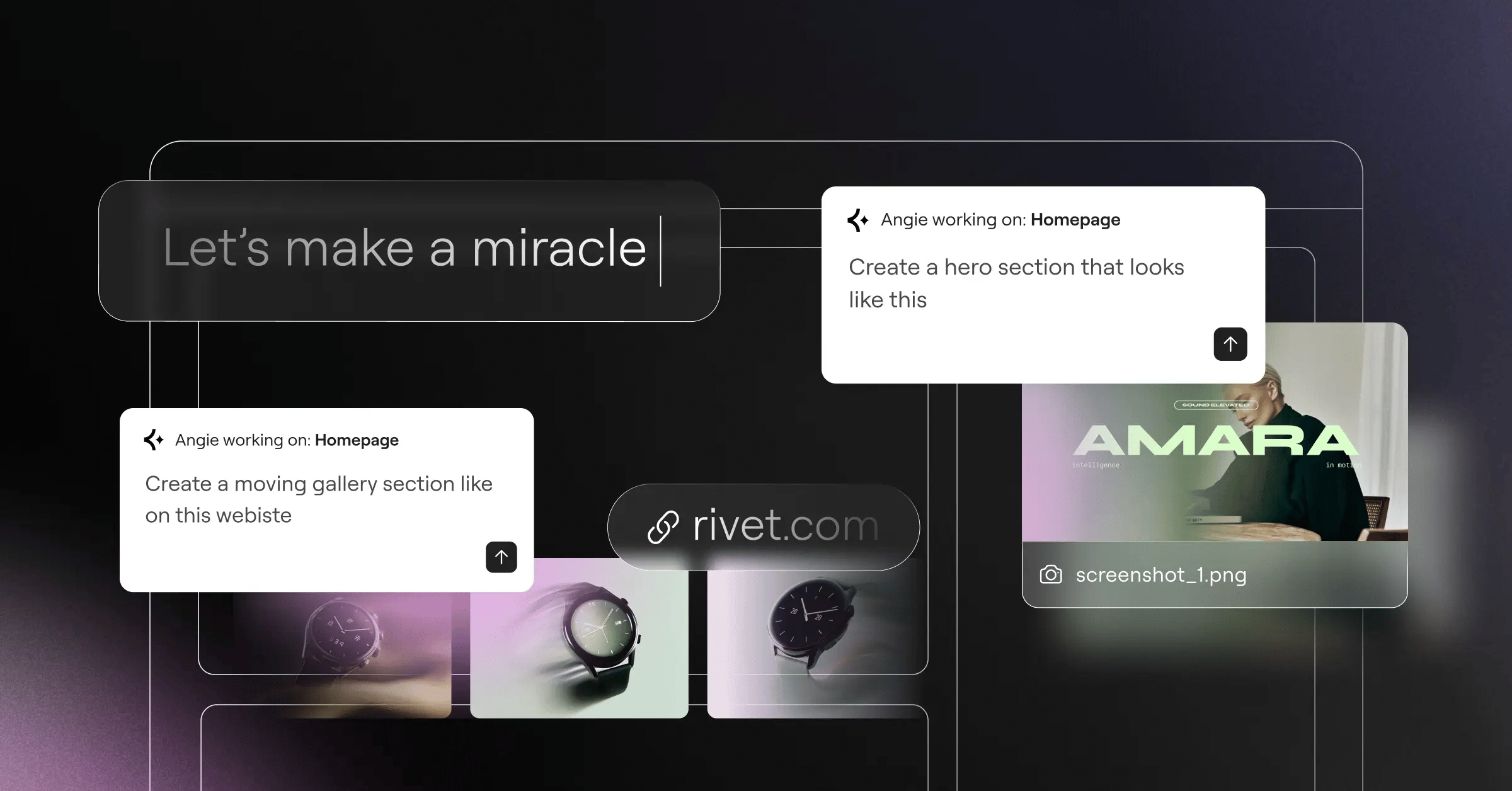
Angie by Elementor is a fully agentic framework, using the Model Context Protocol (MCP) to plan and carry out tasks across your WordPress site while picking up your site’s context automatically. Type a prompt like “create a custom post type for real estate listings with price and square footage,” and Angie maps the logic, builds the PHP, and outputs the frontend assets.
Key Features:
- Builds custom, fully styled Elementor widgets.
- Adjusts admin behavior without child-theme edits.
- Creates interactive calculators and directories on the frontend.
- Tests generated code in a safe sandbox first.
- Works alongside Gutenberg and other builders.
Pricing: Angie is currently a FREE WordPress plugin in the repository.
Pros:
- Built specifically for the WordPress architecture.
- Takes projects from idea to production in minutes.
- Gives you full creative control over output.
- Picks up site context automatically.
Cons:
- Needs a modern hosting environment for heavier tasks.
- Its depth can feel like a lot for beginners.
Verdict: The most capable autonomous agent available for functional, dynamic WordPress sites.
2. CodeWP: The Developer’s Autonomous Assistant
When you’re deep into custom plugin development, visual builders won’t cut it. CodeWP is a specialized assistant trained on the WordPress codebase, understanding how popular plugins relate to each other. Need a complex WooCommerce discount logic script? This agent writes it cleanly, accounting for current deprecations and modern PHP standards.
Key Features:
- Understands Advanced Custom Fields (ACF) and Meta Box.
- Turns chat into working code with syntax highlighting.
- Scans custom snippets for errors and vulnerabilities.
- Rewrites slow SQL queries for better performance.
Pricing: The Pro tier costs $28/month; the Agency tier runs $68/month.
Pros:
- Very high accuracy for platform-specific code.
- Cuts development time by up to 70%.
- Stays current with WordPress core changes.
Cons:
- Steep learning curve without PHP familiarity.
- Costs more per month than standard plugins.
Verdict: A genuine must-have for developers and agencies writing custom logic.
3. 10Web: The Full-Stack Automation Agent
Sometimes you just want the whole site done instantly. 10Web offers full-stack automation from the initial build to server-side optimization. Its standout feature, the AI Website Recreator, lets you paste in a URL so the agent rebuilds that layout natively inside WordPress. It isn’t perfect, but it cuts down blank-canvas time considerably.
Steps to Launch with 10Web:
- Enter your business details and style preferences in the wizard.
- Let the agent generate the site structure, copy, and placeholder images.
- Use the drag-and-drop editor to refine the layout.
- Publish to their optimized Google Cloud hosting.
Pricing: The AI Starter plan begins at $10/month, up to $30/month for agencies.
Pros:
- Combines generation, hosting, and optimization in one dashboard.
- Delivers strong automated PageSpeed optimization out of the box.
- Removes the need for separate caching plugins.
Cons:
- Tied to their hosting ecosystem for full value.
- Less flexible than standalone design tools.
Verdict: Ideal for owners who want a fast, high-performance site without managing technical details.
4. ZipWP: The Rapid Prototyping Agent
Speed matters when you’re pitching clients. ZipWP focuses on getting a working prototype live fast, claiming it can build a complete website in under 60 seconds. And it works: describe your niche, and the agent installs WordPress, configures a theme, writes coherent copy, and pulls in stock imagery.
Steps to Prototype with ZipWP:
- Type a one-sentence description of the business.
- Pick a color palette and typography pairing.
- Wait about a minute for the build sequence.
- Export the finished site to your preferred host.
Pricing: A free tier exists for testing, with Pro plans for advanced exports.
Pros:
- Fastest deployment engine on the market.
- Great for live client demos during meetings.
- Handles basic plugin configuration automatically.
Cons:
- Limited layout customization during initial generation.
- Designs tend to follow standard templates.
Verdict: The clear choice for agencies turning around rapid visual prototypes.
5. Elementor AI: The Gold Standard for Visual Co-Pilots
If you want AI help without leaving your main canvas, Elementor Editor Pro offers the tightest fit. Elementor AI is a co-pilot inside your widget panel that understands your page’s structure: ask for a CSS animation on a button, and it applies the code to that element’s custom CSS panel.
Key Features:
- Builds full sections matching your existing design system.
- Expands, edits, and generates images in the editor.
- Translates page structures across 25+ languages instantly.
- Writes and embeds complex HTML on the fly.
Pricing: Subscriptions range from competitive rates for the Starter tier to $8.25/month for Power.
Pros:
- Deeply built into the leading WordPress design environment.
- Keeps your global design system rules automatically.
- Removes the need for translation plugins.
Cons:
- Needs an active Elementor Pro license for full potential.
- Credit-based usage needs monitoring for high-volume agencies.
Verdict: The top pick for designers who want integrated, context-aware generation.
6. Divi AI: The Creative Design Partner
Elegant Themes took a narrower approach. Divi AI sits inside the Divi Builder, focusing on visual harmony, looking at your placed modules and suggesting layouts that complement them. Its real draw is pricing: instead of charging per token, Divi went with a flat fee, giving you room to iterate freely.
Key Features:
- Reads your existing content to match brand voice.
- Upscales and adjusts images in module settings.
- Generates new sections based on your aesthetic.
- Writes specific CSS for Divi’s module architecture.
Pricing: Available as an add-on for $18/month (or $172/year) for unlimited usage.
Pros:
- Unlimited generation removes prompt anxiety.
- Understands the proprietary Divi module structure well.
- Strong interface for adjusting generated imagery.
Cons:
- Works only within the Divi ecosystem.
- Code generation trails dedicated developer tools.
Verdict: A strong value if your agency already standardizes on Divi.
7. AI Engine by Meow Apps: The Custom Agent Builder
Sometimes an off-the-shelf tool doesn’t fit, and you’d rather build your own. AI Engine is a flexible plugin for custom chatbots and internal assistants. Connect your own API keys for direct control over cost: hook it up to GPT-4o (about $5.00 per 1 million input tokens) or switch to Anthropic’s Claude instead.
Steps to Build a Custom Agent:
- Install the plugin and add your chosen LLM API keys.
- Define the agent’s personality and system instructions.
- Choose which WordPress data the agent can access.
- Embed the chatbot on your frontend via shortcode.
Pricing: The core version is free; Pro features start at roughly $49/year.
Pros:
- High flexibility for creating bespoke tools.
- You only pay raw API costs to providers.
- Includes a solid AI Playground for testing prompts.
Cons:
- You manage API limits and technical setup.
- Backend interface is technical, built for developers.
Verdict: The best playground for power users who want full architectural control.
8. Bertha.ai: The Marketing & Content Agent
Bertha.ai focuses on marketing copy meant to sell, plugging into your post editor and page builders. Trained on conversion copywriting frameworks, it helps you capture the up to 15% conversion lift studies show from AI-driven personalization, keeping a consistent brand voice across hundreds of product pages.
Key Features:
- Bulk-generates SEO-optimized product descriptions for WooCommerce.
- Learns your specific tone and applies it consistently.
- Writes compelling title tags and meta descriptions.
- Creates blog post thumbnails from your article text.
Pricing: Offers both monthly subscription models and lifetime deal options.
Pros:
- Strong focus on e-commerce conversion metrics.
- Works reliably across Gutenberg, Elementor, and Divi.
- Saves real time on tedious WooCommerce data entry.
Cons:
- Interface is less modern than newer native tools.
- Doesn’t offer the structural building depth of tools like Angie.
Verdict: The top choice for content marketers managing large e-commerce catalogs.
9. Hostinger AI Builder: The Budget-Friendly Entry
The Hostinger AI Builder strips away complexity with a simplified experience tied to their hosting platform. Hostinger reports a 50% reduction in site setup time for non-technical users: it asks a few questions, generates a layout, and gives you a drag-and-drop interface for tweaks.
Key Features:
- Simplifies the editing interface for quick adjustments.
- Predicts where users will click through built-in heatmaps.
- Handles basic site descriptions and sitemaps automatically.
- Creates basic branding assets from scratch.
Pricing: Starts at competitive rates, which includes the managed cloud hosting.
Pros:
- Lowest barrier to entry of any tool on this list.
- Forgiving interface designed for absolute beginners.
- Consolidates your billing into one monthly payment.
Cons:
- Lacks the advanced dynamic data capabilities professional developers require.
- Hard to migrate the specific builder formats to other hosts.
Verdict: A good fit for micro-businesses and freelancers launching their first site.
10. Tidio Lyro: The Customer Service Agent
Tidio Lyro is an autonomous support agent acting like a 24/7 team member. Point it at your FAQ pages and product docs, and it handles incoming chats naturally. Over 60% of small business owners believe automated agents will change their customer relationships this year.
Key Features:
- Ingests your existing URLs to build its knowledge base.
- Understands typos and a range of customer intents.
- Routes complex issues to real support staff instantly.
- Integrates with WooCommerce for shipping updates.
Pricing: Offers a limited free tier; the dedicated Lyro AI plans start at roughly $39/month.
Pros:
- Cuts basic support ticket volume within days of installation.
- Easy setup through their dedicated WordPress plugin.
- Improves satisfaction with instant, accurate answers.
Cons:
- Handles customer support only, no site-building features.
- High-traffic sites burn through included chat quotas quickly.
Verdict: The go-to tool for automating customer interactions and boosting retention.
11. Uncanny Automator: The Workflow Agent
Your plugins need to talk to each other to build a genuinely smart site. Uncanny Automator ties external AI agents to WordPress actions instead of building visuals itself. Over 15% of the top 1,000 WordPress plugins now feature some AI, and Automator connects them: set a rule like “when a user submits a form, send the text to OpenAI for sentiment analysis, then update the CRM profile.”
Key Features:
- Maps complex logic sequences through a visual, no-code builder.
- Connects hundreds of plugins to OpenAI, Claude, and Zapier.
- Runs AI tasks automatically based on user behavior.
- Times your automated responses with delay and schedule options.
Pricing: A highly capable free version exists; Pro licenses start at $149/year.
Pros:
- Essential for creating invisible, background AI processes.
- Replaces pricier external tools like Zapier for internal logic.
- A reliable execution engine that rarely fails.
Cons:
- Requires a solid grasp of logic flows to use well.
- A connector tool; it doesn’t generate content on its own.
Verdict: The necessary glue for anyone building complex, automated business logic.
Comparison Summary: 2026 AI Agent Builders
Choosing the right tool depends on your daily workflows. Here’s how the top contenders stack up.
| Tool Name | Primary Focus | Starting Price | Target Audience |
|---|---|---|---|
| Angie by Elementor | Agentic Framework / Code | Free | Professionals / Devs |
| CodeWP | Custom PHP / Snippets | $28/mo | Plugin Developers |
| 10Web | Full Site Generation | $10/mo | Business Owners |
| ZipWP | Rapid Prototyping | Free Tier | Agencies |
| Elementor AI | Visual Co-Pilot | competitive rates | Web Designers |
| Divi AI | Design / Layouts | $18/mo | Divi Users |
| AI Engine | Custom Chatbots | Free (API costs) | Power Users |
| Bertha.ai | Marketing Copy | Varies | E-commerce |
| Hostinger AI | Simple Site Building | competitive rates | Beginners |
| Tidio Lyro | Customer Support | $39/mo | Store Owners |
| Uncanny Automator | Workflow Logic | $149/yr | Site Administrators |
Final Recommendation: Which AI Agent Should You Choose?
Your role decides which tool pays off most. Managing complex client builds that need real structural depth? You can’t skip Angie by Elementor, since it changes how you approach custom post types and widget creation.
If you spend your days refining layouts, pair AI Site Planner with Elementor AI for context-aware generation without leaving your main canvas.
Running an agency focused on volume? Deploy ZipWP for prototypes that beat manual setup for speed. And if running an e-commerce store is your job, bring in Tidio Lyro to handle the daily weight of customer questions.
Frequently Asked Questions
Will AI agents eventually replace WordPress developers?
They won’t replace developers. They’ll replace developers who refuse to adapt. These agents handle boilerplate code and basic setups, freeing you to focus on complex architecture and business logic unique to your site.
How secure is code generated by an AI agent?
Top-tier tools like Angie run generated code through a safe sandbox before it goes live. But you should still review AI-generated PHP by hand, since LLMs can occasionally introduce logical bugs.
Do I need to know how to code to use these builders?
You don’t need coding skills for visual tools like 10Web or Elementor AI. But an advanced agent like CodeWP, rewriting database queries, calls for a basic grasp of PHP.
Can AI agents impact my site’s SEO performance?
Yes, usually for the better. Agents can bulk-optimize meta descriptions, generate clean semantic HTML, and keep your site loading faster through automated tuning.
What’s the difference between generative AI and agentic AI?
Generative AI creates text or images from a prompt. Agentic AI takes real action, working through steps to solve a problem directly inside your server environment.
Will using an AI builder lock me into a specific hosting provider?
It depends on the tool. Hostinger and 10Web tie their generation tools to their own hosting, while standalone plugins like Angie or AI Engine run on any modern server.
How much do API costs usually run for custom agent builds?
If you’re using an API-driven tool like AI Engine with GPT-4o, expect around $5.00 per 1 million input tokens, just a few dollars a month for most small sites.
Looking for fresh content?
By entering your email, you agree to receive Elementor emails, including marketing emails,
and agree to our Terms & Conditions and Privacy Policy.

