
Keeping your WordPress site compliant with privacy laws doesn’t have to be a headache. You’ve probably noticed plenty of tools competing for your attention. The real question is whether to use a platform outside your site, or one built right into your WordPress dashboard. Let’s walk through it together so you can pick the right fit.
Key Takeaways
- Native dashboard integration saves time by cutting out extra logins and browser tabs.
- Google Consent Mode v2 support matters for sites using Google ad and analytics tools in the European Economic Area.
- Geo-targeting capabilities let you show banners only where local laws actually require them, keeping things clean everywhere else.
- Direct design control helps you match your consent banner to your site’s look without touching a line of code.
The Changing Rules of Website Compliance
The rules of the web move fast, and privacy is one of the most important things a site owner needs to get right. Regulations like the GDPR in Europe and the CCPA in the US require clear, informed consent before you load tracking scripts. And with browsers phasing out third-party cookies, a reliable way to record consent isn’t optional anymore. It’s just part of running a site in 2026.
Elementor’s native compliance feature is called Cookie Consent. It runs directly inside your WordPress dashboard for a smooth way to handle regulatory requirements. Termly, on the other hand, operates as an external SaaS portal. Both have real merit, but the best fit depends on where you’d rather spend your time.
For WordPress users, it often comes down to convenience. Log into an external cloud service every time you tweak a setting, or keep your tools right next to your pages? Build your site with Elementor, and one workspace genuinely simplifies your day.

Termly vs Cookie Consent: At a Glance
Here’s how the core capabilities of Termly and Cookie Consent stack up side by side.
| Feature | Termly | Cookie Consent |
|---|---|---|
| Integration Type | External cloud dashboard (SaaS) | WordPress-native dashboard integration |
| Setup Time | About 15 to 20 minutes | Under 5 minutes (3-step setup) |
| Google Consent Mode v2 | Supported on select plans | Supported natively out of the box |
| Geo-Targeting | Available on paid tiers | Included in standard capabilities |
| Design Customization | Controlled via Termly portal | Direct custom design controls |
| Consent Logs | Stored on external cloud | Stored directly on your site dashboard |
A Detailed Look: Termly vs Cookie Consent
Cookie Consent is built specifically for WordPress, so there are no external accounts to create and no third-party platforms to link. You manage your cookie scans, banner design, and compliance logs from the same dashboard you already use every day, end-to-end ownership that keeps your workflow lean.
Termly works as a broader, multi-platform hub, built for custom HTML sites, Shopify, and Wix as well as WordPress. That’s useful if you manage sites across several platforms, but it means pasting code snippets into your site and handling billing through their portal, extra overhead that adds up.
Design plays out differently too. Because Cookie Consent fits naturally within the Elementor ecosystem, you get full creative freedom over your banner’s look: colors, fonts, layout, all of it. It ends up feeling like part of your site, not something pasted on top. Termly offers customization too, but inside their cloud portal first.
“Managing compliance directly within your native dashboard reduces setup friction and helps prevent script-blocking errors that often happen when linking external platforms.”
– Itamar Haim, Web Compliance Specialist
10 Best Cookie Consent Tools for WordPress in 2026
Here’s a look at the top 10 cookie consent tools available now, covering both native WordPress solutions and external cloud platforms, so you can find what fits your situation.
1. Cookie Consent
The native Cookie Consent capability brings compliance management right into your WordPress dashboard. No external platforms, just a clean workflow: configure your banner, scan your site, and review your logs in under five minutes. It’s included with Elementor One.

- Builds custom compliance layouts using cloud-based templates.
- Scans websites automatically to categorize active cookies and scripts.
- Saves consent logs directly in your local WordPress database for easy auditing.
- Supports Google Consent Mode v2 to keep your ad tracking compliant and accurate.
- Targets visitors by geographic region to show banners only where required by law.
- Translates banner text into multiple languages for global audiences.
Pros: No external accounts, fast setup, matches your brand design.
Cons: Built for WordPress only, so it won’t work elsewhere.
Our Verdict: The best pick if you want to skip managing separate services.
2. Termly
Termly is a widely used compliance suite offering cookie consent management alongside legal policy generators. It runs through an external cloud dashboard, practical if you manage sites across Shopify, Wix, and WordPress.

- Generates privacy policies, terms of service, and cookie policy documents.
- Blocks tracking scripts automatically until the user grants permission.
- Scans your site on a weekly basis to identify newly added cookies.
- Hosts your consent settings on a centralized cloud platform.
Pros: Includes document builders for privacy policies and terms of service.
Cons: Requires an external account; some features sit on upgraded plans.
Our Verdict: A solid pick for legal documents plus a cookie banner.
3. Cookiebot
Cookiebot is an industry-standard cloud solution known for thorough automated scanning. It’s reliable, and pricing scales with your page count, which makes it popular with larger corporate sites.
- Classifies cookies automatically using a large global database.
- Stores consent records in a secure cloud registry for up to 12 months.
- Displays geo-targeted compliance messages based on each visitor’s country.
Pros: Detailed, reliable scanning engine.
Cons: Can get expensive for large sites with many pages.
Our Verdict: A strong choice for corporate sites needing detailed categorization at scale.
4. CookieYes
CookieYes is a friendly cloud platform that connects to WordPress through a simple script. It has a clean dashboard and straightforward tools for managing consent records.
- Tracks user consent choices with clear visual analytics.
- Supports major legal frameworks including GDPR, CCPA, and LGPD.
- Controls cookie blocking through an easy toggle interface.
Pros: The dashboard makes cookie acceptance rates easy to track.
Cons: Requires an active connection between your site and their servers.
Our Verdict: A helpful pick for clear visual analytics on opt-in rates.
5. Complianz
Complianz is a privacy tool built specifically for the WordPress platform. It walks you through a detailed setup wizard that configures things correctly from the start. (More involved than some options here, but the thoroughness pays off.)
- Configures your privacy settings using an interactive, step-by-step wizard.
- Generates customized legal documents based on your local region’s requirements.
- Integrates with popular contact forms and analytics tools.
Pros: Runs entirely inside WordPress, no external account needed.
Cons: The setup wizard can feel involved for beginners.
Our Verdict: A good pick for a localized, wizard-driven legal setup.
6. iubenda
iubenda is a broad, professional compliance suite built for developers and agencies. It offers complete policy generation alongside consent management, though it takes some technical familiarity.
- Creates auto-updating privacy and cookie policies drafted by legal experts.
- Saves consent preferences using secure remote storage.
- Customizes banner designs with deep styling options.
Pros: Professional and legally thorough for complex sites.
Cons: Setup can get complicated, with a learning curve.
Our Verdict: Best for agencies managing complex, multi-language legal frameworks.
7. OneTrust
OneTrust is a prominent enterprise-level compliance platform, built for large organizations that need deep data mapping, vendor risk assessments, and full privacy program management built in.
- Maps internal data processing flows to maintain regulatory records.
- Coordinates privacy choices across web, mobile, and TV applications.
- Manages consumer rights requests through dedicated portal systems.
Pros: Powerful compliance tools for large-scale operations.
Cons: Too complex and costly for small businesses or typical WordPress sites.
Our Verdict: A clear leader for enterprise organizations, not smaller sites.
8. Osano
Osano is a cloud-based compliance platform focused on data privacy trust. They back paid plans with a legal guarantee, a commitment that gives many site owners real peace of mind.
- Blocks hidden data trackers automatically before they load.
- Monitors external vendors to evaluate their security ratings.
- Displays compliance banners in over 40 languages.
Pros: The compliance warranty is a real safety net.
Cons: Pricing scales with usage, so costs climb as traffic grows.
Our Verdict: A great option for businesses that want to hand off compliance risk.
9. Usercentrics
Usercentrics is a powerful consent management platform built for mid-sized businesses and enterprises, with strong API flexibility across websites and native mobile apps.
- Optimizes user opt-in rates using visual A/B testing tools.
- Distributes consent signals directly to major advertising networks.
- Tracks detailed consent analytics through a centralized console.
Pros: Flexible API options popular with development teams.
Cons: Requires technical knowledge for the advanced capabilities.
Our Verdict: A strong pick for tech-savvy teams needing custom control over consent signals.
10. Ketch
Ketch is a modern programmatic data privacy platform. It takes a compliance-through-automation approach, helping teams manage user data across channels, databases, and sites from one place.
- Deploys automated compliance policies based on local regulations.
- Saves customer privacy settings across multiple digital touchpoints.
- Coordinates database deletion requests to keep compliance organized.
Pros: Great for complex data operations and multi-channel applications.
Cons: Setup requires understanding of data systems and storage architecture.
Our Verdict: An advanced solution for businesses managing large volumes of customer data.
Setting Up Your First Consent Banner: A Simple 3-Step Walkthrough
If you’ve decided to go with a WordPress-native option like Cookie Consent, the setup is genuinely quick, no touching database tables or writing code. Here’s how to go live in just a few minutes.
- Run the initial scan: Head to your dashboard, open the cookie consent settings, and start the automated scan. It finds every active cookie and analytics script on your site and groups them into the right categories.
- Choose your design template: Pick a cloud-based template that fits your site’s style. Adjust colors, fonts, and banner placement (a bottom bar, a centered modal, whatever works) so it looks clean and integrated, not bolted on.
- Publish and start logging consent: Save your settings and turn the banner on. The tool manages script blocking right away and saves consent records securely in your local database, so you’re audit-ready whenever you need to be.
This three-step process shows how easy compliance can be when your tools live inside your WordPress dashboard, no copying codes or testing connections.
3 Common Compliance Mistakes to Avoid
Even with a solid tool in place, it’s easy to trip up on a few common setup mistakes. Keep these three things in mind and you’ll be in great shape.
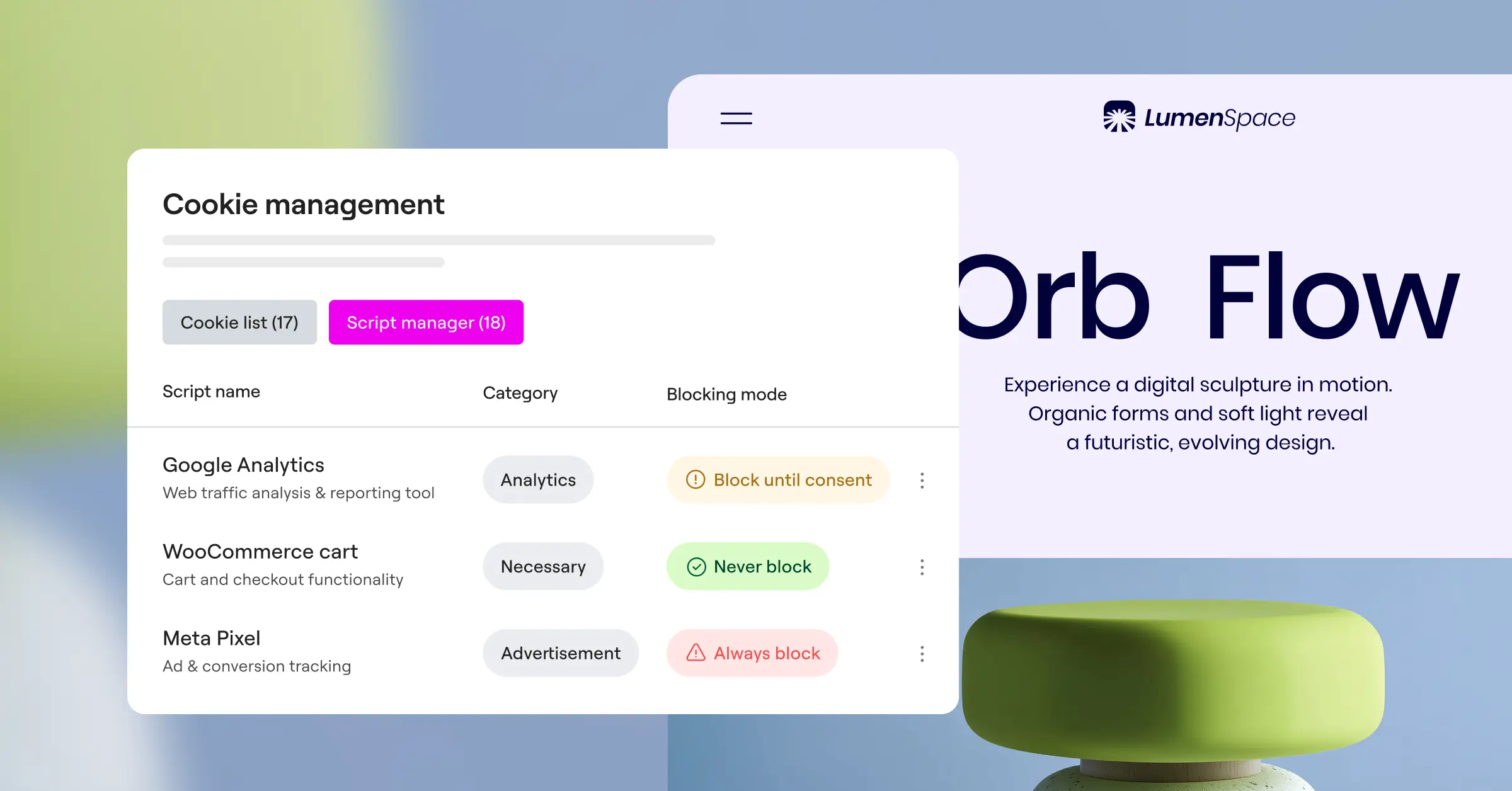
- Forgetting to block scripts before consent: A banner alone isn’t enough. Your tool must actively block tracking scripts (like Facebook Pixel or Google Analytics) until the visitor clicks Accept, or you’re not really compliant.
- Neglecting your mobile layout: A banner that looks perfect on a laptop can cover the whole screen on a phone. Always preview your design on mobile before you go live.
- Skipping Google Consent Mode v2: If you serve visitors in the UK or the EEA, Google now requires this setting to preserve conversion tracking and remarketing data. A tool that supports it natively saves you a headache later.
Keeping your compliance tool close to your design system helps you catch these issues early. If you already use Elementor for your design work, you can preview your banner across mobile, tablet, and desktop before it goes live.
How to Choose the Best Tool for Your Business
The right choice comes down to your technical goals and where your sites live. Here’s a quick way to think it through.
First, think about where you want to manage settings. If you’d rather have one workspace for everything, a native solution like Cookie Consent keeps all your tools in one place. Your data stays under your control instead of sitting on a third-party server, and your site keeps loading fast.
Second, consider whether you need tools beyond cookie banners. If you also need a full legal suite for terms of service and privacy policies, options like Termly or iubenda can help you build them from scratch, though you’ll manage those documents in a separate environment.
Third, think about your budget and how your site might grow. Tools billed by page views or domain counts can get expensive as traffic increases. WordPress-native tools generally offer more predictable pricing, which makes budgeting simpler for smaller teams.

Cookie Consent is also part of a broader compliance toolkit from Elementor that includes Web Accessibility, so you can build a compliant WordPress site without juggling extra subscriptions or code. With the right setup, compliance becomes a one-time task, not an ongoing worry.
Frequently Asked Questions
Do I really need a cookie consent banner on my website?
Yes, if you use analytics tools, advertising trackers, or social pixels, and have visitors from regions covered by GDPR or CCPA. These laws require clear permission before storing tracking cookies. In those places, it’s not optional.
What is Google Consent Mode v2?
It’s an updated system from Google that requires sites to communicate user consent choices directly to its ad platforms. If you run ads or track conversions in Europe, supporting Consent Mode v2 keeps your marketing data accurate.
Is Cookie Consent difficult to set up on WordPress?
Not at all. The 3-step wizard walks you through everything in under five minutes: scan, pick a design, go live. No coding or external account needed.
What happens if I do not comply with privacy laws?
Regulators can issue warnings, require changes to your data practices, or impose fines for serious violations. Using a consent tool is one of the simplest ways to protect your business and respect visitor privacy.
Can I customize how my cookie banner looks?
Yes, and native tools have a real edge here. Cookie Consent integrates with your design system, so you can adjust fonts, colors, and button shapes for a banner that feels part of your site.
What is the difference between a native tool and a SaaS tool?
A native tool runs entirely inside WordPress, no external accounts or code integrations needed. A SaaS tool like Termly runs on an external cloud platform, connected through custom code and a separate dashboard.
Are consent logs important?
Very. If a regulator ever asks for proof of consent, local logs on your dashboard show exactly when and how your visitors chose their privacy preferences. It’s your audit trail.
Does a cookie banner slow down my website?
External tools that load scripts from third-party servers can add minor delays. Native tools like Cookie Consent load directly from your own server, keeping page load times fast and predictable.
Can I target my banner to show only to visitors in certain countries?
Yes, that’s what geo-targeting is for. You can set your banner to appear only for visitors from regions with strict privacy laws, like the EU or California, while keeping things clean elsewhere.

