
Running a website is exciting, but keeping up with privacy rules can feel like a full-time job. Regulations keep shifting, so picking the right consent tool matters, one that protects visitors and keeps you compliant without slowing your site down.
Here we’ll compare two well-known names, OneTrust and Complianz, plus several other solid options, so you can find the setup that fits your site.
Key Takeaways
- Complianz runs inside your WordPress admin area with a dedicated integration.
- OneTrust delivers enterprise-level privacy management for large, multi-site organizations.
- Cookie Consent by Elementor manages cookie consent natively from your WordPress dashboard.
- Google Consent Mode v2 support is now essential for sites using Google Analytics or ads in Europe.
- Your choice depends on whether you want a WordPress-centric tool or a broad enterprise platform.
The Core Battle: OneTrust vs Complianz
OneTrust and Complianz take completely different approaches to privacy. Seeing how each works helps you pick the path that fits your site.

OneTrust is a large, enterprise-grade trust intelligence platform. It goes beyond cookie banners, covering data mapping, vendor risk assessments, privacy rights requests, and compliance across thousands of digital properties. It’s built for compliance teams coordinating policies across departments, countries, and mobile apps, managed through an external cloud portal connected via script tags.
Complianz, by contrast, is a dedicated privacy suite built for WordPress, keeping compliance simple for site owners. You configure everything inside your dashboard using a step-by-step wizard, which scans your site, detects active scripts, and generates legally localized cookie policies without a separate login.
Feature Comparison: OneTrust vs Complianz
A quick summary of how the two compare on core features and setup.
| Feature | OneTrust | Complianz |
|---|---|---|
| Primary Target | Enterprise organizations and large corporations | WordPress site owners and agencies |
| Dashboard Location | External cloud portal | Native WordPress dashboard |
| Setup Complexity | High (requires training or technical setup) | Low to medium (wizard-driven process) |
| Google Consent Mode v2 | Fully supported | Fully supported |
| Privacy Document Generator | Yes (enterprise-focused) | Yes (localized legal documents) |
| Multi-Site Management | Excellent (via centralized cloud console) | Good (via multi-site configurations) |
The 10 Best Cookie Consent Tools in 2026
Let’s look at the best options available today, from a simple native tool to deep enterprise platforms.
1. Cookie Consent
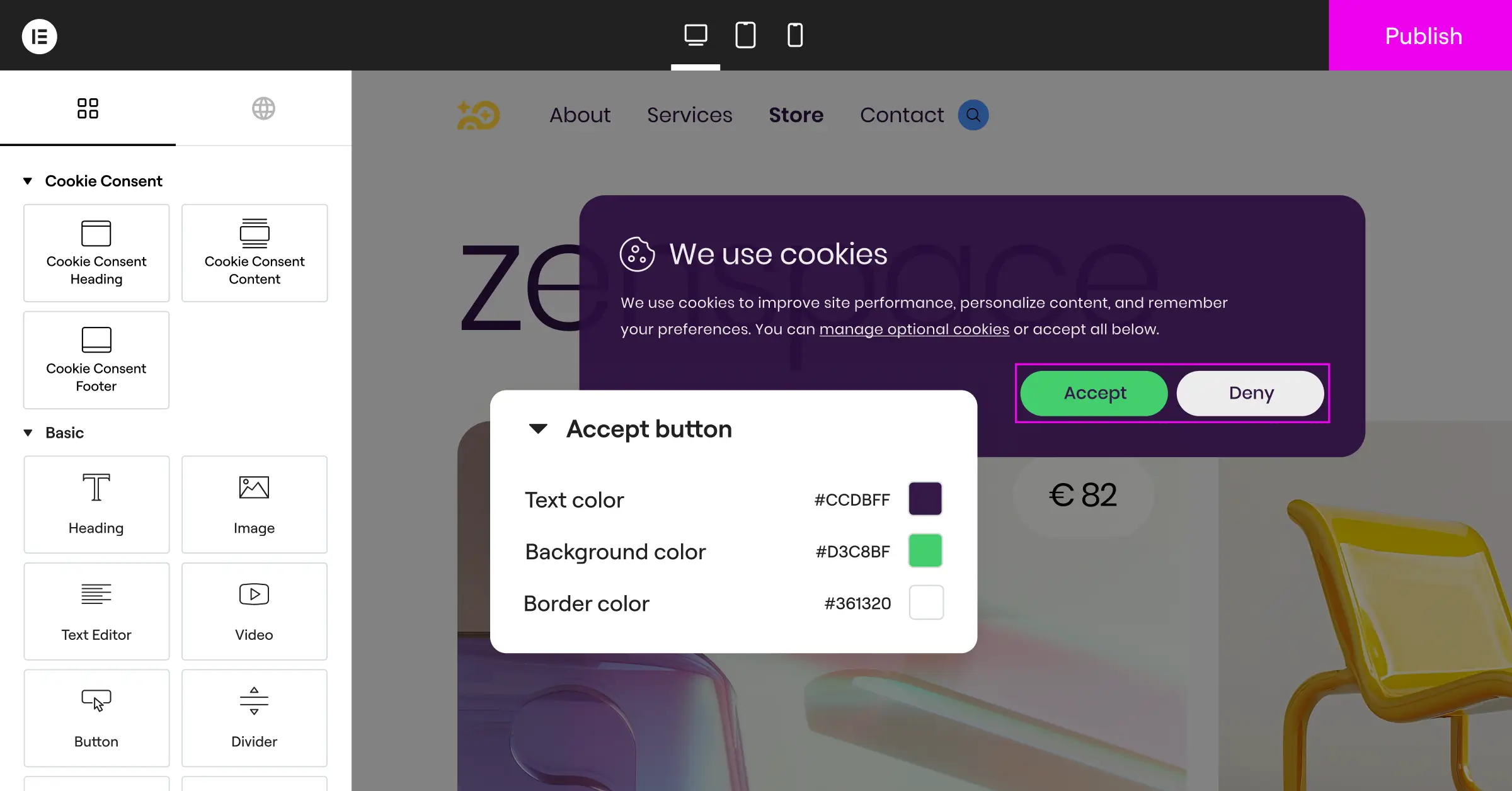
If you run WordPress, Cookie Consent from Elementor is a strong pick, live in under five minutes with a three-step wizard. It handles GDPR and CCPA by scanning your site, categorizing cookies, and logging consent for audits. It’s included in Elementor One, keeps layout shifts low, and supports Google Consent Mode v2 out of the box.

Key Features
- Scans your site to find and categorize tracking scripts.
- Builds custom banners from cloud templates matching your brand.
- Connects with Google Consent Mode v2 for accurate analytics.
- Pulls localized translations for multi-language audiences.
- Stores secure consent logs so you stay audit-ready.
- Adjusts banner display with smart geo-targeting by location.
Learn more on the Cookie Consent features page.
Pros: Native integration, five-minute setup, no external accounts, lightweight code.
Cons: Built mainly for WordPress, not non-WordPress platforms.
Verdict: The best pick for WordPress users who want simple, high-performing compliance.
2. Complianz
Complianz is a dedicated privacy suite, very popular in the WordPress community. A step-by-step wizard walks you through your cookie banner and legal documents, detecting whether you need a cookie policy, privacy policy, or region-specific documents for the EU, UK, US, or Canada, all inside your admin panel.

Key Features
- Generates legally validated cookie and terms-of-service documents.
- Blocks third-party scripts automatically before consent is granted.
- Integrates with major translation tools for global reach.
- Detects localized legal requirements from visitor IP addresses.
- Saves anonymous consent records to meet regional audit rules.
- Works smoothly with popular tag managers and analytics tools.
Pros: Strong wizard, generates real legal pages, integrates cleanly with WordPress.
Cons: The wizard’s number of questions can feel like a lot at first.
Verdict: A reliable, localized option for a banner plus auto-generated legal documents.
3. OneTrust
OneTrust is a well-established name in enterprise data governance, built for businesses that treat cookie management as one part of a larger privacy strategy. If your company handles large-scale data and has a dedicated legal team, OneTrust gives you the depth you need, managing consent across web, mobile, and smart TV from one dashboard.

Key Features
- Monitors data flows across multi-site networks from one portal.
- Tracks subject rights requests (DSAR) with built-in workflows.
- Builds highly customized banners for strict corporate guidelines.
- Logs consent records across millions of daily visitors.
- Maps vendor risks and third-party tracking technologies.
- Updates compliance templates automatically as laws change.
Request a quote from their sales team; smaller plans are available too.
Pros: Deep feature set, multi-platform compliance, built for large corporate sites.
Cons: Complex setup, steep learning curve, needs an external platform.
Verdict: A strong choice for enterprise organizations with large budgets and deep data needs.
4. Cookiebot
Cookiebot is a widely used cloud-based consent platform, known for a crawler that finds and blocks cookies and trackers until users consent. It injects your banner via a simple script, versatile across WordPress, Shopify, or any CMS.
Key Features
- Scans your site monthly for hidden trackers and cookies.
- Builds clean cookie declaration lists for your privacy page.
- Classifies cookies automatically into four functional categories.
- Maintains a secure, cloud-stored consent registry for audits.
- Supports Google Consent Mode v2 for correct ad tagging.
- Translates banners into dozens of languages by browser setting.
Pros: Reliable automated scanning, easy to add to any CMS, honest cookie reports.
Cons: Pricing scales with page views, so check tiers for larger sites.
Verdict: A good pick for a hands-off cloud solution if you don’t mind paying more for scale.
5. CookieYes
CookieYes is a friendly, easy-to-use consent solution for WordPress and non-WordPress sites alike. Its cloud interface lets you design your banner, view consent stats, and manage cookie lists, a solid middle ground without enterprise-level complexity.
Key Features
- Automates regular cookie scans to keep lists current.
- Monitors visitor consent selections with visual analytics charts.
- Customizes banner layout, colors, and behavior to match your design.
- Implements geo-targeting for users in regulated countries.
- Records consent choices securely for easy compliance logs.
- Integrates easily with Google Tag Manager and analytics.
Pros: Clean interface, simple setup, helpful entry-level plan, works across platforms.
Cons: Deep customizations sit behind higher premium tiers.
Verdict: Approachable for small to medium businesses that want reliable tracking without a headache.
6. iubenda
iubenda is an all-in-one legal suite. Beyond cookie banners, it generates privacy policies, terms and conditions, and internal data processing records, worth a look if you’re building a site from scratch and need a legal foundation.
Key Features
- Generates attorney-crafted privacy and cookie policies that auto-update.
- Configures consent preferences with detailed, customizable banners.
- Saves proof-of-consent records for GDPR and CCPA audits.
- Handles complex CCPA/CPRA opt-out requirements for US visitors.
- Syncs updates across your legal documents as laws change.
- Optimizes scripts to avoid slowing page loading times.
Pros: Full compliance suite, dynamic policy updates, customizable configurations.
Cons: The licensing credit system can be confusing at first.
Verdict: Ideal for startups needing a complete legal framework alongside their cookie banner.
7. Termly
Termly suits small businesses looking for an easy, cost-effective way to get compliant, pairing a consent manager with legal document generators for terms of service, privacy policies, and return policies. Its dashboard uses plain language for non-technical users.
Key Features
- Scans your website for active tracking technologies weekly.
- Generates simple, easy-to-read cookie policy pages.
- Builds banners that adjust dynamically to GDPR and CCPA rules.
- Saves digital consent logs to keep you audit-safe.
- Offers pre-made templates for various legal documents.
- Supports quick setup with no coding required.
Pros: User-friendly dashboard, good mix of legal documents, helpful for beginners.
Cons: Less customizable for developers wanting CSS control.
Verdict: Great for small business owners who want a stress-free compliance path.
8. Osano
Osano is a cloud-based data privacy platform focused on vendor monitoring. Its vendor database shows which third-party scripts carry legal risk, built for businesses that want to stay ahead of compliance.
Key Features
- Blocks unapproved scripts and cookies dynamically to prevent leaks.
- Monitors third-party vendors to rate their data-handling practices.
- Translates consent banners into over forty languages automatically.
- Maintains secure, cryptographically signed compliance logs.
- Simplifies data subject access requests with a dedicated portal.
- Keeps layout shifts minimal during loading.
Pros: Deep vendor monitoring focus, high security, reliable compliance coverage.
Cons: Premium features target mid-market budgets over personal blogs.
Verdict: A premium choice for growing companies wanting thorough vendor auditing.
9. Usercentrics
Usercentrics is an enterprise consent platform built for custom integration, favored by developers and agencies for full programmatic control across sites, apps, and custom frameworks. Strong APIs and SDKs suit environments needing consent built into deep app logic.
Key Features
- Manages consent settings across web pages, apps, and games.
- Offers full visual customization via CSS or API connections.
- Integrates with popular marketing tech stacks and tag managers.
- Covers global regulations including GDPR, CCPA, and LGPD.
- Supports visual analytics for opt-in rates and engagement.
- Delivers automated, deep scans of your live codebase.
Contact their team for custom pricing.
Pros: Developer-friendly, powerful APIs, flexible for custom app setups.
Cons: Requires technical know-how to get the most from it.
Verdict: Best for agencies and developers building complex, custom applications.
10. Securiti.ai
Securiti.ai is a data intelligence platform using automation for privacy compliance. It offers a cookie tool, but its strength is data scanning and asset mapping, finding sensitive data across cloud storage, databases, and site pages, a corporate-focused tool for data protection officers.
Key Features
- Identifies where sensitive user data lives across your setup.
- Deploys smart consent banners that adjust by user location.
- Automates the complete data deletion request process (DSAR).
- Scans your site code to find and stop untracked cookies.
- Tracks consent actions in a centralized, secure data lake.
- Connects with major marketing databases and cloud storage.
Pros: Strong automation, deep data mapping, suited for high-security environments.
Cons: Overkill and costly for a simple banner on a basic site.
Verdict: A high-end platform for companies needing corporate data intelligence alongside cookie consent.
“True website compliance in 2026 is no longer about putting a simple banner on your site. It’s about building real trust with your users while keeping your site’s performance fast. Choosing a tool that fits your platform natively can save you hours of technical headaches and keep your pages running smoothly.”– Itamar Haim, Web Compliance Specialist
How to Choose the Right Consent Tool for Your Website
With so many options, the right path comes down to asking the right questions. Here’s a simple checklist to help you pick.
1. Consider Your Website Platform
If you run WordPress, a tool that integrates with your dashboard is a real advantage, no external scripts or connection worries. A native tool like Cookie Consent keeps everything in one place. Running Shopify or a headless setup? A cloud option like Cookiebot or CookieYes gives you flexibility.
2. Assess Your Team’s Technical Expertise
Be honest about how much time you want to spend on code. Without a developer, look for simple wizards and ready-made templates. With an in-house team, developer-first options like Usercentrics offer deep API access and full customization.
3. Understand Your Compliance Requirements
Are you local, or selling globally? EU visitors mean you need Google Consent Mode v2 support. California visitors need a clear opt-out for data sharing. Make sure your tool supports geo-targeting, showing the right banner by location.
Understanding Google Consent Mode v2 and GPC
Privacy regulations keep evolving. Two major standards worth knowing in 2026 are Google Consent Mode v2 and Global Privacy Control (GPC). Let’s break these down simply.

Google Consent Mode v2 helps you run analytics and ads responsibly. Instead of fully blocking Google tags when a visitor rejects your banner, it sends anonymous signals to Google without storing personal data on the device. This lets Google model gaps in your traffic data while respecting privacy choices, important for anyone running campaigns in Europe.
Global Privacy Control (GPC) is a browser setting that lets users set one universal privacy preference, sending a signal to every site saying they don’t want their data sold or shared. Regulations in California require sites to treat GPC signals as valid opt-out requests, keeping you compliant without extra coding.
Step-by-Step: Setting Up a Cookie Banner
Setting up your compliance banner doesn’t have to be a multi-day project. Here’s a simple guide to getting it live.
- Audit Your Website – Scan your site to see which cookies and scripts (analytics, social pixels, chat widgets) are active.
- Categorize Your Scripts – Group them into Necessary, Functional, Analytics, and Marketing, for clear user choices.
- Design Your Banner – Match colors, fonts, and layout to your brand. Keep the text simple and reassuring.
- Configure Regional Settings – Turn on geo-targeting so visitors see banners built for their local laws.
- Enable Core Frameworks – Turn on Google Consent Mode v2 and Global Privacy Control support for correct tracking behavior.
- Test Your Setup – Browse in an incognito window, click consent options, and verify scripts don’t load until you click “Accept.”
Frequently Asked Questions
What is Cookie Consent and why is it important?
Cookie Consent is Elementor’s native compliance capability for WordPress, managing GDPR and CCPA compliance right from your dashboard, no external services needed. Read more on the Elementor Cookie Consent features page.
Do I really need Google Consent Mode v2?
If your site gets EEA traffic and uses Google Analytics or Ads, yes. Google now requires Consent Mode v2 for properly consented marketing data and accurate conversion tracking.
Can I use Complianz on non-WordPress websites?
No, Complianz runs as an integrated suite inside WordPress. For non-WordPress sites, look at CookieYes or Cookiebot, which install with simple code snippets on any platform.
Does OneTrust slow down page loading speeds?
Because OneTrust is an enterprise-grade cloud platform, its scripts can sometimes affect page speed if misconfigured. A lightweight, native option like Elementor’s Cookie Consent can help if performance is your priority.
What happens if I do not have a cookie consent banner?
Running a commercial site without proper consent can expose your business to legal risk, regulatory scrutiny, and ad-network restrictions. A clear consent choice also builds trust by showing visitors you respect their data.
How does geo-targeting work in cookie banners?
Geo-targeting uses the visitor’s IP address to determine their country, then shows the banner that region’s laws require, an EU visitor sees a strict opt-in while a US visitor might see a simpler disclosure or a CCPA opt-out link.
What is Global Privacy Control (GPC)?
Global Privacy Control is a browser-level setting that lets users tell websites to respect their privacy choices automatically. A site detecting a GPC signal must treat it as a valid opt-out request, a key legal requirement in California.

