
Keeping your WordPress site compliant with international privacy laws feels like chasing a moving target, especially with GDPR, CCPA, and Google Consent Mode v2 shifting fast. Picking the right tool matters, and two of the most popular platforms right now are CookieYes and Termly. Let’s compare their features, user experience, and WordPress integration.
Key Takeaways
- CookieYes leans into deep cookie scanning and multi-language support, which makes it a strong fit for international audiences.
- Termly is a broader compliance suite, pairing legal policy generators with its consent tools.
- Google Consent Mode v2 support matters for modern ad tracking, and both platforms offer a compliance path for it.
- WordPress-native integration is often the simpler route, which is where a built-in option like Elementor’s Cookie Consent has a real edge by keeping everything inside your dashboard.
The 2026 Privacy Dilemma: CookieYes vs Termly
The privacy landscape has shifted fast. You can’t just post a policy in your footer anymore; you need to manage script loading, cookie tracking, and consent logging in real time, or risk fines and your visitors’ trust. CookieYes focuses on simple, scalable cookie management, while Termly acts more like a full legal compliance department. Switching between your editor and an outside dashboard just to tweak styling gets old fast, which is why native options are gaining ground.
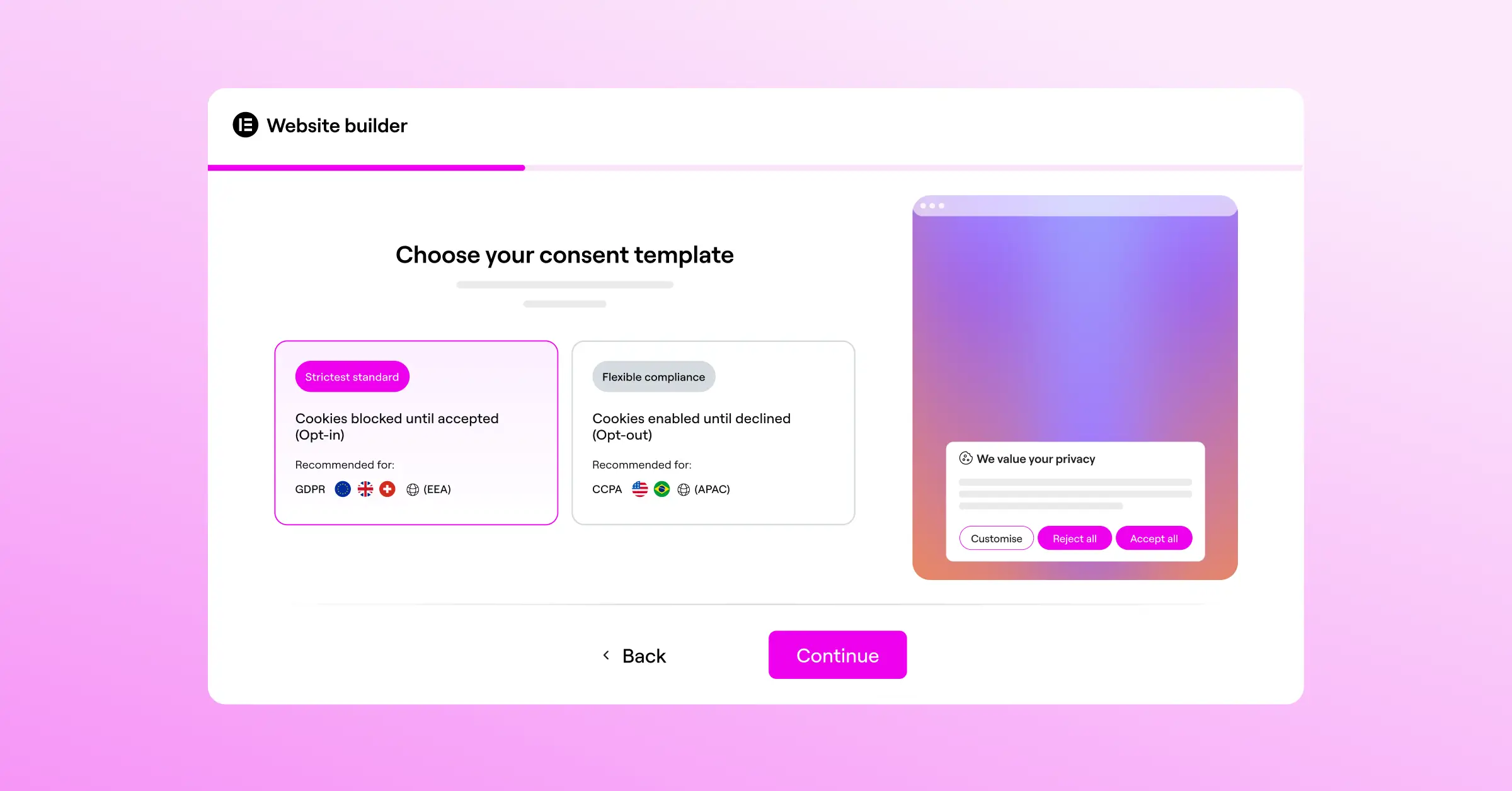
Side-by-Side Comparison: CookieYes vs Termly
Here’s how their key features stack up. Both get you to compliance, but differ in execution, layout, and script-loading behavior.
| Feature | CookieYes | Termly |
|---|---|---|
| Primary Focus | Dedicated cookie consent and script management. | All-in-one compliance suite including legal documents. |
| Dashboard Location | External web application (with a helper connection helper). | External web application. |
| Script Blocking | Automatic blocking before consent. | Automatic and manual script blocking patterns. |
| Policy Generation | Basic cookie policy generator included. | Full legal suite (Privacy Policy, Terms of Service, etc.). |
| Consent Logs | Stored securely on external servers. | Stored securely on external servers. |
| Google Consent Mode v2 | Supported on all main plans. | Supported on all main plans. |
| Language Support | Excellent automatic translation for dozens of languages. | Standard localization options for target markets. |
Meet CookieYes: Simple Consent Management
CookieYes is a dedicated consent management platform built to control the active trackers on your site. You get an external console for customizing your banner, choosing target regions, and reviewing consent logs, with a clear, focused approach.
Key Features of CookieYes
- Scans your site regularly to identify new tracking codes.
- Builds visually appealing banners that fit your site’s styling.
- Logs visitor consent choices to keep records for audits.
- Translates banner text automatically for international visitors.
- Blocks tracking scripts before the user makes a choice.
- Connects with Google Tag Manager for unified script control.
Pros and Cons of CookieYes
CookieYes’s biggest strength is simplicity: a clean interface, no legal jargon to change a button color or set up a geo-targeted banner, and reliable automated scanning that catches scripts sneaking in through embeds or social widgets.
The downside is the external workflow: adjusting spacing or checking consent records means leaving WordPress for a separate account, which can feel disjointed across several sites. Verdict: CookieYes suits you if you only need cookie management and don’t mind an external dashboard.
Meet Termly: The Complete Compliance Policy Suite
Termly approaches compliance from a legal-first angle, aiming to cover your whole business rather than just the banner. Starting a store or agency from scratch? Its interactive builders generate legal documents from your answers to a few questions.

Key Features of Termly
- Generates lawyer-reviewed legal policies designed for your business model.
- Scans your domain weekly to look for unauthorized tracking scripts.
- Hosts legal agreements on external servers to keep load times light.
- Adapts banner displays dynamically based on the user’s location.
- Respects browser-level privacy signals such as Global Privacy Control.
- Stores compliance logs securely to help you demonstrate ongoing compliance.
Pros and Cons of Termly
Termly’s biggest benefit is the value for brand-new projects: instead of paying a lawyer for a privacy policy, terms of service, and disclaimer, you build them all in one place, updated automatically as laws change.
The tradeoff is that cookie management feels secondary to policy generation, with banner customization more limited than a dedicated design tool and hosting staying external. Verdict: Termly suits a legal foundation from scratch plus automated policy updates alongside cookie consent.
How Do They Perform in WordPress?
The tools you pick can make your WordPress life easier or add complexity. Both CookieYes and Termly add a JavaScript snippet to your header, simple to set up but reliant on external servers, so lag there can slow your banner.
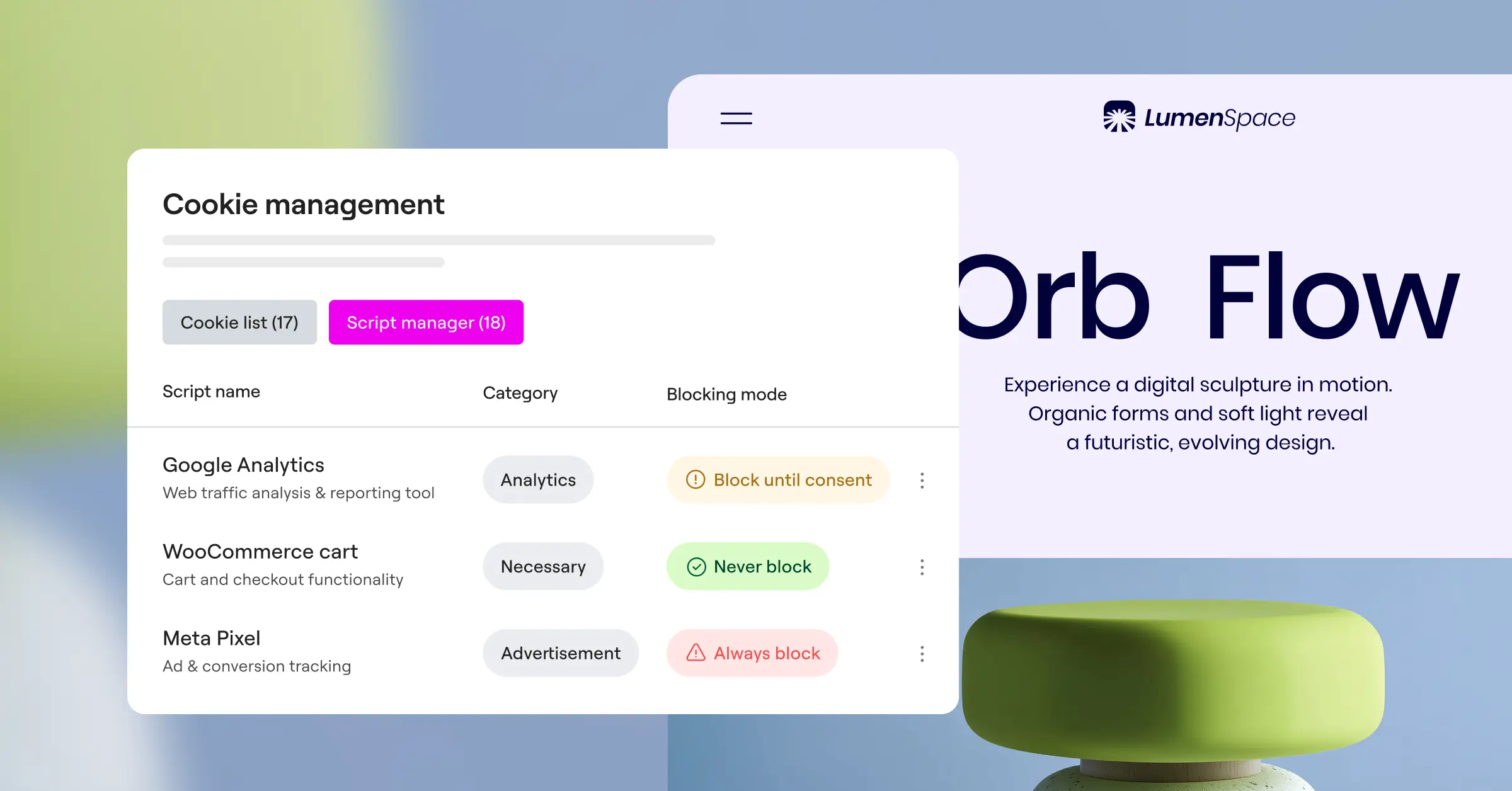
Because these systems live outside WordPress, they don’t integrate deeply with your theme or workflow. That’s where Cookie Consent by Elementor comes in, built natively for WordPress and running right from your dashboard, no separate accounts or third-party connections needed.
Key Features of Native Cookie Consent
- Manages all compliance requirements straight from the WordPress dashboard.
- Customizes cookie banner designs using native styling elements.
- Categorizes cookies into clear functional groups for user choice.
- Supports Google Consent Mode v2 directly without complex setup.
- Tracks historical consent choices inside your own secure database.
- Targets specific banners to users based on their geographic region.
If you’re already using Elementor, its native Cookie Consent feature lets you style your banner from the same interface as the rest of your site, no snippets to paste, no external latency to worry about.
Google Consent Mode v2 and Global Privacy Control
Managing cookies today isn’t just about an “Accept All” button. Search engines and ad networks expect specific compliance integrations, the biggest being Google Consent Mode v2. Serving EEA visitors with Google Analytics or Ads means sending consent signals back to Google, or your ad tracking won’t work properly.

Both support it, but configuring it via an external script can get tricky: your banner needs to load before Google’s tags fire, or Google assumes consent was denied and your data gets skewed. A native WordPress tool simplifies that sequencing since the local server handles loading priorities directly.
Another standard worth knowing is Global Privacy Control (GPC), a browser setting that broadcasts privacy preferences automatically to every site. Supporting it matters for state laws in California, Colorado, and Connecticut.
Why a Native WordPress Solution Changes the Game
Using an external service means renting space on someone else’s servers, which adds friction: another login to manage, subscription tiers that cap your pageviews, and no direct control over how the code reaches visitors.
“Managing privacy directly where your content lives reduces technical overhead. When you use a native tool, you cut out the risk of external script failures blocking your layout or failing to load.”
– Itamar Haim, Web Compliance Specialist
A native tool sidesteps these limits. Your consent records stay in your own database, keeping you in control of visitor data, which matters for data sovereignty needs, and you skip paying more as traffic grows. Native tools, like Elementor’s Cookie Consent capability, fold compliance into your site-building toolkit.
Common Cookie Categories for Site Management
- Strictly Necessary – Essential cookies required for the site to function, like security settings or shopping carts.
- Functional – Trackers that save user preferences, such as language choices or region settings.
- Analytics – Scripts that collect anonymous aggregate usage data to help you improve your site’s content.
- Performance – Tracking codes that monitor page loading speeds and database response rates.
- Marketing – Target pixels used to build advertising profiles and deliver personalized ad campaigns.
- Unclassified – Newly discovered scripts that need manual grouping before they can be categorized for visitors.
Benefits of Using a Native WordPress Compliance Tool
- No External Accounts – You never have to create separate dashboards or manage multiple logins.
- Consistent Performance – Banners load directly from your own server, cutting out dependency on third-party uptime.
- Exact Styling – Match your theme’s fonts, colors, and borders without writing manual CSS overrides.
- Unlimited Pageviews – Avoid traffic caps that push you into expensive enterprise subscription tiers.
- Better Data Privacy – Keep your consent logs stored locally rather than sharing them with external tracking servers.
- Integrated Workflow – Edit your layout, your web copy, and your compliance options from a single interface.
The Decision Matrix: Which Tool Should You Choose?
If you’re still weighing CookieYes, Termly, or a native option, it helps to break the decision into a few clear steps based on your technical comfort, budget, and project scale.
Step 1: Define Your True Compliance Needs
Start by identifying what you actually need. A basic cookie banner for European traffic calls for a simple, dedicated tool. Starting a new business with no legal policies yet? Termly’s broad suite of documents helps. Policies already drafted and want consistent design? A native tool is usually most efficient.
- Evaluate if you need complete legal documents (Privacy Policy, Terms of Service) or just a cookie consent banner.
- Check your monthly traffic levels to see if you’ll exceed the free limits of external platforms.
- Determine if you’re comfortable pasting script headers or if you prefer a visual, point-and-click setup.
Step 2: Assess Your Design and Performance Priorities
Next, think about user experience: external banners can look out of place with mismatched fonts or animations, so if visual consistency matters, pick a tool that lets you style every detail. Page speed matters too, since too many external scripts can lower Core Web Vitals scores.
- Check your current page loading speed to see if third-party scripts are slowing down your initial paint times.
- Review the design settings of external tools to confirm you can match your site’s brand colors without writing complex CSS.
- Consider native solutions to reduce the number of external domain lookups your visitors’ browsers need to make.
Step 3: Establish a Long-Term Maintenance Plan
Finally, plan ahead. You’ll likely add new tools and try new analytics approaches over time, so you need a system that makes updating your cookie list and confirming script blocking easy, without needing developer help each time.
- Set up regular compliance scans to detect any new cookies added by new tools or embeds.
- Verify that your consent logging system is active and easy to access in case you ever need to prove compliance.
- Make sure your marketing team understands how to use the consent manager before launching new advertising campaigns.
Frequently Asked Questions
Are these tools compliant with Google Consent Mode v2?
Yes, both fully support Google Consent Mode v2, letting your site pass visitor consent signals directly to Google so your ad tracking works properly. Native solutions, like the Cookie Consent capability in Elementor, include built-in Google Consent Mode v2 integration too.
Do I need a legal policy generator if I already have a cookie banner?
A cookie banner only covers script blocking. Most privacy laws also require a full Privacy Policy, and Termly’s generation tools help if you don’t have one. Already have your legal text written? You just need the banner.
How do external cookie dashboards impact my website’s loading speed?
External systems make browsers download code from their servers before showing the banner, adding domain lookups and slight delays. A native WordPress tool delivers the code from your own host instead, usually keeping things faster and avoiding layout shifts.
Can I use these consent managers on multiple websites?
Yes, both support multi-site setups, though you’ll likely need a paid plan past their free limits. Managing several client sites? A native platform built into your builder is often more cost-effective across your portfolio.
What is Global Privacy Control and do I need to support it?
Global Privacy Control lets people set their privacy preferences once at the browser level instead of clicking a banner on every site. It’s increasingly required under state-level privacy laws, and both CookieYes and Termly support it, as do advanced native tools.
Is there a free option available for small websites?
Yes, both offer entry-level plans with limited features. CookieYes has a basic plan for low-traffic sites, and Termly offers something similar with basic banner functionality. Keep in mind these plans usually show provider branding and cap your monthly pageviews.
Can I customize the cookie banner design to match my brand?
Yes, though how much depends on the platform and plan. CookieYes offers solid flexibility on paid tiers, while Termly’s styling is more basic. For full design control, a native WordPress tool works best since it draws on your existing theme directly.
What happens if a user declines all cookies on my site?
If a visitor declines, your site must block non-essential scripts, including marketing pixels, social widgets, and analytics trackers, leaving only strictly necessary cookies to load. Both CookieYes and Termly handle this automatically, helping you avoid accidental tracking violations.

