Table of Contents
10 Best AI Website Design Tools in 2026
Web design looks nothing like it did five years ago. Generative AI is estimated to add up to $4.4 trillion annually to the global economy through productivity gains in development work. You aren’t dragging and dropping anymore. You’re prompting, curating, and directing.
Right now, 73% of businesses report using or planning to use an ai website design tool this year, with the market headed toward a $6.44 billion valuation by 2030. Sifting through the noise isn’t easy, though. You need tools that output clean code, hit Core Web Vitals, and save you real time.
Key Takeaways
- Agentic AI is the new standard. Tools like Angie now handle complex WordPress tasks on their own.
- Design and wireframing time falls by up to 80% with modern AI builders.
- Conversion rates climb. AI-driven layout personalization lifts conversions by 10-15%.
- Top platforms now guarantee PageSpeed scores of 90 or higher.
- Pricing varies wildly, from competitive ratesnth budget hosts to $159/month agency platforms.
- Built-in AI translation now supports over 25 languages for instant localization.
1. Angie by Elementor and Editor Pro
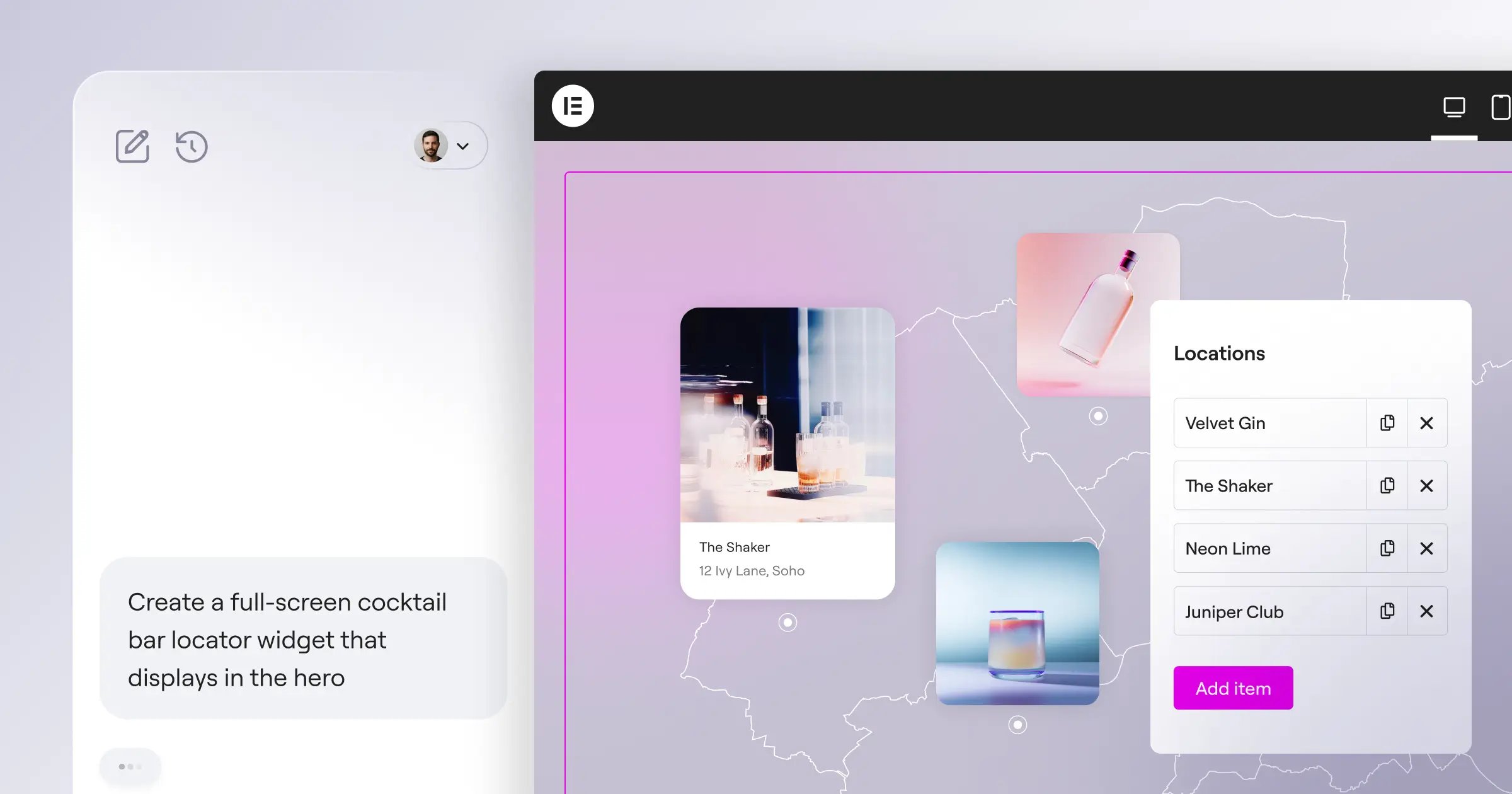
Let’s start with the clear leader in WordPress design. Angie by Elementor is a native, agentic AI framework built for WordPress: you ask it to build functional software, not just copy. It reads your site context automatically via the Model Context Protocol, generating widgets, admin snippets, and post types from natural language, tested first in a sandbox. Pairing it with Elementor Editor Pro unifies AI planning, design controls, and optimization in Elementor One.
Key Features
- Agentic AI execution. Turns prompts into working PHP, JS, and CSS.
- Context-aware MCP. Reads your WordPress setup and database automatically.
- Safe sandbox testing. Tests code before it goes live.
- Custom widget generation. Builds bespoke Elementor widgets instantly.
- Multilingual support. Localizes text across 25-plus languages.
Pricing
Angie is a free WordPress plugin. Elementor One costs $168/year and includes Editor Pro, 25,000 monthly AI credits, optimization tools, and priority support.
Pros
- Unmatched WordPress integration.
- Clean, atomic CSS output.
- Full creative and structural control.
- Cuts need for third-party plugins.
Cons
- Requires WordPress architecture know-how.
- Advanced features use AI credits fast.
Verdict: The best pick for professional WordPress developers: AI speed without losing control.
2. Wix Studio
Wix Studio is a big step forward for agency design: an advanced Responsive AI engine automates the most tedious part of the job, breakpoints. Design the desktop view, click a button, and the AI works out the layout for tablets and phones, saving agencies real time each month.
Agency Setup Workflow
- Design the desktop interface with CSS grid controls.
- Trigger Responsive AI for mobile and tablet breakpoints.
- Use the AI Text and Image Creator for placeholder content.
- Deploy automated SEO setup across all pages.
Key Features
- Responsive AI. Calculates breakpoint cascading automatically.
- Code-free animations. Generates scroll interactions from text prompts.
- Centralized workspace. Manages dozens of client sites at once.
- Native SEO AI. Writes optimized meta descriptions automatically.
Pricing
Professional tiers range from $17/month for the Light plan up to $159/month for the Elite tier.
Pros
- Cuts mobile optimization time way down.
- Strong client handover tools.
- Reliable cloud hosting included.
Cons
- Closed ecosystem, hard to switch hosts.
- Steep learning curve for beginners.
Verdict: Wix Studio leads the agency space for complex, high-volume client work.
3. Framer
Framer bridges the gap between static design files and live, interactive websites, dominating the animation-heavy startup space. Type a prompt, and Framer generates a styled landing page in seconds, with polished layouts and typography applied automatically. Its standout feature: paste a static design into its Figma-to-Framer AI import, and it maps the layout to working CSS flexbox instantly.
Key Features
- Text-to-site generation. Creates landing pages from one sentence.
- Figma integration. Converts static design layers into responsive HTML/CSS.
- AI-driven motion. Applies scroll transforms and hover states automatically.
- Built-in CMS. Manages blog posts and dynamic content visually.
Pricing
Framer’s AI-powered tiers are affordable: competitive ratesnth for the Mini plan, $15/month for Basic, and $30/month for Pro.
Pros
- Visually stunning out-of-the-box designs.
- Translates Figma files to live code well.
- Fast edge hosting infrastructure.
Cons
- Not suited to complex e-commerce.
- Editor feels complex for UX beginners.
Verdict: Framer is the top choice for SaaS startups and UI designers focused on motion and looks.
4. 10Web
Migrating an old, broken website to WordPress used to take weeks. 10Web cuts that to minutes. Paste in the URL, and the AI scans the layout and rebuilds it as an editable template. It then tunes the site to hit a Google PageSpeed score of 90+ automatically.
The Migration Workflow
- Enter the URL of the legacy website to modernize.
- The AI analyzes the DOM structure and styling.
- 10Web rebuilds the layout with native WordPress blocks.
- The platform applies speed optimizations to hit 90+.
Key Features
- AI URL Cloning. Recreates existing layouts accurately.
- Automated PageSpeed optimization. Guarantees top-tier Core Web Vitals.
- Business identity tools. Generates custom names and vector logos.
- Managed hosting. Runs on optimized cloud infrastructure.
Pricing
Pricing scales with your traffic volume and the number of active websites you manage.
Pros
- Saves real time on migrations.
- Removes the SEO and speed-tuning headache.
- Keeps the flexibility of WordPress.
Cons
- Cloned layouts need manual mobile clean-up.
- Locked into their hosting environment.
Verdict: Choose 10Web if your business is about rescuing outdated client websites.
5. Hostinger AI Website Builder
Sometimes you just need a working business presence live before lunch, and Hostinger AI Website Builder focuses on affordability and easy onboarding. Answer three questions, and the AI builds a layout in under 60 seconds, cutting the wireframing phase by up to 80%. Its AI Heatmap predicts where users will click before you publish, so you place buttons using data, not guesswork.
Key Features
- Predictive AI Heatmap. Optimizes your layout for engagement.
- Instant generation. Produces a functional site in under a minute.
- Integrated content writer. Generates SEO-friendly copy for your niche.
- E-commerce ready. Includes basic cart and checkout functionality.
Pricing
This is the king of budget tools, bundled with hosting plans starting as low as competitive ratesnth.
Pros
- Unbeatable price point for small businesses.
- Lowest learning curve on the market.
- All-in-one: hosting, email, and a free domain.
Cons
- Design flexibility is limited.
- Can’t export your site code elsewhere.
Verdict: The go-to tool for local service businesses on a strict budget.
6. Divi AI
If you’re already deep in the Elegant Themes ecosystem, Divi AI builds generative tools right into the visual builder you know. Ask it for a headline, and it reads the page to match your tone, writing code into a module’s CSS fields. The draw is freedom: Elegant Themes offers unlimited text and image generation, so you won’t hit a credit wall.
“The most significant shift in web creation isn’t just about writing code faster; it’s about context. AI tools that natively understand your site’s architecture, database structure, and existing styling rules are what actually move the needle for production-level development.”
Itamar Haim, SEO Team Lead at Elementor. A digital strategist merging SEO, AEO/GEO, and web development.
Key Features
- Unlimited generation. Skips credit limits on text or imagery.
- Contextual awareness. Reads your page content to match brand voice.
- Module-specific code. Generates targeted CSS and JS for Divi elements.
- One-click translations. Localizes your content instantly.
Pricing
Divi AI is a premium add-on. It costs $18/month or $172/year on top of your base Divi subscription.
Pros
- Never run out of generation credits.
- Smooth integration for Divi power users.
- Great for rapid prototyping.
Cons
- Requires an active Divi subscription.
- Designs can feel heavy on the frontend.
Verdict: A solid upgrade for agencies already building with Divi.
7. Durable
Speed is the whole value proposition here. Durable claims to build a functional business website, complete with copy and images, in exactly 30 seconds. It’s built for plumbers, consultants, and landscapers who need a site today: type your industry and location, and the AI handles the rest, plus an AI-driven CRM and automated invoicing.
The 30-Second Launch Sequence
- Enter your service industry and location.
- Watch the AI assemble the layout, copy, and imagery.
- Access your new CRM to track your first lead.
Key Features
- Ultra-fast generation. Goes from blank screen to live site fast.
- Integrated CRM. Manages clients and leads natively.
- Automated marketing. Writes Google Ads and social media copy.
- Invoicing system. Handles basic financial transactions.
Pricing
Durable runs on a straightforward monthly subscription covering the site, hosting, and the business suite.
Pros
- Fastest path to a live business presence.
- Replaces CRM, invoicing, and marketing subscriptions.
- No technical knowledge required.
Cons
- Designs follow a fairly formulaic template.
- You’ll likely outgrow it as you scale.
Verdict: Best for solo service providers who see a website as a business card.
8. Jimdo
Running a website in Europe means navigating a minefield of privacy rules, and Jimdo built its AI platform around that challenge. Their proprietary “Dolphin” AI system has helped create over 32 million websites globally. Onboarding feels conversational: the AI asks your goals and pulls images and business info from Facebook or Google. Its Legal Text Generator produces GDPR-compliant policies, saving European small businesses real legal fees.
Key Features
- Question-based setup. Builds sites through a simple Q&A process.
- Social media syncing. Pulls existing brand assets automatically.
- Legal Text Generator. Produces GDPR-compliant privacy policies and imprint pages.
- Automated SEO. Handles basic indexing and meta tags.
Pricing
Jimdo offers a limited free tier, with premium plans scaling up based on storage and e-commerce needs.
Pros
- Takes the fear out of GDPR compliance.
- Fast setup by reusing your social assets.
- Stable, reliable hosting.
Cons
- Customization options feel restricted.
- Blog functionality is basic compared to competitors.
Verdict: The safest choice for European small businesses worried about GDPR.
9. Sitejet Builder
Sitejet is a major player in the enterprise space, built directly into hosting environments like cPanel and Plesk, with a potential user base of over 15 million websites. Its real strength is the workflow: a client feedback portal where clients comment directly on the live site, while the platform tracks hours and handles revisions natively.
Key Features
- cPanel/Plesk integration. Lives inside your server control panel.
- On-page client feedback. Collects comments directly on the live design.
- Project management suite. Tracks hours, revisions, and status automatically.
- AI content creation. Fills wireframes with relevant placeholder text.
Pricing
Sitejet is often included free by web hosts, or available as a standalone SaaS product for agencies.
Pros
- Cuts down chaotic client revision emails.
- Strong performance from server-level integration.
- Scales well for hundreds of sites.
Cons
- Interface looks dated next to Framer or Elementor.
- Needs a compatible web host.
Verdict: A strong pick for freelancers managing a high-volume client roster.
10. TeleportHQ
TeleportHQ targets the front-end developer who wants to move faster: a low-code platform that uses AI to generate production-ready code for complex web apps. Its Vision API stands out. Sketch or photograph a UI, and the AI turns it into working HTML and CSS, ready to export to React, Vue, or Next.js, with multiplayer collaboration built in.
Key Features
- Vision API. Converts hand-drawn wireframes directly into code.
- Framework export. Outputs clean code for React, Vue, HTML, and Next.js.
- Multiplayer editing. Supports simultaneous collaboration on a single canvas.
- Figma integration. Syncs design components smoothly.
Pricing
Offers a generous free tier, with professional team plans for advanced code export.
Pros
- Exceptionally clean, framework-ready code.
- Strong asset for modern JavaScript teams.
- Saves hours of manual UI coding.
Cons
- Overwhelming without front-end knowledge.
- Not all-in-one; needs separate deployment work.
Verdict: The best AI assistant for front-end developers building custom apps.
Comparison Summary Table
Here’s how the top contenders compare on price, best fit, and AI strength.
| Platform | Starting Price | Best For | Key AI Strength |
|---|---|---|---|
| Angie / Elementor | Free (Plugin) / $168/yr (One) | WordPress Professionals | Agentic AI execution & MCP context |
| Wix Studio | $17/month | Creative Agencies | Automated responsive breakpoints |
| Framer | competitive ratesnth | SaaS & Startups | Figma-to-code & high-end motion |
| 10Web | Tiered usage | Site Migrations | URL cloning & 90+ PageSpeed |
| Hostinger | competitive ratesnth | Local Businesses | Predictive AI Heatmap & affordability |
| Divi AI | $18/month add-on | Divi Ecosystem Users | Unlimited contextual generation |
| Durable | Tiered subscription | Solo Entrepreneurs | 30-second full business setup |
| Jimdo | Free / Premium tiers | EU Small Business | Automated legal/GDPR text |
| Sitejet | Included with hosts | High-volume Freelancers | Integrated client feedback loops |
| TeleportHQ | Free / Premium tiers | Front-end Developers | Sketch-to-code React/Vue export |
Final Recommendation: Which AI Tool Should You Choose?
The right tool depends on your technical background and business model, not just popularity.
For WordPress Developers: go with Angie by Elementor. AI that outputs custom PHP/CSS into a secure sandbox puts you in control of the entire WordPress architecture.
For Creative Agencies: choose Wix Studio. Its Responsive AI automates the most frustrating part of client work.
For Startups and UI Designers: go with Framer. Nothing else translates a Figma file into live, animated code this well.
Frequently Asked Questions
Will AI website design tools replace human developers?
No. They handle repetitive tasks like boilerplate CSS. You’ll still need developers for database work, security, and UX strategy.
Does using an AI builder hurt my SEO rankings?
Not at all. Top AI tools now optimize Core Web Vitals automatically, boosting your technical SEO baseline.
Can I export the code generated by these tools?
It depends on the platform. TeleportHQ and Angie export native code; Wix and Hostinger keep your site on their own servers.
Who owns the copyright to AI-generated images on my site?
You generally hold commercial rights to images made on these platforms, but US precedent says a purely AI-generated image can’t be copyrighted as your own.
Do these builders keep my site accessible?
Many include basic accessibility scanners, but you’ll still need to check contrast and ARIA labels by hand.
What is the difference between generative AI and agentic AI?
Generative AI creates text or images. Agentic AI, like Angie, executes tasks: it reads your environment, decides, and writes software.
How much should I expect to pay for a professional tool?
Expect $15 to $30 a month for standard tools, closer to $150 a month for agency platforms, and $150 to $200 a year for WordPress platforms.
Looking for fresh content?
By entering your email, you agree to receive Elementor emails, including marketing emails,
and agree to our Terms & Conditions and Privacy Policy.

