Table of Contents
The State of AI Web Design in 2026
The global AI web development market hit $14.2 billion in 2026, and 73% of businesses now use, or plan to use, AI to ship digital products faster. You’re not after a novelty that spits out generic text. You want a real ai website design generator, one that writes clean code, handles custom post types, and scales without breaking down.
We’ve moved past the gimmick phase. The best platforms handle the heavy lifting of layout generation while leaving you in full creative control. Let’s walk through the best options out there.
Key Takeaways
- 45% of front-end UI code will be generated by AI by the end of 2026.
- Agentic AI frameworks (like Angie) are replacing simple text-prompt generators.
- AI website builders can cut initial design and wireframing time by up to 60%.
- Speed optimizations in AI-native platforms show a 2x improvement in LCP scores.
- Personalization driven by AI layouts lifts conversion rates by an average of 17%.
- You can now generate a fully functional, custom WordPress widget through natural language in under three minutes.
Selection Criteria for 2026
Picking the right tool isn’t about counting features. It’s about matching the output to your production standards. Here’s what matters this year.
- Context Awareness: the AI needs to understand your site structure (colors, fonts, active plugins) before generating anything new.
- Code Quality: generated code has to be production-ready, accessible, and lightweight.
- Platform Lock-in: tools that let you export your code, or work natively inside WordPress, score higher.
- Speed to Market: true prompt-to-site tools should give you a viable wireframe in under 11 minutes.
1. Angie by Elementor: The Agentic WordPress Pioneer
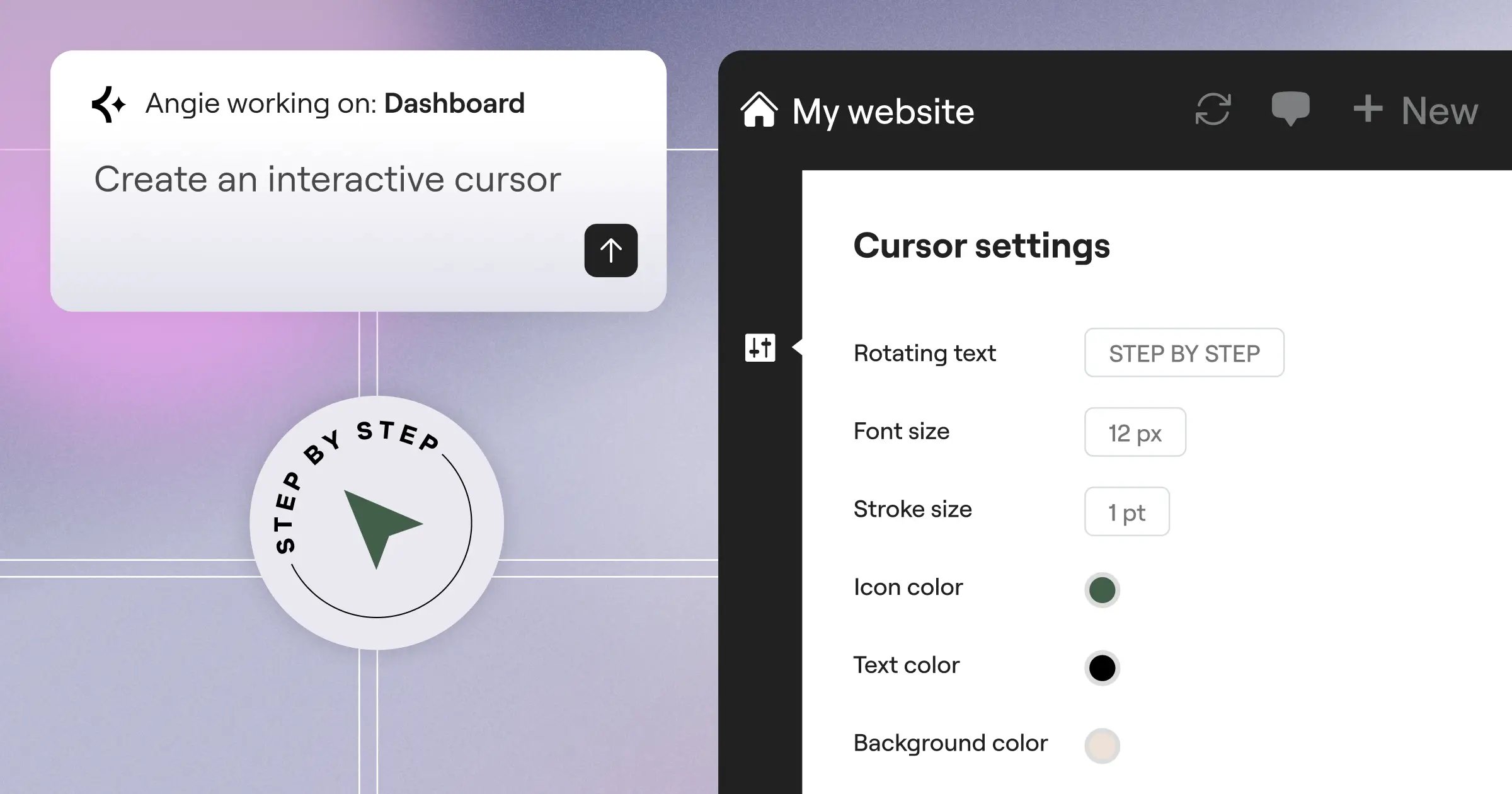
Most AI assistants are blind to your active theme, your plugins, or your global CSS variables. Angie fixes that: a free, agentic AI framework built for WordPress. It uses a Model Context Protocol to read your site’s environment automatically, so you type what you want and Angie builds it directly into your install, safely.
AI is no longer about generating generic templates. It’s about agentic systems that understand your site’s architecture and execute complex technical tasks securely.
Itamar Haim, SEO Team Lead at Elementor. A digital strategist merging SEO, AEO/GEO, and web development.
Angie runs in a safe sandbox, so you can review the code before pushing to production.
Key Features:
- Plans and executes multi-step tasks across the WordPress ecosystem.
- Reads your site data via MCP for tight design alignment.
- Generates native Elementor widgets, admin snippets, and front-end functions.
- Tests everything in staging before it touches your live site.
Pricing: Angie is currently a free WordPress plugin, the highest ROI tool on this list.
Pros:
- Built specifically for WordPress architecture.
- Goes from idea to production-ready asset in minutes.
- Carries zero risk to your live site.
- Gives full creative control over the output.
Cons:
- Requires an existing WordPress installation.
- Advanced custom post-type work needs some structural knowledge.
Verdict: If you use Elementor or WordPress, Angie is close to a necessity.
2. Elementor Editor Pro: The Unified Design Powerhouse
If Angie handles the code, Elementor Editor Pro handles the visual canvas. Elementor powers over 21 million websites, and its native AI pairs an AI Site Planner with deep in-editor controls: highlight a container, ask for a hover effect, and it’s done. Editor V4 (Atomic)‘s CSS-first foundation makes layouts fly.
Key Features:
- Generates prompt-to-layout containers that snap into your existing grid.
- Writes custom CSS and HTML snippets attached to specific widgets.
- Compresses images automatically through Image Optimization, shrinking files by up to 60%.
- Scans for WCAG issues and fixes them automatically through Web Accessibility.
Pricing: The Elementor One subscription starts at $168/year, including the Pro Editor, 25K AI credits a month, advanced hosting, and premium support.
Pros:
- Delivers a 2x improvement in LCP scores with optimized AI layouts.
- Cuts the need for third-party performance plugins.
- Keeps AI sections matched to your style guide.
- Delivers strong value with the unified subscription.
Cons:
- The sheer number of widgets (118+) can overwhelm beginners.
- Requires understanding basic web design principles to use well.
Verdict: Best for creators who want precision, the speed of AI without giving up manual control.
3. Wix Studio: The Enterprise Solution
Wix built Wix Studio for agencies managing dozens of client sites, leaning on AI to fix mobile responsiveness. 90% of leading AI generators now include automatic breakpoint generation, and Wix handles it well: you design the desktop view, and the AI stacks and scales it for tablets and phones. The platform adds centralized client billing and reusable templates too.
Key Features:
- Creates cascading breakpoints automatically across every device size.
- Generates localized copy based on your client’s industry.
- Upscales client photos and removes backgrounds natively.
- Manages every agency client from a single dashboard login.
Pricing: Plans start at $17/month for the Basic tier, up to $159/month for enterprise-grade features.
Pros:
- The auto-responsive feature saves hours per project.
- Client handover feels smooth and professional.
Cons:
- It’s a closed ecosystem, so you can’t export your code.
- Monthly costs run higher than comparable WordPress solutions.
Verdict: Best for large agencies that prioritize client management over open-source flexibility.
4. Framer AI: The High-Fidelity Design Engine
Designers love Framer. It feels like Figma but outputs actual React code, and Framer AI adds a prompt-to-site experience: type “dark mode portfolio for a 3D artist,” and it generates a responsive landing page in about 30 seconds. That’s just a starting point though, you’ll still need flexbox and positioning skills to refine it.
Key Features:
- Generates unique layouts, color palettes, and copy instantly from a prompt.
- Copies elements directly from Figma into Framer.
- Translates your entire site into multiple languages dynamically.
- Runs spring animations and scroll-transforms out of the box.
Pricing: The Pro plan costs $30/site/month, which adds up fast across multiple domains.
Pros:
- Produces the most visually stunning output around.
- Unmatched animation and interaction capabilities.
Cons:
- The interface leans complex if you’re not a trained designer.
- Per-site pricing makes managing a portfolio costly.
Verdict: Best for aesthetic-driven startups and designers who want visual design piped straight to a live site.
5. 10Web: The Automated Site Replicator
Migration is usually a nightmare, and 10Web built its business around solving it. Its AI scans an existing URL, breaks down the layout, and recreates it inside WordPress using Elementor widgets, turning an old HTML site into a modern WordPress site within minutes. It’s an automated hosting and migration service for people stuck on legacy platforms.
Key Features:
- Clones public website layouts into editable WordPress pages.
- Guarantees 90+ Google Lighthouse scores through automated PageSpeed optimization.
- Runs on fully managed Google Cloud hosting with automated backups.
- Fills out missing pages with contextually relevant text.
Pricing: The Starter plan runs $10/month, with agency plans scaling up to $30/month.
Pros:
- The fastest way to migrate a legacy website into WordPress.
- Performance optimization runs completely hands-off.
Cons:
- The replicated code can sometimes need manual cleanup.
- You won’t get the deep agentic capabilities found in Angie.
Verdict: Best for owners who need to modernize an outdated website without starting from scratch.
6. Hostinger AI Builder: The Small Business Starter
Sometimes a local bakery just needs a functional website by Tuesday, and Hostinger AI Builder is the champion of that entry-level market. It asks three basic questions and produces a clean, mobile-ready site, bundled free with basic hosting. Hostinger focuses on speed and simplicity, so beginners don’t break their layouts.
Key Features:
- Guides you through setup with a conversational interface.
- Predicts where users will click before you even launch.
- Generates basic branding assets through a built-in logo maker.
- Fills out meta tags automatically based on your industry.
Pricing: Plans start at an incredibly low competitive ratesnth, including a free domain name for the first year.
Pros:
- One of the most accessible options currently available.
- The AI heatmaps provide useful UX insights.
Cons:
- Design flexibility is more limited compared to professional tools.
- You may outgrow the platform over time.
Verdict: Best for solopreneurs and local businesses who need a web presence at the lowest cost.
7. Durable AI: The 30-Second Local Generator
Speed is everything here. Durable AI markets itself as the 30-second website builder, aiming at the 400 million+ small businesses that still don’t have one. Type in your location and business type, and it builds a site with local SEO copy and stock images. The results lean a little generic, but for a local roofer, that’s often enough to start capturing leads.
Key Features:
- Builds a complete site in exactly 30 seconds.
- Captures form submissions and organizes local leads through an integrated CRM.
- Pulls in Google Business reviews automatically.
- Writes local SEO blog content to drive organic traffic.
Pricing: The Starter tier costs $12/month, including custom domain routing and AI features.
Pros:
- Unmatched speed from zero to a live, public URL.
- The built-in CRM suits service-based businesses well.
Cons:
- Templates stay fairly fixed and can look similar to each other.
- Not suited to eCommerce or complex content structures.
Verdict: Best for local service providers who see a website as a digital business card.
8. Divi AI: The Ecosystem Alternative
Elegant Themes took a different approach with Divi AI, building unlimited AI into their existing WordPress theme, a real upgrade if you’re already invested in Divi. You can generate text, write custom code, and create images right inside the visual builder, and it understands the module you’re editing to suggest context-aware fixes.
Key Features:
- Removes credit limits on text or image creation.
- Writes custom CSS tailored specifically for Divi modules.
- Alters an existing image’s style through generated variations.
- Expands, shortens, or translates text with one-click quick actions.
Pricing: Divi AI comes as an add-on for $18/month, and you need an active Divi theme license.
Pros:
- Unlimited usage removes the anxiety of burning through credits.
- Deep integration with an already established WordPress theme.
Cons:
- Requires buying into the specific Divi ecosystem.
- The Divi builder itself can feel heavier, running the full theme framework alongside the AI layer.
Verdict: Best for agencies and freelancers already on Divi who want predictable monthly costs.
9. Site123: The Structured Layout Builder
Sometimes giving users too much freedom is a mistake, and Site123 built its AI around structure. You can’t drag an element out of place. The AI picks pre-calculated layout blocks built to look good on any screen size, so you won’t break your mobile menu, and it leans heavily on multi-language translation.
Key Features:
- Suggests the best mathematical layout for your content.
- Translates entire sites accurately for global audiences.
- Locks critical elements to prevent design mistakes.
- Runs strong audio tools for musicians and podcasters.
Pricing: There’s a limited free tier, and the Premium plan unlocks real features at $12.80/month.
Pros:
- Nearly impossible to make an ugly website here.
- Customer support is consistently rated very high.
Cons:
- Creative freedom stays limited, since the structure is fixed by design.
- The AI tools are more basic than platforms like Framer or Elementor Pro.
Verdict: Best for beginners who want a guided, error-proof experience.
10. TeleportHQ: The Developer Bridge
Let’s finish with something more technical. TeleportHQ isn’t for beginners, it’s a low-code platform using AI to generate production-ready code for developers, and by 2026, tools like this have cut standard coding tasks by up to 60%. Sketch a wireframe on a napkin, show it to their Vision API, and get a working React component, exportable to React, Next.js, Vue, or HTML/CSS.
Key Features:
- Converts hand-drawn sketches or wireframes into code through the Vision API.
- Writes custom logic and state management through ChatGPT integration.
- Pushes code directly to GitHub in your preferred JS framework.
- Supports real-time multiplayer editing similar to Figma.
Pricing: The Professional plan is priced at $15/editor/month, with hosting handled separately or exported.
Pros:
- Generates clean, semantic code developers actually want to use.
- No vendor lock-in, since you own the exported code.
Cons:
- More firepower than you need for a simple local business website.
- Requires a solid understanding of web development frameworks.
Verdict: Best for front-end developers building complex web applications rather than simple static sites.
Comparison Summary: 2026 AI Website Generators
Here’s a direct comparison of the top platforms by audience, starting price, and ecosystem.
| Platform | Best For | Starting Price | Key Differentiator | Ecosystem |
|---|---|---|---|---|
| Angie by Elementor | Custom WordPress Assets | Free Plugin | Agentic Execution (MCP) | WordPress Native |
| Elementor Pro | Professional Designers | $168/yr (Unified) | Pixel-Perfect Visual Control | WordPress Native |
| Wix Studio | Scaling Agencies | $17/mo | AI Auto-Responsive | Closed Platform |
| Framer AI | UI/UX Designers | $30/mo | High-End Motion/Animation | Closed Platform |
| 10Web | Site Migrations | $10/mo | URL-to-WordPress Cloning | WordPress Native |
| Hostinger | Budget Starters | competitive rates | Built-in Heatmaps | Closed Platform |
| Durable AI | Local Services | $12/mo | 30-Second Generation | Closed Platform |
| Divi AI | Content Sites | $18/mo (Add-on) | Unlimited Generation | WordPress Native |
| Site123 | Absolute Beginners | $12.80/mo | Error-Proof Layouts | Closed Platform |
| TeleportHQ | Front-End Devs | $15/mo | Sketch-to-React Export | Code Export |
Final Recommendation: Choosing Your AI Builder
This decision comes down to your technical comfort level and long-term goals. Fifty percent of consumers now believe AI-generated layouts improve overall user experience, since these tools enforce good design practices.
- For WordPress Professionals: start with Angie to handle your custom code and site structure. It’s free, agentic, and won’t break your site. Pair it with Elementor Editor Pro for the visual frontend, and you get 100% control over a platform that powers 13% of the internet.
- For Agency Scaling: look at Wix Studio. The $17/month starting price is justified by the auto-responsive AI features alone.
- For Pure Speed: if you need a site live before you finish your coffee, use Durable AI. It won’t win design awards, but it gets your phone ringing.
Frequently Asked Questions
Will AI website generators replace human web designers?
No, they won’t. AI handles the repetitive structural tasks, freeing humans to focus on strategy and complex UX. The role is shifting from pixel-pusher to creative director.
Does Google penalize AI-generated websites?
Google doesn’t penalize sites because they’re built with AI. It penalizes poor user experience, slow load times, and thin content. Clean, semantic AI-generated code actually helps your SEO.
Can I export my site from an AI builder to another host?
It depends on the platform. Closed systems like Wix or Squarespace don’t let you take your code elsewhere. WordPress-native tools (Elementor, Angie) or export-focused tools (TeleportHQ) give you full ownership of your code.
What is “agentic” AI in web design?
Agentic AI doesn’t just answer questions, it takes action. Instead of handing you a CSS snippet to copy, an agentic system (like Angie) navigates your WordPress backend, creates the file, and implements the code securely.
Are AI-generated websites accessible (WCAG compliant)?
Out of the box, most aren’t perfect, but platforms using tools like Elementor’s Web Accessibility feature can scan and automatically fix up to 180+ common accessibility issues during the build.
How do AI tools handle mobile responsiveness?
The best tools use mathematical algorithms to calculate exact breakpoints, then stack or scale elements to fit tablet and mobile views smoothly.
Is it secure to let AI write custom WordPress plugins or snippets?
Yes, provided you use a tool with a sandbox environment, and you review generated code in staging before pushing it live.
Looking for fresh content?
By entering your email, you agree to receive Elementor emails, including marketing emails,
and agree to our Terms & Conditions and Privacy Policy.

