Table of Contents
The AI Revolution in Web Design
Look at the data from late 2025. Exactly 68% of professional web designers report using AI tools daily for asset generation, code debugging, or layout suggestions. You can’t ignore this shift. The global AI in web development market is projected to reach $14.2 billion by 2026. Growth is exploding.
But here’s the reality check. Most AI site generators still produce heavy code and generic layouts. You need tools that act as intelligent co-pilots, not cheap replacements for creative vision. AI can reduce the initial wireframing phase by 60%. That saves an average of 15-20 hours per project. You just have to pick the right platform.
Key Takeaways
- Native context matters – The best AI tools read your specific database structure before generating code.
- Agentic AI is the new standard – Static text generation is dead. AI now executes complex administrative tasks directly within your CMS.
- Performance dictates choice – Top-tier platforms automate PageSpeed optimizations to hit 90+ Lighthouse scores consistently.
- Mobile-first generation is mandatory – With 58.33% of global website traffic coming from mobile, AI must write responsive CSS automatically.
- Pricing models vary wildly – You’ll find tools ranging from $2.99 monthly budget options to $159 enterprise agency plans.
1. Angie by Elementor: The Agentic AI Framework
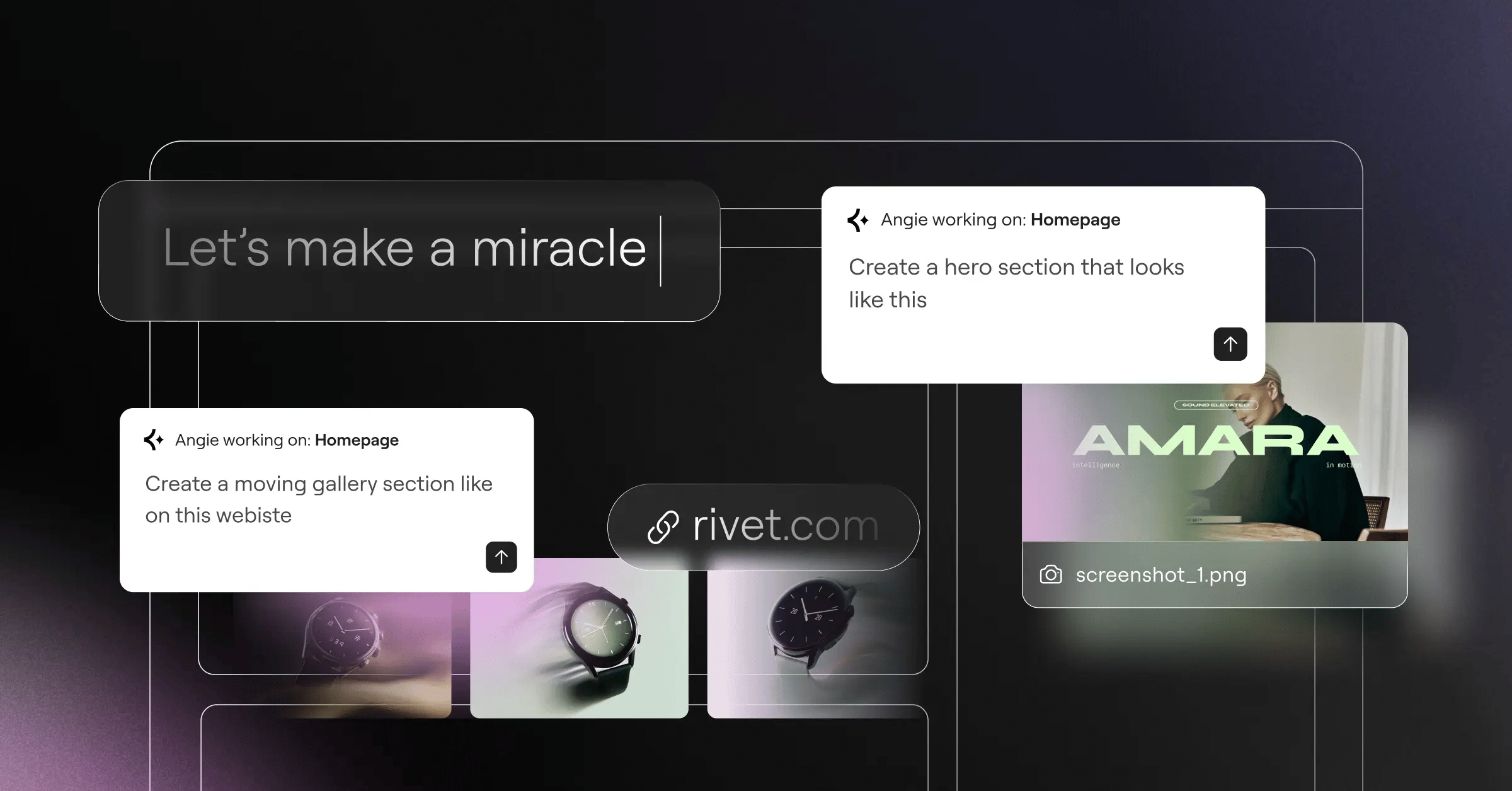
Most AI plugins just spit out text or generic CSS. Angie by Elementor operates on an entirely different level. It’s a completely free, native WordPress plugin. And it acts as a true agentic AI framework.
This means Angie actually executes tasks across your entire WordPress ecosystem. You type a natural language prompt. Angie plans the execution, writes the code, and builds the assets. It takes you from a raw idea to a production-ready feature in minutes.
The technical secret here’s the Model Context Protocol (MCP). Angie automatically inherits your specific site context. It knows your active plugins, your custom post types, and your database structure. You don’t have to explain your site to the AI every single time.
Core Capabilities
- Custom Elementor Widgets – Generate highly specific, fully functional widgets without opening an IDE.
- WordPress Admin Snippets – Modify backend behaviors securely through natural language commands.
- Custom Post Types – Build complex data structures and taxonomies instantly.
- Visual Apps – Create interactive front-end components tailored to your brand.
Pricing and Usage
Angie is completely free. It operates natively within the WordPress environment. You aren’t locked into a proprietary closed-source ecosystem.
Pros
- Safe Experimentation – Everything runs in a secure sandbox environment first. You review the code before pushing it live.
- Deep Contextual Awareness – It understands exactly how your specific WordPress installation is configured.
- Total Creative Control – You own the generated code completely. You can modify it manually whenever you want.
- Ecosystem Compatibility – It works brilliantly alongside the Elementor Editor Pro environment.
Cons
- WordPress Dependency – It’s purpose-built for WordPress. You can’t use it on Shopify or static HTML sites.
- Technical Awareness – While it writes the code for you, understanding basic WordPress architecture helps you write better prompts.
- Hosting Requirements – Running agentic AI requires a decent server environment. Cheap shared hosting might struggle with complex operations.
Honestly, this is where the industry is heading. Tools that just generate static images are already obsolete. You need an agent that acts on your behalf safely.
2. Elementor Editor Pro: The WordPress Standard
Elementor Editor Pro remains the heavyweight champion for professional WordPress design in 2026. Research shows 75% of consumers judge a company’s credibility strictly on its website design. You can’t afford a template that looks like a million other sites. Elementor gives you absolute pixel-perfect control.
The platform recently evolved its core architecture. The Editor V4 update introduces a CSS-first foundation. You get advanced classes and variables combined with powerful AI integrations.
The AI Site Planner sits at the top of this funnel. You type a detailed prompt. The AI generates a complete sitemap and high-fidelity wireframes in under 20 minutes. It’s wildly efficient for agency discovery phases.
Key Features
- AI Container Generation – Describe a layout structure, and the editor builds the exact flexbox or grid containers instantly.
- Contextual Content Creation – Generate localized copy and custom images directly inside the editing panel.
- Advanced Theme Builder – Design custom headers, footers, and WooCommerce product archives visually.
- Unified Subscription – The Elementor One plan integrates design, managed hosting, and optimization into a single workflow.
Pricing Overview
Plans start at $60 annually for the Essential tier. Professional agencies typically opt for the Advanced plan at $99 yearly for three sites. For a fully managed experience, the Managed Cloud Hosting packages start at $180 annually.
Pros
- Massive Flexibility – You get 118+ widgets to build virtually any functionality.
- Deep Dynamic Content – It pulls data smoothly from custom fields and post types.
- Performance Focus – The atomic CSS structure drastically reduces page bloat.
- Vibrant Ecosystem – Thousands of third-party add-ons expand its capabilities even further.
Cons
- Learning Curve – Mastering global classes and atomic variables takes time.
- Plugin Overload Risk – Adding too many third-party extensions can slow down the editor experience.
- Credit Limits – The AI generation features run on a shared credit system across your account.
If you build professional WordPress sites for clients, this platform is basically non-negotiable. It balances raw creative freedom with powerful generative shortcuts.
The true value of AI in 2026 isn’t just generating boilerplate layouts. It’s about context. Tools that understand your specific database structure, custom post types, and existing CSS classes will fundamentally outperform generic visual generators every single time.
Itamar Haim, SEO Team Lead at Elementor. A digital strategist merging SEO, AEO/GEO, and web development.
3. Wix Studio: The Agency Solution
Agencies juggling dozens of client sites face a unique scaling problem. Wix Studio tackles this by bundling hosting, security, and complex AI responsive behaviors into a closed ecosystem. It’s polished, professional, and heavily guarded.
The standout feature here’s the AI Responsive tool. You design a desktop layout. You click one button. The AI automatically calculates the exact CSS grid adjustments needed for tablet and mobile breakpoints. It works surprisingly well for complex overlapping elements.
Pricing reflects its enterprise positioning. The Basic tier starts at $19 per month. However, large agencies using custom integrations will quickly find themselves on plans costing up to $159 per month.
Platform Highlights
- No-Code Animations – Complex scroll effects and micro-interactions don’t require external JavaScript libraries.
- Client Handover Tools – You can heavily restrict what the client can edit post-launch.
- Native E-commerce – Deeply integrated cart and checkout flows optimized for conversions.
- Code Option – Velo by Wix allows developers to write custom Node.js backend logic.
Pros and Cons Breakdown
You gain incredible speed during the layout phase. The automated breakpoint generation saves hours of tedious CSS tweaking.
But there’s a significant catch. You’re renting your digital property. If Wix raises its prices, you pay up. You can’t migrate a Wix Studio site to a different hosting provider.
For agencies prioritizing rapid visual design over infrastructure control, it’s a stellar choice. Developers who demand open-source flexibility should look elsewhere.
4. Framer AI: High-Performance Generation
Designers moving from Figma to live web production often hit a massive friction point. Framer AI bridges this gap better than almost anything else on the market. It treats web design like a canvas, but outputs incredibly fast React code.
Sites built with Framer consistently hit 95-100 scores on Google Lighthouse. The performance optimization happens entirely in the background. You just worry about how it looks.
The text-to-site generation is spectacular for landing pages. You provide a prompt detailing your brand, color preferences, and target audience. Framer generates a fully styled, animated page in roughly 45 seconds.
The Framer Workflow
- Prompt Engineering – Detail the specific aesthetic and functional requirements of your landing page.
- Color & Typography Generation – The AI proposes distinct palettes. You shuffle through them instantly.
- Animation Application – Apply complex scroll transforms to specific sections with single clicks.
- Instant Publishing – Push the optimized React build to Framer’s global CDN network.
Pricing and Limitations
The Pro plan costs $30 monthly per site. This gets expensive quickly if you manage a large portfolio of small clients.
The primary drawback is content management. The CMS is rudimentary compared to WordPress. You can’t easily build complex relational databases or advanced membership portals. Framer shines brightly for front-end aesthetics, but struggles with heavy backend logic.
5. 10Web: The Rapid WordPress Deployer
Speed is the ultimate currency for high-volume freelancers. 10Web uses AI to automate the most tedious parts of WordPress setup. It handles the installation, theme configuration, and preliminary performance tuning automatically.
Their technical specifications boast an impressive metric. The 10Web engine can generate a functional 5-page WordPress site in under 120 seconds. It analyzes your business category and populates the site with highly relevant stock imagery and localized copy.
One of their most controversial features is the AI Website Replicator. You paste a URL. The AI analyzes the DOM structure and attempts to recreate the layout within their proprietary builder.
The Setup Sequence
- Business Profiling – Answer a brief questionnaire about your industry and target audience.
- Automated Generation – The AI constructs the core pages: Home, About, Services, Contact.
- Performance Tuning – The platform automatically minifies CSS and optimizes images for strict Core Web Vitals compliance.
- Content Refinement – Use the built-in AI text editor to adjust the tone of the generated copy.
Cost and Ecosystem
Plans begin at an approachable $10 monthly. However, this heavily relies on using their specific managed hosting environment.
Honestly, the visual builder isn’t as granular as Elementor. You’ll hit creative walls if you try to build highly unconventional layouts. It’s built for speed and standard business deployments, not avant-garde artistic expression.
6. Hostinger AI Website Builder: The Beginner Option
Small local businesses usually don’t need complex database structures. They need a digital business card that loads fast on a phone. Hostinger AI Website Builder corners the entry-level market brilliantly.
It costs just competitive rates. That includes a free domain and business email. You simply can’t beat that barrier to entry.
With 58.33% of global website traffic originating from mobile devices, Hostinger enforces a strict mobile-first generative approach. The AI won’t let you build layouts that break on small screens. It aggressively constrains your choices to ensure functional safety.
Beginner-Friendly Tools
- AI Logo Maker – Generate basic vector logos based on your company name and industry.
- Smart Layout Suggestions – Drag an element, and the grid automatically snaps it into a visually pleasing proportion.
- Heatmap Analysis – An AI tool predicts where users will click based on layout contrast and spacing.
- Automated SEO Metadata – It writes your title tags and meta descriptions automatically.
The Trade-offs
You get what you pay for regarding flexibility. The platform operates on very rigid templates. You can’t inject custom PHP or complex JavaScript routing.
If you’re a plumber needing a contact form and a service list, it’s perfect. If you’re building an interactive SaaS dashboard, you’ll need to look elsewhere.
7. Webflow: The Professional Developer Tool
Webflow has always been the tool of choice for developers who want visual interfaces that output perfectly clean CSS. In 2026, their AI integrations focus entirely on accelerating the coding workflow rather than replacing the developer.
Data shows 38% of users will abandon a site if the layout is unattractive or slow. Webflow prevents this by enforcing strict semantic HTML standards. Their new AI-assisted styling acts like a highly intelligent autocomplete for CSS properties.
The AI CMS plan sits at $23 per month, billed annually. This supports up to 2,000 CMS items, making it strong for medium-sized publishing operations.
Developer-Centric AI Features
- Class Naming Conventions – The AI analyzes your DOM structure and suggests consistent BEM-style class names.
- Automated Alt-Text – It scans your media library and generates highly descriptive, SEO-optimized alt attributes.
- Localization Sync – It translates entire page structures while maintaining exact CSS layout constraints.
- Code Export Validation – The AI checks custom code blocks for syntax errors before allowing a push to production.
The Verdict on Webflow
The learning curve is notoriously steep. If you don’t understand the CSS box model, Webflow will frustrate you endlessly.
But for professional teams who demand absolute code cleanliness without manually writing every media query, it remains incredibly powerful. It just requires a serious time investment to master.
8. Durable AI: The 30-Second Generator
Sometimes you don’t need a masterpiece. You just need a functional site deployed immediately. Durable AI has capitalized on this specific need, generating over 6 million websites for small businesses globally.
Their core metric is staggering. The average generation time is literally 30 seconds. You enter your business type and your geographic location. The AI pulls local search data, generates highly relevant copy, selects stock photography, and publishes the site.
The Starter plan costs $12 per month. It includes an integrated AI CRM system that automatically categorizes incoming lead forms.
Speed-Focused Workflow
- Location Input – The AI uses geo-data to write copy tailored to your specific city or region.
- Instant Assembly – It structures a single-page scrolling site with standard conversion sections.
- CRM Activation – It automatically links the contact form to a basic backend lead management dashboard.
Limitations to Consider
Durable is essentially a sophisticated digital brochure generator. The design variations are extremely limited. You’ll notice many Durable sites look identical under the hood.
the SEO depth is incredibly shallow. You won’t be outranking established competitors for high-volume keywords using a 30-second generated site. But for a local contractor handing out business cards, it does the job perfectly.
9. Divi AI: The Theme-Based Assistant
Millions of legacy WordPress sites run on the Divi theme. Elegant Themes smartly decided not to abandon this massive user base. Instead, they built Divi AI directly into the existing visual builder.
It functions as an unlimited generative add-on costing $18 per month. Unlike API-restricted tools, you can generate as much text and imagery as you want without hitting credit caps.
The AI understands the specific Divi module you’re editing. If you’re in a blurb module, it generates concise, punchy text. If you’re in a text block, it writes long-form paragraphs.
Deep Integration Features
- AI Image Expansion – Upload a square photo and the AI expands the background to fit a widescreen hero section.
- Code Generation – Write specific CSS tweaks directly into the module’s custom CSS panel via natural language.
- Contextual Copywriting – The AI reads the rest of your page to ensure new paragraphs match the existing brand tone.
- Module Styling – Ask the AI to make a button ‘more modern’ and it adjusts the border-radius, shadow, and hover states automatically.
Performance Concerns
Divi has a historical reputation for relying heavily on shortcodes. While their recent updates have improved DOM size, slapping excessive AI-generated modules onto a page can still hurt performance.
You must actively monitor your site speed. It’s a fantastic tool for modernizing an existing Divi workflow, but perhaps not the sleekest option for a brand-new, performance-critical build.
10. Adobe Express: The Visual Asset Creator
Not every web project requires a massive CMS. Sometimes you just need an ultra-fast landing page or a link-in-bio site packed with stunning visuals. Adobe Express steps in here, powered entirely by the Adobe Firefly AI engine.
Firefly has processed over 7 billion image generations. The quality of the visual assets you can create within this builder is unparalleled. It understands complex lighting, textures, and artistic styles better than almost any competitor.
Pricing is highly accessible. It’s often included in your existing Creative Cloud subscription, or available standalone for $9.99 monthly.
Creative Dominance
- Text Effects – Generate custom typography rendered out of physical materials like fur, metal, or glass.
- Vector Generation – Create scalable SVG icons and illustrations instantly.
- Brand Kit Application – Upload your logo, and the AI automatically extracts the primary colors and applies them across the layout.
- Asset Syncing – Changes made in Photoshop or Illustrator update automatically on your published Express page.
Structural Limitations
Don’t confuse this with a full-scale web builder. It doesn’t have a database. You can’t build user login portals. You can’t run complex ecommerce operations.
It’s strictly for front-end visual impact. Marketers use it heavily for rapid campaign pages where aesthetics drive conversions more than technical backend features.
Feature Comparison and Final Verdict
Choosing the right tool comes down to your technical requirements and your business model. Here’s how the top contenders stack up regarding price and core functionality in 2026.
| Platform | Starting Price | Target Audience | Standout AI Feature |
|---|---|---|---|
| Angie by Elementor | Free (Plugin) | WordPress Developers | Agentic Code Execution via MCP |
| Elementor Editor Pro | $60 / year | Agencies & Professionals | AI Site Planner & Container Gen |
| Wix Studio | $19 / month | No-Code Agencies | Automated Responsive Breakpoints |
| Framer AI | $30 / month | UI/UX Designers | Text-to-React High Performance |
| 10Web | $10 / month | High-Volume Freelancers | 120-Second Automated Deployment |
| Hostinger AI | $2.99 / month | Small Local Businesses | Mobile-First Layout Generation |
| Webflow | $23 / month | Technical Developers | Semantic CSS Class Generation |
| Durable AI | $12 / month | Service Providers | 30-Second Geo-Targeted Builds |
| Divi AI | $18 / month | Existing Divi Users | Unlimited Contextual Editing |
| Adobe Express | $9.99 / month | Visual Marketers | Firefly Asset Generation |
Look at the conversion metrics. Implementing AI-driven personalization and optimized layouts can increase conversion rates by up to 25%. You can’t ignore that kind of ROI.
If you operate within WordPress, the combination of Angie and the Theme Builder offers unmatched power. Angie acts as your backend developer, while the editor gives you pixel-perfect front-end control.
If you refuse to touch code and need extreme speed, Durable AI or Hostinger will get you live today. But if you’re building a sustainable agency business, invest the time to learn tools that offer deep database context and actual code ownership.
Frequently Asked Questions
Do AI web design tools negatively impact SEO?
No, provided they output clean HTML. Search engines rank pages based on performance, content quality, and user experience. Tools like Elementor and Webflow generate semantic code that Google actually prefers.
Who owns the copyright to AI-generated website designs?
This depends entirely on the platform’s Terms of Service. Generally, you own the output you generate, but you can’t copyright the underlying AI templates. Always read the specific licensing agreement of your chosen tool.
Can AI completely replace a human web developer?
Absolutely not. AI handles repetitive tasks like CSS grid calculations and boilerplate code generation. Complex database routing, custom API integrations, and nuanced user experience strategy still require human expertise.
Does using AI add performance bloat to my website?
It depends on how the tool executes. Agentic tools like Angie write native code snippets which are highly efficient. Conversely, visual builders that rely on heavy JavaScript libraries to render AI animations can slow down your site.
Is it safe to let AI modify my live WordPress database?
You should never let an AI execute commands directly on a live production server. Always use platforms that offer a secure sandbox mode. Review the generated code on a staging environment before pushing updates live.
How does MCP improve AI code generation?
The Model Context Protocol allows the AI to read your specific server environment safely. Instead of guessing your CSS class names, it reads them directly. This results in code that actually works the first time.
Are monthly AI subscriptions worth the cost for single sites?
If you only need a basic informational page, stick to budget options like Hostinger. Premium $30+ monthly tools are designed for professionals managing complex sites or agencies handling multiple client accounts.
Can I migrate an AI-generated site to another host?
If you build with open-source tools like WordPress and Elementor, yes. You own the files. If you build on proprietary platforms like Wix Studio or Webflow, migrating requires significant manual rebuilding.
Looking for fresh content?
By entering your email, you agree to receive Elementor emails, including marketing emails,
and agree to our Terms & Conditions and Privacy Policy.






