Table of Contents
10 AI in Web Design Trends to Watch in 2026
Web design in 2026 isn’t about bolting a chatbot onto a template. It’s a real shift in how you plan, build, and maintain a site, with a growing gap between people pushing pixels by hand and those letting agentic AI handle the heavy lifting.
The global AI in web development market is on track to hit $14.2 billion by 2030. Sticking with manual workflows alone means missing tools that understand your site’s context, execute multi-step tasks, and push changes to production without breaking your layout.
Key Takeaways
- Agentic frameworks like Angie will replace generic code assistants, executing complex tasks directly within WordPress.
- Hyper-personalization will dominate user experience, driving up to a 15% increase in conversion rates through dynamic layouts.
- Automated accessibility remediation will become standard practice, instantly fixing up to 70% of common WCAG failures.
- Generative UI will cut design time for repetitive tasks by 30% to 50%, moving agencies from wireframe to production in minutes.
- Predictive analytics will eliminate traditional A/B testing by simulating thousands of user sessions before a site launches.
- Custom asset generation via integrated AI will end reliance on costly stock photography subscriptions.
1. Agentic AI Ecosystems Taking Over WordPress Workflows
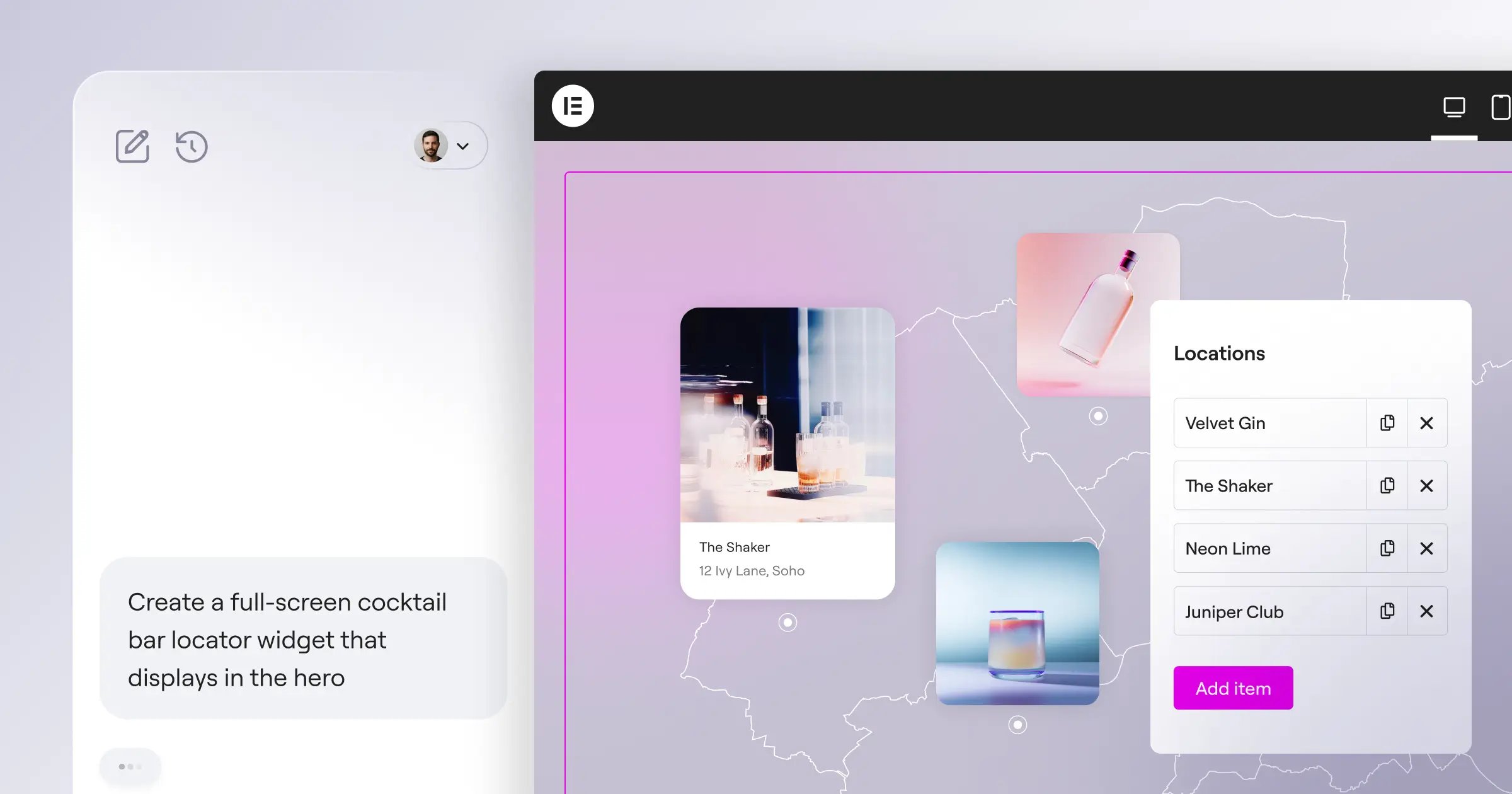
Generic code assistants like GitHub Copilot or Cursor handle isolated scripts well, but don’t know your site’s structure or database. Angie by Elementor closes that gap: a free, agentic AI framework for WordPress using the Model Context Protocol (MCP) to read your site’s context automatically. Ask for a solution in plain language, and it plans, writes, and executes the task inside a safe sandbox so you won’t crash your live site while experimenting. Here’s what’s driving this trend in 2026:
- Custom Elementor Widgets – Generates brand-aligned widgets without PHP or React.
- WordPress Admin Snippets – Modifies the backend instantly for client needs.
- Custom Post Types – Structures data architectures through conversational prompts.
- Front-End Visual Apps – Deploys interactive calculators or directories to the front end.
- Rapid Production Deployment – Moves from idea to production-ready asset in exactly 4 minutes.
You end up with native WordPress assets that integrate cleanly with Elementor Editor Pro.
2. Hyper-Personalized User Experiences Replacing Static Pages
A single static homepage can’t convert every visitor. 73% of consumers expect companies to understand their unique needs, meaning the UI adjusts in real time based on intent, referral source, and browsing history.
AI reads clickstream data the moment a visitor lands, then adjusts headers, hero images, and calls to action on the fly. A first-time social-ad visitor might see an educational layout, a returning customer with cart items sees a discount-driven one.
- Data Ingestion – Captures geolocation, device type, and referral pathway the instant the page loads.
- Pattern Matching – Checks historical conversion data to find the best-performing layout for that demographic.
- Asset Assembly – Elementor AI generates copy variations and selects optimized imagery on the fly.
- Live Rendering – The browser renders the personalized layout instead of the default static wireframe.
McKinsey data shows this personalization lifts conversion rates by up to 15%. You’re reshaping the page’s flow, not just swapping text.
3. Generative UI Components Moving From Wireframes To Production
The last decade was about dragging and dropping boxes by hand. Generative UI lets you create whole sections from a single prompt. Type “pricing table for a SaaS product with three tiers and an enterprise toggle,” and the AI builds it natively.
Designers report a 30% to 50% reduction in time spent on layout drafting and asset generation, not by replacing the designer but by removing the friction of manual grid building. With Elementor Editor V4 (Atomic) launching February 2026, CSS-first foundations keep this code clean and production-ready. Here’s how that compares to the old way:
| Workflow Metric | Traditional Manual Design | Generative AI UI Design |
|---|---|---|
| Initial Wireframing | Takes 3-5 hours of manual block placement. | Takes 45 seconds via prompt-to-web generation. |
| Responsive Tweaking | Manual breakpoint adjustments for mobile/tablet. | AI applies proportional scaling automatically. |
| Brand Consistency | Relies on human memory for global variables. | Maps assets directly to Global Brand Settings. |
| Asset Population | Requires hunting for placeholder text and images. | Populates instantly with context-aware copy. |
The speed difference is hard to ignore. You’re skipping the most tedious phases of frontend work.
4. Automated WCAG Compliance Becoming The Default Standard
Web accessibility is in rough shape: WebAIM studies find 98.1% of the top 1 million website homepages have detectable WCAG 2.0 failures, and AI is stepping in to close that gap.
Manual audits take weeks and cost thousands of dollars. AI-driven remediation tools now detect and fix up to 70% of common accessibility issues automatically: reading image context for accurate alt text, restructuring heading hierarchies, and rewriting ambiguous link text. Inside Elementor, the Web Accessibility tool scans for over 180 WCAG issues right in the editor. Here’s what it resolves in 2026:
- Missing Alternative Text – Analyzes images and generates descriptive alt attributes instantly.
- Color Contrast Violations – Identifies low-contrast text and shifts hex codes to a 4.5:1 ratio.
- Empty Links and Buttons – Detects elements lacking ARIA labels and adds semantic descriptions.
- Form Input Labeling – Maps complex forms with proper associated labels automatically.
- Skipped Heading Levels – Restructures H1 through H6 tags without breaking your styling.
Fixes run on 9 shared credits per fix within Elementor One, protecting your agency’s reputation and opening clients’ sites to millions of disabled users.
5. Predictive Design Analytics Simulating User Behavior
You’ve got 0.05 seconds to make a first impression, and 94% of that comes down to design. Waiting weeks for A/B test data wastes revenue, and predictive design analytics changes that methodology.
Instead of launching and waiting, AI simulates thousands of user sessions before you hit publish, generating pre-launch heatmaps that show where human eyes will go, based on millions of historical data points. You’ll know if your call-to-action is invisible before a real user struggles to find it.
How accurate are these models compared to live human testing?
Remarkably close. Trained on massive eye-tracking and click-tracking datasets, the AI understands visual hierarchy well, knowing high-contrast elements draw the eye and how reading patterns shift between mobile and desktop.
Can it predict conversion rates?
It can’t guarantee a sales number, but it scores your layout’s “clarity” and flags friction points where visual elements compete for attention. Adjust the spacing or typography, then rerun the simulation instantly.
6. Voice-First Web Interfaces Requiring Conversational Architecture
People aren’t just typing queries anymore, they’re speaking them. Voice-first web interfaces (VUI) mean rethinking your site architecture, since a nav menu doesn’t help someone browsing “eyes-free” through a smart speaker or voice assistant.
Your site needs to function like a conversation, using Natural Language Processing (NLP) to interpret complex, multi-part voice queries instead of exact-match keywords, understanding intent and delivering a concise, spoken response from your database. Moving to a voice-ready site takes a clear process:
- Audit Existing Architecture – Maps current visual flows and flags where voice could replace complex click paths.
- Implement Conversational Search – AI agents replace search bars, filtering multi-part requests like “show me red shoes under fifty dollars that arrive by Tuesday” at once.
- Structure Data Semantically – Tags products, FAQs, and location data with Schema markup so voice assistants read them instantly.
- Design Auditory Feedback Loops – Creates non-visual confirmations, so adding an item by voice gets a spoken confirmation and total.
It’s a big leap, but a necessary one. Brands with smooth voice experiences will win over users who’d rather not type.
7. Real-Time Localization Beyond Basic Translation
If you’re still relying on cheap plugin translations that break your layouts, you’re alienating global customers. Real-time localization in 2026 goes well beyond swapping vocabulary, calling for cultural translation paired with instant visual adjustment.
58% of marketers currently use generative AI for content creation, a number HubSpot projects will pass 80% by the end of 2026. AI doesn’t translate a joke literally, it finds the equivalent cultural idiom and picks up on tone and regional phrasing. Different languages need very different screen space, so here’s how AI localization solves that automatically:
- Text Expansion Management – Adjusts container widths so long German words don’t break a button into three lines.
- RTL Framework Switching – Flips the site architecture to Right-To-Left for Arabic or Hebrew, mirroring margins and icons.
- Image Localization – Swaps hero images to match the visitor’s regional demographics.
- Currency and Formatting – Rewrites dates, phone numbers, and pricing to local conventions without touching the core database.
Using the 25+ languages supported by Elementor AI, you can deploy a globally optimized site in hours instead of months.
8. Custom Asset Generation Replacing Stock Photography Entirely
Stock photography has real downsides: it’s pricey, generic, and can hurt brand credibility since users spot a staged handshake from a mile away. AI-driven asset generation lets you create brand-aligned images, icons, and background videos inside your editor.
A basic Midjourney subscription runs $10 to $120 a month, while stock sites charge hundreds per image. Generating your own assets cuts licensing headaches, and with Elementor’s Image Optimization, you can compress those WebP files automatically, cutting file size by up to 60%. It’s not without downsides, you’ve got to balance speed with quality control:
- Pro: Brand Consistency. Train models on your hex codes and style guidelines so every icon matches your aesthetic.
- Pro: Easy Iteration. Need a darker shadow on that shot? Just adjust the prompt, no reshoot required.
- Pro: Zero Licensing Issues. You own the output, with no usage rights expiring after twelve months.
- Con: AI Hallucinations. Models still occasionally generate odd artifacts, like six-fingered hands or garbled text.
- Con: Human Curation Still Needed. You can’t trust the first output blindly, a designer’s eye still has to pick the best variation.
Agencies winning in 2026 treat AI image generation as raw material, not a finished product.
9. Intelligent SEO And Semantic Content Optimization
Search engines don’t just read words anymore, they read intent. Stuffing keywords into H2 tags and hoping for the best only makes traffic slide. Intelligent SEO relies on AI to analyze topic clusters and build semantic relationships between pages.
BrightEdge data shows sites using AI for keyword clustering and content optimization see 40% higher organic traffic growth than manual, legacy methods. Page speed matters too: Akamai reports a 1-second delay causes a 7% reduction in conversions, so AI handles technical SEO automatically, minifying code and generating clean schema markup to stay under that 2-second threshold.
The intersection of AI and SEO isn’t about writing faster content. It’s about structuring data so cleanly that search engines instantly understand your topical authority. The sites that win in 2026 will be the ones that use AI to map semantic relationships, not just generate blog posts.
Itamar Haim, SEO Team Lead at Elementor. A digital strategist merging SEO, AEO/GEO, and web development.
Think of your site as a connected web of knowledge. AI agents analyze content, spot topical gaps, and suggest internal linking that passes authority where it’s needed.
10. Conversational UI Evolving Into High-Functioning AI Agents
The static “Contact Us” form feels like a relic now, nobody wants to fill 12 fields just to ask a pricing question. We’ve moved past scripted chatbots into a new era of high-functioning AI agents.
According to Salesforce, 64% of customers say 24/7 service availability is the single best feature of AI interactions. But these agents don’t just answer FAQs, they qualify leads through natural conversation, pull from inventory databases in real time, and act as digital personal shoppers inside the web interface. Here’s how advanced agents are changing website architecture:
- Lead Qualification – Scores the visitor’s purchasing intent and routes high-value prospects to a sales rep’s calendar.
- Dynamic Product Recommendation – Listens to the user’s problem and builds a custom solution package instantly.
- Automated Troubleshooting – Guides users through technical fixes, reading server logs and offering step-by-step visual aids.
- Frictionless Checkout – Lets users complete transactions inside the chat interface, processing payments without a cart page.
With unified platforms like Elementor One ($168/yr), you get the tools to integrate these AI functions into your WordPress architecture.
Frequently Asked Questions
What exactly is an agentic AI framework?
Unlike basic AI that just generates text, Angie acts on its own: it plans, writes the code, and executes changes in WordPress from natural language prompts.
Will AI replace human web designers in 2026?
No, it won’t. It replaces tedious tasks like manual grid building and CSS tweaking, so designers using AI work faster and take on more complex projects.
How does AI improve website load times?
AI tools compress images, convert them to formats like WebP or AVIF, and minify CSS and JavaScript, keeping pages loading under 2 seconds for better SEO and retention.
Can AI guarantee my website is legally WCAG compliant?
Absolutely not. Elementor’s Web Accessibility feature can fix up to 70% of common accessibility issues automatically, but no software guarantees full legal compliance. You still need human oversight for complex cases.
Is custom AI image generation expensive?
Actually, it’s much cheaper than stock photography. Generative AI tools cost a fraction of premium subscriptions and let you create unlimited, brand-specific assets without complex licensing.
What is predictive design analytics?
It uses machine learning to simulate how users interact with your site, generating heatmaps before launch so you can see where they’ll look and optimize CTA placement instantly.
Do I need to know how to code to use these AI tools?
You don’t. Natural language prompting is the new code: describe what you want, and WordPress AI agents build the PHP and React components behind the scenes.
Looking for fresh content?
By entering your email, you agree to receive Elementor emails, including marketing emails,
and agree to our Terms & Conditions and Privacy Policy.

