We’re diving into ten practical, powerful automation workflow examples you can implement for your ecommerce clients right now. Let’s explore how you can put their marketing on autopilot and deliver incredible value.
What is Marketing Automation (And Why It’s Crucial in 2026)
At its core, marketing automation is the practice of using software to handle repetitive marketing tasks. Instead of manually sending every email or tracking every customer action, you design automated workflows that trigger based on user behavior. This allows you to send personalized, timely, and relevant messages to the right people at the right moment, at scale.
In 2026, this isn’t just a convenience; it’s a necessity. With rising customer acquisition costs and the shift away from third-party cookies, the focus is now on building direct relationships and maximizing the value of every customer. Automation is the engine that powers these relationships. It allows you to:
- Nurture Leads: Guide potential customers from initial interest to their first purchase.
- Engage Customers: Keep your brand top-of-mind with relevant content and offers.
- Boost Retention: Turn one-time buyers into loyal, repeat customers.
- Save Time: Free yourself and your clients from tedious, manual tasks to focus on strategy and growth.
The Foundation of Automation: Reliable Delivery
When designing these automated journeys, the most critical—and often overlooked—component is deliverability. You can craft the perfect subject line and the most enticing offer, but if the email lands in the spam folder or vanishes due to server restrictions, the entire workflow fails.
Many WordPress sites rely on the default PHP mail function, which is notoriously unreliable and often blocked by hosting providers. To ensure your marketing automation efforts actually yield results, you need a dedicated delivery engine.
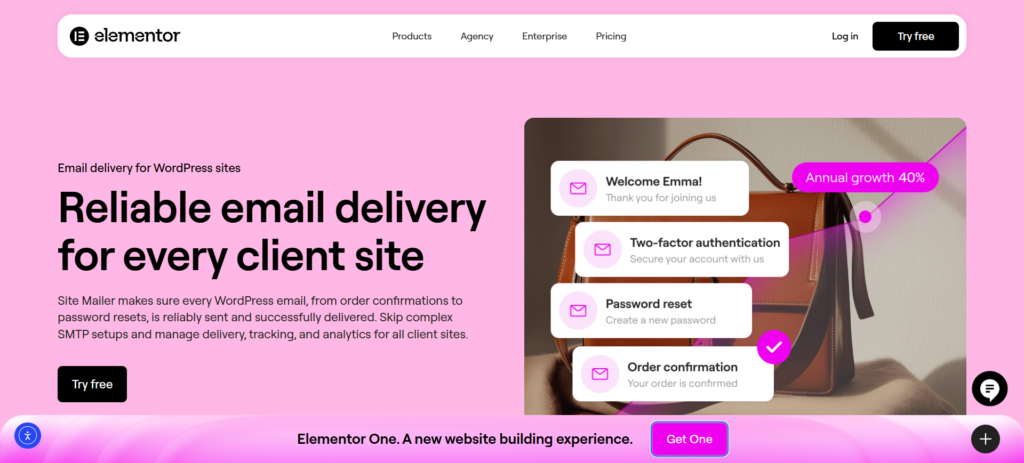
This is where Site Mailer becomes indispensable. It is a robust WordPress plugin designed to replace unreliable default mail functions with a secure, authenticated delivery system. By handling complex protocols like SPF, DKIM, and DMARC automatically, Site Mailer ensures that the critical emails generated by your workflows—whether they are order notifications or password resets—actually reach the inbox. It provides the rock-solid foundation your marketing automation needs to succeed.
10 Essential Marketing Automation Workflows for Ecommerce
Now, let’s get to the practical application. Here are ten essential marketing automation workflows that can drive significant results for any WooCommerce store. Each example is broken down into its core components and includes pro tips for success.
1. The Welcome Series
Why It’s Important: The welcome series is your digital handshake. It’s your first and best opportunity to make a great impression, introduce the brand’s story, and guide a new subscriber toward their first purchase. This single workflow can set the tone for the entire customer relationship.
The Anatomy of the Workflow:
- Trigger: A user subscribes to your email or SMS list through a form on the website.
- Steps/Actions:
- Immediate: Send Email #1 (Welcome & Thank You). Confirm their subscription, deliver any promised discount or lead magnet, and briefly introduce the brand.
- Wait 1-2 Days: Send Email #2 (Brand Story & Values). Go beyond the products. Share the mission or what makes the brand unique. This builds an emotional connection.
- Wait 2 Days: Send Email #3 (Showcase Best-Sellers & Social Proof). Highlight popular products and include a few glowing customer reviews or user-generated photos to build trust.
- Wait 3 Days: Send Email #4 (Final Nudge). If they haven’t purchased yet, send a final reminder about their welcome offer before it expires.
- Channels: Primarily email, but an initial welcome SMS can also be highly effective.
Pro Tips for Success:
- Deliver on Your Promise: If you offered a 10% discount for signing up, make sure the code is front and center in the first email.
- Don’t Just Sell: Use this series to build a relationship. Ask subscribers to follow you on social media or share their preferences to help you personalize future messages.
- Keep it Focused: Each email should have one clear call-to-action (CTA).
How Site Mailer Simplifies This: The very first email is the most important. If a new subscriber doesn’t see your welcome email immediately, they lose trust. Site Mailer uses dedicated infrastructure to bypass common server blocks, ensuring your first impression lands instantly in the primary inbox, not the junk folder.
2. The Abandoned Cart Recovery
Why It’s Important: Cart abandonment is a huge challenge in ecommerce, with some estimates putting the average rate as high as 66.5%. This workflow is designed to recover a significant portion of that potentially lost revenue, making it one of the highest-impact automations you can set up.
The Anatomy of the Workflow:
- Trigger: A logged-in user or a guest who enters their email adds a product to their cart but does not complete the purchase within a set time.
- Steps/Actions:
- Wait 1 Hour: Send Email #1 (Simple Reminder). A gentle nudge like, “Did you forget something?” often works well. Include images of the items in their cart.
- Wait 23 Hours: Send Email #2 (Create Urgency/Address Concerns). Remind them their cart is waiting. You can mention that items are selling fast or include answers to frequently asked questions about shipping or returns.
- Wait 2 Days: Send SMS or Email #3 (Offer an Incentive). As a final attempt, offer a small discount (e.g., free shipping or 10% off) to encourage them to complete the purchase.
- Channels: A combination of email and SMS is highly effective here. Email allows for rich visuals of the cart items, while SMS is great for a short, urgent final reminder.
Pro Tips for Success:
- Make it Easy: Include a direct link that takes the customer right back to their pre-filled cart.
- Use Social Proof: Add a star rating or a short review for the abandoned product directly in the email to build confidence.
- Test Your Timing: Experiment with the wait times between messages to see what works best for your audience.
How Site Mailer Simplifies This: Abandoned cart emails are transactional in nature and high-stakes. With Site Mailer, you get real-time tracking logs. If you notice a drop in recovery rates, you can check the Site Mailer dashboard to verify if emails are failing or bouncing, allowing you to troubleshoot delivery issues instantly before you lose more sales.
3. The First-Time Customer Thank You & Nurture
Why It’s Important: The journey isn’t over when a customer makes their first purchase; it’s just beginning. This workflow is designed to combat buyer’s remorse, reinforce their decision, and start building the loyalty that leads to a second purchase.
The Anatomy of the Workflow:
- Trigger: A customer completes their first order.
- Steps/Actions:
- Immediate: Send Email #1 (Order Confirmation & Thank You). This should be separate from the standard WooCommerce receipt. Make it personal. Thank them for joining the community and set expectations for shipping.
- Wait 7-10 Days (or after delivery): Send Email #2 (Product Tips & Value-Add). Offer helpful content related to their purchase. For example, if they bought skincare, send a “5 Tips for Your Morning Routine” guide.
- Wait 21 Days: Send Email #3 (Check-in & Cross-Sell). Ask how they’re enjoying the product and suggest a complementary item that other customers loved.
- Channels: Email is the best channel for this kind of detailed, value-driven content.
Pro Tips for Success:
- Be Genuinely Helpful: The goal of this flow is to build a relationship, not just to sell more products immediately. Provide real value.
- Personalize Suggestions: Use their purchase data to make relevant cross-sell recommendations. Don’t suggest a product they’ve already bought.
- Open a Dialogue: Encourage them to reply with questions or share their experience on social media.
How Site Mailer Simplifies This: Post-purchase emails often contain essential order details. By using Site Mailer, you ensure these high-priority communications are authenticated via DKIM and SPF protocols, protecting your brand’s reputation and ensuring customers always receive their receipts and nurture content.
4. The VIP Customer Reward
Why It’s Important: Your best customers are the lifeblood of the business. This workflow recognizes and rewards them, making them feel appreciated and encouraging their continued loyalty. Fostering this kind of emotional connection is key to long-term retention.
The Anatomy of the Workflow:
- Trigger: A customer meets predefined VIP criteria (e.g., total spending exceeds $500, or they’ve made 5+ purchases).
- Steps/Actions:
- Immediate: Send Email #1 (Welcome to the Club!). Announce their new VIP status. Explain the exclusive perks they’ve unlocked (e.g., early access to sales, a permanent discount, free shipping on all orders).
- Ongoing: Create a “VIP” segment. Send this group exclusive content, special offers, and early access to new product launches before anyone else.
- Channels: Email is ideal for announcing their status and explaining the perks.
Pro Tips for Success:
- Make Perks Meaningful: The rewards should feel genuinely exclusive and valuable.
- Create a Sense of Belonging: Use language that makes them feel like part of an inner circle or a special community.
- Don’t Set It and Forget It: Periodically surprise your VIPs with an unexpected gift or offer to keep the relationship fresh.
How Site Mailer Simplifies This: When dealing with VIPs, failure is not an option. Site Mailer provides detailed analytics on open rates and delivery status. This visibility ensures that your most valuable customers are actually seeing the rewards you send them, preserving that critical high-value relationship.
5. The “Win-Back” Campaign for Lapsed Customers
Why It’s Important: It’s often easier and cheaper to win back a former customer than to acquire a brand new one. This workflow targets customers who haven’t purchased in a while and attempts to re-engage them before they’re lost for good.
The Anatomy of the Workflow:
- Trigger: A customer has not made a purchase in a specific timeframe (e.g., 90 or 180 days, depending on the product lifecycle).
- Steps/Actions:
- Wait 90 Days Post-Purchase: Send Email #1 (“We Miss You”). A simple, friendly check-in. You could highlight what’s new since their last visit.
- Wait 14 Days: Send Email #2 (Incentive Offer). Offer a compelling, time-sensitive discount to entice them back. Frame it as a special offer “just for them.”
- Wait 7 Days: Send SMS or Email #3 (Final Reminder). A short message reminding them that their special offer is about to expire.
- Channels: Email is great for the initial messages, while SMS can add a sense of urgency for the final offer.
Pro Tips for Success:
- Acknowledge Their Absence: A little personalization goes a long way. Using a subject line like, “Is it something we said, [First Name]?” can be effective.
- Remind Them What They Loved: If possible, dynamically insert an image of the last product they purchased to jog their memory.
- Ask for Feedback: If they still don’t engage, consider sending one final email asking for feedback on why they haven’t returned.
How Site Mailer Simplifies This: Re-engagement campaigns often involve sending to older email addresses that may no longer be active. Site Mailer includes suppression management features that help manage hard bounces and protect your sender reputation, ensuring you aren’t penalized for trying to win back old leads.
6. The Post-Purchase Review Request
Why It’s Important: Social proof is incredibly powerful. 93% of consumers in the U.S. say reviews influence their buying decisions. This automated workflow helps you consistently collect valuable product reviews that build trust and drive conversions for future shoppers.
The Anatomy of the Workflow:
- Trigger: An order is marked as “Completed” or “Delivered.”
- Steps/Actions:
- Wait 7-14 Days: Send Email #1 (Review Request). The timing should give the customer enough time to have actually used the product. Ask for their honest feedback and provide a direct link to the product page to leave a review.
- Wait 7 Days: Send Email #2 (Reminder). For those who didn’t open or click the first email, send a polite follow-up.
- Channels: Email is the best channel for this.
Pro Tips for Success:
- Make It Effortless: The easier you make it, the higher your conversion rate will be. Link directly to the review form on the product page.
- Explain the “Why”: Briefly mention that their feedback helps other shoppers make informed decisions.
- Showcase the Product: Include a picture of the item they purchased in the email to remind them.
How Site Mailer Simplifies This: A review request is only effective if it arrives at the right moment. By using Site Mailer, you bypass the delays often caused by shared hosting mail servers, ensuring your request lands exactly when the customer is most likely to respond.
7. The Browse Abandonment Flow
Why It’s Important: This is a more advanced version of cart abandonment. It targets shoppers who showed interest by viewing a specific product or category multiple times but never added anything to their cart. It’s a proactive way to re-engage visitors who are high on intent but low on commitment.
The Anatomy of the Workflow:
- Trigger: A known contact on your list views a specific product page 2-3 times within a short period without adding it to their cart.
- Steps/Actions:
- Wait 2-4 Hours: Send Email #1 (“Did you see something you liked?”). Feature the product(s) they were looking at. You can frame this as a helpful reminder or a way to offer more information.
- Wait 24 Hours: Send Email #2 (Social Proof & Related Items). Show them some top reviews for the product they viewed and suggest a few similar items they might also like.
- Channels: Email.
Pro Tips for Success:
- Be Helpful, Not Creepy: The tone is key here. Avoid language like “We saw you looking…” Instead, try “Still considering this?” or “A top-rated item you viewed.”
- Provide Value: Use the email to answer common questions about the product or highlight its key benefits.
- Use This Sparingly: This can be a very powerful flow, but you don’t want to overwhelm your subscribers. Set a frequency cap so a user can only receive this type of email once every 30 days.
How Site Mailer Simplifies This: Automated triggers based on browsing behavior generate a high volume of emails. Site Mailer is built to handle this volume without triggering spam filters, ensuring your timely nudges are delivered reliably.
8. The Cross-Sell/Up-Sell Workflow
Why It’s Important: This workflow aims to increase the average order value and customer lifetime value by recommending relevant products based on a customer’s purchase history. It’s a highly effective form of personalization.
The Anatomy of the Workflow:
- Trigger: A customer purchases a specific product.
- Steps/Actions:
- Wait 14-21 Days: Send Email #1 (Product Recommendation). Based on their recent purchase, recommend a product that logically follows. For example, if they bought a camera, suggest a camera bag or extra batteries.
- Ongoing: Add the customer to a segment based on their product interest. For the camera buyer, you can add them to a “Photography Enthusiast” segment and send them relevant content and offers in the future.
- Channels: Email.
Pro Tips for Success:
- Make Smart Recommendations: The suggestions must be genuinely helpful. Analyze your order data to see what products are frequently purchased together.
- Explain the Benefit: Don’t just show another product; explain why it’s a great companion to their original purchase.
- Timing is Everything: Wait long enough for them to have received and enjoyed their first product before trying to sell them another.
How Site Mailer Simplifies This: Cross-sell emails need to look professional to convert. Site Mailer allows you to verify your custom domain, ensuring these recommendation emails come from your branded address (e.g., [email protected]) rather than a generic WordPress address, which significantly boosts trust and click-through rates.
9. The Subscription/Replenishment Reminder
Why It’s Important: For businesses that sell consumable products (e.g., coffee, vitamins, pet food), this workflow automates the reorder process, creating a predictable, recurring revenue stream.
The Anatomy of the Workflow:
- Trigger: A set amount of time has passed since a customer purchased a consumable product (e.g., 25 days for a 30-day supply).
- Steps/Actions:
- 5-7 Days Before Expected Depletion: Send Email or SMS #1 (Reminder). “Running low on your favorite coffee? Reorder now so you don’t miss a morning.”
- 1-2 Days Before Depletion: Send Email or SMS #2 (Final Reminder). “Don’t run out! Click here to restock.”
- Channels: A combination of email and SMS is perfect. The email can show the product, while the SMS provides a quick, convenient link to reorder.
Pro Tips for Success:
- Offer a Subscription: Use this as an opportunity to convert them to a “Subscribe & Save” model for even greater convenience and recurring revenue.
- One-Click Reorder: Make the process as frictionless as possible with a direct link to a pre-filled cart.
- Calculate Timing Carefully: Analyze your data to determine the average reorder cycle for your products.
How Site Mailer Simplifies This: Replenishment emails are time-sensitive. If they arrive late, the customer may have already bought a replacement elsewhere. Site Mailer provides the reliability needed to ensure these scheduled notifications go out exactly when they are supposed to, protecting your recurring revenue.
10. The Birthday/Anniversary Special Offer
Why It’s Important: This is one of the easiest and most effective ways to personalize your marketing. Acknowledging a customer’s birthday or the anniversary of their first purchase makes them feel valued and provides a great reason to send a special offer.
The Anatomy of the Workflow:
- Trigger: The date is 7 days before a customer’s stored birthday or “first purchase” anniversary.
- Steps/Actions:
- 7 Days Before: Send Email #1 (Heads-up). “Your birthday is coming up! We’re sending a special treat your way next week.”
- On the Day: Send Email or SMS #2 (The Offer). “Happy Birthday, [First Name]! Here’s 20% off to celebrate.”
- 7 Days After: Send Email or SMS #3 (Last Chance). A final reminder that their birthday offer is expiring.
- Channels: Email for the main message, SMS for a quick “Happy Birthday!” message and offer code.
Pro Tips for Success:
- Collect the Data: You can’t run this workflow if you don’t have the data. Add an optional “Birthday” field to your account creation or subscription forms.
- Make the Offer Generous: This should feel like a genuine gift, so make the discount more compelling than your standard promotions.
- Keep the Tone Celebratory: Use bright, cheerful design and celebratory language.
How Site Mailer Simplifies This: Personalized emails like birthday offers are great for engagement, but if they bounce, they are wasted opportunities. Site Mailer helps you maintain a healthy email list by tracking invalid addresses, ensuring you aren’t paying to send offers to ghosts.
Best Practices for Marketing Automation in 2026
Setting up the workflows is the first step. To truly succeed, follow these best practices to ensure your automated marketing is effective, human, and always improving.
Focus on Personalization, Not Just Automation
The goal of automation is to enable personalization at scale. Use the rich data you have to tailor your messages. Use dynamic content to insert the customer’s first name, mention the last product they bought, or change the entire offer based on their VIP status.
Keep Your Messaging Human and Authentic
Just because a message is automated doesn’t mean it has to sound robotic. Write your copy with a conversational and professional tone. Infuse the brand’s personality into every email and SMS.
Use Both Email and SMS Strategically
Email and SMS are partners, not competitors. Use email for longer, more detailed content like brand stories, product showcases, and newsletters. Use SMS for short, urgent, and time-sensitive messages like flash sale alerts, shipping notifications, and final reminders.
Always Be Testing and Optimizing
Your automation flows are not “set and forget.” Continuously A/B test different elements to improve performance. Test subject lines, send times, CTA buttons, and the value of your offers. Small tweaks can lead to big improvements in engagement and ROI.
Monitor Your Analytics
Pay close attention to your performance data. A good platform will provide real-time analytics on open rates, click-through rates, and, most importantly, revenue attribution. This data tells you exactly which workflows are driving sales and where you can make improvements.
Wrapping Up: Put Automation to Work for Your Clients
Marketing automation is one of the most powerful services you can offer your ecommerce clients. By implementing these workflows, you can help them save time, build stronger customer relationships, and generate more revenue—all on autopilot.
The key to success is choosing a stack that works with you, not against you. Complex workflows are useless if the emails never arrive. By leveraging a dedicated delivery tool like Site Mailer, you streamline your entire process. You gain the power of reliable, authenticated delivery without the headache of SMTP servers, ensuring that every welcome message, cart reminder, and VIP offer reaches your customer’s inbox. Start with one or two of these workflows, ensure your delivery infrastructure is solid, and become their indispensable partner in growth.






