Table of Contents
10 Best WordPress Page Builders in 2026
WordPress powers 43.5% of all websites on the internet in 2026. You’re likely managing one of them right now. Building a fast site isn’t optional anymore.
Look, 52.4% of WordPress websites currently pass all three Core Web Vitals metrics. That’s a massive leap from previous years. The main reason? Page builders finally optimized their code output. But choosing the right tool matters. You’ll need something balancing speed, flexibility, and modern automation. Here’s a breakdown of the top tools dominating the market this year.
Key Takeaways
- Elementor controls 13% of the global market with powerful AI additions.
- Native blocks run on over 100 million websites.
- Mobile delays of just 1 second can kill 20% of conversions.
- Heavy legacy builders add up to 1MB of CSS bloat.
- Modern Vue.js tools are actively displacing older PHP frameworks.
- Agentic AI completely alters the site creation process in 2026.
1. Elementor Editor Pro
Elementor powers over 21 million websites globally. That’s roughly 13% of all sites on the web. It’s massive. But size doesn’t mean stagnation. In 2026, the platform shifted heavily toward performance and automation.
The upcoming Atomic V4 engine brings a CSS-first foundation. This significantly reduces DOM size. (And DOM size is exactly what ruins mobile performance). You’ll also find serious innovation in workflow. Over 1 million users have already engaged with the built-in Elementor AI features.
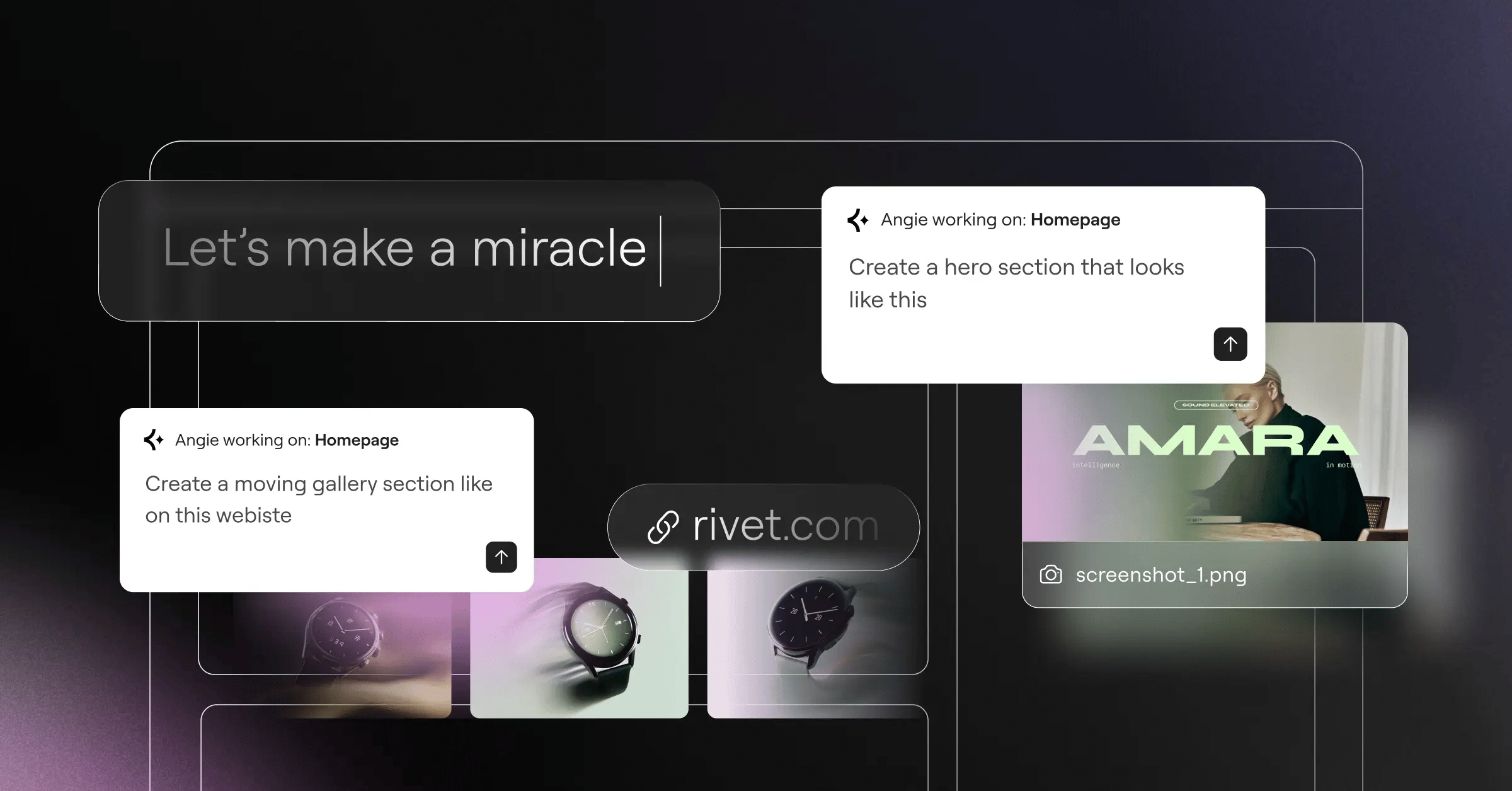
And then there’s Angie. This is an agentic AI operating on the Model Context Protocol. You simply type natural language requests, and it generates production-ready WordPress assets instantly. It connects directly into the broader Elementor ecosystem. Honestly, it changes how developers prototype layouts entirely.
Key Features
- Theme Builder for custom headers and footers
- Loop Builder handling complex dynamic content
- Native WooCommerce integration
- Agentic AI generation via Angie
- Responsive controls per breakpoint
- Global Brand Settings
Pricing
Plans start at $60/year for the Essential tier. You’ll get 57 widgets and updates for one site. Agency plans scale up to $444/year for unlimited sites. You can also opt for the unified Elementor One subscription.
Pros
- Massive third-party addon market
- Built-in global brand settings
- Rapid prototyping capabilities
- Constant feature updates
Cons
- Requires solid hosting infrastructure
- Learning curve for advanced dynamic tags
- Interface can feel complex for absolute beginners
- DOM size requires manual optimization on older versions
Verdict: It’s the most flexible option for professional web creators who want everything in one unified workspace.
2. Divi by Elegant Themes
Divi takes a totally different approach. It’s essentially a theme and builder hybrid. Elegant Themes built this for visual creators. You aren’t bouncing between backend settings and frontend previews. Everything happens right on the page.
Look, this visual-first approach appeals heavily to freelancers. (Especially those handling rapid client revisions). But speed matters. A 1-second delay in mobile page load times can reduce conversion rates by up to 20%. Divi historically struggled here. They’ve recently pushed massive performance updates to address DOM bloat. It’s much faster now. They’ve also introduced Divi Quick Sites, their own internal layout generation tool.
The ecosystem remains strong. You’ll find thousands of third-party modules available in their marketplace. This extends functionality far beyond the core builder.
Key Features
- Visual Layout Editor with direct text editing
- Built-in A/B Split Testing
- Global modules and design settings
- Extensive pre-made layout packs
- Advanced hover state controls
Pricing
You’ll pay $89/year for unlimited site usage. Or you can grab the lifetime license for $249.
Pros
- Incredible value for multiple sites
- Lifetime payment eliminates recurring costs
- Highly intuitive for visual thinkers
- Strong customer support community
Cons
- Shortcode lock-in makes changing themes painful
- Backend interface can feel sluggish on cheap servers
- CSS output isn’t as clean as modern alternatives
- Mobile optimization requires tedious manual tweaking
Verdict: Divi offers the best pure financial value for agencies managing dozens of low-budget client builds.
3. Beaver Builder
Beaver Builder maintains over 1 million active installations. Developers absolutely love this tool. Why? Stability. Updates rarely break active sites.
This reliability makes it a staple for maintaining complex corporate projects. (Nobody wants a midnight support call because a plugin update crashed a client’s homepage). It outputs incredibly clean HTML. Unoptimized builders can add between 400KB and 1MB of additional CSS and JavaScript. Beaver Builder avoids this entirely.
You’re getting a lightweight framework. The interface might look slightly dated compared to modern alternatives. Honestly, professional developers don’t care. They want reliable, semantic code.
Key Features
- Live frontend editing experience
- Developer-friendly API architecture
- Beaver Themer for archive templates
- Clean HTML and CSS output
- Reusable row and module templates
- White-labeling capabilities
Pricing
The Standard plan runs $99/year for unlimited sites. You’ll need higher tiers for white-labeling.
Pros
- Legendary stability during core updates
- Zero shortcode lock-in upon deactivation
- Excellent performance metrics
- Strong developer documentation
Cons
- Base pricing doesn’t include the theme builder
- UI feels less modern than competitors
- Fewer built-in widgets than Elementor
- Third-party ecosystem is shrinking slightly
Verdict: Choose this if you manage enterprise clients and value absolute structural stability above flashy animations.
4. Oxygen Builder
Oxygen Builder completely disables the native WordPress theme system. You’re taking total control. This approach removes all legacy WordPress styling. You start with a blank canvas.
It’s highly technical. (You’ll need to understand CSS Flexbox and Grid to actually use it). But the performance results speak for themselves. This builder outputs zero bloat. Sites built with Oxygen consistently ace performance audits. Look, the global CMS market is projected to reach $123 billion by 2028. Clients expect premium performance. Oxygen delivers exactly that.
You aren’t constrained by predefined widget settings. If you know CSS, you can build it. The dynamic data integration is also top-tier, allowing complex directory builds.
When evaluating page builders in 2026, you can’t just look at design flexibility. The underlying code structure dictates your crawl budget, Core Web Vitals, and ultimately your organic visibility. Tools that output semantic HTML give you a massive competitive advantage.
Itamar Haim, SEO Team Lead at Elementor. A digital strategist merging SEO, AEO/GEO, and web development.
Key Features
- Visual control of Flexbox and Grid
- Deep dynamic data integration
- Zero-bloat code output
- Custom PHP coding blocks
- Global CSS class management
Pricing
It’s a one-time payment. The Basic license costs $129.
Pros
- Superior performance and site speed
- No recurring annual fees
- Unmatched design freedom for coders
- Excellent dynamic content handling
Cons
- Steep learning curve for non-coders
- No visual theme to fall back on
- Client handoff requires extensive training
- Development pace has slowed recently
Verdict: Best for advanced users who prioritize PageSpeed Insights scores over ease of use.
5. Bricks Builder
Bricks Builder is the rising star of 2026. It’s built on a modern Vue.js framework. This makes the editor itself incredibly fast. No lag. No waiting for panels to load.
You click, and it happens. It’s built for performance-obsessed designers. Bricks approaches global styling differently. You manage CSS classes directly within the builder interface. (It feels very similar to traditional web development). You’ll find a highly active community driving rapid feature updates.
The native Gutenberg integration is exceptional. You can design a layout in Bricks, then save it as a native WordPress block. This gives your clients a safe editing environment.
Key Features
- Native Gutenberg block rendering
- Global CSS classes management
- Built-in interaction engine
- Query loop builder
- Pinia state management for editor speed
Pricing
The Starter license costs $99 for one site. The Ultimate license provides unlimited sites for $249. Both are one-time payments.
Pros
- Incredible performance (Vue.js based)
- Modern UI/UX workflow
- Strong community feedback loop
- Clean code output
Cons
- Smaller addon market than legacy builders
- Requires solid CSS knowledge
- Updates occasionally introduce minor bugs
- No built-in A/B testing yet
Verdict: The best modern alternative for developers who want a fast, Vue-based workflow without annual subscriptions.
6. Breakdance
Breakdance positions itself as a premium, developer-centric tool. It aims to offer the ease of Elementor with the performance of Oxygen. (The same parent company develops both Oxygen and Breakdance).
You’ll find over 130 built-in elements. This massively reduces your reliance on third-party plugins. It’s incredibly fast out of the box. They’ve heavily optimized their eCommerce capabilities.
Here’s how Breakdance handles WooCommerce optimization:
- Replaces default WooCommerce stylesheets automatically.
- Loads dedicated scripts only on specific checkout pages.
- Applies global brand colors directly to shop elements.
- Generates custom cart fragments to reduce server requests.
Key Features
- 130+ built-in elements
- Mega Menu builder natively included
- Performance-first WooCommerce integration
- Form builder with CRM routing
- Dynamic data conditions
Pricing
You’ll pay $199/year for use on unlimited websites.
Pros
- Very fast visual workflow
- Clean code output by default
- Reduces need for extra plugins
- Excellent built-in design library
Cons
- Higher annual cost for single-site users
- No one-time payment option
- Ecosystem is still growing
- Can feel overwhelming with so many settings
Verdict: Best for busy agencies who want intuitive design tools combined with serious code performance.
7. Brizy
Brizy offers a completely clutter-free experience. The interface hides itself until you click an element. It’s highly intuitive.
You’re editing text directly in place. No sidebars required. They offer both a WordPress plugin and a hosted cloud platform. It’s brilliant for beginners. Look, not every client needs complex dynamic data routing. Some just need a fast, attractive landing page.
The workflow relies heavily on pre-made blocks. You drag a block, change the colors globally, and publish. It saves hours of tedious alignment work.
Key Features
- Cloud and WordPress versions available
- Pop-up builder natively included
- White label options for agencies
- Global styling masks
- Mega menu creation
Pricing
Brizy Pro starts at $60/year for a single site.
Pros
- Easiest learning curve on this list
- Innovative clutter-free UI
- Excellent pre-designed block library
- Cloud syncing across projects
Cons
- Fewer advanced features for complex logic
- Limited dynamic data integrations
- Smaller developer community
- Code output isn’t as lean as GenerateBlocks
Verdict: Perfect for beginners, marketers, and small business owners who need to launch fast.
8. Visual Composer
Visual Composer rebuilt its entire architecture using React. Don’t confuse this with the legacy WPBakery plugin. This is a completely new tool.
It features a cloud-based asset hub. You download elements only when you actually need them. This keeps your local installation extremely lightweight. The React foundation makes the editor smooth and responsive. (Though it can still struggle on extremely long single pages).
They’ve focused heavily on third-party API integrations. You’ll find native Unsplash and Giphy support right inside the editor.
Key Features
- Visual Composer Hub (Cloud library)
- Header, Footer, and Sidebar editor
- Unsplash integration natively
- React-based rendering engine
- Theme builder capabilities
Pricing
The premium version starts at $49/year for one site.
Pros
- Independent of the WordPress theme
- Rich library of downloadable elements
- Clean user interface
- Affordable entry point
Cons
- Brand confusion with legacy WPBakery
- Smaller user base than Elementor
- Fewer advanced eCommerce features
- Support response times vary
Verdict: A solid choice for users who want a cloud-synced element library without local server bloat.
9. Spectra (by Brainstorm Force)
Spectra turns the native Block Editor into a professional design tool. The native WordPress block editor is active on over 100 million websites. Spectra builds directly on top of this massive foundation.
You aren’t loading a heavy third-party framework. It uses native WordPress code. This means extreme speed. Furthermore, native blocks integrate beautifully with AI tools. You can easily pair Spectra with Angie. Because Angie is an agentic AI that outputs native WordPress assets, it completely supercharges your Gutenberg workflow. (You talk to the AI, and it builds the structural blocks for you).
They’ve introduced proper Flexbox containers to Gutenberg. This solves the biggest headache developers had with native blocks.
Key Features
- Flexbox Containers for Gutenberg
- Pre-made website templates
- Block-based performance
- Copy-paste styles across pages
- Schema markup integration
Pricing
The core version is free. Pro starts at $49/year.
Pros
- Zero additional footprint (uses WP core)
- Extremely fast frontend loading
- Familiar interface for WordPress purists
- Excellent backward compatibility
Cons
- Limited by Gutenberg’s core UI constraints
- Block nesting can get visually messy
- Lacks advanced animation triggers
- Not ideal for highly custom WooCommerce flows
Verdict: Best for those who want to stay strictly within the native WordPress block ecosystem.
10. GenerateBlocks
GenerateBlocks is for absolute performance purists. It offers just six core blocks. You use these basic containers and grids to construct any layout imaginable.
It’s minimalist by design. If you want to achieve a perfect 100 on PageSpeed Insights, this is your tool. It requires a solid understanding of CSS concepts. There aren’t any pre-made flip-box or pricing table widgets. You build them yourself. (Or you copy them from their pattern library).
Here’s the exact sequence for building a high-performance hero section using this tool:
- Add a core Container block and define the semantic HTML tag.
- Set global CSS variables for padding and typography.
- Insert a Headline block and assign a dynamic H1 tag.
- Apply conditional display rules based on user device size.
Key Features
- Dynamic Data routing
- Global Styles via CSS variables
- Query Loop builder
- Custom SVG icon support
- Advanced background configurations
Pricing
The base version is free. Pro starts at $39/year.
Pros
- Highest possible Core Web Vitals scores
- Absolutely zero bloat
- Incredible dynamic data controls
- Very affordable premium tier
Cons
- Requires deep design and CSS knowledge
- No pre-made complex widgets
- Visual interface is very utilitarian
- Slower initial build time for beginners
Verdict: The professional’s choice for lightweight, ultra-high-performance sites.
Page Builder Comparison Summary
Here’s a direct comparison of the top contenders based on actual performance and value in 2026. You’ll notice modern builders prioritize speed and AI integration heavily.
| Builder | Starting Price | Performance Focus | AI Integration |
|---|---|---|---|
| Elementor Pro | $60/year | Medium (Requires Setup) | Yes (Elementor AI, Angie) |
| Divi | $89/year | Medium | Yes (Divi AI) |
| Bricks | $99 (One-time) | High (Vue.js) | No Native AI |
| Oxygen | $129 (One-time) | Very High | No Native AI |
| Breakdance | $199/year | High | No Native AI |
| GenerateBlocks | Free / $39/year | Maximum | No Native AI |
Final Recommendation: Which Builder Wins in 2026?
Look, there isn’t a single winner. The “best” tool depends entirely on your business model. We’ve seen a massive split in the market between visual convenience and raw code performance.
Here’s how you should decide:
- For Agencies and Scalable Freelancers – Elementor Editor Pro remains the undisputed king. The massive ecosystem, combined with tools like Angie handling agentic AI tasks, makes it unbeatable for rapid, high-quality production.
- For Code Purists – Bricks Builder is your best option. You get the speed of Vue.js without the annual subscription fees.
- For Native Block Adopters – GenerateBlocks offers the cleanest code output possible while keeping you inside the core Gutenberg ecosystem.
Frequently Asked Questions
Does using a page builder hurt my SEO?
Not inherently. Historically, heavy builders added CSS bloat that slowed down page speed, hurting rankings. Modern builders prioritize lean HTML output. If you optimize images and use caching, your SEO won’t suffer.
What is the difference between a theme and a page builder?
A theme controls the overall structure and global styling of your website. A page builder is a plugin that lets you visually design the content inside that structure. Tools like Elementor let you build the theme elements too.
Can I switch from one builder to another easily?
No. Most builders use proprietary code or shortcodes. If you deactivate Divi, for example, your pages will display broken shortcodes. You’ll need to rebuild the layout manually in the new builder.
Is the native block editor (Gutenberg) replacing page builders?
Gutenberg is active on over 100 million sites. It’s powerful, but it still lacks the advanced visual workflow and dynamic data routing that professional agencies require from dedicated builders.
How does AI fit into WordPress page building?
In 2026, AI isn’t just generating text. Agentic AI tools act on your behalf. They create full layouts, generate custom CSS, and build dynamic templates based purely on natural language prompts.
Do I need to know how to code?
You don’t need to know code to use tools like Brizy or Divi. However, using performance-focused builders like Oxygen or Bricks requires a solid understanding of CSS Flexbox and HTML semantics.
Are lifetime licenses worth the cost?
Yes, if you plan to build multiple sites over several years. A $249 lifetime license for Divi pays for itself within three years compared to annual subscription models.
Which builder is best for an eCommerce site?
Elementor and Breakdance offer the strongest native WooCommerce integrations. They allow you to customize cart pages, checkout flows, and product archives without writing custom PHP.
Looking for fresh content?
By entering your email, you agree to receive Elementor emails, including marketing emails,
and agree to our Terms & Conditions and Privacy Policy.

