Table of Contents
The Ultimate WordPress Automation Guide for 2026
Look, running a manual website in 2026 is a massive drain on your resources. You’re losing hours every week moving data between forms, emails, and CRM platforms. And frankly, your competitors aren’t doing this manually anymore.
We’ve reached a point where connecting your digital tools isn’t just a luxury for enterprise teams. It’s the baseline expectation for any serious business online. So, let’s break down exactly how you build a self-driving digital platform.
Key Takeaways
- WordPress powers 43.5% of all websites, creating the largest interconnected ecosystem for tool integration.
- Marketing automation drives a 14.5% increase in sales productivity and heavily reduces overhead.
- The global automation market will hit $13.71 billion by 2030, meaning tool costs will likely stabilize as competition grows.
- Small businesses save 6 hours per week simply by routing leads and handling data entry automatically.
- Cart recovery systems recapture 10% to 15% of abandoned checkouts, directly impacting your bottom line.
- AI integration is no longer optional, with 80% of marketers now using it for content and segmentation tasks.
The State of WordPress Automation in 2026
The days of relying on fifty disconnected plugins are entirely over. Today, your website operates as a central nervous system for your entire business operations. The marketing automation market is projected to reach $13.71 billion by 2030, and WordPress sits right at the center of this explosion.
But why does this matter for your specific site?
Because opportunity cost is real. Small business owners currently save an average of 6 hours per week by handling repetitive administrative tasks through software. That’s nearly a full workday handed back to you. You can’t afford to spend Tuesday mornings manually exporting CSV files.
the team created 200+ sites, and database bloat is the one thing that always kills scaling. Older methods relied heavily on WP-Cron and clunky background processors. Modern systems rely on event-driven webhooks. They’re faster, they’re cleaner, and they don’t drag your server down during peak traffic spikes. You’re moving from a model of scheduled polling to instant push notifications.
The Core Automation Toolkit Comparison
You can’t build a strong house without the right foundation. The tools you choose now dictate how easily you’ll scale next year. Let’s look at the current market leaders.
| Platform | 2026 Starting Price | Primary Use Case | Key Integration Stat |
|---|---|---|---|
| Zapier | $19.99/mo (750 tasks) | Universal SaaS bridging | Connects 6,000+ external apps |
| Make.com | $9/mo (Core plan) | Complex, multi-branch visual workflows | Unlimited active scenarios |
| Uncanny Automator | $149/year | Native WordPress bridging | Over 1,000 triggers and actions |
| WP Fusion | $247/year | Deep CRM synchronization | Supports 50+ CRMs directly |
| SureTriggers | Varies (Free tier available) | Hybrid native/cloud processing | Supports 800+ third-party apps |
| AutomateWoo | $119/year | Dedicated WooCommerce flows | Native eCommerce triggers |
Notice the price difference between cloud applications and native plugins. Zapier scales its cost based on task volume. Native plugins like Uncanny Automator charge a flat yearly fee. If you’re running 10,000 tasks a month, that flat fee becomes incredibly attractive. But you’re trading server resources to save that money.
Honestly, this is overkill for most people starting out. You don’t need all of these. Pick one native tool and one cloud bridge. That’s your entire stack.
Level 1: Foundational Automations for Lead Generation
Let’s fix your basic plumbing first. Companies that contact prospects within 5 minutes are 100x more likely to qualify the lead than those who wait 30 minutes. If you’re relying on email notifications to check your leads manually, you’ve already lost the deal.
Here’s exactly how you fix this using Elementor Editor Pro and a webhook bridge.
- Configure your lead capture – Open your landing page and drop in a native form widget. Keep fields to a minimum to maximize conversion.
- Set the action after submit – In the form settings, select ‘Webhook’ as your action. This tells the form to push data out instantly rather than just emailing it to you.
- Catch the payload – Go to Make.com and create a custom webhook URL. Paste this URL into your form settings. Submit a test lead to lock in the data structure.
- Route to your CRM – Add your CRM module in Make.com. Map the first name, email, and phone number fields directly from the caught payload.
- Trigger instant alerts – Add a Slack or SMS module. Format a message that pings your sales team channel the literal second the form processes.
Pro tip: Always add a hidden field in your form that captures the lead source URL. When the data hits your CRM, you’ll know exactly which page converted them without needing complex tracking scripts.
Level 2: Intermediate E-commerce and User Retention
Once your leads are flowing automatically, you need to plug the revenue leaks. E-commerce cart abandonment currently averages an agonizing 70.19% across all industries. You’re leaving massive amounts of money on the table if you don’t chase those users down.
Automated recovery sequences can recover between 10% and 15% of those lost sales. Here’s what a high-converting recovery flow looks like.
- The 1-Hour Check-in – Trigger a plain-text email asking if they experienced technical issues. Don’t offer a discount yet. Keep it strictly conversational.
- The 24-Hour Reminder – Send a highly visual email showing the exact items left in the cart. Add urgency by mentioning stock levels.
- The 48-Hour Incentive – Now you offer the 10% discount code. Set this code to expire in 24 hours to force an immediate decision.
- The Exit Tagging – If they still don’t buy, automatically apply a ‘Cold Lead’ tag in your CRM and remove them from the active sales sequence.
For membership sites, onboarding is just as critical. You can use WP Fusion to apply tags when a user watches a specific video. Then, you use dynamic visibility controls to hide that video and reveal the next module automatically. The site literally changes its layout based on user behavior.
Level 3: Advanced AI-Driven Workflows
We’ve moved way beyond simple “if this, then that” logic. In 2026, 80% of marketers have integrated some form of AI into their daily operations. The systems can now read, analyze, and make decisions without you.
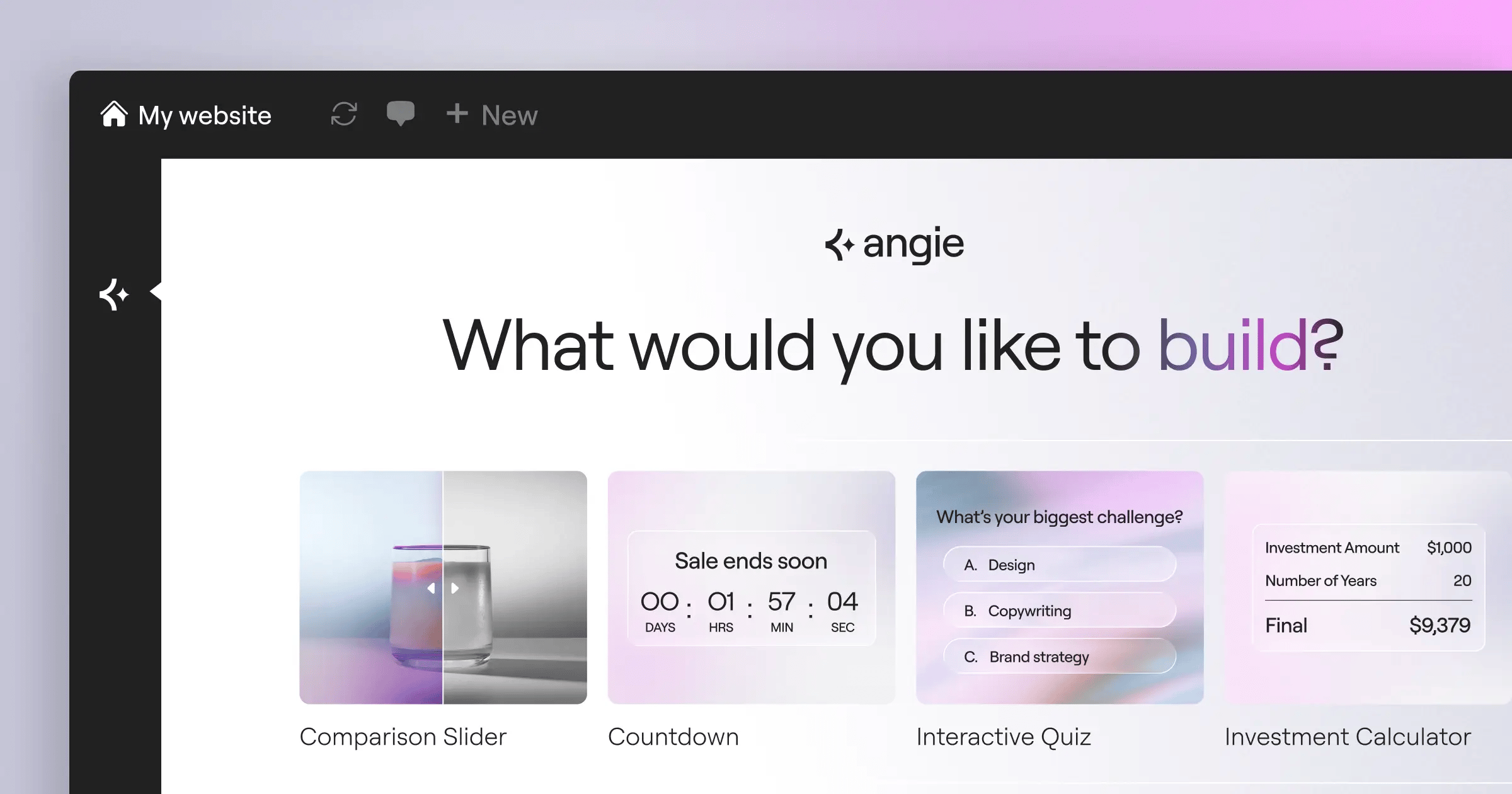
This is where agentic AI completely changes the game. Look at Angie, the native AI agent for WordPress. Angie operates via the Model Context Protocol, meaning it doesn’t just suggest code snippets. It actually executes tasks within your environment.
You can literally type a natural language prompt, and Angie creates production-ready assets. But it goes deeper when you connect these capabilities to external data.
- Sentiment Analysis – Run customer support forms through an AI module before they hit your helpdesk. If the AI detects high anger or frustration, it automatically assigns a high-priority tag and routes it to a senior manager.
- Content Repurposing – When you publish a new post, trigger an automation that sends the text to an AI processor. Have it generate three unique tweets, a LinkedIn post, and a custom meta description, then schedule them automatically.
- Predictive Maintenance – AI can monitor your error logs. If it notices a specific plugin throwing warnings, it can alert your developer channel before the site actually crashes.
You aren’t just saving time anymore. You’re deploying a digital workforce that operates 24/7 without taking a coffee break.
Native WordPress Automation vs External SaaS Platforms
You’ve a major architectural choice to make. Do you keep your processes inside WordPress, or do you push them to the cloud? Both approaches have distinct advantages and serious drawbacks.
Let’s look at the reality of native on-site tools.
- Pro: Total Data Control. Your customer data never leaves your server. This makes GDPR compliance significantly easier to manage.
- Pro: Zero Task Limits. Once you pay the $149 yearly fee, you can run a million tasks. Your cost doesn’t balloon as you scale.
- Con: Server Load. Every trigger and action requires PHP processing and database queries. If 500 people hit a complex workflow simultaneously, your site might crash.
- Con: Plugin Conflicts. You’re relying on developers to maintain compatibility. If WooCommerce updates and breaks a trigger, your entire flow stops.
Now, let’s examine external platforms like Make and Zapier.
- Pro: Offloaded Processing. Your server simply fires a lightweight webhook and forgets about it. The heavy lifting happens on massive cloud servers.
- Pro: Visual Debugging. Finding a broken step in a visual flow builder is infinitely easier than digging through WordPress debug logs.
- Con: Punishing Costs. Zapier charges $19.99 for just 750 tasks. If you run a busy store, you’ll burn through that in three days.
- Con: API Rate Limits. If you push data to a CRM too fast, the external app will throttle your connection, causing failed transfers.
Relying purely on client-side tracking and disconnected third-party tools creates a massive data gap. Native automation directly bridges your server-side WordPress data with external applications, significantly reducing latency and ensuring you don’t lose crucial attribution data to aggressive browser blockers.
Itamar Haim, SEO Team Lead at Elementor. A digital strategist merging SEO, AEO/GEO, and web development.
Troubleshooting Common Webhook Failures
Things will break. That’s not a possibility; it’s an absolute certainty. When your systems fail, you need to know exactly how to diagnose the issue quickly.
Webhooks are generally reliable, but they’re incredibly literal. If a single character changes in your data payload, the receiving application will reject the entire transfer. research involved hours debugging systems only to find a missing comma was destroying the workflow.
- Check the HTTP Status Codes – A 200 code means success. A 400 code means your data was formatted incorrectly. A 401 means your API key expired or failed authentication. A 500 code means the receiving server actually crashed.
- Inspect the Payload Formats – JSON formatting is strict. Make sure your dates are formatted exactly how the receiving application expects them. (Usually ISO 8601 format).
- Verify the SSL Certificates – Many external systems strictly refuse to send data to a webhook URL if your WordPress site has an expired or improperly configured SSL certificate.
Pro tip: Build a “dead letter queue.” Set up your automations so that if a step fails, the data payload is automatically emailed to you as a plain text backup. You’ll never lose a customer order again.
Managing Data Privacy in Automated Systems
You can’t talk about moving data automatically without addressing privacy. By 2026, regulations have become incredibly strict globally. If you’re blindly firing customer data into dozens of third-party apps, you’re exposing yourself to massive liability.
Currently, 91% of companies with over 10 employees use a CRM system. That means almost everyone is syncing data externally. You need to map exactly where a user’s email address travels after they hit the submit button.
- Minimize Data Collection – Don’t ask for a phone number if you only need an email. Less data means less liability if a breach occurs.
- Audit Third-Party Storage – If you use Zapier to parse emails, remember that Zapier temporarily stores that payload. Ensure your data processing agreements are up to date.
- Implement Automatic Deletion – Create a specific workflow that triggers when a user requests account deletion. This flow should ping your CRM, your email marketing tool, and your helpdesk to scrub their records simultaneously.
- Mask Sensitive Fields – Never pass raw credit card data or passwords through a webhook. Use secure tokens exclusively.
Privacy isn’t just about avoiding fines. It’s about building trust. If users know you handle their data securely, they’re far more likely to engage with your funnels.
Optimizing Performance and Security in Automated Environments
Let’s get technical for a minute. Connecting fifty apps sounds great until your site takes seven seconds to load. Performance optimization in an automated environment requires strict discipline.
Every time an action fires natively in WordPress, it queries the database. If you’ve a trigger set to fire every time a user logs in, and you’ve 5,000 daily active users, you’re hammering your `wp_options` table mercilessly.
Here’s how you protect your server resources.
- Batch Your Processing – Instead of syncing users to your CRM one by one as they register, run a scheduled task at 2 AM that batches all 100 new users into a single API call.
- Rotate Your API Keys – Treat your API keys like passwords. Change them every 90 days. If an employee leaves, revoke all keys they had access to immediately.
- Whitelist IP Addresses – If you’re receiving webhooks from a specific service, block all incoming requests to that URL unless they originate from the verified IP addresses of that service.
Pro tip: Disable default WP-Cron and replace it with a server-level cron job. This ensures your scheduled tasks run exactly on time, without relying on site visitors to trigger the process.
The 2026 Automation Audit Checklist
Systems decay over time. Apps change their API structures, fields get deleted, and suddenly you’ve a silent failure happening in the background. You must conduct a full audit every single quarter.
I can’t stress this enough: undocumented workflows will destroy your business when your lead developer leaves.
- Map the Architecture – Create a visual flowchart using a tool like Miro or Whimsical. Document every single trigger, condition, and action.
- Prune the Dead Wood – Log into your SaaS accounts. Look for scenarios that haven’t executed in 30 days. Turn them off. If nobody complains after a week, delete them entirely.
- Test the Edge Cases – Submit a form with special characters in the name field. Submit an order with a zero-dollar total. Watch how your systems handle unexpected data.
- Review the Billing Metrics – Check your monthly task usage. If you’re consistently hitting 95% of your quota, it’s time to upgrade your plan or move some workflows to native plugins.
A unified approach is vital here. Platforms like Elementor One attempt to solve the fragmentation problem by keeping the design, hosting, and primary forms under one ecosystem. When fewer independent companies touch your data, fewer things break during updates.
Automation isn’t a setup-and-forget proposition. It requires active management, strict testing, and a deep understanding of your actual business goals. Get your foundation right, and everything else scales naturally.
Frequently Asked Questions
Does automation slow down my WordPress site?
It absolutely can if you rely entirely on native plugins for heavy processing. Cloud-based tools like Make.com offload the heavy lifting, keeping your actual site speed fast while the work happens elsewhere.
Can’t I just use free plugins for everything?
You can try, but you’ll hit severe limitations fast. Free plugins rarely offer deep custom field mapping or conditional logic. You’re better off investing in a premium tool that won’t randomly drop data payloads.
What happens if an API connection breaks?
The workflow fails instantly. That’s why you must configure error handling modules. A good setup catches the error and emails you the raw data so you don’t permanently lose the customer information.
Is Zapier still the best choice in 2026?
It’s the most widely supported, but it’s expensive. Make.com offers complex visual branching at a fraction of the cost, and native options like Uncanny Automator provide flat-rate pricing for WordPress-heavy sites.
How secure are webhooks?
They’re secure if configured correctly. Always use HTTPS URLs, apply authentication headers when possible, and restrict incoming IP addresses to prevent bad actors from injecting false data into your CRM.
Do I need to know how to code to build these?
You don’t need to write PHP, but you do need logical thinking. You’re essentially building visual code. Understanding basic data structures like JSON and arrays will help you tremendously with complex setups.
How does AI actually help with these workflows?
AI acts as a cognitive filter. Instead of just moving text from A to B, tools can now read the text, determine if a customer is angry, summarize their issue, and route it to the appropriate human department automatically.
Should I sync all my WordPress users to my CRM?
Please don’t. Only sync active leads or paying customers. Pushing thousands of inactive bot registrations or spam comments into your CRM will ruin your metrics and drastically inflate your software billing.
What is the difference between a trigger and an action?
A trigger is the event that starts the whole process, like a user submitting a form. An action is what happens because of that trigger, like sending a welcome email or updating a database row.
How do I handle GDPR compliance with external tools?
You must ensure every external tool you use acts as a compliant data processor. Update your privacy policy to list these tools, and always include an explicit consent checkbox on any form that triggers an automated sequence.
Looking for fresh content?
By entering your email, you agree to receive Elementor emails, including marketing emails,
and agree to our Terms & Conditions and Privacy Policy.






