Table of Contents
The global agentic AI market is set to hit $28.5 billion by 2028, growing at a 31.6% compound annual rate. Plain chat interfaces don’t cut it anymore.
Agentic platforms work with real autonomy: they plan, reach for outside tools, and run multi-step workflows on their own. About 40% of enterprise apps are expected to have agents built in by 2026.
Key Takeaways
- Autonomous task execution reduces complex digital workflow times by up to 40%.
- Multi-agent frameworks increase task accuracy by 30% over single-prompt interactions.
- Angie by Elementor leads the WordPress space by turning natural language directly into native site assets.
- API costs remain a factor. OpenAI’s GPT-4o backbone costs $5.00 per 1 million input tokens.
- Developer adoption is accelerating rapidly. 75% of professional coders will rely on AI agents by the end of 2026.
- The average operational cost for an autonomous research agent hovers around $0.12 to $0.45 per hour.
Our Selection Criteria for 2026
Not every language-model wrapper deserves to be called an agent. We ranked these on autonomy, tool use, and real environmental context. Here’s what we looked for:
- Contextual Awareness – Understands the specific environment it’s working in, not just generic output.
- Action Execution – Implements changes directly through APIs, browsers, or native integrations.
- Multi-Step Reasoning – Checks its own work, catches errors, and corrects course unsupervised.
Agentic AI shifts the model from ‘assistants that suggest’ to ‘partners that execute’. The real value isn’t in generating a block of code, but in having an agent that understands your entire site architecture, writes the code, tests it in a sandbox, and deploys it flawlessly.
Itamar Haim, SEO Team Lead at Elementor. A digital strategist merging SEO, AEO/GEO, and web development.
1. Angie by Elementor: Best Agentic AI for Web Creators
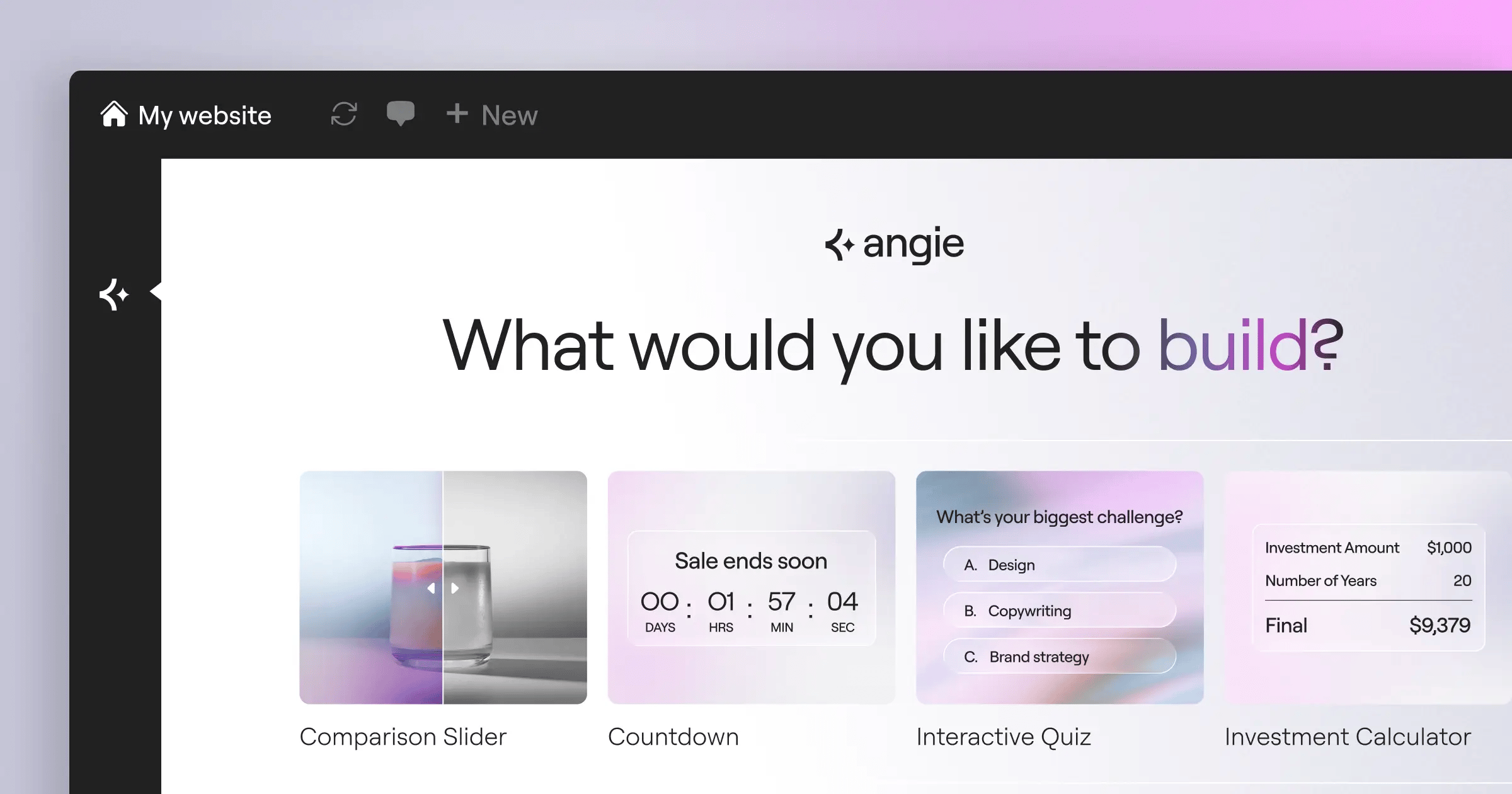
Generic coding assistants don’t know your WordPress plugins or theme. Angie closes that gap: a free plugin bringing real agentic workflows into your dashboard.
It runs on the Model Context Protocol (MCP), inheriting your site’s context automatically. Across 21 million websites on the Elementor platform, Angie plans, builds, and deploys native assets from one prompt.
Key Features
- WordPress-Native Output – Builds custom widgets, admin snippets, and post types.
- Safe Sandbox Environment – Tests every change before it goes live.
- MCP Context Inheritance – Reads your theme, plugins, and settings automatically.
- Visual App Generation – Turns text prompts into working front-end apps.
- Cross-Ecosystem Functionality – Works alongside Elementor AI on design and build.
Pricing
Angie is free. Pair it with Elementor Pro (from $59/year) for full site-building.
Pros
- Skips complex prompt engineering.
- Cuts the risk of breaking your site.
- Speeds up widget creation, idea to production.
- Leaves you in control throughout.
Cons
- Requires understanding WordPress asset interactions.
- Best paired with Elementor Editor Pro.
Verdict
Start with Angie if you build on WordPress: it deploys native assets fit to your setup.
2. Microsoft AutoGen: Best for Multi-Agent Orchestration
Sometimes one agent isn’t enough. Microsoft AutoGen is an open-source framework for multi-agent systems, past 1 million downloads on GitHub.
You define a persona per agent: one writes code, another reviews it, a third runs it. Setup feels dense at first, but it pays off.
How AutoGen Executes Tasks
- Define personas and assign each specific capabilities.
- A user proxy agent takes in your prompt.
- Agents converse to break the task into steps.
- The system returns validated output to the proxy.
Key Features
- Customizable Agent Personas – Builds specialized agents per task.
- Human-in-the-Loop – Pauses workflows for feedback.
- Code Execution – Writes, runs, and debugs Python natively.
- Flexible Conversation Patterns – Supports sequential, group, and nested chats.
Pricing
AutoGen itself is free, but compute costs via OpenAI or Azure add up fast.
Pros
- Real flexibility for complex engineering tasks.
- Cuts hallucinations via agent cross-checking.
- Strong fit for enterprise-grade AI development.
Cons
- High token use from constant agent chatter.
- Steep learning curve; needs solid Python.
Verdict
Start here for complex, multi-stage problems: AutoGen is built for teams of agents.
3. CrewAI: Best for Role-Based Task Management
Think of CrewAI as a project-management firm made of AI, past 50,000 stars on GitHub, built around grouping agents into ‘crews’ with specific roles.
A ‘Senior Researcher’ agent might gather data, a ‘Technical Writer’ draft it, and ‘Quality Assurance’ review it, passing information back and forth like a real team.
Key Features
- Role Definition – Assigns goals and tools per agent.
- Task Delegation – Hands sub-tasks to other agents.
- Process Flows – Lets you choose sequential or hierarchical.
- Built-in Memory – Keeps context intact across tasks.
Pricing
The core framework is free, with a paid Enterprise tier plus LLM API costs around $0.12 to $0.45 per hour.
Pros
- Intuitive model for structuring AI tasks.
- Strong community with pre-built integrations.
- Works well with local models to cut costs.
Cons
- Token limits across large crews need tuning.
- Debugging hierarchical flows takes patience.
Verdict
CrewAI suits marketing, research, and ops teams automating admin work.
4. OpenAI Assistants API: Best for Ecosystem Integration
For the lowest-friction path to an agent, the OpenAI Assistants API runs on GPT-4o with built-in tools that work out of the box.
It handles context via persistent threads, so you’re not re-sending history each call. It’s fast, but locks you into the OpenAI ecosystem.
Key Features
- Code Interpreter – Runs Python in a sandbox for math or charts.
- File Search – Uses built-in RAG for large PDFs.
- Function Calling – Connects the agent to your APIs and databases.
- Persistent Threads – Manages state and memory automatically.
Pricing
GPT-4o runs $5.00 per 1 million input tokens and $15.00 per 1 million output tokens, plus small fees for Code Interpreter.
Pros
- Strong reasoning from leading models.
- No infrastructure setup for RAG or code execution.
- Lower latency than orchestrated local frameworks.
Cons
- Full vendor lock-in; no swapping models.
- Costs scale up fast as usage grows.
Verdict
Good for startups needing a reliable assistant in production, fast.
5. LangGraph: Best for Cyclic Agentic Workflows
Traditional pipelines run one-way graphs, but AI doesn’t work that way. Agents need to loop back and try again, so LangGraph is built for cyclic workflows.
Built by the LangChain team, it hands you control over nodes (agents or functions) and edges (routing). It’s technical, but that’s what production systems need.
The Cyclic Workflow Process
- The agent attempts the task and produces an output.
- A validation node checks it against set criteria.
- If it fails, the edge loops back with feedback.
- The agent revises until validation approves the result.
Key Features
- Stateful Graph Architecture – Manages state across agent interactions.
- Human-in-the-Loop Routing – Pauses execution for manual approval.
- Time Travel – Rewinds state to debug or change course.
- LangSmith Integration – Tracks token usage and latency.
Pricing
The library is open-source; LangSmith adds the cost, free for developers, pro from $39/user monthly.
Pros
- Granular control over agent thinking and action.
- Prevents infinite loops via strict state limits.
- Time travel debugging saves real time.
Cons
- Takes real engineering skill to set up.
- Documentation feels dense for beginners.
Verdict
Engineers building self-correcting agents should learn LangGraph, the power-user framework.
6. Zapier Central: Best for Automating Business Apps
Most business owners just want their apps talking to each other. Zapier Central brings agentic AI to non-technical users, connecting to over 6,000 third-party applications.
Set up a workspace and teach it rules in plain English, like: ‘When a lead emails us, check Salesforce, draft a reply, alert me in Slack.’ It runs in the background.
Key Features
- Always-On Triggers – Reacts instantly to app data changes.
- No-Code Training – Lets you define logic without code.
- Massive Integration Library – Connects to nearly every major SaaS.
- Live Data Access – Searches spreadsheets, databases, and CRMs.
Pricing
Central comes bundled into Zapier Premium, from about $20/month, scaling with task volume.
Pros
- Easy setup: an agent running in ten minutes.
- Connects ecosystems that otherwise don’t talk.
- Reliable backbone on Zapier’s mature infrastructure.
Cons
- Lacks the deep reasoning of coding frameworks.
- High task volumes get pricey fast.
Verdict
Zapier Central shines at automating whole departments without hiring a developer.
7. MultiOn: Best for Web-Based Autonomous Actions
Plenty of sites don’t have APIs. MultiOn acts as an AI web browser, reading pages and clicking through forms like a person would.
Ask it to book a flight or check competitor pricing, and it navigates the web alone at around 1.8 to 3.5 seconds per step. Not instant, but it works on legacy sites that block scrapers.
Key Features
- Autonomous Browsing – Clicks, scrolls, and types across interfaces.
- Visual Understanding – Finds elements even when classes change.
- API Embedding – Embeds browsing into your own apps.
- Local Execution – Runs as a browser extension.
Pricing
There’s a free tier with limited steps, and Pro runs $20/month for faster access.
Pros
- Works with any site, no API needed.
- Handles logins securely via your browser state.
- Solid fit for personal admin automation.
Cons
- Slower than a direct API call.
- Bot detection can interrupt workflows.
Verdict
MultiOn bridges structured APIs and the open web, good for scraping and automation.
8. Cognition Devin: Best for Autonomous Software Engineering
Devin made waves as the first fully autonomous AI software engineer, with its own shell, editor, and browser. Give it a goal, and it plans the architecture.
Devin resolved 13.86% of real-world GitHub issues in SWE-bench, versus 1.96% for earlier non-agentic models. It reads unfamiliar docs, writes code, and deploys the app.
Key Features
- End-to-End Execution – Handles cloning through cloud deployment.
- Self-Learning Context – Reads docs for unfamiliar frameworks.
- Integrated Toolchain – Runs a terminal, editor, and browser together.
- Real-Time Collaboration – Lets you watch it code and correct live.
Pricing
Devin runs enterprise-only pricing, seats estimated at $500+ monthly depending on compute needs.
Pros
- Speeds up prototyping and boilerplate work.
- Debugs environment issues without hand-holding.
- Secure environment keeps malicious code off your machine.
Cons
- Pricey for independent developers or startups.
- Still struggles with abstract architecture on legacy code.
Verdict
Devin points to where DevOps is headed: a tireless junior developer, budget allowing.
9. Lindy.ai: Best for Personal Productivity Agents
Not every agent needs to compile C++. Sometimes you just need your inbox under control. Lindy.ai focuses on personal productivity for everyday users.
You set up specific ‘Lindies’ for specific jobs: one handles scheduling, another transcribes meetings. It connects with Google Workspace and Microsoft 365, cutting routine task time by up to 40%.
Key Features
- Voice-to-Agent Interaction – Understands natural speech to trigger workflows.
- Deep Workspace Integration – Connects to email, calendar, storage.
- Pre-Built Templates – Launches standard agents instantly.
- Meeting Orchestration – Joins calls and sends summaries automatically.
Pricing
Lindy runs a simple subscription, around $15/month for standard use.
Pros
- Needs no technical knowledge to set up.
- Voice interface feels natural on the go.
- Cuts daily context switching for busy pros.
Cons
- Lacks routing flexibility for enterprise operations.
- Depends on Google and Microsoft API stability.
Verdict
Lindy suits busy executives and freelancers who want hours of admin time back.
10. Adept.ai: Best for Enterprise UI Automation
Legacy enterprise software is famously hard to automate; systems like SAP often lack modern APIs. Adept.ai tackles this visually, using Large Action Models (LAMs).
It leans on models like ‘Fuyu’ for multimodal understanding: it reads the screen, spots buttons and fields, then acts, say ‘Generate a Q3 report in Salesforce and email the PDF to finance.’
Key Features
- Multimodal Processing – Understands interfaces via visual analysis alone.
- Cross-Application Workflows – Moves between browser, spreadsheet, and email.
- Legacy System Compatibility – Works software built for visual interaction.
- Natural Language Commands – Translates goals into clicks and keystrokes.
Pricing
Adept offers custom enterprise pricing only, usually with dedicated infrastructure and security review.
Pros
- Often the only option for closed legacy software.
- Cuts data migration by using existing tools.
- Learns interfaces quickly by watching people.
Cons
- Needs heavy resources for multimodal input.
- UI updates can temporarily throw off recognition.
Verdict
Large companies with outdated tech stacks need something like Adept for modern AI without a full migration.
Comparison Summary & Final Recommendation
Choosing the right platform comes down to skill level and end goal; you don’t need an enterprise coding agent to automate your inbox.
Building websites? Look for native web understanding. Managing pipelines? Look for cyclic error correction. Here’s how the top contenders compare.
| Platform | Best For | Starting Price | Key Technical Strength |
|---|---|---|---|
| Angie (Elementor) | WordPress Creators | Free Plugin | Native MCP Context Inheritance |
| Microsoft AutoGen | Multi-Agent Orchestration | Free (Open Source) | Inter-Agent Debate & Verification |
| OpenAI Assistants | Rapid Deployment | $5/$15 per 1M Tokens | Built-in Code Interpreter & RAG |
| LangGraph | Cyclic Workflows | Free (Pro $39/mo) | Stateful Time-Travel Debugging |
| Zapier Central | Business App Automation | $20/mo | 6,000+ API Integrations |
| Cognition Devin | Software Engineering | Enterprise ($500+) | Autonomous Environment Control |
Our take: web creators and developers in WordPress should start with Angie, since going from a prompt to a working native widget is hard to beat. For software engineering outside web CMS, Microsoft AutoGen gives the deepest control, and non-technical teams should lean on Zapier Central.
Frequently Asked Questions
What exactly makes an AI platform ‘agentic’?
Agentic platforms act autonomously. They don’t just generate text. They formulate plans, access external tools like web browsers or APIs, execute steps sequentially, and correct their own errors without waiting for your next prompt.
How much does it cost to run multi-agent frameworks?
Costs vary wildly based on the underlying LLM. Running a complex research agent typically costs between $0.12 and $0.45 per hour in API token usage. Frameworks like CrewAI are free, but you pay for the model’s compute time.
Can Angie by Elementor break my live website?
No. Angie uses a secure testing sandbox. It plans, writes, and executes custom widgets and admin snippets in an isolated environment first. You review the output before it ever touches your live production database.
What is the Model Context Protocol (MCP)?
MCP allows an AI agent to inherit the specific environmental state of your project. In Angie’s case, it reads your active theme, installed plugins, and WordPress settings automatically to generate code that natively fits your site.
Do I need to know Python to build AI agents?
Not always. Frameworks like AutoGen and LangGraph require strong programming skills. However, platforms like Zapier Central and Lindy.ai use no-code interfaces, allowing you to build agents using plain English.
Why is LangGraph better than traditional LangChain?
LangGraph introduces cyclic state management. Traditional chains move in one direction. LangGraph allows agents to loop backward, verify their output against strict constraints, and fix mistakes before proceeding to the final step.
Are autonomous coding agents like Devin replacing developers?
No. They act as force multipliers. Devin resolved 13.86% of real-world GitHub issues in benchmarking. This handles tedious boilerplate and bug fixing, freeing human engineers to focus on high-level architecture and complex logic design.
What is the biggest limitation of web-browsing agents?
Latency and bot detection. Agents like MultiOn take roughly 1.8 to 3.5 seconds per action step. Furthermore, aggressive anti-bot security on certain websites can occasionally block the agent from completing complex form submissions.
Looking for fresh content?
By entering your email, you agree to receive Elementor emails, including marketing emails,
and agree to our Terms & Conditions and Privacy Policy.






