Table of Contents
The State of No-Code Web App Building in 2026
By 2026, 70% of new applications built by organizations will use low-code or no-code technology, according to Gartner. That real shift means you don’t need a team of expensive engineers to launch a working product anymore. The global no-code market is headed toward $187 billion by 2030, growing at a 31.1% annual rate.
Finding the right no code web app builder starts with knowing what you need it to do. Some platforms focus on pixel-perfect frontend design, while others handle complex database relations and server-side logic. A marketing site with a member portal has very different needs than a marketplace processing thousands of transactions a day. Let’s walk through the top options, looking at performance, cost, and scale.
Key Takeaways
- Development speed increases up to 10x with visual programming platforms instead of traditional coding.
- Organizations report an average cost reduction of 53% after switching to no-code.
- Over 85% of top-tier platforms now include native AI assistants for layout and logic.
- 53% of mobile users abandon applications that take longer than 3 seconds to load.
- Zapier connections remain the go-to method for 82% of builders handling third-party logic.
- 67% of IT leaders name data privacy as their top concern for adoption.
1. Bubble: The Full-Stack Powerhouse
Bubble is still the heavyweight champion for complex application logic. If you’re building a full SaaS product with detailed permissions, heavy database queries, and custom API connections, this is your tool. It handles both frontend and backend, storing data securely while running workflows on its own servers. The learning curve is real, expect weeks rather than days, but the payoff is full control over your architecture.
Core Application Workflow
- Database Architecture: Define custom data types and set up relationships between them.
- Workflow Logic: Assign events, like button clicks, to trigger chains of server-side actions.
- API Integration: Connect outside services with the built-in connector to send and receive JSON data.
Pricing Structure
Bubble’s 2026 pricing scales with server capacity: Free for learning, $29/mo for Starter, $119/mo for Growth, and $349/mo for Pro on serious applications.
Pros
- Scales to handle heavy logic requirements without added infrastructure work.
- Gives you full control over database privacy rules.
Cons
- Takes real time and patience to master the interface.
- Keeps your backend on Bubble’s platform, so exporting the code isn’t an option.
Bubble suits founders who want a functional, logic-heavy MVP without hiring a development agency.
2. Elementor Editor Pro: The WordPress Dynamic App Builder
WordPress isn’t just a blogging platform anymore. Paired with Elementor Editor Pro, it becomes a genuinely capable application framework, powering over 9.5% of all websites globally with more than 15 million active installs. You can build directories, membership portals, and eCommerce applications by combining the visual builder with custom post types and dynamic tags. The Loop Builder lets you design one template for an item and populate it automatically across grid layouts pulled from your database.
The true power of modern web creation lies in combining visual design with deep dynamic data. When you connect custom database fields directly to visual elements without writing a single PHP function, you’re not just building a site. You’re engineering an application.
Itamar Haim, SEO Team Lead at Elementor. A digital strategist merging SEO, AEO/GEO, and web development.
Key Capabilities
- Theme Builder: Controls dynamic headers, footers, archives, and single-post templates.
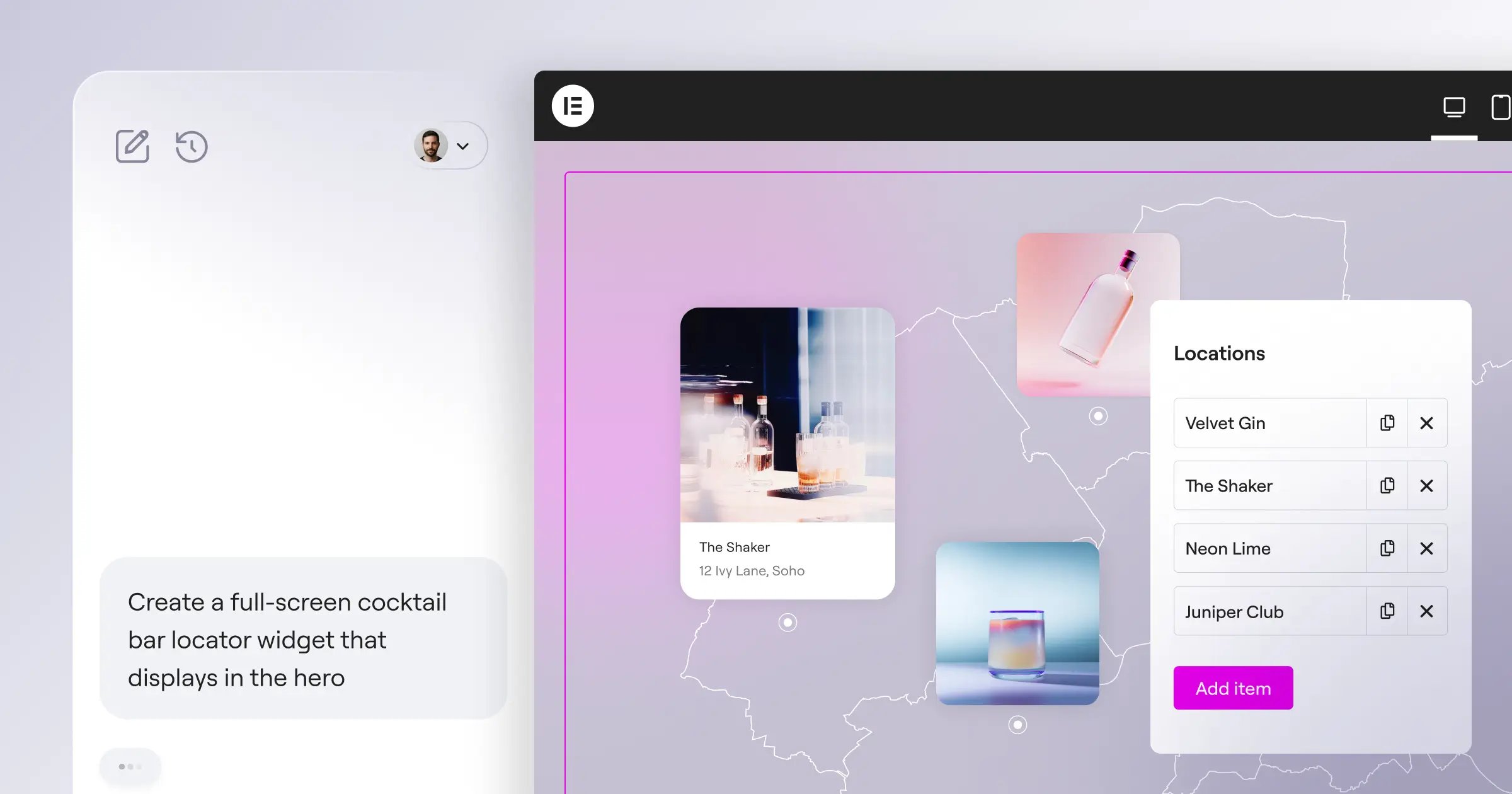
- Agentic Automation: Uses Angie, an agentic AI that turns natural-language prompts into production-ready WordPress assets.
Pricing Structure
The Elementor One ecosystem prices annually: Essential at $60/yr for 1 site with 57 core widgets, Advanced Solo at $84/yr with added eCommerce features, and the full Elementor One subscription at $168/yr, bundling Editor Pro, hosting, Image Optimization, and AI credits into a single platform.
Pros
- Gives you full ownership of your data and application infrastructure.
- Opens access to the large repository of WordPress plugins.
Cons
- Requires managing your own hosting, unless you use Elementor Cloud.
- Runs backend logic through PHP and standard WordPress architecture.
If your application relies on content, marketing, or eCommerce flows, this foundation gives you ownership hosted platforms can’t match.
3. Webflow: The Designer’s Choice for Web Apps
Webflow builds applications from a visual, CSS-first angle, producing clean code. If brand aesthetics are your top priority, this is where to start. Known mainly for static sites, its expanding Logic features and Memberships have pushed it into web app territory, letting you build authenticated experiences and gate content by subscription tier.
The Visual Development Process
- Structural Layout: Define semantic HTML tags and build layouts with CSS Grid and Flexbox.
- Logic Implementation: Set up Webflow Logic flows to route form submissions and trigger webhooks.
Pricing Structure
The CMS plan costs $23/month billed annually, covering up to 2,000 CMS items and 100,000 monthly visits. More capacity or advanced logic needs the Business plan.
Pros
- Produces clean, production-ready HTML, CSS, and JavaScript.
- Includes strong native SEO tools out of the box.
Cons
- Limits CMS items in ways that can slow growing applications.
- Rewards a working knowledge of core web design principles.
Agencies building premium, design-forward portals for high-end clients will find Webflow’s visual engine hard to beat.
4. FlutterFlow: The Cross-Platform Leader
FlutterFlow solves one problem well: building applications that run properly on the web and on native mobile devices, since 53% of mobile users abandon a site that takes longer than 3 seconds to load. It uses Google’s Flutter framework to compile applications directly to native code, and reported a 300% increase in enterprise users between 2023 and 2024, largely thanks to code export.
Feature Breakdown
- Visual Builder: Maps a drag-and-drop interface directly to Flutter widgets.
- One-Click Deployment: Pushes directly to the Apple App Store, Google Play, and web hosting.
Pricing Structure
The Standard plan covers the basics, while the Pro plan unlocks full APK downloads and source code export, so you’re never permanently locked into their ecosystem.
Pros
- Builds true cross-platform apps from a single codebase.
- Avoids vendor lock-in thanks to clean code export.
Cons
- Leans technical, so beginners may need time to adjust.
- Relies on Firebase, which comes with its own learning curve.
If you need mobile app parity alongside your web application, FlutterFlow can cut your development time in half while keeping performance professional.
5. Softr: The Fastest Way to Build on Data
Sometimes you don’t need a complex custom database. Sometimes your data already lives in Airtable or Google Sheets, and you just need a secure way for clients or employees to interact with it. Softr turns spreadsheets into working web applications in hours, and has grown past 200,000 active users by focusing on speed and simplicity.
Deployment Checklist
- Connection: Link your data source to your Softr workspace through the API.
- Access Control: Set user groups and visibility rules for specific pages or rows.
Pricing Structure
Softr prices by the number of internal and external users accessing your application. The Professional and Enterprise tiers unlock advanced permission management and custom code injections.
Pros
- Deploys functional portals fast, using data tools your team already knows.
Cons
- Keeps design customization within pre-built block constraints.
For internal company tools, client portals, and curated directories, Softr is about as efficient a path to launch as you’ll find.
6. Glide: Data-Driven Simplicity
Similar to Softr, Glide builds applications directly from your spreadsheets, but focuses heavily on mobile-first, app-like experiences. Recent data shows that 41% of employees outside of IT departments are currently building or customizing tech solutions, and Glide is built exactly for these citizen developers.
Application Scenario: Inventory Management
- The Data: You create a simple Excel file with product names, SKU numbers, current stock, and images.
- The Logic: Glide’s computed column subtracts 1 from stock whenever a user clicks ‘Fulfill Order’.
Pricing Structure
Glide offers pricing based on application usage and user counts, separating Maker plans for individuals from Team plans for businesses needing higher data update limits.
Pros
- Creates native-feeling mobile web apps almost instantly, even offline.
Cons
- Limits control over UI design compared to code-first tools.
When you need an internal business utility built before lunch, Glide removes most of the friction from development.
7. WeWeb: The Frontend Specialist
WeWeb represents a real shift in how enterprise no-code works: it decouples the frontend from the backend. You build your interface visually, then connect it to any external database, like Supabase, Xano, or a custom REST API. Security matters a lot here, since 67% of IT leaders cite it as the primary barrier to no-code adoption, and separating the layers keeps enterprise data locked down on private servers.
Technical Integration Flow
- API Connection: Uses the REST API connector to build secure links to your backend.
- Workflow Triggers: Uses WeWeb’s visual logic builder for complex automations, alongside Zapier’s 6,000+ app integrations that handle 82% of these workflows.
Pricing Structure
WeWeb targets professional developers and agencies. The Starter plan covers the basics, while the Scale plan unlocks custom code actions, advanced roles, and high-capacity API calls.
Pros
- Keeps data separate from design for enterprise-grade security.
Cons
- Rewards a solid understanding of APIs, JSON, and web architecture.
For engineering teams who want to speed up frontend development without changing their existing backend, WeWeb is a smart choice.
8. Adalo: Native Feel with No Code
Adalo makes application development feel like putting together a puzzle. It uses a component-based approach: you drag pre-configured pieces, like chat windows, booking calendars, or payment forms, onto a screen map. Organizations using visual tools like this report an average cost reduction of 53% in application development, and Adalo gets there by removing the need to understand database architecture.
Optimization Tips for Adalo
- Limit Screen Data: Load only the specific database fields the current view needs.
- Check the Component Marketplace: Look for pre-built features before building complex logic from scratch.
Pricing Structure
Pricing is based strictly on the number of published applications and the volume of monthly actions your users trigger. It scales smoothly as your user base grows.
Pros
- Feels intuitive enough for anyone to pick up in an hour.
Cons
- Slows down with lists of over 1,000 items.
Founders testing a new marketplace idea or building a simple MVP will find Adalo gets them to launch faster than almost anything else.
9. Draftbit: Visual Source Code Generation
Draftbit is for developers who’d rather skip writing boilerplate UI code. It isn’t a traditional no-code tool, it’s a visual builder that generates production-ready React Native source code in real time, so you’re building visually while still actually writing code. It’s an interesting parallel to Elementor’s Angie, which also turns visual or conversational input into production-ready assets rather than proprietary locked formats.
The Developer Workflow
- Visual Assembly: Use the drag-and-drop builder to construct flexbox layouts with React Native components.
- Code Export: Download the entire clean repository to push to GitHub or your own pipeline.
Pricing Structure
Draftbit offers Individual plans for solo developers and Team plans for collaborative environments, with unlimited source code exports available on higher tiers.
Pros
- Keeps you free of vendor lock-in. You own the React Native code forever.
Cons
- Skips an internal database, so you’ll need to connect your own backend API.
Technical teams building complex mobile web apps use Draftbit to shave hundreds of hours off their frontend UI development.
10. Framer: The Interactive Prototype to Production Tool
Framer bridges the gap between high-fidelity prototyping and live production. It started as a design tool competing with Figma, then pivoted hard into site building, and now generates fast, React-based web applications with strong animation. 85% of top-tier no-code builders now integrate generative AI assistants, and Framer led that charge, letting you prompt full sections, color palettes, and copy instantly.
Design Architecture Requirements
- Component Variants: Builds complex interactive states (hover, pressed, active) directly into reusable components.
- CMS Integration: Manages dynamic content within Framer’s built-in, spreadsheet-like CMS.
Pricing Structure
Framer charges per site. Pricing tiers are based on traffic limits and the number of CMS items required. It’s affordable for simple sites but gets more expensive if you need high-capacity bandwidth.
Pros
- Delivers some of the best animations and micro-interactions available.
Cons
- Handles simple content well, but complex relational data takes more work.
Framer is the go-to choice for marketing teams launching high-end interactive portfolios and feature-rich landing pages.
Comparison Summary: Choosing Your Builder
Choosing the right platform comes down to what you need the software to do, not the flashiest feature list.
| Platform | Best Use Case | Logic Capability | Starting Price |
|---|---|---|---|
| Bubble | Complex SaaS Platforms | Extremely High | $29/mo |
| Elementor | Content-Heavy Web Apps | High (via WP Ecosystem) | $60/yr |
| Webflow | Design-First Portals | Medium | $23/mo |
| FlutterFlow | Cross-Platform Mobile/Web | High | Free / Custom |
| Softr | Airtable/Sheets Portals | Low | Custom |
| Glide | Internal Mobile Utilities | Medium | Custom |
| WeWeb | Decoupled Enterprise Frontends | High | Custom |
| Adalo | Simple MVPs | Low | Custom |
| Draftbit | React Native Code Generation | High | Custom |
| Framer | Interactive Marketing Sites | Low | Custom |
Honestly, you’ll find the most success by matching your own skill set to the tool. If you’re a designer, start with Webflow or Framer. If you know WordPress, Elementor Editor Pro gives you total ownership, and if you need deep databases and heavy server-side actions, Bubble remains unmatched.
Frequently Asked Questions
What defines a web app versus a standard website?
A standard website mostly shows static content. A web app lets users interact with data directly, with authentication, personalized dashboards, and backend logic.
Can I export the code from these builders?
It depends on the platform. FlutterFlow and Draftbit let you export the full source code, while Bubble and Adalo keep your logic inside their own hosting environment.
Are no-code apps secure enough for enterprise data?
Yes, if you configure them correctly. WeWeb lets you decouple the frontend from the backend and keep your database on private, encrypted servers, covering strict enterprise requirements.
How do I handle SEO for a no-code web app?
Traditional SEO applies mainly to public-facing pages. Webflow and Elementor both handle technical SEO well. For gated app content, focus on performance instead.
Do I need to understand databases to use these tools?
For advanced tools like Bubble, yes, you’ll need a real grasp of relational databases. For simpler tools like Softr or Glide, knowing your way around a spreadsheet is usually enough.
What happens if the platform goes out of business?
That’s the biggest risk of vendor lock-in. If a closed platform’s company folds, your app disappears with it, which is why some developers prefer tools with full code export.
Can no-code builders handle high traffic volumes?
Yes. Modern visual builders run on scalable cloud infrastructure like AWS or Google Cloud, so you just move up a tier for more server capacity.
How do I connect external software to my app?
Most platforms offer built-in API connectors. You can write your own REST API calls, or use middleware like Zapier or Make to connect apps visually.
Is there a difference between low-code and no-code?
Yes. No-code targets users who never want to see code, using strict visual interfaces. Low-code offers visual tools too, but expects developers to write custom scripts around limitations.
Will AI replace these builders?
AI won’t replace them, it’ll merge with them. Tools like Elementor’s Angie and Framer’s AI generation already turn natural language prompts into structured, editable assets.
Looking for fresh content?
By entering your email, you agree to receive Elementor emails, including marketing emails,
and agree to our Terms & Conditions and Privacy Policy.






