Introducing the Elementor MCP
Connect to Claude, Codex, Cursor, and more
The Elementor MCP connects Claude, Codex, Cursor, and other AI tools to your Elementor site. Describe what you want, attach references, and it builds real, editable Elementor structure for you.
See plansScroll

Keep the AI tool you already trust.
Connect Claude, Codex, Cursor, or other AI tools to your Elementor site. Use whichever one you already work with.

Build faster. Build what you couldn't before.
Save time on every page. Complex builds that used to take days of manual work are now prompts away.
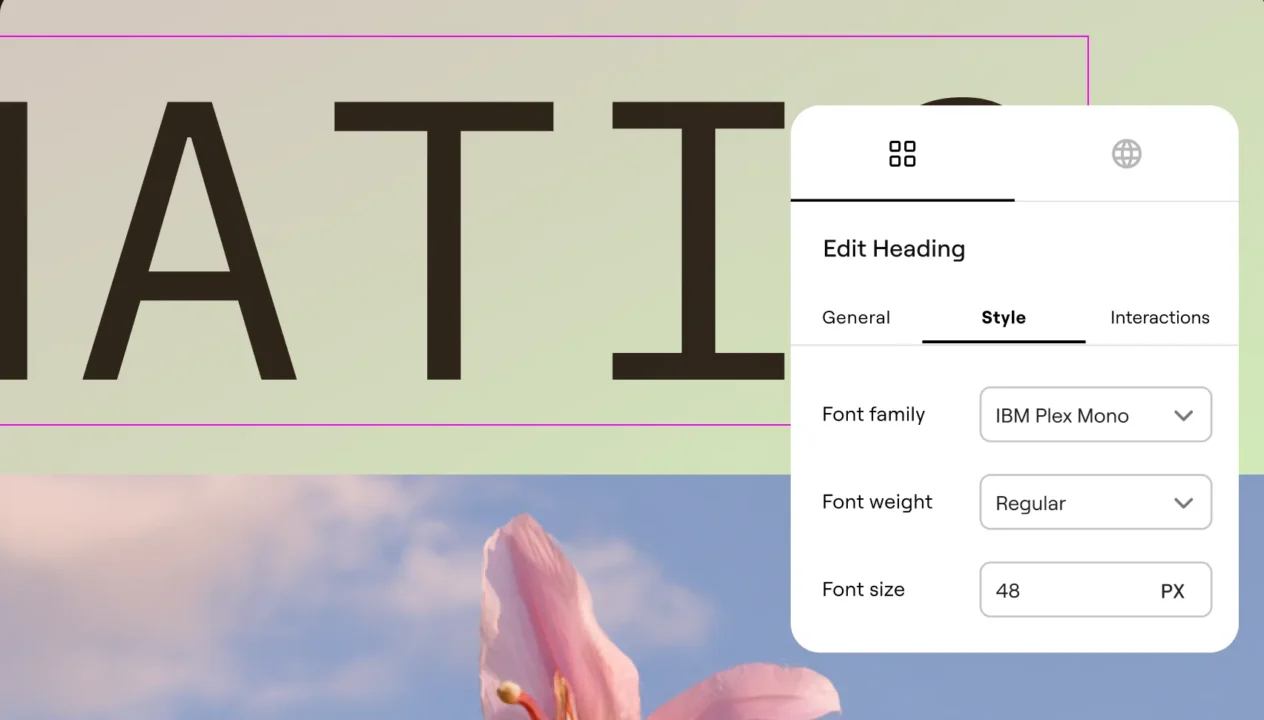
Get real structure and control everything.
Every generation is native, editable Elementor structure, accessible in the Editor, not locked away as code.
Set up in 3 simple steps
Connecting takes minutes, right from your WordPress dashboard. Once it's set up, the AI tool you connect builds directly into your Elementor site.
See plans[01] Choose your AI tool
In your WordPress dashboard, go to Elementor > Elementor MCP, and pick the AI tool you want to connect.
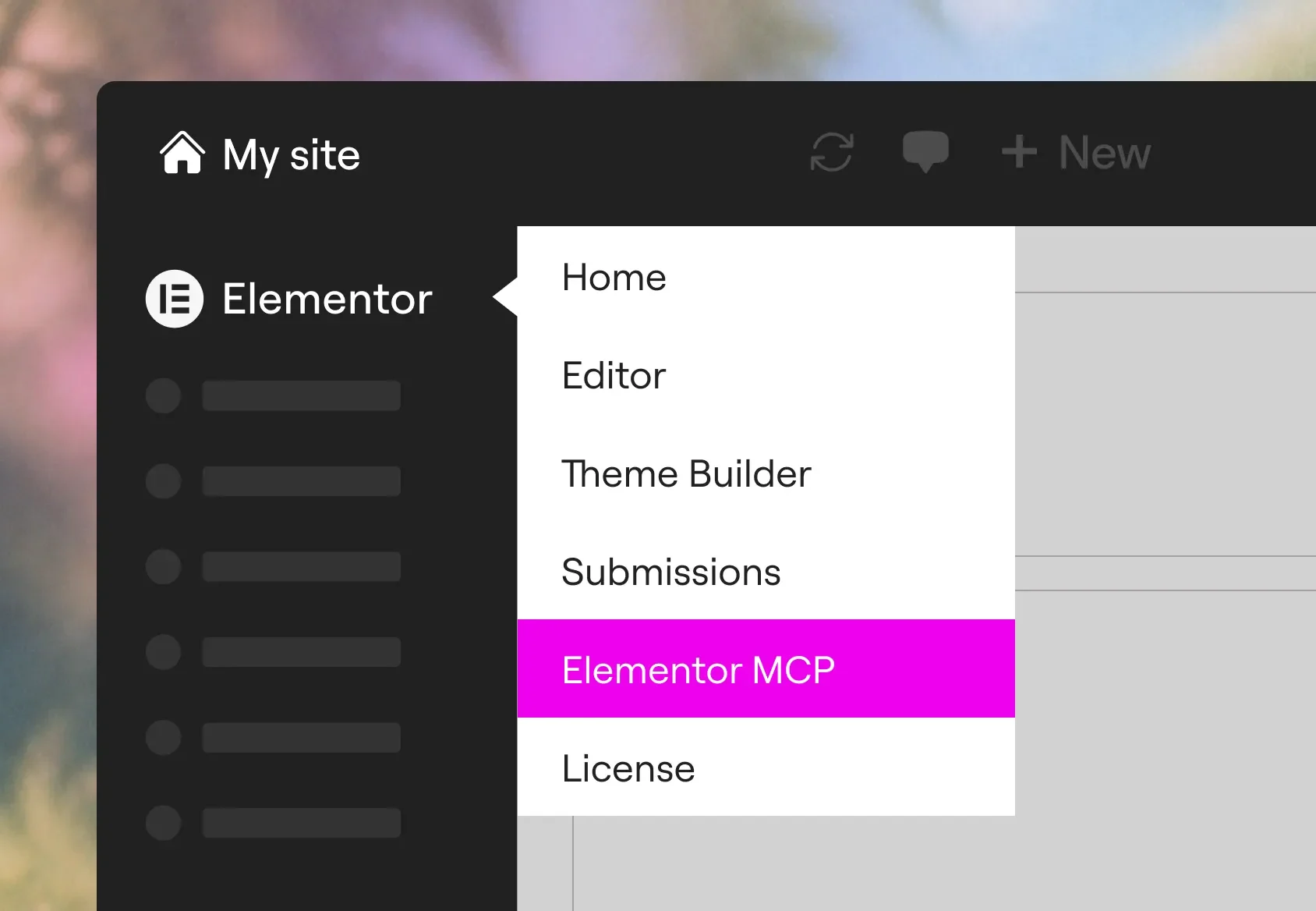
[02] Generate and copy your prompt
Elementor creates the required application password in the background and includes it in the prompt for you. Just copy.

[03] Paste it in
Paste the prompt into your AI tool to complete the connection. From there, you're ready to start building real Elementor content from the AI.
What you can build
The Elementor MCP is a new execution layer that handles the builds you're doing by hand today, and a few you haven't tried yet.
Full pages
Describe the page you want, and watch it appear in Elementor structure, ready to edit and publish.
Projects from other tools
A Figma design, Drive document, or WhatsApp message can be turned into real Elementor content.
Theme parts
Include Headers, footers, Posts, 404 pages and more, complete with dynamic content.
Edits and redesigns
Point at existing pages or layouts to update, while staying on-brand. Currently supports atomic layouts.
Abilities from other plugins
Use any ability registered to the WordPress Abilities API, including WooCommerce, Yoast, and ACF.
Custom widgets and snippets
Create custom widgets with native controls, and customize your WP Admin with personalized interfaces.
Full design systems
Generate and apply colors, typography, and sizes, set up consistently across your site.
Content and fixes at scale
Create and update products or posts across hundreds of records, debug errors, or close SEO gaps.

Unlock more of the MCP with Pro
Pro plans expose more advanced website building tools to the MCP. Build with Forms, Popups, Loops, ecommerce widgets, reusable Components, Dynamic Content, Headers, Footers, and more.
See plans currently supports
Atomic Elements
currently supports
Atomic Elements
 and will soon also support
Widget (V3)
layouts
and will soon also support
Widget (V3)
layouts
 and Skills

Elementor-native structure, built to stay in your control
Every generation is native, editable Elementor structure, landing in your site as a draft for you to review before anything goes live. Clients and teammates still get content they can open and edit in the Editor, the same way they always have.
See plans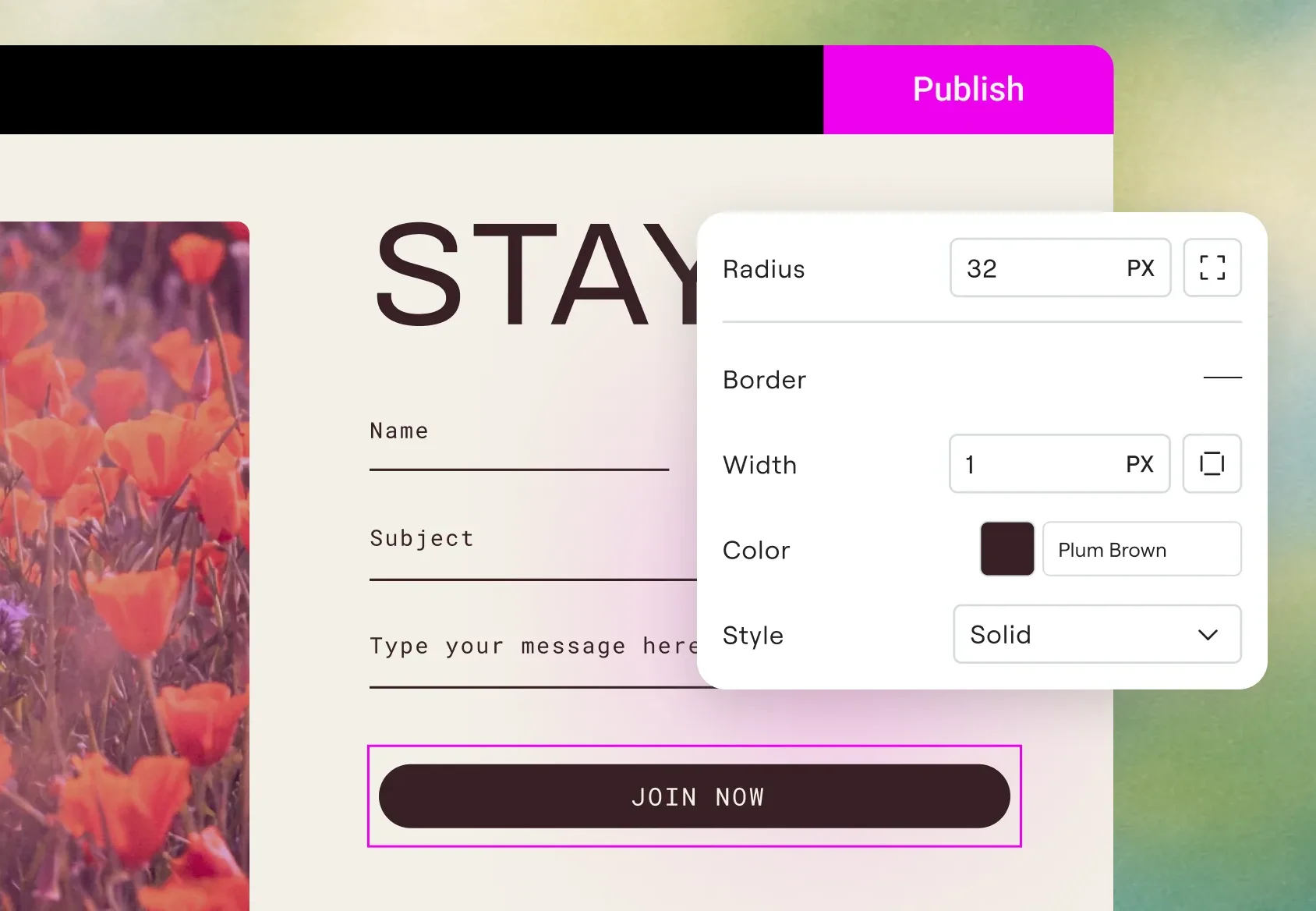
Created with the Elementor MCP
A few examples of creations made with the Elementor MCP and finalized in Elementor.
Get the most out of the MCP
A few practical ways to get better, more predictable results from the MCP, starting from your first build.
Bring in your judgment and experience
The MCP isn't magic, getting a great result still takes real iteration, context, and knowing what good structure looks like. The AI tool executes, the expertise directing it is yours.
Pick the right tool and model
A quick edit and a complex full-page build don't need the same setup. You can experiment with different tools and see what works best for your use case.
Give it context, not just instructions
Attach a brief, a link, a screenshot, or a reference document alongside your normal prompt so your chosen AI tool has more than a simple description to build from.
Review every draft
Nothing the MCP creates is published on its own. You can always open each build in the Elementor Editor, review or modify it, and publish only when you decide it's ready.
Download Angie to do even more
Custom widgets and apps, WP Admin customization, and bulk content actions require Angie installed on your site, available for free from the WordPress repository.
Connect more tools
The more of your workflow your AI tool already reaches, whether that's Figma, Google Drive, Notion, or others, the more it can carry straight into Elementor.
How other creators are building with the MCP
Web creator and Youtuber Ferdy Korpershoek shows you how to use the Elementor MCP to create a complete website with native Elementor elements, responsive layouts, animations, custom headers and mobile menus, blog templates, search functionality, contact forms and more.
Instead of rebuilding hundreds of existing pages, the Elementor MCP lets us use AI agents to build new landing pages directly on live sites, dramatically reducing mechanical layout work while letting V3 and V4 structures seamlessly coexist.
Read the case study
Tomas Jendek CEO, Webgate
Connected the MCP to build on their live agency site
Select your plan - MCP included
See plansEssential
/Mo
Billed annually at
Billed monthly
Term value
/yr- 1 site
- Features
- 57 Editor Pro widgets(included)
- Store 10 Cloud Templates Store sections, containers, and other design elements in the cloud, making them accessible across all your connected sites for a more flexible and scalable workflow. (included)
- Theme Builder(included)
- Dynamic Content Connect your design to your WordPress content. Custom Fields and Post Types not available in this plan. (included)
- Form Builder Collect leads with professional forms you can integrate with your favorite marketing tools. Forms submissions not available in this plan. (included)
- Popup Builder(not included)
- Custom code & CSS(not included)
- eCommerce features(not included)
- Collaborative Notes(not included)
Advanced Solo
/Mo
Billed annually at
Billed monthly
Term value
/yr- 1 site
- Features
- 85 Editor Pro widgets(included)
- Store 20 Cloud Templates Store sections, containers, and other design elements in the cloud, making them accessible across all your connected sites for a more flexible and scalable workflow. (included)
- Theme Builder(included)
- Dynamic Content Connect your design to your WordPress content. Use custom fields and post types to display dynamic data anywhere on your site. (included)
- Form Builder Collect leads with professional forms you can integrate with your favorite marketing tools. Then manage and analyze from one central dashboard in WordPress. (included)
- Popup Builder(included)
- Custom code & CSS(included)
- eCommerce features(included)
- Collaborative Notes(included)
Advanced
/Mo
Billed annually at
Billed monthly
Term value
/yr- 3 sites
- Features
- 85 Editor Pro widgets(included)
- Store 30 Cloud Templates Store sections, containers, and other design elements in the cloud, making them accessible across all your connected sites for a more flexible and scalable workflow. (included)
- Theme Builder(included)
- Dynamic Content Connect your design to your WordPress content. Use custom fields and post types to display dynamic data anywhere on your site. (included)
- Form Builder Collect leads with professional forms you can integrate with your favorite marketing tools. Then manage and analyze from one central dashboard in WordPress. (included)
- Popup Builder(included)
- Custom code & CSS(included)
- eCommerce features(included)
- Collaborative Notes(included)
Expert
/Mo
Billed annually at
Billed monthly
Term value
/yr- 25 sites
- Features
- 85 Editor Pro widgets(included)
- Store 5,000 Cloud Templates Store sections, containers, and other design elements in the cloud, making them accessible across all your connected sites for a more flexible and scalable workflow. (included)
- Theme Builder(included)
- Dynamic Content Connect your design to your WordPress content. Use custom fields and post types to display dynamic data anywhere on your site. (included)
- Form Builder Collect leads with professional forms you can integrate with your favorite marketing tools. Then manage and analyze from one central dashboard in WordPress. (included)
- Popup Builder(included)
- Custom code & CSS(included)
- eCommerce features(included)
- Collaborative Notes(included)
One
/Mo
Billed annually at
Billed monthly
Term value
/yr- Full feature set of , plus:
- 25,000 monthly One credits Editor Pro requires 0 credits. A shared credit pool is available for flexible use across AI features, image optimization, accessibility fixes, emails, and additional features as they're added.
- 1 site
- Create
- 85 Editor Pro widgets(included)
- Theme Builder(included)
- Dynamic Content (included)Connect your design to your WordPress content. Use custom fields and post types to display dynamic data anywhere on your site.
- Form Builder (included)Collect leads with professional forms you can integrate with your favorite marketing tools. Then manage and analyze from one central dashboard in WordPress.
- Popup Builder(included)
- Custom code & CSS(included)
- eCommerce features(included)
- AI generated code, copy, images, & layouts (included)Boost your workflow with powerful AI tools including custom code generation, layout building, image creation, and content writing.
- Optimize
- Image optimization (Valued at /yr)(included) Optimize site performance with bulk image processing for WebP & AVIF conversion.
- Site accessibility (Valued at /yr)(included) Enhance your site’s accessibility with scans, AI-powered fixes, and site-wide improvements, plus a customizable usability widget featuring 15+ tools, screen-reader support, language options, white-labeling, and usage analytics.
- Cookie consent (New)Add a cookie consent banner to your site with cookie scanning, script blocking, consent records, and support for GDPR, CCPA, and other privacy regulations, plus full control over banner design and styling.
- Manage
- Store 30 Cloud Templates (included)Store sections, containers, and other design elements in the cloud, making them accessible across all your connected sites for a more flexible and scalable workflow.
- Collaborative Notes(included)
- Email deliverability (Valued at /yr)(included) Send reliable, transactional emails with built-in tracking, troubleshooting tools, and advanced authentication, no SMTP plugin required. Enjoy custom domains, detailed logs, resend/testing options, and smart suppression management for smoother, more professional email performance.
- Site management (New) A dedicated management dashboard for your site. Perform plugin and theme updates, track performance, detect security risks, and optimize your site's database from a single interface.(included)
- Full feature set of , plus:
- 25,000 monthly One credits Editor Pro requires 0 credits. A shared credit pool is available for flexible use across AI features, image optimization, accessibility fixes, emails, and additional features as they're added.
- 1 site
- All features from Pro plans, including
- 85 Editor Pro widgets(included)
- AI generated code, copy, images, & layouts (included)Boost your workflow with powerful AI tools including custom code generation, layout building, image creation, and content writing.
- Image optimization (Valued at /yr)(included) Optimize site performance with bulk image processing for WebP & AVIF conversion.
- Site accessibility (Valued at /yr)(included) Enhance your site’s accessibility with scans, AI-powered fixes, and site-wide improvements, plus a customizable usability widget featuring 15+ tools, screen-reader support, language options, white-labeling, and usage analytics.
- Cookie consent (New)Add a cookie consent banner to your site with cookie scanning, script blocking, consent records, and support for GDPR, CCPA, and other privacy regulations, plus full control over banner design and styling.
- Store 30 Cloud Templates (included)Store sections, containers, and other design elements in the cloud, making them accessible across all your connected sites for a more flexible and scalable workflow.
- Collaborative Notes(included)
- Email deliverability (Valued at /yr)(included) Send reliable, transactional emails with built-in tracking, troubleshooting tools, and advanced authentication, no SMTP plugin required. Enjoy custom domains, detailed logs, resend/testing options, and smart suppression management for smoother, more professional email performance.
- Site management (New) A dedicated management dashboard for your site. Perform plugin and theme updates, track performance, detect security risks, and optimize your site's database from a single interface.(included)
One Agency
/Mo
Billed annually at
Billed monthly
Term value
/yr- Full feature set of , plus:
- 350,000 monthly One credits Credits can be used flexibly across AI features, image optimization, accessibility scans & fixes, emails and additional features as they're added.
- Unlimited sites
- Create
- 85 Editor Pro widgets(included)
- Theme Builder(included)
- Dynamic Content (included)Connect your design to your WordPress content. Use custom fields and post types to display dynamic data anywhere on your site.
- Form Builder (included)Collect leads with professional forms you can integrate with your favorite marketing tools. Then manage and analyze from one central dashboard in WordPress.
- Popup Builder(included)
- Custom code & CSS(included)
- eCommerce features(included)
- AI generated code, copy, images, & layouts(included) Boost your workflow with powerful AI tools including custom code generation, layout building, image creation, and content writing.
- Optimize
- Image optimization (Valued at /yr)(included) Optimize site performance with bulk image processing for WebP & AVIF conversion.
- Site accessibility (Valued at /yr)(included) Enhance your site’s accessibility with scans, AI-powered fixes, and site-wide improvements, plus a customizable usability widget featuring 15+ tools, screen-reader support, language options, white-labeling, and usage analytics.
- Cookie consent (New)Add a cookie consent banner to your site with cookie scanning, script blocking, consent records, and support for GDPR, CCPA, and other privacy regulations, plus full control over banner design and styling.
- Manage
- Store 50,000 Cloud Templates(included) Store sections, containers, and other design elements in the cloud, making them accessible across all your connected sites for a more flexible and scalable workflow.
- Collaborative Notes(included)
- Email deliverability (Valued at /yr)(included) Send reliable, transactional emails with built-in tracking, troubleshooting tools, and advanced authentication, no SMTP plugin required. Enjoy custom domains, detailed logs, resend/testing options, and smart suppression management for smoother, more professional email performance.
- Site management (New) A centralized dashboard to manage your entire WordPress portfolio. Monitor performance, detect security risks and perform bulk updates and database optimizations from one place.(included)
- Full feature set of , plus:
- 350,000 monthly One credits Credits can be used flexibly across AI features, image optimization, accessibility scans & fixes, emails and additional features as they're added.
- Unlimited sites
- All features from Pro plans, including
- 85 Editor Pro widgets(included)
- AI generated code, copy, images, & layouts(included) Boost your workflow with powerful AI tools including custom code generation, layout building, image creation, and content writing.
- Image optimization (Valued at /yr)(included) Optimize site performance with bulk image processing for WebP & AVIF conversion.
- Site accessibility (Valued at /yr)(included) Enhance your site’s accessibility with scans, AI-powered fixes, and site-wide improvements, plus a customizable usability widget featuring 15+ tools, screen-reader support, language options, white-labeling, and usage analytics.
- Cookie consent (New)Add a cookie consent banner to your site with cookie scanning, script blocking, consent records, and support for GDPR, CCPA, and other privacy regulations, plus full control over banner design and styling.
- Store 50,000 Cloud Templates(included) Store sections, containers, and other design elements in the cloud, making them accessible across all your connected sites for a more flexible and scalable workflow.
- Collaborative Notes(included)
- Email deliverability (Valued at /yr)(included) Send reliable, transactional emails with built-in tracking, troubleshooting tools, and advanced authentication, no SMTP plugin required. Enjoy custom domains, detailed logs, resend/testing options, and smart suppression management for smoother, more professional email performance.
- Site management (New) A centralized dashboard to manage your entire WordPress portfolio. Monitor performance, detect security risks and perform bulk updates and database optimizations from one place.(included)
Save up to with multi-year plans
- 1-year plans
- 2-year plans
- 3-year plans
Essential
/Mo
Billed annually at
Billed monthly
Term value
/yr- 1 site
- Features
- 57 Editor Pro widgets(included)
- Store 10 Cloud Templates Store sections, containers, and other design elements in the cloud, making them accessible across all your connected sites for a more flexible and scalable workflow. (included)
- Theme Builder(included)
- Dynamic Content Connect your design to your WordPress content. Custom Fields and Post Types not available in this plan. (included)
- Form Builder Collect leads with professional forms you can integrate with your favorite marketing tools. Forms submissions not available in this plan. (included)
- Popup Builder(not included)
- Custom code & CSS(not included)
- eCommerce features(not included)
- Collaborative Notes(not included)
Advanced Solo
/Mo
Billed annually at
Billed monthly
Term value
/yr- 1 site
- Features
- 85 Editor Pro widgets(included)
- Store 20 Cloud Templates Store sections, containers, and other design elements in the cloud, making them accessible across all your connected sites for a more flexible and scalable workflow. (included)
- Theme Builder(included)
- Dynamic Content Connect your design to your WordPress content. Use custom fields and post types to display dynamic data anywhere on your site. (included)
- Form Builder Collect leads with professional forms you can integrate with your favorite marketing tools. Then manage and analyze from one central dashboard in WordPress. (included)
- Popup Builder(included)
- Custom code & CSS(included)
- eCommerce features(included)
- Collaborative Notes(included)
Advanced
/Mo
Billed annually at
Billed monthly
Term value
/yr- 3 sites
- Features
- 85 Editor Pro widgets(included)
- Store 30 Cloud Templates Store sections, containers, and other design elements in the cloud, making them accessible across all your connected sites for a more flexible and scalable workflow. (included)
- Theme Builder(included)
- Dynamic Content Connect your design to your WordPress content. Use custom fields and post types to display dynamic data anywhere on your site. (included)
- Form Builder Collect leads with professional forms you can integrate with your favorite marketing tools. Then manage and analyze from one central dashboard in WordPress. (included)
- Popup Builder(included)
- Custom code & CSS(included)
- eCommerce features(included)
- Collaborative Notes(included)
Expert
/Mo
Billed annually at
Billed monthly
Term value
/yr- 25 sites
- Features
- 85 Editor Pro widgets(included)
- Store 5,000 Cloud Templates Store sections, containers, and other design elements in the cloud, making them accessible across all your connected sites for a more flexible and scalable workflow. (included)
- Theme Builder(included)
- Dynamic Content Connect your design to your WordPress content. Use custom fields and post types to display dynamic data anywhere on your site. (included)
- Form Builder Collect leads with professional forms you can integrate with your favorite marketing tools. Then manage and analyze from one central dashboard in WordPress. (included)
- Popup Builder(included)
- Custom code & CSS(included)
- eCommerce features(included)
- Collaborative Notes(included)
One
/Mo
Billed annually at
Billed monthly
Term value
/yr- Full feature set of , plus:
- 25,000 monthly One credits Editor Pro requires 0 credits. A shared credit pool is available for flexible use across AI features, image optimization, accessibility fixes, emails, and additional features as they're added.
- 1 site
- Create
- 85 Editor Pro widgets(included)
- Theme Builder(included)
- Dynamic Content (included)Connect your design to your WordPress content. Use custom fields and post types to display dynamic data anywhere on your site.
- Form Builder (included)Collect leads with professional forms you can integrate with your favorite marketing tools. Then manage and analyze from one central dashboard in WordPress.
- Popup Builder(included)
- Custom code & CSS(included)
- eCommerce features(included)
- AI generated code, copy, images, & layouts (included)Boost your workflow with powerful AI tools including custom code generation, layout building, image creation, and content writing.
- Optimize
- Image optimization (Valued at /yr)(included) Optimize site performance with bulk image processing for WebP & AVIF conversion.
- Site accessibility (Valued at /yr)(included) Enhance your site’s accessibility with scans, AI-powered fixes, and site-wide improvements, plus a customizable usability widget featuring 15+ tools, screen-reader support, language options, white-labeling, and usage analytics.
- Cookie consent (New)Add a cookie consent banner to your site with cookie scanning, script blocking, consent records, and support for GDPR, CCPA, and other privacy regulations, plus full control over banner design and styling.
- Manage
- Store 30 Cloud Templates (included)Store sections, containers, and other design elements in the cloud, making them accessible across all your connected sites for a more flexible and scalable workflow.
- Collaborative Notes(included)
- Email deliverability (Valued at /yr)(included) Send reliable, transactional emails with built-in tracking, troubleshooting tools, and advanced authentication, no SMTP plugin required. Enjoy custom domains, detailed logs, resend/testing options, and smart suppression management for smoother, more professional email performance.
- Site management (New) A dedicated management dashboard for your site. Perform plugin and theme updates, track performance, detect security risks, and optimize your site's database from a single interface.(included)
- Full feature set of , plus:
- 25,000 monthly One credits Editor Pro requires 0 credits. A shared credit pool is available for flexible use across AI features, image optimization, accessibility fixes, emails, and additional features as they're added.
- 1 site
- All features from Pro plans, including
- 85 Editor Pro widgets(included)
- AI generated code, copy, images, & layouts (included)Boost your workflow with powerful AI tools including custom code generation, layout building, image creation, and content writing.
- Image optimization (Valued at /yr)(included) Optimize site performance with bulk image processing for WebP & AVIF conversion.
- Site accessibility (Valued at /yr)(included) Enhance your site’s accessibility with scans, AI-powered fixes, and site-wide improvements, plus a customizable usability widget featuring 15+ tools, screen-reader support, language options, white-labeling, and usage analytics.
- Cookie consent (New)Add a cookie consent banner to your site with cookie scanning, script blocking, consent records, and support for GDPR, CCPA, and other privacy regulations, plus full control over banner design and styling.
- Store 30 Cloud Templates (included)Store sections, containers, and other design elements in the cloud, making them accessible across all your connected sites for a more flexible and scalable workflow.
- Collaborative Notes(included)
- Email deliverability (Valued at /yr)(included) Send reliable, transactional emails with built-in tracking, troubleshooting tools, and advanced authentication, no SMTP plugin required. Enjoy custom domains, detailed logs, resend/testing options, and smart suppression management for smoother, more professional email performance.
- Site management (New) A dedicated management dashboard for your site. Perform plugin and theme updates, track performance, detect security risks, and optimize your site's database from a single interface.(included)
One Agency
/Mo
Billed annually at
Billed monthly
Term value
/yr- Full feature set of , plus:
- 350,000 monthly One credits Credits can be used flexibly across AI features, image optimization, accessibility scans & fixes, emails and additional features as they're added.
- Unlimited sites
- Create
- 85 Editor Pro widgets(included)
- Theme Builder(included)
- Dynamic Content (included)Connect your design to your WordPress content. Use custom fields and post types to display dynamic data anywhere on your site.
- Form Builder (included)Collect leads with professional forms you can integrate with your favorite marketing tools. Then manage and analyze from one central dashboard in WordPress.
- Popup Builder(included)
- Custom code & CSS(included)
- eCommerce features(included)
- AI generated code, copy, images, & layouts(included) Boost your workflow with powerful AI tools including custom code generation, layout building, image creation, and content writing.
- Optimize
- Image optimization (Valued at /yr)(included) Optimize site performance with bulk image processing for WebP & AVIF conversion.
- Site accessibility (Valued at /yr)(included) Enhance your site’s accessibility with scans, AI-powered fixes, and site-wide improvements, plus a customizable usability widget featuring 15+ tools, screen-reader support, language options, white-labeling, and usage analytics.
- Cookie consent (New)Add a cookie consent banner to your site with cookie scanning, script blocking, consent records, and support for GDPR, CCPA, and other privacy regulations, plus full control over banner design and styling.
- Manage
- Store 50,000 Cloud Templates(included) Store sections, containers, and other design elements in the cloud, making them accessible across all your connected sites for a more flexible and scalable workflow.
- Collaborative Notes(included)
- Email deliverability (Valued at /yr)(included) Send reliable, transactional emails with built-in tracking, troubleshooting tools, and advanced authentication, no SMTP plugin required. Enjoy custom domains, detailed logs, resend/testing options, and smart suppression management for smoother, more professional email performance.
- Site management (New) A centralized dashboard to manage your entire WordPress portfolio. Monitor performance, detect security risks and perform bulk updates and database optimizations from one place.(included)
- Full feature set of , plus:
- 350,000 monthly One credits Credits can be used flexibly across AI features, image optimization, accessibility scans & fixes, emails and additional features as they're added.
- Unlimited sites
- All features from Pro plans, including
- 85 Editor Pro widgets(included)
- AI generated code, copy, images, & layouts(included) Boost your workflow with powerful AI tools including custom code generation, layout building, image creation, and content writing.
- Image optimization (Valued at /yr)(included) Optimize site performance with bulk image processing for WebP & AVIF conversion.
- Site accessibility (Valued at /yr)(included) Enhance your site’s accessibility with scans, AI-powered fixes, and site-wide improvements, plus a customizable usability widget featuring 15+ tools, screen-reader support, language options, white-labeling, and usage analytics.
- Cookie consent (New)Add a cookie consent banner to your site with cookie scanning, script blocking, consent records, and support for GDPR, CCPA, and other privacy regulations, plus full control over banner design and styling.
- Store 50,000 Cloud Templates(included) Store sections, containers, and other design elements in the cloud, making them accessible across all your connected sites for a more flexible and scalable workflow.
- Collaborative Notes(included)
- Email deliverability (Valued at /yr)(included) Send reliable, transactional emails with built-in tracking, troubleshooting tools, and advanced authentication, no SMTP plugin required. Enjoy custom domains, detailed logs, resend/testing options, and smart suppression management for smoother, more professional email performance.
- Site management (New) A centralized dashboard to manage your entire WordPress portfolio. Monitor performance, detect security risks and perform bulk updates and database optimizations from one place.(included)
Prices are rounded for display. Your final price at checkout may be slightly lower.
Prices are rounded for display. Your final price at checkout may be slightly lower.
All subscriptions renew based on your billing cycle at list price.
30-day money-back guarantee applies only for annual plans.
Widget List
Free
Essential Pro
Advanced / Advanced Solo / Expert / One / One Agency Pro
Here is the breakdown of credit usage per action
| Capability | Action | One credits* required per action |
|---|---|---|
| Editor Pro | No credits needed | 0 |
| Accessibility scans | No credits needed | 0 |
| Site management | No credits needed | 0 |
| Accessibility fixes | 1 AI accessibility fix | 20 |
| Image optimization | 1 image optimized | 10 |
| Email deliverability | 1 email delivery | 10 |
| Cookie consent | 1 consent | 1 |
| Cookie consent scans | 1 scan | 1 |
| AI Actions (text, code, image &, container generation and more) | 1 AI action | 1-40** |
*Required One credits per action may change from time to time, applying to all plans regardless of purchase date.
** AI Actions measure the usage of generative AI features like text, code, image, and container creation. The exact number of credits for each AI Action varies based on the use case and prompt.
Elementor works best with Claude Code, Claude Desktop, Codex, and Cursor, but can connect to any MCP-compatible AI tool.
Connecting is free. Pricing follows Elementor’s existing plan structure, so basic sections and features are free to generate and Pro elements require a Pro plan. Your AI tool’s own costs are separate.
Site admins only. You can have multiple connections on each site.
Yes you can, but only if they were built with atomic elements and layouts (V4). Soon the MCP will also support older Widget layouts (V3).
No. Every generation lands as a draft, and nothing goes live until you review and publish it.
Elementor detects the conflict and lets you refresh or discard changes before continuing.
No. Elementor stays as it is, and using the MCP is entirely optional.
Yes, if your AI tool already has that connection. You can ask it to carry what it finds there straight into the page, section, or component it builds for you.
Not for everything. The MCP can create and edit pages, sections and theme parts with only Elementor installed. But connections to other plugins, custom widgets and apps, WP Admin customization, and bulk content actions require Angie to be installed on your site together with Elementor.
Built with Elementor MCP