Table of Contents
10 Best WordPress Solutions for Agencies in 2026
WordPress powers exactly 43.5% of all websites globally as we push into 2026. That’s a staggering market share. But building client sites isn’t just about slapping a theme on a server anymore. You need a highly tuned, secure, and blazing-fast machine.
Look, 68% of digital agencies identify internal workflow efficiency as their top strategic priority right now. Your choice of tools directly dictates your profit margins. If your team spends 11 hours a week managing basic plugin updates, you’re bleeding money. You need platforms that scale effortlessly.
Key Takeaways
- Market Dominance – WordPress maintains a 43.5% global market share in 2026, making it the non-negotiable standard for agency builds.
- Performance Baselines – Google requires a Largest Contentful Paint (LCP) under 2.5 seconds. Sites failing this see immediate drops in conversions.
- Mobile First – With mobile devices driving 58.67% of global traffic, responsive design tools aren’t optional. They’re mandatory.
- Hosting Budgets – The managed hosting sector will hit $10.2 billion this year. Premium hosts like WP Engine offer 0-cost entry for agency partners.
- AI Integration – Agentic AI tools are taking over asset generation, drastically reducing the hours required for initial client staging.
- Maintenance Reality – Agencies using centralized dashboards save an average of 4 hours per client site monthly.
1. Elementor Editor Pro: The Design Standard
Overview
Exactly 9.6% of the entire internet runs on this platform. That’s an absurd number. But when you look at how agencies actually build sites in 2026, it makes perfect sense. You’re constantly balancing custom design requests against ridiculously tight deployment deadlines.
Elementor Editor Pro fixes that specific bottleneck. It gives your design team a visual foundation that doesn’t compromise on underlying code quality. (You’ll especially love the new Atomic feature set rolling out this year).
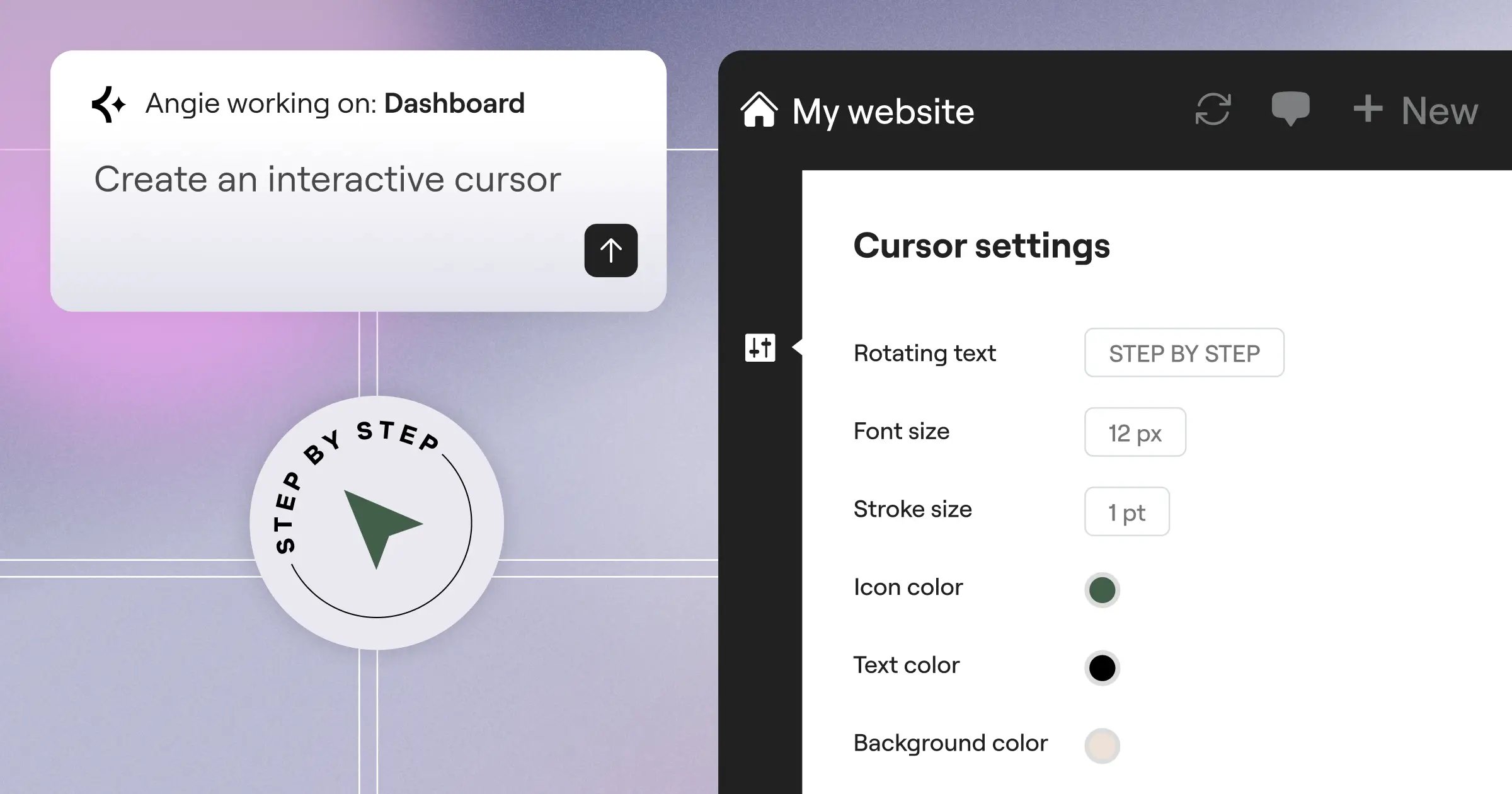
And the industry is seeing massive shifts in how agencies generate assets. Enter Angie, an agentic AI for WordPress built into the broader Elementor ecosystem. You literally chat with Angie, and it builds production-ready site assets instantly. It isn’t a gimmick. It’s a massive reduction in billable hours for boilerplate work.
Key Features
- Advanced Theme Builder – You get total control over headers, footers, and custom post type archives without writing a single line of PHP.
- AI-Powered Container Layouts – Flexbox and CSS Grid layouts generate instantly based on your specific structural needs.
- Global Design System – Manage typography and color variables across 500 pages from one central dashboard. Update once, sync everywhere.
- Dynamic Content Integration – Pull custom fields directly into visual widgets for highly customized client builds.
- Native WooCommerce Builder – Customize the entire cart and checkout experience visually to maximize client conversion rates.
Pricing
The Agency Plan costs $399/year. That covers exactly 1,000 client sites. You won’t find a better cost-per-site ratio anywhere in the professional page builder market.
Pros
- Massive Template Ecosystem – You aren’t starting from scratch on every build. Hundreds of business-ready kits exist right out of the box.
- Design-to-Code Speed – Prototyping happens directly in the browser. This cuts out tedious Figma translation time entirely.
- Client Hand-off Ease – Visual controls mean clients can edit their own text without breaking your carefully crafted layouts.
- Constant Innovation – The platform consistently pushes updates for performance and accessibility features.
- Extensive Third-Party Add-ons – If a native widget doesn’t exist, a highly rated third-party extension definitely does.
Cons
- Learning Curve for Grid – New designers often struggle with advanced CSS Grid concepts initially. It takes a few weeks to master.
- DOM Size Management – Inexperienced builders can easily create heavy page structures if they aren’t careful with container nesting.
- Widget Overload – You’ll need to manually disable unused widgets to keep the editor loading instantly on older machines.
- License Management – Tracking activations across a large client roster requires strict internal agency protocols.
- Update Anxiety – Major version releases occasionally conflict with outdated third-party add-ons. You’ve to test on staging first.
Verdict
Honestly, trying to run a high-volume agency without a visual builder is financial suicide in 2026. You need speed. Elementor Editor Pro delivers that speed while keeping the developer tools necessary for custom client demands.
Pair it with a solid caching strategy, and you’ve got a foundation that scales beautifully. Don’t let code purists tell you otherwise.
2. WP Engine: Premium Managed Hosting
Overview
Your beautiful designs don’t matter if the server response time is crawling. WP Engine built its reputation on treating WordPress hosting like enterprise software. It isn’t cheap. But it works.
Here are three signs your agency is ready to migrate to this platform:
- Client sites are experiencing traffic spikes that crash shared servers.
- Your developers are wasting hours manually configuring staging environments.
- You’ve outgrown basic security plugins and need server-level threat mitigation.
Their Agency Partner Program specifically targets high-volume shops. It provides 0-cost entry for agencies, offering free development environments to build sites before billing clients.
Key Features
- Genesis Framework Inclusion – Get free access to premium themes and blocks that usually cost hundreds of dollars annually.
- Automated Plugin Updates – Visual regression testing automatically checks if an update broke the layout. If it did, it rolls back.
- One-Click Staging – Instantly clone a live site to a private URL for safe development and client review.
- Billing Transfer – Build the site on your account, then smoothly transfer the ongoing hosting bill directly to the client.
- EverCache Technology – Proprietary caching rules specifically tuned for heavy WordPress installations and WooCommerce stores.
Pricing
Pricing is highly customized based on traffic. But the Partner Program is free to join, and standard tier plans start around $30/month for single sites before agency discounts kick in.
Pros
- Exceptional Security – Server-level firewalls stop malicious traffic before it ever hits the WordPress application layer.
- Agency-Specific Support – You get access to a dedicated 24/7 support line staffed by actual WordPress engineers.
- Performance Benchmarks – Sites routinely see a 40% drop in load times simply by migrating to their infrastructure.
- Free SSL and CDN – Enterprise-grade Cloudflare integration comes standard on every single tier.
- Daily Automated Backups – You never have to worry about a client accidentally deleting their database again.
Cons
- Higher Price Point – It’s significantly more expensive than shared hosting options. Budget clients will push back.
- Plugin Restrictions – They actively ban certain caching and backup plugins that conflict with their server architecture.
- Traffic Limits – Overage charges apply if a client site goes viral and exceeds monthly visitor caps.
- Complex Dashboard – The custom portal isn’t as intuitive as standard cPanel setups for old-school developers.
- Email Not Included – You’ll have to set up separate Google Workspace or Microsoft 365 accounts for client email.
Verdict
This is where premium hosting really shines. If you’re building mission-critical sites for clients pulling six figures in online revenue, you can’t rely on a competitive ratesnth server.
Pitch the stability to your clients as an insurance policy. They’ll gladly pay the premium.
3. ManageWP: Centralized Fleet Management
Overview
Imagine having 57 client websites. Now imagine logging into 57 different WordPress dashboards every Tuesday to update plugins. That’s a nightmare. It’s the exact problem ManageWP solves.
By bringing every site into a single cloud-based dashboard, you regain control over your maintenance schedule. The time savings are massive.
And let’s be real. Offering monthly maintenance packages is the holy grail of agency recurring revenue. You need a tool that turns a tedious chore into a one-click operation.
Key Features
- One-Click Bulk Updates – Update plugins, themes, and WordPress core across fifty sites simultaneously.
- Automated Client Reporting – Generate beautiful, white-labeled PDF reports showing clients exactly what you updated this month.
- Safe Updates – The system takes a backup, applies the update, and checks the site. It automatically restores the backup if anything breaks.
- Uptime Monitoring – Get SMS alerts the second a client site goes offline.
- Performance Checks – Run speed tests directly from the dashboard to track degradation over time.
Pricing
The base dashboard is completely free. Premium add-ons (like automated daily backups or white-labeling) cost roughly $2/site/month.
Pros
- Massive Time Saver – Agencies report saving an average of 4 hours per client site monthly.
- Revenue Generator – The automated reports literally justify your monthly maintenance retainer to clients.
- Granular Control – You can easily ignore specific plugin updates that you know are currently buggy.
- Easy Onboarding – Adding a new client site takes about 45 seconds using their worker plugin.
- Vulnerability Updates – The dashboard flags plugins with known security flaws immediately.
Cons
- Hosted Externally – Data passes through ManageWP servers. This causes privacy concerns for strict government or medical clients.
- Add-on Costs Add Up – At $2 per feature per site, a fully loaded setup for 100 sites gets expensive fast.
- Occasional Sync Errors – The worker plugin sometimes disconnects if the client’s server aggressively caches the backend.
- Interface Aging – The dashboard UI hasn’t seen a major overhaul in years. It feels slightly dated.
- Support Delays – Free tier users often wait 24-48 hours for ticket responses during peak times.
Verdict
If you aren’t using a fleet management tool, you aren’t running a modern agency. You’re just doing freelance work inefficiently.
Start with the free version today. You’ll upgrade to the premium features by next week.
4. Advanced Custom Fields (ACF) Pro: The Developer’s Choice
Overview
Sometimes, standard WordPress posts and pages don’t cut it. You need custom data structures. You need movie databases, staff directories, or complex real estate listings.
This is the industry standard for custom data architecture. In fact, roughly 75% of high-end WordPress developers consider it a mandatory installation on every new build.
Technical Breakdown: Instead of forcing clients to use the raw block editor for complex data entry, ACF Pro lets you build sterile, foolproof input fields. The client types in the data. Your code handles the styling.
Key Features
- Flexible Content Fields – Create modular page-building experiences restricted strictly to your approved design patterns.
- Repeater Fields – Allow clients to add an unlimited number of slides, team members, or FAQ items easily.
- ACF Blocks for Gutenberg – Build custom React-free Gutenberg blocks using standard PHP and HTML.
- Options Pages – Create global settings panels for things like company phone numbers or footer text.
- Clone Fields – Reuse existing field groups across multiple post types without rebuilding them from scratch.
Pricing
The Agency license costs $249/year. This grants you unlimited site activations and lifetime updates as long as the subscription remains active.
Pros
- Total Architectural Control – You dictate exactly how data goes into the database. No messy inline styles from clients.
- Lightweight Footprint – The plugin adds virtually zero overhead to the front-end loading time.
- Developer Friendly – The documentation is legendary. Finding snippets to output your fields takes seconds.
- Ecosystem Support – Almost every major page builder and theme natively supports dynamic data from ACF.
- Client Proofing – You hide the complex WordPress menus and only expose the simple text fields they need to fill out.
Cons
- Requires PHP Knowledge – To get the most out of it, your team needs to understand basic WordPress template hierarchy and PHP loops.
- No Native Front-End Styling – It only handles data storage. You still have to build the front-end display yourself.
- Database Bloat – Heavy use of repeater fields can create massive post-meta database tables over time.
- Steep Learning Curve – Junior developers often struggle to understand the difference between field groups and options pages.
- Block Building Complexities – While easier than React, ACF Blocks still require careful JSON configuration in modern versions.
Verdict
You can’t build bespoke, enterprise-grade applications without structured data. ACF Pro is the bridge between a simple blog and a complex web application.
Pay the $249. It’s the most profitable investment your development team will make this year.
5. Rank Math SEO: AI-Driven Optimization
Overview
Search intent is shifting dramatically. You can’t just spam keywords into an old SEO plugin anymore. You need structured data, automated schema, and deep content analysis.
Rank Math burst onto the scene a few years ago and quickly dismantled the old guard. It’s modular, incredibly fast, and packed with features that competitors charge extra for.
Modern SEO isn’t just about stuffing keywords into meta tags anymore. You’ve to build topical authority at scale, and AI-assisted tools are the only way agencies can maintain quality while handling fifty different client domains.
Itamar Haim, SEO Team Lead at Elementor. A digital strategist merging SEO, AEO/GEO, and web development.
Key Features
- Content AI – Get dynamic keyword suggestions, LSI terms, and word count targets directly inside the WordPress editor.
- Built-in Schema Generator – Apply complex JSON-LD structured data (like Recipes, Events, or Products) with two clicks.
- Multi-Site Analytics Dashboard – Monitor Google Search Console and Analytics data for all client sites from one screen.
- Advanced Redirections – Manage 301 redirects and track 404 errors natively. No need for a separate redirect plugin.
- Local SEO Optimization – Dominate local maps with specialized business schema and multi-location support.
Pricing
The Business plan runs $209/year. That tier supports up to 200 client websites and includes 125 Content AI credits.
Pros
- Incredible Value – You get redirection, schema, and sitemaps in one plugin. It replaces three or four separate tools.
- Modular Architecture – Don’t need WooCommerce SEO? Just toggle that module off. It keeps the codebase incredibly lean.
- Client Friendly UI – The setup wizard practically configures the entire plugin for you based on the site type.
- Deep Analytics Integration – Clients love seeing their keyword rankings directly in their WordPress dashboard.
- Role Manager – Restrict clients from messing with advanced SEO settings while still letting them optimize blog posts.
Cons
- AI Credit System – The heavily promoted AI features require ongoing credit purchases once your initial allowance runs out.
- Overwhelming Options – Junior SEOs can easily break a site’s visibility by clicking the wrong schema toggle.
- Aggressive Notifications – The plugin is notorious for pushing dashboard notices until you configure every last setting.
- Migration Hiccups – Importing data from legacy SEO plugins occasionally misses complex custom meta descriptions.
- Support Paywall – Priority ticket support is strictly reserved for the highest pricing tiers.
Verdict
Stop paying for heavy SEO tools that slow down your client sites. Rank Math is the undisputed champion for technical optimization in 2026.
The built-in schema generator alone will save your SEO team dozens of hours a month.
6. WP Rocket: Performance & Core Web Vitals
Overview
Here’s a brutal reality check: 53% of mobile users abandon sites that take longer than 3 seconds to load. Google’s Core Web Vitals strictly require a Largest Contentful Paint (LCP) under 2.5 seconds.
If your agency builds slow sites, you won’t retain clients. WP Rocket is the premier performance optimization plugin for one simple reason: it requires almost zero technical configuration.
The Three-Phase Setup:
- Install the plugin and activate the license.
- Check the boxes for minification and lazy loading.
- Watch your Google Lighthouse scores turn green.
Key Features
- Delay JavaScript Execution – Stop heavy third-party scripts (like chat widgets) from loading until the user interacts with the page.
- Critical CSS Generation – Automatically extract and inline the exact CSS needed to render the above-the-fold content instantly.
- Database Optimization – Clean out thousands of old post revisions and spam comments on a scheduled basis.
- Preload Links – The plugin anticipates where a user will click next and preloads that page in the background.
- Cache Preloading – A built-in bot constantly visits your pages to ensure the cache is primed before real users arrive.
Pricing
The Infinite license costs $299/year. This covers unlimited websites and is the only logical tier for an active agency.
Pros
- Instant Performance Gains – You’ll routinely see load times drop by two full seconds immediately upon activation.
- Idiot-Proof Interface – Unlike old caching plugins, you don’t need a computer science degree to understand the settings.
- Exceptional Compatibility – It plays incredibly nicely with major page builders and complex WooCommerce setups.
- SaaS-like Updates – The development team pushes constant updates to adapt to Google’s changing algorithm requirements.
- Heartbeat Control – Throttle the WordPress heartbeat API to massively reduce server CPU usage.
Cons
- No Free Version – There’s no lite version to test. You’ve to buy it to try it.
- Aggressive JS Delay – Delaying JavaScript can sometimes break complex interactive elements if you don’t exclude them properly.
- Renewal Costs – The $299 is an annual recurring fee. If you stop paying, you lose access to vital updates.
- Cloudflare Quirks – Setting up the Cloudflare API integration requires a bit of tedious token generation.
- Not a Silver Bullet – It can’t fix a fundamentally broken theme or a competitive ratesnth overloaded shared server.
Verdict
This is the fastest way to ensure client sites pass Core Web Vitals without spending a week hand-optimizing code.
Bake the license cost into your monthly maintenance fee. It pays for itself in client retention alone.
7. Gravity Forms: Advanced Lead Generation
Overview
Basic contact plugins are fine for hobbyists. But when an agency builds a lead generation funnel, you need absolute reliability. A broken form means lost revenue.
Data Point to Consider: Forms with advanced conditional logic convert at significantly higher rates because they adapt to user responses in real-time. Gravity Forms excels at this.
It isn’t just a form builder. It’s a complex data routing engine. You can build payment gateways, user registration portals, and multi-page surveys with incredible precision.
Key Features
- Advanced Conditional Logic – Show or hide fields, sections, or entire pages based on what the user selected previously.
- 30+ Form Fields – Everything from basic text inputs to file uploads and complex pricing calculation fields.
- Extensive Integrations – Connect natively to Zapier, HubSpot, Mailchimp, and Stripe without writing API calls.
- User Registration – Automatically create new WordPress user accounts directly from a front-end form submission.
- Save and Continue – Let users save massive multi-page applications and return later to finish them via an email link.
Pricing
The Elite license runs $259/year. This gives you unlimited sites and unlocks every single premium add-on in their library.
Pros
- Bulletproof Reliability – It rarely conflicts with other plugins. Submissions just work, every single time.
- Developer Hooks – The sheer volume of PHP filters available means developers can customize literally anything about the form’s behavior.
- Secure File Uploads – It handles heavy PDF or image uploads gracefully without timing out the server.
- Spam Protection – Built-in Google reCAPTCHA and Akismet integration kills 99% of bot submissions instantly.
- Accessibility Compliant – Forms render with proper ARIA tags, ensuring compliance with strict government accessibility standards.
Cons
- Dated Interface – The form builder UI feels decidedly old-school compared to newer drag-and-drop competitors.
- Basic Styling – Out of the box, the forms look incredibly plain. You’ll need custom CSS to make them match modern designs.
- Add-on Clutter – You’ve to install a separate plugin for every integration (e.g., one for Stripe, one for Mailchimp).
- Entry Database Size – Storing thousands of entries locally can bloat the WordPress database over time.
- No Built-in Analytics – You can’t see form conversion rates natively without setting up Google Tag Manager.
Verdict
If a client’s business relies on collecting complex data or payments, Gravity Forms is the only responsible choice.
It isn’t the prettiest builder, but it’s undoubtedly the strongest engine under the hood.
8. Kinsta: Scalable Infrastructure for Growth
Overview
When you outgrow standard managed hosting, you move to cloud infrastructure. Kinsta runs exclusively on the premium tier of the Google Cloud Platform.
Client Fit Matrix:
– Local Plumber: Overkill. Stick to standard hosting.
– National E-commerce Brand: Perfect fit. Needs edge caching.
– High-Traffic Publisher: Perfect fit. Needs instant autoscaling.
They’ve built a custom control panel (MyKinsta) that strips away the confusing server admin jargon. It enables your agency to manage heavy infrastructure visually.
Key Features
- MyKinsta Dashboard – A stunning, custom-built control panel that makes cPanel look like a relic from 1998.
- Application Hosting – You aren’t limited to WordPress. You can host Node.js or Python applications on the same platform.
- Edge Caching – Serve full HTML pages directly from Cloudflare’s edge network, dropping load times to mere milliseconds.
- Application Performance Monitoring (APM) – Pinpoint exactly which plugin or database query is slowing down the site.
- Automated Database Optimization – The system automatically cleans and optimizes MySQL databases once a week.
Pricing
The Agency 1 plan sits at $340/month. This covers 20 WordPress installs and 400,000 monthly visits, with white-labeling included.
Pros
- Top-Tier Benchmarks – They consistently rank at the very top of independent server performance tests globally.
- Developer Workflow – SSH access, WP-CLI, and Git integration are treated as first-class features.
- Phenomenal Support – Average ticket response time is under two minutes. You’re talking to an engineer, not a bot.
- Staging Environments – Push and pull between live and staging with a single click, including selective database merging.
- Free Migrations – Their team will manually migrate your complex client sites for free when you sign up.
Cons
- Premium Pricing – At $340/month for 20 sites, it actively excludes low-budget local business clients.
- Strict PHP Worker Limits – Heavy dynamic sites (like large WooCommerce stores) eat up PHP workers fast, requiring expensive plan upgrades.
- No Email Hosting – Like WP Engine, you’ll need external email providers for your clients.
- Visit Caps – A massive traffic spike from a viral article can push you into expensive overage billing.
- Banned Plugins – They restrict several popular caching plugins because they interfere with the server-level caching.
Verdict
Kinsta is the ultimate flex for an agency handling enterprise-grade clients. The APM tool alone is worth the price of admission.
Use it when uptime and speed are the literal cornerstones of your client’s business model.
9. MainWP: The Self-Hosted Alternative
Overview
Some agencies can’t put client data on third-party servers. If you handle law firms, medical facilities, or government contracts, cloud-based management tools are often prohibited by compliance laws.
MainWP is entirely open-source and self-hosted. You install the dashboard on your own server. You own the data. You control the security.
And because it’s self-hosted, they don’t charge per-site fees. You can manage 50 sites or 5,000 sites for the exact same price.
Key Features
- Privacy Focused – Zero data passes through external servers. Everything stays on your private hosting infrastructure.
- Bulk Plugin Management – Install, activate, or delete plugins across hundreds of sites in seconds.
- Massive Extension Library – Integrate directly with tools you already use, like UpdraftPlus, Wordfence, and Rank Math.
- Client Dashboard Blocking – Hide messy admin notices and restrict client access to sensitive areas of their own site.
- Code Snippet Execution – Push a custom PHP snippet to 50 sites simultaneously without opening an FTP client.
Pricing
The Pro version costs $29/month. Alternatively, you can buy a lifetime license for exactly $499. It’s the best financial deal in the WordPress ecosystem.
Pros
- No Per-Site Fees – Your software costs don’t scale up as your agency acquires more maintenance clients.
- Total Environment Control – You dictate the firewall rules, server location, and backup frequency of the management hub.
- Open Source Flexibility – Developers can inspect the code and write custom extensions for bespoke agency needs.
- White-Labeling – Completely rebrand the client-side worker plugin to display your agency logo.
- One-Time Payment Option – The $499 lifetime deal pays for itself in a matter of months for large agencies.
Cons
- Maintenance Overhead – You’ve to maintain, secure, and update the management dashboard site itself.
- Server Resources – Running tasks across 500 sites simultaneously will crash a cheap shared server. You need decent hosting for the hub.
- Complex Setup – It isn’t as plug-and-play as SaaS alternatives. You’ll spend an afternoon configuring it properly.
- UI Clutter – The dashboard can feel overwhelming due to the sheer volume of data and extensions available.
- Self-Support – If your server configuration blocks the connection, you’ll have to debug the server logs yourself.
Verdict
ROI Calculation: Managing 200 sites on a SaaS platform costs around $400/month. MainWP costs $0 after the lifetime purchase. The math is clear.
If you’ve the technical chops to manage your own server, this is the most profitable way to handle fleet maintenance.
10. Flywheel: The Creative Agency Specialist
Overview
Creative agencies work differently. You pitch visual concepts fast. You need workflows that match the speed of your design team. Flywheel built its entire hosting architecture around the specific needs of design-heavy agencies.
The Ideal Workflow:
- Spin up a local environment using Local by Flywheel.
- Design the site, using blueprints for your standard plugin stack.
- Push to a live staging link with one click to present to the client.
Imagine pairing Flywheel’s rapid cloning feature with Angie. Angie is an agentic AI that builds production-ready WordPress assets straight from your conversational prompts. You could spin up a staging site, tell Angie what sections you need, and have a working prototype in minutes. That’s how you win pitches in 2026.
Key Features
- Blueprints – Save a custom stack of your favorite themes and plugins to deploy new sites instantly.
- Local Integration – The most popular local WordPress development tool connects directly to their live servers.
- Collaborator Access – Add freelance designers or developers to a project without sharing your master passwords.
- Billing Transfer – Pass the final hosting bill to the client effortlessly via a secure email link.
- Nightly Backups – Automated backups keep 30 days of data securely stored off-site.
Pricing
Agency plans start around $242/month. This typically covers 30 sites, though custom limits apply based on bandwidth needs.
Pros
- Beautiful UI – It’s widely considered the most aesthetically pleasing and intuitive hosting dashboard on the market.
- Staging Simplicity – Pushing changes from local to staging to live is incredibly smooth and error-free.
- Client Friendly – The billing transfer feature eliminates the awkward conversation about collecting credit card details.
- Free Malware Removal – If a client site gets hacked, their security team cleans it up completely free of charge.
- Optimized for Creatives – The terminology and flow match how designers think, rather than how sysadmins think.
Cons
- Strict WordPress Only – You can’t host a custom Laravel app or a static HTML site here.
- Pricing Tiers – The jump between the Freelance and Agency tiers is steep.
- No SSH on Lower Tiers – Hardcore developers might find the server access too restrictive on basic plans.
- Plugin Restrictions – Similar to WP Engine (their parent company), certain plugins are banned.
- Support Hours – Phone support isn’t always 24/7 on the lower-tier plans.
Verdict
Flywheel bridges the gap between brilliant design and solid server architecture better than anyone else.
If your agency cares more about visual presentation and smooth client hand-offs than raw server tweaking, this is your home.
Comparison Summary: 2026 Agency Solutions
| Solution | Primary Agency Use Case | Starting Price | Learning Curve |
|---|---|---|---|
| Elementor Editor Pro | Rapid visual design & deployment | $399/year (1,000 sites) | Moderate |
| WP Engine | Enterprise-grade managed hosting | Custom (Free partner entry) | Low |
| ManageWP | SaaS fleet maintenance | Free ($2/site add-ons) | Low |
| ACF Pro | Custom data architecture | $249/year (Unlimited sites) | High |
| Rank Math SEO | Technical & AI-driven SEO | $209/year (200 sites) | Moderate |
| WP Rocket | Core Web Vitals optimization | $299/year (Unlimited sites) | Low |
| Gravity Forms | Complex lead generation data | $259/year (Unlimited sites) | Moderate |
| Kinsta | High-traffic cloud infrastructure | $340/month (20 sites) | Moderate |
| MainWP | Self-hosted fleet management | $29/month or $499 lifetime | High |
| Flywheel | Creative staging workflows | $242/month (30 sites) | Low |
Final Recommendation: Building Your 2026 Stack
You shouldn’t buy all ten tools blindly. You need to construct a cohesive stack that speeds up your specific agency workflow. Because time is money.
- Start with the Foundation – Lock in your hosting first. Choose Flywheel if you’re design-heavy, or Kinsta if you’re pushing massive e-commerce traffic.
- Standardize the Build – Equip your team with Elementor Editor Pro and ACF Pro. This combination lets you build visually while keeping complex data neatly structured.
- Automate the Maintenance – Deploy MainWP or ManageWP immediately. Centralize your updates so you aren’t burning billable hours on mundane tasks.
Stop experimenting with random plugins on every new client project. Pick your stack, master it, and scale your operations.
Frequently Asked Questions
What is the best hosting strategy for a brand new agency?
Don’t buy expensive dedicated servers until you’ve the client base to support them. Start with a solid managed host like WP Engine or Flywheel that offers an agency partner program. You can build sites on their staging servers for free, only paying when the site goes live.
How do you handle WordPress maintenance profitably?
You use centralized management dashboards. Tools like ManageWP allow you to update plugins across fifty sites with a single click. You charge clients a $100/month retainer for maintenance, but the actual work takes you four minutes.
Are visual page builders bad for SEO performance?
Not inherently. Early page builders generated heavy code, but modern tools like Elementor output highly optimized CSS Grid and Flexbox layouts. Combine a modern builder with WP Rocket, and you’ll easily pass Google’s Core Web Vitals.
How much should an agency budget for WordPress premium plugins?
A mature agency stack usually costs between $1,500 and $3,000 annually in licensing fees. This includes your builder, SEO tool, forms engine, and performance plugins. Always buy the unlimited or agency tier licenses to maximize your margins.
What exactly is agentic AI in the context of WordPress?
Unlike basic chat AI that just spits out text, agentic AI takes action. Tools like Angie actually generate production-ready assets, build layouts, and configure site settings based on your conversational prompts. It’s a massive time-saver for prototyping.
Should clients have full administrator access to their site?
Absolutely not. Clients break things. You should use role management tools to give them Editor access, allowing them to publish blog posts and change text without giving them the ability to delete crucial plugins or change the active theme.
Is cheap shared hosting ever acceptable for client sites?
Only for static brochure sites with virtually zero traffic. If a client relies on their website for income, lead generation, or e-commerce, placing them on a competitive ratesnth shared server is professional negligence. They need managed WordPress hosting.
How do you handle software licensing when a client leaves the agency?
You remove your agency license keys from their site during the off-boarding process. You must clearly state in your contracts that premium plugin licenses are tied to active maintenance plans. They will need to purchase their own licenses to receive future updates.
Looking for fresh content?
By entering your email, you agree to receive Elementor emails, including marketing emails,
and agree to our Terms & Conditions and Privacy Policy.






