Table of Contents
10 Best WordPress Booking Plugins in 2026
WordPress powers 43.5% of all websites globally as of late 2026. And the global appointment scheduling software market is projected to reach $1.2 billion this year. If you want a piece of that revenue, your site needs a powerful booking engine.
Stop forcing customers to call you during business hours. A simple contact form doesn’t cut it anymore. You need a system that handles availability, takes payments, and sends automatic reminders without your intervention.
Key Takeaways
- Mobile dominance: 82% of customers book appointments on mobile devices.
- Lost revenue: 94% of consumers choose online booking over phone calls.
- After-hours action: 70% of online appointments happen when your physical doors are closed.
- Performance matters: Heavy plugins add up to 800ms to load times, killing conversions.
- No-show reduction: Automated SMS reminders reduce missed appointments by 41%.
- Price range: Expect to pay anywhere from $49/year to $249/year for premium functionality.
Finding the right tool means looking past flashy marketing pages. You need reliable code. You need flexible payment options. And you definitely need a setup that won’t break your site’s performance.
We evaluated the current market based on strict technical and operational standards. Every plugin on this list had to pass a specific set of criteria.
- Frontend User Experience: The booking flow must take fewer than five clicks. Mobile responsiveness is completely non-negotiable.
- Database Impact: heavy post-meta tables slow down your entire site. We prioritized plugins that use custom database tables.
- Payment Flexibility: Support for Stripe and PayPal is the bare minimum. You need local gateway options and deposit functionality.
- Elementor Compatibility: The booking form needs to drop easily into your layouts using Elementor Editor Pro without shortcode conflicts.
- Integration Depth: Google Calendar and Outlook synchronization must be completely hands-off once configured.
Your specific business model dictates the winner. A hotel needs iCal sync. A barbershop needs tip collection. Pick the tool built for your exact workflow.
1. Amelia: The Best for Professional Service Providers
Amelia leads the pack for clinics, law firms, and consulting agencies. It brings a stunning, Material Design-inspired interface to both the frontend and your WordPress dashboard. The Basic plan starts at $79/year for a single domain.
You’ll notice the backend feels more like a standalone SaaS product than a standard WordPress plugin. It visualizes your revenue and appointment volume beautifully.
This tool excels at complex staff management. You can assign different services, working hours, and physical locations to individual employees.
- Multiple employee schedules: Track working hours, breaks, and days off for an unlimited number of staff.
- WhatsApp integration: Send automated booking confirmations directly to your client’s messaging app.
- Google and Outlook sync: Prevent double-booking by reading staff’s personal calendar events.
- Step-by-step booking wizard: Guide clients smoothly from service selection to final payment.
Pricing is straightforward. You get almost all features in the base premium tier.
- Pro: Visually flawless interface right out of the box.
- Pro: No nickel-and-diming for basic payment gateways.
- Con: The customized backend interface can feel jarring if you prefer native WordPress styling.
- Con: Setup takes significant time due to the massive number of configuration options.
Honestly, if you’re managing a team of professionals who each need their own schedule, Amelia is hard to beat. Just block out a full afternoon to configure it properly.
2. Bookly Pro: Best for Scalable Appointment Scheduling
Bookly Pro takes a completely different architectural approach. It functions as a base framework that you expand via specific add-ons. The core Pro version costs an $89 one-time fee on the Envato Market.
Imagine you run a tutoring center. You start with basic scheduling. Six months later, you realize you need to sell prepaid packages. With Bookly, you simply buy the specific extension for that feature.
This modularity keeps the core plugin relatively lean. But the costs can snowball.
- Unlimited staff members: Create distinct profiles and schedules for everyone on your team.
- Customizable SMS notifications: Ping clients before their appointments to reduce no-shows.
- WPML compatibility: Translate your booking forms into multiple languages easily.
- Deposit payments: Require a percentage upfront to secure the time slot.
- Compound services: Group multiple individual services into a single bookable appointment.
The pricing structure is the biggest point of friction.
- Pro: Massive ecosystem of official add-ons for highly specific edge cases.
- Pro: Clean, step-based booking form that adapts to any theme.
- Con: Add-ons cost between $39 and $59 each, making advanced setups very expensive.
- Con: Support is limited to six months unless you pay extra.
Buy Bookly if you’ve a very specific workflow requirement. The add-on library likely has a pre-built solution for whatever strange booking rule your business requires.
3. WooCommerce Bookings: Best for E-commerce Integration
Running an online store? This official extension hooks directly into your existing product catalog. It costs $249/year, placing it at the premium end of the market.
You don’t need a separate payment gateway setup. It uses whatever your store already has configured. It handles taxes, discount codes, and user accounts perfectly.
A bookable product functions just like a physical product in your database. Customers add an appointment to their cart and can continue shopping.
- Native checkout integration: Process bookings alongside physical products in a single transaction.
- Buffer times: Automatically block out 15 minutes between appointments for cleanup or travel.
- Multi-person bookings: Let one user book spots for an entire group (perfect for walking tours).
- Special pricing rules: Charge more for weekend slots or offer early-bird discounts.
- Manual approval: Review booking requests before confirming and charging the customer.
The cost is high, but the stability is unmatched.
- Pro: Flawless compatibility with the world’s largest e-commerce platform.
- Pro: Handles complex tax calculations automatically based on the user’s location.
- Con: The user interface feels dated compared to modern SaaS alternatives.
- Con: Very expensive annual renewal fee just to maintain basic functionality.
If your business relies heavily on selling both physical goods and services, stop looking. This is the only logical choice for a strict WooCommerce environment.
4. LatePoint: The Fastest Booking Experience
Speed is everything. LatePoint focuses obsessively on performance and user experience. Pricing starts at a very reasonable $49/year for a single site license.
Heavy calendar plugins can drag your site to a halt. Performance tests show LatePoint adds less than 150ms to your total page load time. It’s incredibly light.
“Speed is the invisible conversion killer. If your booking widget takes three seconds to load, your client is already calling your competitor. Lightweight calendar scripts aren’t a luxury; they’re a requirement for survival.”
Itamar Haim, SEO Expert and Digital Strategist specializing in search optimization and web development.
The setup wizard is brilliant. You can have a fully functional booking system live in under five minutes.
- One-click setup wizard: Bypass confusing configuration screens and launch immediately.
- Agent dashboards: Give staff their own login to view upcoming appointments.
- Custom fields: Collect specific client information right inside the booking flow.
- Social login: Let users create accounts using their Google or Facebook profiles.
- Zoom integration: Automatically generate meeting links for virtual consultations.
It’s built for modern web creators who hate heavy software.
- Pro: Noticeably faster frontend rendering than the competition.
- Pro: Highly intuitive design requires zero technical knowledge to operate.
- Con: Lacks some of the ultra-niche settings found in Bookly’s add-on library.
- Con: The reporting features are somewhat basic.
Choose LatePoint if you value clean code and fast loading times over having hundreds of obscure settings you’ll never use.
5. BookingPress: Best All-in-One Free-to-Pro Option
BookingPress burst onto the scene with a highly generous free version. The Pro tier, starting at $79/year, bundles features that usually cost extra elsewhere.
The payment integration is staggering. BookingPress Pro supports over 35+ payment gateways out of the box. You don’t have to pay extra to use regional providers like Mollie, Razorpay, or Square.
It also plays exceptionally well with modern page builders. The native widget drops right in, letting you style the calendar without writing CSS.
- 35+ Payment gateways: Accept money globally without buying separate extensions.
- On-site payment options: Let customers choose to pay cash upon arrival.
- PDF invoices: Automatically generate and email tax-compliant receipts to clients.
- complete analytics: Track revenue, appointment volume, and staff performance from a central dashboard.
- Customizable design: Tweak colors, fonts, and layouts to match your brand identity perfectly.
It offers the best value proposition on the market right now.
- Pro: Everything is included in the Pro price. No hidden fees.
- Pro: Excellent styling controls for non-developers.
- Con: The sheer number of settings can overwhelm beginners initially.
- Con: Support response times can occasionally drag during major plugin updates.
If you’re tired of plugins that charge you $50 just to connect a basic Stripe account, BookingPress is the perfect antidote.
6. Simply Schedule Appointments: Best for Customer Support
Software breaks. When your calendar stops working, you lose money by the minute. Simply Schedule Appointments boasts a world-class support team that actually fixes issues. The Plus tier runs $99/year.
They built this plugin specifically for agencies and consultants. The code base is rock-solid. It rarely conflicts with other tools or caching mechanisms.
Implementing an automated system here drops missed meetings drastically. Businesses report a 41% reduction in “no-shows” when using their built-in reminder system.
- Install the free core plugin: Test the basic workflow without spending a dime.
- Run the interactive wizard: Define your availability rules and blackout dates in minutes.
- Connect Gravity Forms: Trigger a booking sequence only after a user fills out a complex pre-qualification form.
- Set up team scheduling: Route clients to the next available agent automatically.
- Activate Mailchimp: Push new bookings directly to your newsletter lists.
It’s the safest bet for mission-critical client scheduling.
- Pro: The support team is legendary within the WordPress community.
- Pro: Flawless integration with third-party form builders.
- Con: The aesthetic is highly functional but slightly less modern than Amelia.
- Con: Advanced team features require the higher-priced tiers.
If you install this on a client’s website, you won’t get frantic phone calls at 2 AM complaining that the booking form disappeared.
7. MotoPress Hotel Booking: Best for Property Management
Short-term rentals require entirely different logic than hourly appointments. You need nightly rates. You need seasonal pricing. MotoPress Hotel Booking delivers exactly that for $199/year.
Double bookings are a nightmare for property managers. This plugin solves that with two-way iCal synchronization. It pings platforms like Airbnb, VRBO, and Booking.com every 15 to 30 minutes.
It handles the complex math of the hospitality industry effortlessly. You can charge local city taxes, cleaning fees, and pet deposits securely.
- iCal synchronization: Keep availability matched across all major online travel agencies.
- Seasonal pricing and rates: Automatically surge prices during holidays or local events.
- Online search availability forms: Let users search for specific dates and guest counts across multiple properties.
- Flexible booking rules: Enforce minimum or maximum stay requirements based on the season.
- OTA integrations: Connect directly with major booking platforms to centralize management.
This isn’t a generic calendar patched to work for hotels.
- Pro: Specifically engineered for the quirks of the accommodation industry.
- Pro: Handles complex pricing rules and discount coupons beautifully.
- Con: Absolutely useless for hourly service businesses.
- Con: The backend configuration requires a solid understanding of hotel revenue management.
Don’t use an appointment plugin for a bed and breakfast. Use MotoPress. It’s the gold standard for independent property owners.
8. WP Simple Booking Calendar: Best for Availability Display
Sometimes you don’t need to process payments. You just need to show people when you’re busy. WP Simple Booking Calendar does one thing perfectly. The Premium version is only $39/year.
It’s incredibly popular. The plugin currently boasts over 60,000 active installations. You create a calendar, color-code the days, and embed it on a page.
You can manage availability for a vacation home, an equipment rental, or a specific consulting room. The interface is refreshingly basic.
- Legend customization: Create your own color codes for “Booked”, “Pending”, or “Maintenance”.
- Bulk date editing: Block out an entire month with a single click.
- User-specific calendars: Give specific users access to manage only their assigned calendars.
- Multiple calendar displays: Combine availability from several assets into one master view.
- Tooltip information: Add hidden notes to specific dates for internal staff reference.
It’s lightweight and won’t drag your database down.
- Pro: The easiest learning curve of any plugin on this list.
- Pro: Extremely fast performance due to its limited scope.
- Con: You can’t accept direct bookings or payments through the interface.
- Con: Design options are quite limited.
Use this if you take bookings over the phone or email, but want to reduce inquiries for dates you’re already booked.
9. Salon Booking System: Best for Beauty and Wellness
Hair salons and barbershops have unique workflows. Clients want specific stylists. Stylists need gap times between coloring sessions. Salon Booking System tackles this for $69/year.
Repeat business keeps salons alive. This plugin includes a dedicated “Quick Rebook” feature in the client dashboard. Case studies show users report a 30% increase in repeat bookings after enabling it.
It also provides a dedicated mobile web app for staff. Your stylists can check their schedule on their phones without logging into the clunky WordPress admin area.
- Mobile app for staff: Let employees manage their day from their own devices.
- Quick Rebook for clients: Save specific service and stylist combinations for one-click reordering.
- SMS reminder system: Ping clients automatically to reduce expensive no-shows.
- Tipping integration: Allow clients to add a gratuity during the checkout process.
- Point of sale sync: Works alongside physical checkout hardware in your shop.
It understands the beauty industry deeply.
- Pro: Features are highly tailored to actual salon daily operations.
- Pro: Great tools for encouraging client loyalty and retention.
- Con: The backend interface can feel a bit cluttered with options.
- Con: Setup requires mapping out complex service relationships.
If you run a spa, a tattoo parlor, or a hair salon, this plugin speaks your language better than the generic alternatives.
10. BirchPress: Best for Developers
Off-the-shelf solutions don’t always work for enterprise clients. BirchPress operates as a highly flexible booking framework. Pricing starts at $99/year.
It comes loaded with hundreds of hooks and filters. A competent PHP developer can bend this plugin to do almost anything. You can inject custom logic into the routing rules or alter the database queries directly.
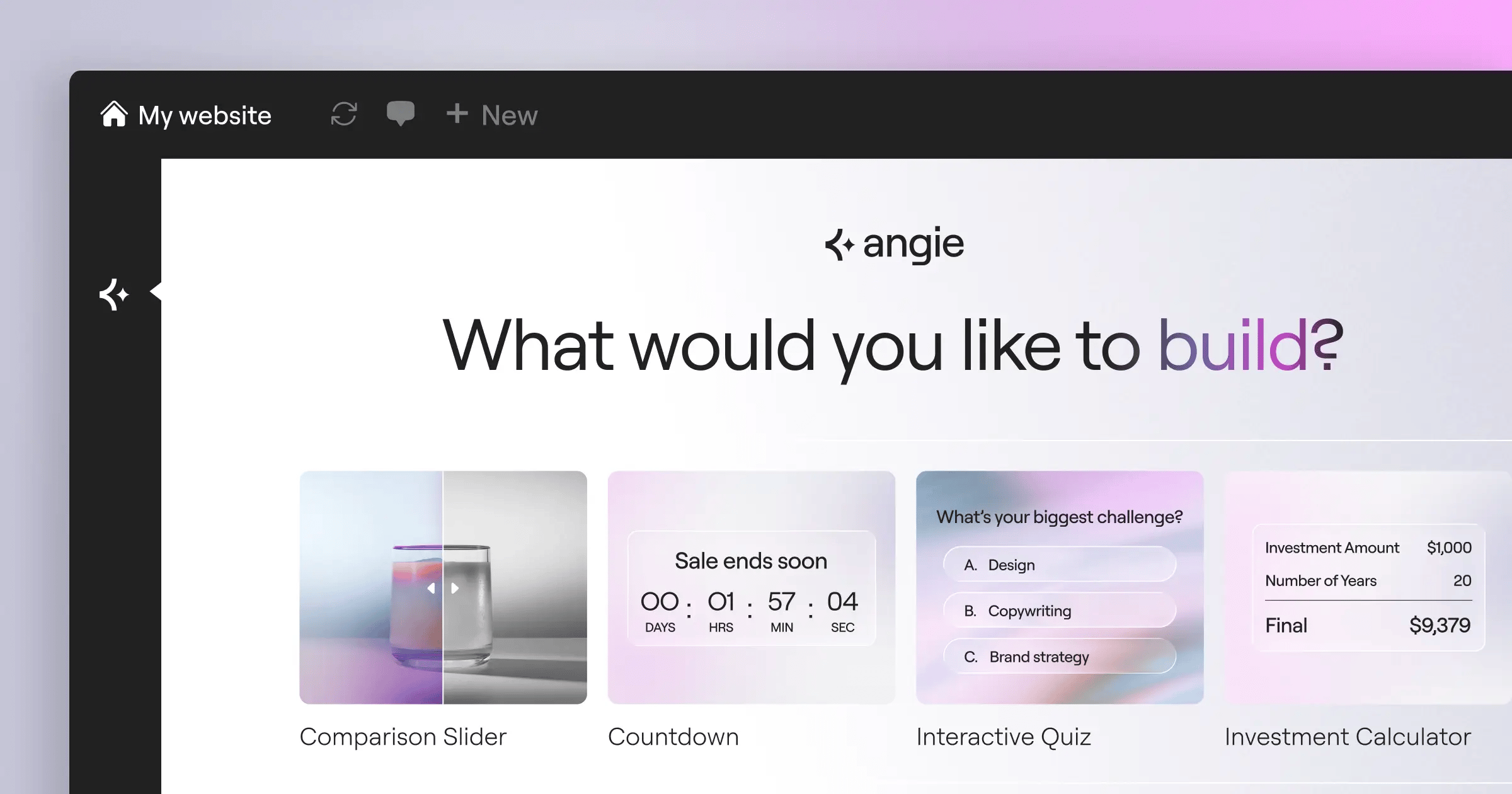
If you’re building custom solutions, you might also want a modern workflow. For a more AI-powered approach to WordPress customization, Angie by Elementor lets you create custom widgets and snippets through conversation. Combine that with BirchPress, and you’ve total control.
- Developer-friendly API: Hook into core functions to build completely custom booking apps.
- Advanced calendar sync: Push events directly to iPhone and Android native calendars.
- Group bookings: Manage classes, workshops, and multi-attendee events.
- Custom email formatting: Completely rewrite the HTML templates for outgoing notifications.
- Fractional availability: Block off specific increments of time dynamically based on custom rules.
It’s built for power users.
- Pro: Unmatched flexibility if you know how to write code.
- Pro: Highly reliable legacy plugin with years of stable updates.
- Con: The default user interface feels very outdated for 2026.
- Con: Non-developers will find the customization process frustrating.
Choose BirchPress if you’re an agency building a highly specialized scheduling tool for a demanding corporate client.
Comparison Summary
You’ve seen the deep details. Now let’s look at how these tools stack up directly against each other. Your final choice often comes down to budget constraints and your specific technical environment.
Review this table to find the perfect balance between load time impact, price, and visual builder support.
| Plugin Name | Starting Price | Best Use Case | Elementor Support |
|---|---|---|---|
| Amelia | $79/year | Service Professionals | Native Widgets |
| Bookly Pro | $89 (One-time) | Scalable Scheduling | Shortcodes |
| WooCommerce Bookings | $249/year | E-commerce Sites | Full Integration |
| LatePoint | $49/year | Speed & UX | Shortcodes |
| BookingPress | $79/year | Payment Flexibility | Native Widgets |
| Simply Schedule Appts. | $99/year | Reliability | Native Widgets |
| MotoPress Hotel | $199/year | Property Rentals | Native Widgets |
| WP Simple Booking | $39/year | Availability Only | Shortcodes |
| Salon Booking System | $69/year | Beauty & Wellness | Shortcodes |
| BirchPress | $99/year | Custom Development | Shortcodes |
Final Recommendation
You can’t afford to run a business without an automated calendar anymore. Roughly 70% of all online appointments are booked when your business is closed. If you require a phone call, you’re handing revenue directly to your competitors.
Your path forward depends entirely on your business structure. Use this decision matrix to pick your winner.
- If you run a service business (coaching, consulting, clinics): Buy Amelia. The interface is beautiful, and it manages complex staff schedules without requiring expensive add-ons.
- If speed is your ultimate priority: Install LatePoint. It’s incredibly fast, intuitive, and offers the lowest barrier to entry.
- If you rent out physical property: You absolutely must use MotoPress Hotel Booking. Standard appointment plugins will fail you when dealing with overnight stays and cleaning fees.
- If you need maximum payment options: Go with BookingPress. Getting 35 gateways included in the base price saves you hundreds of dollars in hidden extension fees.
Pick the tool that matches your model. Install it. Test the mobile flow rigorously. And watch your conversion rates climb.
Frequently Asked Questions
Can these plugins sync with my personal Google Calendar?
Yes. Almost all premium tools on this list offer two-way Google Calendar synchronization. They read your personal events to block out time and push new bookings directly to your phone.
Will a booking plugin slow down my WordPress site?
It depends heavily on the architecture. Lightweight tools like LatePoint have minimal impact. However, plugins that generate thousands of post-meta rows can increase database query times significantly. Good managed cloud hosting mitigates this risk.
Do I need WooCommerce to accept payments?
No. Plugins like Amelia and BookingPress connect directly to Stripe and PayPal via their own native APIs. You only need WooCommerce Bookings if you’re already running an extensive e-commerce store.
Can I accept recurring appointments automatically?
Yes. Most pro versions allow clients to book weekly or monthly slots. Bookly and Amelia handle this particularly well, processing the recurring payments automatically in the background.
What happens if a customer cancels an appointment?
You define the rules. You can allow cancellations up to 24 hours in advance via an automated email link. The system will then automatically reopen that slot on your public calendar.
Are these booking plugins GDPR compliant?
Yes. Top-tier tools include built-in consent checkboxes and data retention limits. They integrate smoothly with standard WordPress privacy tools to handle user data deletion requests securely.
Can I style the calendar to match my brand?
Absolutely. Most provide primary color controls directly in their settings. For deeper control, tools with native Elementor widgets let you adjust typography and spacing visually.
Do these work well with caching plugins?
Usually, yes. However, you often need to exclude the specific booking page from your cache. Dynamic content like real-time calendar availability breaks if served as a static HTML file.
Looking for fresh content?
By entering your email, you agree to receive Elementor emails, including marketing emails,
and agree to our Terms & Conditions and Privacy Policy.






