Table of Contents
Building a website from scratch used to mean wrestling with HTML, CSS, and complex server configurations. But in 2026, the no code website builder market has completely flipped the script. The global low-code and no-code development platform market is projected to hit a massive $187 billion by 2030. It’s growing at an incredible 31.1% rate annually.
Look, you don’t need a computer science degree to launch a high-performance web application anymore. In fact, 82% of business users report that no code tools provide a significantly higher ROI than traditional custom development. This is purely because of speed-to-market. You’re launching in days, not months.
Key Takeaways
- Elementor leads the WordPress ecosystem, powering 9.5% of all global websites in 2026.
- Mobile optimization is mandatory, as phones now generate 58.67% of total global web traffic.
- Framer saw a 400% surge in publishes by specifically targeting designers transitioning from Figma.
- Page speed directly impacts revenue, with a mere 100-millisecond delay dropping conversions by 7%.
- AI integration is the new baseline. Currently, 73% of web designers use artificial intelligence for layout generation.
Selection Criteria for 2026
Choosing the right platform isn’t just about picking the prettiest templates. It’s about matching the tool to your specific technical requirements. Here’s exactly what matters most when evaluating builders this year.
- Speed and Core Web Vitals: A 100-millisecond delay in load time drops conversion rates by exactly 7%. Your builder must output clean, minified code.
- Native AI Capabilities: About 73% of web designers use artificial intelligence for layout generation in 2026. You need platforms that build this in natively.
- Mobile-First Controls: Mobile devices generate a massive 58.67% of global website traffic. Responsive design controls aren’t optional.
- Data Portability: You need to know if you can export your site data if you outgrow the platform. Lock-in is a serious business risk.
When you control the markup natively, you dictate how search engines interpret your entire digital footprint. Visual builders must output semantic HTML, or you’re just painting a beautiful house on a crumbling foundation.
Itamar Haim, SEO Team Lead at Elementor. A digital strategist merging SEO, AEO/GEO, and web development.
1. Elementor Editor Pro
WordPress absolutely dominates the web. It currently powers 43.5% of all websites globally. And Elementor Editor Pro is the primary engine behind a massive chunk of them. Currently, Elementor commands a 9.5% market share globally.
Here’s the thing: Elementor isn’t just a basic page builder anymore. It’s a professional design system. The Editor V4 introduces a CSS-first foundation with native support for CSS Variables and Atomic Elements. (This drastically reduces DOM size). You get pixel-perfect control over every single breakpoint.
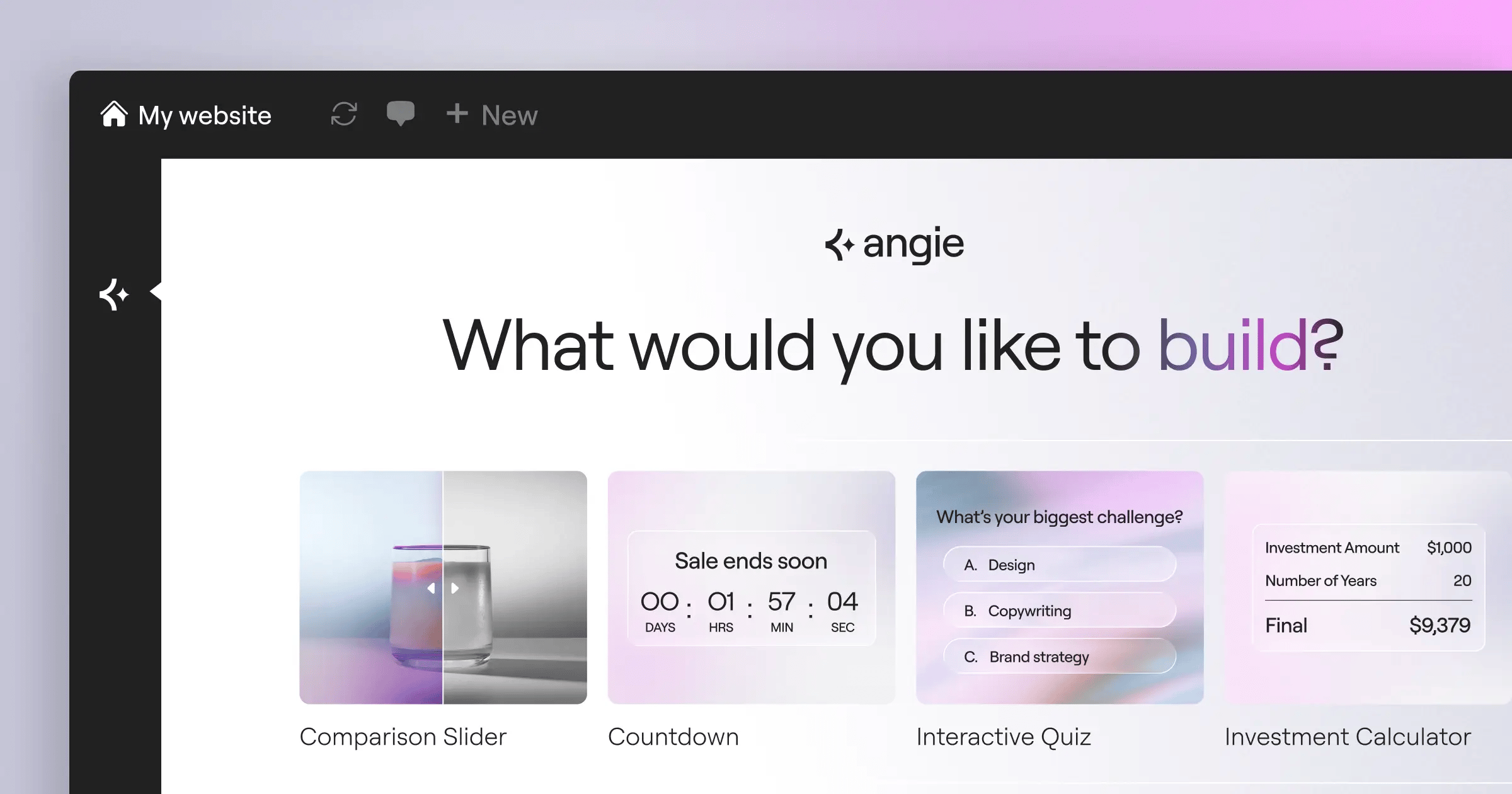
You also get access to Angie. Angie operates as a true agentic AI built specifically for WordPress. Instead of just generating text, you use natural language prompts. Angie then executes multi-step actions to build production-ready WordPress assets instantly.
Key Features
- Theme Builder: Design custom headers, footers, archives, and single post templates dynamically.
- WooCommerce Integration: Completely customize product pages, carts, and checkout flows visually.
- Dynamic Content: Connect native WordPress custom post types directly to visual widgets.
- 118+ Advanced Widgets: Everything from basic text to complex Lottie animations and dynamic carousels.
- Agentic AI: Use Angie to create complex site structures via conversational prompts.
Pricing
- Essential: $60/year for 1 site (includes 57 pro widgets).
- Advanced Solo: $84/year for 1 site (adds WooCommerce and popup features).
- Advanced: $99/year for 3 sites.
- Elementor One: $168/year (unifies AI, hosting, optimization, and Editor Pro).
Pros
- Unmatched design flexibility within the vast WordPress ecosystem.
- Outputs highly optimized code, easily hitting 90+ on Google PageSpeed Insights.
- Agentic AI capabilities save hours of manual setup.
- Massive community and third-party plugin market for infinite scalability.
Cons
- Requires managing your own WordPress hosting (unless using Elementor Cloud).
- The sheer number of options can overwhelm complete beginners initially.
Verdict
For serious professionals, agencies, and WordPress loyalists, this remains the absolute industry standard. You simply can’t find a more powerful visual interface for the world’s most popular CMS.
2. Wix
Imagine you’re opening a local coffee shop. You need a menu, a contact form, and some basic local SEO. Wix is built exactly for this scenario. It has successfully shed its old reputation as a clunky, flash-based tool.
Today, it’s a highly capable, hosted platform for small business owners. Wix operates as a completely closed ecosystem. (You don’t worry about servers, security patches, or database updates). You just log in and build.
For basic users, the Artificial Design Intelligence (ADI) does the heavy lifting. You answer a few questions, and it generates a functional starting point. It’s basic, but it works.
Key Features
- Wix ADI: Automated site generation based on your business category.
- Velo by Wix: An integrated IDE for injecting custom JavaScript.
- App Market: Hundreds of built-in integrations for bookings, restaurants, and events.
- Built-in Security: Enterprise-grade security handled entirely on their end.
Pricing
- Light: $17/mo (basic site with custom domain).
- Core: $29/mo (adds basic analytics and payments).
- Business: $36/mo (full e-commerce features).
Pros
- Extremely intuitive for absolute beginners.
- Zero technical maintenance required.
- Excellent built-in tools for specific niches like restaurants and hotels.
- Strong customer support infrastructure.
Cons
- You can’t switch templates once your site goes live.
- Site speeds can lag if you install too many third-party apps.
Verdict
Best for local business owners who want an all-in-one package without ever looking at a hosting control panel.
3. Webflow
Designers who actually understand how CSS flexbox and grids work absolutely love Webflow. It’s fundamentally different from standard drag-and-drop builders. Instead of abstracting the code away, Webflow gives you a visual interface to write actual semantic HTML and CSS.
Here’s a pro tip. Always build your class naming convention before you drag your first div onto the canvas. If you don’t manage your global classes properly in Webflow, your stylesheet becomes a nightmare. (We’ve seen agencies spend weeks cleaning up messy Webflow classes).
The platform really shines with its CMS. You can build highly complex relational databases visually. It’s perfect for large content directories or media sites.
Key Features
- Visual CSS Grid: Direct manipulation of flexbox and grid properties.
- Interactions 2.0: Build complex scroll and mouse animations visually.
- Advanced CMS: Create custom content structures and relational databases.
- Code Export: Download your clean HTML, CSS, and JS files.
Pricing
- Basic: $14/mo (billed annually, no CMS).
- CMS: $23/mo (supports up to 2,000 dynamic database items).
- Business: $39/mo (high traffic, 10,000 CMS items).
Pros
- Delivers incredibly clean, exportable code.
- Unmatched animation capabilities for modern design trends.
- Lightning-fast hosting on AWS and Fastly.
- Complete control over technical SEO parameters.
Cons
- Very steep learning curve if you don’t understand HTML/CSS basics.
- Pricing scales quickly as you add more CMS items or team members.
Verdict
If you’re a design agency building bespoke, high-end marketing sites, Webflow delivers the cleanest production code on the market.
4. Framer
If Webflow is visual CSS, Framer is Figma brought directly to production. In 2024, Framer saw a ridiculous 400% increase in site publishes. Why? Because they perfectly bridged the gap between vector prototyping and live websites.
Before hitting publish on a Framer site, run through a strict QA process. First, check your scroll-based animations on a physical mobile device. Second, verify your breakpoints, because absolute positioning in Framer can break on odd screen sizes.
Third, compress all images. The direct Figma import tool often pulls massive PNG files that will destroy your page speed.
Key Features
- Figma to HTML: Copy elements in Figma and paste them directly into Framer.
- Smart Components: Create interactive buttons and toggles easily.
- Scroll Effects: Native parallax and scroll-triggered animations.
- Built-in Analytics: Track visitors without installing Google Analytics.
Pricing
- Mini: competitive rates (landing pages).
- Basic: $15/mo (personal sites, 150 pages).
- Pro: $30/mo (larger sites, built-in analytics).
Pros
- The fastest workflow available for UI/UX designers.
- Incredible out-of-the-box animation performance.
- Very low barrier to entry if you already know Figma.
- Excellent for rapid prototyping and validation.
Cons
- The CMS is quite limited compared to Webflow or Elementor.
- E-commerce capabilities are practically non-existent.
Verdict
Perfect for startups, SaaS landing pages, and visual designers who want high-fidelity animations without touching a line of JavaScript.
5. Squarespace
When aesthetics matter more than complex functionality, Squarespace usually wins. It’s the undisputed go-to for photographers, artists, and boutique brands. The platform relies heavily on its award-winning template library.
Honestly, Squarespace forces you into a specific design structure. You can’t just place an element anywhere you want. It uses the strict Fluid Engine grid. This rigidity is actually its biggest advantage. It actively prevents you from building an ugly website.
You pay a premium for this curation. The Business plan costs $23/mo, but it also tacks on a 3% transaction fee on all your sales. (That transaction fee is something you really can’t ignore if you sell volume).
Key Features
- Fluid Engine: A rigid, grid-based visual editor.
- Curated Templates: The most aesthetically pleasing default templates available.
- Email Campaigns: Native email marketing built directly into the dashboard.
- Acuity Scheduling: Integrated booking tools for service businesses.
Pricing
- Personal: $16/mo (billed annually).
- Business: $23/mo (includes a mandatory 3% transaction fee on sales).
- Commerce: $28/mo (removes the transaction fee).
Pros
- Impossible to make a visually unappealing site if you stick to the grid.
- Excellent built-in marketing and scheduling tools.
- Great native functionality for podcast hosting and digital products.
- Strong customer support.
Cons
- Very limited third-party integrations compared to WordPress.
- The 3% transaction fee on the Business tier is punitive.
Verdict
The best option for creative professionals who need a gorgeous portfolio live by tomorrow afternoon.
6. Bubble
Let’s be incredibly clear. Bubble isn’t for building a local bakery’s brochure site. It’s for building full-scale web applications. We’re talking Airbnb clones, CRM systems, and complex SaaS products.
By 2024, Bubble reached a massive 3.3 million users. Building an app here happens in three distinct phases. First, you construct your database architecture natively in the editor.
Second, you map out your user interface. Third, you program the visual logic using their extensive workflow editor. It takes serious time to learn, but the payoff is massive.
Key Features
- Visual Workflows: Program complex logic without writing JavaScript.
- Native Database: Build relational databases directly within the platform.
- API Connector: Connect to literally any RESTful API on the internet.
- User Management: Secure authentication and permission logic built-in.
Pricing
- Starter: $29/mo (basic app, dev version).
- Growth: $119/mo (increased server capacity, custom branding).
- Team: $349/mo (multiple developers, scaling infrastructure).
Pros
- Can build almost any complex web application imaginable.
- Eliminates the need for expensive full-stack developers.
- Highly active community sharing plugins and templates.
- Scales surprisingly well for early-stage startups.
Cons
- The learning curve is brutal for non-technical users.
- You’re locked into their proprietary hosting infrastructure.
Verdict
For non-technical founders trying to launch a SaaS MVP, Bubble is the most capable platform in existence.
7. Shopify
If your primary goal is selling physical inventory, the conversation starts and ends with Shopify. It powers an astonishing 10% of total e-commerce in the United States alone. It’s an absolute powerhouse.
Imagine managing 500 SKUs across three different warehouses. You need automated tax calculations, international shipping zones, and abandoned cart recovery. A standard visual builder simply can’t handle that logic natively.
Shopify handles it effortlessly. (Just be prepared to pay for third-party apps to fill any highly specific functional gaps you might have).
Key Features
- Store 2.0 Architecture: Block-based visual editing for all store pages.
- Shopify powerful: AI tools to generate product descriptions instantly.
- Shopify Payments: Native payment processing with excellent rates.
- Inventory Sync: Manage stock levels across multiple physical locations.
Pricing
- Basic: $39/mo (standard reporting and 2 staff accounts).
- Shopify: $105/mo (advanced reporting, 5 staff accounts).
- Advanced: $399/mo (custom reporting, lowest transaction rates).
Pros
- The most reliable e-commerce infrastructure on the market.
- Massive app store for any conceivable store feature.
- Excellent omnichannel selling features (Instagram, TikTok, POS).
- Handles massive traffic spikes without crashing.
Cons
- Monthly costs escalate quickly as you add premium apps.
- Blog functionality is very basic compared to WordPress.
Verdict
The absolute gold standard for serious e-commerce businesses scaling past their first few thousand dollars in revenue.
8. Softr
Internal tools are notoriously expensive to build. Softr fixes this by turning your existing databases into fully functional web applications. It reads your Airtable bases or Google Sheets directly.
It then instantly generates client portals, internal directories, or inventory management dashboards. You define user roles. You set strict permissions. Softr handles the authentication securely.
It displays only the data that specific user is allowed to see. Honestly, this completely changes how agencies deliver client deliverables and custom dashboards.
Key Features
- Direct Sync: Real-time bi-directional sync with Airtable and Google Sheets.
- Granular Permissions: Control exactly what records each user group sees.
- Pre-built Blocks: Drag-and-drop lists, charts, and kanban boards.
- Custom Domains: White-label the entire portal for your clients.
Pricing
- Basic: $49/mo (custom domain, 1,000 app users).
- Professional: $139/mo (custom code, 5,000 app users).
- Business: $269/mo (advanced permissions, 10,000 app users).
Pros
- The absolute fastest way to build a data-driven portal.
- Zero backend logic required.
- Excellent integrations with Zapier and Make.
- Highly secure user authentication.
Cons
- Design flexibility is heavily restricted to their pre-built blocks.
- You’re dependent on Airtable’s API limits.
Verdict
The best tool available for turning an Airtable spreadsheet into a secure, gated web application.
9. Dorik
Dorik is the underdog that’s quietly stealing market share from the giants. It’s incredibly fast, highly affordable, and outputs exceptionally clean code. In fact, standard Dorik sites routinely hit a 90+ score on Google’s Core Web Vitals right out of the box.
If you’re using Dorik, take full advantage of their white-label CMS feature. You can completely brand the backend dashboard for your clients. (It’s a fantastic upsell for freelance web designers who want to look like a larger agency).
It doesn’t have the vast ecosystem of Elementor, but it does the basics flawlessly.
Key Features
- White-Label CMS: Brand the entire backend with your own logo and colors.
- 80+ UI Components: Pre-built, highly optimized building blocks.
- Airtable Integration: Pull data directly into your static pages.
- Global CDN: Lightning-fast global delivery via AWS and DigitalOcean.
Pricing
- Personal: competitive rates (billed annually, flat HTML sites).
- CMS: $9/mo (includes blog and dynamic content).
- Agency: $29/mo (unlimited sites, white-labeling).
Pros
- Extremely affordable pricing tiers.
- Incredible page load speeds and technical SEO optimization.
- The white-labeling feature is brilliant for freelancers.
- Very intuitive interface.
Cons
- Smaller third-party ecosystem than WordPress or Wix.
- E-commerce options are still somewhat basic.
Verdict
A fantastic, professional option for freelancers building high-performance static sites and simple blogs.
10. Carrd
Sometimes you don’t need a multi-page architecture. You just need a single, high-converting landing page to capture emails or act as a digital business card. Carrd absolutely dominates this specific micro-niche.
You’re launching a quick lead magnet for a weekend project. You don’t want to spend $30 a month. Carrd gets it done for less than a cup of coffee per year.
The platform is entirely focused on responsive, single-page designs. It’s minimalist, but incredibly effective.
Key Features
- Single-Page Focus: Optimized purely for one-page layouts.
- Custom Code: Inject your own CSS and JS on Pro plans.
- Form Integrations: Connects easily to Mailchimp, ConvertKit, and Zapier.
- Responsive Output: Sites look perfect on mobile devices automatically.
Pricing
- Pro Lite: $9/year (removes branding, 3 sites).
- Pro Standard: $19/year (custom domains, forms, 10 sites).
- Pro Plus: $49/year (advanced forms, custom templates, 25 sites).
Pros
- The absolute cheapest option on the market today.
- Incredibly fast learning curve.
- Perfect mobile responsiveness by default.
- Great integrations for simple email capture.
Cons
- Strictly limited to single-page sites.
- Not suitable for SEO-heavy content strategies.
Verdict
The cheapest, most efficient way to put a simple, single-page idea onto the internet.
Comparison Summary Table
| Platform | Starting Price | Best For | AI Capabilities |
|---|---|---|---|
| Elementor Editor Pro | $60/year | Professionals & Agencies | Advanced (Angie Agentic AI) |
| Wix | $17/mo | Local Businesses | Basic (ADI Generator) |
| Webflow | $14/mo | Design Agencies | None Natively |
| Framer | competitive rates | UI/UX Designers | AI Layout Generation |
| Squarespace | $16/mo | Creative Portfolios | Basic Text/Image AI |
| Bubble | $29/mo | SaaS Founders | AI Component Generation |
| Shopify | $39/mo | E-commerce Stores | Shopify powerful (Text AI) |
| Softr | $49/mo | Internal Portals | AI App Generation |
| Dorik | competitive rates (billed annually) | Freelancers | AI Site Generation |
| Carrd | $9/year | Single Landing Pages | None Natively |
Final Recommendation: Which One Should You Choose?
Choosing your stack in 2026 comes down to matching the tool to your exact business model. Don’t overcomplicate it. Here’s exactly how you should categorize your decision.
- For WordPress Loyalists and SEO Professionals: Go with Elementor Editor Pro. The combination of total design control and agentic AI tools like Angie gives you an incredible competitive advantage.
- For SaaS Founders: You need Bubble. It’s the only visual platform that handles complex backend logic and user authentication at scale.
- For Physical Products: Stick to Shopify. E-commerce is too complex to trust to a generic page builder.
- For High-End Design Agencies: Choose Webflow or Framer. They output the cleanest code and handle modern animations flawlessly.
- For Quick Portfolios: Squarespace remains the safest bet for aesthetics.
Frequently Asked Questions
What exactly defines a no code website builder in 2026?
A modern no code builder is a visual development platform that generates semantic code in the background. It replaces manual programming with a graphical interface. You drag elements, and the engine writes the HTML, CSS, and JavaScript automatically.
How does agentic AI differ from basic generative AI?
Basic generative AI just writes copy or creates an isolated image. Agentic AI, like Elementor’s Angie, actually takes action inside your CMS. You tell it what you need, and it builds the pages, sets layouts, and configures assets natively.
Can I migrate away from these platforms later?
It depends entirely on the platform. Webflow allows you to export clean code. Elementor sits on WordPress, meaning you own your data entirely. Hosted solutions like Wix or Squarespace lock you in. You can’t easily export a Wix site to another host.
Do I still need to hire a developer?
For 90% of standard business sites, you don’t. You only need a developer if you’re building highly custom API integrations or unique complex web applications. Tools like Bubble cover even most of those advanced use cases.
Are visual builders bad for SEO?
They used to be, but not anymore. Modern builders output clean, minified HTML. As long as you optimize your images and structure your headings correctly, you’ll rank just fine. Elementor and Webflow sites routinely hit top spots on Google.
What are Core Web Vitals and why do they matter here?
Core Web Vitals are Google’s specific metrics for measuring user experience, focusing on loading speed, interactivity, and visual stability. Visual builders used to fail these tests. Today, optimized platforms like Dorik and Elementor easily pass them.
Can I build a multi-vendor marketplace without code?
Yes, but you’ll need advanced tools. You can’t build a marketplace with Carrd or basic Wix. You need a platform with relational database capabilities, like Bubble, or a WordPress setup using specific multi-vendor plugins alongside Elementor.
Who officially owns the underlying code on hosted platforms?
If you use a SaaS builder like Wix or Shopify, they own the underlying source code and infrastructure. You only own your specific content and data. If you use WordPress, you own the entire stack.
Looking for fresh content?
By entering your email, you agree to receive Elementor emails, including marketing emails,
and agree to our Terms & Conditions and Privacy Policy.






