Table of Contents
10 Best Low Code Platforms for Web Development in 2026
By 2026, the global shortage of full-time developers is expected to hit 4 million. That changes exactly how we build the web. You can’t rely purely on hand-coded custom builds anymore.
But you also shouldn’t settle for rigid site builders that break under pressure. The line between visual design and hard code has vanished. Today’s tools give you direct access to CSS variables, database schemas, and API endpoints without forcing you to write syntax from scratch.
Key Takeaways
- Speed is mandatory: A 0.1-second improvement in mobile site speed can boost retail conversion rates by 8.4%.
- AI is standard: 82% of developers agree AI-assisted features significantly improve productivity.
- Enterprise shift: 70% of new enterprise applications now rely on low-code technologies.
- Massive growth: The low-code market is tracking toward a $148.1 billion valuation by 2030.
- Development velocity: Modern platforms reduce application build times by 50% to 90% compared to traditional methods.
Our Methodology for 2026
Not all visual builders qualify as true low-code platforms. We evaluated these tools based on strict technical requirements. If a platform traps you in a closed ecosystem with no API access, it didn’t make the list.
We prioritized platforms that output clean, minified code. We also looked heavily at integration capabilities. You need tools that talk to your existing databases.
Here’s how we ranked the contenders:
- Scalability: Can the platform handle 100,000 monthly visitors without crashing?
- Performance: Does it consistently hit Google PageSpeed Core Web Vitals scores of 90+ on mobile?
- Extensibility: Can you inject custom JavaScript, CSS, or connect external APIs when the visual tools fall short?
- Data Ownership: Are you locked into proprietary hosting, or can you export your assets?
1. Elementor Editor Pro
Elementor currently powers over 9.5% of all websites worldwide. It’s the undisputed heavyweight for WordPress environments. And it’s evolved far beyond a simple page builder.
The latest iterations focus heavily on performance. Sites optimized with Elementor’s container-based layouts consistently achieve PageSpeed scores of 90+ on mobile. You’re building with flexbox and CSS grid directly in the visual interface.
The modern web demands a hybrid approach. You need the velocity of visual building paired with the raw performance of CSS-first architecture. If your builder isn’t outputting clean atomic CSS, you’re already behind.
Itamar Haim, SEO Team Lead at Elementor. A digital strategist merging SEO, AEO/GEO, and web development.
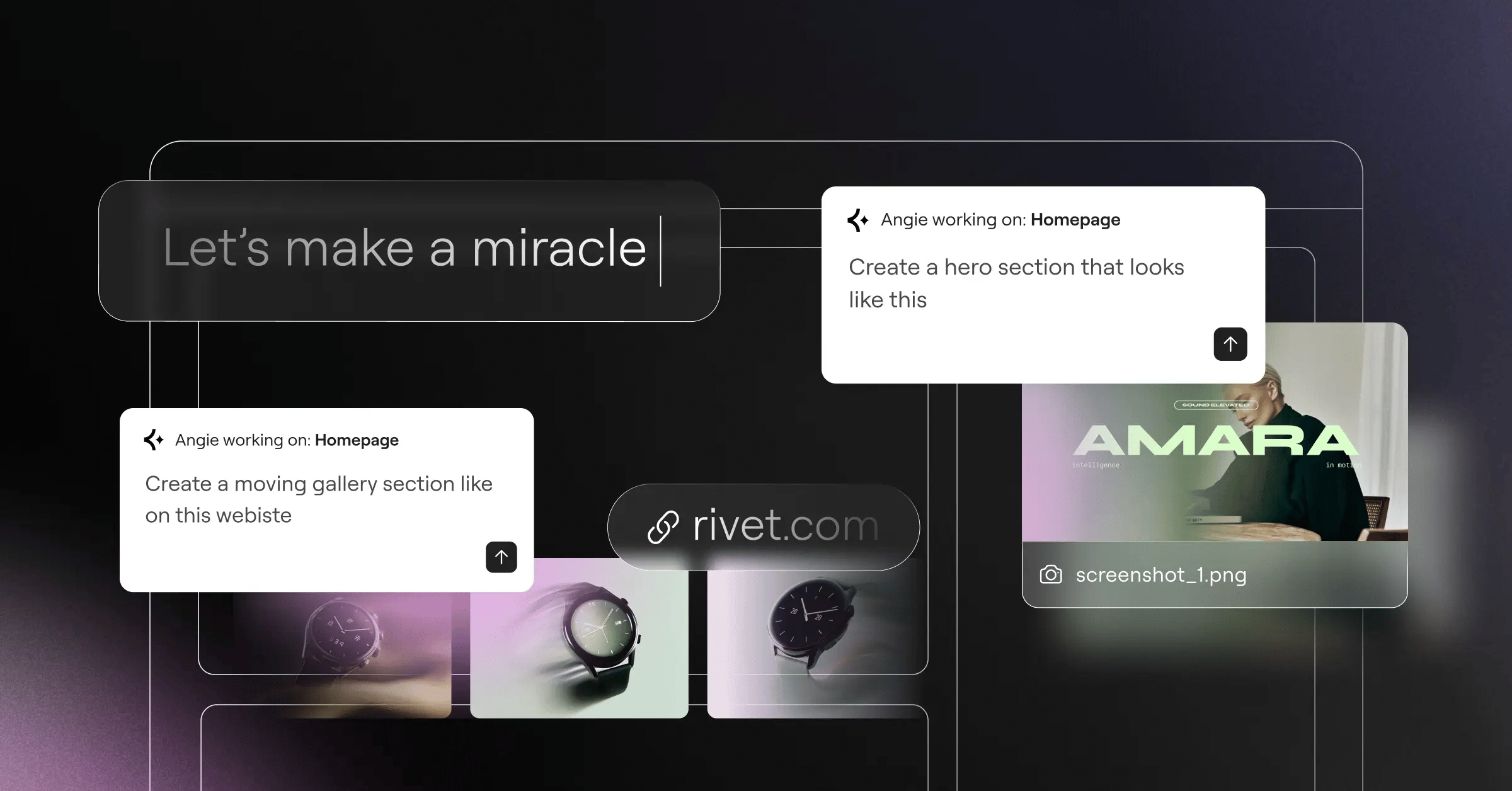
This is where the Elementor ecosystem gets interesting. Aside from the core editor, they’ve introduced Angie. This is an agentic AI specifically for WordPress. You don’t just ask it questions. You tell Angie to create production-ready assets, and it builds them directly into your site based on conversational prompts.
Key Features
- Editor V4 (Atomic): CSS-first foundation using classes and variables for maximum speed.
- Theme Builder: Complete control over headers, footers, and WooCommerce product archives.
- Flexbox Containers: Advanced layout capabilities without bloat.
- Elementor AI: Built-in generative text and image creation right inside the editor.
- Angie Integration: Agentic AI that autonomously creates WordPress assets from natural language.
Pricing
The Essential plan costs $59/year for a single site. The Professional tier runs $199/year. If you want the unified ecosystem, the Elementor One subscription wraps hosting, the pro editor, AI tools, and performance features into a single package.
Pros
- Unmatched flexibility within the WordPress ecosystem.
- Massive third-party add-on community.
- Excellent Core Web Vitals performance with Atomic architecture.
- Native AI tools actively write code and build layouts.
Cons
- Requires basic WordPress knowledge to manage the backend.
- Too many third-party plugins can degrade performance if poorly managed.
Verdict: It’s the absolute best choice for agencies and freelancers who want high-end design capabilities without sacrificing the content management power of WordPress.
2. Webflow
Webflow is essentially a visual wrapper for HTML, CSS, and JavaScript. You aren’t dragging arbitrary blocks onto a canvas. You’re manipulating the actual DOM.
This strict adherence to web standards makes it a favorite among UI/UX designers. Speed is a massive factor here. As Deloitte notes, a 0.1-second improvement in mobile speed lifts conversions by 8.4%. Webflow’s clean code export helps you hit those metrics.
It’s not for beginners. If you don’t understand CSS positioning, you’ll struggle. But if you know how the web works, you’ll feel completely at home.
Key Features
- Visual CSS Editor: Direct manipulation of flexbox, grid, and typography.
- Interactions 2.0: Scroll-based animations built visually without writing JavaScript.
- CMS Collections: Custom database structures for dynamic content routing.
- Localization: Native tools for translating and adapting sites for global audiences.
Pricing
The Basic plan is $14/month. If you need dynamic content, the CMS plan runs $23/month. High-traffic sites require the Business tier at $39/month.
Pros
- Generates incredibly clean, semantic code.
- Industry-leading animation and interaction tools.
- Enterprise-grade managed hosting included.
- Complete control over responsive breakpoints.
Cons
- Steep learning curve for non-developers.
- E-commerce features feel limited compared to dedicated platforms like Shopify.
Verdict: Ideal for marketing teams and design agencies building high-fidelity, static, or CMS-driven marketing sites.
3. Bubble
Bubble isn’t just for making websites. It’s for building full-stack web applications. When you need complex user logic and relational databases, this is where you start.
You can build a fully functional SaaS product on Bubble without writing a single database query. It handles user authentication, API connections, and server-side workflows visually.
Deploying an app involves three distinct phases on this platform:
- Database modeling: Structuring your data types and privacy rules.
- UI design: Building the responsive front-end interface.
- Workflow logic: Connecting buttons to server actions and external APIs.
Key Features
- Visual Logic Builder: Create complex “if-then” server-side workflows.
- Built-in Database: Host and manage relational data directly in the platform.
- API Connector: Pull or push data to literally any RESTful service.
- Version Control: Branching and merging capabilities for team development.
Pricing
The Starter plan runs $29/month. As your app scales, the Growth plan jumps to $119/month. Enterprise teams often pay $349/month or more for dedicated capacity.
Pros
- True full-stack capabilities without traditional coding.
- Massive plugin marketplace for payment gateways and analytics.
- Highly scalable infrastructure hosted on AWS.
- Active, cult-like community of developers.
Cons
- The visual editor can feel clunky and outdated.
- You’re completely locked into their proprietary hosting environment.
Verdict: The undisputed king for non-technical founders building SaaS minimum viable products.
4. Wix Studio
Wix completely overhauled its agency offering with Wix Studio. The results speak for themselves. The company reported a 35% increase in high-end web projects shortly after launch.
They realized professionals hated the standard Wix editor. So, they built a completely new workspace focused on CSS grid, custom breakpoints, and reusable assets. It’s built specifically for agencies managing dozens of clients.
Their approach to AI is interesting. While tools like Angie build whole assets autonomously for WordPress, Wix Studio uses AI primarily to optimize layouts. You click a button, and the AI adjusts your design for tablet and mobile viewports instantly.
Key Features
- Responsive AI: Automatically reflows desktop designs for smaller screens.
- Workspace Dashboard: Centralized client billing, roles, and site management.
- Custom CSS: Add specific styling when the visual editor falls short.
- Reusable Assets: Share custom blocks and templates across different client accounts.
Pricing
The Standard plan costs $19/month. Advanced e-commerce requires higher tiers, with the Elite plan topping out at $159/month.
Pros
- Drastically reduces time spent tweaking mobile breakpoints.
- Excellent client handoff tools and role management.
- Built-in native business tools for bookings and events.
- No updates or maintenance required.
Cons
- Still carries the stigma of the original consumer-focused Wix platform.
- Migrating away from the platform later is notoriously difficult.
Verdict: Perfect for mid-sized web design agencies prioritizing client volume and rapid deployment over custom infrastructure.
5. Mendix
Enterprises don’t care about pretty animations. They care about security, compliance, and legacy integration. Mendix dominates this specific space.
Security is a massive hurdle. Roughly 41% of IT leaders cite data governance as their primary challenge with low-code tools. Mendix solves this by offering intense granular control over where your app is deployed and who has access.
You aren’t building marketing sites here. You’re building internal banking portals, supply chain trackers, and HR management systems. It’s heavy, expensive, and incredibly secure.
Key Features
- Multi-cloud Deployment: Run your app on AWS, Azure, Google Cloud, or on-premises.
- Mendix Assist: AI engine that suggests next steps in your logic flows.
- Visual Logic Modeling: Drag-and-drop microflows for backend processes.
- Version Control: Built-in SVN/Git integration for massive dev teams.
Pricing
It’s aggressively priced for enterprise. While a basic single app might start at $50/month, standard organizational deployments easily exceed $800 to $2,000+ per month.
Pros
- Unmatched security and compliance certifications.
- Can integrate with decade-old legacy databases.
- True cross-functional collaboration between IT and business units.
- Offline-first mobile application capabilities.
Cons
- Prohibitively expensive for small businesses.
- Requires specialized training to understand their specific modeling language.
Verdict: The mandatory choice for Fortune 500 companies executing large-scale digital transformation.
6. FlutterFlow
Building for the web is great. Building for the web, iOS, and Android simultaneously is better. FlutterFlow reported a 300% increase in enterprise users simply because it solves the cross-platform problem.
It generates native Flutter code (Dart). You design the UI visually, connect it to a Firebase or Supabase backend, and hit export. You own the code completely.
If you need a specific function that doesn’t exist in the visual builder, you just write a custom Dart function. It bridges the gap between visual design and hard software engineering beautifully.
Key Features
- Code Export: Download your entire project repository instantly.
- Native Integrations: One-click connections to Firebase, Stripe, and GitHub.
- Custom Widgets: Write your own UI components in Dart.
- State Management: Visual handling of local and app-wide state variables.
Pricing
The Standard plan is $30/month. To unlock code downloading and GitHub integration, you’ll need the Pro tier at $70/month.
Pros
- Zero vendor lock-in. You can take your code and leave anytime.
- Compiles to true native mobile apps alongside the web app.
- Incredibly fast performance due to the Flutter engine.
- Excellent for building complex interactive interfaces.
Cons
- Web performance (SEO) isn’t as strong as traditional HTML/CSS builders.
- You need to understand basic programming concepts to use it effectively.
Verdict: The best platform for developers who need to launch a web app and native mobile apps simultaneously.
7. Retool
Stop wasting senior engineering time on internal admin panels. That’s the entire premise of Retool.
Customer service teams need a dashboard to issue refunds. Operations teams need a map view of current deliveries. You don’t need a beautiful design for these. You need them to work instantly.
You drag a table component onto the canvas, write a quick SQL query to populate it, and you’re done. It’s designed explicitly for developers who want to skip the frontend busywork.
- Connect: Hook up your PostgreSQL, MongoDB, or REST APIs.
- Assemble: Drag and drop pre-built UI components.
- Write logic: Use standard JavaScript anywhere in the app to manipulate data.
Key Features
- 100+ Components: Tables, charts, forms, and maps ready to use.
- Any Data Source: Connects to virtually any database or API immediately.
- Granular Permissions: Control exactly who can view or edit specific data fields.
- Git Sync: Manage your internal tools like regular code.
Pricing
It’s free for up to 5 users. The Team plan costs $10/user/month, making it highly predictable for growing operations teams.
Pros
- Saves hundreds of engineering hours on internal tools.
- Allows you to write raw SQL and JavaScript freely.
- Self-hosted options available for strict security requirements.
- Highly reliable performance for data-heavy dashboards.
Cons
- Not meant for customer-facing applications.
- Requires SQL and JavaScript knowledge to be useful.
Verdict: The absolute best tool for building internal admin panels and operational software.
8. Framer
Framer bridges the gap between Figma and the live internet. If you’re a designer who spends all day in Figma, Framer’s interface will feel instantly familiar.
You can literally copy and paste your designs from Figma directly into Framer, and it translates them into HTML and CSS. It’s arguably the fastest way to get a high-fidelity design onto a live URL.
It handles scroll effects and complex animations better than almost anything else on the market. But it doesn’t try to be a heavy web application builder. It knows its lane: beautiful, fast marketing sites.
Key Features
- Figma Import: Flawless translation of design files into web elements.
- Advanced Animations: Built-in spring physics and scroll variants.
- Global Components: Update a button once, and it changes across the entire site.
- SEO Optimization: Server-side rendering ensures fast indexing by Google.
Pricing
The Mini plan is just competitive ratesnth for basic landing pages. The Basic plan is $15/month, and the Pro tier costs $30/month for larger sites.
Pros
- The most intuitive interface for traditional UI designers.
- Incredible animation capabilities out of the box.
- Lightning-fast publishing and hosting.
- Strong built-in SEO controls.
Cons
- Lacks deep backend or database capabilities.
- E-commerce functionality requires third-party workarounds.
Verdict: The premier choice for creative portfolios, landing pages, and highly visual startup sites.
9. Microsoft Power Apps
If your company already pays for Microsoft 365, you likely already have access to Power Apps. It’s Microsoft’s play to democratize internal software development.
Recent data shows 82% of low-code users see massive productivity gains from AI. Microsoft integrated Copilot directly into Power Apps. You describe the app you want, and it generates the data tables and basic UI automatically.
Unlike external-facing AI builders like Elementor’s Angie, Copilot in Power Apps focuses heavily on internal data structuring. It connects natively to SharePoint, Excel, and Azure environments without complex API configurations.
Key Features
- Copilot AI: Natural language generation for apps and data workflows.
- Dataverse: Microsoft’s secure, scalable data storage backend.
- 1,000+ Connectors: Pre-built integrations for SAP, Salesforce, and custom APIs.
- Office 365 Integration: Works flawlessly with Teams and SharePoint.
Pricing
Pricing typically runs $20/user/month for unlimited apps, or $5/user/month for a single app.
Pros
- Deep integration with the existing Microsoft corporate ecosystem.
- Excellent security and compliance controls managed via Azure Active Directory.
- Strong AI features that actually speed up data structuring.
- Massive library of pre-built business logic connectors.
Cons
- The user interface often feels clunky and corporate.
- Licensing costs escalate quickly for large user bases.
Verdict: The default choice for large organizations already entrenched in the Microsoft infrastructure.
10. OutSystems
OutSystems is heavy-duty. Forrester reports that enterprise low-code platforms like this can reduce development time by 50% to 90%. You’re using visual models to build software that would normally require a team of senior engineers.
It handles the entire application lifecycle. You build the app, deploy it, monitor its performance, and push updates all from one unified console.
It writes real code in the background (C# and SQL). If you ever decide to leave the platform, you can technically export standard application code. That severely reduces the risk of vendor lock-in for enterprise buyers.
Key Features
- Full-Lifecycle Management: Built-in CI/CD pipelines and deployment tracking.
- Real-time Monitoring: Identify performance bottlenecks instantly.
- Automated Security: Scans your application for vulnerabilities before deployment.
- No Vendor Lock-in: Detach and export your C# code if you leave.
Pricing
There’s a free tier for testing. But enterprise deployments are custom-priced and routinely start at $1,500+ per month.
Pros
- Generates highly performant, standard enterprise code.
- Incredible scalability for millions of active users.
- Massive reduction in technical debt compared to custom builds.
- Excellent offline capabilities for mobile deployment.
Cons
- Extremely expensive for non-enterprise users.
- The visual interface requires significant training to master.
Verdict: The most powerful platform on the market for building mission-critical, enterprise-grade custom software.
Comparison Summary & Final Recommendation
Choosing the right platform depends entirely on what you’re trying to build. You wouldn’t use Mendix for a local bakery website. You wouldn’t use Framer for a hospital’s patient portal.
Here’s a breakdown of how the top contenders stack up:
| Platform | Best Use Case | Starting Price | AI Capability |
|---|---|---|---|
| Elementor Editor Pro | WordPress & Agencies | $59/year | High (Agentic Asset Generation) |
| Webflow | High-end Marketing Sites | $14/month | Low (Basic Localization) |
| Bubble | SaaS Web Apps | $29/month | Medium (Logic Assist) |
| Wix Studio | Volume Web Agencies | $19/month | Medium (Responsive Layouts) |
| Mendix | Enterprise Ecosystems | $50/month | High (Logic Prediction) |
| FlutterFlow | Cross-platform Apps | $30/month | Medium (Code Generation) |
| Retool | Internal Dashboards | $10/user/mo | Medium (Query Generation) |
| Framer | Creative Portfolios | competitive ratesnth | Low (Translation) |
| Power Apps | Microsoft Workflows | $20/user/mo | High (Copilot Data Models) |
| OutSystems | Mission-Critical Software | Custom | High (Security Scanning) |
If you’re building a content-heavy website or run a marketing agency, Elementor remains the most flexible choice. It gives you the power of WordPress without the code overhead. If you’re building a SaaS product, go with Bubble. If you’re automating internal company tasks, deploy Retool immediately.
Frequently Asked Questions
Can low code platforms handle high traffic?
Absolutely. Platforms like Elementor running on optimized cloud hosting routinely handle hundreds of thousands of concurrent users. Enterprise platforms like OutSystems are built specifically to manage millions of daily database queries without breaking.
Do I own the code generated by these tools?
It depends entirely on the platform. Tools like FlutterFlow and OutSystems allow you to export your raw code repository. Closed ecosystems like Bubble or Wix retain ownership of the underlying infrastructure, meaning you can’t migrate the raw code easily.
Are these platforms bad for technical SEO?
Not anymore. In the past, visual builders created massive, heavy DOM structures. Today, modern platforms output semantic HTML and clean CSS. With built-in tools for metadata and server-side rendering, hitting top Google rankings is entirely achievable.
What is the learning curve like for a complete beginner?
It varies wildly. Framer and Wix Studio are relatively intuitive for anyone who has used basic design software. Webflow requires an understanding of the CSS box model. Bubble requires understanding relational database architecture before you can build anything useful.
How secure are low code applications?
Highly secure, provided you configure them correctly. Enterprise tools carry SOC2 and ISO certifications. The vulnerability usually lies in how the user configures API permissions, rather than the platform’s core infrastructure.
Can I write custom JavaScript if I need to?
Almost all professional-tier platforms allow this. Retool explicitly expects you to write JavaScript. Elementor allows custom code injection in headers and footers. Webflow lets you embed custom scripts directly into the page settings.
Will AI eventually replace these platforms?
AI won’t replace the platforms. It’s becoming the engine inside them. We’re moving from drag-and-drop to prompt-and-tweak. You’ll still need the platform’s infrastructure to host, secure, and scale the AI-generated code.
Looking for fresh content?
By entering your email, you agree to receive Elementor emails, including marketing emails,
and agree to our Terms & Conditions and Privacy Policy.






