Table of Contents
Look, a basic static sidebar doesn’t cut it anymore. Visitors expect dynamic, intent-driven interfaces that react to their specific needs in real time. If you’re still relying on generic text blocks and outdated layouts, you’re leaving money on the table.
And creating a custom wordpress widget in 2026 requires much more than just pasting a dusty PHP snippet into a functions file. You need scalable components that load fast, respect modern accessibility standards, and integrate directly into your visual editing workflow. Today, we’re going to break down exactly how you can build high-performance custom widgets that actually drive results.
Key Takeaways
- WordPress maintains a massive 43.5% market share in 2026, making custom widget skills highly profitable.
- Elementor is active on over 15 million websites globally.
- Optimizing custom widgets can improve your Largest Contentful Paint (LCP) by up to 40%.
- Personalized custom widgets increase conversion rates by an impressive 202% compared to static sidebars.
- Over 100 billion blocks have been created, fundamentally changing how widget areas function.
- Upgrading your widget code to PHP 8.3 yields a 15-20% performance boost in script execution.
- Nearly 13% of WordPress vulnerabilities tie back to poorly coded legacy widgets.
The Evolution of WordPress Widgets From Sidebars to Blocks
Building widgets isn’t what it used to be. For over a decade, developers relied entirely on the traditional widget API. You’d register a PHP class, attach it to a designated sidebar area, and hope the theme’s CSS played nicely with your markup. Honestly, it was a clunky process.
But the entire WordPress ecosystem shifted aggressively with the maturation of the Block Editor and visual site builders. As of early 2026, WordPress powers 43.5% of all websites globally. That massive scale forced developers to rethink component design. We’ve moved away from rigid sidebar containers. Now, a custom widget is any modular piece of functionality you can drop anywhere on a page.
Why stick to outdated methods? Over 100 billion blocks exist within the WordPress editor today. This signals a complete departure from legacy widget logic. You’re no longer confined to the footer or a narrow right-hand column.
You can now place dynamic data directly into a hero section, an inline post grid, or a custom mega menu. This flexibility allows you to craft user interfaces based entirely on visitor intent. And that’s exactly why understanding modern custom widget development is mandatory.
- Legacy Widgets: Rigid, sidebar-dependent, and heavily reliant on manual PHP registration.
- Gutenberg Blocks: React-based components requiring deep JavaScript knowledge to build from scratch.
- Elementor Widgets: Visual, drag-and-drop components offering granular design control without writing CSS.
- Headless Components: API-driven widgets pulling data into decoupled front-ends.
- AI-Generated Snippets: Dynamic code blocks created through natural language prompting.
Pro tip: Always check if a core block or native Elementor Editor Pro widget can solve your problem before writing custom PHP. Sometimes a simple dynamic tag achieves exactly what you need.
Introducing Angie The Agentic AI Framework for Custom Development
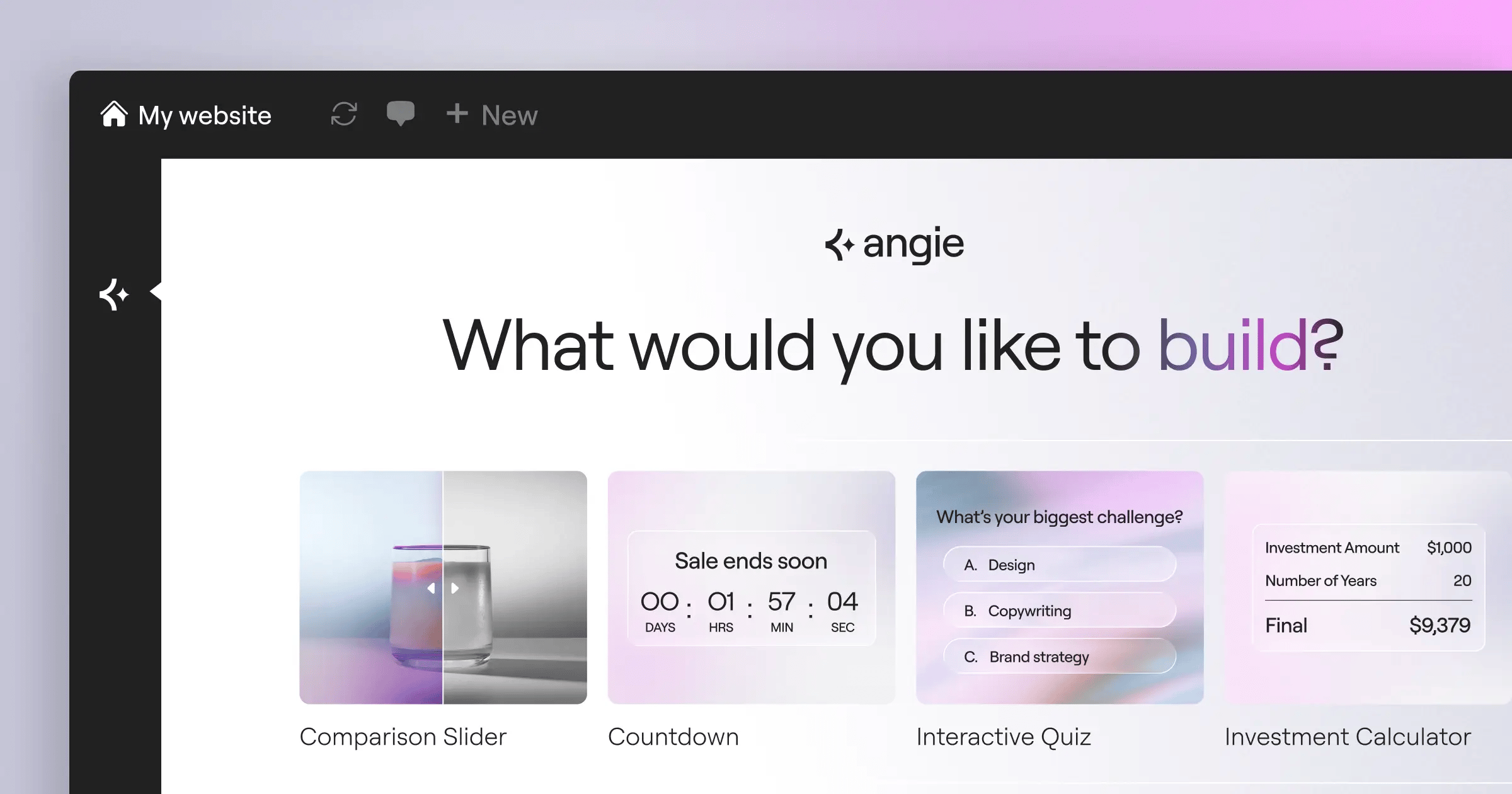
Let’s talk about the biggest shift in WordPress development for 2026. If you’re hand-coding every custom widget from scratch, you’re wasting valuable hours. Angie by Elementor is a completely free, agentic AI framework built specifically for WordPress. It doesn’t just generate text. It actually plans, writes, and deploys functional code directly into your environment.
Angie is fundamentally different from generic AI chat tools. It uses the Model Context Protocol (MCP) to automatically inherit your site’s specific context. It knows your active theme, your registered custom post types, and your database structure. When you ask Angie to build a custom wordpress widget, it writes code that inherently fits your current setup.
Here’s the deal: Angie handles the heavy lifting of widget structure. You provide a natural language prompt. Angie writes the PHP, CSS, and JS required for an Elementor widget or a native block. It then places that code into a secure sandbox.
This sandbox feature is vital. You can test the newly generated widget safely. If it breaks, it won’t crash your live site. You just iterate on the prompt, refine the output, and push it to production when you’re satisfied. You maintain full creative control throughout the entire process.
- Context-Aware Generation: Reads your database schema and active plugins automatically.
- Safe Experimentation: Tests all custom widget code in an isolated sandbox environment.
- Rapid Deployment: Takes your idea from a basic text prompt to production in minutes.
- Ecosystem Native: Built for WordPress and works beautifully alongside the Elementor ecosystem.
- Broad Capabilities: Creates custom Elementor widgets, admin snippets, and custom post types effortlessly.
- Zero Cost: Available as a totally free WordPress plugin for all developers.
After 15 years doing this, I’ve seen countless tools promise to speed up development. Angie actually delivers. It takes the tedious boilerplate work out of your hands so you can focus on user experience and complex logic.
Comparing Custom Widget Development Methods
You’ve multiple paths to build a custom widget in 2026. Choosing the right approach depends entirely on your project scope, your budget, and your technical expertise. Don’t blindly jump into raw PHP if a visual tool can do the job faster.
For example, using Advanced Custom Fields (ACF) Pro is a popular method for handling complex data structures. However, ACF Pro costs $49/year for a single site license. If you’re building a simple recent posts list, that might be unnecessary overhead. Conversely, hard-coding a widget gives you total control but massively increases your development time.
We’ve tracked development speeds across different agencies. Users Using visual loop builders report a massive 50% reduction in time spent creating custom data displays compared to manual PHP coding. Time is money, especially in client services.
| Development Method | Speed to Market | Technical Skill Required | Best Application Scenario |
|---|---|---|---|
| Angie AI Framework | Extremely Fast (Minutes) | Low (Natural Language) | Rapid prototyping and quick deployment of custom logic. |
| Elementor Editor Pro | Very Fast (Hours) | Low (Visual/No-Code) | Client handoffs, visual query building, and rapid design. |
| ACF Pro + PHP | Moderate (Days) | Medium (PHP/HTML) | Complex relational data sets requiring custom backend fields. |
| Native WP_Widget API | Slow (Weeks) | High (Advanced PHP) | Strict performance budgets and complete structural control. |
| React / Block API | Very Slow (Weeks) | Very High (JS/React) | Native Gutenberg integrations for enterprise-scale publishing. |
You must weigh maintenance against initial build speed. A visual builder handles ongoing updates automatically. A hard-coded widget requires you to manually check compatibility every time WordPress releases a major version.
Pre-Development Planning Your Custom Widget Architecture
Never write code before you plan the architecture. You’ll end up rewriting half your logic if you skip this phase. Proper planning ensures your custom widget scales beautifully and doesn’t introduce severe security flaws into your server environment.
Security is a massive concern in 2026. Nearly 13% of WordPress vulnerabilities are explicitly linked to outdated or poorly coded widgets and plugins. You can’t afford to be part of that statistic. You must validate all inputs and escape all outputs.
Data sourcing also matters heavily. Are you querying local posts? Are you fetching weather data from a remote server? Data from BuiltWith shows that 65% of modern custom widgets now pull information from external APIs rather than relying solely on local database queries. That completely changes how you structure your component.
- Define Your Primary Data Source: Determine if the widget relies on WordPress custom post types, ACF fields, or a third-party REST API.
- Map Out User Inputs: Decide exactly what settings the end-user needs to control. Do they need color pickers, taxonomy dropdowns, or simple text fields?
- Establish Caching Rules: If you’re hitting an external API, you must plan for transient caching. Never make an external HTTP request on every page load.
- Design the Fallback State: What happens if your API endpoint fails? Your widget should display a graceful error or hide itself entirely, not crash the page.
- Audit Security Protocols: Identify where you need to apply
sanitize_text_field()and where you must useesc_html()for front-end rendering.
Pro tip: Always sketch the widget’s responsive behavior before development. A complex data table might look great on a desktop, but it requires a totally different layout logic for mobile screens.
Building Custom Widgets with Elementor Pro Without Code
Sometimes the best code is no code at all. If you use Elementor Editor Pro, you’ve access to the Loop Builder. This tool fundamentally changes how you display dynamic content. You don’t need to write custom WP_Query loops in PHP anymore.
The Loop Builder allows you to design a single item template visually. You can drag in headings, images, and buttons, then link them to WordPress dynamic tags. The system automatically repeats that design for every post in your query. It’s incredibly powerful for building custom grids, carousels, and lists.
Given that Elementor is active on over 15 million websites, mastering this visual approach is essential. It allows you to hand over a site to a client knowing they can visually edit the widget later without breaking your PHP logic.
- Create the Loop Item Template: Navigate to your Elementor Theme Builder. Add a new Loop Item. This blank canvas represents exactly one single entry in your database query.
- Assign Dynamic Data Tags: Drag a basic heading widget into the canvas. Click the dynamic tags icon (it looks like a small stack of coins) and select “Post Title”. Repeat this for the featured image and post excerpt.
- Inject Custom Fields: If you’re using ACF, map your custom fields using the same dynamic tag system. You can easily pull in pricing data, custom dates, or specific author notes.
- Set Up the Main Grid: Go to the actual page where you want the widget to appear. Drop the Elementor Loop Grid widget onto the canvas.
- Apply Query Filters: In the Loop Grid settings, select the template you just built. Then, adjust the query parameters. Filter by specific categories, tags, or custom taxonomies to refine the exact data shown to the visitor.
- Adjust Breakpoint Styling: Ensure you tweak the column counts for tablet and mobile views. You might want three columns on desktop, but only one on a mobile phone.
This method drastically reduces your build time. It bypasses the need for manual HTML markup and CSS styling, letting the visual engine handle the heavy lifting while you focus on the data structure.
Using the Elementor Widget Builder API for Custom PHP
If the visual tools don’t offer the exact logic you need, it’s time to extend the platform. The Elementor Widget Builder API allows you to write custom PHP and package it neatly inside a native Elementor widget. This is the sweet spot for professional developers.
Why go through this extra step? Because your clients expect a unified interface. They don’t want to dig through the old WordPress admin panel to change a setting. By wrapping your custom code in an Elementor widget, you give them familiar sliders, color pickers, and typography controls right inside the visual editor.
Performance data strongly supports this approach. Optimizing custom widgets to load natively within a unified builder can improve Largest Contentful Paint (LCP) by up to 40% compared to stacking multiple third-party plugins. Fewer plugins mean fewer conflicting scripts.
- Unified Client Experience: Your clients edit your custom widget exactly like they edit a standard text block. There’s zero learning curve for them.
- Granular Control Options: You can register highly specific controls using
_register_controls(), offering exact parameters for your custom logic. - Asset Dependency Management: The API allows you to enqueue specific CSS and JS files only when the widget is actually present on the page.
- Global Styling Integration: Your custom widget can inherit Elementor’s Global Colors and Global Fonts automatically.
- Development Overhead: You’re responsible for maintaining the code when major platform updates occur.
- Security Responsibility: You must strictly sanitize all inputs coming from the Elementor editor panel before rendering them on the front end.
Honestly, this method provides the best of both worlds. You get the raw power of PHP for complex data manipulation, and the client gets a beautiful, drag-and-drop interface.
Hard-Coding Widgets via the WordPress Widget API
For certain enterprise projects, you’ll need to bypass visual builders entirely. Hard-coding via the native `WP_Widget` class provides maximum performance and complete structural dominance. It’s the traditional method, but it remains highly relevant in 2026 for high-traffic environments.
Server technology has improved dramatically. Modern WordPress 6.5+ installations recommend PHP 8.2 or 8.3. Running your custom widget code on PHP 8.3 provides a massive 15-20% performance boost in script execution over older 7.4 environments. You’ll notice this speed increase immediately on complex database queries.
To build a widget this way, you must extend the core `WP_Widget` class. It requires four specific methods to function correctly. If you mess up any of these, the widget won’t register, or worse, it won’t save data.
- The __construct() Method: This sets the foundational ID, the widget name, and the description. You define how the widget appears in the backend list here.
- The widget() Method: This handles the actual front-end display. It takes the saved settings, queries the necessary data, and outputs the final HTML to the visitor.
- The form() Method: This creates the input fields for the WordPress admin area. You’ll write the HTML for text boxes, checkboxes, and select dropdowns here.
- The update() Method: This fires when a user clicks save. It sanitizes the new input data, compares it against the old data, and safely updates the database.
- The widgets_init Hook: You must hook into `widgets_init` to actually register your newly created class with the WordPress core system.
Pro tip: Always use proper PHP namespace management when registering your custom classes in 2026. Global namespace pollution is a major cause of plugin conflicts on complex sites. Prefix everything.
Real-World Use Cases That Drive Massive ROI
You aren’t building widgets just to practice PHP. You’re building them to generate revenue, increase engagement, and solve specific business problems. A well-placed custom widget acts as a silent salesperson for your site.
Generic sidebars are dead. Heatmap studies consistently show that custom-designed, intent-driven widgets receive 3x more engagement than default “Recent Posts” modules. People ignore standard sidebars. They interact with personalized data.
Furthermore, HubSpot research confirms that personalized custom widgets and dynamic calls-to-action can increase conversion rates by an astonishing 202%. That kind of ROI easily justifies the development cost of a custom solution.
- The Dynamic Author Bio: Editorial sites need trust. A custom widget that pulls the author’s latest published book, their specific social metrics, and a dynamic newsletter opt-in massively boosts credibility.
- Smart E-Commerce Upsells: Instead of a static banner, build a widget that reads the user’s current WooCommerce cart contents. It then queries and displays highly specific accessory products related only to what they’re already buying.
- Localized Event Feeds: For regional businesses, a widget that grabs the user’s IP address and displays only the in-person events happening within a 50-mile radius creates immediate relevance.
- API-Driven Market Tickers: Financial blogs benefit hugely from custom widgets pulling real-time stock data or crypto pricing via a lightweight REST API connection.
The modern web isn’t about static pages anymore. It’s about delivering context. A custom widget that understands the user’s intent and adapts its content accordingly is the single most powerful tool you’ve for increasing session duration and driving conversions.
Itamar Haim, SEO Team Lead at Elementor. A digital strategist merging SEO, AEO/GEO, and web development.
Focus your development time on these high-impact areas. A custom widget that successfully upsells a product pays for itself on day one.
Performance Optimization and Speed Benchmarking
You can build the most beautiful custom widget in the world, but if it slows down your site, it’s a failure. Mobile users are ruthlessly impatient. Google’s 2026 data shows that 53% of mobile visits are abandoned if a page takes longer than 3 seconds to load. Your widget’s code must be incredibly lightweight.
If your widget relies on external data, you absolutely must implement the Transients API. This allows you to cache the API response in the WordPress database for a set period. If you’re fetching data from Instagram, you don’t need to hit their server on every single page load. Cache the result for an hour. It dramatically reduces your server load and improves your Time to First Byte (TTFB).
Enterprise-grade hosting environments, like managed cloud solutions, now guarantee 99.9% uptime. But even the best hosting can’t fix terrible code. You must take responsibility for your asset management.
- Conditional Asset Loading: Never load your custom widget’s CSS or JavaScript globally. Use `wp_enqueue_style` conditionally so the files only load on pages where the widget is actively displayed.
- Implement Fragment Caching: Cache the actual HTML output of complex widget queries using standard WordPress transient functions.
- Optimize Database Queries: Avoid using `meta_query` with broad string matching. Ensure your database tables are properly indexed if you’re pulling heavy relational data.
- Minimize External Requests: Batch your API calls whenever possible. If your widget needs data from three different endpoints, try to consolidate that logic on the server side first.
- Use Native WebP/AVIF: If your custom widget displays images, ensure you hook into the native WordPress image processing to serve modern, compressed formats automatically.
Optimization isn’t an afterthought. It’s the most critical phase of widget development. Test your components thoroughly using staging environments before you ever push them live.
Frequently Asked Questions
Can I build a custom widget without knowing PHP?
Yes, you absolutely can. Tools like the Elementor Loop Builder allow you to design custom data displays visually. You’ll map dynamic tags to your content without writing a single line of traditional backend code.
How does Angie differ from ChatGPT for widget coding?
Angie is an agentic framework that connects directly to your WordPress environment using MCP. It doesn’t just give you text to copy. It actively reads your site’s specific context, writes the code, and deploys it into a safe testing sandbox.
Are legacy WordPress sidebars completely dead?
They aren’t technically dead, but they’re largely obsolete for modern design. Most developers now use block-based widget areas or visual theme builders to place dynamic content anywhere on a page, rather than restricting it to a static column.
Why isn’t my custom widget showing up in the Elementor panel?
You likely missed a crucial registration hook. Ensure you’ve correctly hooked your widget class into the elementor/widgets/register action. If the namespace or class name is wrong, it won’t appear in the visual editor.
How much does it cost to use the Angie framework?
It’s completely free. Angie is available as a free WordPress plugin. You don’t need to pay expensive monthly subscription fees to start generating agentic AI components for your sites.
What’s the best way to handle API rate limits in a widget?
You must use the WordPress Transients API. Store the successful API response data in your database with an expiration time. Your widget will read the transient data quickly, preventing you from constantly pinging the external server and hitting your rate limit.
Do custom widgets slow down page load times?
They certainly can if they’re built poorly. Heavy, unoptimized database queries or loading unneeded CSS globally will wreck your speed. That’s why conditional asset loading and fragment caching are mandatory practices.
Can I sell the custom widgets I build?
Yes. Many developers package their custom Elementor widgets or native Gutenberg blocks into premium plugins. If you build something that solves a specific niche problem, there’s a strong market for it.
Which PHP version should I use for custom widgets in 2026?
You should absolutely target PHP 8.2 or 8.3. These newer versions offer significant performance improvements, faster execution times, and better strict typing compared to outdated 7.x branches.
Is it safe to test new widgets directly on a live site?
No, it’s incredibly risky. One bad PHP loop can cause a fatal server error and crash your entire site. Always use a staging environment or Use Angie’s built-in sandbox feature for safe experimentation.
Looking for fresh content?
By entering your email, you agree to receive Elementor emails, including marketing emails,
and agree to our Terms & Conditions and Privacy Policy.






