Planning your online presence can feel overwhelming. You want a site that stands out, works well, and won’t drain your budget. Let’s find the right path for your business.
Key Takeaways
- Custom development gives the most design freedom, but needs real time, budget, and coding skill.
- Traditional templates save money and launch fast, though they limit changes to unique layouts.
- Visual website builders like the Elementor website builder bridge that gap: custom design control without steep coding costs.
- Maintenance and updates are far easier with template-based or builder-built sites than custom-coded setups.
- Your business goals should drive your choice: weigh your launch timeline against your budget.
The Core Difference: Custom Code vs Ready-Made Templates in 2026
A custom website is built entirely from scratch: a developer writes the code line by line, shaping structure, design, and features around your brand. You get full ownership and a unique layout, but you pay for that labor.
A website template is a pre-made design shell with preset fonts, colors, and layouts. You install it, swap in your copy and images, and publish: fast and simple. But it locks you into its structure, and changing much beyond that needs CSS or PHP.
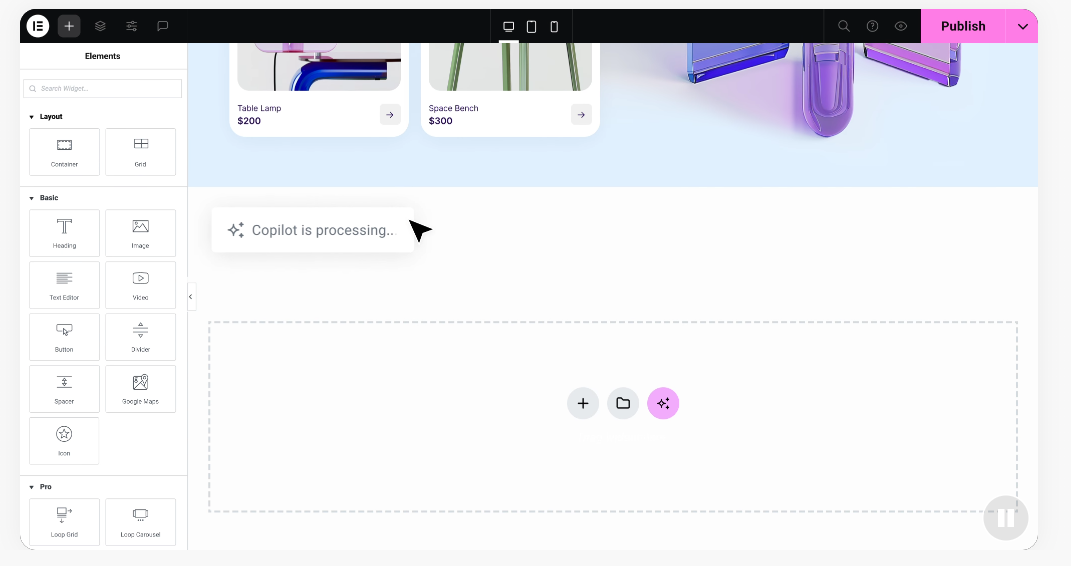
Visual builders like the Elementor website builder found the middle ground: design visually in a drag-and-drop editor while it generates clean code behind the scenes.
Comparison Matrix: Custom Websites vs Templates
Here’s a quick look at how these three approaches stack up on the metrics that matter most.
| Feature / Metric | Custom Coded Websites | Traditional Templates | Hybrid Visual Builders (Elementor) |
|---|---|---|---|
| Initial Upfront Cost | High (Professional developer fees) | Low (Flat template purchase fee) | Medium-Low (Affordable software setup) |
| Launch Timeline | Slow (Usually several months) | Fast (A few days to weeks) | Fast to Medium (A few weeks) |
| Design Flexibility | Unlimited (Built from scratch) | Rigid (Locked to template grid) | High (No-code drag-and-drop design) |
| Maintenance Effort | High (Requires developer support) | Low to Medium (Easy platform updates) | Low (Visual updates and direct support) |
| SEO Control | High (Manual code optimization) | Limited (Dependent on template code) | High (Built-in SEO settings and clean code) |
| Coding Skills Required | Expert Level (HTML, CSS, JS, PHP) | None (Unless customizing code) | None (Completely visual workflow) |
Cost and Budget Considerations for Businesses in 2026
Your budget is often the deciding factor. Custom development is a premium service: you pay an agency or freelancer for hours of planning, coding, testing, and debugging, a real chunk of your yearly budget.
Templates are cheaper upfront: a small fee, hosting, and your own time on content. Watch for hidden costs, though. A missing feature may mean hiring a developer anyway, or add-ons that slow your site and open security risks.
Visual builders offer a genuinely cost-effective path. The Elementor pricing plans give you a predictable subscription instead of open-ended developer fees, and your team can handle layout changes in-house.
Here’s how a hybrid builder protects your budget:
- Reduces upfront costs by cutting out custom coding.
- Cuts maintenance bills since your staff can make changes.
- Eliminates pricey agency retainers for simple text edits.
- Lowers the cost of new promo or seasonal pages.
- Saves money on design revisions during the mockup phase.
- Consolidates several design tools into one predictable subscription.
Speed to Market and Development Timelines
In business, time is money. The longer your launch takes, the longer you go without leads, sales, or brand authority.
Go custom-coded and expect a long timeline: discovery, wireframing, coding, feedback, and cross-browser testing easily run 3 to 6 months, with bugs pushing it further.
Need your site live next week? Templates are hard to beat: the structure’s already built, so you add your logo, images, and text, and it can be ready in days, with some compromise on design.
Want speed and freedom both? Visual builders deliver: a designer-made layout you adjust to fit your brand, no developer wait, no rigid template. A typical timeline:
- Select your web hosting and install your content management system.
- Choose a clean base theme or import a layout kit.
- Customize your global brand styles: fonts, colors, logo.
- Populate your core pages with real copy and images.
- Connect your domain, check mobile, and launch.
Design Freedom and Brand Customization
Your brand is unique, and your site should show it. A popular template risks making your site look like hundreds of others, and a rigid grid can limit header changes, spacing, or image placement.
Custom websites give total design freedom: if you can dream it, a skilled developer can build it. But you depend on that developer for every change, which slows your momentum.
Visual platforms now give that same freedom without the coding bottleneck. With Elementor’s features, you control every pixel on your screen, and one color change updates your whole site instantly.
A few design capabilities you can manage on your own:
- Builds unique headers and footers for your site structure.
- Creates motion effects and scroll animations to engage visitors.
- Controls global typography and color palettes from one dashboard.
- Adjusts layouts for mobile, tablet, and desktop screens.
- Generates multi-column designs with simple drag-and-drop handles.
- Stores reusable templates for your marketing team.
Scalability, Maintenance, and Long-Term Support in 2026
A website isn’t set-it-and-forget-it: as your business grows, it needs new services, blog posts, and maybe an online store too.
A custom site scales well, but only with a developer on standby. If they move on or get too busy, nobody else may know how to maintain it safely.
Templates stay current more easily since the platform releases regular updates. But tweak the code for a specific look, and updates can break it: a common headache.
A visual builder on an open platform like WordPress solves this: it updates the code behind the scenes, so you scale with pre-built modules, tools like WooCommerce, or built-in forms and popups, no code required.
“For most growing businesses, visual builders on open platforms strike the perfect balance. You avoid the high fees of custom developers while retaining complete control over your content and layout updates as your company scales.”
– Itamar Haim, Web Development Specialist
SEO Performance and Site Speed
Some owners worry templates hurt SEO and speed. That was fair once, since older templates were often bloated code.
Custom websites are often praised for SEO: fast, lightweight code with precise headings and metadata. But it needs ongoing attention, and every change has to be hand-optimized.
Modern visual builders have closed that gap: clean, standard HTML and CSS in the background, plus easy SEO settings right inside the editor, no developer needed.
Here’s how a solid visual builder helps you rank better:
- Generates clean, lightweight HTML that crawlers read easily.
- Optimizes media with lazy loading for faster pages.
- Integrates with major SEO plugins for metadata and schema.
- Adapts your pages to mobile-first indexing guidelines.
- Builds clear header hierarchies (H1, H2, H3) visually.
- Speeds up load times by minifying and combining assets.
Alternative Options: Hosted Platforms and Visual Web Design
Other hosted platforms and visual design tools fit different workflows too.
Wix is a hosted website builder with a fully managed environment and a visual, drag-anywhere editor. It handles hosting, security, and updates, a hands-off option for busy owners.
Squarespace is a hosted platform known for its polished, modern design and curated templates, popular with creative professionals, boutiques, and restaurants wanting scheduling and simple e-commerce built in.
WordPress.com is a hosted version of open-source WordPress, blending managed hosting with the ecosystem’s flexibility, with plan levels depending on how much control you want over themes and plugins.
Webflow is a visual design platform built mainly for professional designers and agencies, translating visual choices into production-ready HTML, CSS, and JavaScript, with real control over layout grids and interactions.
The Hybrid Solution: Best of Both Worlds with Elementor
Torn between the freedom of custom code and the speed of a template? The hybrid approach is your best bet.
The Elementor website builder on WordPress skips the limits of rigid templates without the cost or timeline of a custom developer, giving full control of your site.
You design in real time: drag a widget, adjust size and padding, style typography, and see the change instantly. Built-in AI tools help with copy, images, and layouts too.
Core benefits of choosing a hybrid builder:
- Simplifies daily editing with a live drag-and-drop workspace.
- Packs over 100 widgets into one editor for interactive pages.
- Speeds up your design phase with over 300 designer-made layout kits.
- Translates edits into responsive layouts for up to seven device sizes.
- Generates page copy and graphics instantly with built-in AI tools.
- Creates high-converting popups and lead forms without extra software.
How to Choose the Right Path for Your Business in 2026
The right path depends on your business stage, budget, and long-term goals.
First, run through this checklist:
- Evaluate your total budget: upfront fees and long-term upkeep.
- Define your launch timeline: days, weeks, or months.
- Assess your team’s comfort handling updates in-house.
- List any specialized functions or outside systems you need.
- Map your three-year growth plan so the platform won’t limit you.
Three scenarios to see which fits you:
- Choose a template or visual builder if you’re a startup needing a professional site live fast on a budget.
- Choose a custom coded website if you’re an enterprise needing proprietary integrations, advanced accounts, or strict security built from scratch.
- Choose a hybrid visual builder if you’re a growing brand or agency wanting full creative control and fast pages without developers.
Ask yourself whether your situation:
- Demands unique, brand-aligned design details standard templates can’t match?
- Requires fast, frequent updates to landing pages and promotions?
- Needs built-in lead capture to grow your email list?
- Limits your launch schedule to weeks, not months?
- Demands a site that loads fast on every phone?
- Fits a practical budget that leaves room for marketing?
Long-term advantages of a hybrid approach:
- Eliminates reliance on busy outside developers for edits.
- Combines design flexibility with WordPress’s technical stability.
- Delivers fast setup for temporary campaign landing pages.
- Supports collaboration between copywriters and designers in one screen.
- Lowers your total cost of ownership over time.
- Connects easily with your email marketing and analytics tools.
Frequently Asked Questions
Is a custom website always better than a template-based website?
Not always. Custom development suits complex apps, but needs real budget and developer support for every update. Templates or visual builders work better for most small businesses.
How much does a custom website cost compared to a template website in 2026?
A fully custom site from an agency or senior developer starts at several thousand dollars and climbs with complexity. A template or hybrid builder site costs far less: a subscription, hosting, and maybe a theme.
Can I convert a template-based site into a custom design later?
Yes. Start with a template or visual builder on WordPress, then add custom code later through a developer, a smart way to launch fast and prove your offer first.
Do templates hurt your website’s search engine rankings?
Not automatically. Search engines care about content quality, speed, structure, and mobile responsiveness. Modern visual tools generate lightweight, standards-compliant code, unlike older bloated templates.
How long does it take to build a website using a visual builder like Elementor?
A simple site or landing page can be live in a few days. Larger, multi-page sites with custom integrations usually take 2 to 4 weeks.
Do I need coding skills to use a hybrid website builder?
No coding skills needed. Layout, typography, color, and structure all happen visually in a drag-and-drop workspace that converts your design into clean code.
What is the difference between a website template and a visual builder?
A template is a fixed structure where you only swap text and images inside a set grid. A visual builder lets you build custom layouts from scratch, no code required.
Can I use custom code within a visual website builder?
Yes. Insert custom HTML, CSS, or JavaScript directly into any section of your visual layout whenever you need it.






