Table of Contents
The Era of Heavy Page Builders is Over
Divi changed how people built websites a decade ago. But the web evolved. 47% of users now expect pages to load in under two seconds. You can’t hit those metrics easily when your foundation relies on an outdated, heavy codebase. That exact problem drives thousands of professionals to look for a modern replacement every single month.
Moving away from your current setup means facing the dreaded shortcode lock-in. When you deactivate Divi, your content turns into a broken mess of bracketed text. You need an alternative that justifies the painful migration process. In 2026, the best options focus on clean HTML output, modern CSS variables, and native WordPress integration. Here’s exactly what you should consider.
Key Takeaways
- Shortcode lock-in remains the biggest hurdle for migration, requiring complete page rebuilds for 83% of legacy builder users.
- Modern alternatives prioritize CSS Flexbox and Grid natively, dropping DOM bloat by up to 60%.
- Elementor Editor Pro currently holds 13% of the global market, offering the most extensive third-party ecosystem.
- Gutenberg adoption hit 85% among new WordPress installs, making native block extensions highly appealing for longevity.
- Developer-focused tools like Bricks and Oxygen consistently score 95+ on Core Web Vitals right out of the box.
Elementor Editor Pro
You can’t discuss visual website creation without looking at the dominant force in the market. Elementor powers over 21 million websites globally. And it didn’t get there by accident. It offers an incredibly visual, intuitive interface that completely avoids the confusing backend wireframes older tools relied on.
Elementor excels when you need deep marketing integrations without writing custom PHP. The ecosystem is massive. You’ll find templates and add-ons for literally any niche.
But the real shift happened recently with the introduction of Elementor One. This unified subscription at $168 per year completely changes the value proposition. It includes the AI Site Planner, the Pro editor, accessibility tools, and image optimization all in one package.
Core Advantages
- Editor V4 (Atomic) – The 2026 production beta introduces a CSS-first foundation, massively reducing the nested div containers that plagued earlier versions.
- Native Marketing Tools – Built-in popup builders, form builders, and direct WooCommerce integrations (handling listings, carts, and checkout pages).
- Unified Workflow – The Elementor One tier includes Ally (AI accessibility scanning 180+ WCAG issues) and a Email Deliverability that hits 95% inbox placement without an external SMTP plugin.
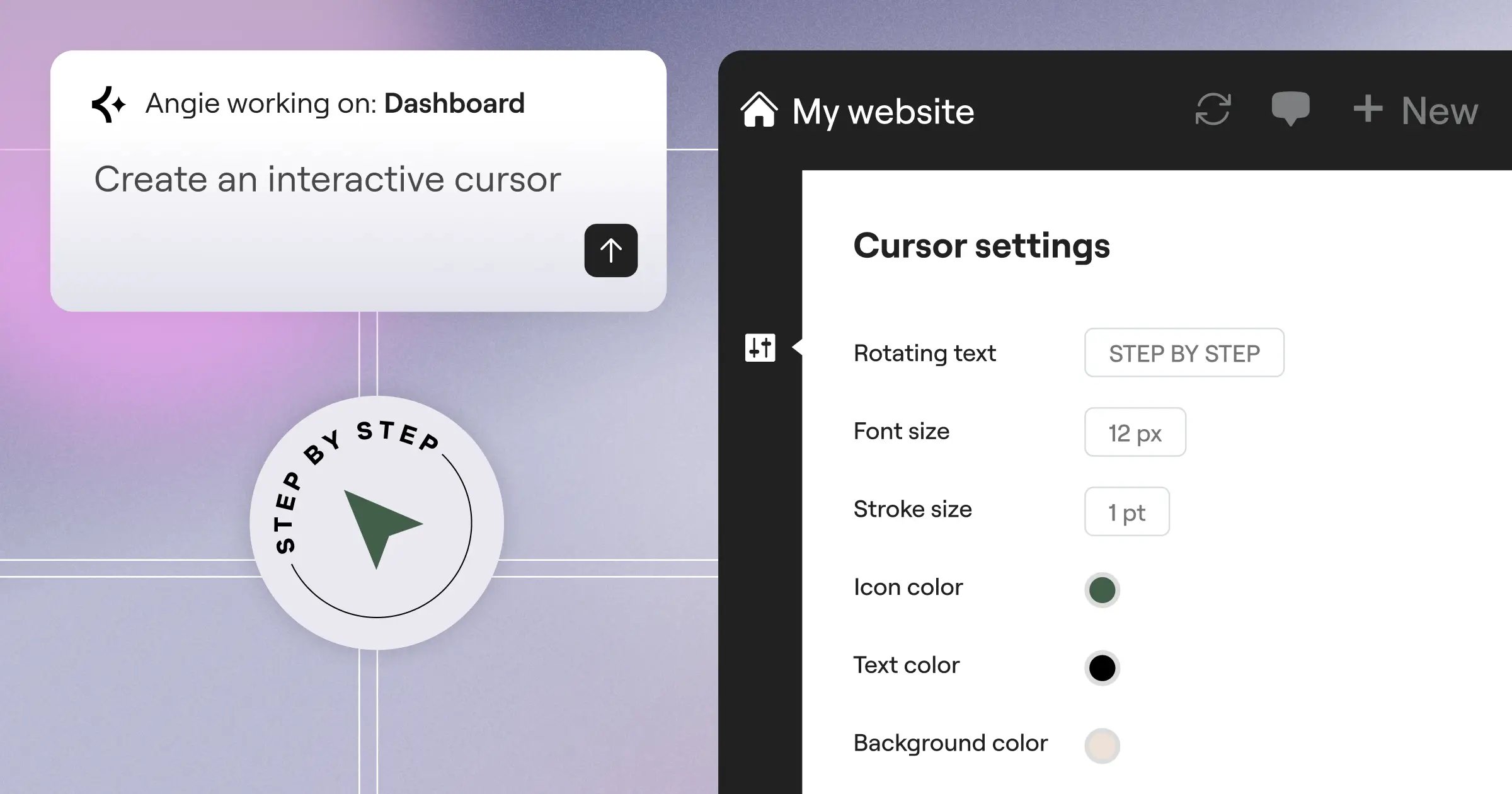
- Angie AI – A standalone agentic AI tool that takes actual actions inside WordPress, converting natural language directly into production-ready assets.
Elementor fits best for digital marketing agencies and freelancers who need to launch fast. It gives you 118+ native widgets. You won’t need to hunt for third-party plugins just to build a custom product loop or a mega menu.
Gutenberg and Native Block Extensions
Look, the WordPress core team made their choice years ago. The native block editor is the future of the platform. If you want absolute immunity against builder lock-in, you stay as close to core as possible.
Using Gutenberg natively means your content remains readable HTML in the database. If you turn off your block theme tomorrow, your text and images still exist perfectly. You can’t say that about older shortcode-based systems.
But native Gutenberg alone feels restrictive to designers used to total visual freedom. That’s why you need block extensions. They add the missing layout controls (like proper responsive padding, flexbox gaps, and z-index controls) without overriding the native WordPress interface.
The Native Approach Grid
- Performance – Exceptional. The browser only loads the CSS for the specific blocks used on that exact page.
- Longevity – Guaranteed. Every WordPress core update naturally supports your foundation.
- Learning Curve – Frustrating at first. (Especially if you’re used to dragging elements freely across a canvas).
- Client Handoff – Very safe. Clients are far less likely to accidentally break a block-based layout than a deeply nested custom builder page.
This path requires a mental shift. You stop thinking about “pages” and start thinking about “patterns.” You build a hero section pattern once, sync it, and drop it anywhere.
The biggest mistake agencies make during a migration is trying to replicate their old DOM structure in a modern tool. You’ve to unlearn the nested-div mindset and embrace native semantic HTML. That’s how you actually win on Core Web Vitals.
Itamar Haim, SEO Team Lead at Elementor. A digital strategist merging SEO, AEO/GEO, and web development.
Bricks Builder
If you hang around web development forums long enough, you’ll hear constant praise for Bricks. It earned that reputation by obsessing over performance. Bricks operates as a theme, not a plugin. This distinction matters immensely for how it handles routing and template hierarchy.
The interface uses Vue.js, meaning the editor loads in about 1.2 seconds on average. You don’t sit around watching a loading spinner every time you open a page to fix a typo. It feels instantly responsive.
Bricks writes exceptionally clean code. A standard page built in Bricks might output 40% less HTML than the exact same layout built in a legacy tool. That directly translates to faster parsing times on mobile devices.
Technical Implementation Checklist
- Dynamic Data Integration – Bricks connects natively to ACF, Meta Box, and Pods. You easily pull custom fields directly into your CSS classes or text elements.
- External API Fetching – You can query external REST APIs directly from the builder interface without writing custom PHP loops.
- Custom CSS Management – The global class manager acts like a proper stylesheet. You change a variable once, and it propagates globally without database bloat.
- Interactions API – You build complex JavaScript interactions (like triggering an animation when an element enters the viewport) completely visually.
Bricks costs roughly $99 a year for a single site. It targets technical professionals. If you don’t understand CSS Flexbox or basic CSS Grid, you’ll struggle here. But if you do, you’ll never want to use anything else.
Breakdance
Breakdance entered the market with a very specific mission. It wanted to offer the developer-grade performance of Oxygen but with an interface a marketing team could actually understand. And it largely succeeded.
The workflow in Breakdance feels modern. It gives you 130+ built-in elements out of the box. You don’t need a separate plugin for your mega menus. You don’t need an add-on for advanced form integrations with ActiveCampaign or MailChimp.
WooCommerce integration is where Breakdance really flexes its muscles. Most builders require extensive custom CSS to make a default WooCommerce checkout look decent. Breakdance provides deep, global styling controls for every single WooCommerce element natively.
The Migration Workflow
Transitioning a site to Breakdance follows a very predictable, logical path. You can actually keep your old builder active on specific pages while migrating others.
- Install Breakdance alongside your current setup – It includes a built-in maintenance mode specifically designed for safe migrations.
- Set up Global Styles – You define your typography, color palette, and button styles in one central hub before touching a single page.
- Rebuild the Theme Builder – You recreate your header, footer, and single post templates. Breakdance completely disables the active WordPress theme, taking total control of the front end.
- Swap the Pages – You rebuild individual pages. When a page is ready, you switch the rendering engine for that specific URL.
Pricing sits at $149 per year for unlimited sites. That aggressive pricing strategy makes it a major contender for small agencies managing dozens of client sites on tight budgets.
Oxygen Builder
Oxygen isn’t for everyone. Let’s just state that clearly. It completely bypasses the WordPress theme system entirely. If you install Oxygen, your `wp-content/themes` folder essentially becomes useless.
This radical approach gives developers absolute, unyielding control over every single byte of code output to the browser. You write raw PHP, HTML, and CSS directly inside the builder if you want to. It acts more like an IDE (Integrated Development Environment) visually layered over WordPress.
For data-heavy sites, Oxygen shines. Its repeater elements and dynamic data handling allow you to build complex real estate portals or directory sites with ease. You can conditionally display any element based on practically any user state (logged in, specific role, cart contents, time of day).
Key Developer Features
- Composite Elements – You combine standard elements into reusable, complex components with their own localized CSS.
- Gutenberg Integration – You build a complex layout in Oxygen, then convert it into a native Gutenberg block for your clients to edit safely.
- Global Colors and Fonts – Advanced CSS variable management allows for complex, multi-theme setups (like automated dark mode switching).
- Conditionals API – You write custom PHP conditions directly in the UI to determine exactly when a div should render in the DOM.
Oxygen operates on a lifetime pricing model, which is increasingly rare in 2026. A one-time payment of roughly $129 gets you basic access. Just remember, the learning curve is steep. You need to know web architecture to use it effectively.
GeneratePress Premium and GenerateBlocks
Some developers completely reject the “all-in-one” builder philosophy. They prefer a modular, lightweight approach. That’s exactly what the GeneratePress and GenerateBlocks combination provides. You get a blazing-fast theme paired with just six highly flexible native blocks.
GeneratePress Premium adds a mere 30KB of footprint to your site. It’s almost invisible to performance testing tools. Instead of giving you a pre-built “Pricing Table” block, GenerateBlocks gives you a Container block, a Headline block, and a Grid block. You build the pricing table yourself.
This approach demands more initial work. (You actually have to design things from scratch). But the resulting code is mathematically perfect. There’s zero bloat.
Who Thrives With This Stack?
- SEO Professionals – When Core Web Vitals dictate your ranking, this setup guarantees green scores across the board.
- Content Publishers – High-traffic blogs need simple, repeatable layouts that don’t break when WordPress pushes a major core update.
- Performance Purists – Developers who inspect element on every page to count DOM nodes will find peace here.
- Accessibility Experts – Because it relies heavily on native HTML semantics, screen readers navigate GeneratePress sites effortlessly.
The combined cost for the theme and blocks premium versions hovers around $150 per year. It’s a professional stack designed for people who value speed over pre-designed templates.
Beaver Builder
Beaver Builder has been around for over 12 years. In the fast-moving tech world, some people mistake that longevity for stagnation. They’re entirely wrong. Beaver Builder represents stability. When you build a site with it, that site will still work perfectly five years from now without constant maintenance.
It doesn’t chase every flashy trend. It focuses on rock-solid reliability. The interface uses a front-end drag-and-drop system that feels incredibly safe for non-technical users. If your primary goal is handing off a site to a client and never receiving a frantic “I broke the homepage” support call, this is your tool.
Beaver Builder leaves incredibly clean database trails. If you ever deactivate it, your content reverts to standard WordPress text. You don’t get trapped in a proprietary code maze.
The Agency Handoff Strategy
- White-labeling – The Agency package allows you to completely rebrand the builder. Your clients see your agency logo, not the Beaver Builder logo.
- Template Sharing – Using their Assistant Pro cloud feature, you save core layouts and instantly push them to every active client site in your portfolio.
- Role Manager – You strictly define what clients can touch. You lock down the layout structure and only allow them to edit text and swap images.
- Safe Updates – You update the plugin without sweating. Their backward compatibility record remains unmatched in the WordPress ecosystem.
Pricing starts at $99 per year for unlimited sites. The full agency package costs $399. For businesses built on high-volume, low-maintenance client sites, that represents incredible ROI.
Spectra Pro
Brainstorm Force (the team behind the massively popular Astra theme) developed Spectra to push the boundaries of what native Gutenberg could do. Spectra Pro bridges the gap between a standard block editor and a full visual site builder.
It adds advanced flexbox containers directly into the WordPress core editor. You get complete control over responsive behaviors without leaving the native interface. You don’t have to load a separate editing screen. You just click “Edit Page” and start working.
Spectra shines in its performance optimizations. It compiles its assets using React, meaning the back-end editing experience is incredibly fast. It also features a just-in-time compiler that only loads the specific CSS and JS needed for the blocks actively used on the page.
The Performance Breakdown
- Asset Loading – Generates unique CSS files per page, ensuring users never download unused styles.
- Typography Control – Natively hosts Google Fonts locally to bypass third-party server requests, instantly fixing a major GDPR and performance issue.
- Dynamic Content – Easily maps custom fields and advanced metadata to native text blocks.
- Template Library – Provides hundreds of pre-built wireframes that inherit your global theme customizer settings instantly upon insertion.
At roughly $49 a year, Spectra Pro acts as the perfect stepping stone. It’s for users who want the performance of native blocks but still crave the structural control of a traditional page builder.
GreenShift
Sometimes you don’t just need a layout tool. You need a motion engine. GreenShift occupies a very specific, highly lucrative niche in the 2026 market. It brings advanced CSS and JavaScript animations directly into the Gutenberg interface.
Most builders rely on basic fade-ins or slide-ups. GreenShift deeply integrates with GSAP (GreenSock Animation Platform). You can build complex, timeline-based scroll animations that rival custom-coded Awwwards websites, all without writing JavaScript.
Despite the heavy focus on animation, the core plugin remains surprisingly light. It uses smart conditional asset loading. The heavy animation libraries only fire on pages where you explicitly add animated blocks.
Animation Capabilities
- Scroll Triggers – You pin elements to the screen while other content scrolls past, creating deep parallax effects.
- Mouse Tracking – Elements react fluidly to the user’s cursor position across the viewport.
- SVG Drawing – You visually map out SVG line drawing animations triggered by scroll depth.
- 3D Transforms – Full manipulation of the Z-axis, allowing for complex flip-cards and spatial designs.
GreenShift is highly modular. You buy specific add-ons (like the Animation add-on or the Query add-on) based on your needs. A full bundle costs around $109 per year. It won’t be your choice for a basic local plumber website, but for high-end creative portfolios, it completely dominates.
Pinegrow Web Editor
Pinegrow completely flips the script. It isn’t a WordPress plugin at all. It’s a standalone desktop application available for Mac, Windows, and Linux. You build your website locally on your machine, entirely disconnected from a live server.
You construct layouts using visual controls mapped directly to standard CSS frameworks like Tailwind CSS or Bootstrap. Once the design is perfect, Pinegrow’s WordPress module translates your visual creation into a fully functional, standard WordPress theme.
This means your live website runs a custom-coded vanilla theme. There’s zero builder plugin installed on the live server. You get the ultimate performance because your site functions exactly like a hand-coded project.
The Desktop Workflow
- Local Development – You build offline. You load HTML templates or start from scratch using native CSS grid visual controls.
- WordPress Actions – You assign specific Pinegrow actions to your HTML elements. (e.g., telling a standard div to become a “WordPress Loop”).
- Exporting – Pinegrow compiles the PHP, CSS, and JS files and exports a complete `.zip` theme file.
- Deployment – You upload the lightweight theme to your WordPress site. The site runs instantly, free of any builder plugin overhead.
Pinegrow requires a solid understanding of how HTML and CSS actually work. The interface doesn’t hide the code from you; it visualizes it. A pro license with the WordPress compiler costs roughly $149 annually. It remains the absolute best choice for developers who want visual tools without sacrificing server-side purity.
The Final Decision Matrix
Choosing the right alternative comes down to your technical skill and your business model. You’ve to balance the speed of development against the final performance of the website.
| Platform | Ideal User Profile | Learning Curve | Lock-in Risk |
|---|---|---|---|
| Elementor Editor Pro | Agencies needing fast turnarounds and marketing features | Low to Medium | Medium |
| Bricks Builder | Developers focused on raw Core Web Vitals performance | High | Low |
| Breakdance | WooCommerce users wanting modern features out-of-the-box | Medium | Low |
| Oxygen Builder | Advanced developers building complex dynamic data sites | Very High | High |
| GeneratePress | Publishers and SEOs prioritizing absolute minimalism | Medium | Zero |
| Beaver Builder | Agencies seeking maximum client-side stability | Low | Zero |
| Spectra Pro | Users transitioning to the native block editor safely | Low | Zero |
| GreenShift | Creative studios heavily focused on custom animations | High | Low |
| Pinegrow | Purists wanting custom theme exports via desktop app | Very High | Zero |
Frequently Asked Questions
Will migrating away from Divi break my SEO?
Not if handled correctly. URL structures remain the same. However, because legacy shortcodes leave broken text, you must completely rebuild the page layout before publishing. Actually, moving to a modern, lighter DOM structure typically improves your SEO through better load times.
Can I run two builders at the same time during migration?
Yes. You can keep your old builder active on published pages while using tools like Elementor or Breakdance to construct new pages in draft mode. Just never activate two visual builders on the exact same specific page simultaneously.
Do I need to know how to code to use Bricks?
You don’t need to write raw PHP or JavaScript, but you absolutely must understand CSS architecture. If you don’t know the difference between Flexbox and Grid, or how CSS classes cascade, Bricks will deeply frustrate you.
What happens if I stop paying for Elementor Pro?
Your site stays exactly as it’s, and all front-end features continue to function perfectly. You simply lose access to premium support, software updates, and the ability to drag new Pro widgets onto your canvas.
Why is everyone talking about the DOM size?
The Document Object Model (DOM) is the structure of your page. Older builders wrapped simple text in 5 or 6 layers of unnecessary div containers. Browsers struggle to render massive DOMs quickly on mobile devices, which tanks your Core Web Vitals.
Does Gutenberg replace the need for an external theme?
If you use a Full Site Editing (FSE) block theme, yes. Gutenberg now controls headers, footers, and archive templates natively. You just need a lightweight block theme to act as the structural shell.
Is Beaver Builder too old to be relevant?
Age indicates stability, not obsolescence. Beaver Builder consistently updates its core code to match modern PHP and WordPress standards. It lacks some flashy CSS grid UI controls, but it rarely breaks during major core updates.
How do AI tools fit into these alternatives?
Many modern platforms now integrate AI natively. For example, Elementor uses Angie AI to build functional layouts from text prompts directly inside the editor, cutting wireframing time by hours.
What is the difference between Oxygen and Breakdance?
Both come from the same parent company (Soflyy). Oxygen targets hardcore developers who want to write custom conditions and bypass themes. Breakdance targets agencies who want high performance but with a much easier, visually guided interface.
Do I lose my WooCommerce data if I switch builders?
No. Your products, orders, and customer data live in the WordPress database, entirely separate from your visual layout. You only need to rebuild the visual product templates (the single product page and the shop archive).
Looking for fresh content?
By entering your email, you agree to receive Elementor emails, including marketing emails,
and agree to our Terms & Conditions and Privacy Policy.






