Table of Contents
The Evolution of WordPress Development in 2026
WordPress development in 2026 looks nothing like it did three years ago. You aren’t writing boilerplate PHP from scratch anymore. Today, 76% of developers rely on AI coding tools daily. The shift is permanent.
But finding the best ai code generator for wordpress requires separating generic text predictors from actual WordPress-aware agents. Standard tools hallucinate outdated functions. Specialized agents read your specific database structure. You need tools that understand the difference between the_content() and a custom meta field. Here’s exactly what works right now.
Key Takeaways
- WordPress context matters – Tools lacking native WP integration fail at complex database tasks constantly.
- Agentic AI is the new baseline – Simple autocomplete is dead. Modern tools plan and execute entire agentic AI frameworks natively.
- Speed increases are real – Developers finish custom widget builds 55.8% faster using specialized coding assistants.
- PHP remains king – With PHP running 76.5% of known server-side sites, your AI must understand modern PHP 8.3+ perfectly.
- Security isn’t optional – Enterprise builds require local models or strict zero-retention policies to protect client data.
- Market dominance – WordPress still powers 43.5% of all websites, making specialized tooling a lucrative necessity.
The gap between a generic AI outputting hallucinated PHP and an agentic AI understanding your exact WordPress database schema is the difference between a broken site and a production-ready feature.
Itamar Haim, SEO Team Lead at Elementor. A digital strategist merging SEO, AEO/GEO, and web development.
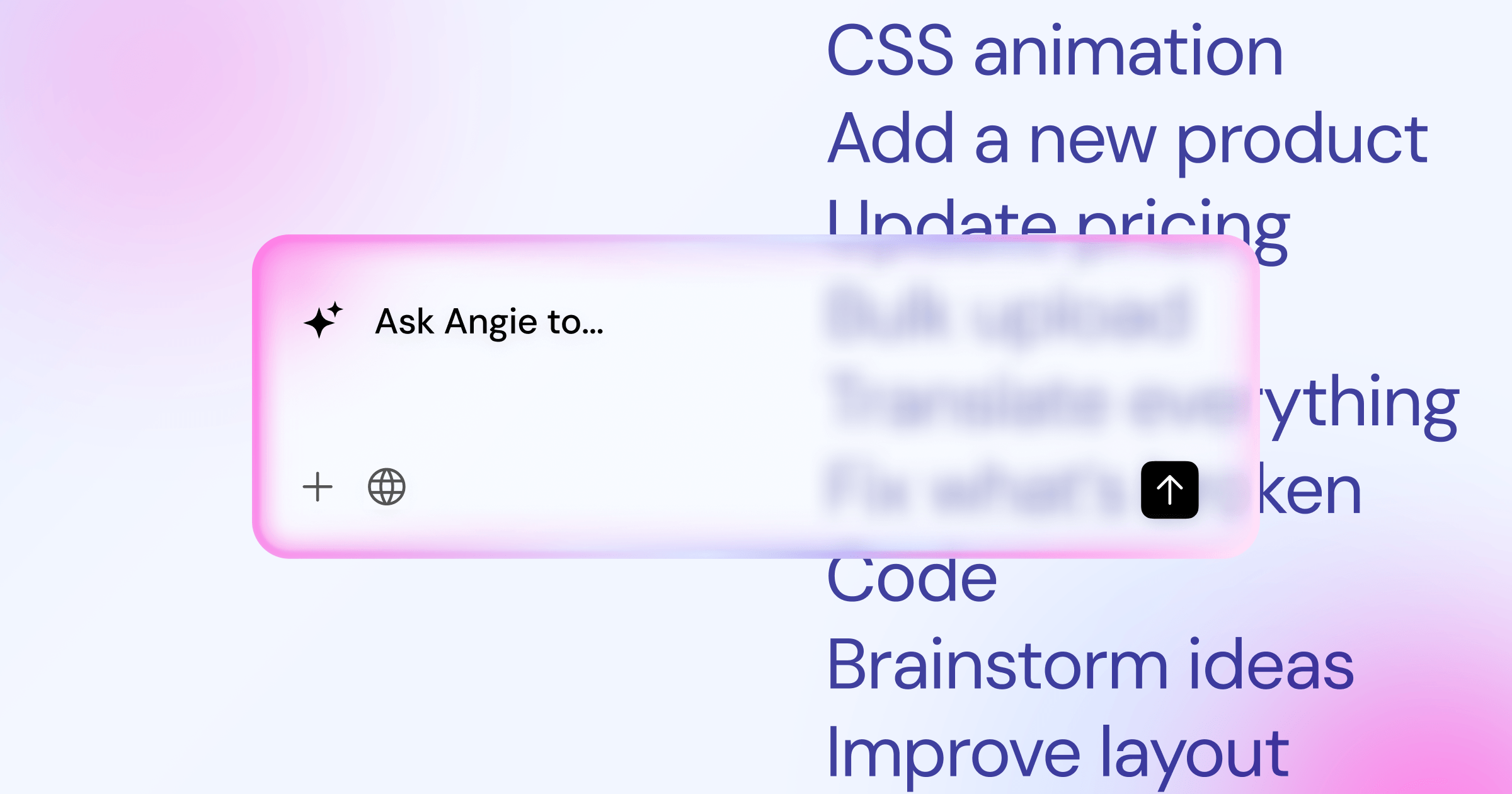
Angie by Elementor: The Agentic Native Framework
Generic AI tools don’t know your active plugins. They don’t know your custom post types. Angie by Elementor fixes this completely. It’s a free, standalone WordPress plugin that acts as an agentic AI framework directly inside your installation. It doesn’t just guess code. It reads your site’s actual context.
And that changes everything. Angie uses the Model Context Protocol (MCP) to safely inherit your exact site structure. You ask it to build a custom Elementor widget that pulls data from a specific Advanced Custom Fields (ACF) setup. Angie analyzes the actual database fields, writes the widget code, and tests it in a secure sandbox. If it throws a fatal error, Angie catches it, rewrites the code, and tries again. You never see the white screen of death.
The creative control is absolute. You get natural language prompting that results in native, production-ready WordPress assets. You can generate custom post types, admin snippets, or complex front-end visual apps in minutes. It’s part of the broader Elementor ecosystem, but you don’t even need the Elementor Editor active to use its core features.
- Context-Aware Generation – Automatically understands your active themes, plugins, and custom tables.
- Safe Sandbox Environment – Tests all PHP and JavaScript execution in a protected layer before applying it.
- Iterative Self-Correction – Detects PHP warnings and automatically fixes its own code.
- Native Asset Creation – Outputs valid WordPress plugins, widgets, and shortcodes directly to your file system.
- Free Access – Available as a free WordPress plugin for all developers.
Pricing: Free WordPress plugin.
Pros:
- Purpose-built specifically for WordPress architecture.
- Eliminates context-switching between IDEs and the browser.
- Drastically reduces debugging time via the automated sandbox.
- Outputs exact custom Elementor widgets effortlessly.
Cons:
- Requires installation on the target WordPress environment.
- Relies on server resources for the sandbox execution.
Honestly, this is the gold standard for WordPress development in 2026. If you want code that actually works on the first try, you start here.
CodeWP: The Specialized Backend Powerhouse
General LLMs fail at complex WordPress logic. They invent WooCommerce hooks that don’t exist. CodeWP solves this by training its models exclusively on WordPress core, popular plugins, and verified developer documentation. It’s a web-based platform designed entirely for the WordPress ecosystem.
Look, when you need a highly specific WooCommerce cart discount rule based on custom user roles, you don’t want to fight with an AI. CodeWP features 12 specialized WordPress modes. You select the WooCommerce mode, type your prompt, and get code that actually adheres to the latest WooCommerce CRUD methods. It understands the nuances between get_post_meta() and the newer ACF specialized functions.
The platform includes a built-in snippet manager. You can save, organize, and export your generated functions directly to a custom plugin. The Pro tier allows for over 10,000 actions per month, making it a heavy lifter for busy agency developers.
- Specialized AI Modes – Distinct models for Core, WooCommerce, ACF, and popular page builders.
- Low Hallucination Rate – Training data is restricted to verified WordPress codebases.
- Snippet Organization – Built-in cloud storage for your generated code blocks.
- Multilingual Support – Generates PHP, JS, CSS, and specific WP-CLI commands.
Pricing: Free tier available. Pro tier costs $18/month (billed annually).
Pros:
- Massively reduces time spent referencing the WordPress Codex.
- Understands complex third-party plugin integrations.
- Very affordable for the time it saves.
- Active community sharing verified prompts.
Cons:
- Web-based interface forces you to copy-paste into your site.
- Lacks the direct site context that native plugins provide.
CodeWP remains essential for backend developers dealing with massive custom builds. It’s the most reliable external tool for pure WordPress PHP.
GitHub Copilot: The Professional Pair Programmer
If you live inside Visual Studio Code or PhpStorm, GitHub Copilot is your default companion. Backed by OpenAI’s latest models, it acts as a highly capable, general-purpose pair programmer. It reads your current file, predicts your next line, and can generate entire functions from a simple comment.
But Copilot isn’t WordPress-specific out of the box. You’ve to guide it. When you open a theme file, you need to provide context. The workflow is highly specific for optimal results.
- Open your
functions.phpor specific class file in your IDE. - Write a detailed docblock comment explaining the exact WordPress hook you want to use.
- Start the function declaration, for example:
add_action( 'wp_enqueue_scripts',. - Wait for Copilot to suggest the entire callback function, including dependencies and versioning.
- Use the inline chat (Ctrl+I) to ask for specific refactoring, like adding sanitization to inputs.
This process makes developers clearly fast. Studies show developers complete tasks 55.8% faster when using tools like Copilot. It learns your personal coding style within the specific project repository.
Pricing: $10/month or $100/year for individuals. Business tier is $19/user/month.
Pros:
- Operates natively in almost every major code editor.
- Excellent at autocompleting repetitive array structures.
- Highly affordable entry price.
- Supports every language used in modern web development.
Cons:
- Prone to hallucinating WordPress-specific hooks if not guided properly.
- Doesn’t know what plugins are active on your remote staging server.
Copilot requires you to be a competent developer first. It won’t build a site for you, but it will drastically accelerate your manual coding speed.
WPCode AI: The Dashboard Snippet Specialist
Sometimes you just need to inject a quick tracking script or modify a login redirect. You don’t want to spin up a local development environment. WPCode AI is the evolution of the wildly popular Insert Headers and Footers plugin. It boasts over 2 million active installations.
They integrated a specialized AI generator directly into the snippet creation screen. You type what you want the snippet to do. The AI generates the PHP snippet. You review it, assign it a location (like run everywhere, or run only on single posts), and activate it. It’s built for speed and accessibility.
The real power lies in its safety features. WPCode includes a smart validation system. If the AI generates a snippet with a fatal syntax error, WPCode detects it upon activation and immediately deactivates the snippet. Your site doesn’t crash. You just get an error notice.
- Dashboard Integration – Generate code without ever leaving your WordPress admin area.
- Smart Deactivation – Prevents fatal PHP errors from taking down your site.
- Cloud Snippet Library – Save AI-generated snippets to your personal cloud for reuse across sites.
- Conditional Logic – Easily apply complex display rules to AI-generated code.
Pricing: AI features are included in their Pro plans, which start around $49/year.
Pros:
- Incredibly fast workflow for minor site modifications.
- Zero risk of breaking the site due to syntax errors.
- Massive existing user base and proven reliability.
- Great for non-developers who need quick custom functionality.
Cons:
- Restricted strictly to snippets, not full plugin development.
- The AI context window is relatively small compared to standalone platforms.
WPCode AI is the absolute best tool for site managers and marketers who need functional tweaks without waiting on an engineering team.
ChatGPT Plus: The Architectural Brainstormer
Despite the rise of niche tools, ChatGPT Plus remains a dominant force among WordPress freelancers. Costing $20/month, it offers access to OpenAI’s most advanced reasoning models. You don’t use ChatGPT to write a single snippet. You use it to design complex database architectures.
When you need to map out a custom plugin that integrates a third-party CRM API with WordPress user meta, ChatGPT is unmatched. You treat it like a senior technical lead. You paste in the external API documentation. You explain your WordPress setup. Then, you ask it to outline the exact file structure, the necessary custom database tables, and the required REST API endpoints.
The key to success here’s iterative prompting. You can’t just ask for “a CRM plugin.” You must demand specifics. Ask it to write the authentication class first. Then, ask it to write the WordPress transient caching logic. Then, ask it to review its own code for security vulnerabilities.
- Advanced Reasoning – Capable of planning complex multi-file plugin architectures.
- Multi-modal Input – You can upload screenshots of database schemas or error logs for analysis.
- Deep Explanations – It breaks down exactly why it chose specific WordPress functions.
- Broad Knowledge – Excellent at writing the JavaScript and React code needed for Gutenberg blocks.
Pricing: $20/month for the Plus tier.
Pros:
- Unmatched ability to process large amounts of documentation.
- Highly creative problem-solving capabilities.
- Excellent for learning and understanding complex code.
- Constantly updated with the absolute latest foundational models.
Cons:
- Zero integration with your actual codebase.
- Requires tedious copying, pasting, and manual formatting.
ChatGPT is your whiteboard. It’s where you figure out the hard logic before you ever touch your IDE or a specialized code generator.
Elementor AI: The Visual Creator Assistant
For front-end developers and designers, leaving the visual builder breaks concentration. Elementor AI sits directly inside the Elementor Editor panel. It’s a core component of the Elementor One unified website creation platform, sharing a centralized credit system across all your sites.
It specializes in the presentation layer. You select a container, open the custom CSS tab, and click the AI icon. You type, “Make this container pulse gently on hover, and change the background to a linear gradient.” The AI writes the exact CSS, automatically targeting Elementor’s specific class structure (like selector { .. }). It applies the code instantly. You see the result live.
Beyond CSS, it generates complete HTML snippets and complex custom layouts. Because it’s integrated, it understands the specific DOM structure of the widgets you’re styling. With over 1.5 million active users, it’s the most widely adopted visual AI assistant in the WordPress space.
- Custom CSS Generation – Writes perfectly targeted CSS for any widget or container.
- HTML Snippets – Generates custom embed codes, SVG shapes, and HTML blocks.
- Text and Image Creation – Handles content generation alongside code.
- Shared Credit System – Uses the Elementor One unified credit pool (10-400 credits per AI action).
Pricing: Included in Elementor One subscriptions (starting at $168/year), or available as a standalone add-on starting at an introductory rate of competitive ratesnth for 50k credits.
Pros:
- Zero context switching; works exactly where you design.
- Understands Elementor’s unique CSS selector syntax perfectly.
- Incredibly fast for micro-animations and specific styling tweaks.
- Accessible to users who don’t know how to write raw CSS.
Cons:
- Requires an active Elementor Pro or Elementor One subscription.
- Focused entirely on the front-end presentation layer, not backend PHP.
Elementor AI is indispensable for visual creators. It bridges the gap between drag-and-drop design and fully customized front-end code without requiring a computer science degree.
10Web AI: The Rapid Prototyping Engine
Sometimes the project timeline is impossible. You need a functional, styled, and coded site structure immediately. 10Web AI is an automated site builder that claims to reduce the time to create a functional WordPress site to under 10 minutes. It’s an end-to-end platform.
This isn’t a simple code snippet tool. 10Web generates the entire site foundation. You provide a prompt describing the business. The AI generates the required pages, writes the copy, sources the images, and creates the underlying Elementor-based layouts. It can even recreate existing web pages if you provide a URL, effectively reverse-engineering the structure into editable WordPress blocks.
The workflow is strictly defined. You don’t have granular control during the generation phase.
- Input the business details, target audience, and preferred aesthetic.
- Wait roughly 5-10 minutes while the AI provisions the server and builds the database.
- The system generates all core pages (Home, About, Services, Contact).
- You log into the resulting WordPress dashboard to manually tweak the generated layouts.
Pricing: Starts at $10/month, which includes hosting.
Pros:
- Unbeatable speed for launching simple brochure websites.
- Automates the tedious setup of hosting and WordPress core installation.
- Generates surprisingly cohesive initial design drafts.
- Great for building rapid client mockups.
Cons:
- You’ve very little control over the raw code it produces.
- Tied to their specific managed hosting ecosystem.
10Web is a brute-force solution. It’s perfect for low-budget, high-speed agency work where bespoke, hand-crafted code isn’t the priority.
Divi AI: The Closed-Ecosystem Alternative
If you operate strictly within the Elegant Themes ecosystem, Divi AI is your primary option. Priced at a flat $18/month for unlimited usage, it integrates directly into the Divi visual builder. It competes directly with Elementor AI for market share among visual developers.
Divi AI analyzes the specific module you’re editing. If you need a complex CSS grid layout for a specific row, you prompt the AI within the module’s custom CSS box. It understands Divi’s proprietary class names and applies the code instantly. It also acts as a strong content and image generator.
However, it suffers from the same limitations as any builder-locked AI. It only knows about Divi. Ask it to write a custom WordPress transient caching function for your functions.php file, and it will struggle. It’s a front-end styling and content tool masquerading as a full developer assistant.
- Module-Aware Generation – Understands the specific Divi module you’re editing.
- Unlimited Generation – The $18/month tier allows infinite prompts without credit limits.
- Quick Actions – Includes one-click buttons to improve existing code or text.
- Code Refactoring – Can optimize messy custom CSS into cleaner, minified versions.
Pricing: $18/month (billed annually) for unlimited use.
Pros:
- Unlimited usage removes the anxiety of managing credit pools.
- Deep, smooth integration with the Divi interface.
- Excellent at generating cohesive placeholder content during the design phase.
Cons:
- Absolutely useless outside of the Divi ecosystem.
- Lacks the backend PHP capabilities of dedicated tools like CodeWP or Angie.
For dedicated Divi agencies, it’s an automatic purchase. For everyone else, it holds zero value.
Amazon Q: The Enterprise Security Guard
The global AI in software development market is projected to grow at a CAGR of 21.4%. With that growth comes massive security risks. Enterprise WordPress agencies working with government or healthcare clients can’t blindly paste code from generic LLMs. Amazon Q (formerly CodeWhisperer) focuses entirely on secure, compliant code generation.
Amazon Q includes built-in security vulnerability scanning. As it generates your WordPress PHP, it actively scans the code against known Open Web Application Security Project (OWASP) vulnerabilities. If it writes a custom database query, it ensures proper data sanitization and prepared statements are used. It actively prevents SQL injection risks before the code even reaches your staging server.
More importantly, it features reference tracking. If Amazon Q generates a block of code that closely resembles open-source code from a specific repository, it flags it. It tells you exactly which license that code falls under. This is critical for agencies terrified of accidental copyright infringement.
- Real-time Security Scans – Identifies vulnerabilities in your code as you write.
- Reference Tracking – Highlights code that matches licensed open-source projects.
- AWS Integration – Excels at writing functions that connect WordPress to AWS services (like S3 for media offloading).
- Enterprise Access Controls – Strict admin controls over who can use the tool and how.
Pricing: Free tier available for individuals. Professional tier pricing varies by enterprise agreement.
Pros:
- The highest security standards of any AI coding tool on the market.
- Protects agencies from complex legal and licensing liabilities.
- Incredible for complex cloud-infrastructure integrations.
Cons:
- Steep learning curve compared to simple chat interfaces.
- Not inherently “WordPress aware”-you must guide it heavily.
Amazon Q is overkill for a local bakery website. It’s absolute mandatory protection for enterprise-level custom applications built on WordPress.
Tabnine: The Privacy-First Local Model
Not every agency is comfortable sending proprietary client code to external servers. Tabnine targets developers who require strict data privacy. Priced at $12 per user per month, Tabnine offers the ability to run AI models locally or on secure corporate servers.
When you use Tabnine, your codebase remains entirely private. The AI doesn’t send your custom WordPress theme files to OpenAI or Microsoft to train future public models. Furthermore, Tabnine Pro allows you to train the AI exclusively on your agency’s private repositories. If your agency has a specific, highly customized way of structuring custom post types and taxonomies, Tabnine learns that exact structure. It will generate code that perfectly matches your internal coding standards.
It integrates into almost every IDE, including VS Code, IntelliJ, and Eclipse. It’s fast, unobtrusive, and highly secure.
- Zero-Data Retention – Guarantees your code is never used to train public models.
- Private Codebase Training – Learns your agency’s specific coding standards and patterns.
- Local Execution Options – Can be run entirely offline for maximum security.
- Broad IDE Support – Works across almost all professional development environments.
Pricing: $12/user/month.
Pros:
- The best option for strict NDAs and highly sensitive client data.
- Customized autocomplete that actually matches your agency’s style guide.
- Low resource overhead in the IDE.
Cons:
- Requires significant upfront configuration to train on private repos.
- Local execution requires powerful local hardware (lots of RAM).
Tabnine represents the mature, privacy-conscious approach to AI development. It respects your intellectual property.
Cursor: The AI-Native IDE Replacement
The biggest shift in 2026 isn’t a new plugin. It’s an entirely new editor. Cursor is a fork of VS Code, rebuilt from the ground up to be completely AI-native. Developers are abandoning standard VS Code environments in droves to migrate to Cursor.
Cursor’s standout feature is “Composer.” Unlike Copilot, which mostly works on the single file you’ve open, Composer understands your entire multi-file project architecture. You can highlight a PHP file, a JS file, and a CSS file simultaneously. You tell Cursor, “Refactor this custom search widget to use React instead of jQuery, and update the corresponding REST API endpoints.” Cursor edits all three files concurrently, ensuring the logic connects perfectly.
Migrating is surprisingly simple, as it accepts all existing VS Code extensions.
- Download and install the Cursor application.
- During setup, click “Import from VS Code” to migrate all your themes, keybindings, and extensions in one click.
- Open your local WordPress repository folder.
- Press Cmd+L (or Ctrl+L) to open the AI chat, and type `@Codebase` to force the AI to index your entire WordPress installation.
- Start prompting multi-file edits using the Composer mode (Cmd+I).
Pricing: Free basic tier. Pro tier is $20/month.
Pros:
- Unrivaled multi-file editing capabilities.
- Deep codebase indexing means it actually understands your whole theme.
- Familiar VS Code interface means zero learning curve for the basic UI.
- Blisteringly fast terminal integration.
Cons:
- Requires moving to a new application entirely.
- Heavy reliance on the $20/month premium tier for the best models.
Cursor is the future of desktop development. It’s the most powerful AI coding tool currently available for full-stack developers.
Comparison Summary: Feature and Pricing Breakdown
Choosing the right tool depends entirely on your specific workflow. If you want visual speed, stay in the editor. If you want deep backend logic, use a specialized tool. Here’s how the top options stack up for WordPress professionals.
| AI Generator | Best For | Pricing (Starting) | WP-Specific Knowledge |
|---|---|---|---|
| Angie by Elementor | Context-aware, safe WP asset creation | Free Plugin | Extremely High (Reads Database) |
| CodeWP | Complex backend PHP & WooCommerce | $18/mo | Very High (Trained on WP Core) |
| Cursor | Full-stack multi-file refactoring | $20/mo | Moderate (Relies on codebase indexing) |
| GitHub Copilot | General IDE autocompletion | $10/mo | Moderate (Requires manual context) |
| Elementor AI | Visual styling and custom CSS | competitive rates (Add-on) | High (For Elementor DOM) |
| WPCode AI | Quick dashboard snippets | ~$49/yr | High (Focuses on safe injection) |
| ChatGPT Plus | Architecture planning & brainstorming | $20/mo | Low (Prone to WP hallucinations) |
| Tabnine | Privacy, strict NDAs, local models | $12/user/mo | Low (Requires manual training) |
If you build sites for clients, you need a stack. Combine Cursor for local heavy lifting, Angie for safe on-site implementation, and a strong optimize your WordPress environment to handle the dynamic requests.
Frequently Asked Questions
Can AI write an entire WordPress plugin from scratch?
Yes. Tools like Cursor or ChatGPT can generate complete plugin architectures. However, you’ll still need to manually verify the code structure, ensure security protocols (like nonce verification) are correctly applied, and test it extensively before production deployment.
Will using an AI code generator break my WordPress site?
It absolutely can if you paste raw PHP into your functions file without checking it. That’s why native tools like Angie by Elementor and WPCode AI use sandboxing and smart deactivation to catch fatal errors before they crash your live site.
What is MCP in WordPress AI tools?
MCP stands for Model Context Protocol. It allows AI agents to securely read your specific WordPress environment-including active plugins, custom post types, and database schemas-so it generates code tailored exactly to your site’s reality, rather than guessing.
Do I need to know PHP to use these AI generators?
You don’t need to be an expert to use visual tools like Elementor AI or dashboard tools like WPCode. But for Copilot, Cursor, or CodeWP, a fundamental understanding of PHP logic is mandatory. The AI will make mistakes; you must know how to spot them.
Are AI-generated WordPress snippets secure?
Not automatically. Generic LLMs frequently forget to include data sanitization and output escaping. Always specifically prompt the AI to include standard WordPress security measures (like esc_html() and sanitize_text_field()) in its output.
How does Angie differ from Elementor AI?
Elementor AI is a creative assistant built into the Editor for styling, writing text, and generating CSS/HTML blocks. Angie is a standalone, agentic AI framework that generates native WordPress assets (plugins, complex queries, admin tweaks) across the entire site, independent of the Editor.
Does using AI tools slow down the WordPress admin panel?
Using dashboard-integrated tools usually requires minimal resources. However, if the AI tool executes complex database queries directly on your live server to build its context, it can cause temporary load spikes. Always run heavy generation tasks in a staging environment.
Can AI troubleshoot existing fatal errors?
Yes. If you encounter a white screen of death, you can paste your PHP error log into ChatGPT or Cursor. The AI is exceptionally good at identifying the exact line causing the conflict and suggesting the proper syntax correction.
Who owns the copyright to AI-generated WordPress code?
Currently, pure AI-generated code generally can’t be copyrighted. However, if you use AI to generate standard functional WordPress logic (which is often boilerplate anyway), it falls under standard open-source development practices. Always review enterprise compliance rules.
Is the free version of ChatGPT enough for WordPress development?
It’s adequate for simple explanations, but the free tier often uses older, smaller models that suffer from smaller context windows. They tend to “forget” instructions during long coding sessions. Serious developers must upgrade to specialized tools or premium tiers.
Looking for fresh content?
By entering your email, you agree to receive Elementor emails, including marketing emails,
and agree to our Terms & Conditions and Privacy Policy.






