Manage is a centralized management platform that allows users to oversee multiple WordPress websites from a single dashboard. It streamlines administrative tasks like plugin updates, security monitoring via Patchstack, and performance checks, regardless of whether the connected sites use Elementor. This tool centralizes cross-site maintenance into one unified interface to save time.
What can you do with the Manage Dashboard?
Manage provides a comprehensive suite of tools designed to reduce the manual labor of maintaining several independent WordPress installations.
Redesigned Sites View & Navigation
How do you navigate the different site views?
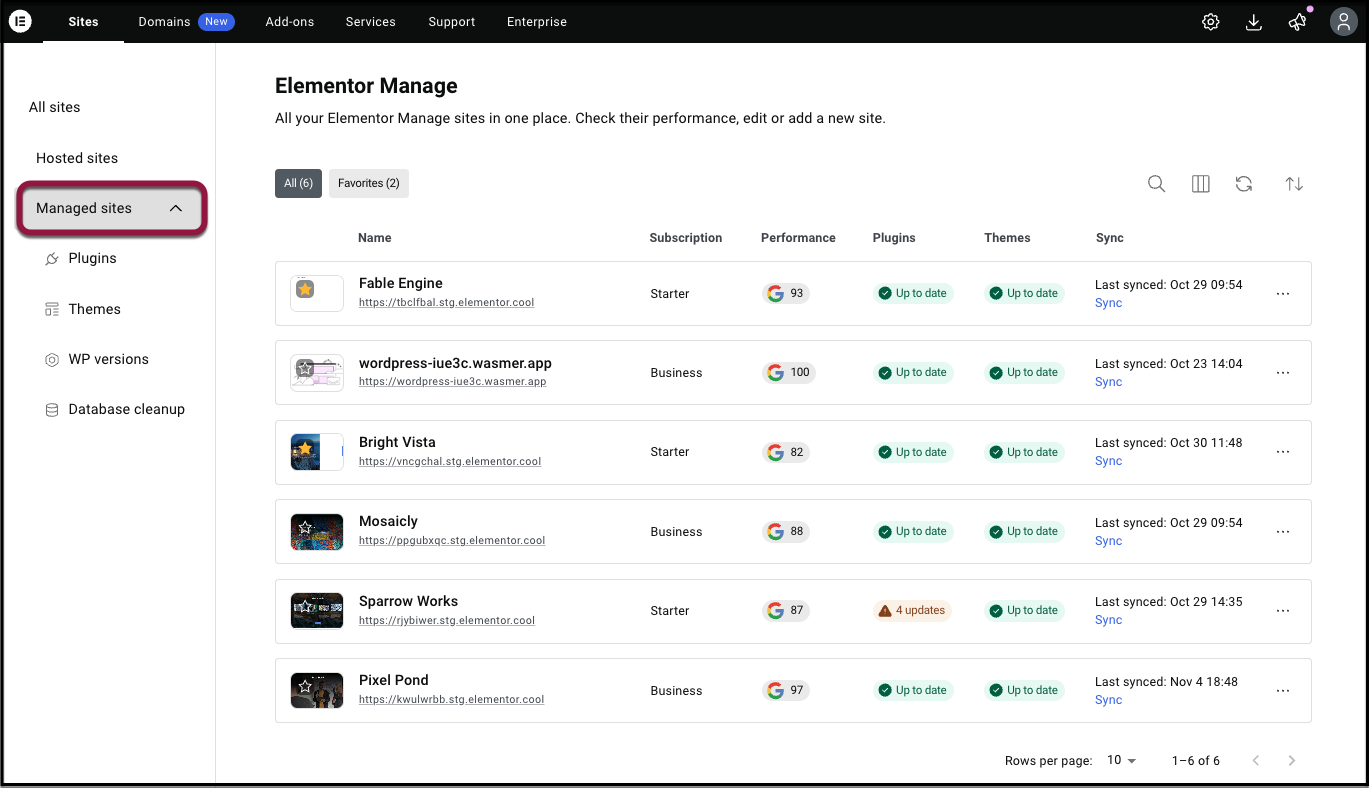
The Manage interface is organized into three specific sections to help you filter your workflow:
- All Sites View: Displays every website currently connected to your account in one global list.
- Hosted Sites View: Shows technical and hosting-specific data for websites residing on Elementor Hosting.
- Managed Sites View: Provides deep-dive management tools for any site connected via the Manage plugin.
How does Bulk Management ensure safe updates?
Updating multiple sites individually is time-consuming and risky. Manage solves this through a “Safe Update” protocol.
How does the Database Cleanup tool improve performance?
- One-Click Updates: Deploy new versions of plugins, themes, and WordPress core across every connected site simultaneously.
- Automatic Rollbacks: The Manage plugin saves the current configuration before an update, allowing for immediate restoration if a conflict is detected.
- Vulnerability Monitoring: The system surfaces security threats by cross-referencing your plugins with the Patchstack security database.
Over time, WordPress databases accumulate “bloat” that slows down the server. Manage allows you to purge this data without logging into each individual site dashboard.
Which items can be removed during a database cleanup?
- Post Bloat: Delete trashed posts and old “auto-save” drafts that are no longer necessary.
- Comment Spam: Clear out all spam and trashed comments in a single action.
- Transient Data: Remove expired cached plugin data that the system will automatically regenerate as needed.
Why should you use Manage for performance tracking?
Monitoring site speed is essential for SEO and user experience. Manage automates this process using industry-standard tools.
What data does the Monitoring section provide?
- Google PageSpeed Insights: Access automated scans that track performance, accessibility, and SEO scores.
- Historical Data: View a timeline of past scans to see how site changes affect your performance over time.
- Activity Log Tracking: Review a chronological list of every action performed through the Manage plugin for auditing purposes.
How does Manage help with WordPress Management?
Manage updates plugins, themes, and core WordPress from within Manage. Vulnerabilities are surfaced using Patchstack integration.

