On rare occasions you may have trouble accessing your account. The steps to regaining access depend on what issues you are encountering.
Forgot password
If you forgot the password to your Elementor account:
- At the login screen, select Sign in with your email.
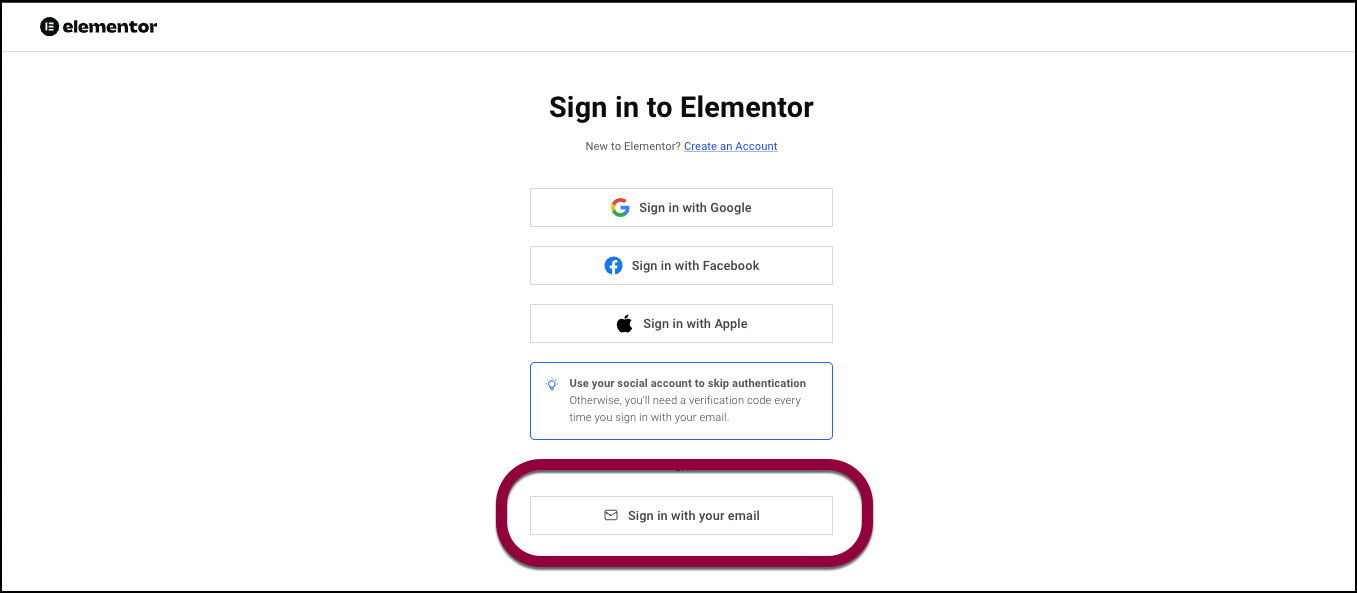
The login screen appears.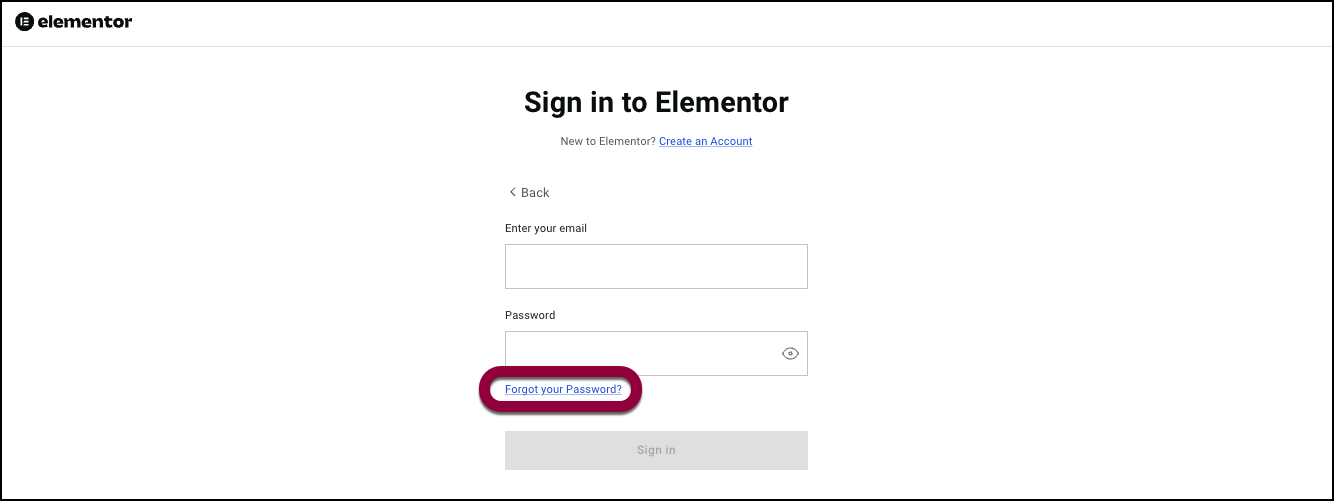
- Click Forgot your password.
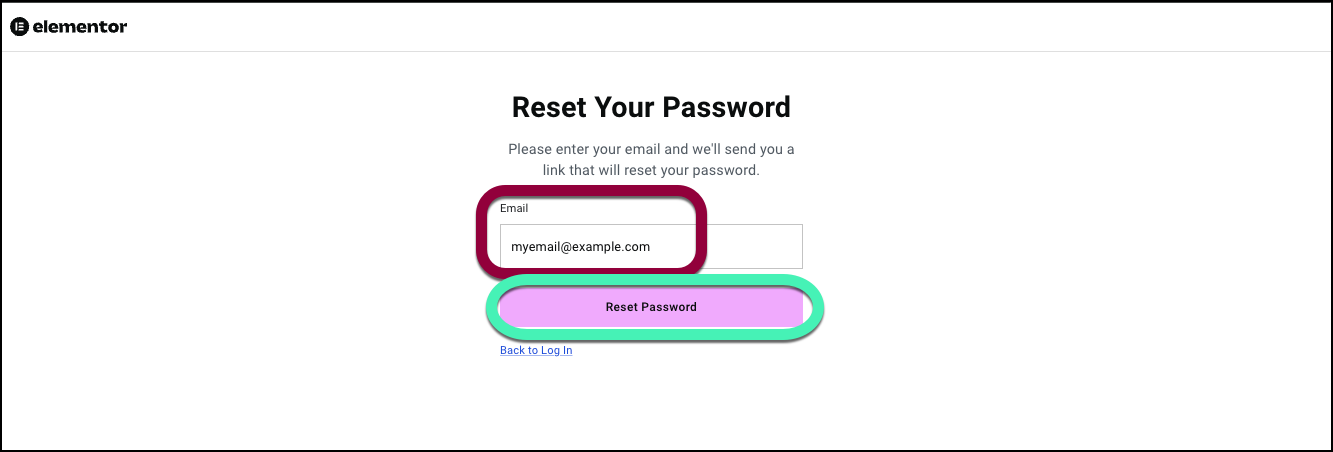
- Enter the email address you used to register your account and then click Reset Password.
- Elementor will send a link to your email allowing you to reset your password.TipIf you do not receive the email with the password reset link, check your Spam folder.
If you do not receive an email link or if you do not have access to the email you used to create your account or if you forgot which email you used, use the chatbot to help process the request. If the chatbot does not appear, check here for troubleshooting.
2FA not working
To ensure your security, Elementor uses 2FA (Two factor authentication). This means you will sometimes need to enter a security code to access your account. This security code is sent to you by email.
Tips for troubleshooting 2FA:
- Use the newest code only; older codes expire quickly.
- Wait a few minutes; email delivery can be delayed.
- Check your Spam/Junk, Promotions, Updates, and Focused/Other inboxes.
- Search your mailbox for the sender or subject you typically receive from Elementor (for example, verification or sign-in code emails).
- Remove extra spaces when copying the code and enter it exactly as shown.
- Temporarily turn off any VPN or ad blockers, and try another network or device.
- If you use an authenticator app for 2FA, set your device date and time to automatic so they stay in sync.
- Request a new code only once every couple of minutes; too many requests can throttle or delay delivery.
- Confirm your mailbox is not full and that any corporate filters allow automated emails.
- If you previously saved backup or recovery codes, use one of those to sign in.
If you are still having issues receiving your security code:
- Go to Elementor.com.
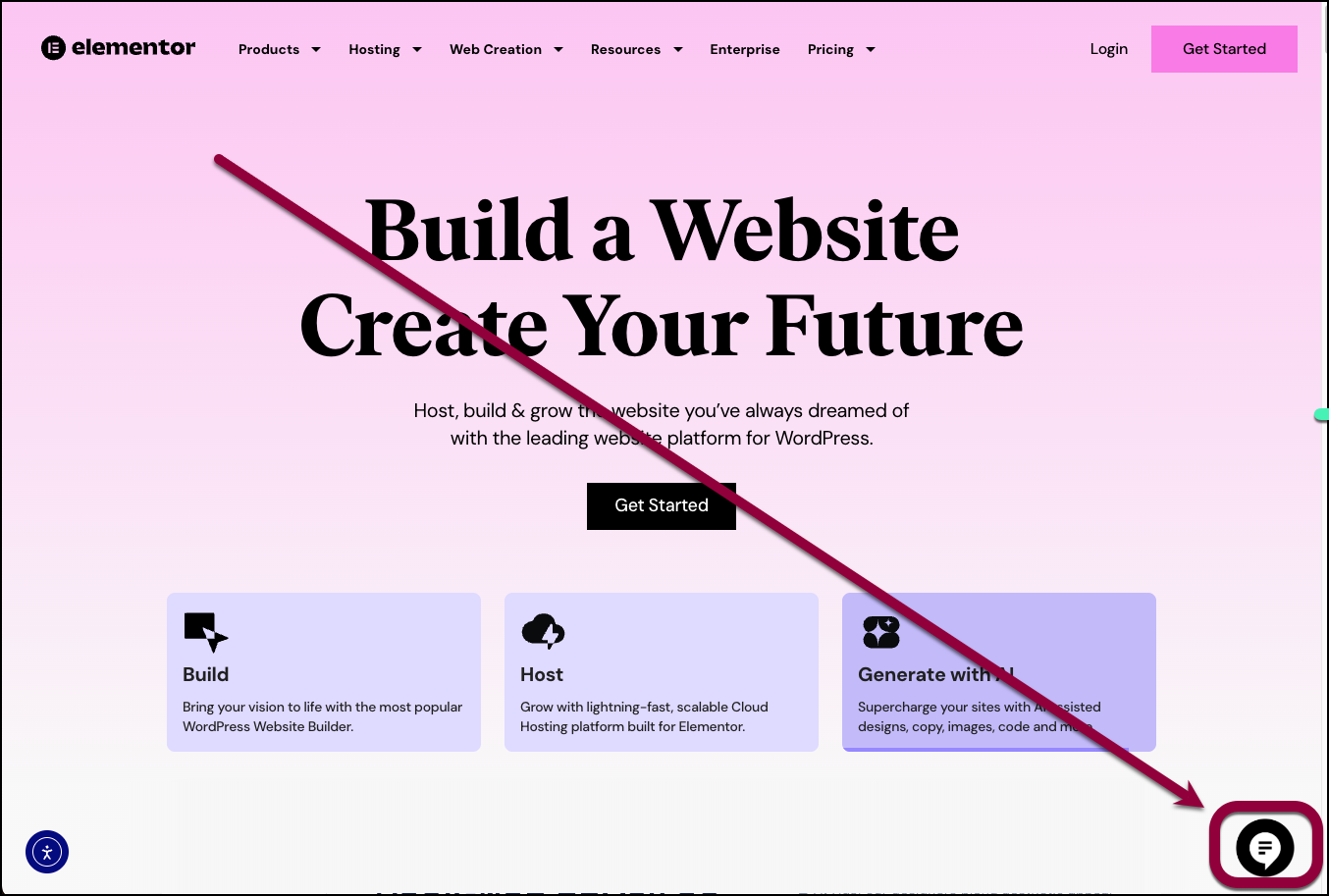
- In the lower right of the screen, click the chat icon.
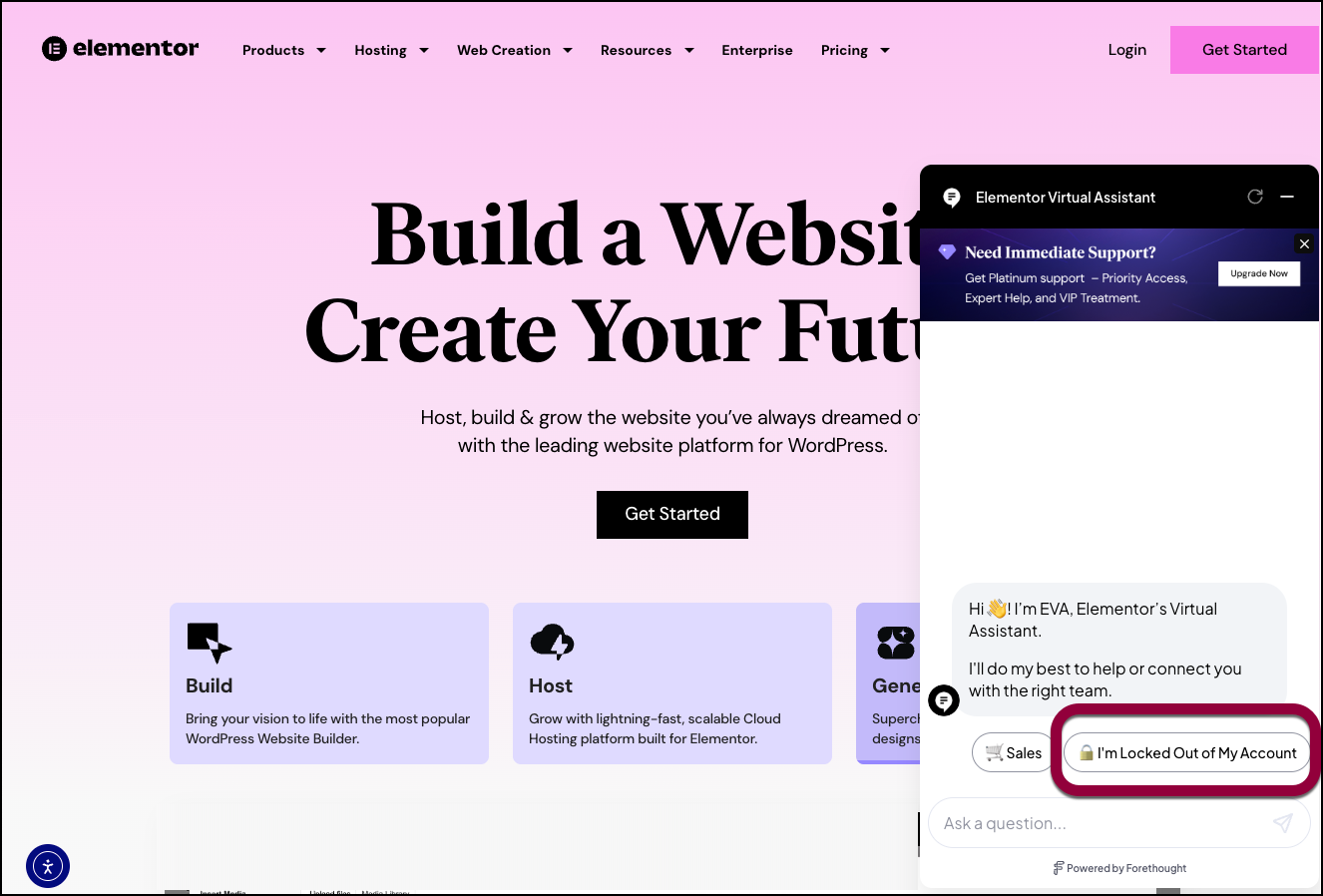
- Click I’m Locked Out of my Account.
- Follow the instructions to access your account. TipIf the chat icon does not appear, try opening an incognito window and accessing Elementor.com from there.
Troubleshooting account recovery
Sign‑in fixes
- Confirm you’re using the correct account email (check for typos or old aliases)
- Reset your password and use the latest reset link
- Try an incognito/private window or a different browser
- Disable autofill from password managers and retype credentials
- If you usually sign in with Google/SSO, try that method
If you saw a lockout message
- Wait the indicated lockout time before trying again
- Clear browser cache/cookies and try from a different device/network
Try to have the following information ready:
- The email address of the account you’re having trouble logging into..
- The last subscription linked to your account (Essential, Advanced, Business, Scale, AI).
- Purchase details: last four digits of your credit card, amount paid, and purchase date (or the PayPal transaction ID if paid via PayPal).
- The number of websites connected to your Elementor Pro license and at least one of the site URLs.
- If you recently changed company domains or emails, mention any previous emails used for the account.
What we can do after verification
- Unlock your account or reset sign‑in protections as needed
- Help update your account email (after verifying ownership)
- Guide you through reconnecting licenses and subscriptions
Getting help: support channels
- Elementor support requests are available via the chatbot. Phone support is not available.
- If you start a request in pre-sales chat and it concerns billing or account services, we’ll forward your case to the relevant team.
- Please avoid opening multiple tickets for the same issue—it slows resolution. Reply to the existing ticket for faster handling.
- When contacting us about account access, include any purchase details you have (see “Reset your password…”). This helps us verify ownership quickly.
I’m not receiving verification emails
Elementor will sometimes need to contact you by email in order to verify or reset your password.
If you requested a password reset, verification, or 2FA code but didn’t receive the email, try the following:
Quick checks
- Check your Spam/Junk, Promotions, Updates, Clutter, or Quarantine folders.
- Search your mailbox for Elementor or for subjects like verification, reset, or security code.
- Wait a few minutes; some servers delay incoming mail.
- Request the email again (avoid rapid repeated requests, which can be rate-limited).
Email/client and device troubleshooting
- Add the Elementor domain to your safe senders/allowlist and contacts. If you’re working for a larger organziation, you may need to ask IT to do this.
- Confirm your domain has working MX records and that strict DMARC/SPF/DKIM policies aren’t rejecting mail.
- Disable mail rules/filters that might auto-archive or forward messages.
- Try from another browser or device, and clear cache/cookies before requesting again.
- Ensure your mailbox isn’t full and that your server isn’t blocking bulk/automated emails.
- Confirm you’re checking the exact email address on your Elementor account (and any listed backup email if shown on the prompt).
- Don’t request too many codes in a short period; wait a few minutes and request a new one.
Bounce-related issues
- Hard bounce: Your address previously rejected messages, so our system may be blocked from sending to you. Contact Support to remove the bounce status and confirm your correct email.
- Soft bounce: Temporary server issues (e.g., mailbox full, policy blocks). Work with your email host/IT to resolve and try again.
If none of the above works
- Provide an alternate email we can use to reach you while we investigate.
- Contact Support through the Elementor website. For details, see Contact support if you can’t login.
About our notifications
- Codes are sent by email or by SMS (only if SMS was set up previously).
- Codes are not delivered via authenticator apps.
Account manager left the company or I forgot the email associated with the account
If the person managing your Elementor account left the company or you switched designers, and you’re locked out, we must verify ownership before transferring access.
What to prepare:
- Account email(s) that may have been used
- Subscription tier (Essential, Advanced, Business, Scale, AI; and whether you also have Elementor Host/Cloud)
- Payment proof: last 4 digits of the card, amount paid, and purchase date; or PayPal transaction ID
- At least one website URL using the Elementor Pro license and the number of connected sites
- Any recent invoice numbers/IDs, if available
Requesting an owner transfer or email change:
- Submit a support request from a corporate email at the same company domain as the licensed sites, if possible. For details, see Contact support if you can’t log in.
- Clearly state that the previous owner left and that you’re requesting an ownership/email update.
- Include all verification details above in the initial message to avoid delays.
Security best practices after access is restored:
- Update the account email and password.
- Enable 2FA on the new owner’s account.
- Review and remove any old team members’ access where applicable.
Refunds in this scenario:
Refunds are only available for Elementor Builder and Elementor Host subscriptions, and only within 30 days of purchase. Ownership changes alone don’t qualify for exceptions outside the refund window.
Change the email address of your Elementor account
For your security and to comply with GDPR, only the current account owner can request changes to the account email or transfer a subscription. This request must come from the email address that owns the account.
What this means:
- We cannot change an account’s email address or transfer a subscription if the request does not come from the email currently associated with that account.
- If you’ve lost access to the original mailbox (e.g., it was closed), please recover that email with your email provider first, then contact us from that address.
- We cannot merge accounts or subscriptions.
To change the email address after you’ve logged in:
- Go to your My Elementor dashboard.
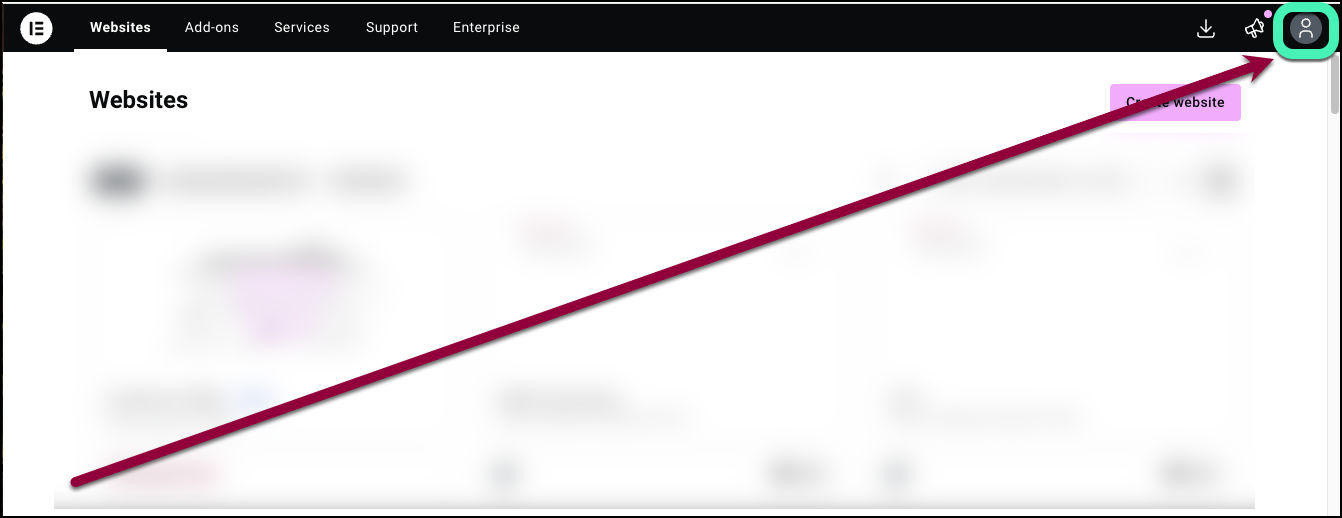
- Click the account icon in the upper right.
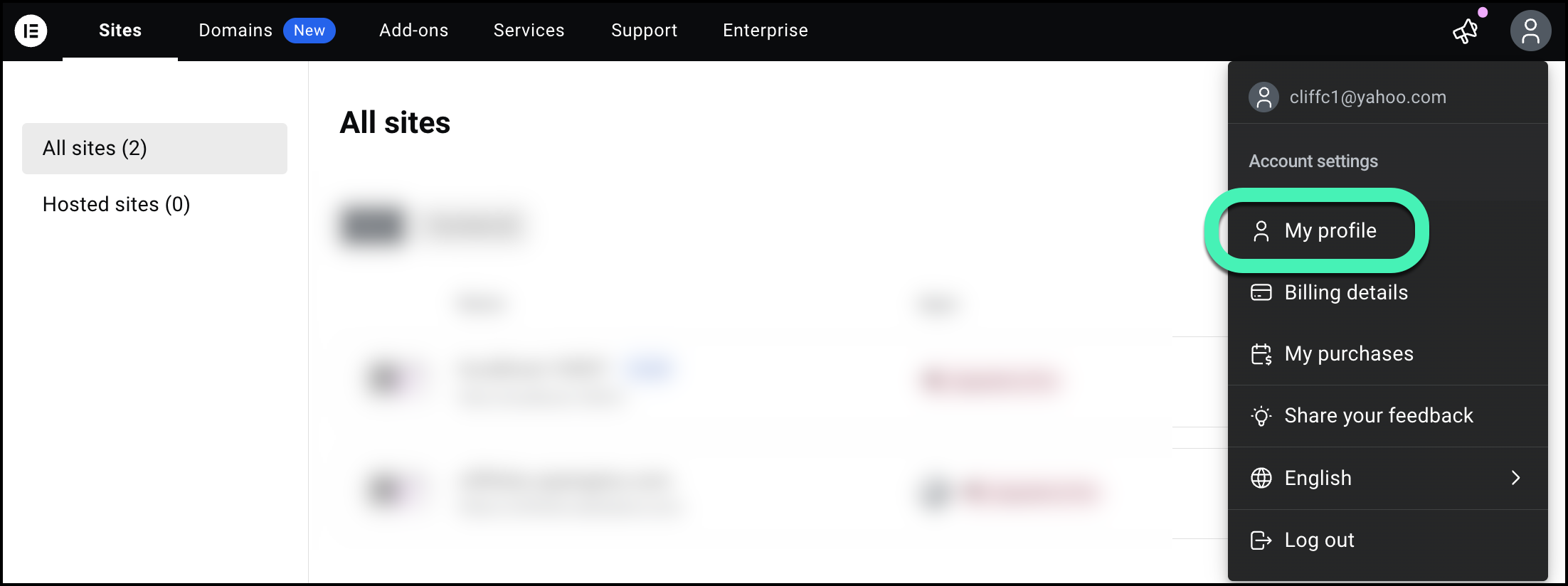
- Select My profile from the dropdown menu.
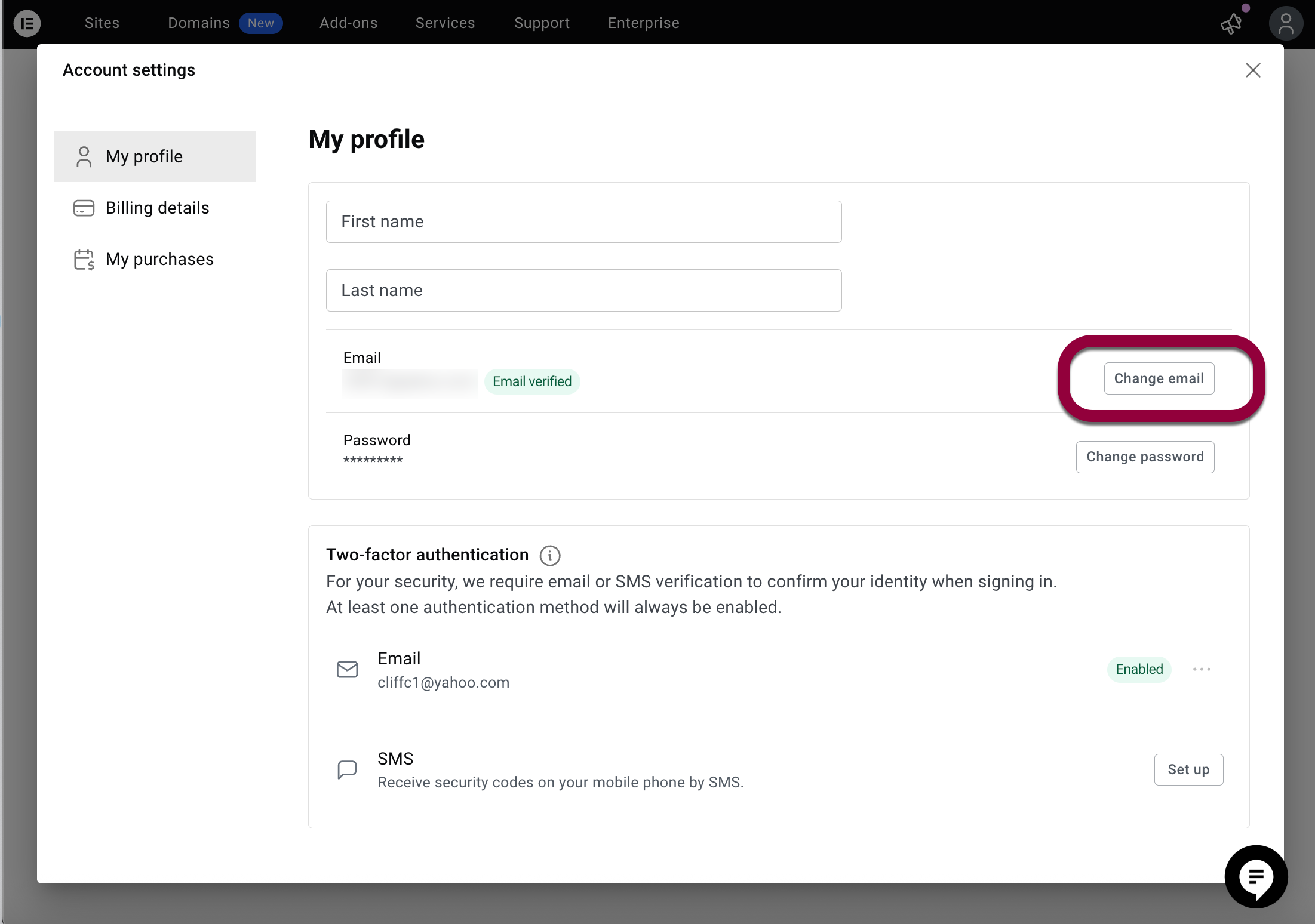
- Click Change email.
Information to prepare for Support
To make the support process faster and more efficient, try to submit as much of the following information as possible. should have the following prepared before contacting our Support team:
- The account email address (and any backups/aliases you might have used).
- Your login method (email/password, Google, Facebook, Apple, 2FA via email/SMS).
- Exact error message or a brief description of where it fails (before/after entering password, 2FA prompt, stuck after clicking Google, etc.).
- Time and timezone when you last tried to log in, and how many attempts you made.
- Your browser and version, OS, device, and whether you tried incognito/different browser/device.
- Email provider (e.g., Gmail, Outlook/Microsoft 365, company domain) and any spam/quarantine findings.
- Screenshots/screencasts of the issue.

