Table of Contents
The Shift from Static Builders to Autonomous Assistants
WordPress site building fundamentally changed this year. Static templates are dead. In 2026, you aren’t just dragging and dropping blocks anymore. You’re directing autonomous agents that plan, write, code, and execute complex functionality straight into your server environment.
And the data backs this up entirely. With WordPress powering 43.5% of all websites globally, this open-source ecosystem has become the primary testing ground for agentic software. You’ll see tools today that don’t just generate text. They actually understand your database structure, rewrite PHP queries, and spin up custom frontend widgets on command. Basic prompt-to-site generators are yielding to deep, WordPress-native integrations.
Key Takeaways
- Agentic AI frameworks replace basic chatbots by taking direct, autonomous action within your WordPress database.
- Expect a massive 25.4% annual growth in development automation tools through 2030.
- 76.6% of professional developers now rely on autonomous coding assistants for daily tasks.
- You’ll need a tool with deep context-awareness to avoid breaking your site’s underlying structure.
- Top-tier builders consistently maintain 99.9% uptime for their cloud-based processing engines.
- Modern tools output native WordPress assets rather than generic HTML snippets.
Understanding the AI Agent Era in WordPress
Look, we’ve moved past the novelty phase of generative text. The real value now lies in execution. An AI agent differs from a standard chatbot because it possesses agency. It can reason, plan a sequence of actions, and execute those actions within a specific environment.
For WordPress, this means the agent needs context. It needs to know your active theme, your installed plugins, and your server limitations. If you ask an agent to “build a pricing table,” it shouldn’t just spit out generic CSS. It should use your site’s global color variables and typography settings.
The transition from generative AI to agentic AI changes everything. We aren’t just asking AI to write text anymore; we’re giving it the keys to the WordPress database and asking it to build functional, interactive web applications.
Itamar Haim, SEO Team Lead at Elementor. A digital strategist merging SEO, AEO/GEO, and web development.
This is exactly why generic coding assistants often fail in a WordPress context. They lack the specific environmental awareness required to build stable, production-ready assets. The tools succeeding in 2026 are purpose-built for the platform.
1. Angie by Elementor: The Native WordPress Agent Framework
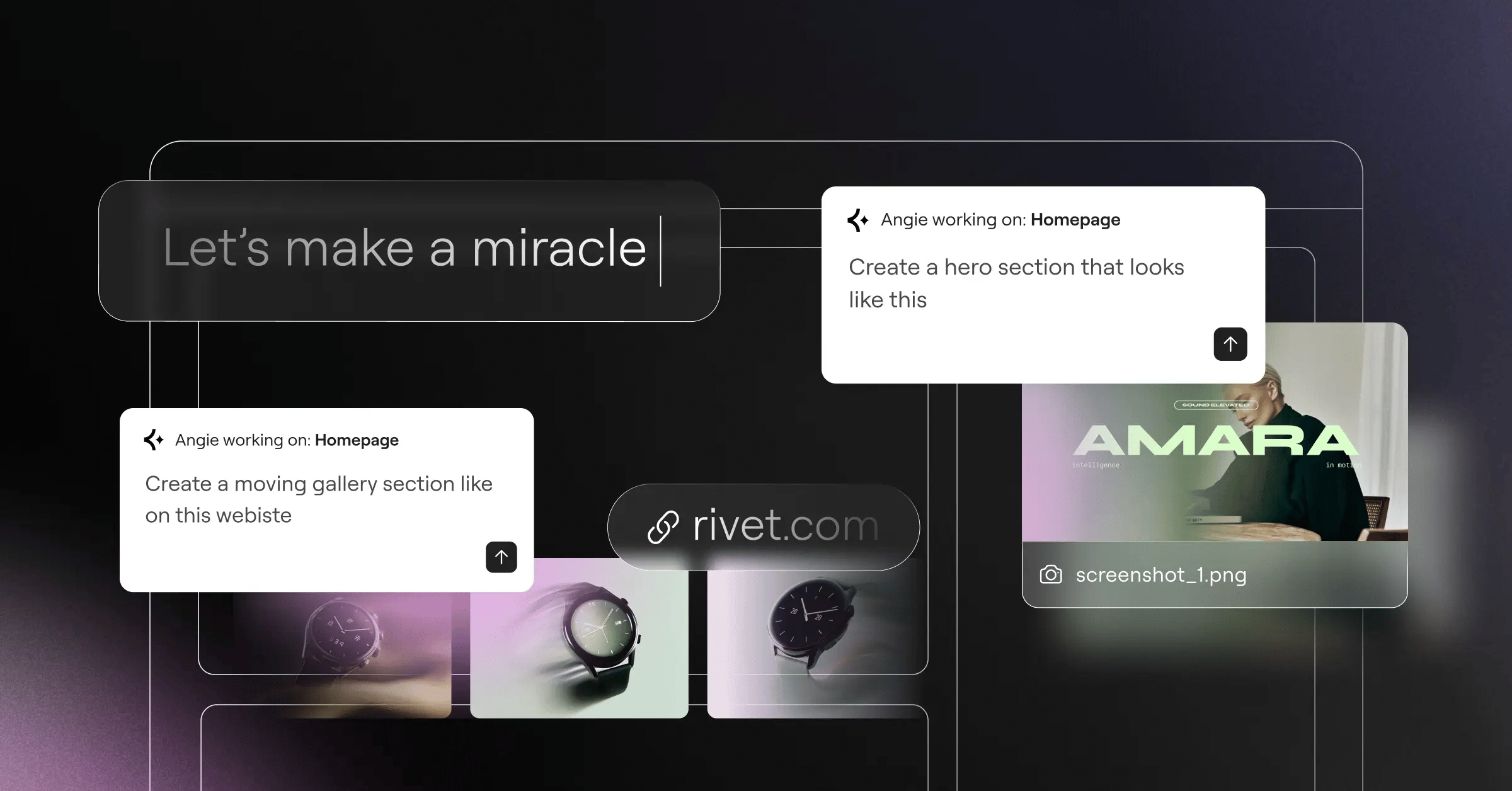
Honestly, this is where the industry takes a massive leap forward. Angie by Elementor isn’t just another text generator. It’s a fully agentic framework that plans and executes tasks across your entire WordPress ecosystem.
What makes Angie fundamentally different is its use of the Model Context Protocol (MCP). This allows the agent to automatically inherit your site’s specific context. You don’t have to explain your database structure. Angie already knows. You simply type a natural language prompt like “create a custom post type for real estate listings with fields for price and square footage.”
Angie then maps the logic, writes the PHP, registers the custom post type, and outputs the frontend assets. It’s wildly efficient.
Key Features:
- Custom Elementor widgets – Generates fully functional, styled widgets from scratch.
- WordPress admin snippets – Modifies backend behavior without needing a functions.php child theme edit.
- Visual apps – Builds interactive calculators or directories directly on the frontend.
- Safe sandbox environment – Tests all generated code in an isolated instance before pushing to production.
- Framework agnostic – Works smoothly alongside Gutenberg and other site builders.
Pricing: Angie is currently a FREE WordPress plugin available in the repository.
Pros:
- Purpose-built specifically for the WordPress architecture.
- Moves projects from an initial idea to production in minutes.
- Grants you full creative control over the generated output.
- Inherits site context automatically, eliminating repetitive prompting.
Cons:
- Requires a modern hosting environment to run complex generation tasks smoothly.
- The sheer power of the tool can be overwhelming for absolute beginners.
Verdict: If you’re building functional, dynamic WordPress sites, Angie is the most capable autonomous agent currently available.
2. CodeWP: The Developer’s Autonomous Assistant
When you’re deeply entrenched in custom plugin development, visual builders won’t always cut it. You need raw, accurate code. CodeWP steps in as a highly specialized assistant trained exclusively on the WordPress codebase.
This isn’t ChatGPT trying to guess how WordPress hooks work. CodeWP understands the intricate relationships between popular plugins. If you need a complex WooCommerce discount logic script, this agent writes it flawlessly. It factors in current deprecations and modern PHP standards.
Key Features:
- Plugin-specific logic – Deep understanding of Advanced Custom Fields (ACF) and Meta Box.
- Chat-to-code interface – Conversational coding with instant syntax highlighting.
- Automated troubleshooting – Scans existing custom snippets for errors and security vulnerabilities.
- Database query optimization – Rewrites slow SQL queries for better performance.
Pricing: The specialized Pro tier costs $28/month, while the Agency tier runs $68/month.
Pros:
- Extremely high accuracy for complex, platform-specific code.
- Reduces custom development time by up to 70%.
- Constantly updated with the latest WordPress core changes.
Cons:
- You’ll face a steep learning curve if you aren’t familiar with PHP.
- Higher monthly recurring cost compared to standard plugins.
Verdict: An absolute necessity for professional developers and agencies writing custom logic.
3. 10Web: The Full-Stack Automation Agent
Sometimes you don’t want to build a site piece by piece. You just want the whole thing done instantly. 10Web provides a full-stack automation experience that handles everything from the initial build to server-side optimization.
Their standout feature is the AI Website Recreator. You paste a URL, and the agent attempts to rebuild that layout natively within WordPress. It isn’t perfect, but it dramatically cuts down the time spent staring at a blank canvas.
Steps to Launch with 10Web:
- Input your business details and stylistic preferences into the onboarding wizard.
- Allow the agent to generate the site structure, copy, and placeholder images.
- Use the integrated drag-and-drop editor to refine the AI-generated layouts.
- Publish directly to their optimized Google Cloud hosting environment.
Pricing: The AI Starter plan begins at $10/month, scaling up to $30/month for agencies.
Pros:
- Combines site generation, hosting, and performance optimization in one dashboard.
- Delivers excellent automated PageSpeed optimization out of the box.
- Eliminates the need to configure separate caching plugins.
Cons:
- You’re locked into their specific hosting ecosystem to get the most value.
- The visual editor feels slightly rigid compared to standalone design tools.
Verdict: Ideal for business owners who demand a high-performance site without managing technical details.
4. ZipWP: The Rapid Prototyping Agent
Speed matters when you’re pitching clients. ZipWP focuses entirely on getting a functional prototype live faster than anyone else. They claim their agent can build a complete, customized website in under 60 seconds.
And honestly, it works. You describe your business niche, and the agent handles the heavy lifting. It installs WordPress, configures the necessary theme, writes surprisingly coherent copy, and pulls relevant stock imagery.
Steps to Prototype with ZipWP:
- Type a single-sentence description of the client’s business.
- Select a general color palette and typography pairing.
- Wait roughly one minute while the agent executes the build sequence.
- Export the finished site to your preferred hosting provider.
Pricing: A free tier exists for basic testing, with Pro plans available for advanced exports.
Pros:
- The absolute fastest deployment engine currently on the market.
- Incredible tool for generating live client demos during initial meetings.
- Automatically handles basic plugin configuration.
Cons:
- You can’t deeply customize the layout during the initial generation phase.
- The generated designs can sometimes feel a bit generic.
Verdict: The undisputed champion for agencies that need to churn out rapid visual prototypes.
5. Elementor AI: The Gold Standard for Visual Co-Pilots
For designers who want AI assistance without leaving their primary canvas, Elementor Editor Pro offers the tightest integration. Elementor AI acts as a constant co-pilot sitting directly inside your widget panel.
It doesn’t just write text. It understands the structural hierarchy of your page. You can ask it to generate a specific CSS animation for a button, and it applies the code directly to that specific element’s custom CSS panel.
Key Features:
- Context-aware container generation – Builds full sections that match your existing design system.
- Integrated image manipulation – Expands, edits, and generates images without leaving the editor.
- Multilingual support – Translates entire page structures across 25+ languages instantly.
- Custom HTML injection – Writes and embeds complex HTML structures on the fly.
Pricing: Subscriptions range from competitive ratesnth for the Starter tier to $8.25/month for the Power tier.
Pros:
- Deeply embedded within the most popular WordPress design environment.
- Maintains your global design system rules automatically.
- Eliminates the need for third-party translation plugins.
Cons:
- You’ll need an active Elementor Pro license to unlock its full potential.
- The credit-based usage system requires monitoring for high-volume agencies.
Verdict: The premier choice for visual designers who want integrated, context-aware generation.
6. Divi AI: The Creative Design Partner
Elegant Themes took a very focused approach with their agent. Divi AI sits inside the Divi Builder and specializes heavily in visual harmony. It evaluates the modules you’ve already placed and suggests complementary layouts.
The real draw here is the pricing structure. Many tools charge per token or action. Divi opted for a flat-fee model, giving users unlimited freedom to iterate.
Key Features:
- Contextual text generation – Reads your existing page content to match brand voice.
- On-the-fly image refinement – Upscales and alters images directly in the module settings.
- Layout suggestions – Generates entirely new sections based on your current aesthetic.
- Custom code generation – Writes specific CSS for Divi’s unique module architecture.
Pricing: Available as an add-on for $18/month (or $172/year) for unlimited usage.
Pros:
- The unlimited generation model completely removes prompt anxiety.
- Understands the proprietary Divi module structure perfectly.
- Excellent interface for adjusting generated imagery.
Cons:
- It strictly only works within the Divi ecosystem.
- Code generation isn’t quite as advanced as dedicated developer tools.
Verdict: An unbeatable value proposition if your agency already standardizes on Divi.
7. AI Engine by Meow Apps: The Custom Agent Builder
Sometimes off-the-shelf solutions don’t fit your business model. You want to build your own proprietary tools. AI Engine is a flexible plugin that lets you construct custom chatbots and internal assistants from scratch.
You connect your own API keys, which gives you granular control over costs and models. You can hook it up to GPT-4o (which costs roughly $5.00 per 1 million input tokens) or switch to Anthropic’s Claude if you prefer.
Steps to Build a Custom Agent:
- Install the plugin and input your chosen LLM API keys.
- Define the agent’s “personality” and strict system instructions.
- Select which WordPress datasets the agent is allowed to access.
- Embed the custom chatbot via shortcode on your frontend.
Pricing: The core version is free; Pro features start at roughly $49/year.
Pros:
- Offers the highest level of flexibility for creating bespoke tools.
- You only pay the raw API costs to the LLM providers.
- Includes a great AI Playground for testing complex prompts.
Cons:
- You’re responsible for managing API limits and technical configurations.
- The backend interface feels highly technical and slightly cluttered.
Verdict: The absolute best playground for power users who want total architectural control.
8. Bertha.ai: The Marketing & Content Agent
Content generation requires a different kind of logic than code generation. Bertha.ai focuses entirely on creating marketing copy that actually sells. It integrates directly into your post editor and page builders.
This agent is trained specifically on conversion copywriting frameworks. Studies show that AI-driven personalization can increase website conversion rates by up to 15%. Bertha helps you hit those numbers by maintaining a consistent brand voice across hundreds of product pages.
Key Features:
- WooCommerce integration – Bulk generates SEO-optimized product descriptions.
- Brand voice consistency – Learns your specific tone and applies it universally.
- SEO metadata automation – Writes compelling title tags and meta descriptions.
- Image generation – Creates custom blog post thumbnails based on article text.
Pricing: Offers both monthly subscription models and lifetime deal options.
Pros:
- Incredibly strong focus on e-commerce conversion metrics.
- Works reliably across Gutenberg, Elementor, and Divi.
- Saves massive amounts of time on tedious WooCommerce data entry.
Cons:
- The user interface feels a bit dated compared to modern native tools.
- Lacks the structural building capabilities of tools like Angie.
Verdict: The top choice for content marketers managing large e-commerce catalogs.
9. Hostinger AI Builder: The Budget-Friendly Entry
Not everyone needs complex developer tools. Sometimes you just need a functional brochure site without breaking the bank. The Hostinger AI Builder strips away the complexity, offering a simplified experience tied directly to their hosting platform.
Hostinger reports this tool causes a 50% reduction in site setup time for non-technical users. It asks a few questions, generates a layout, and provides an intuitive drag-and-drop interface to make tweaks.
Key Features:
- Drag-and-drop editor – Highly simplified interface for quick adjustments.
- Integrated heatmaps – AI predicts where users will click on your generated layout.
- Automated SEO setup – Handles basic site descriptions and sitemaps automatically.
- Logo generator – Creates basic branding assets if you’re starting from scratch.
Pricing: Starts at an incredibly low competitive ratesnth, which includes the managed cloud hosting.
Pros:
- Features the lowest barrier to entry of any tool on this list.
- Extremely forgiving user interface designed for absolute beginners.
- Consolidates your billing into one simple monthly payment.
Cons:
- Lacks the advanced dynamic data capabilities professional developers require.
- You can’t easily migrate the specific AI builder formats to other hosts.
Verdict: Perfect for micro-businesses and freelancers launching their first digital presence.
10. Tidio Lyro: The Customer Service Agent
Site building isn’t just about the initial launch. It’s about how the site functions for visitors. Tidio Lyro is an autonomous support agent that essentially acts as a 24/7 employee.
You point Lyro at your existing FAQ pages and product documentation. It scrapes that data, learns it, and handles incoming customer chats naturally. Over 60% of small business owners believe automated agents will fundamentally change their customer relationships this year. Lyro proves them right.
Key Features:
- Automated learning – Ingests your existing URLs to build its knowledge base.
- Natural language processing – Understands typos and varying customer intents.
- Human hand-off – Instantly routes complex issues to real support staff.
- Order tracking – Integrates with WooCommerce to provide shipping updates.
Pricing: Offers a limited free tier; the dedicated Lyro AI plans start at roughly $39/month.
Pros:
- Dramatically reduces basic support ticket volume within days of installation.
- Incredibly easy to set up via their dedicated WordPress plugin.
- Improves customer satisfaction by providing instant, accurate answers.
Cons:
- It solely handles customer support, offering zero site building features.
- High traffic sites will burn through the included chat quotas quickly.
Verdict: The definitive tool for automating customer interactions and boosting retention.
11. Uncanny Automator: The Workflow Agent
To build a truly intelligent site, your plugins need to talk to each other. Uncanny Automator isn’t a visual builder. It’s the brain that connects external AI agents to specific WordPress actions.
Currently, over 15% of the top 1,000 WordPress plugins feature some form of AI. Uncanny Automator ties them together. You can create a rule that says: “When a user submits a form, send the text to OpenAI for sentiment analysis, then update the user’s CRM profile based on the result.”
Key Features:
- No-code automation builder – Visual interface for mapping complex logic sequences.
- Massive integration library – Connects hundreds of plugins to OpenAI, Claude, and Zapier.
- Trigger-based workflows – Executes AI tasks automatically based on user behavior.
- Delay and schedule actions – Times your automated responses perfectly.
Pricing: A highly capable free version exists; Pro licenses start at $149/year.
Pros:
- Absolutely essential for creating invisible, background AI processes.
- Replaces expensive external tools like Zapier for internal site logic.
- Highly reliable execution engine that rarely fails.
Cons:
- Requires a solid understanding of logic flows to use effectively.
- It’s a connector tool; it doesn’t generate content on its own.
Verdict: The necessary glue for anyone building complex, automated business logic.
Comparison Summary: 2026 AI Agent Builders
Choosing the right tool depends entirely on your daily workflows. Here is a breakdown of how the top contenders stack up.
| Tool Name | Primary Focus | Starting Price | Target Audience |
|---|---|---|---|
| Angie by Elementor | Agentic Framework / Code | Free | Professionals / Devs |
| CodeWP | Custom PHP / Snippets | $28/mo | Plugin Developers |
| 10Web | Full Site Generation | $10/mo | Business Owners |
| ZipWP | Rapid Prototyping | Free Tier | Agencies |
| Elementor AI | Visual Co-Pilot | competitive rates | Web Designers |
| Divi AI | Design / Layouts | $18/mo | Divi Users |
| AI Engine | Custom Chatbots | Free (API costs) | Power Users |
| Bertha.ai | Marketing Copy | Varies | E-commerce |
| Hostinger AI | Simple Site Building | competitive rates | Beginners |
| Tidio Lyro | Customer Support | $39/mo | Store Owners |
| Uncanny Automator | Workflow Logic | $149/yr | Site Administrators |
Final Recommendation: Which AI Agent Should You Choose?
Your specific role dictates which tool provides the highest return on investment. If you’re managing complex client builds and need serious structural capabilities, you can’t ignore Angie by Elementor. It fundamentally alters how you approach custom post types and specialized widget creation.
For visual designers who spend their days refining layouts, AI Site Planner combined with Elementor AI offers an unbeatable workflow. You get context-aware generation without ever leaving your primary canvas.
If you run an agency focused strictly on volume, deploy ZipWP for your initial prototypes. It gets you to a functional starting line faster than manual setup ever could. And if your primary focus is keeping an e-commerce store running profitably, integrate Tidio Lyro to handle the crushing weight of daily customer inquiries.
Frequently Asked Questions
Will AI agents eventually replace WordPress developers?
They won’t replace developers; they’ll replace developers who refuse to adapt. These agents handle repetitive boilerplate code and basic setups, freeing professionals to focus on complex architecture and unique business logic.
How secure is code generated by an AI agent?
Top-tier tools like Angie use safe sandbox environments to test code before pushing it live. However, you should always review AI-generated PHP manually, as LLMs can occasionally introduce logical vulnerabilities.
Do I need to know how to code to use these builders?
You don’t need coding skills for visual tools like 10Web or Elementor AI. But if you’re using advanced agents like CodeWP to rewrite database queries, you’ll definitely need a foundational understanding of PHP.
Can AI agents impact my site’s SEO performance?
Yes, and usually for the better if used correctly. Agents can bulk-optimize meta descriptions, generate clean semantic HTML, and ensure your site loads faster through automated performance tuning.
What’s the difference between generative AI and agentic AI?
Generative AI simply creates text or images based on a prompt. Agentic AI actually takes action, executing a sequence of steps to solve a problem directly within your server environment.
Will using an AI builder lock me into a specific hosting provider?
It depends entirely on the tool. Hostinger and 10Web tie their generation tools closely to their hosting platforms, whereas standalone plugins like Angie or AI Engine work on any modern server.
How much do API costs usually run for custom agent builds?
If you’re using an API-driven tool like AI Engine with GPT-4o, expect to pay around $5.00 per 1 million input tokens. For most small to medium sites, this translates to just a few dollars a month.
Looking for fresh content?
By entering your email, you agree to receive Elementor emails, including marketing emails,
and agree to our Terms & Conditions and Privacy Policy.






