
Understanding why shoppers leave and implementing the right strategies to bring them back can transform a leaky sales funnel into a powerful revenue engine. This guide explores the causes of cart abandonment and provides actionable steps to recover those lost sales, helping you deliver more value to your clients.
Understanding Cart Abandonment
Cart abandonment happens when a potential customer adds items to their online shopping cart but leaves the website without completing the purchase. It’s a critical metric for any online store because it highlights a gap between shopping intent and a successful transaction. For every shopper who completes a purchase, several others leave items behind.
Key Statistics on Cart Abandonment
The numbers surrounding cart abandonment are telling. The average cart abandonment rate hovers around 66.5%, with mobile devices seeing an even higher rate at 69.02%. This isn’t just a minor issue; it’s a massive opportunity. For web creators and agencies, addressing this single metric can provide immense value to clients by directly impacting their bottom line.
Think about it: recovering even a small fraction of these abandoned carts translates directly into more revenue. This makes cart abandonment one of the most important areas to focus on for eCommerce optimization. It’s not just about driving more traffic; it’s about converting the traffic you already have.
Why Do Shoppers Abandon Their Carts?
To solve the problem, we first need to understand the root causes. Shoppers abandon their carts for a variety of reasons, often related to cost, convenience, or trust. Identifying these friction points is the first step toward building a better checkout experience.
Top Reasons for Abandonment
Here are some of the most common reasons customers leave without buying:
- Unexpected Costs: High shipping fees, taxes, or other surprise charges at checkout are the number one reason for abandonment. Transparency is key.
- Forced Account Creation: Many shoppers don’t want the hassle of creating an account to make a single purchase. Offering a guest checkout option can significantly reduce friction.
- Complex Checkout Process: A long or confusing checkout process can frustrate users and cause them to give up. Simplicity and clarity are essential.
- Website Performance Issues: Slow loading times or site errors can erode trust and patience. A smooth, responsive site is non-negotiable.
- Lack of Payment Options: Customers expect to pay with their preferred method. Limited payment options can be a deal-breaker.
- Concerns About Security: Shoppers need to feel that their personal and financial information is safe. Displaying trust seals and security badges can help alleviate these fears.
- Just Browsing: Some users are simply comparison shopping or saving items for later. They may not have had the intent to purchase immediately.
Understanding these reasons allows you to proactively address them in your site design and checkout flow. A streamlined, transparent, and trustworthy process is fundamental to reducing abandonment rates.
The Financial Impact of Lost Sales
The financial toll of cart abandonment is staggering. When you consider the average rates, it means that for every one sale, two are potentially lost. For your clients, this translates to missed revenue, wasted marketing spend, and a lower return on investment (ROI).
Let’s break it down. If a store has 1,000 potential customers who add items to their cart and 665 of them leave without paying, the business has lost two-thirds of its potential sales from that group. The marketing dollars spent to attract those 665 shoppers are effectively lost.
This is where you, as a web creator, can step in. By implementing effective strategies, you can help your clients reclaim a portion of this lost revenue. This not only boosts their sales but also demonstrates your value beyond the initial website build, fostering stronger, long-term relationships.
Strategies to Reduce Cart Abandonment at the Source
While recovering abandoned carts is crucial, preventing them from happening in the first place is even better. By optimizing the shopping and checkout experience, you can address common friction points and encourage more users to complete their purchases on their first visit.
Optimize the Checkout Process
A smooth and straightforward checkout is fundamental. The goal is to remove any and all obstacles that might cause a shopper to hesitate or become frustrated.
Simplify and Streamline
- Guest Checkout: Always offer a guest checkout option. Forcing users to create an account is a major deterrent. You can always ask them to create an account after the purchase is complete.
- Minimize Form Fields: Only ask for the information you absolutely need to process the order. Every extra field is another chance for the user to drop off.
- Progress Indicators: Show customers their progress in the checkout process. A visual progress bar can make the process feel shorter and more manageable.
- Single-Page Checkout: Consider a single-page checkout to consolidate all the necessary steps. This can reduce clicks and create a more seamless experience.
Ensure Transparency on Costs
Unexpected costs are the leading cause of cart abandonment. Be upfront about all charges.
- Display Shipping Costs Early: Don’t wait until the final step to reveal shipping fees. Use a shipping calculator on the product or cart page.
- Be Clear About Taxes and Fees: Include all applicable taxes and fees in the initial price breakdown to avoid any surprises.
- Offer Free Shipping: If possible, offer free shipping. It’s a powerful incentive. If you can’t offer it to everyone, consider setting a minimum order threshold to qualify.
Build Trust and Credibility
Shoppers are cautious about where they share their financial information. Building trust throughout the shopping experience is essential to converting them into customers.
- Security Badges: Prominently display SSL certificates and other security seals to reassure customers that their data is safe.
- Accepted Payment Logos: Show logos of the payment methods you accept. Familiar icons like Visa, Mastercard, and PayPal build confidence.
- Customer Reviews and Testimonials: Social proof is incredibly powerful. Displaying positive reviews and ratings directly on product pages can validate a shopper’s decision.
Enhance the User Experience
A positive user experience goes beyond just the checkout page. The entire site should be fast, intuitive, and easy to navigate.
- Optimize Page Speed: Slow-loading pages are a major source of frustration. Compress images, leverage browser caching, and use a reliable hosting provider to ensure your client’s site is fast.
- Mobile-First Design: With mobile abandonment rates being higher, a responsive, mobile-friendly design is critical. The entire shopping experience, from browsing to checkout, must be seamless on a small screen.
The Foundation of Revenue Recovery: Reliable Delivery
Even with a perfectly optimized website, you will still encounter abandonment. Often, this isn’t because the customer changed their mind, but because the communication broke down.
Consider the “Forgot Password” scenario. A user returns to their cart, realizes they need to log in, forgets their password, and requests a reset. If that WordPress email fails to arrive—or lands in spam—the sale is lost instantly.
For web creators and agencies, manually troubleshooting why these emails fail is a massive time sink. This is where having a robust delivery infrastructure becomes the backbone of your revenue recovery strategy. You need to ensure that every order confirmation, account creation notification, and password reset reaches the inbox.
The Right Tools for the Job: Improving Deliverability
Implementing a successful eCommerce strategy requires technology that guarantees communication works. As a web creator, you need tools that are not only powerful but also easy to integrate and manage within your existing workflow.
The Importance of a WordPress-Native Solution
For agencies and freelancers who build websites on WordPress, a native solution offers significant advantages. Instead of dealing with the complexities of connecting third-party SMTP servers or APIs, a WordPress-native tool is built specifically for the ecosystem you already use.
This means:
- Seamless Integration: No more wrestling with APIs or worrying about data syncing issues. The tool works out-of-the-box with WordPress and WooCommerce.
- Familiar Interface: The user experience is consistent with the WordPress dashboard, making it intuitive for you and your clients to use.
- Improved Performance: A native solution is often better optimized for the WordPress environment.
- Centralized Management: You can manage everything directly within WordPress, simplifying your workflow.
Introducing Site Mailer: The Essential Delivery Plugin
Site Mailer is a WordPress plugin that manages reliable delivery of transactional emails without complex SMTP setups. It is designed to replace the unreliable default WordPress PHP mail function, which often sends emails that land in spam or don’t arrive at all.
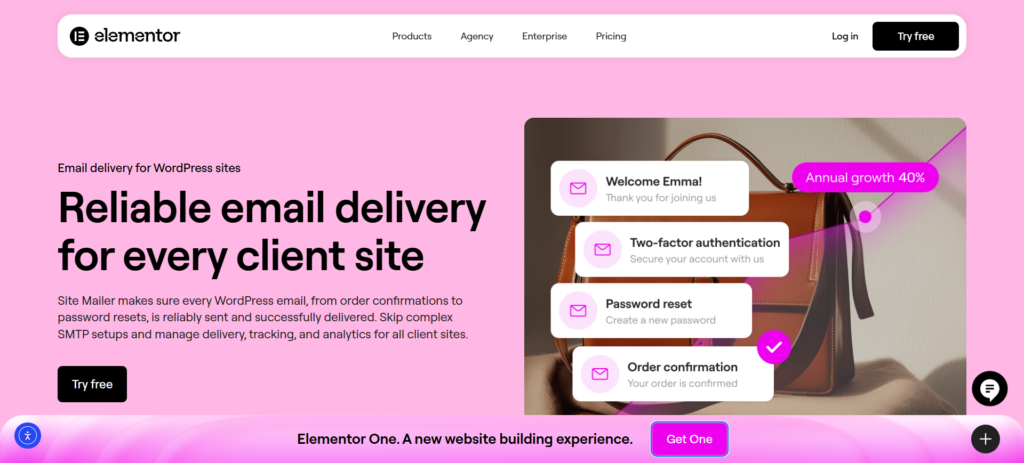
This platform powers over 34 million delivered emails with a 95%+ average inbox placement rate, providing web creators with the peace of mind that their clients’ communications are secure and professional.
Key Features for Reliable Operations
- No SMTP Setup Required: Site Mailer allows you to bypass external SMTP servers, ports, and credentials. It works out of the box with a simple setup wizard, eliminating the technical headache of configuring mail servers.
- Advanced Authentication: The plugin automatically handles SPF, DKIM, and DMARC protocols. This is critical for ensure emails pass spam filters and maintain a high sender reputation.
- Dashboard & Analytics: You gain full visibility with real-time tracking. View logs, open rates, and delivery metrics directly from the WordPress dashboard.
- Failure Troubleshooting: If an email fails, you can identify the reason and instantly resend it from the dashboard. This feature alone can save countless lost orders.
- Custom Domains: You can verify custom sender domains to improve professional reputation at no extra cost, ensuring emails come from your client’s brand, not a generic address.
By using Site Mailer by Elementor, you ensure that the foundational communications of an eCommerce store—receipts, login details, and notifications—are rock solid. This reliability fosters the trust necessary to prevent abandonment in the first place.
Other Tools in the eCommerce Ecosystem
While a robust delivery tool ensures your transactional emails land, it’s helpful to be aware of other types of marketing tools available for eCommerce platforms.
- Loyalty & Referrals: Tools in this category help brands drive repeat purchases by creating loyalty programs.
- Product Reviews: These tools help businesses collect and display customer reviews to build social proof.
- SEO Tools: Platforms like Moz offer suites of tools to help businesses improve their visibility in search results.
- Social Media Management: Apps allow merchants to sync their product catalogs and run targeted ad campaigns.
While these specialized tools are effective, they all rely on the assumption that your site can communicate with its users. For web creators working within the WordPress ecosystem, starting with a consolidated, native delivery tool like Site Mailer simplifies management and ensures the baseline performance is flawless.
Measuring Success and Demonstrating Value
Launching a site with improved email reliability is just the beginning. To truly succeed and showcase your value to clients, you need to track your performance and prove that the “plumbing” of their business is working efficiently.
Key Metrics to Track
When it comes to email operations, there are a few key performance indicators (KPIs) you should monitor closely.
- Deliverability Rate: This is your baseline metric. You need to know what percentage of your emails are actually hitting the server successfully.
- Open Rate: Site Mailer allows you to track open rates for your transactional emails. A low open rate on an order confirmation might indicate it’s landing in the “Promotions” tab or spam folder, or that the subject line is unclear.
- Failure Rate: Identifying how many emails fail to send is crucial. A spike in failures could indicate a plugin conflict or a domain issue that needs immediate attention.
Using Analytics to Optimize
Data should drive your decisions. By analyzing these metrics via the Site Mailer dashboard, you can identify what’s working and what’s not.
- Troubleshooting: Use the log retention features to investigate specific customer complaints about “missing emails.”
- Resend Capability: If a customer claims they missed an invoice, you can verify it in the logs and resend it with a single click, solving the support ticket instantly.
Demonstrating ROI to Your Clients
As a web creator or agency, your ability to demonstrate tangible reliability builds long-term client relationships.
A platform like Site Mailer is designed to make this easy. Its real-time analytics provide clear, easy-to-understand reports. You can use these reports to:
- Provide Regular Updates: Show clients that their 10,000 monthly order emails were delivered successfully with a 99% success rate.
- Showcase Your Value: Instead of just saying the site is “working,” you prove it with data.
- Justify Your Fees: When clients see that you are proactively managing their sender reputation and troubleshooting delivery issues, they see the ongoing value in your retainer.
Conclusion: Turning Reliability into Revenue
Cart abandonment is often a symptom of a larger issue: a lack of trust or friction in the user journey. While optimized checkout flows are essential, the silent killer of conversion is poor communication. If your transactional emails—password resets, order confirmations, and form notifications—fail to land, you lose customers.
For web creators, addressing email deliverability with Site Mailer is a powerful way to professionalize your service offering. It allows you to provide ongoing, measurable value that directly impacts your clients’ success. This not only strengthens your client relationships but also ensures that the beautiful websites you build perform as well as they look.
By choosing a solution that is both powerful and easy to use, you can amplify your results and focus on what you do best: creating amazing web experiences that drive growth.






