This article breaks down how to tackle this problem head-on. We’ll cover foundational on-site strategies to prevent shoppers from leaving and dive deep into the importance of reliable email delivery to win them back, turning potential losses into real, measurable growth for your clients.
What is Cart Abandonment and Why Does It Matter?
Before we jump into solutions, let’s make sure we’re on the same page about what cart abandonment is and why it’s such a critical metric for any eCommerce business.
Defining Cart Abandonment
Cart abandonment is exactly what it sounds like: a potential customer visits an online store, adds at least one item to their virtual shopping cart, but then leaves the site without completing the purchase. They showed clear intent to buy, but something stopped them. Understanding this behavior is the first step toward fixing it.
How to Calculate Your Cart Abandonment Rate
Tracking this metric is crucial. It gives you a clear benchmark to measure the success of your optimization efforts. You can’t improve what you don’t measure.
The formula is straightforward:
$$1 – (\frac{\text{Number of Completed Transactions}}{\text{Number of Carts Created}}) \times 100\% = \text{Cart Abandonment Rate}$$
For example, if 200 shopping carts were created on a client’s site in a month and only 50 of them resulted in a completed purchase, the calculation would be:
$$1 – (\frac{50}{200}) \times 100\% = 75\%$$
A 75% cart abandonment rate means three out of every four potential customers are walking away at the final step. Even small improvements to this number can have a huge impact on a client’s bottom line.
The Top Reasons Shoppers Abandon Their Carts
People leave their carts for many reasons, but most boil down to friction or unexpected surprises during the checkout process. Research points to a few common culprits that consistently top the list.
- Unexpected Costs: This is the number one reason. When a customer gets to the final checkout step and sees high shipping fees, taxes, or other unexpected costs, it breaks their trust and sends them running. The price they saw on the product page is the price they expect to pay, or something very close to it.
- Forced Account Creation: Modern shoppers value speed and convenience. Forcing them to create a full account before they can check out adds unnecessary steps and friction. Many users will simply abandon the purchase rather than go through the hassle of creating yet another username and password.
- Long or Complicated Checkout Process: Too many form fields, multiple pages, and confusing layouts can make the checkout process feel like a chore. Every extra click and piece of information you ask for increases the chance that a potential customer will give up.
- Concerns About Security: Customers are wary of sharing their credit card information online. If a website looks unprofessional or lacks clear indicators of security (like SSL certificates and trust badges), shoppers won’t feel safe enough to complete their purchase.
- Poor Website Performance: A slow-loading site or a buggy checkout process is incredibly frustrating. In an age of instant gratification, customers have little patience for technical glitches.
- Lack of Payment Options: People have their preferred ways to pay. If a store doesn’t offer common options like PayPal, Apple Pay, or other digital wallets, it can be a deal-breaker for some customers.
- Just Browsing or Researching: Not all abandoned carts are a sign of a problem. Some users are simply comparison shopping, saving items for later, or exploring their options. While you can’t convert all of these, a smooth experience and a gentle reminder can bring them back when they’re ready to buy.
Understanding these common reasons is key because it gives you a clear roadmap for the first phase of your strategy: optimizing the on-site experience to prevent abandonment before it even happens.
Phase 1: Foundational Strategies to Prevent Abandonment on Your Site
The best way to recover an abandoned cart is to prevent it from happening in the first place. As a web creator, you have direct control over the user experience. By implementing a few foundational best practices, you can significantly reduce friction and build the trust needed to guide shoppers all the way through checkout.
Build Trust from the First Click
Trust is the currency of eCommerce. From the moment a visitor lands on a site, they are subconsciously evaluating its credibility. If anything feels off, they’ll leave.
Display Security Badges and Trust Seals
Visibly displaying security logos from brands like McAfee or Norton, along with icons indicating SSL encryption, provides immediate visual reassurance. These small badges tell shoppers that their personal and financial information is safe, a key factor in their decision to purchase. Place these prominently in the site footer and throughout the checkout process.
Showcase Authentic Product Reviews and Social Proof
Product reviews are one of the most powerful tools for building trust. In fact, 93% of consumers say that online reviews influence their purchasing decisions. When new visitors see that other people have purchased a product and had a positive experience, it validates their choice and reduces hesitation. Integrating a robust review system allows customers to see authentic feedback directly on product pages.
Streamline the Checkout Process
Once a shopper decides to buy, the path to purchase should be as short and simple as possible. Complexity is the enemy of conversion.
Offer a Guest Checkout Option
Don’t force users into a long-term commitment just to make a single purchase. Providing a “guest checkout” option is essential. It allows shoppers to enter only the necessary information (shipping and payment) to complete their order. You can always offer them the chance to create an account after the sale is complete for easier future purchases.
Simplify Forms and Reduce Steps
Take a critical look at the checkout form. Are you asking for unnecessary information? Can you combine steps? A single-page checkout is often ideal. Use features like address auto-completion to minimize typing and make the process faster and more user-friendly, especially on mobile devices.
Provide Multiple Payment Options
The payment step should be frictionless. In addition to standard credit card fields, integrate popular digital wallets like PayPal, Apple Pay, and Google Pay. These services allow users to pay with a single click without having to manually enter their card details and shipping information, dramatically speeding up the process.
Be Transparent About Costs
Surprises are great for birthdays, not for checkout pages. Hiding costs until the last second is a surefire way to increase your cart abandonment rate.
Show All Costs Upfront (Taxes, Shipping)
Be transparent from the very beginning. Use a shipping calculator on the cart page or display estimated taxes and fees early in the process. When a customer sees the total cost upfront, they can make an informed decision without feeling deceived at the final step.
Offer Free Shipping When Possible
High shipping costs are a major deterrent. If possible, offering free shipping—even if it means building some of the cost into the product price—is a powerful incentive. If free shipping for all orders isn’t feasible, consider offering it above a certain order threshold (e.g., “Free shipping on orders over $50”).
Optimize for a Seamless User Experience
A beautiful design is only effective if it’s backed by solid performance. The technical foundation of the site plays a huge role in converting visitors into customers.
Ensure Mobile Responsiveness
A significant portion of online shopping now happens on mobile devices. Your client’s WooCommerce store must provide a flawless experience on smartphones and tablets. This means large, easy-to-tap buttons, readable text, and a checkout process that is simple to navigate on a small screen.
Improve Site Speed and Performance
Every second counts. A slow-loading website will frustrate users and lead to higher bounce rates. Optimize images, leverage browser caching, and use a quality hosting provider to ensure pages load quickly.
Phase 2: Reliable Recovery with Email Deliverability
Even with a perfectly optimized website, some shoppers will still abandon their carts. Life gets in the way—a phone call, a distracting notification, or simply a moment of hesitation can interrupt the sale. This is where a proactive recovery strategy comes in.
However, the most brilliant recovery email sequence is useless if it never reaches the customer’s inbox. One of the most overlooked aspects of cart recovery is the technical delivery of the email itself. If your recovery emails land in spam, your strategy fails before it even begins.
The Role of Reliable Infrastructure for Web Creators
For web creators and agencies, setting up a recovery strategy isn’t just about writing good copy; it’s about ensuring the underlying infrastructure works. Default WordPress email settings are notoriously unreliable for critical notifications. They often lack proper authentication and rely on hosting environments that are prone to being blocked by major email providers like Gmail or Outlook.
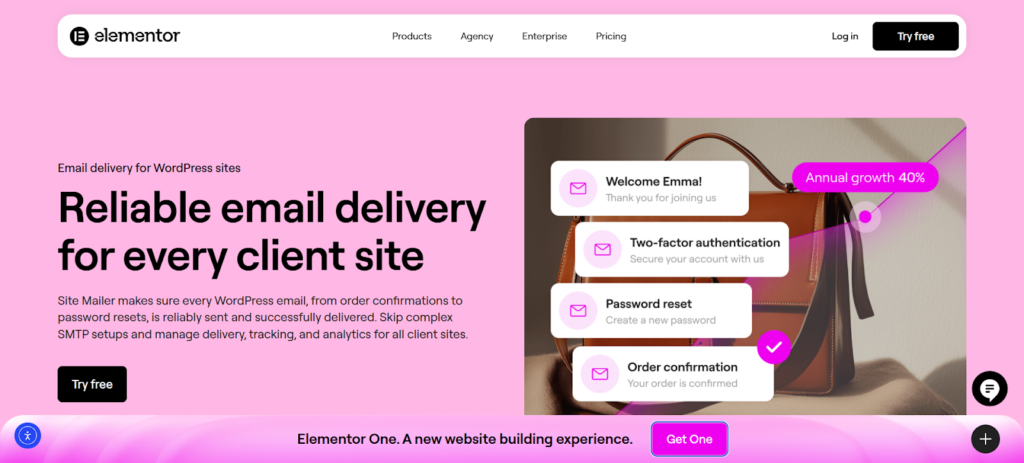
This is where a dedicated delivery solution becomes essential. To ensure that your client’s automated recovery emails—and other critical transactional messages like order confirmations—actually arrive, you need a robust tool designed for deliverability. This is why many professionals turn to Site Mailer, a plugin specifically built to handle the complex delivery requirements of WordPress sites without the technical headaches.
The Anatomy of a High-Converting Recovery Series
Before we discuss the technical setup, let’s look at what a successful recovery flow should look like. A typical abandoned cart flow consists of three messages, each with a distinct purpose.
Email 1: The Gentle Reminder (Sent within 1-3 hours) The first message should be helpful and customer-service-oriented. The goal isn’t to be pushy, but to remind the shopper of what they left behind and make it easy for them to return.
- Subject Line: “Did you forget something?” or “Your [Brand Name] cart”
- Content: Keep it simple. Show images of the products in their cart, and include a clear, prominent button that links directly back to their session.
Email 2: Creating Urgency (Sent within 24 hours) If the first email didn’t convert them, the second one can introduce a bit of urgency or address common hesitations.
- Subject Line: “Your items are selling fast!” or “Don’t miss out on your cart”
- Content: You can use language that suggests scarcity. This is also a great place to reinforce value by including customer testimonials or highlighting your return policy.
Email 3: The Final Offer (Sent within 48-72 hours) This is your last chance to win back the sale, and it’s often the right time to introduce an incentive.
- Subject Line: “A special offer just for you” or “Complete your order with 10% off”
- Content: Offer a small discount, free shipping, or a free gift. This can be the final push a price-sensitive shopper needs.
Ensuring Your Recovery Emails Actually Arrive with Site Mailer
Creating these emails in WooCommerce is step one, but ensuring they don’t disappear into the spam folder is step two. Using a WordPress-native toolkit simplifies this process, replacing complex SMTP configurations with a streamlined solution.
1. Reliable Delivery Without SMTP Headaches Traditional methods often require configuring external SMTP servers, dealing with ports, and managing API keys—a process that is fragile and easily broken. Site Mailer eliminates this complexity. It bypasses the default PHP mail function and routes your emails through a secure, optimized infrastructure designed for high deliverability.
2. Automatic Authentication for Trust Email providers are strict. If your domain isn’t authenticated properly, your recovery emails will likely be flagged as spam. Site Mailer automatically handles essential protocols like SPF, DKIM, and DMARC. This verifies your identity as a sender, dramatically increasing the chances that your “Come back to your cart!” email lands right in the primary inbox.
3. Real-Time Troubleshooting When a recovery email fails, you need to know why. Site Mailer provides a detailed dashboard where you can track the status of every email. If a message bounces or fails, you can see the specific error reason and, crucially, resend it with a single click. This visibility allows you to protect your client’s revenue by catching delivery issues before they result in lost sales.
Measuring Success and Optimizing Your Strategy
Launching your abandoned cart flow is a huge step, but it’s not the end of the journey. To truly maximize results for your clients, you need to monitor performance, understand what’s working, and continuously optimize your approach.
Key Metrics to Track
A major advantage of using a purpose-built delivery tool is the clarity it provides. You don’t have to guess if your system is working.
- Inbox Placement and Delivery Rates: This is the most critical technical metric. It tells you if your infrastructure is sound. High delivery rates mean your recovery strategy has a fighting chance.
- Open and Click-Through Rates: These metrics help you understand how engaging your content is. Low open rates might suggest you need to work on your subject lines, while low click-through rates could indicate a problem with your call-to-action.
- Revenue Attributed: Ultimately, your clients care about the bottom line. Tracking how many recovered carts translate into actual dollars helps you demonstrate the ROI of your services.
A/B Testing Your Recovery Campaigns
Data-driven optimization is key to long-term success. A/B testing allows you to test different versions of your messages against each other.
- Subject Lines: Try a straightforward subject line versus a more creative one.
- The Offer: Test different types of incentives. Does a percentage discount work better than free shipping?
- Timing: Experiment with the timing of your messages. Does sending the first email after 30 minutes perform better than sending it after an hour?
Other Tools That Complement Your Recovery Strategy
While a robust email delivery system is the backbone of your strategy, other tools can work alongside it to prevent abandonment and re-engage customers.
Exit-Intent Popups
Tools like SalesPop are designed to capture a visitor’s attention right before they leave the site. When a user’s cursor moves towards the back button or to close the tab, an exit-intent popup can appear with a special offer, a reminder, or a prompt to subscribe to the newsletter. This gives you one last chance to convert them before they’re gone.
Live Chat and Customer Support
Sometimes, a customer abandons their cart because they have an unanswered question. Integrating a live chat tool allows shoppers to get instant answers without leaving the site. Proactively engaging a customer who has been lingering on the checkout page can often be enough to resolve their issue and save the sale.
Personalization and Quiz Tools
Personalization can play a big role in keeping customers engaged. Tools like Octane AI use interactive quizzes to help shoppers find the perfect product for their needs. By guiding a customer to the right product from the start, you increase their confidence in their purchase and reduce the likelihood of cart abandonment due to uncertainty.
Conclusion: Turning Abandoned Carts into a Growth Opportunity
Cart abandonment isn’t just a problem to be solved; it’s a massive opportunity for growth. By tackling it with a comprehensive, two-phase approach, you can deliver incredible value to your clients.
First, prevent abandonment by building trust and streamlining the on-site experience. A transparent, secure, and user-friendly checkout process is the foundation. Then, ensure you can actively recover the sales that slip through by securing your email infrastructure.
For web creators, using a tool like Site Mailer ensures that the critical recovery emails your site generates actually reach the customer. By guaranteeing 95%+ inbox placement and eliminating technical setup headaches, you transform your client’s site from a leaky bucket into a reliable revenue-generating machine.






