This guide will walk you through the best practices for formatting emails in 2026. We’ll cover everything from layout and design to automation and analytics, giving you the tools to create emails that not only look great but also drive results for your clients.
Why Email Formatting Matters More Than Ever
In a competitive online world, grabbing and holding a customer’s attention is a real challenge. Think about your own inbox—it’s crowded, right? For your clients’ messages to stand out, they need to be clear, engaging, and easy to read on any device. Proper email format isn’t just about making things look pretty; it’s a core part of an effective communication strategy that builds trust and boosts sales.
Consider this: over 4.5 billion people use email worldwide, and 60% of consumers prefer it for receiving promotions and product news. Those numbers show just how much opportunity there is. When an email is formatted correctly, it guides the reader’s eye, makes the key message pop, and encourages them to take action. It transforms a simple message into a powerful tool for customer engagement.
For web creators, mastering email formatting allows you to offer more value to your clients. You can move beyond just building a website and provide ongoing marketing services that generate recurring revenue. By helping clients with their email campaigns, you build stronger, long-term relationships and become an indispensable part of their growth.
Key Goals of Effective Email Formatting
- Improve Readability: Make it easy for subscribers to scan and understand your message quickly.
- Boost Engagement: Encourage opens, clicks, and conversions with a clear, compelling design.
- Ensure Accessibility: Make sure everyone, including users with disabilities, can access your content.
- Maintain Brand Consistency: Reinforce the client’s brand identity with every send.
- Drive Action: Guide subscribers toward a specific goal, whether it’s making a purchase or reading a blog post.
The Foundation: Structuring Your Email for Success
Before you even think about colors and fonts, you need a solid structure. A well-organized email guides the reader smoothly from the subject line to the final call-to-action. Most effective marketing and transactional emails follow a simple, logical flow.
The Inverted Pyramid Model
A classic and effective structure is the “inverted pyramid.” It’s designed to capture attention immediately and then funnel it toward a single action.
- The Hook (Top): Start with a compelling headline and a brief, engaging introduction. This is your chance to grab the reader’s interest and make them want to learn more.
- The Body (Middle): Provide the essential details. Use short paragraphs, bullet points, and images to explain the “what” and “why” of your message. Keep it concise and focused on the main benefit for the reader.
- The Call-to-Action (Bottom): This is the single most important part of the pyramid. Your call-to-action (CTA) should be a clear, direct instruction that tells the reader exactly what to do next. Use a prominent button with action-oriented text.
This structure works because it respects the reader’s time. It delivers the most important information first and makes the desired action obvious.
Essential Components of Every Marketing Email
Every email you create should include a few key elements. Think of them as the building blocks of your message.
- Preheader Text: This is the short line of text that appears next to the subject line in most email clients. Use it to provide a compelling summary of your email’s content and entice subscribers to open it.
- Header: Your header should clearly display the company logo. This immediately tells the reader who the email is from and reinforces brand identity.
- Email Body: This is where your main message lives. Use a mix of text, images, and white space to create a visually appealing and easy-to-read layout.
- Call-to-Action (CTA): Your CTA should be impossible to miss. Use a contrasting color for your button and clear, concise text like “Shop Now” or “Learn More.”
- Footer: The footer is crucial for legal compliance and subscriber management. It must include:
- Your client’s physical mailing address.
- A clear and easy-to-find unsubscribe link.
- Links to social media profiles or other relevant pages.
For creators working within WordPress, ensuring these components are delivered reliably is critical. If the underlying delivery system fails, even the best-structured email won’t matter.
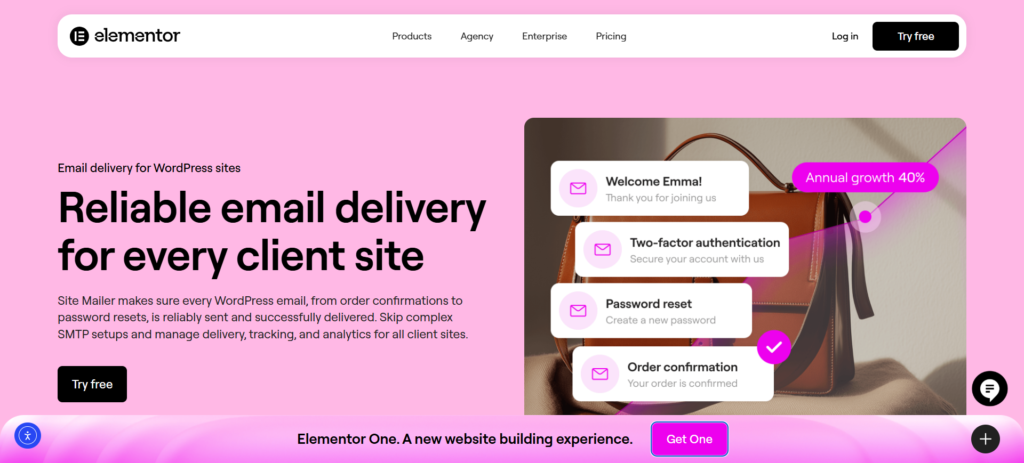
Site Mailer, for instance, serves as the backbone for this process. While you focus on the visual structure, it works in the background to ensure that every header, body, and footer reaches the inbox without getting flagged as spam. It bypasses complex SMTP setups, ensuring that your carefully structured emails—whether they are password resets or order confirmations—actually arrive as intended.
Design and Visuals: Creating an Engaging Experience
With a solid structure in place, you can now focus on the visual elements. Good design makes your email more attractive and helps communicate your message more effectively. The goal is to create a seamless experience that reflects your client’s brand.
Branding and Consistency
Your client’s emails should feel like a natural extension of their website and other marketing materials. Consistent branding builds recognition and trust.
- Logo Placement: Always include the brand’s logo in the header.
- Color Palette: Use the brand’s primary and secondary colors. This creates a cohesive look and reinforces brand identity. Use color strategically to draw attention to important elements like headings and CTAs.
- Typography: Stick to one or two easy-to-read fonts. Your font choices should align with the brand’s personality—whether it’s modern and clean or classic and elegant.
Layout and Spacing
A cluttered email is an unread email. Use a clean, simple layout that guides the reader’s eye down the page.
- Single-Column Layout: For mobile-friendliness, a single-column layout is almost always the best choice. It ensures your content stacks neatly on any screen size without forcing users to pinch and zoom.
- White Space: Don’t be afraid of empty space! White space (or negative space) gives your content room to breathe. It reduces clutter, improves readability, and makes your email feel more professional and organized.
- Visual Hierarchy: Use size, color, and placement to create a clear visual hierarchy. Your most important element (like the main headline or CTA) should be the most prominent. This tells the reader where to look first.
Images and Graphics
Visuals can make your emails more engaging and help break up long blocks of text. However, they need to be used thoughtfully.
- High-Quality Images: Use professional, high-resolution images that are relevant to your message. Blurry or generic stock photos can make your client’s brand look unprofessional. An Image Optimizer can help ensure your site assets are ready for distribution.
- Optimize for Web: Large image files can cause your email to load slowly, which is a major turn-off for subscribers. Always compress images to reduce their file size without sacrificing too much quality.
- Alt Text: Always include descriptive alt text for your images. This is important for two reasons:
- Accessibility: Screen readers use alt text to describe images to visually impaired subscribers. Tools specifically for web accessibility can help you audit this on the site level as well.
- Image Blocking: Many email clients block images by default. Alt text provides context even if the images don’t load.
- Text-to-Image Ratio: Avoid creating emails that are just one big image. This is a common tactic used by spammers, so it can trigger spam filters. A good rule of thumb is to maintain a balance of around 60% text to 40% images.
Creating visually appealing emails doesn’t have to be a complicated process, but ensuring they display correctly across different inboxes is vital. Site Mailer supports this by ensuring your HTML content is transmitted reliably. It works with your existing WordPress environment, so the visuals you design in your preferred plugins are delivered with the correct headers and authentication to prevent broken layouts caused by spam filters.
Content and Copywriting: Crafting a Message That Converts
Your email’s design might get someone’s attention, but it’s the words you use that will persuade them to act. Effective email copy is clear, concise, and customer-focused. It speaks directly to the reader’s needs and motivations.
Writing for Your Audience
Before you write a single word, think about who you’re talking to. What are their pain points? What are their goals? Your copy should resonate with them on a personal level.
- Use a Conversational Tone: Write as if you’re talking to a friend. Use contractions (like “you’re” and “it’s”) and a natural, approachable voice. This helps build a genuine connection with the reader.
- Focus on Benefits, Not Features: Instead of just listing what a product does (the features), explain how it helps the customer (the benefits). For example, instead of saying “Our boots are made with waterproof leather,” say “Keep your feet dry and comfortable in any weather.”
- Personalization: Go beyond just using the subscriber’s first name. Use data to personalize the content itself. You can show them products related to their past purchases or send them content based on their interests. This makes the email feel more relevant and valuable. If you need help generating ideas, Angie AI or similar AI products can assist in drafting copy variations.
Crafting Compelling Copy
Every word in your email should have a purpose. Keep your sentences and paragraphs short to make your message easy to digest, especially on mobile devices.
- Subject Lines and Preheaders: Your subject line is your first impression. Make it count. It should be intriguing, clear, and create a sense of curiosity or urgency. The preheader should complement it by providing a little more detail.
- Headlines and Subheadings: Use clear, benefit-driven headlines to break up your text. This helps readers scan your email and quickly grasp the main points.
- The Call-to-Action (CTA): Your CTA copy should be direct and action-oriented. Instead of “Click Here,” use more specific phrases like “Get Your Free Guide” or “Shop the Sale.” The text should clearly communicate what will happen when the user clicks the button.
A/B Testing Your Content
How do you know which subject line or CTA will perform best? You test it! A/B testing involves sending two variations of your email to a small portion of your audience to see which one gets better results.
You can test:
- Subject lines
- CTA button text and color
- Headlines
- Images
- Email length
Once you have a winner, you can send that version to the rest of your list. This data-driven approach helps you continuously improve your email performance over time. Many modern communication platforms include analytics to support this.
Site Mailer, for example, provides crucial insights that help with this testing. With its built-in dashboard, you can track open rates and view detailed logs. This data allows you and your clients to see which subject lines are actually triggering opens, helping you refine your copy strategy based on real delivery performance.
Automation: Scaling Communication with Workflows
As your client’s business grows, manually sending every email becomes impossible. This is where marketing automation comes in. Automation allows you to send timely, personalized messages to subscribers based on their actions (or inaction). It’s a powerful way to nurture relationships and drive sales without constant manual effort.
What is Marketing Automation?
Marketing automation uses “workflows” or “flows” to trigger emails automatically. A workflow is a pre-defined series of steps. For example, when a user subscribes to a newsletter, it can trigger a “Welcome Series” workflow that sends them a sequence of emails over a few days.
These automated campaigns are highly effective because they are timely and relevant. They engage customers at key moments in their journey, delivering the right message at the right time.
Essential Automation Workflows for eCommerce
For any WooCommerce store, there are a few foundational automation flows that can have a huge impact on revenue and customer retention. Whether you are using specialized eCommerce hosting or a standard setup, these flows are critical.
1. The Welcome Series This is often the first direct communication a new subscriber receives. It’s your chance to make a great first impression, introduce the brand, and set expectations.
- Email 1 (Immediate): Welcome them and deliver any promised incentive (like a discount code).
- Email 2 (Day 2): Introduce the brand’s story and what makes it unique.
- Email 3 (Day 4): Showcase best-selling products or highlight customer reviews to build social proof.
2. The Abandoned Cart Flow Cart abandonment is a major challenge in eCommerce. An automated email can recover a significant portion of these potentially lost sales.
- Email 1 (1-4 hours after abandonment): A gentle reminder. “Did you forget something?” Include a picture of the item(s) in their cart and a clear link to complete their purchase.
- Email 2 (24 hours after): Create a sense of urgency. “Your items are selling fast!” You might consider offering a small discount to encourage them to complete the purchase.
- Email 3 (48-72 hours after): A final attempt. This is a good place to offer a slightly larger incentive or ask for feedback on why they didn’t complete the purchase.
3. The Post-Purchase Follow-up The conversation shouldn’t end after a customer makes a purchase. A post-purchase flow helps build loyalty and encourages repeat business.
- Email 1 (Immediate): Order confirmation and thank you message.
- Email 2 (When the order ships): Shipping confirmation with tracking information.
- Email 3 (A week after delivery): Ask for a product review. This is a great way to collect user-generated content, which is incredibly valuable for building trust. In fact, 93% of consumers say reviews influence their purchasing decisions.
4. The Re-engagement Campaign Over time, some subscribers may become inactive. A re-engagement or “win-back” campaign can reactivate their interest.
- Email 1: A simple “We miss you” message with a compelling offer to come back.
- Email 2: Remind them of the value your brand offers. Highlight new products or popular content.
- Email 3: A final chance. Let them know you’ll be removing them from the list if they don’t engage. This helps keep your list clean and improves your deliverability.
Setting up these flows is only half the battle; ensuring they are delivered is the other. This is where a reliable delivery engine shines.
Site Mailer is designed to ensure that these critical transactional and automated emails—like abandoned cart reminders and order confirmations—aren’t lost in transit. Because it integrates seamlessly with WordPress, it acts as the delivery guarantee for your WooCommerce flows, replacing unreliable PHP mail functions with a secure, authenticated pipeline.
Technical Considerations and Best Practices
A beautifully designed email is useless if it never reaches the inbox. Several technical factors influence whether your emails get delivered and how they appear to subscribers. As a web creator, understanding these details can help you troubleshoot issues and ensure your clients’ campaigns are successful.
Responsive Design is Non-Negotiable
More than half of all emails are opened on a mobile device. If your email isn’t optimized for mobile, you’re providing a poor experience for a majority of your audience.
- Single-Column Layouts: As mentioned earlier, these are the gold standard for responsive design. They reflow easily on any screen size.
- Large Fonts and Buttons: Text should be large enough to read comfortably on a small screen (at least 16px for body text). CTA buttons should be big enough to be easily tapped with a thumb.
- Test, Test, Test: Before sending any campaign, test it on multiple devices and email clients (like Gmail, Apple Mail, and Outlook). Different clients can render HTML emails differently, so testing is crucial to ensure a consistent experience.
Email Deliverability
Deliverability is the measure of how many of your emails actually land in the inbox versus the spam folder or being blocked entirely. Several factors influence it:
- Sender Reputation: Internet Service Providers (ISPs) track the reputation of sending domains and IP addresses. A good reputation is built by sending emails that people want to receive. High open rates and low bounce and complaint rates are key. If you are setting up a new domain, establishing this reputation early is vital.
- List Hygiene: Regularly clean your email list by removing inactive subscribers and invalid addresses. Sending to a clean list signals to ISPs that you’re a responsible sender.
- Authentication: Set up email authentication protocols like SPF (Sender Policy Framework), DKIM (DomainKeys Identified Mail), and DMARC (Domain-based Message Authentication, Reporting & Conformance). These help prove to ISPs that you are who you say you are, which is a major factor in avoiding the spam folder.
- Accessibility: Email accessibility means designing your emails so that people with disabilities can perceive, understand, navigate, and interact with them. It’s not just the right thing to do; it also expands your potential audience.
Managing Technical Complexity
Managing these technical details can feel complex, especially when dealing with third-party platforms that require complicated integrations. A solution built for WordPress can handle many of these challenges behind the scenes.
Site Mailer is built specifically to solve the “deliverability” puzzle for WordPress users. It automatically handles the complex authentication protocols (SPF, DKIM, DMARC) for you, ensuring your emails pass spam filters without requiring you to become a server administrator. It eliminates the friction of managing external APIs or SMTP plugins, providing a robust infrastructure that works out of the box—whether you are on a free download of WordPress or a premium managed hosting environment.
Measuring Success: Key Metrics and Analytics
You can’t improve what you don’t measure. Tracking the right metrics is essential for understanding what’s working, what’s not, and how to improve your client’s email marketing strategy. Clear analytics also make it easy to demonstrate the value of your work and the ROI of their campaigns.
Key Email Marketing Metrics to Track
While there are many data points you can look at, a few key metrics will give you the best insight into your performance.
- Open Rate: The percentage of subscribers who opened your email. A high open rate suggests your subject lines are compelling and your sender name is trusted.
- Click-Through Rate (CTR): The percentage of subscribers who clicked on at least one link in your email. CTR is a strong indicator of engagement and shows that your message and CTA are resonating with your audience.
- Conversion Rate: The percentage of subscribers who completed the desired action (like making a purchase) after clicking a link in your email. This is the ultimate measure of your email’s effectiveness and directly ties your efforts to revenue.
- Unsubscribe Rate: The percentage of subscribers who unsubscribed after receiving your email. A high unsubscribe rate might indicate that your content isn’t relevant or you’re sending emails too frequently.
- Bounce Rate: The percentage of emails that couldn’t be delivered.
- Hard Bounces: These are permanent delivery failures due to an invalid or non-existent email address. These addresses should be removed from your list immediately.
- Soft Bounces: These are temporary failures, often due to a full inbox or a server issue. Most email service providers will try to resend these emails.
Tying It All Back to ROI
For your clients, the most important metric is Return on Investment (ROI). They want to know that the money they’re spending on email marketing is generating more money in return. You can calculate email marketing ROI with a simple formula:
$$ROI = \frac{Total Revenue from Email – Total Cost of Email}{Total Cost of Email} \times 100$$
To do this, you need a system that offers visibility. This is another area where an integrated solution provides a clear advantage.
Site Mailer offers a centralized dashboard where you can track delivery statuses, open rates, and failure reasons in real-time. It enables you to instantly identify why an email failed and resend it with a single click. This level of transparency is essential for proving the reliability of your service to clients and ensuring that their critical communications—and potential revenue—aren’t disappearing into the void.
Conclusion: Empowering Clients with Effective Email
Mastering email formatting is about much more than design. It’s about creating a clear, compelling, and effective communication channel that helps your clients build relationships and grow their business. By focusing on structure, design, content, and automation, you can create email campaigns that deliver real, measurable results.
For web creators, this represents a massive opportunity. By ensuring the entire email ecosystem—from design to delivery—is optimized, you can build long-term, value-driven partnerships with your clients. You become an essential part of their success, creating a stable source of recurring revenue for your own business.
The key is to use tools that simplify the process and fit seamlessly into your existing workflow. An AI Site Planner might help you structure the site, the Elementor Library can help you design it, and Elementor Pro can help you build it. To complete the circle, a solution like Site Mailer empowers you to guarantee the delivery of every critical message. By leveraging a reliable, no-hassle delivery plugin, you can ensure that the beautiful emails you format actually reach the customer, helping your clients thrive.






