
If you use Elementor to build your website, you already know how easy it is to design beautiful pages. But design alone isn’t enough, your content also needs to be search engine friendly. That’s where Rank Math’s Content AI steps in.
Together, Elementor and Rank Math make it simple to create, write, and optimize your pages, all without leaving the editor.
In this guide, we’ll discuss how Rank Math’s Content AI works inside Elementor and how you can use it to make your content stand out in search results.
Why Combine Elementor and Rank Math?
Elementor gives you complete creative control over your page layout and design. However, most SEO plugins require you to switch back to the default WordPress editor to optimize your content. This constant switching breaks your workflow and slows you down.
Rank Math SEO changes that. It integrates directly with Elementor, so you can handle all your SEO settings, meta titles, descriptions, Schema markup, focus keywords, and more, right inside the same editor.
With Rank Math inside Elementor, you can:
- Write and edit SEO-friendly titles and descriptions
- Add Schema (structured data) for products, recipes, articles, and other content types
- Set canonical URLs and index settings
- Preview how your page will appear on Google and social media
- And more.
This integration saves time and ensures your design and SEO efforts work together easily.
What is Rank Math’s Content AI?
Content AI is an intelligent writing assistant built into Rank Math. It helps you research keywords, generate content ideas, and even write optimized copy directly within Elementor.
You don’t need to switch tabs or open other tools, everything happens in one place.
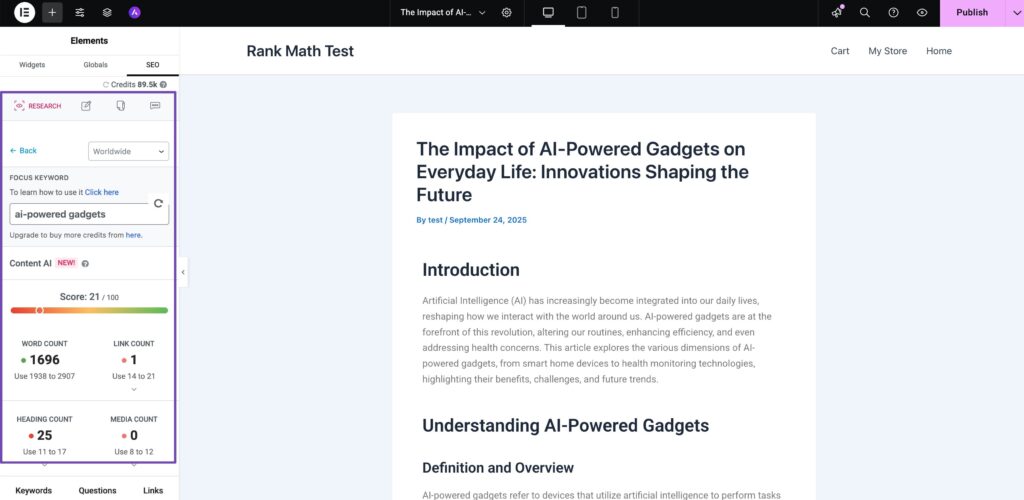
Rank Math’s Content AI provides four main features inside Elementor:
- Research View: Find useful data about your focus keyword, including keyword suggestions, questions, and related topics.
- Write View: Generate paragraphs, headings, or summaries using AI. You can guide it with short prompts.
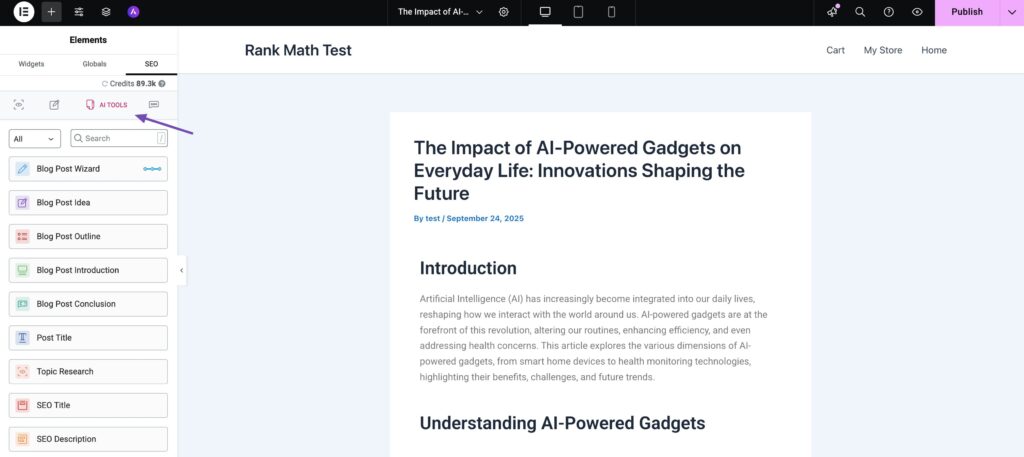
- AI Tools View: Access over 40 content tools to create headlines, FAQs, meta descriptions, or outlines.
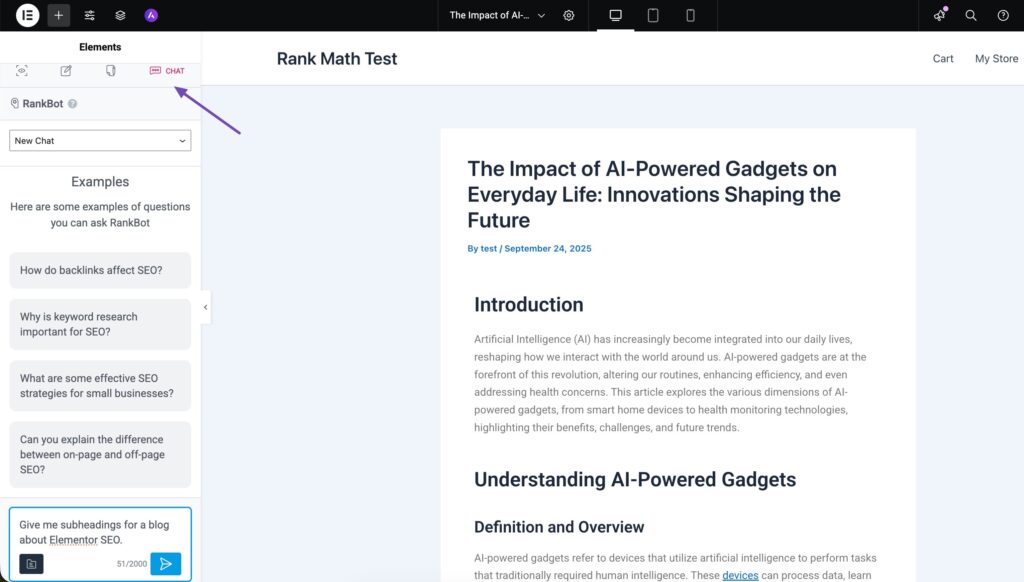
- Chat View: Ask the AI questions about your topic, request rewrites, or get ideas for improving your content.
These tools are especially helpful when you’re creating content blocks or landing pages in Elementor and want to stay within your creative flow.
How to Use Content AI in Elementor
Here’s how you can start using Rank Math’s Content AI inside Elementor:
In your WordPress dashboard, go to Rank Math SEO → Dashboard → Modules. Enable the Content AI module.

Choose any page or post and click Edit with Elementor. In the Elementor sidebar, look for the SEO tab. Here, you’ll find your meta title, description, and keyword settings.
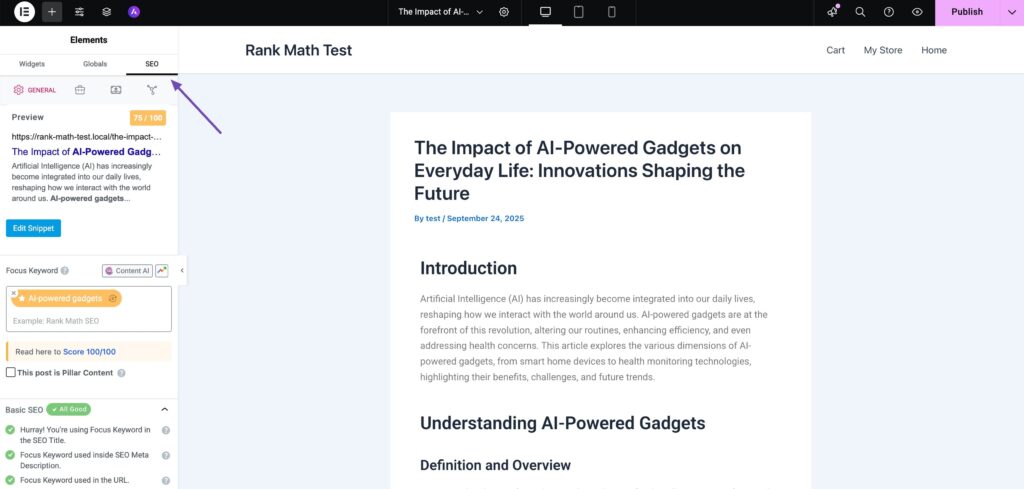
Click the Content AI icon next to the Focus Keyword, as shown below.

The Content AI panel will open inside the Elementor interface. Switch between Research, Write, AI Tools, and Chat views based on your task.
Practical Ways to Use Content AI in Elementor
Here are some simple and effective ways to make the most of Rank Math’s Content AI inside Elementor:
Plan Your Page with the Research View Before you start designing, use the Research view to explore your main keyword. The AI will show you related keywords, common questions, and subtopics.
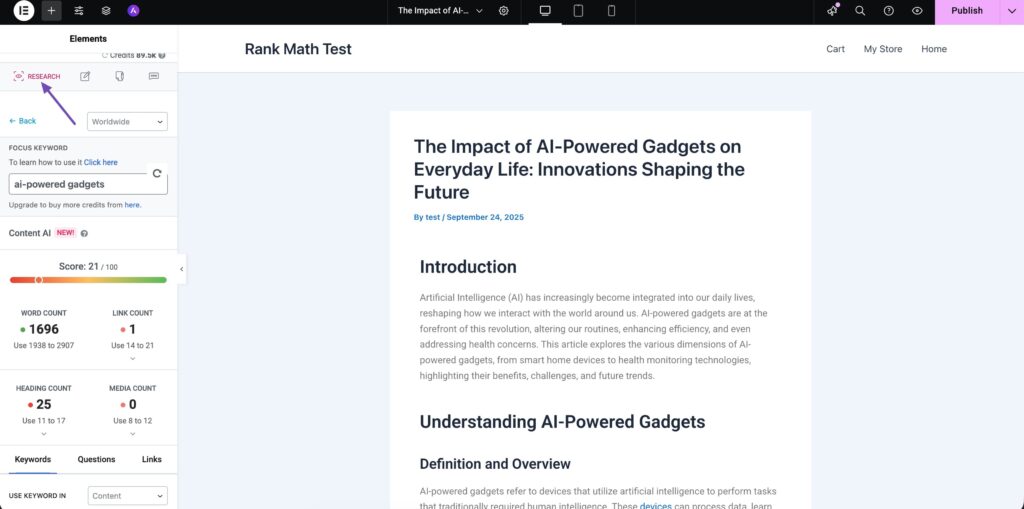
This helps you structure your page logically and include all the important topics users are searching for.
Write Smarter with the Write View
When you’re stuck writing a headline or intro, open the Write view. Give the AI a short prompt like “Write an introduction about why SEO is important for Elementor websites,” and click on Generate, as shown below.
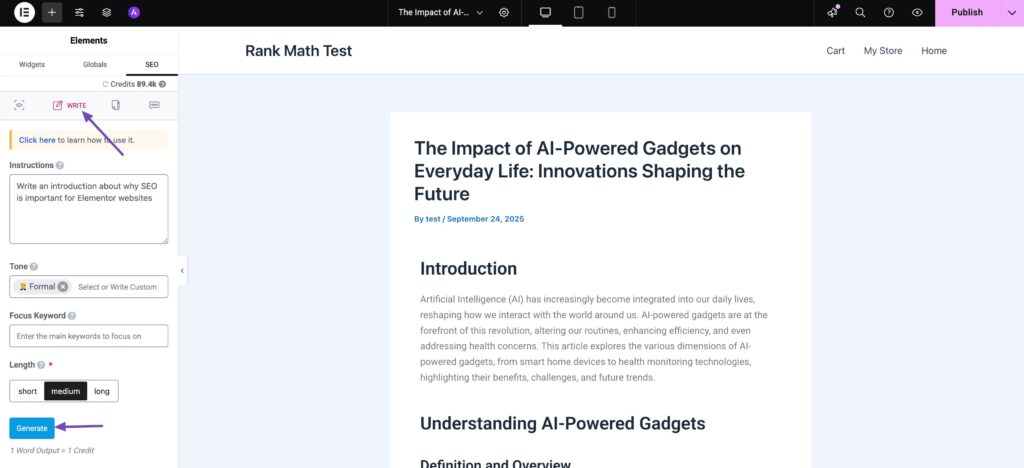
Rank Math’s AI will generate the content which you can refine further.

Use AI Tools for Quick Tasks
Need a meta description, catchy headline, or FAQ section? The 40+ AI Tools view has ready made tools for these tasks. You can generate optimized snippets in seconds and paste them directly into your page.
Get Instant Help from the Chat View
If you need suggestions, ask the AI in the Chat view, for example:
- “Give me subheadings for a blog about Elementor SEO.”
- “Rewrite this paragraph to sound more natural.”
This makes editing and improving your content faster and easier.
Tips for Better Results
To get the most out of Rank Math’s Content AI in Elementor, keep these simple tips in mind:
- Use AI as an assistant, not a replacement. Always review and edit the generated content for accuracy and tone.
- Focus on user intent. Write for people first, then refine for SEO.
- Add visuals and structure. Elementor makes it easy to include images, columns, and headings, all of which improve readability.
Final Thoughts
Using Rank Math’s Content AI with Elementor is one of the easiest ways to simplify your SEO workflow. You can research, write, and optimize without switching tools, all inside a visual builder you already love.
This integration helps you stay creative and productive while ensuring your content ranks well.
With Elementor and Rank Math working together, SEO doesn’t have to feel complicated, it becomes part of your design process.






