New Update your billing address

Last Update: January 12, 2026

This post has been translated using machine translation, which may result in minor inaccuracies or differences in wording compared to the original. We apologize for any errors or ambiguities. Please feel free to contact us if we can clarify anything for you.

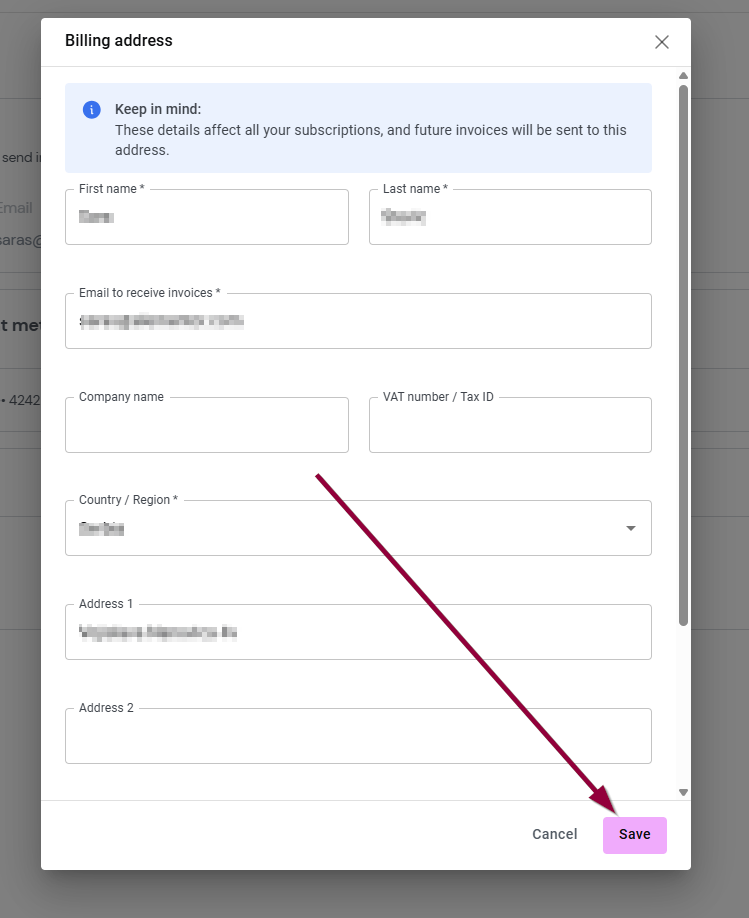
Your billing address is used to generate your invoices and therefore it’s important to keep it up-to-date.

View and edit your billing address

Note
Each user can have only one billing address.

To view and edit your billing address:

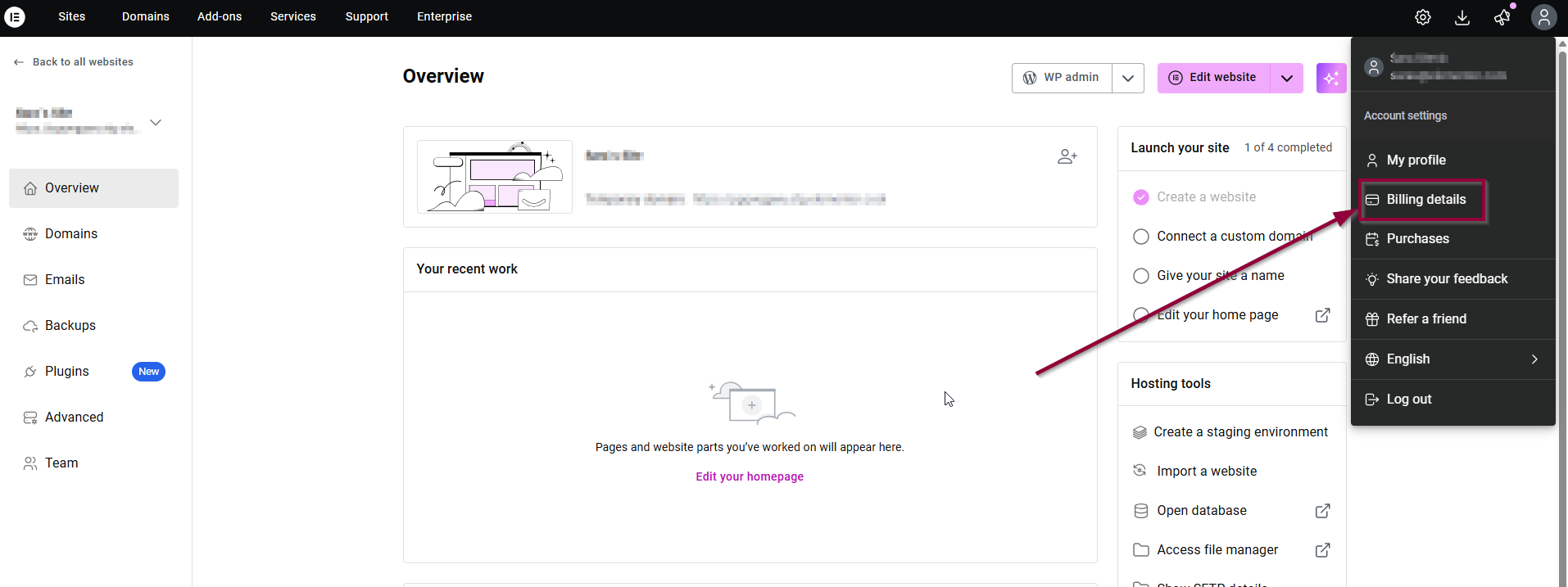
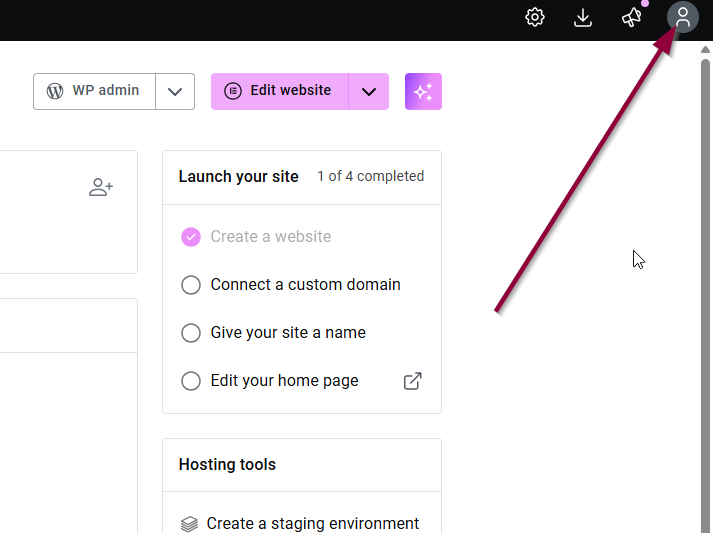
  1. Go to your My Elementor dashboard and click on your Account icon profile
  2. Then, click on Billing details.
    billing details
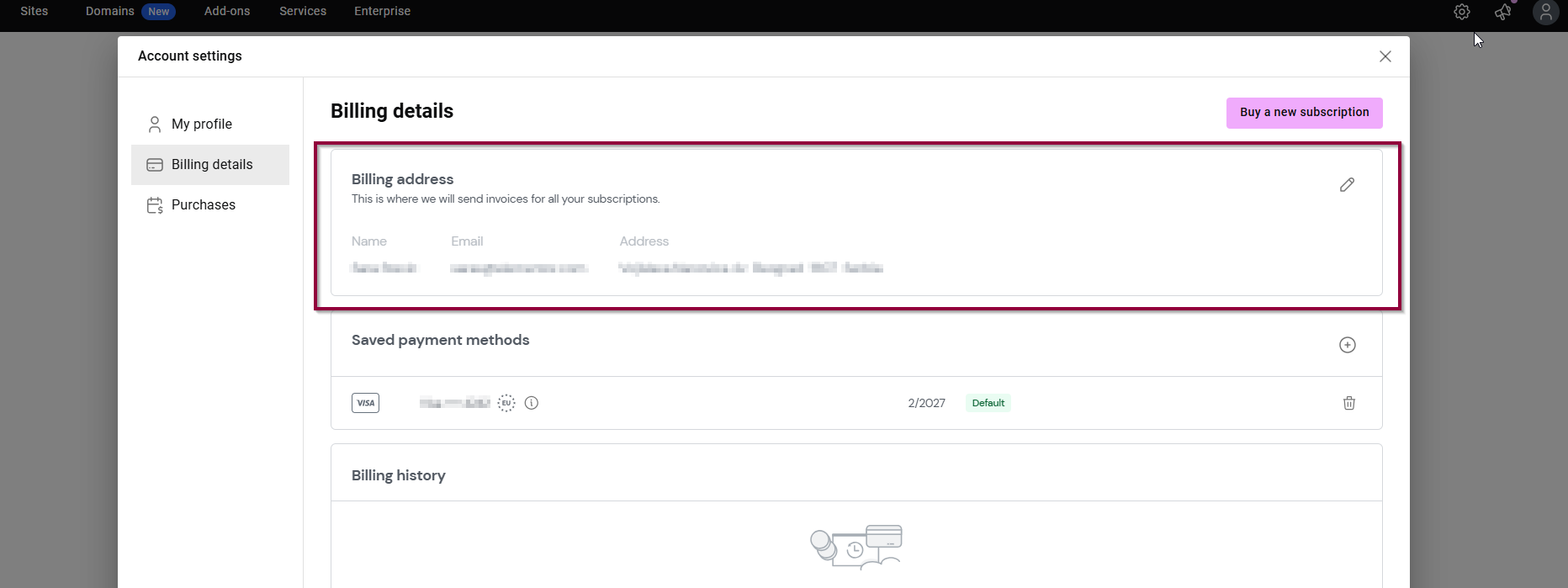
  3. Your billing address will appear.billing address

To edit your billing address:

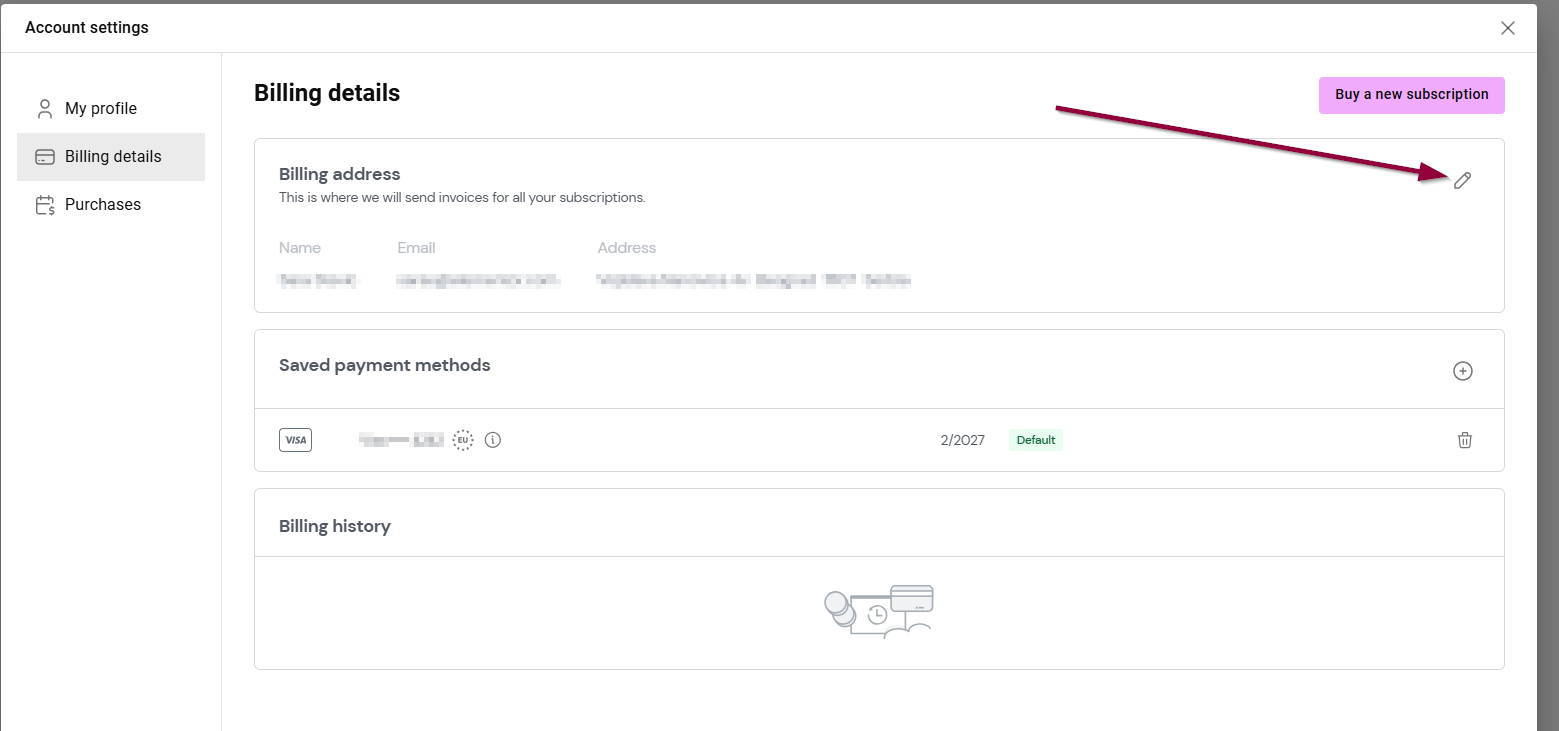
  1. Click the pencil icon aRP3LuuRtkM98Uyf Cq9gLAbvnHY2CH q6XwV29ZANWKRLb gNJ Twa3JHNkHUqmPIYkWj2AUhBeQ5oJnhewUDhACvHM4o4c6FI3BbeIzVAI6Xb5A8PlzLxEp58Y6xsBV4BV9K Aw Update your billing information 31.billing penciladdress popup
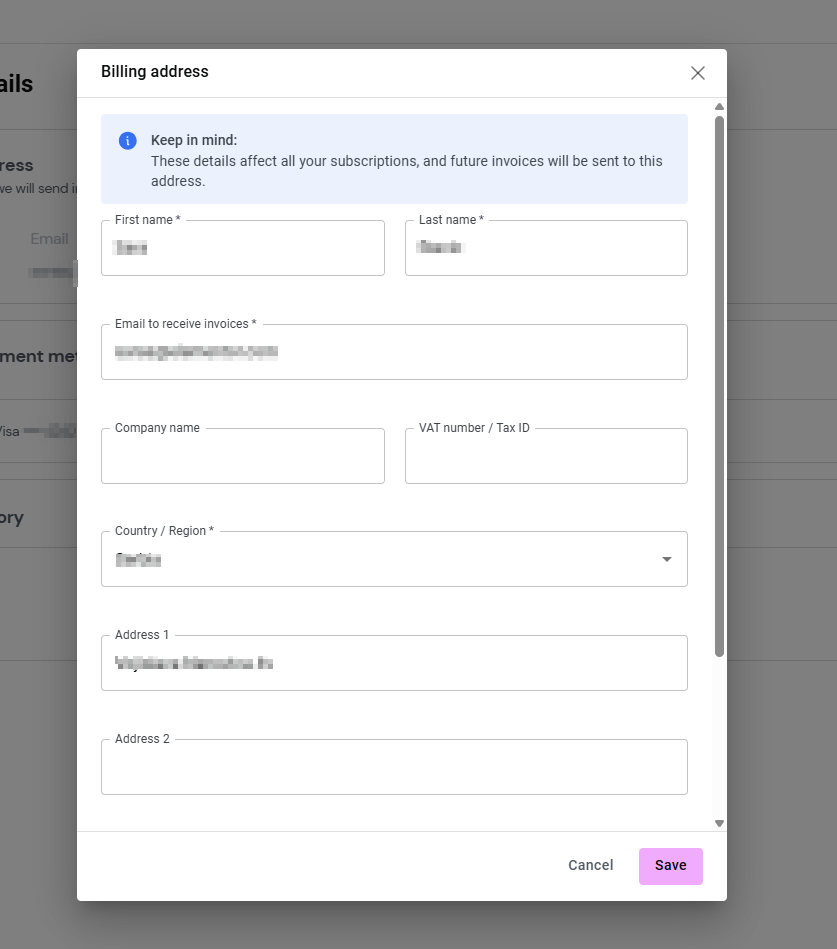
  2. Fill in the new address and click Save.address save
On this page

Share this article

Hosted with