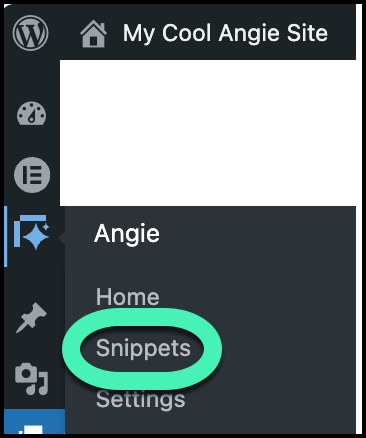
To manage your Angie code snippets, navigate to Angie > Snippets in your WordPress Admin dashboard. Within the Code Snippet Library, you can push snippets to production by clicking Publish to Live, use the Toggle Switch to deactivate snippets for troubleshooting, or select Edit or Trash to modify or remove your custom code.
How do I access the Angie Code Snippet library?
To access the code snippet library:
- From WP Admin, navigate to Angie>Snippets.
How can I publish a code snippet to my live site?
- Navigate to the Code Snippet Library.
Unpublished code snippets will have a Publish to Live button. - Click Publish to Live.
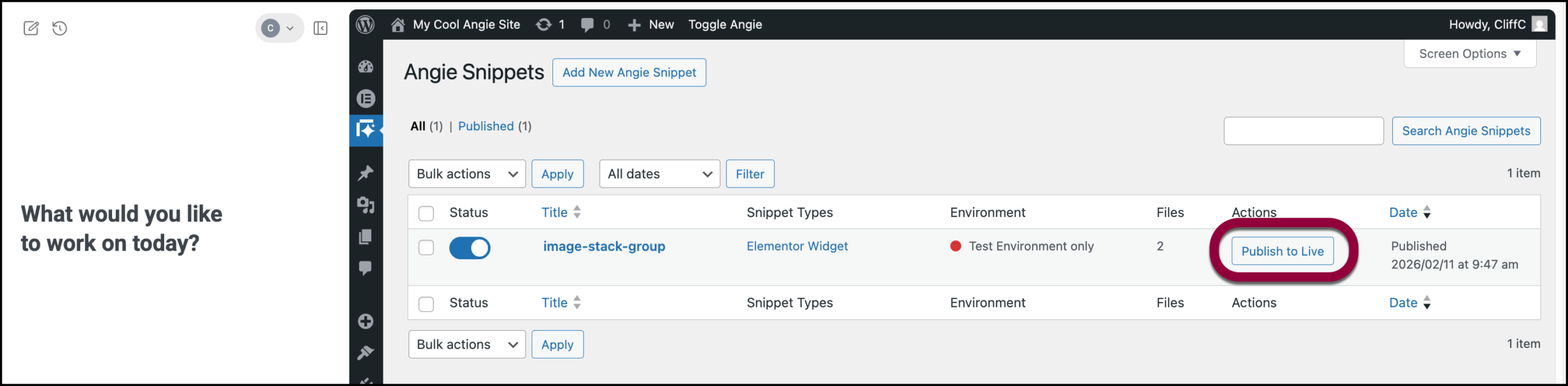
- Confirm your choice.

The snippet is incorporated in your published site.
Deactivate a code snippet
If you suspect a snippet is causing issues with your site, you can deactivate it to test the site without the snippet.
- Navigate to the Code Snippet Library.
- Toggle the switch to the left of the code snippet’s name to deactivate it.
- You can reactivate the snippet by toggling it back on.
What is the process for deactivating a snippet?
- Navigate to the Code Snippet Library.
- Hover over the snippet you would like to edit and click Edit.
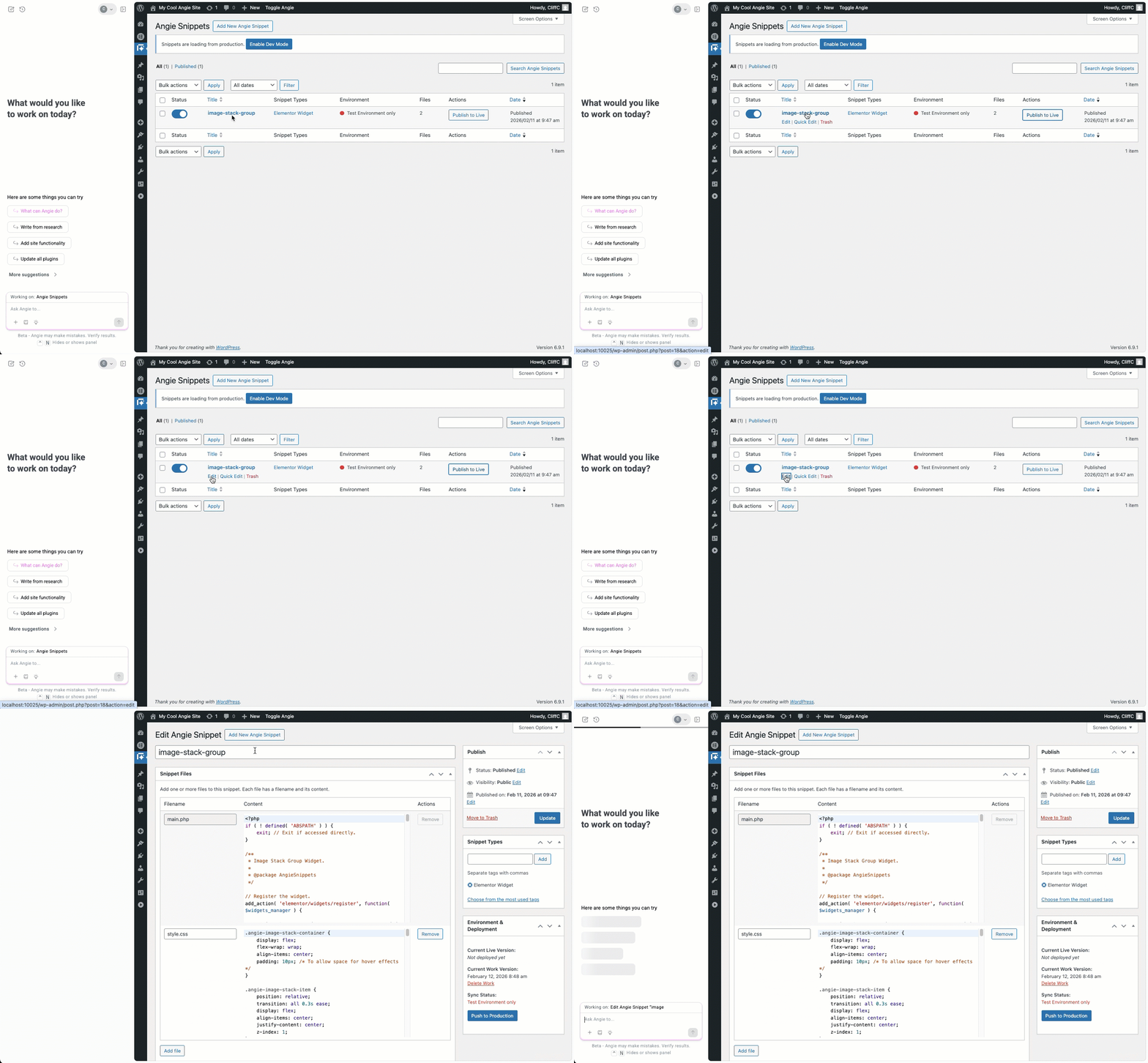 TipYou can use Angie to help edit your code snippets.
How do I edit or delete existing code snippets?
- Navigate to the Code Snippet Library.
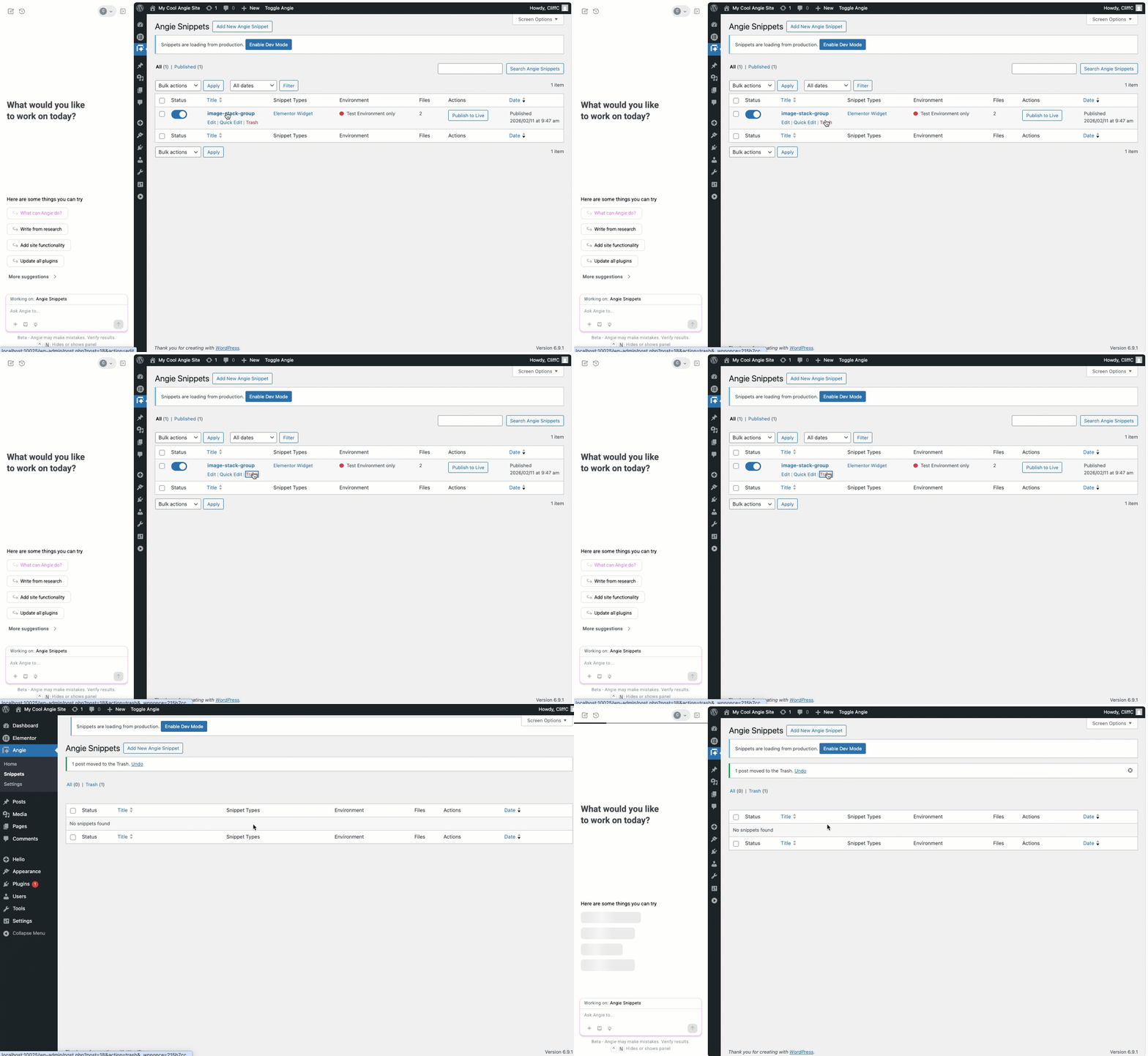
- Hover over the snippet you would like to edit and click Trash.
What are the key features of the Snippet Library?
The interface is designed for rapid management and includes:
- Snippet Types: Identifies if the code is an Elementor Widget or other functional type.
- Environment Status: Shows if a snippet is currently limited to the Test Environment.
- Bulk Actions: Allows you to apply changes to multiple snippets simultaneously using the Apply button.
- Search Bar: Quickly find specific code blocks by name using the Search Angie Snippets field.

