For most brands, what follows is a generic, automated order confirmation. It’s a missed opportunity of massive proportions. The post-purchase “thank you” email is one of the most powerful touchpoints in the entire customer journey. This article provides five actionable templates to transform that forgotten email into a powerhouse for customer retention and brand loyalty.
Why Your Client’s “Thank You” Email is More Than Just a Receipt
Before we dive into the templates, it’s crucial to understand why this single email holds so much potential. In a crowded eCommerce landscape, the small details are what separate successful brands from the rest. The thank you email isn’t just a courtesy; it’s a strategic tool for growth.
The Psychology of “Thank You”: Capitalizing on Post-Purchase Excitement
Think about the moment right after a customer makes a purchase. They are at their peak level of engagement and excitement. They’ve just committed to your client’s brand and are eagerly awaiting their new product. This “post-purchase high” means they are highly receptive to messages from the company.
How receptive? Transactional emails, like order confirmations, have some of the highest open rates of any email category, often exceeding 60%. Shoppers want to open these emails for reassurance that their order went through. This gives you a nearly guaranteed audience at a time when their positive feelings toward the brand are at their strongest. A generic receipt fulfills a function, but a thoughtful thank-you email capitalizes on this emotion.
Shifting from Transactional to Relational
A standard order confirmation is purely transactional. It says, “Here are the details of your purchase.” It’s cold, robotic, and does nothing to further the customer relationship.
A strategic thank you email, on the other hand, is relational. It shifts the conversation from a one-time sale to the beginning of a long-term connection. It says, “Thank you for trusting us. We’re excited for you to receive your product, and we’re here to help you get the most out of it. Welcome to our community.” This simple shift in tone makes the customer feel valued and seen, which is the first step toward building genuine loyalty.
The Business Case: How Great Thank You Emails Drive Real ROI
Elevating the thank you email isn’t just about making customers feel good; it delivers tangible business results that you can show directly to your clients.
- Increased Customer Lifetime Value (LTV): A happy customer is a repeat customer. A positive post-purchase experience encourages shoppers to come back. Since repeat customers often spend more over time than new ones, a strong retention strategy is key to sustainable growth.
- Reduced Buyer’s Remorse: Immediately after a significant purchase, some customers experience “buyer’s remorse,” a feeling of regret or anxiety. A warm, reassuring thank you email that reinforces the value of their purchase can immediately put these fears to rest.
- Word-of-Mouth Marketing: Customers who have an exceptional experience are more likely to tell their friends about it. The thank you email is your first and best chance to create that memorable moment that gets people talking.
- Driving a Second Purchase: With the right strategy, your thank you email can directly lead to another sale by recommending a complementary product or offering a small discount on a future order.
In short, this single email is a low-cost, high-impact tool for turning one-time buyers into loyal brand advocates.
The Building Blocks of an Unforgettable Thank You Email
Before building your templates, you need to know the core ingredients. A great thank you email balances confirmation with connection. It delivers the necessary information while also providing a dose of brand personality and a clear next step for the customer.
Essential Components Checklist
Every thank you email you create should include these key elements:
- A Clear and Engaging Subject Line: It should be instantly recognizable as an order confirmation but can also include a touch of brand personality (e.g., “Your [Brand Name] Order is Confirmed!” or “Thanks for Your Order! Good Things Are on The Way”).
- Genuine Personalization: At a minimum, use the customer’s first name. This is a simple step that makes the email feel personal rather than automated.
- A Sincere Expression of Gratitude: The words “Thank You” should be front and center. It sounds obvious, but many brands bury their appreciation in a wall of text.
- Key Order Details: The email still needs to function as a confirmation. Clearly display the order number, items purchased, total cost, and shipping address. Presenting this information in a clean, easy-to-read format is key.
- What to Expect Next: Manage expectations by clearly outlining the next steps. Let the customer know when their order will ship and provide an estimated delivery window. This reduces anxiety and cuts down on “Where is my order?” support inquiries.
- A Path for Deeper Engagement: This is where the magic happens. Every thank you email should have a clear call-to-action (CTA) that invites the customer to engage further with the brand. This could be anything from following on social media to reading a helpful blog post.
The Foundation: Why Delivery Infrastructure Matters
You can write the perfect thank-you email, design a beautiful template, and set up the logic perfectly. But none of that matters if the email never reaches the customer.
This is a critical oversight for many web creators. Default WordPress emails rely on the PHP mail() function, which is notoriously unreliable. It lacks authentication, often fails spam filters, and can be blocked by hosting providers. If your beautifully crafted thank-you email ends up in the spam folder (or is never delivered at all), the customer experience is broken before it even begins.
This is why Site Mailer is the essential companion to your email strategy. Designed specifically for WordPress, it replaces unreliable delivery methods with a secure, dedicated infrastructure that ensures your emails land where they belong: the inbox.
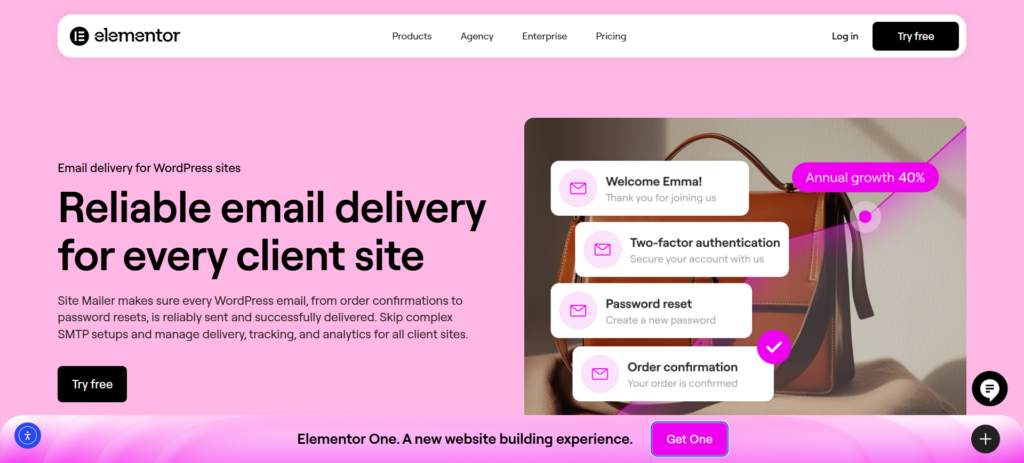
Here is how Site Mailer safeguards your client relationships:
- Effortless Reliability: It bypasses the unreliable default methods and routes mail through a secure, dedicated infrastructure. This setup works out of the box with a simple wizard—no complex SMTP servers or ports required.
- Instant Authentication: It automatically handles SPF, DKIM, and DMARC protocols. This technical validation is crucial for ensuring your client’s domain is trusted by major inbox providers like Gmail and Outlook.
- Total Visibility: Unlike default WordPress, which offers no logs, Site Mailer provides a comprehensive dashboard. You can see exactly what happened to every email, track open rates, and troubleshoot issues instantly.
By using Site Mailer, you ensure that the templates below actually land in the inbox where they can drive loyalty.
5 Powerful Thank You Email Templates to Boost Customer Loyalty
Now, let’s get to the email templates. Each of these examples serves a different strategic goal and relies on a solid delivery infrastructure to be effective.
Template #1: The Community Builder
When to Use This Template: This is perfect for brands with a strong social media presence or an active online community (like a Facebook group or Discord server). The goal is to immediately channel the customer’s post-purchase excitement into a long-term connection.
Why It Works: It makes the customer feel like they’ve joined a club, not just bought a product. It extends the relationship beyond the transaction and gives the customer a place to connect with other fans of the brand, which deepens their loyalty.
The Template:
- Subject: Welcome to the family, [Customer Name]! Your order is confirmed.
- Body: Hi [Customer Name],
Thank you so much for your order! We’re so excited for you to receive your new [Product Name(s)] and we know you’re going to love them. We’ve received your order and are getting it ready for shipment right now.
But your experience with [Brand Name] doesn’t stop here. You’re now part of a community of [adjective, e.g., passionate, creative, adventurous] people just like you.
The best place to connect with us and other fans is on our social channels. You’ll get access to exclusive content, new product announcements, and special promotions.
[Button: Follow Us on Instagram] [Button: Join Our Facebook Group]
We can’t wait to see you there! In the meantime, you can view your order details below.
Thanks again, The [Brand Name] Team
[Include clean, simple order confirmation details here]
Implementation Tip: First impressions are fragile. If this “Welcome” email lands in spam, the new customer immediately loses trust. Use Site Mailer to verify your domain authentication (DKIM/SPF) so that inbox providers recognize this email as legitimate, ensuring your community invitation is seen.
Template #2: The Content Cross-Sell
When to Use This Template: This is ideal for brands that sell products requiring some instruction or inspiration. Think complex skincare routines, cooking ingredients, or craft supplies. The goal is to add value and establish the brand as a helpful expert.
Why It Works: Instead of pushing another product, you’re offering free, valuable information. This builds trust and authority. It helps the customer get more value from their purchase, increasing their satisfaction and making them more likely to buy again in the future.
The Template:
- Subject: Thanks for your order, [Customer Name]! Here’s how to get started.
- Body: Hi [Customer Name],
Thank you for your recent order from [Brand Name]! We’re carefully packing your items and will notify you as soon as they ship.
We want to make sure you have the best possible experience with your new [Product Name]. That’s why we’ve put together a guide on how to get the most out of it. Whether you’re a beginner or a pro, you’ll find some helpful tips inside.
[Button: Read The Ultimate Guide to Your [Product Name]]
We believe that [statement about brand philosophy, e.g., “the best meals start with the best ingredients”], and we’re here to help you every step of the way.
You can check your order details below while you wait for your package to arrive.
Best, The [Brand Name] Team
[Include clean, simple order confirmation details here]
Implementation Tip: Educational content only adds value if it’s consumed. Use the Site Mailer dashboard to monitor open rates for this specific email type. If open rates are low, check the delivery logs to ensure the email isn’t being filtered due to image-heavy content or links.
Template #3: The Feedback Seeker
When to Use This Template: This should be sent a few days after the initial order confirmation but before the product has been delivered. The goal is to gather feedback on the shopping experience itself, showing that you care about the entire customer journey.
Why It Works: It shows the customer that their opinion matters, making them feel heard. It also provides your client with invaluable, real-time feedback about their website and checkout process that they can use to make improvements.
The Template:
- Subject: A quick question about your experience with us, [Customer Name]
- Body: Hi [Customer Name],
Just wanted to check in and say thank you again for your recent order! It’s currently on its way to you and should arrive soon.
While you wait, we had a quick question. We’re always working to improve our online store, and we’d love to know how your shopping experience was.
Would you be willing to take 30 seconds to answer one question for us?
[Button: How Was Your Shopping Experience?] (This button can link to a simple one-question survey or a landing page)
Your feedback is incredibly important to us and helps us make [Brand Name] better for everyone. We can’t wait for you to receive your order!
All the best, The [Brand Name] Team
[Include a link to the order tracking page here]
Implementation Tip: Timing is everything for feedback. If your server gets busy and delays emails, this message might arrive after the product, confusing the customer. Site Mailer bypasses server restrictions to ensure emails are sent and delivered instantly, keeping your feedback loop timely.
Template #4: The Smart Upsell/Cross-Sell
When to Use This Template: This should be sent after the customer has received their product. The goal is to recommend a highly relevant, complementary item that enhances their original purchase.
Why It Works: This is much more effective than a generic “shop now” email. Because you’re recommending a product that is logically connected to what they just bought, the suggestion feels like a helpful tip rather than a pushy sales tactic.
The Template:
- Subject: We hope you’re loving your new [Product Name], [Customer Name]!
- Body: Hi [Customer Name],
By now, you should have received your [Product Name], and we hope you’re enjoying it!
We noticed that customers who bought the [Product Name] also love our [Complementary Product Name]. It’s the perfect companion to [achieve a specific goal, e.g., “get that perfect café-style foam for your morning latte”].
[Button: Check Out The [Complementary Product]]
As a small thank you for being a customer, here’s 10% off if you decide to add it to your collection.
Use code: THANKYOU10
Enjoy, The [Brand Name] Team
[Include a link to customer support in case they have questions about their first order]
Implementation Tip: Emails containing discount codes and “salesy” language are more likely to trigger spam filters. By using Site Mailer to manage your sender reputation and suppression lists (cleaning out bad emails), you protect your deliverability score, ensuring these revenue-generating emails actually reach the inbox.
Template #5: The Loyalty Starter
When to Use This Template: Use this in your very first thank-you email if your client has a loyalty or rewards program. The goal is to onboard new customers into the program immediately and show them how easy it is to earn rewards.
Why It Works: It gives the customer instant gratification and a reason to engage with the brand beyond their first purchase. By showing them they’ve already earned points, you incentivize them to learn more about the program and start thinking about their next purchase.
The Template:
- Subject: You’ve earned points! Thanks for your order, [Customer Name].
- Body: Hi [Customer Name],
Thank you for your order! We’re so glad you chose us. We’re getting everything ready and will let you know the moment it ships.
Great news! As a [Brand Name] customer, you’re automatically enrolled in our rewards program. In fact, you’ve already earned [XX] points just from this purchase!
Your Current Points Balance: [XX] Points
You can use your points for discounts on future orders, exclusive products, and more.
[Button: See How to Use Your Points]
We’re so happy to have you with us. You can find your order summary below.
Cheers, The [Brand Name] Team
[Include clean, simple order confirmation details here]
Implementation Tip: Point balances are critical account data. If a customer doesn’t receive this email, they may not realize they have value stored with the brand. Site Mailer provides log retention (up to 30 days), so if a customer asks ,”Where are my points?”, you can check the logs to prove the email was sent and help them find it.
Best Practices for Setting Up Your Thank You Email Automation
Having great templates is only half the battle. Successful implementation depends on following a few key best practices to ensure your messages are effective and well-received.
Timing is Everything: When to Send Your Emails
The timing of your post-purchase emails can dramatically affect their impact.
- The Initial Thank You: This should be sent immediately after the purchase is completed. Instant confirmation is essential for customer peace of mind.
- Shipping Confirmation: Send a separate email the moment the shipping label is created.
- Follow-Up Emails: The timing for feedback requests or upsell emails should be based on your client’s average delivery time. A good rule of thumb is to ask for feedback on the shopping experience 2-3 days after the order and ask for a product review 7-14 days after the order has been delivered.
Segmenting Your Audience for Maximum Impact
A one-size-fits-all approach works, but a segmented strategy works even better. As you get more advanced, you can create different thank you email flows for different types of customers, such as First-Time Buyers, Repeat Customers, or High-Value Carts.
Measuring What Matters: Tracking Your Success
As a web creator, one of the most important things you can do is demonstrate the value of your work. Setting up these emails is a perfect opportunity to do just that, provided you have the right visibility.
Track these key performance indicators (KPIs) and include them in your monthly reports to clients:
- Delivery Rate: Are the emails actually leaving the server?
- Open Rate: Are customers engaging with the subject lines?
- Bounce Rate: Are you sending to invalid addresses?
Tools like Site Mailer provide a dashboard that tracks these metrics in real-time. You can view open rates and identify failure reasons instantly, giving you the data you need to optimize your templates and prove that your email strategy is working technically.
Conclusion: Go Beyond the Website Build
Your client’s success doesn’t end when their website goes live, and your job doesn’t have to, either. The post-purchase experience, especially the humble thank-you email, is a vast and often untapped area for growth. It’s your chance to help clients build a brand that people love, not just a store they buy from.
By transforming a simple transactional email into a strategic, relational touchpoint, you can significantly boost customer loyalty. However, strategy requires stability. By securing your delivery infrastructure with Site Mailer, you ensure that every carefully crafted “Thank You” avoids the spam folder and builds the connection your client needs.






