DNSSEC (Domain Name System Security Extensions) adds a layer of security to your domain to prevent DNS spoofing and hijacking. In Elementor, you can enable this feature by navigating to the Manage DNS tab. If using Elementor Name Servers, the setup is automatic; for external providers, you must manually enter the DNSKEY data.
DNSSEC with Elementor Name Servers
If your domain uses Elementor nameservers, Elementor handles all DNSSEC configuration automatically.
How do I enable DNSSEC using Elementor Name Servers?
- Go to your My Elementor dashboard.
- Click Domains in the top toolbar.
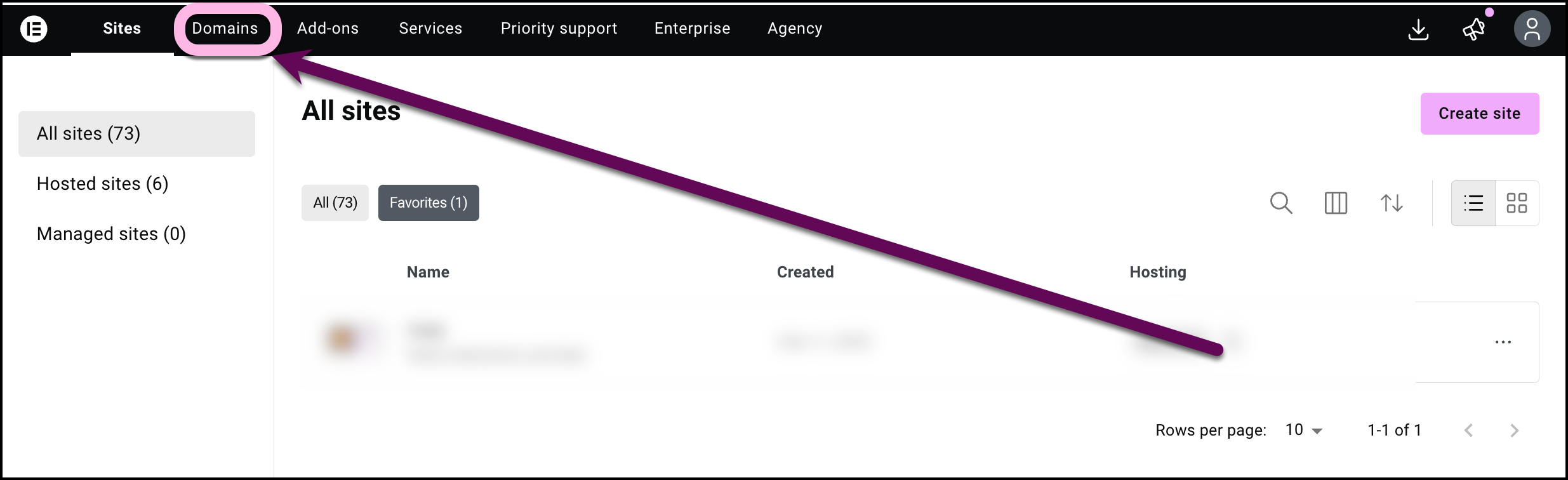
A list of your domains appears.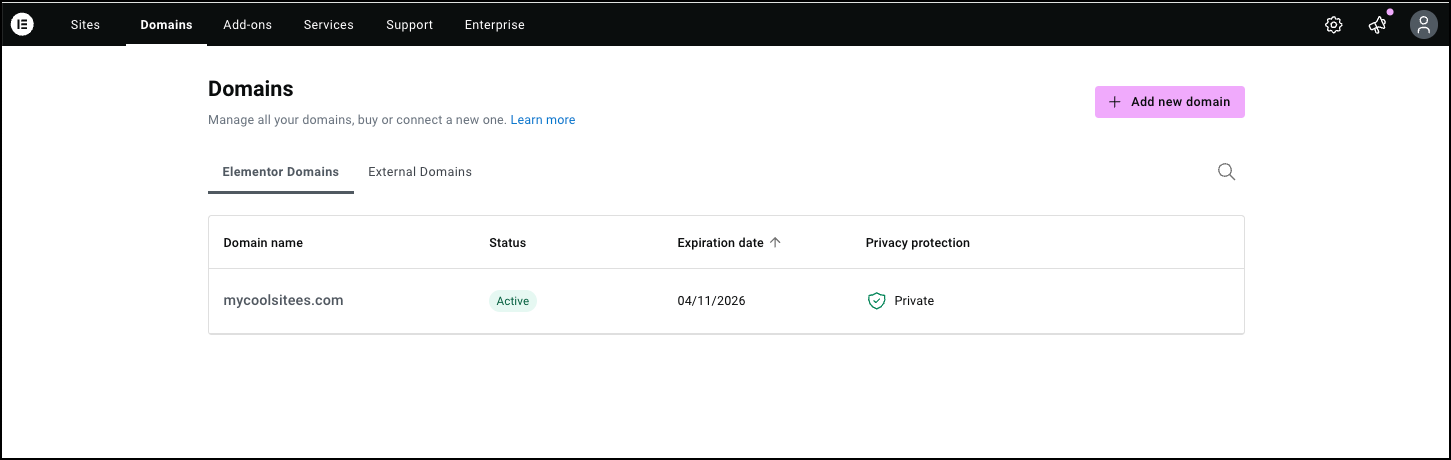
- Select the domain you want to edit.
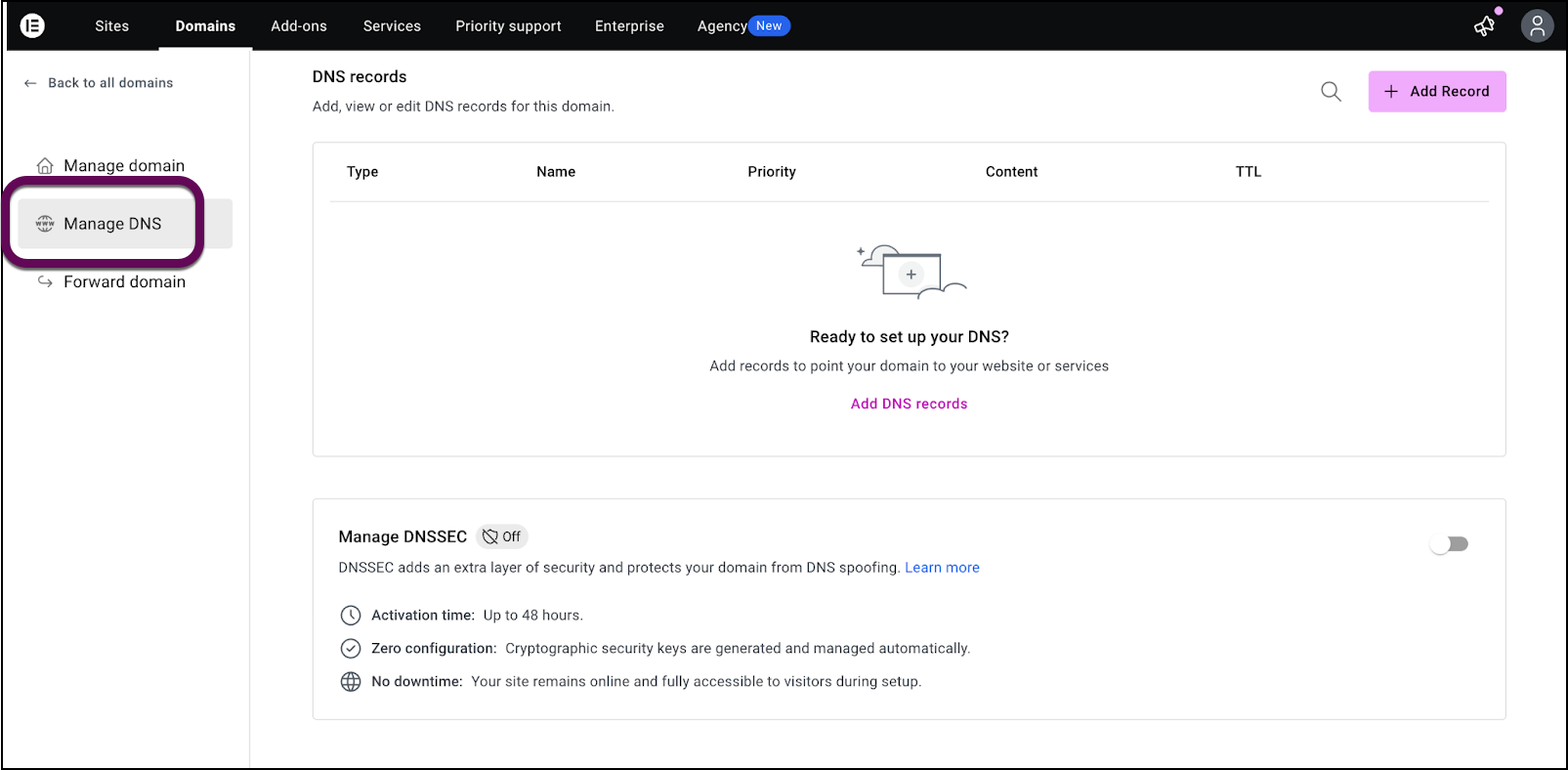
- Click Manage DNS in the panel.
- In DNSSEC protection, use the toggle to turn DNSSEC on or off.
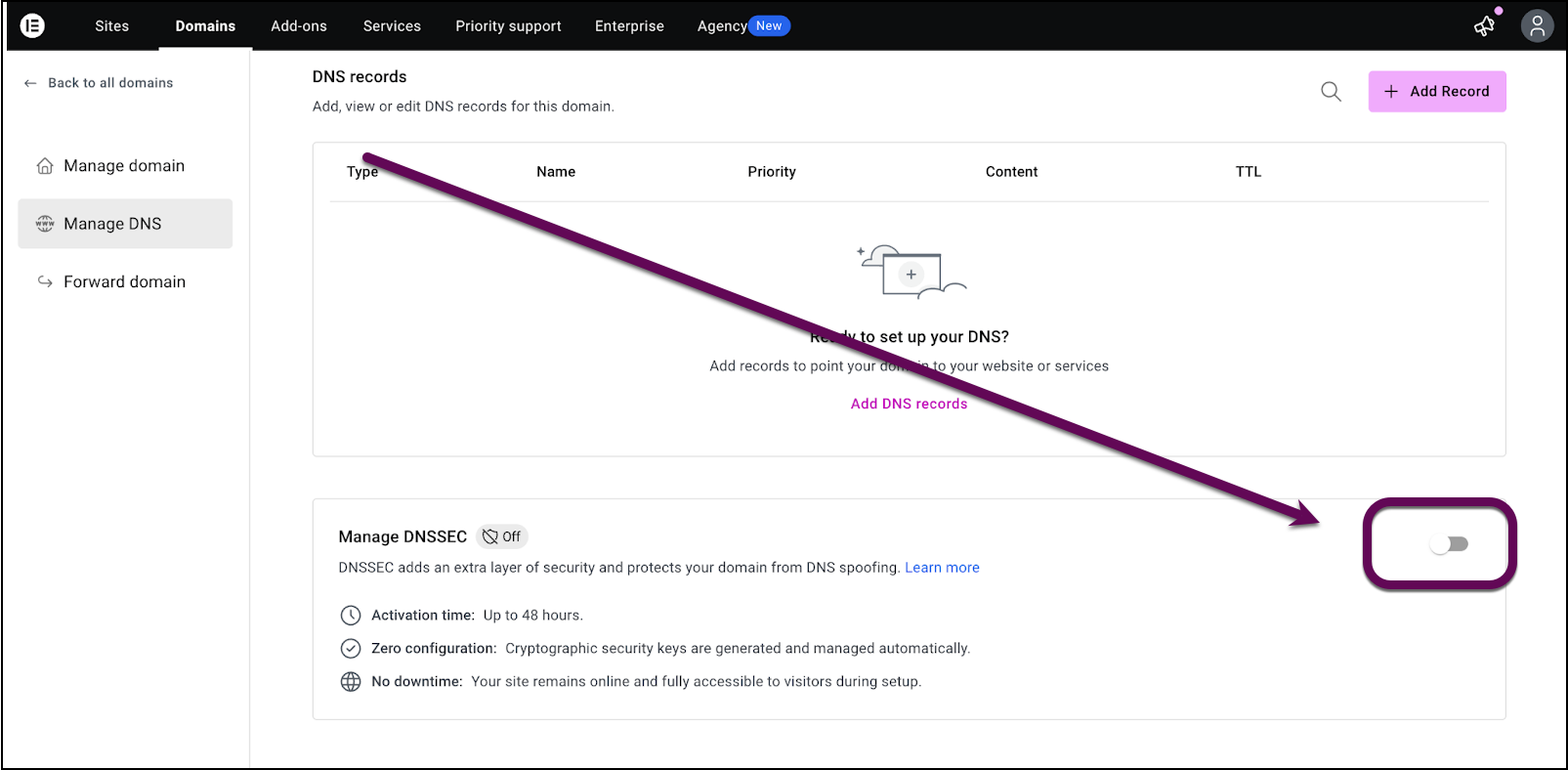
That’s it, no additional setup is required.
How do I set up DNSSEC with external name servers?
If your domain uses external name servers (e.g. Cloudflare), DNSSEC is enabled by adding your provider’s key.
Prerequisite
- The DNSKEY key for your domain. You can get this from your domain provider.
- Go to your My Elementor dashboard.
- Click Domains in the top toolbar.
A list of your domains appears. - Select the domain you want to edit.
- Click Manage DNS in the panel.
- In DNSSEC protection, click Add DNSKEY data
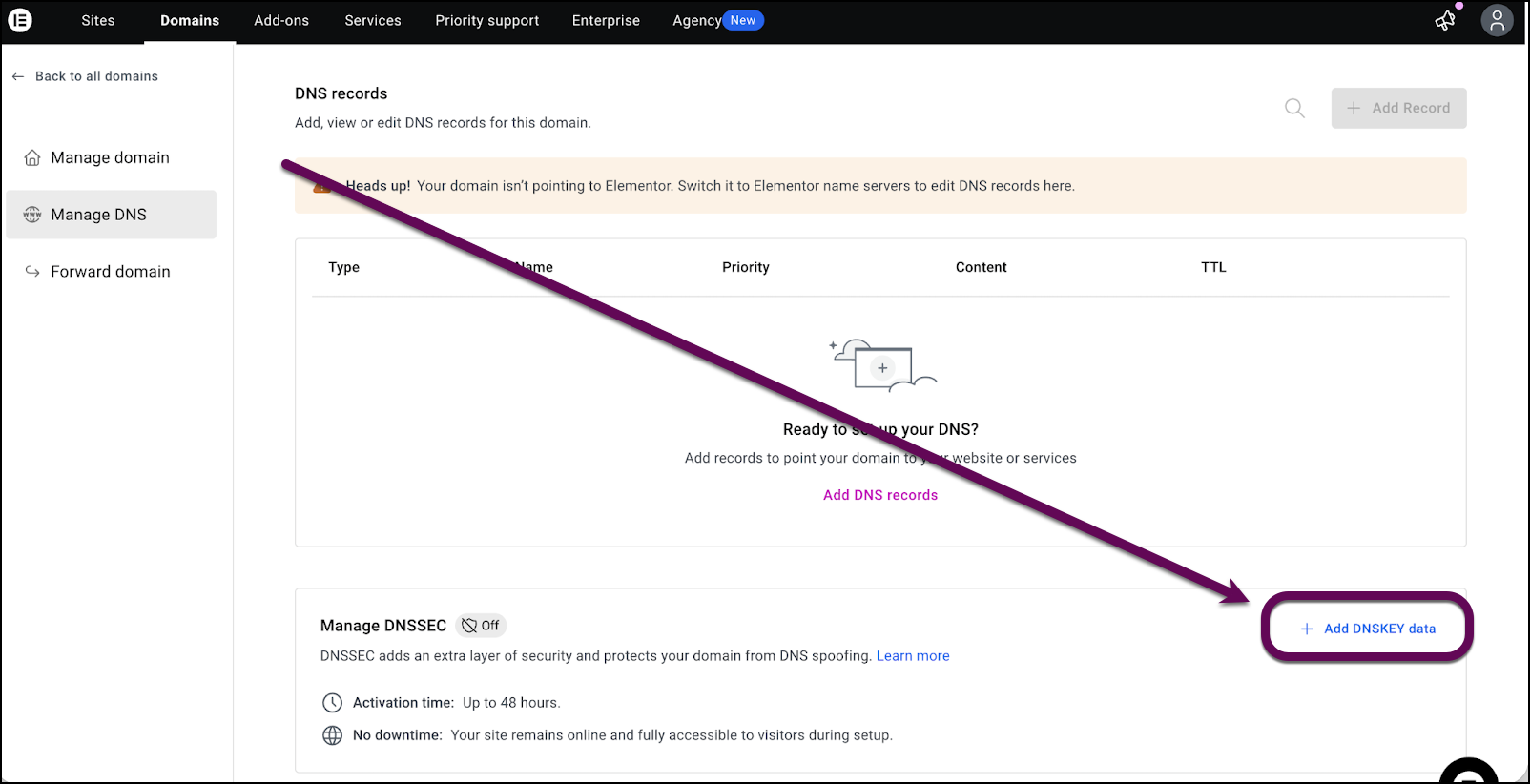
- Enter the DNSKEY (public key) provided by your DNS provider
- Save your changes
What to expect
- Changes can take up to 24–48 hours
- Status may show Pending during setup
- Your site remains online during activation

